fuel CADILLAC ELDORADO 1993 10.G User Guide
[x] Cancel search | Manufacturer: CADILLAC, Model Year: 1993, Model line: ELDORADO, Model: CADILLAC ELDORADO 1993 10.GPages: 398, PDF Size: 20.66 MB
Page 144 of 398
Downloaded from www.Manualslib.com manuals search engine Fuel Gage
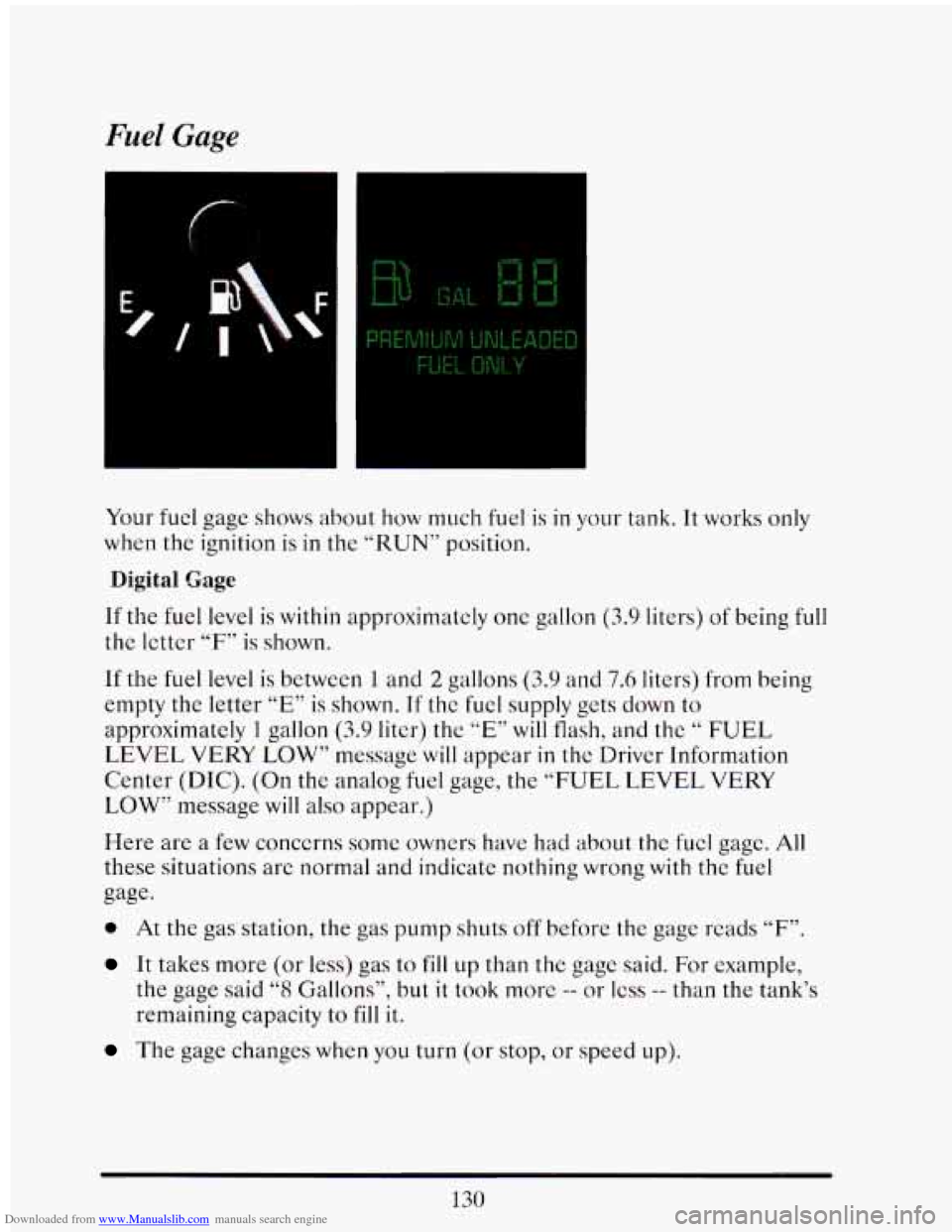
Your fuel gage shows about how much fuel is in your tank. It works only
when the ignition is
in the “RUN” position.
Digital Gage
If the fuel level is within approximately one gallon (3.9 liters) of being full
the letter “F” is shown.
If the fuel level
is between 1 and 2 gallons (3.9 and 7.6 liters) from being
empty the letter
“E” is shown. If the fuel supply gets down to
approximatcly 1 gallon (3.9 liter) the ”E” will flash, and the “ FUEL
LEVEL VERY LOW” message will appear
in the Driver Information
Center (DIC). (On the analog
fuel gage, the “FUEL LEVEL VERY
LOW’’ message will
also appear.)
Here are a few concerns some owners have had about the fucl gage. All
these situations are normal and indicate nothing wrong with the fuel
gage.
0 At the gas station, the gas pump shuts off before the gage reads “F”.
It takes more (or less) gas to fill up than the gage said. For example,
the gage said “8 Gallons”? but it took morc -- or less -- than the tank’s
remaining capacity
to fill it.
The gage changes when you turn (or stop, or speed up).
Page 145 of 398
Downloaded from www.Manualslib.com manuals search engine Fuel Data Panel
DATA
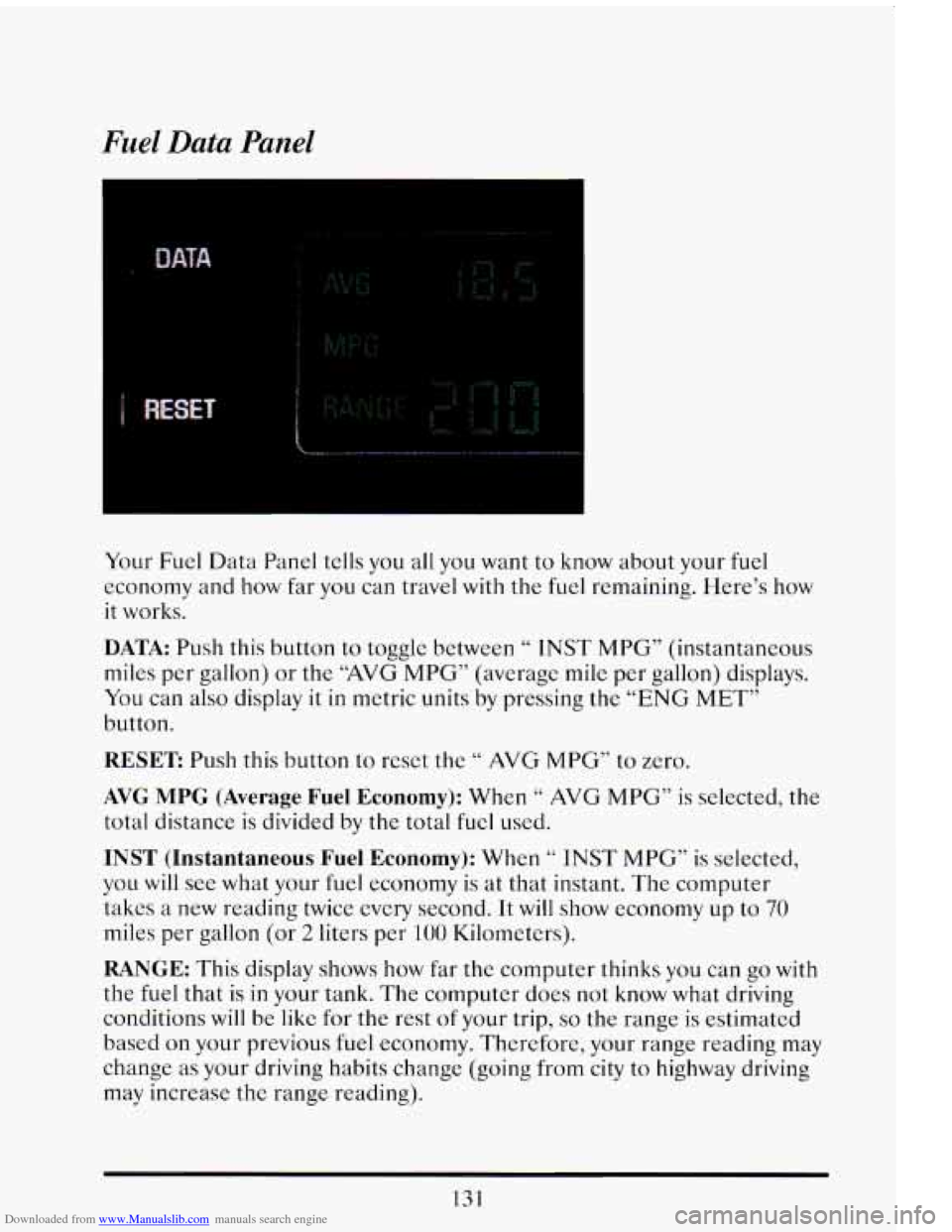
Your Fuel Data Panel tells you all you want to know about your fuel
economy and
how far you can travel with the fuel remaining. Here's how
it works.
DATA: Push this button to toggle between " INST MPG" (instantaneous
miles per gallon) or
the "AVG MPG" (average mile per gallon) displays.
You can also display
it in metric units by pressing the "ENG MET"
button.
RESET Push this button to reset the " AVG MPG" to zero.
AVG MPG (Average Fuel Economy): When '' AVG MPG" is selected, the
total distance is divided by
thc total fuel used.
INST (Instantaneous Fuel Economy): When " INST MPG" is selected,
you will see what your fuel economy is at that instant. The computer
takes
a new reading twicc every second. It will show economy up to 70
miles per gallon (or 2 liters per 100 Kilomctcrs).
RANGE: This display shows how far the computer thinks you can go with
the fuel that is in your tank. The computer does not know what driving
conditions will be like
for the rest of your trip, so the range is estimated
based on your previous fuel economy. Thcrcforc, your range reading may
change
as your driving habits change (going from city to highway driving
may increase
the range reading).
131
Page 146 of 398
Downloaded from www.Manualslib.com manuals search engine When you get down to 40 miles to go (or, in metric 64 km) the range
display will show
66L~7’.
Your computer needs enough data for the “RANGE” reading to work,
however,
so it will read “Lo”for a while when your vehicle is brand new
(under
25 miles). Also, it will show for a while if your battery has
been disconnected.
Driver Information Center
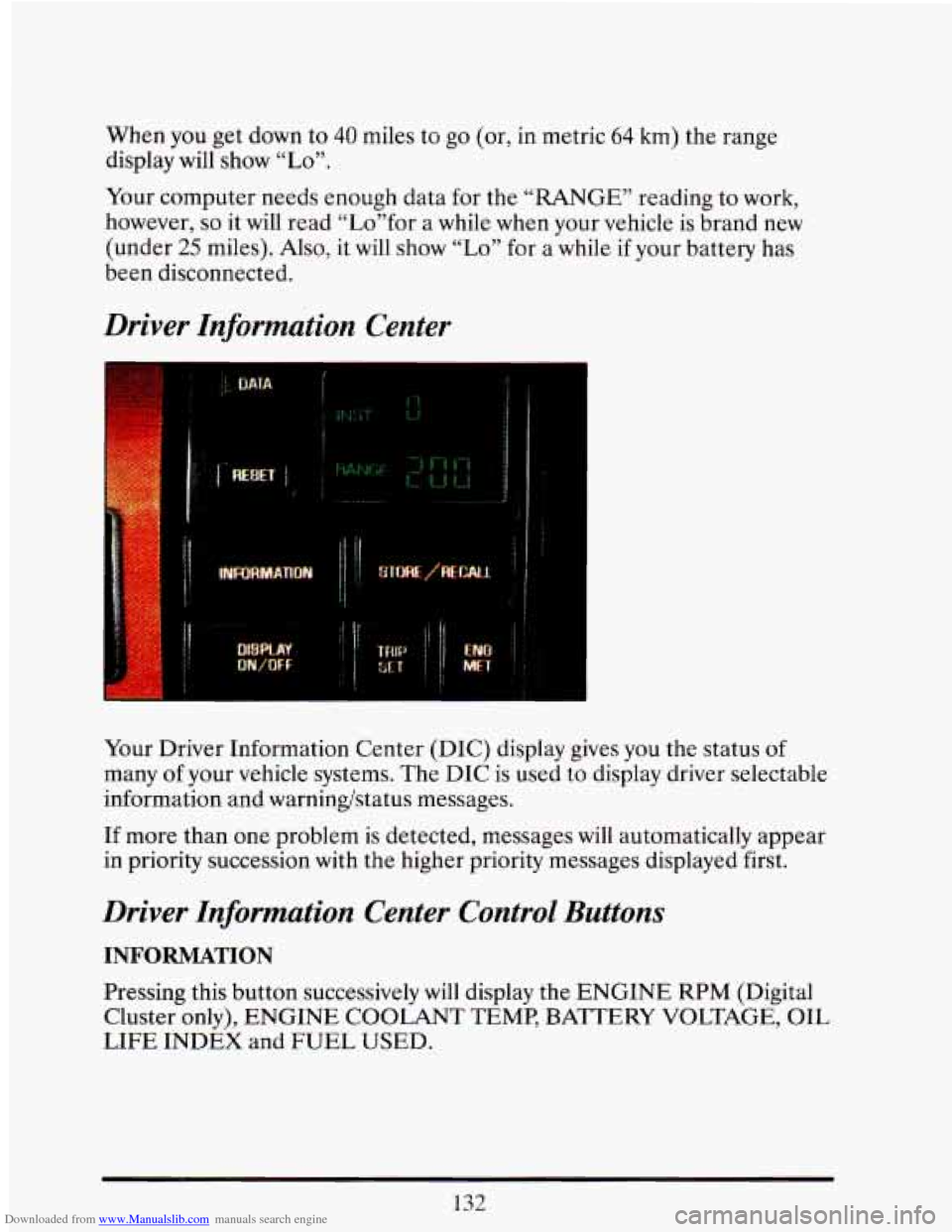
Your Driver Information Center (DIC) display gives you the status of
many
of your vehicle systems. The DIC is used to display driver selectable
information and warningstatus messages.
If more than one problem is detected, messages will automatically appear
in priority succession with the higher priority messages displayed first.
Driver Information Center Control Buttons
INFORMATION
Pressing this button successively will display the ENGINE RPM (Digital
Cluster only), ENGINE COOLANT TEMP, BATTERY VOLTAGE, OIL
LIFE INDEX and FUEL USED.
132
Page 147 of 398
Downloaded from www.Manualslib.com manuals search engine STORE/RECALL
Pressing this button will store any currently displayed message that is
indicating a system problem. Once a message has been stored the next
message
of normal information is displayed.
When
a message is stored it is saved in the computer, but once the
ignition
is turned off the message is lost. All messages stored when your
engine is running can be viewed one at a time by pressing
“STORE/RECALIY button.
FUEL USED RESET
Display the fuel used, then press and hold the STORE/RECALL button
until
0 is displayed.
DISPLAY ON/OFF
Pressing this button will turn off the Driver Information Center,
Electronic Climate Control and Fuel Data Center displays. While
displays are
off, pressing the “INFORMATION” button will turn on only
the Driver Information Center. If any other button is pressed or a driving
warning message needs
to be displayed, or fuel level falls below 4 gallons,
all the displays will come back on.
TRIP SET
Press and hold this button to set the Trip Odometer back to zero.
ENG/MET (English/Metric)
Press this button to switch from English (miles) to metric (kilometers).
Driver Information Center Messages
These messages will appear if there is a problem sensed in one of your
vehicle’s systems. Vehicles that
are first sold in Canada or are export
vehicles will have a number after each message. This number helps to
identify that message, which is only displayed in English.
APPLY BRAKE TO SHIFT
This message will appear if your vehicle is in “P” (Park) for about 5
seconds and the brake is not depressed. If you do not want this message
to appear, you can cancel this message by pressing the
OFF and the Blue
(cooler) button on the Electronic Climate control panel. Push \
the same
2
buttons again to have this message displayed again.
133
Page 149 of 398
Downloaded from www.Manualslib.com manuals search engine CHANGE TRANS FLUID (Northstar Only)
This message will appear when it is time to replace the transaxle fluid.
See your maintenance booklet for the proper fluid and change i\
ntervals.
CHECK BRAKE FLUID
This message is displayed to inform the driver that the brake reservoir
fluid level
is low. Check the brake reservoir level and add as needed.
Have the brake system serviced by
a Cadillac technician as soon as
possible.
If the brake warning light is on, follow the directions in that
section.
CHECK COOLANT LEVEL (Northstar Only)
This message will appear when there is a low level of engine coolant.
Have the cooling system serviced by a Cadillac technician as soon as
possible.
CHECK FUEL GAGE
This message will appear when your fuel supply is less than 4 gallons and
your display is turned
off.
CHECK OIL LEVEL (Northstar Only)
This message will appear when your engine oil is approximately a quart
low. If this message is displayed, check the oil and add as needed.
CHANGE OIL SOON
This message will appear when your engine oil is less than 10 percent or
the mileage since the last oil change is more than 6750 miles.
CHANGE ENGINE OIL
135
This means that the life of your engine oil has expired and it should be
changed immediately. See engine
oil and filter recommendations in the
Maintenance Schedule. After an
oil change, the Oil Life Index must be
reset. See “Oil Life Indicator”
in the index on how to reset it.
Page 150 of 398
Downloaded from www.Manualslib.com manuals search engine ENGINE COOLANT HOT IDLE ENGINE
This message will appear when your engine coolant temperature is over
126°C
(248’F). To avoid added strain on a hot engine, turn off your
Climate Control system and stop and allow your vehicle to idle until it
cools down or the mcssage is removed. If it does not cool down, turn off
your engine and have it serviccd before driving it again. Severe enginc
damage can result from an overheated engine. See “Engine Overheating”
in the Index.
ENGINE HOT - A/C COMPRESSOR OFF
This message will appear when the Climate Control is in “Auto” or
Defrost and the engine coolant
is hotter than the normal operating
temperature.
To avoid added strain on a hot engine the air conditioning
compressor
is automatically turned off. When that happens, air
conditioned air is not delivered.
Tf the coolant temperature returns to
normal,
you must select “AUTO”, “DEFOG” or Defrost to return to a
normal
A/C compressor operation.
FUEL LEVEL VERY LOW
This message. serves as a warning that the fuel level in your tank is
critically low.
It means you should stop for fuel immediately.
LOW A/C REFRIGERANT - SERVICE A/C SOON
This message will appear when the A/C refrigerant is so low that it no
longer can cool well. This message shows that some of the refrigerant has
leaked out
of the system, and that the A/C needs recharging. If you do
not have it recharged,
the system may not cool at all.
CHECK WASHER FLUID
This message shows that the washer fluid reservoir is nearly empty.
REDUCE ENGINE POWER (Northstar Only)
This message will appear if the engine starts to cut cylinders to reduce
power, If this message is ever displayed have your vehicle serviced as soon
as possible.
136
Page 159 of 398
Downloaded from www.Manualslib.com manuals search engine Temperature
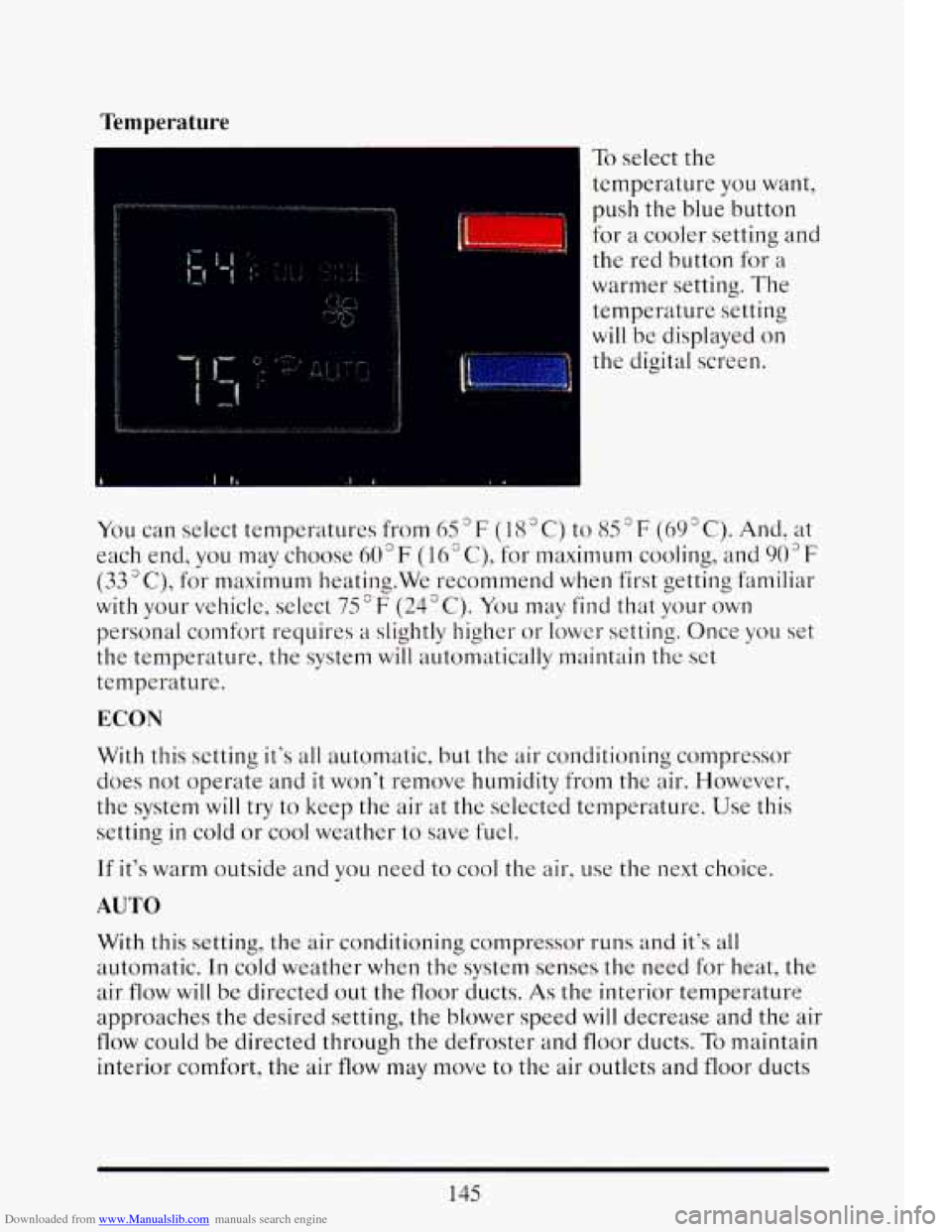
To select the
temperature
you want,
push
the blue button
for a cooler setting and
the red button for a
warmer setting.
The
temperature setting
will be displayed
on
the digital screen.
I
You can select temperatures from 65 F ( 18 " C) to 85 F (69 " C). And, at
each end,
you may choose 60°F (16" C), for maximum cooling, and 903F
(33"C), for maximum heating.We recommend when first getting familiar
with your vehicle, select
75°F (24°C). You may find that your own
personal comfort requires a slightly higher or lower setting. Once you set
the temperature, the system will automatically maintain the set
temperature.
ECON
With this setting it's all automatic, but the air conditioningcorupressor
does not operate and
it won't remove humidity from the alr. However,
the system will try
to keep the air at the selected temperature. Use this
setting
in cold or cool weather to save fuel.
If it's warm outside and you need to cool the air, use the next choice.
AUTO
With this setting, the air conditioning compressor runs and it's all
automatic. In cold weather when the system senses the need for heat, the
air
flow will be directed out the floor ducts. As the interior temperature
approaches
the desired setting, the blower speed will decrease and the air
flow could be directed through the defroster and floor ducts. To maintain
interior comfort, the air
flow may move to the air outlets and floor ducts
145
Page 213 of 398
Downloaded from www.Manualslib.com manuals search engine time and flash your brake lights (in addition to your turn signal) as extra
warning that you are about
to slow down and exit.
The exit ramp can be curved, sometimes quite sharply.
The exit speed
is usually posted. Reduce your speed according to your
speedometer, not to your sense of motion. After driving for any distance
at higher speeds, you may tend to think you are going slower than you
actually are. For example,
40 mph (65 km/h) might seem like only 20 mph
(30 kmih). Obviously, this could lead to serious trouble on a ramp
designed for
20 mph (30 kmih)!
DMNG A LONG DISTANCE
Although most long trips today are made on freeways, there are still
many made on regular highways.
Long-distance driving on freeways and regular highways is the same in
some ways.
The trip has to be planned and the vehicle prepared, you
drive at higher-than-city speeds, and there are longer turns behind the
wheel. You’ll enjoy your trip more
if you and your vehicle are in good
shape. Here are some tips for a successful long trip.
BEFORE LEAVTNG ONA LONG TRIP
Make sure you’re ready. Try to be well rested. If you must start when
you’re not fresh
-- such as after a day’s work -- don’t plan to make too
many miles that first part
of the journey. Wear comfortable clothing and
shoes
you can easily drive in.
Is your vehicle ready for a long trip? If you keep it serviced and
maintained, it’s ready
to go. If it needs service, have it done before
starting out.
Of course, you’ll find experienced and able service experts in
Cadillac dealerships all across North America. They’ll be ready and
willing
to help if you need it.
Here are some things you can check before a trip:
Windshield Washer Fluid: Is the reservoir full? Are all windows clean
inside and outside?
Wiper Blades: Are they in good shape?
Fuel. Engine Oil, Other Fluids: Have you checked all levels‘?
199
Page 224 of 398
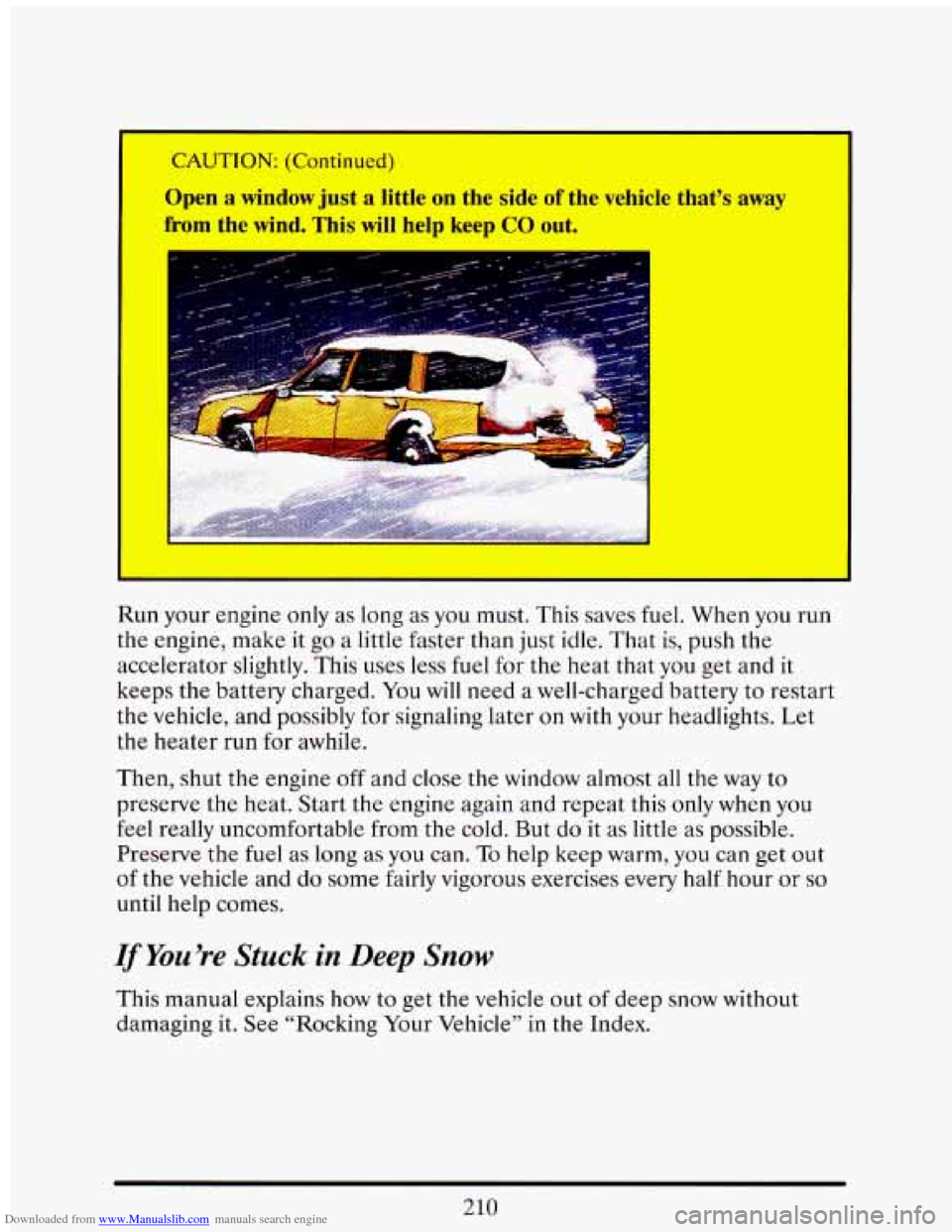
Downloaded from www.Manualslib.com manuals search engine Open a window just a little on the side of the vehicle that’s away
from the wind. This will help keep GO out.
Run your engine only as long as you must. This saves fuel. When you run
the engine, make it go a little faster than just idle. That is, push the
accelerator slightly. This uses less
fuel for the heat that you get and it
keeps the battery charged. You will need a well-charged battery to restart
the vehicle,
and possibly for signaling later on with your headlights. Let
the heater run for awhile.
Then, shut the engine off and close the window almost all the way to
preserve the heat. Start the engine again and repeat this only when you
feel really uncomfortable from the cold. But do
it as little as possible.
Preserve the fuel as long
as you can. To help keep warm, you can get out
of the vehicle and do some fairly vigorous exercises every half hour or so
until help comes.
VYou’re Stuck in Deep Snow
This manual explains how to get the vehicle out of deep snow without
damaging
it. See “Rocking Your Vehicle’’ in the Index.
210
Page 225 of 398
Downloaded from www.Manualslib.com manuals search engine TOWING A TMLER
’ A CAUTION:
If you don’t use the correct equipment and drive properly, you
can lose control when you pull
a trailer. For example, if the
trailer is too heavy, the brakes may not work well
-- or even at
all. You and your passengers could be seriously injured. Pull a
trailer onp7 ;€you have followed all the step? in this section.
NOTJCE
Fulling
I
in costly repairs not covered by your wan lty. To pull a trailer
correctly, follow the advice
in this secti I.
Load-pulling components such as the engine, transaxle, wheel assemblies,
and tires are forced to
work harder against the drag of the added weight.
The engine is required
to operate at relatively higher speeds and under
greater loads, generating extra heat. What’s more, the traile\
r adds
considerably to wind resistance, increasing the pulling requirements.
All of that means changes in:
0 Handling
0 Durability
Fuel economy
If You Do Decide To Pull A Trailer
If you do, here are some important points.
There are many different laws having to do with trailering. Make sure
your rig will be legal,
not only where you live but also where you’ll be
driving.
A good source for this information can be state or provincial
police.
21 1