clock CADILLAC ELDORADO 1996 10.G User Guide
[x] Cancel search | Manufacturer: CADILLAC, Model Year: 1996, Model line: ELDORADO, Model: CADILLAC ELDORADO 1996 10.GPages: 354, PDF Size: 19.33 MB
Page 165 of 354
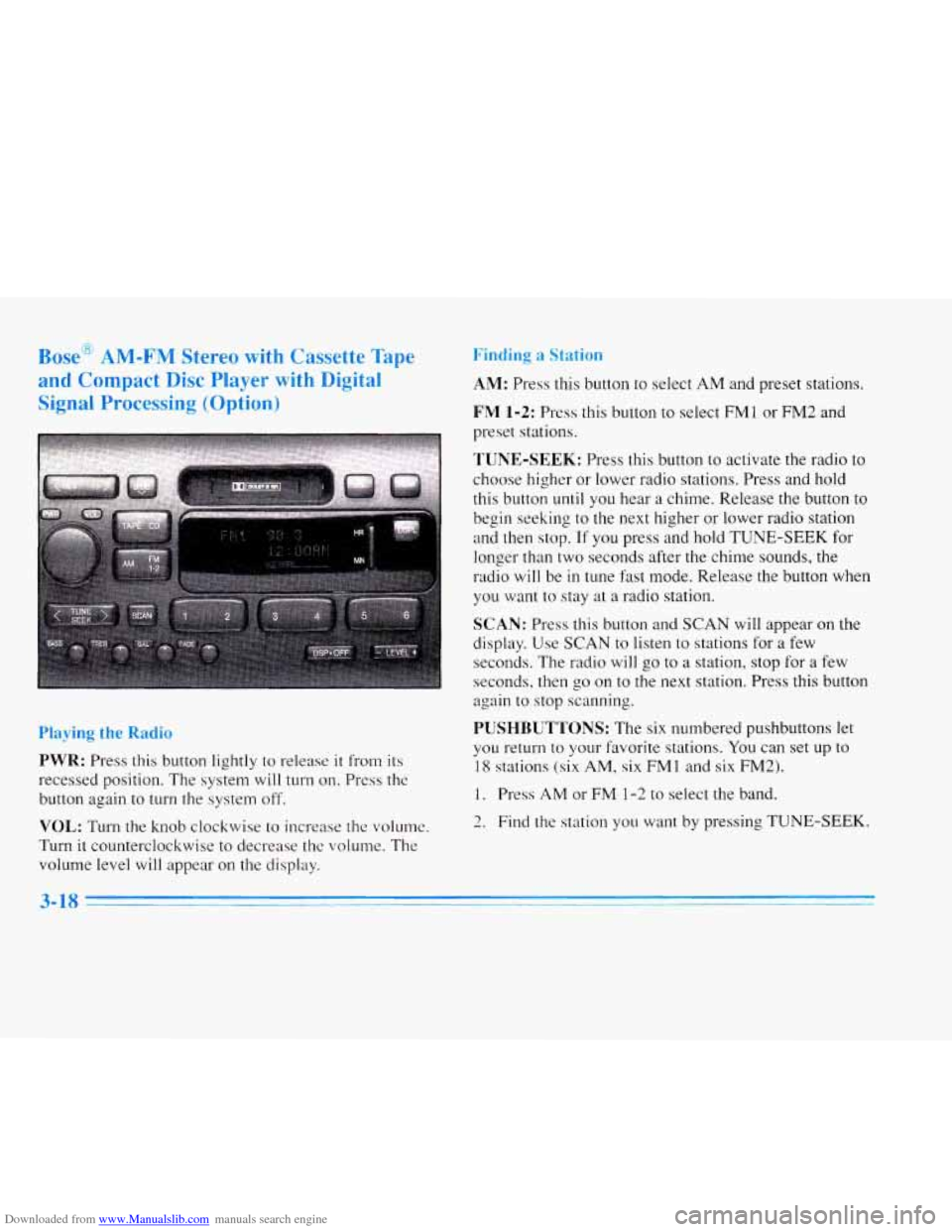
Downloaded from www.Manualslib.com manuals search engine Bose AM-FM Stereo with C~SWLL~: rape
and Compact Disc Player with Digital
Signal Processing (Option)
Playing the Radio
PWR: Press this button lightly to release it from its
recessed position. The system
will turn on. Press the
button again to turn the system off.
VOL: Turn the knob clockwise to increase the volume.
Turn it counterclockwise to decrease thc volume. The
volume level will appear on the display.
ndinp
AM: Press this button to select AM and preset stations.
FM 1-2: Press this button to select FM1 or FM2 and
preset stations.
TUNE-SEEK: Press this button to activate the radio to
choose higher or lower radio stations. Press and hold
this button
until you hear a chime. Release the button to
begin seeking to the next higher
or lower radio station
and then stop.
If you press and hold TUNE-SEEK for
longer than two seconds after the chime sounds, the
radio
will be in tune fast mode. Release the button when
you want to stay at
a radio station.
SCAN: Press this button and SCAN will appear on the
display. Use SCAN to listen
to stations for a few
seconds. The radio will go to a station, stop for
a few
seconds, then
go on to the next station. Press this button
again to stop scanning.
PUSHBUTTONS: The six numbered pushbuttons let
you return to your favorite stations.
You can set up to
18 stations (six AM, six FMl and six FM2).
1. Press AM or FM 1-2 to select the band.
2. Find the station you want by pressing TUNE-SEEK.
3-18
Page 166 of 354
Downloaded from www.Manualslib.com manuals search engine 3. Press and hold one of the six numbered buttons until
you hear a chime. A preset number will appear on
the display.
4. The sound will mute. When it returns, release the
button. Whenever you press that numbered button,
the station you set will return.
PSCAN: Press and hold SCAN for two to three
seconds until PSCAN (preset scan) appears on the
display to listen to each of your preset stations for
a few seconds (factory presets which have not been
reprogrammed with your stations will be ignored).
The radio will go to the first preset station stored on
your pushbuttons, stop for a few seconds, then go on
to the next preset station. Press SCAN again to stop
scanning. If a preset station has weak reception, the
radio will not stop at the preset station.
Setting the Tone
BASS: Press this button lightly so it extends. Turn the
BASS knob clockwise to increase and counterclockwise
to decrease bass. The middle position is a detent.
TREB: Press this button lightly so it extends. Turn the
TREB knob clockwise to increase and counterclockwise
to decrease treble. The middle position is a detent.
Push the knobs back in when you are not using them.
DSP: The Digital Signal Processing (DSP) feature is
used to produce four audio effects. These include TALK, DRIVER SEAT, LIVE and AUDITORIUM.
DSP can be used while listening to the radio, the
cassette tape player or the CD player.
To activate DSP,
press the DSP button. Press this button again to go
through the four effects. To turn the DSP feature off,
Dress
OFF. I
0
0
0
0
TALK: This setting is used when listening to
non-musical material such as baseball games, talk
shows or news. TALK gives the best clarity of
spoken words. The high and low frequencies are
lowered, the mid-range is increased and the audio is
moved to the front speakers.
DRIVER SEAT: This setting adjusts the audio to
give the driver the best possible sound qualities. This
has been done by tailoring the sound arrival times and
equalization for the driver seat. DRIVER SEAT can
be used at any time for any material. Other passengers
in
the vehicle may not perceive the same effect.
LIVE: This setting is used to imitate the sound of a
live performance.
AUDITORIUM: This setting is similar to LIVE
however, more echo is present. The LIVE and
AUDITORIUM settings
are best used for music.
3-19
I
Page 167 of 354
Downloaded from www.Manualslib.com manuals search engine LEVEL: Press the plus or minus symbol on this button
to adjust the amount of effect desired when in
DSP
mode. Some experimenting with this button will help
you determine the best sound.
Adjusting the Speakers
BAL: Press this button lightly so it extends. Turn the
BAL knob to move the sound to the left or right
speakers. The middle position is a detent and balances
the speakers. Turn the knob clockwise to adjust sound to
the right speakers and counterclockwise for left
speakers.
FADE: Press this button lightly so it extends. Turn the
FADE knob to move the sound to the front or rear
speakers. The middle position is a detent and balances
the speakers. Turn the knob clockwise to adjust the
sound to the front speakers and counterclockwise for
rear speakers.
Push the knobs back in when you’re not using them.
Playing a Cassette Tape
With the radio on, insert a cassette tape. The tape will
begin playing as soon as
it is inserted. While the tape
is playing, use the VOL, FADE, BAL,
TREB and BASS controls just as you do for the radio.
Other controls may have different functions when a tape
is inserted. The display will show TAPE with an arrow
to indicate which side of the tape is playing.
PLAY will
appear on the display when a tape is playing.
If an error occurs while trying
to play a cassette tape, it
could be that:
The cassette tape is tight and the cassette player
cannot turn the hubs of the tape. (Hold the cassette
tape with the open end down and try turning the right
hub counterclockwise with a pencil. Flip the tape
over and repeat. If the hubs do not turn easily, your
cassette tape may
be damaged and should not be
used
in the player. Try a new tape to be sure your
player is working properly.
0 The cassette tape is broken. (Check to see if your
tape
is broken. Try a new tape.)
Note that cassette tape adapter kits for portable compact
disc players will not work
in your cassette player. These
adapters
will cause an error message to show on the
display, and the adapter cassette
will be ejected.
3-20
Page 173 of 354
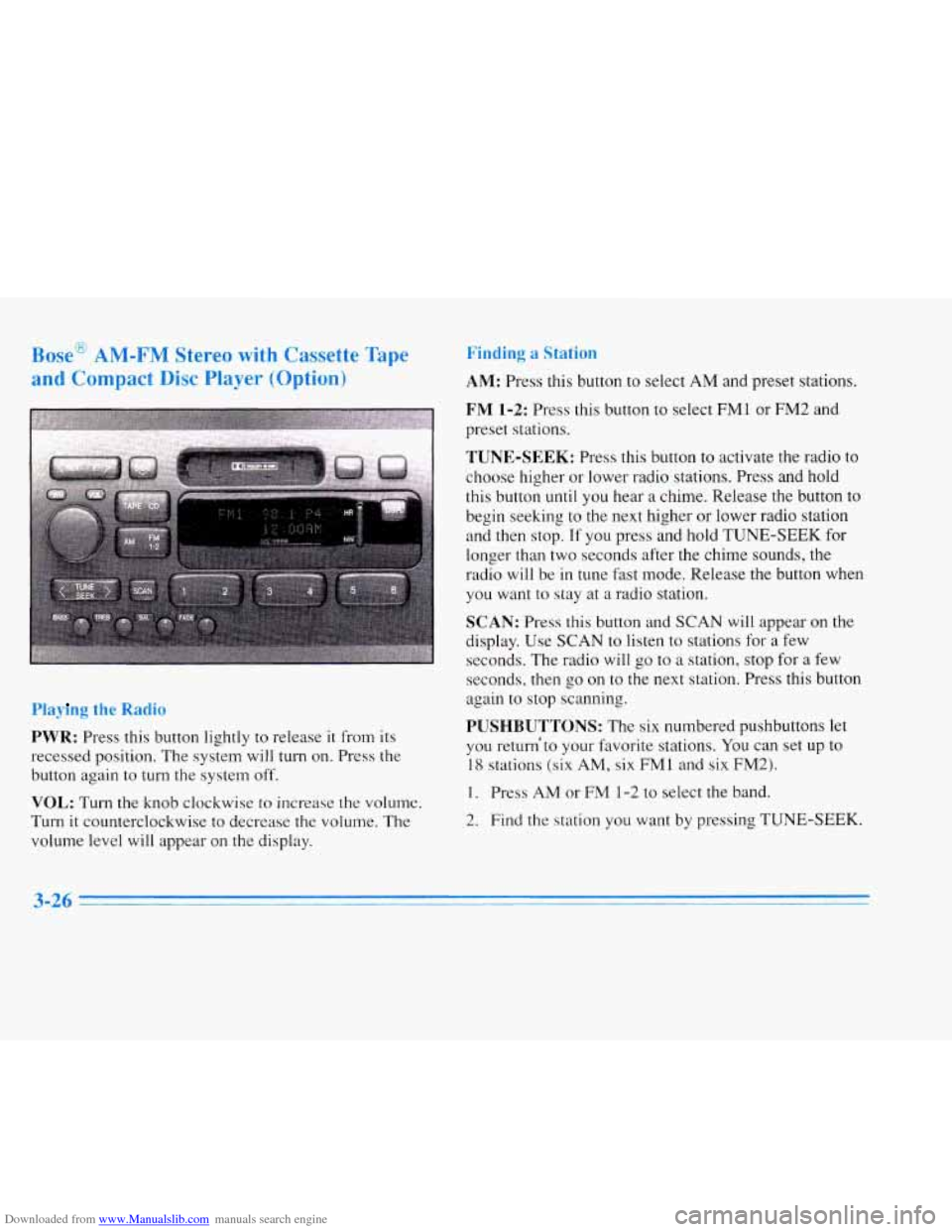
Downloaded from www.Manualslib.com manuals search engine Bosc mlvl-r lvl jtereo wiLA1 Ladsette Tape
and Compact
Disc Player (O~-'ion)
Pla~ g the Radio
PWR: Press this button lightly to release it from its
recessed position. The system will
turn on. Press the
button again to
turn the system off.
VOL: Turn the knob clockwise to increase the volume.
Turn
it counterclockwise to decrease the volume. The
volume level will appear
on the display.
Finding .. *."
AM: Press this button to select AM and preset stations.
FM 1-2: Press this button to select FM1 or FM2 and
preset stations.
TUNE-SEEK: Press this button to activate the radio to
choose higher or lower radio stations. Press and hold
this button
until you hear a chime. Release the button to
begin seeking to the next higher
or lower radio station
and then stop.
If you press and hold TUNE-SEEK for
longer than two seconds after the chime sounds, the
radio
will be in tune fast mode. Release the button when
you want to stay at
a radio station.
SCAN: Press this button and SCAN will appear on the
display. Use
SCAN to listen to stations for a few
seconds. The radio will go to a station, stop for a few
seconds, then go on to the next station. Press this button
again to stop scanning.
PUSHBUTTONS: The six numbered pushbuttons let
you return'to your favorite stations. YOU can set up to
18 stations (six AM, six FM1 and six FM2).
1. Press AM or FM 1-2 to select the band.
2. Find the station you want by pressing TUNE-SEEK.
3-26 -
Page 174 of 354
Downloaded from www.Manualslib.com manuals search engine 3. Press and hold one of the six numbered buttons until
you hear
a chime. A preset number will appear on
the display.
4. The sound will mute. When it returns, release the
button. Whenever you press that numbered button,
the station you set will return.
PSCAN: Press and hold SCAN for two to three
seconds until PSCAN (preset scan) appears on the
display to listen to each of your preset stations for
a few seconds (factory presets which have not been
reprogrammed with your stations will be ignored).
The radio will
go to the first preset station stored on
your pushbuttons, stop for a few seconds, then go
on to the next preset station. Press SCAN again to stop
scanning. If a preset station has weak reception, the
radio will not stop at the preset station.
r
BASS: Press this button lightly so it extends. Turn the
BASS knob clockwise to increase and counterclockwise
to decrease bass. The middle position is a detent.
TREB: Press this button lightly so it extends. Turn the
TREB knob clockwise to increase and counterclockwise
to decrease treble. The middle position is a detent.
Push the knobs back in when you
are not using them.
Adjusting the Speakers
BAL: Press this button lightly so it extends. Turn the
BAL knob to move the sound
to the left or right speakers.
The middle position is
a detent and balances the speakers.
Turn the knob clockwise to adjust sound to the right
speakers and counterclockwise for left speakers. Push the
button back it when you are not using it.
FADE: Press this button lightly so it extends. Turn the
FADE knob to move the sound to the front or rear
speakers. The middle position is a detent and balances
the speakers. Turn the knob clockwise to adjust the
sound to the front speakers and counterclockwise for
rear speakers. Push the button back
it when you are not
using it.
3ying a Cassette Tape
With the radio on, insert a cassette tape. The tape will
begin playing as soon as
it is inserted.
While the tape is playing, use the VOL, FADE, BAL,
TREB and BASS controls just as you do for the radio.
Other controls may have different functions when a tape
is inserted. The display will show TAPE with an arrow
to indicate which side of the tape is playing. PLAY will
appear on the display when a tape is playing.
3-27
1
Page 175 of 354
Downloaded from www.Manualslib.com manuals search engine If an error occurs while trying to play a cassette tape, it
could be that.:
The cassette tape is tight and the cassette player
cannot turn the hubs
of the tape. (Hold the cassette
tape with the open end down and try turning the right
hub counterclockwise with a pencil. Flip the tape
over and repeat. If the hubs do not turn easily, your
cassette tape may be damaged and should not be
used
in the player. Try a new tape to be sure your
player
is working properly.
The cassette tape is broken. (Check to see if your
tape is broken.
Try a new tape.)
Note that cassette tape adapter kits for portable compact
disc players will not work in your cassette player. These
adapters will cause an error message to show on the
display, and the adapter cassette will be ejected.
TAPE: Press this button to switch from radio or CD to
cassette tape play. Press
AM or FM 1-2 to switch to the
radio.
SEEK: Press the forward arrow to search for the next
selection on the tape. Press the backward arrow to
search for the previous selection on the tape (REP will appear on
the display). Your tape must have at least
three seconds of silence between each selection
for
SEEK to work. The sound will be muted while seeking.
REV Press this left arrow button to reverse the tape
rapidly. Press
it again to return to playing speed. The radio
will play while the tape reverses and
REV will appear on
the display. You may use your station pushbuttons
to tune
to another mdio station while in REV mode.
FF: Press this right arrow button to advance quickly to
another part
of the tape. Press the button again to return
to playing speed. The radio will play while the tape
advances and
FWD will appear on the display. You may
use your station pushbuttons to tune to another radio
station
while in FWD mode.
SIDE: Press this button to change the side of the tape
that
is playing.
SCAN: Press this button. SCAN will appear on the
display until the next selection is found and then PLAY
will appear on
the display. Use SCAN to listen to
selections for a few seconds.
The tape will go to a
selection, stop for a few seconds, then go on to the next
station. Press this button again
to stop scanning.
Page 195 of 354
Downloaded from www.Manualslib.com manuals search engine An emergency like this requires close attention and a
quick decision. If you are holding the steering wheel at
the recommended
9 and 3 o’clock positions, you can
turn it a full 180 degrees very quickly without removing
either hand. But
you have to act fast, steer quickly and
just
as quickly straighten the wheel once you have
avoided the object.
The fact that such emergency situations are always
possible is
a good reason to practice defensive driving at
all times and wear safety belts properly. You
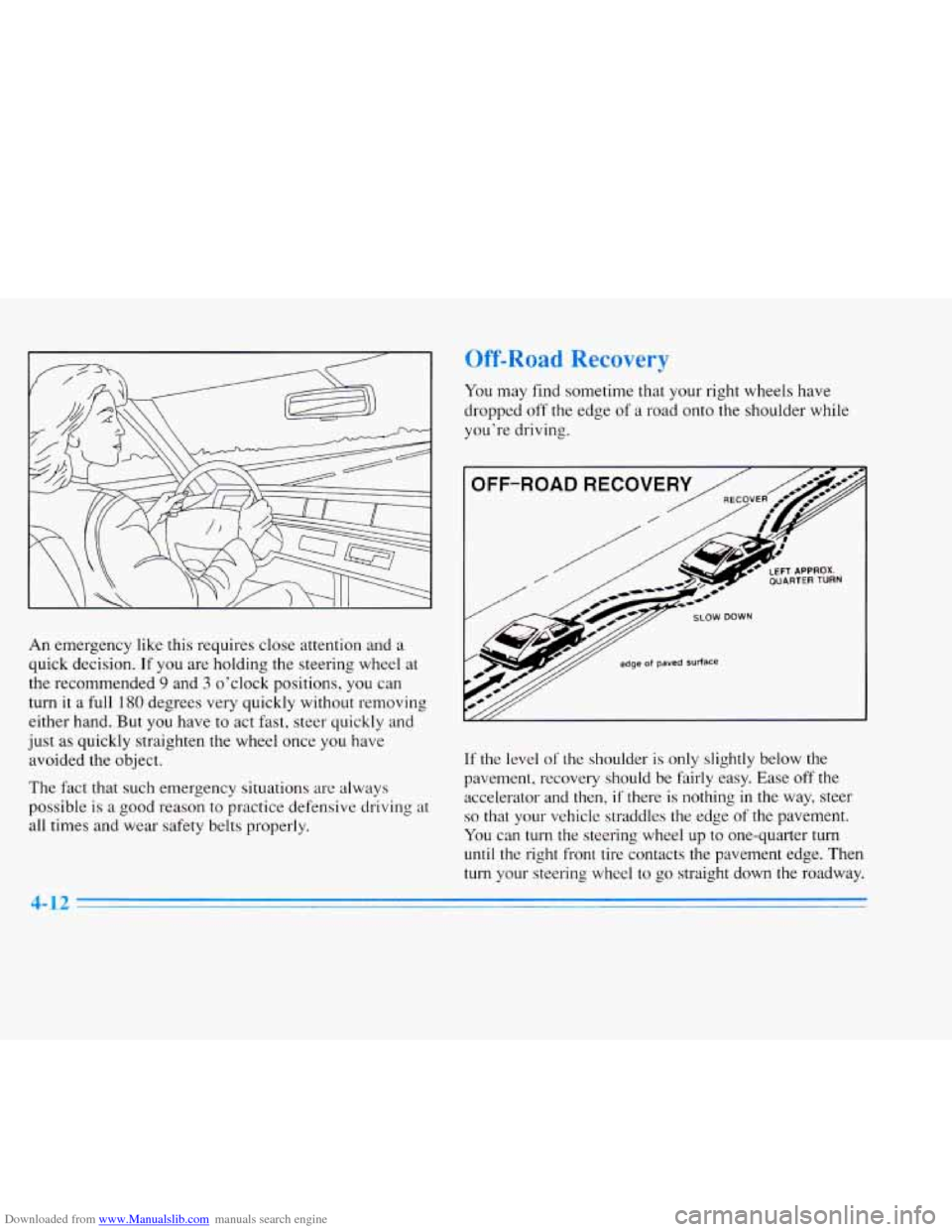
may find sometime that your right wheels have
dropped off the edge
of a road onto the shoulder while
you’re driving.
OFF-ROAD RECOVER
/
// edge of paved Surface
If the level of‘ the shoulder is only slightly below the
pavement, recovery should be fairly easy. Ease off the accelerator and then,
if there is nothing in the way, steer
so that your vehicle straddles the edge of the pavement.
You can turn the steering wheel up to one-quarter turn
until the right front tire contacts the pavement edge. Then
turn your steering wheel to go straight down the roadway.
4-12
Page 243 of 354
Downloaded from www.Manualslib.com manuals search engine NOTICE:
In cold weather, water can freeze and crack the
engine, radiator, heater core and other parts.
So
use the recommended coolant.
You can be burned if you spill coolant on hot
engine parts. Coolant contains ethylene
glycol
and it will burn if the engine parts are hot
enough. Don’t spill coolant on
a hot engine.
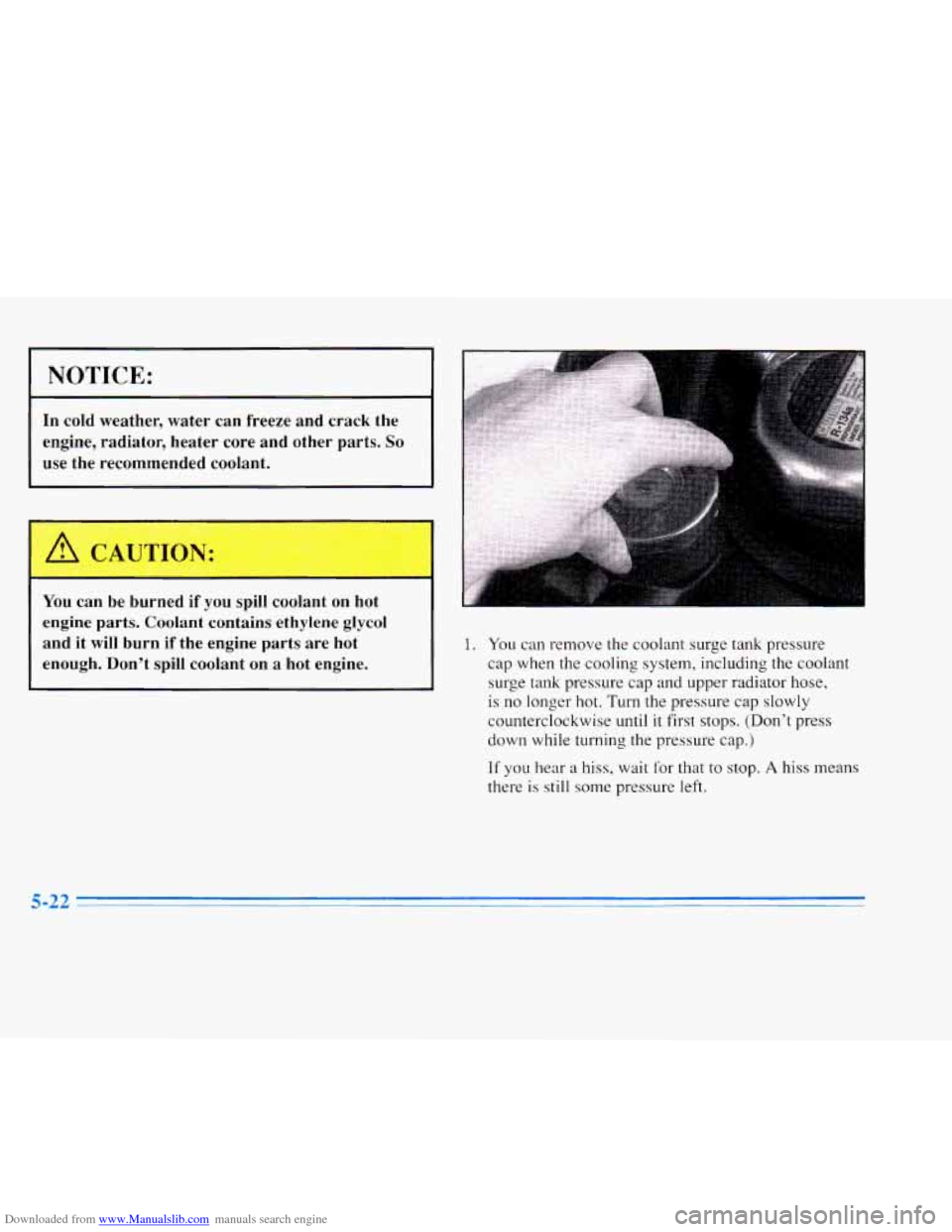
1. You can remove the coolant surge tank pressure
cap when the cooling system, including the coolant
surge tank pressure cap
and upper radiator hose,
is
no longer hot. Turn the pressure cap slowly
counterclockwise until
it first stops. (Don’t press
down while turning the pressure cap.)
If you hear a hiss, wait for that to stop. A hiss means
there is still some pressure left.
Page 247 of 354
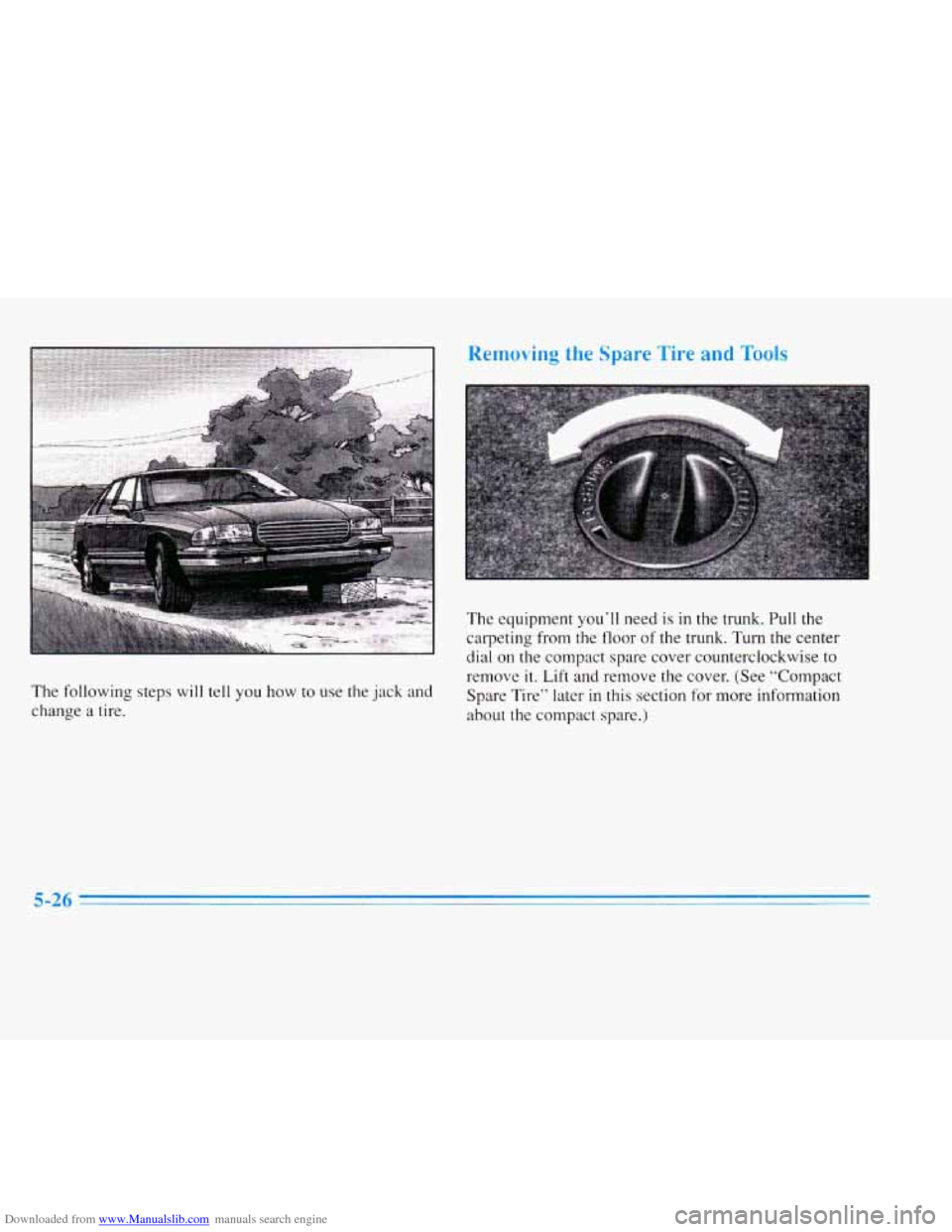
Downloaded from www.Manualslib.com manuals search engine The following steps will tell you how to use the jack and
change a tire.
Removing the Spare Tire and Took
The equipment you’ll need is in the trunk. Pull the
carpeting from t.he floor of the trunk. Turn the center
dial on the compact spare cover counterclockwise to
remove
it. Lift and remove the cover. (See “Compact
Spare Tire” later in this section for more information
about the compact spare.)
Page 248 of 354
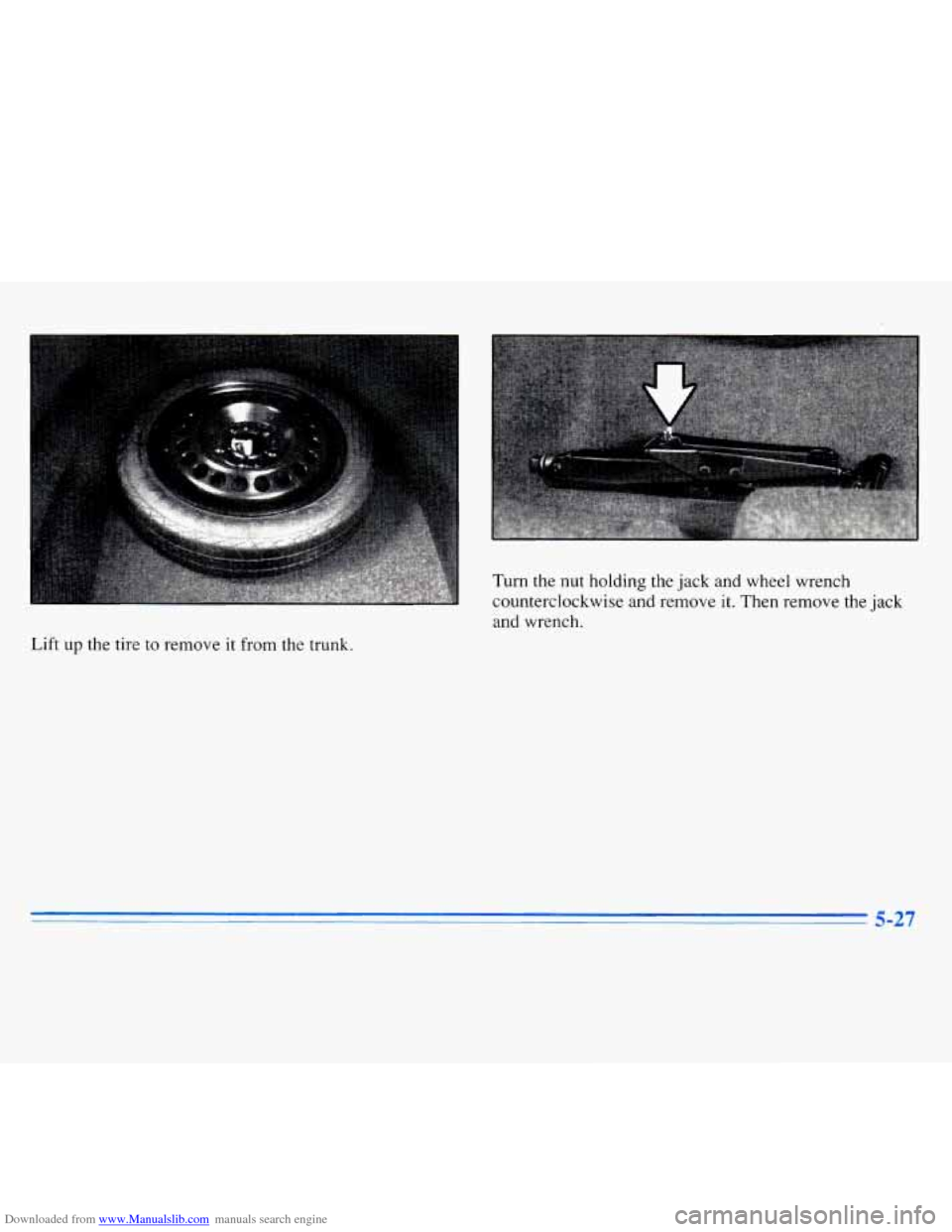
Downloaded from www.Manualslib.com manuals search engine Turn the nut holding the jack and wheel wrench
counterclockwise and remove
it. Then remove the jack
and wrench.
Lift
up the tire to remove it from the trunk.
5-27