buttons CADILLAC ELDORADO 1996 10.G Owner's Manual
[x] Cancel search | Manufacturer: CADILLAC, Model Year: 1996, Model line: ELDORADO, Model: CADILLAC ELDORADO 1996 10.GPages: 354, PDF Size: 19.33 MB
Page 173 of 354
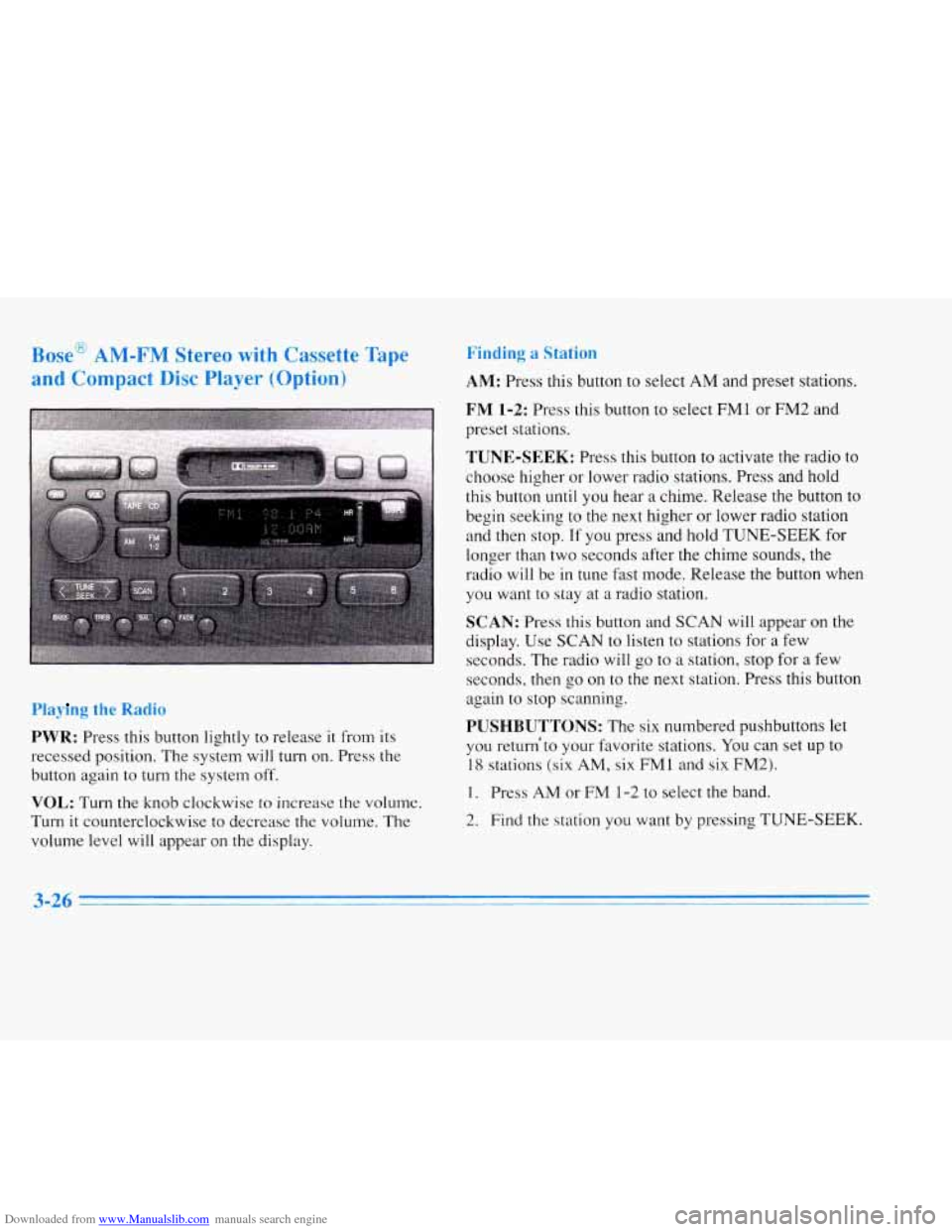
Downloaded from www.Manualslib.com manuals search engine Bosc mlvl-r lvl jtereo wiLA1 Ladsette Tape
and Compact
Disc Player (O~-'ion)
Pla~ g the Radio
PWR: Press this button lightly to release it from its
recessed position. The system will
turn on. Press the
button again to
turn the system off.
VOL: Turn the knob clockwise to increase the volume.
Turn
it counterclockwise to decrease the volume. The
volume level will appear
on the display.
Finding .. *."
AM: Press this button to select AM and preset stations.
FM 1-2: Press this button to select FM1 or FM2 and
preset stations.
TUNE-SEEK: Press this button to activate the radio to
choose higher or lower radio stations. Press and hold
this button
until you hear a chime. Release the button to
begin seeking to the next higher
or lower radio station
and then stop.
If you press and hold TUNE-SEEK for
longer than two seconds after the chime sounds, the
radio
will be in tune fast mode. Release the button when
you want to stay at
a radio station.
SCAN: Press this button and SCAN will appear on the
display. Use
SCAN to listen to stations for a few
seconds. The radio will go to a station, stop for a few
seconds, then go on to the next station. Press this button
again to stop scanning.
PUSHBUTTONS: The six numbered pushbuttons let
you return'to your favorite stations. YOU can set up to
18 stations (six AM, six FM1 and six FM2).
1. Press AM or FM 1-2 to select the band.
2. Find the station you want by pressing TUNE-SEEK.
3-26 -
Page 174 of 354
Downloaded from www.Manualslib.com manuals search engine 3. Press and hold one of the six numbered buttons until
you hear
a chime. A preset number will appear on
the display.
4. The sound will mute. When it returns, release the
button. Whenever you press that numbered button,
the station you set will return.
PSCAN: Press and hold SCAN for two to three
seconds until PSCAN (preset scan) appears on the
display to listen to each of your preset stations for
a few seconds (factory presets which have not been
reprogrammed with your stations will be ignored).
The radio will
go to the first preset station stored on
your pushbuttons, stop for a few seconds, then go
on to the next preset station. Press SCAN again to stop
scanning. If a preset station has weak reception, the
radio will not stop at the preset station.
r
BASS: Press this button lightly so it extends. Turn the
BASS knob clockwise to increase and counterclockwise
to decrease bass. The middle position is a detent.
TREB: Press this button lightly so it extends. Turn the
TREB knob clockwise to increase and counterclockwise
to decrease treble. The middle position is a detent.
Push the knobs back in when you
are not using them.
Adjusting the Speakers
BAL: Press this button lightly so it extends. Turn the
BAL knob to move the sound
to the left or right speakers.
The middle position is
a detent and balances the speakers.
Turn the knob clockwise to adjust sound to the right
speakers and counterclockwise for left speakers. Push the
button back it when you are not using it.
FADE: Press this button lightly so it extends. Turn the
FADE knob to move the sound to the front or rear
speakers. The middle position is a detent and balances
the speakers. Turn the knob clockwise to adjust the
sound to the front speakers and counterclockwise for
rear speakers. Push the button back
it when you are not
using it.
3ying a Cassette Tape
With the radio on, insert a cassette tape. The tape will
begin playing as soon as
it is inserted.
While the tape is playing, use the VOL, FADE, BAL,
TREB and BASS controls just as you do for the radio.
Other controls may have different functions when a tape
is inserted. The display will show TAPE with an arrow
to indicate which side of the tape is playing. PLAY will
appear on the display when a tape is playing.
3-27
1
Page 175 of 354
Downloaded from www.Manualslib.com manuals search engine If an error occurs while trying to play a cassette tape, it
could be that.:
The cassette tape is tight and the cassette player
cannot turn the hubs
of the tape. (Hold the cassette
tape with the open end down and try turning the right
hub counterclockwise with a pencil. Flip the tape
over and repeat. If the hubs do not turn easily, your
cassette tape may be damaged and should not be
used
in the player. Try a new tape to be sure your
player
is working properly.
The cassette tape is broken. (Check to see if your
tape is broken.
Try a new tape.)
Note that cassette tape adapter kits for portable compact
disc players will not work in your cassette player. These
adapters will cause an error message to show on the
display, and the adapter cassette will be ejected.
TAPE: Press this button to switch from radio or CD to
cassette tape play. Press
AM or FM 1-2 to switch to the
radio.
SEEK: Press the forward arrow to search for the next
selection on the tape. Press the backward arrow to
search for the previous selection on the tape (REP will appear on
the display). Your tape must have at least
three seconds of silence between each selection
for
SEEK to work. The sound will be muted while seeking.
REV Press this left arrow button to reverse the tape
rapidly. Press
it again to return to playing speed. The radio
will play while the tape reverses and
REV will appear on
the display. You may use your station pushbuttons
to tune
to another mdio station while in REV mode.
FF: Press this right arrow button to advance quickly to
another part
of the tape. Press the button again to return
to playing speed. The radio will play while the tape
advances and
FWD will appear on the display. You may
use your station pushbuttons to tune to another radio
station
while in FWD mode.
SIDE: Press this button to change the side of the tape
that
is playing.
SCAN: Press this button. SCAN will appear on the
display until the next selection is found and then PLAY
will appear on
the display. Use SCAN to listen to
selections for a few seconds.
The tape will go to a
selection, stop for a few seconds, then go on to the next
station. Press this button again
to stop scanning.
Page 178 of 354
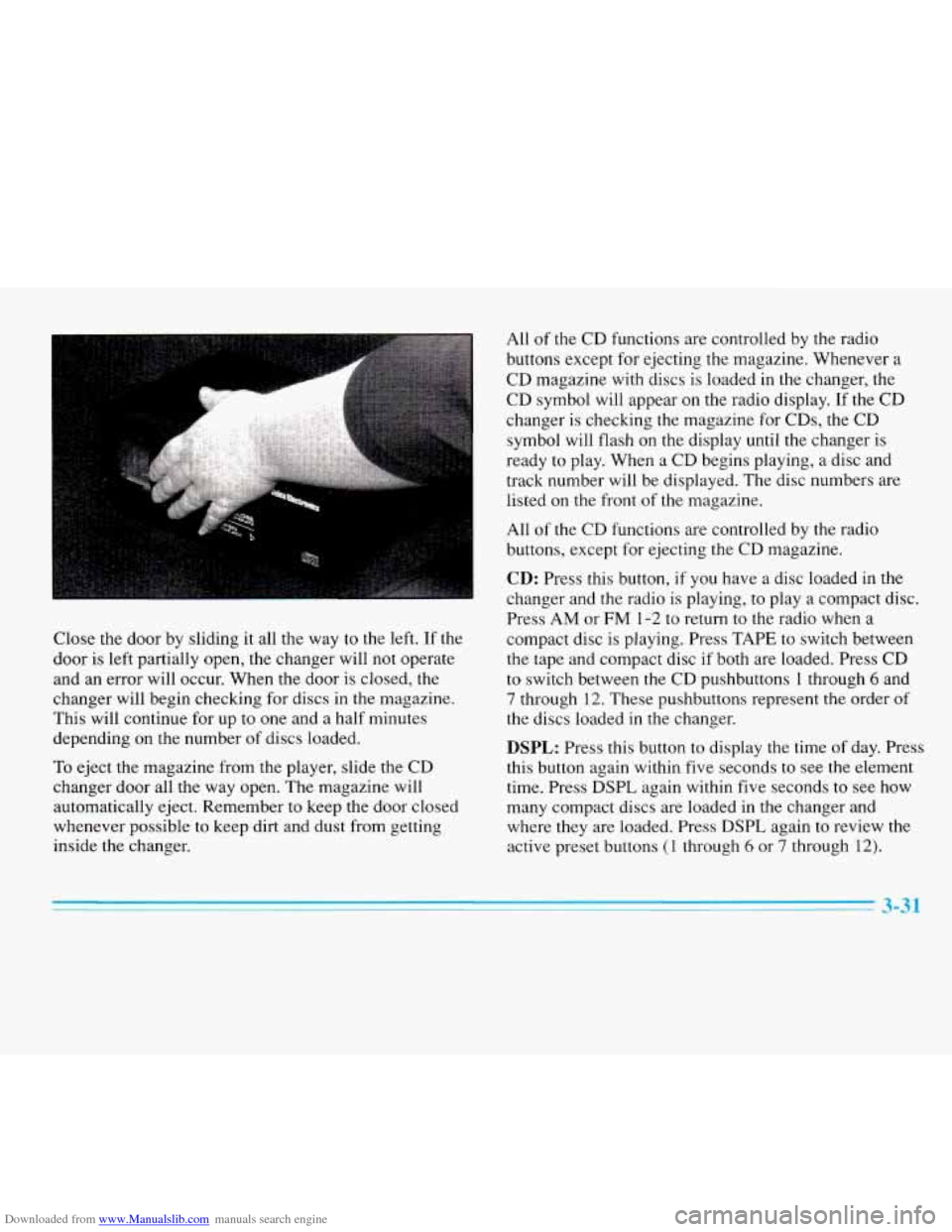
Downloaded from www.Manualslib.com manuals search engine Close the door by sliding it all the way to the left. If the
door is left partially open, the changer will not operate
and an error will occur. When the door is closed, the
changer will begin checking for discs in the magazine.
This will continue for up to one and a half minutes
depending on the number of discs loaded.
To eject the magazine from the player, slide the CD
changer door all the way open. The magazine will
automatically eject. Remember to keep the door closed
whenever possible to keep dirt and dust from getting
inside the changer. All of
the CD functions are controlled by the radio
buttons except for ejecting the magazine. Whenever a
CD magazine with discs is loaded in the changer, the
CD symbol will appear on the radio display. If the CD
changer is checking the magazine for CDs, the CD
symbol will flash on the display until
the changer is
ready
to play. When a CD begins playing, a disc and
track number will be displayed. The disc numbers are
listed on the front
of the magazine.
All
of the CD functions are controlled by the radio
buttons, except for ejecting the CD magazine.
CD: Press this button, if you have a disc loaded in the
changer and the radio is playing, to play a compact disc.
Press
AM or FM 1-2 to return to the radio when a
compact disc is playing. Press TAPE to switch between
the tape and compact disc if both are loaded. Press CD
to switch between the CD pushbuttons
1 through 6 and
7 through 12. These pushbuttons represent the order of
the discs loaded in the changer.
DSPL: Press this button to display the time of day. Press
this button again within five seconds
to see the element
time. Press
DSPL again within five seconds to see how
many compact discs are loaded in
the changer and
where they are loaded. Press DSPL again to review the
active preset buttons
(1 through 6 or 7 through 12).
Page 179 of 354
Downloaded from www.Manualslib.com manuals search engine PUSHBUTTONS: Press buttons one through six to
go from one compact disc to another that is loaded
in
the changer.
SIDE: Press this button to select the next disc in the
changer. Each time you press this button, DISC
LOADING will appear on the display and the disc
number
on the radio display will move to the next
available CD.
REV: Press this button to reverse quickly through a
track selection.
FF: Press this button to advance quickly through a
track selection.
RDM: Press this button to enter random play mode.
RDM will appear on the display. The loaded discs will
be played in random rather than sequential (1,2, 3. . .)
order. Press SEEK while RDM is on the display to
randomly seek through discs and tracks. Press RDM
again to return to sequential order.
SEEK: Press the left arrow while playing a compact
disc
to go back to the start of a current track, if more
than eight seconds have played. Press the left arrow
again and the changer will
go to previous tracks. Press
the right arrow to go to the next higher track on the disc.
SCAN: When you press SCAN while playing a CD, you
will hear the first few seconds of each disc. Press SCAN
again to stop on a CD. The CD will be muted while
scanning and SCAN will appear on the display.
EJECT: Slide the CD changer door all the way open
and the disc
will automatically eject.
Compact Disc Changer Errors
If ERROR appears on the display, an error has occurred
and the compact disc temporarily cannot play.
CD CHANGER ERROR could be displayed for the
following:
0 The road is too rough. The disc should play when the
road
is smoother.
The disc is dirty, scratched, wet or loaded label side
UP.
The air is very humid. If so, wait about an hour and
try again.
3-32
Page 277 of 354
Downloaded from www.Manualslib.com manuals search engine I 3.
5.
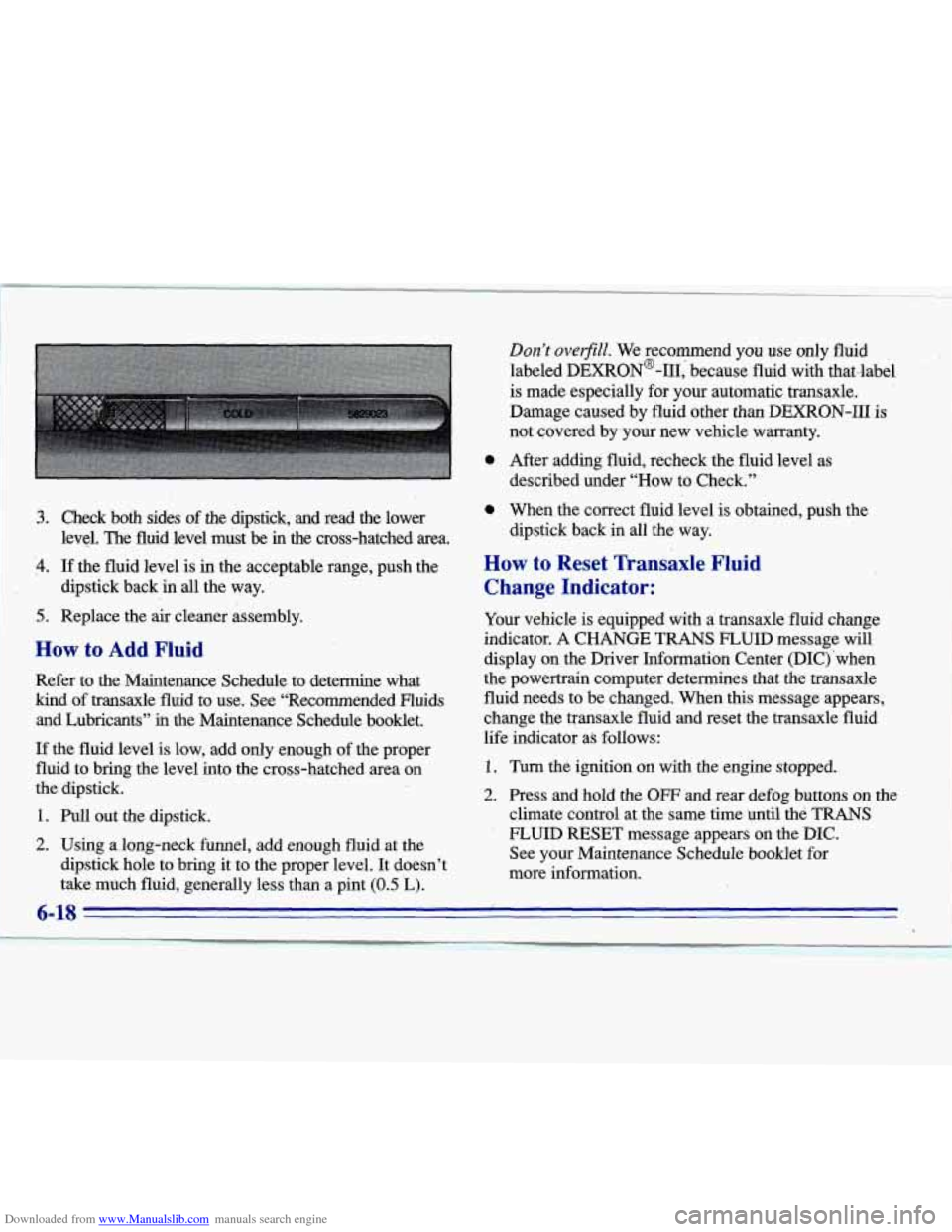
Check both sides of the dipstick, and read the lower
level. The fluid level must be in’the cross-hatched area.
If the fluid level is in the acceptable range, push the
dipstick back in all the way.
Replace the
air cleaner assembly.
How to Add Fluid
Refer to the Maintenance Schedule to determine what
kind of transaxle fluid to use. See “Recommended Fluids and Lubricants”
ii.1 the Maintenance Schedule booklet.
If the fluid level is low, add only,enough of the proper
fluid to bring the level into the cross-hatched area on
the dipstick. 1
1. Pull out the dipstick.
2. Using along-neck funnel, add enough fluid at the
dipstick hole to bring it to the proper level. It doesn’t
take,much fluid, generally less than a pint
(0.5 ‘L).
0
0
Don’t overfiill. We recommend you use only fluid
labeled DEXRON@-111, because fluid with that-label
is made especially for your automatic transaxle.
Damage caused by fluid other than DEXRON-I11
is
not covered by your new vehicle warranty.
After adding fluid, recheck the fluid level
as
described under “How to Check.”
When the correct fluid level is obtained, push the
dipstick back in all the way.
How to Reset Transaxle Fluid
Change Indicator:
Your vehicle is equipped with a transaxle fluid change
indicator.
A CHANGE TRANS FLUID message will
display on the Driver Information Center (DIC) ‘when
the powertrain computer determines that the transaxle
fluid needs to be changed. When
this message appears,
change the transaxle fluid and reset the transaxle fluid
life indicator as follows:
1. Turn the ignition on with the engine stopped.
2. Press and hold the OW and rear defog buttons on the
climate control at the same time until the
TRANS
- FLUID RESET message appears on the DIC.
See your Maintenance Schedule booklet
for
more information.