fuel CADILLAC ELDORADO 1996 10.G Owner's Manual
[x] Cancel search | Manufacturer: CADILLAC, Model Year: 1996, Model line: ELDORADO, Model: CADILLAC ELDORADO 1996 10.GPages: 354, PDF Size: 19.33 MB
Page 139 of 354
Downloaded from www.Manualslib.com manuals search engine Oil Life Left Reset: Press the INFO button to display
the
OIL LIFE LEFT, then press and hold the INFO
RESET button until 100% OIL LIFE LEFT is displayed.
English/Metric Reset: Press the INFO button to display
ENGLISH/METRIC RESET, then press the
INFO
RESET button to select. The display will change from
English (miles) to metric (kilometers).
TRIP RESET By using this button you can tell how far
you've gone since you last set the
TRIP RESET back to
zero.
To reset, press, and hold the button until zeros
appear.
If your vehicle is domestic, the trip odometer
will return
to zero after 999.9 miles (1 609 km). If your
vehicle
is Canadian, the trip odometer will return to zero
after
1 999.9 km (1,242.miles).
INFO: Pressing this button repeatedly will display the
RANGE, MPG AVG, MPG
INST, FUEL USED, AVG
and
ENGLISH/METRIC RESET.
" MPH, TIMER, OIL LIFE LEFT, BATTERY VOLTS
FUEL DOOR: Press this button to open the fuel door.
TRUNK: Press this button to open the trunk.
Driver Information Center Messages
These messages will appear if there is a problem sensed
in one of your vehicle's systems. Vehicles that are first ,,
sold in Canada will'have a number after each message.
This number helps to identify ,the message which is only
displayed in English.
.
Ak OFF FOR ENGINE PROTECTION - 16: This
message displays when the engine coolant becomes
hotter than the normal operating temperature. To avoid
added strain on a hot engine, the air conditioning
compressor is automatically turned
oft so that air
conditioned air is not delivered.
If the coolant
temperature returns to normal, you must seIect AC to
return to a' normal A/C compressor operation.
If this
message continues to appear, have the system repaired
as soon as possible to avoid compressor damage.
APPLY BRAKE TO SHIFT - 46: This message
will appear if your vehicle is
in PARK (P) for about
15 seconds and the brake is not pressed in. Remove the
message by holding the
OFF and the blue (cooler)
button on
the Electronic Climate Control panel for about
five seconds. Hold the same two buttons again to
redisplay the message.
Page 141 of 354
Downloaded from www.Manualslib.com manuals search engine CHECK BRAKE FLUID LEVEL - 37: This message
will display if the ignition
is in the RUN position to
inform the driver that the brake fluid level is low. Check
the brake reservoir level and add fluid as needed. Have
the brake system serviced by a Cadillac technician as
soon as possible. If the brake warning light is on, follow
the directions in that part.
CHECK COOLANT LEVEL - 02: This message will
appear when there is a low level of engine coolant. Have
the cooling system serviced by a Cadillac technician as
soon as possible.
CHECK FUEL GAGE - 39: This message will appear
when the
fuel supply is less than four gallons (I 5.2 L)
and the display is turned off (digital clusters only).
CHECK OIL LEVEL - 36: For correct operation of
the low oil sensing system, your vehicle should be on a
level surface.
A false CHECK OIL LEVEL message
may appear
if the vehicle is parked on grades. The oil
level sensing system does not check for actual oil level
if the engine has been off for a short period of time, and
the oil level is never sensed while the engine is running.
If the CHECK
OIL LEVEL message appears, and your
vehicle has been parked
on level ground with the engine
off for at least
30 minutes, the oil level should be checked
by observing the oil dipstick. Prior to checking
the oil level be sure
the engine has been off for five
minutes and your vehicle
is on a level surface. Then
check the dipstick and add oil if necessary. See “Engine
Oil”
in the Index.
CHECK WASHER FLUID - 25: This message will
appear for several seconds indicating that you need
washer solvent.
CRUISE ENGAGED - 43: This message will appear
for a few seconds when you select a speed at which
to cruise.
DOOR OPEN - 141: The passenger’s door is open or
ajar when this message appears. The vehicle’s engine
must be running and the transaxle
not in PARK (P) for
this message to display.
A chime will also sound when
the vehicle’s speed is greater than
5 mph (8.1 km/h).
DRIVER DOOR OPEN - 140: This message
will display when the vehicle is being shifted out of
PARK (P) with the engine running to signal that the
driver’s door
is open or ajar. A chime will also sound
when the vehicle’s speed is greater than 5 mph
(8.1 km/h).
2-80
Page 142 of 354
Downloaded from www.Manualslib.com manuals search engine ENGINE COOLANT HOT-IDLE ENGINE - 44:
This message will appear when the engine coolant
temperature is over
248 OF (126°C). To avoid added
strain on a hot engine, turn off the climate control
system. Stop and allow your vehicle to idle until it cools
down or
the message is removed. If it does not cool
down, turn off the engine and have it serviced before
driving it again. Severe engine damage can result from
an overheated engine. See “Engine Overheating” in
the Index.
FUEL LEVEL VERY LOW - 11: This message serves
as a warning that the fuel level in the tank is critically
low. Stop for fuel immediately.
MONITORED SYSTEMS OK - 1: This message only
appears in the “recall” mode by pressing the RESET
button. It lets you know that no other messages are
stored or currently active.
PASS KEY NOT PROGRAMMED - 31: This
warning message displays when the PASS-Key pellet
information has not been programmed into your vehicle.
See your Cadillac dealership for service.
PCM FAULT - 110: The circuit in the Powertrain
Control Module (PCM) has shorted or is loose when this
message appears. Have your Cadillac serviced by your
dealership at once.
REDUCED ENGINE POWER - 41: This message
informs the driver that due to wheel slippage your
vehicle is reducing engine power to compensate for the
loss of traction. Accelerating too fast causing the tires to
spin is an example of when this message would display.
REMOVE KEY - 70: This message will appear when
the Personalized Automotive Security System
(PASS-Key
11) is unable to read the pellet on the
ignition key or an improper key pellet has been inserted.
Wait for the DIC to display STARTING DISABLED
DUE TO THEFT SYSTEM REMOVE IGNITION
KEY. The instrument panel cluster will then run a timer
and change the messages to WAIT
3 MINUTES, WAIT
2 MINUTES, WAIT 1 MINUTE and then START CAR.
When the REMOVE KEY message is displayed, remove
the ignition key. Check the ignition key for damage.
If it
is damaged, it may need to be replaced. If you see no
damage, clean the pellet contacts with a soft cloth or
2-81
Page 143 of 354
Downloaded from www.Manualslib.com manuals search engine napkin before inserting the key back into the ignition.
Have your vehicle serviced if the message still appears.
SERVICE A/C SYSTEM A/C COMPRESSOR
OFF
- 14: This message appears when the electronic
sensors that control the A/C and heating systems are
no longer working. Have the climate control system
serviced if you notice a drop
in heating and
A/C efficiency.
SERVICE AIR BAG - 83: There is a problem with the
Supplemental Inflatable Restraint (air bag) system when
this message appears. Let only a qualified technician
work on your vehicle. See your Cadillac dealership for
service at once.
SERVICE BRAKE FLUID SWITCH - 37: A high
level of brake fluid causes this message to display if the
ignition
is in the RUN position. Have the brake system
serviced by
a Cadillac technician as soon as possible. If
the brake warning light is on, refer to the directions
listed in that part.
SERVICE CHARGING SYSTEM - 102: This
message will display when a problem with the charging
system has been detected. Have your vehicle serviced at
your Cadillac dealership,
SERVICE ELECTRICAL SYSTEM - 106: This
message
will display if an electrical problem has
occurred within the PCM. Have your vehicle service
by your Cadillac dealership.
SERVICE EMISSIONS SYSTEM - 104: A problem in
the emissions system has occurred when this message
appears. Have your Cadillac dealership service your vehicle.
SERVICE ENGINE COOLING SYSTEM - 103:
problem within the engine cooling system has been
detected when this message displays. See your Cadi
dealership for service.
SERVICE FUEL SYSTEM - 101: The PCM has
A
llac
detected a problem within the fuel system when this
message appears. See your Cadillac dealership
for service.
SERVICE IDLE CONTROL SYSTEM - 107: A
problem with the idle control has occurred when this
message displays. Bring your vehicle to your Cadillac
dealership for service.
SERVICE IGNITION SYSTEM - 105: This message
displays when a failure
in the ignition system has
been detected. Have your vehicle serviced by your Cadillac dealership.
Page 144 of 354
Downloaded from www.Manualslib.com manuals search engine SERVICE RIDE CONTROL - 84: This message is
displayed to indicate that the suspension system
is not
operating properly. To correct this problem have your
vehicle serviced at your Cadillac dealership.
SERVICE TRANSMISSION - 100: If a problem is
detected with the transaxle, this message will appear.
Have your vehicle checked by your Cadillac dealership.
SPEED SENSOR FAULT - 109: A circuit problem
with the vehicle speed sensor will trigger this message
to appear. Have your Cadillac dealership service your
vehicle.
STARTING DISABLED DUE TO THEFT SYSTEM
REMOVE IGNITION KEY
- 33: This message will
appear when the Personalized Automotive Security
System (PASS-Key
11) senses that an improper ignition
key is being used to try to start the vehicle. Check the
ignition key for damage.
If it is damaged, it may need to
be replaced.
If you see no damage, clean the pellet
contacts with a soft cloth
or napkin. Remove the ignition
key and wait for the DIC to display WAIT
3 MINUTES.
The instrument panel cluster will then run a timer and
change
the messages to WAIT 2 MINUTES, WAIT
1 MINUTE and then START CAR. When the START
CAR message is displayed, try again to start the engine.
STOP ENGINE ENGINE OVERHEATED - 42: This
message will appear when the engine has overheated.
Stop and turn the engine
off immediately to avoid severe
engine damage. See “Engine Overheating” in the Index.
STOP ENGINE LOW OIL PRESSURE - 35: If this
message appears while the engine is running, stop the
engine and do not operate
it until the cause of low oil
pressure is corrected. Severe damage to the engine
can result.
THEFT SYSTEM PROBLEMKAR MAY NOT
RESTART
- 34: This message means there is a problem
in the Personalized Automotive Security System
(PASS-Key 11). A fault has been detected in the system
which means that the PASS-Key I1 system is disabled
and is not protecting the vehicle. The vehicle usually
restarts however, you may want to take your vehicle to
a
proper service center before turning off the engine.
TOP SPEED FUEL CUT-OFF - 111: This message
will appear when the PCM senses that the maximum
speed for your Cadillac has been reached. The speed of
your vehicle will decrease several mph as the fuel
supply is cutoff. This allows your vehicle to stay in a
stable operating range.
2-83
1
Page 151 of 354
Downloaded from www.Manualslib.com manuals search engine DEFOG: Press this button to divide the air between the
windshield and the heater outlets. This is useful when
fog appears
on the windshield or side glass due to
sudden rain or snowy conditions. This feature is not
available with the heated windshield option.
AUTO/ECON: Press this button to switch between
AUTO and ECON. The ECON setting attempts to
keep air at a selected temperature, however,
it does
not remove humidity from the air. Use this setting in
cold or cool weather to save fuel. The AUTO setting is
used when it’s warm outside and you need to cool the
air in order to maintain a selected temperature and
blower speed.
8 FAN SPEEDS: Press the button with the fan
symbol until AUTO is displayed on the screen. At this
setting, the fan speed is automatically controlled.
If it is
cold outside, the blower may not run in
the maximum
high fan speed right away.
The system checks the temperature
of the
engine coolant to assure it is warm
enough to provide heat. When the engine coolant is
warm, the controller allows the fan to gradually increase
to a higher speed. This prevents cold air from blowing
into the passenger compartment.
If you want the blower
fan at a high speed, press the up arrow button until you
see
HI on the display. If you want the fan speed to be
automatic, but you like the fan speed to be higher than
the AUTO setting, press the fan symbol button until
HI
AUTO is shown on the display. If you want the blower
fan at a low speed, press the down arrow button until
LO is shown on the display. If you want the fan speed to
run lower than the AUTO setting, press the button until AUTO
LO is shown on the display.
DEFROST Press this button to quickly remove
fog or frost from the windshield. This setting sends most
of
the airflow to the windshield with only a small
amount to the floor outlets.
Page 156 of 354
Downloaded from www.Manualslib.com manuals search engine Air Conditioning Heating
On
hot days, open the windows long enough to let hot
inside air escape. This reduces the time it takes for your
vehicle to cool down. Then keep your windows closed
for the air conditioner to work its best.
With the ECC system, press the AUTOECON button
to assist in cooling air and in maintaining proper airflow.
Adjust the temperature to a comfortable setting by
pressing the blue button to cool your vehicle and
pressing the red button to warm your vehicle. Press the
fan button arrows up or down to adjust the fan speed.
If you have the dual-zone system, press the AC button
to turn the system on and then select the proper MODE
to direct airflow. The system will cool and dehumidify
the air inside the vehicle. Also while in the AUTO
mode, the system will use recirculation as necessary to
cool the air. You may also need to adjust the interior
temperature. Turn the TEMP knob clockwise to increase
the temperature and counterclockwise to decrease
temperature. Adjust the fan speed as needed.
When the air conditioner is on, you may sometimes
notice slight changes in your vehicle’s engine speed
and power. This is normal because. the system is
designed to cycle the compressor on and
off to keep the
desired temperature. With
the ECC system, press the AUTOECON button
to direct airflow out of the floor outlets and to help save
fuel. Adjust the temperature, if necessary,
by pressing
the blue button to decrease temperature and pressing the
red button to increase temperature. Also remember to
adjust the fan speed by pressing the up
or down arrow.
If you have the dual-zone system, press the MODE
button to select heater. This will direct airflow out of the
floor outlets. Adjust the interior temperature to your
comfort level by turning the
TEMP knob clockwise to
increase temperature and counterclockwise to decrease
temperature. If the fan speed needs adjusting, press the
up or down arrow.
With each system, outside air will be brought in and
sent through the floor outlets. The heater works best
if you keep
your windows closed while using it.
3-9
1
Page 205 of 354
Downloaded from www.Manualslib.com manuals search engine The exit speed is usually posted.
Reduce your speed according to your speedomete.r, not
to your sense of motion. After driving for any distance
at higher speeds, you may te.nd to think you are going
slower than you actually are.
Before Leaving on a Long Trip
Make sure you’re ready. Try to be well rested. If you
must start when you’re not fresh
-- such as after a day’s
work
-- don’t plan to make too many miles that first part
of the journey. Wear comfortable clothing and shoes you
can easily drive in.
Is your vehicle ready for a long trip‘? If you keep it
serviced and maintained, it’s ready to go. If it needs
service, have it done before starting out. Of course,
you’ll find experienced and able service experts in
Cadillac dealerships all across North America. They’ll
be ready and willing to help if you need
it.
Here are some things you can check before a trip:
0
0
0
Wimid1icld Washer Fluid: Is the reservoir full? Are
all windows clean inside and outside?
Wiper Blndes: Are they in good shape?
Fuel, Eugilze Oil, Other- Fluids: Have you checked
all levels?
Lmps: Are they all working? Are the lenses clean?
Tiws: They are vitally important to a safe,
trouble-free trip.
Is the tread good enough for
long-distance driving? Are the tires all inflated to
the
recommended pressure?
Weatlzer Forecasts: What’s the weather outlook
along your route? Should you delay your trip a short
time
to avoid a major storm system?
Maps: Do you have up-to-date maps?
4-22
Page 212 of 354
Downloaded from www.Manualslib.com manuals search engine Run your engine only as long as you must. This saves
fuel. When you run the engine, make it go a little faster
than just idle. That
is, push the accelerator slightly. This
uses less fuel for the heat that you get and it keeps the
battery charged. You will need a well-charged battery to
restart the vehicle, and possibly for signaling later on
with your headlamps. Let the heater run for awhile.
Then, shut the engine off and close the window almost
all the way to preserve the heat. Start the engine again
and repeat this only when you feel really uncomfortable
from the cold. But do it as little as possible. Preserve the
fuel as long
as you can. To help keep warm, you can get
out of the vehicle and do some fairly vigorous exercises
every half hour or
so until help comes.
Loading Your Vehicle
‘ OCCUPANTS
VEHICLE CAP. WT.
TIRE-LOADING INFORMATION
FRT. CTR.
RR. TOTAL LBS. KG
MAX. LOADING & GVWR SAME AS VEHICLE
CAPACITY WEIGHT
XXX COLD TIRE
TIRE SIZE SPEED PRESSURE
RTG PSI/KPa
FRT.
RR.
SPA.
IF TIRES ARE HOT. ADD 4PS1/28KPa
SEE OWNER’S MANUAL FOR ADDITIONAL
INFORMATION
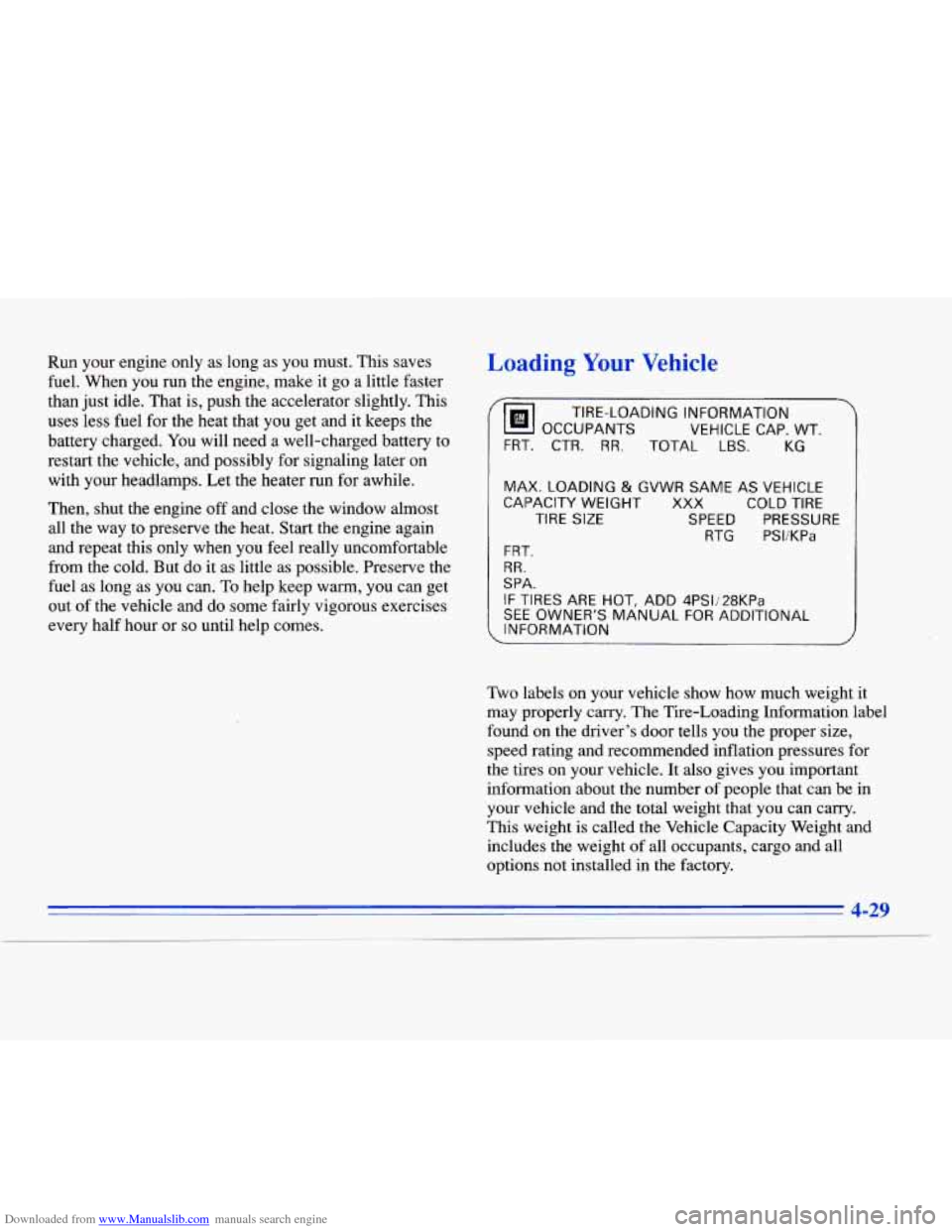
Two labels on your vehicle show how much weight it
may properly carry. The Tire-Loading Information label
found on the driver’s door tells you the proper size,
speed rating and recommended inflation pressures for
the tires on your vehicle. It also gives you important
information about the number of people that can be in
your vehicle and the total weight that you can carry.
This weight is called the Vehicle Capacity Weight and
includes the weight of all occupants, cargo and all
options not installed in the factory.
I
4-29
Page 213 of 354
Downloaded from www.Manualslib.com manuals search engine MFD BY GENERAL MOTORS CORP
DATE GVWR
GAWR FRT GAWR RR
THIS VEHICLE CONFORMS TO ALL APPLI-
CABLE
U.S. FEDERAL MOTOR VEHICLE
SAFETY,
BUMPER, AND THEFT PR,EVENTION
STANDARDS
IN EFFECT ON THE DATE OF
MANUFACTURE SHOWN ABOVE.
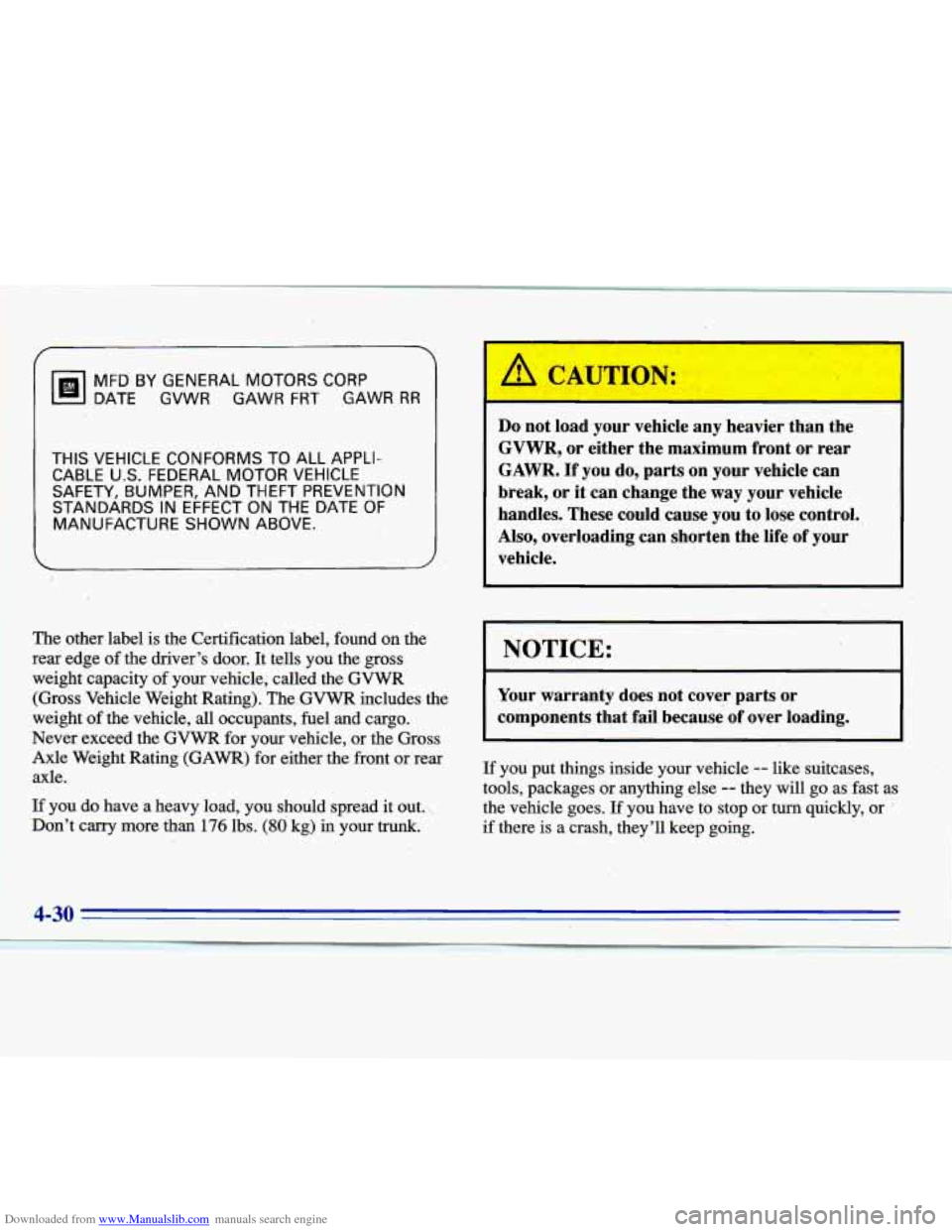
The other label is the Certification label, found on the
rex’ edge of the driver’s door.
It tells you the gross
weight capacity of your vehicle, called the GVWR
(Gross Vehicle Weight Rating). The.GVWR includes the
1 weight of the vehicle, all occupants, fuel and cargo.
Never exceed the GVWR for your vehicle, or the Gross
Axle Weight Rating
(GAWR) for either the front or rear
axle.
If you do have a heavy load, you should spread it out..
Don’t carry more than
176 lbs. (80 kg) in your trunk.
PI CAUTION:
Do not load your vehicle any heavier than the
GVWR, or either the maximum front or rear
GAWR.
If you do, parts on your vehicle can
break, or it can change the way your vehicle
handles. These could cause
you to lose control.,
Also, overloading can shorten the life
of your
vehicle.
I NOTICE:
Your warranty does not cover parts or
components that fail because
of over loading.
If you put things inside your vehicle -- like suitcases,
tools, packages or anything else
-- they will go as fast as
the vehicle goes. If you have to stop or turn quickly, or
if there is a crash, they’ll keep going.