ECO mode CADILLAC ELDORADO 1997 10.G Owners Manual
[x] Cancel search | Manufacturer: CADILLAC, Model Year: 1997, Model line: ELDORADO, Model: CADILLAC ELDORADO 1997 10.GPages: 361, PDF Size: 22.85 MB
Page 97 of 361
Downloaded from www.Manualslib.com manuals search engine EX~ESS-DOWR Whdow
This feature is present on the driver’s power window.
Pressing the control rearward into the second
position
then releasing it will lower the window completely.
If you want to stop the window as it is lowering, press
the control forward. Press the control, .. forward to raise
the window.
Note that
the first position on the control operates the
driver’s power window in the non-express mode.
The
horn can be sounded by pressing on the center of
the steering wheel pad.
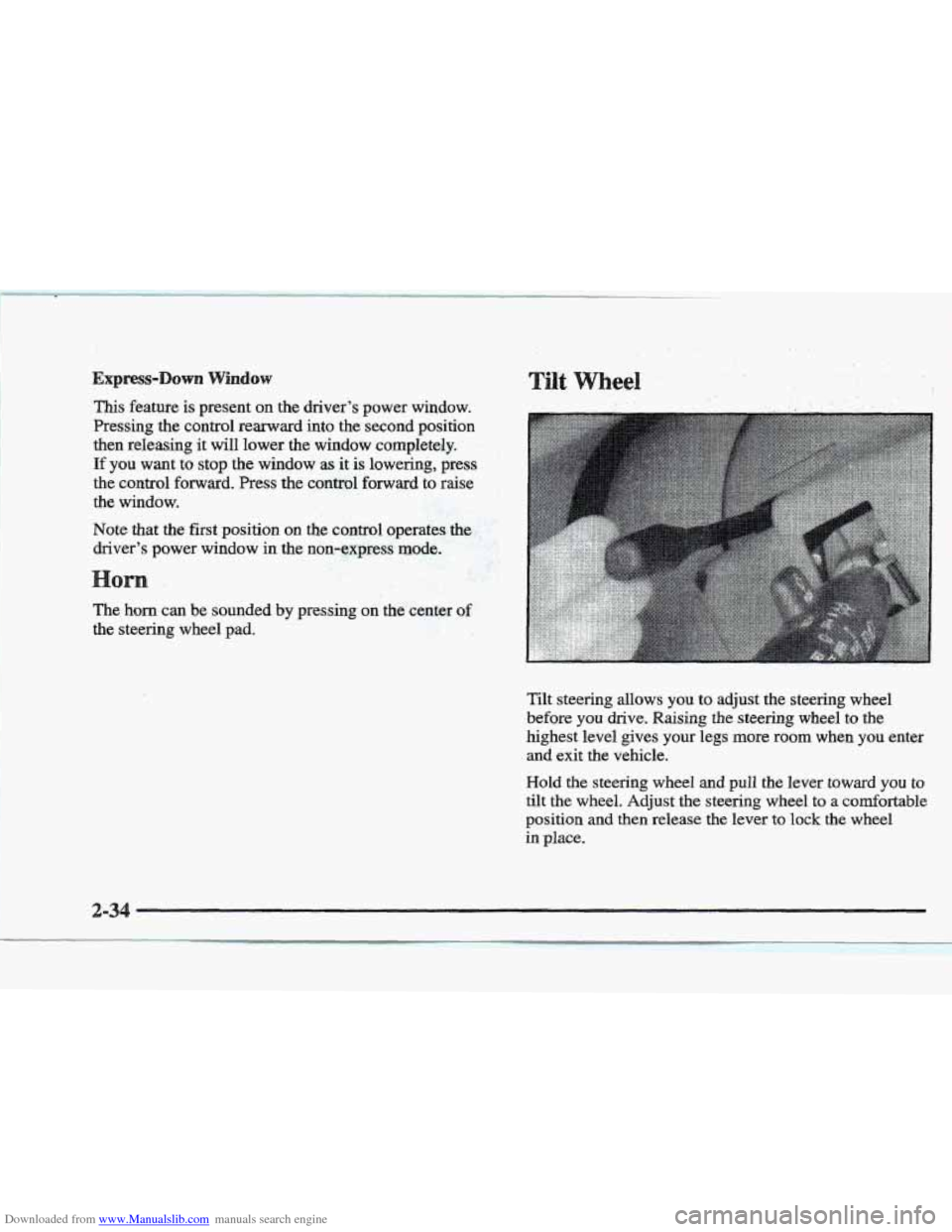
Tilt steering allows you to adjust the steering wheel
before
you drive. Raising the steering wheel to the
highest level gives your legs more room when you enter
and exit the vehicle.
Hold the steering wheel and pull the lever toward you to
tilt the wheel. Adjust the steering wheel to a comfortable
position
and then release the lever to lock the wheel
in place.
2-34
I
Page 111 of 361
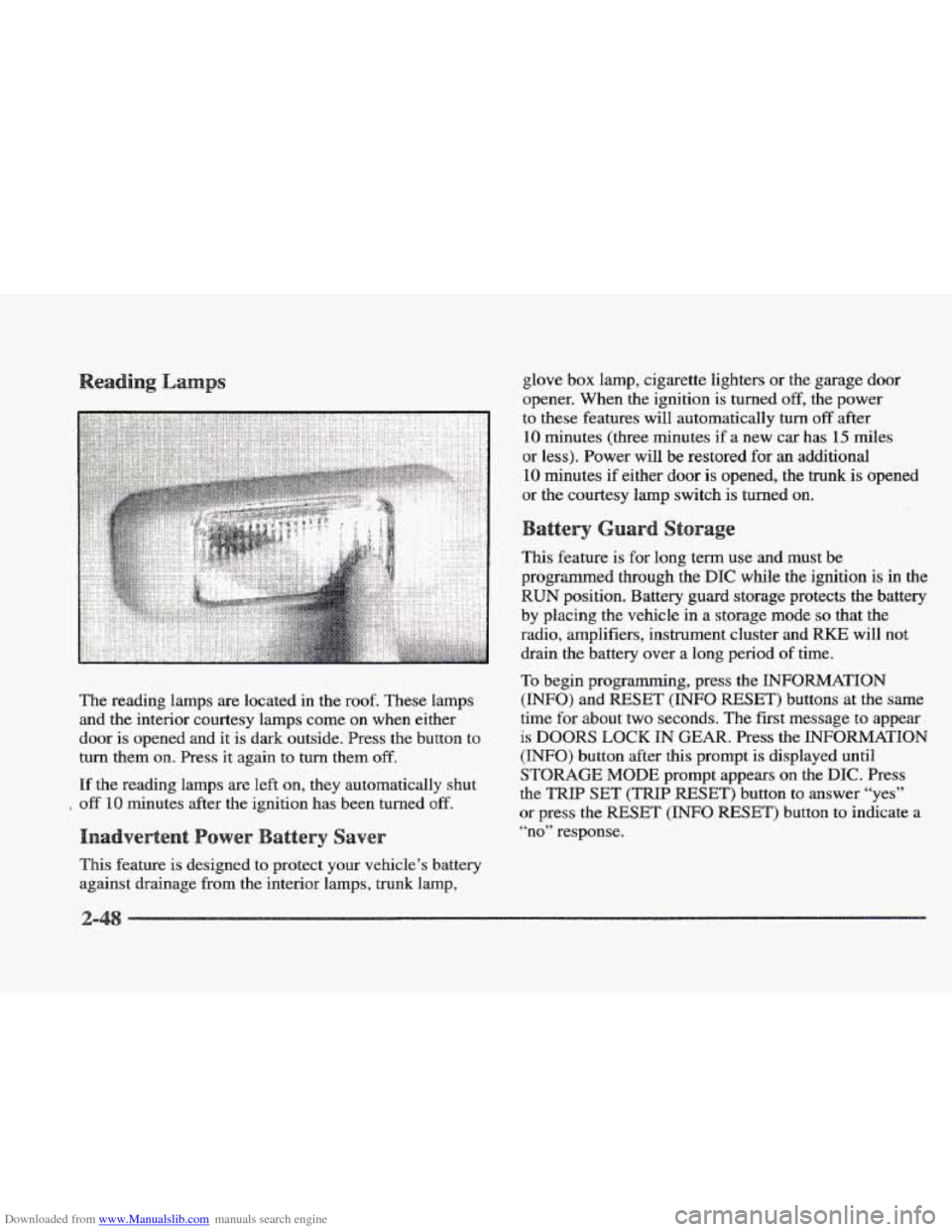
Downloaded from www.Manualslib.com manuals search engine The reading lamps are located in the roof. These lamps
and the interior courtesy lamps come on when either
door is opened and it is dark outside. Press
the button to
turn them
on. Press it again to turn them off.
If the reading lamps are left on, they automatically shut
off 10 minutes after the ignition has been turned off.
This feature is designed to protect your vehicle’s battery
against drainage from the interior lamps, trunk lamp, glove
box lamp, cigarette lighters or
the garage door
opener. When the ignition is turned
off, the power
to these features will automatically
turn off after
10 minutes (three minutes if a new car has 15 miles
or less). Power will be restored for
an additional
10 minutes if either door is opened, the trunk is opened
or the courtesy lamp switch is turned on.
This feature is for long term use and must be
programmed through the
DIC while the ignition is in the
RUN position. Battery guard storage protects the battery
by placing the vehicle
in a storage mode so that the
radio, amplifiers, instrument cluster and
RKE will not
drain
the battery over a long period of time.
To begin programming, press the INFORMATION
(INFO) and RESET (INFO RESET) buttons at the same
time
for about two seconds. The first message to appear
is DOORS LOCK IN GEAR. Press the INFORMATION
(INFO) button after this prompt is displayed until
STORAGE MODE prompt appears on the DIC. Press
the
TRIP SET (TRIP RESET’) button to answer “yes”
or press the RESET (INFO RESET) button to indicate a
“no” response.
Page 112 of 361
Downloaded from www.Manualslib.com manuals search engine FEATURE ON appears when a yes response is made
and
FEATURE OFF shows when a no response is made.
Since this
is the last personalization feature available, a
yes or no response
will end out of the DIC display.
Once the battery guard has been programmed, your
vehicle will enter the storage mode about
20 minutes
after the ignition key
has been turned off. The WKE will
also be disabled at this point. The RKE will reactivate
when a door
or the trunk is opened, however, if your
vehicle is left inactive for another
20 minutes, the RKE
will re-enter the storage mode.
Your vehicle will stay
in the storage mode until the
ignition key is turned out
of LOCK. The system will
“wake-up” when the door key is inserted
into the door,
however,
your vehicle will remain in the storage mode.
The ignition must be out of
LOCK before the battery
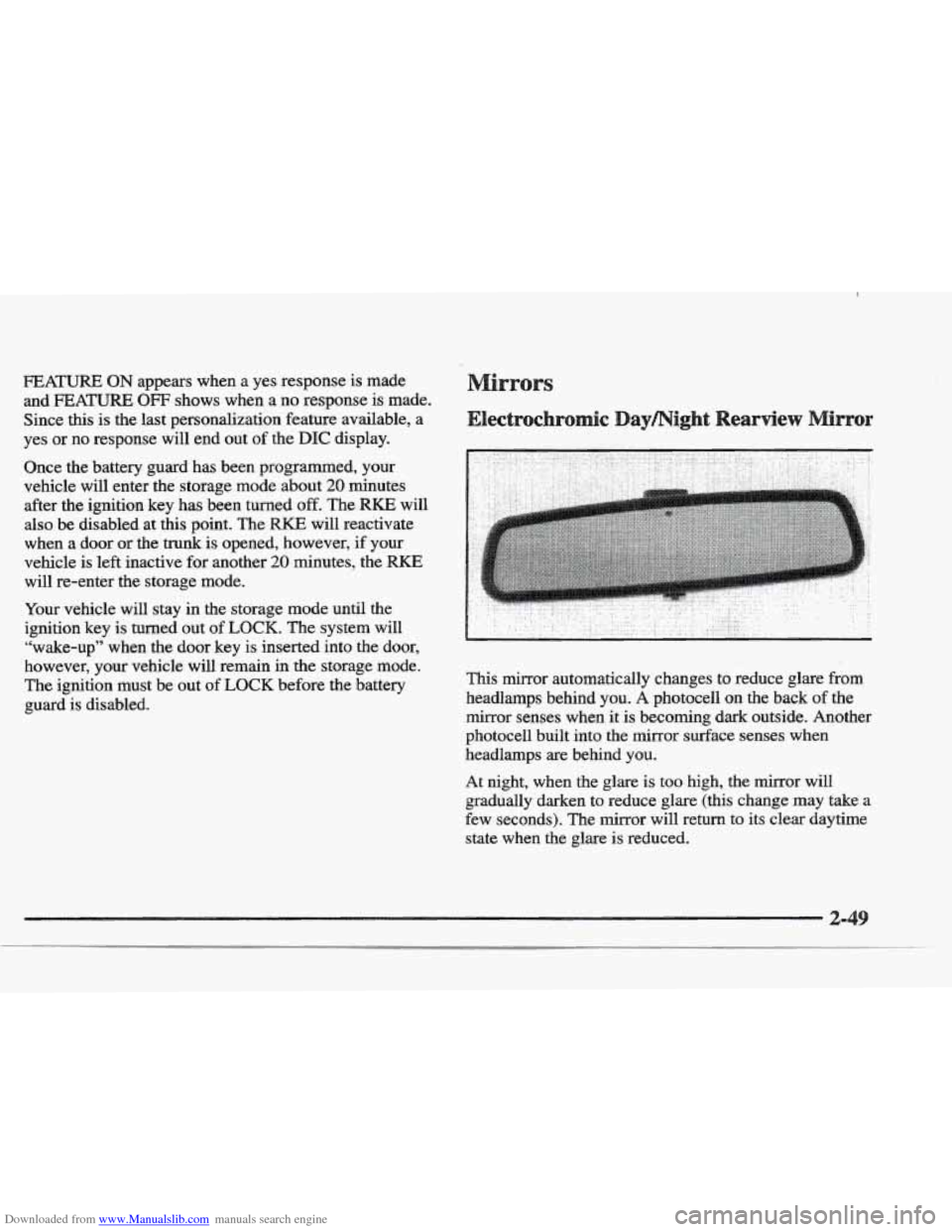
guard is disabled. This mirror automatically changes to reduce
glare from
headlamps behind you. A photocell on the back of the
mirror senses when it
is becoming dark outside. Another
photocell built into the mirror surface senses when
headlamps are behind you.
At night, when the glare is too high, the mirror will
gradually darken to reduce glare (this change
may take a
few seconds). The mirror will return
to its clear daytime
state
when the glare is reduced.
Page 114 of 361
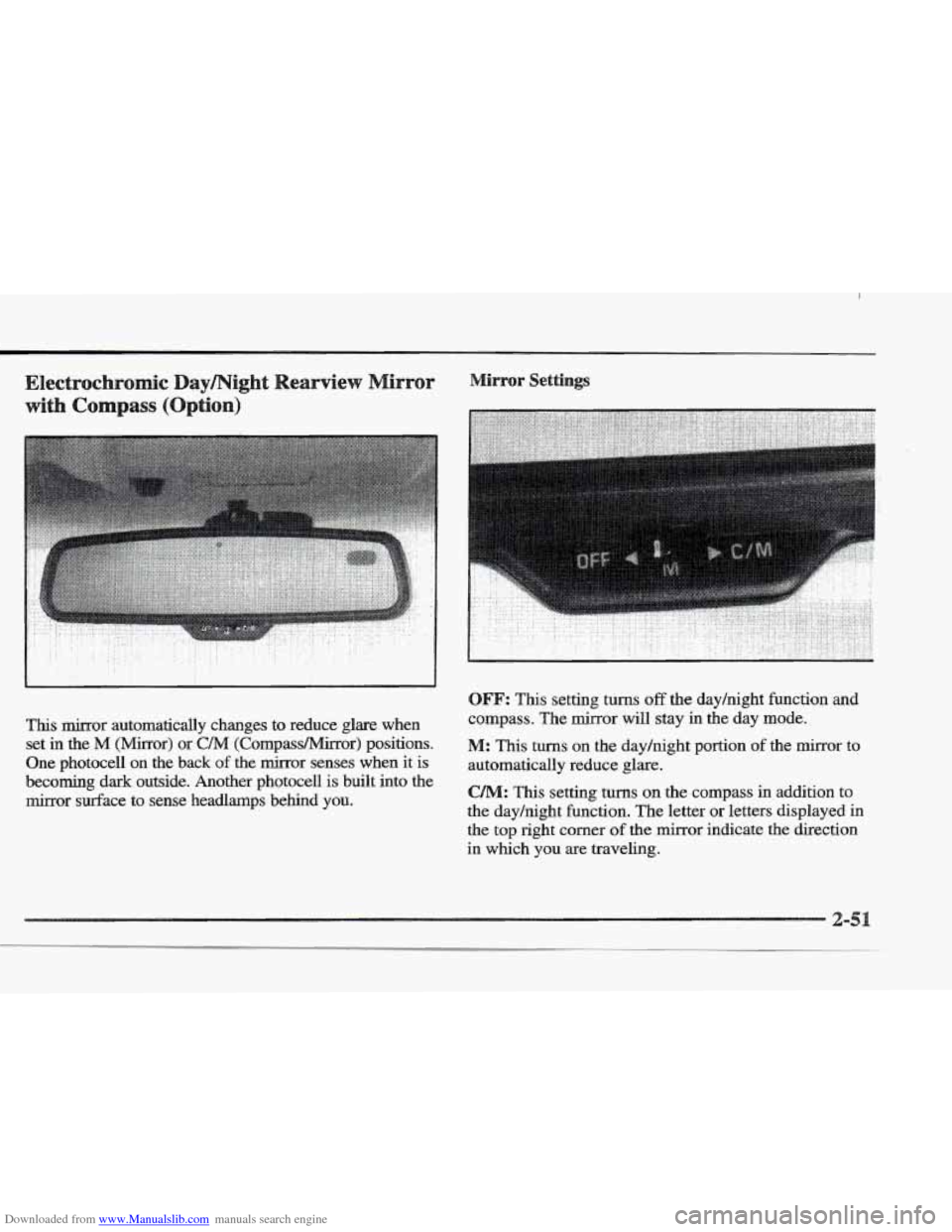
Downloaded from www.Manualslib.com manuals search engine This mirror automatically changes to reduce glare when set
in the M (Mirror) or C/M (Compass/Mirror) positions.
One photocell
on the back of the mirror senses when it is
becoming
dark outside. Another photocell is built into the
mirror surface to sense headlamps behind YOU.
.. :. .. .. ..
. . . . . . . . .. . : ..
OFF: This setting turns off the dayhight function and
compass. The mirror will stay in the day mode.
M: This turns on the dayhight portion of the mirror to
automatically reduce glare.
CAM: This setting turns on the compass in addition to
the day/night function. The letter
or letters displayed in
the
top right corner of the mirror indicate the direction
in which
you are traveling.
Page 115 of 361
Downloaded from www.Manualslib.com manuals search engine This feature prevents rapid changing of the mirror from
the night mode to the day mode as you drive under
lights and through. traffic.
The reverse mode
is another important feature of the
automatic mirror. When the shift lever is placed
in
REVERSE (R), the mirror changes to the'day mode.
This gives you a bright image in the mirror as you
back up.
Cleaning the
Use a cotton swab and glass cleaner to clean the front
and rear photocells that make the auto-dimming
feature work. Once the compass is calibrated,
it does not need
to be
recalibrated.
To calibrate the compass:
1.
2.
3.
Set the switch on the mirror control to C/M.
Turn the vehicle ignition switch on. The letter C
should be displayed in the mirror compass window.
If not, hold the CAL switch (on the bottom of the
mirror) for more than
10 seconds, and the letter C
will appear. To hold in the CAL switch, insert a
paper clip into
the small hole on the bottom of the
mirror housing. The display will show
a number
first, but keep holding until the letter
C appears.
For quick calibration,
drive the vehicle in a
360-degree circle at less than 5 mph (8 krnh) until
the display reads a compass direction. For normal
calibration, drive
the vehicle on your everyday
routine, and the compass will eventually calibrate.
Page 124 of 361
Downloaded from www.Manualslib.com manuals search engine Do not use the universal transmitter with any garage
door opener that does not have the “stop and reverse”
safety feature.
This includes any garage door opener
model manufactured before April
1, 1982.
Be sure that people and objects are clear of the garage
door you are programming.
Your vehicle’s engine should be turned
off while
programming the transmitter. Follow these steps to
program up to three channels:
1. If you have previously programmed a transmitter
channel, proceed
to Step 2. Otherwise, hold down the
two outside buttons on the universal transmitter until
the red light begins to flash rapidly (approximately
20 seconds). Then release the buttons. This procedure
initializes
the memory and erases any previous
settings for all three channels.
2. Decide which one of the three channels you want
to program.
3.
4.
5.
Hold the end of the hand-held transmitter against the
front surface of
the universal transmitter so that you
can still see the red Light.
Using both hands, press the hand-held transmitter
button and
the desired button on the universal
transmitter. Continue to press both buttons through
Step
5.
Hold down both buttons until you see the red light
on the universal transmitter flash slowly and then
rapidly. The rapid flashing, which could take up to
90 seconds, indicates that the universal transmitter
has been programmed. Release both buttons once
the light starts to
flash rapidly.
If you have trouble programming the universal
transmitter, make sure that you have followed the
directions exactly
as described and that the battery in the
hand-held transmitter is not dead. If you still cannot
program it, rotate the hand-held transmitter end over end
and try again. The universal transmitter may not work
with older garage door openers that
do not meet current
Federal Consumer Safety Standards. If
you cannot
program the transmitter after repeated attempts, consult
YOU Cadillac dealer.
2-
Page 145 of 361
Downloaded from www.Manualslib.com manuals search engine TRIP SET By using this button, you can tell how far
you’ve gone since you last set the
TRIP SET back to
zero. To reset, press and hold the button
until zeros
appear. If your vehicle is domestic, the trip odometer
will return to zero after 999.9 miles
( 1 609 km). If your
vehicle is Canadian, the
trip odometer will return to zero
after
1 999.9 km (1,242 miles).
INFORMATION: Pressing this button repeatedly will
display the MPG
AVG, MPG INST, GAL FUEL USED,
AVG MPH, ENGINE
RPM, BATTERY VOLTS,
COOLANT TEMP and
OIL LIFE LEFT.
TIMER: This feature is like a stopwatch, in that
you can clock the time it takes to get from one point
to another.
To operate, press the TIMER button until
TIMER OFF
0O:OO:OO is displayed on the DIC. Each of the fields for
the hours, minutes and seconds are two numeric digits.
Once TIMER
OFF 0O:OO:OO is displayed, press the
TIMER button to start the timing feature. Press the
TIMER button again to stop
it. If you will be starting
and stopping your Cadillac, during
a trip for instance,
the
TIMER feature will automatically start timing where
it left
off when you last stopped. To reset it, press and
hold the
RESET button until the display reads TIMER
0O:OO:OO. Press the INFORMATION button to exit from
the TIMER function.
RESET Pressing this button will reset the MPG AVG,
MPG INST, GAL FUEL USED, AVG MPH and OIL
LIFE LEFT. Pressing RESET when a non-resettable
display appears
will cause a “recall” mode to occur.
When this happens, all DIC warning messages that have
been displayed since the ignition key was turned to
RUN will redisplay. If no messages were displayed, a
MONITORED SYSTEMS
OK message will appear.
MPG AVG (Reset): Press the INFORMATION button
to display the MPG
AVG (Average Fuel Economy), then
press and hold the
IRESET button until 0.0 MPG AVG
is displayed.
FUEL USED (Reset): Press the INFORMATION
button to display the
GAL FUEL USED on the DIC,
then press and hold the
RESET button until 0.0 GAL
FUEL USED is displayed.
AVG MPH (Reset): Press the INFORMATION button
to display the AVG
MPH (Average Speed), then press
and hold the RESET button until
0.0 AVG MPH
is displayed.
OIL LIFE LEFT (Reset): Press the INFORMATION
button to display the OIL LIFE LEFT, then press and
hold the
RESET button until 100% OIL LIFE LEFT is
displayed. (This only needs to be reset after you have
had the oil changed.)
Page 146 of 361
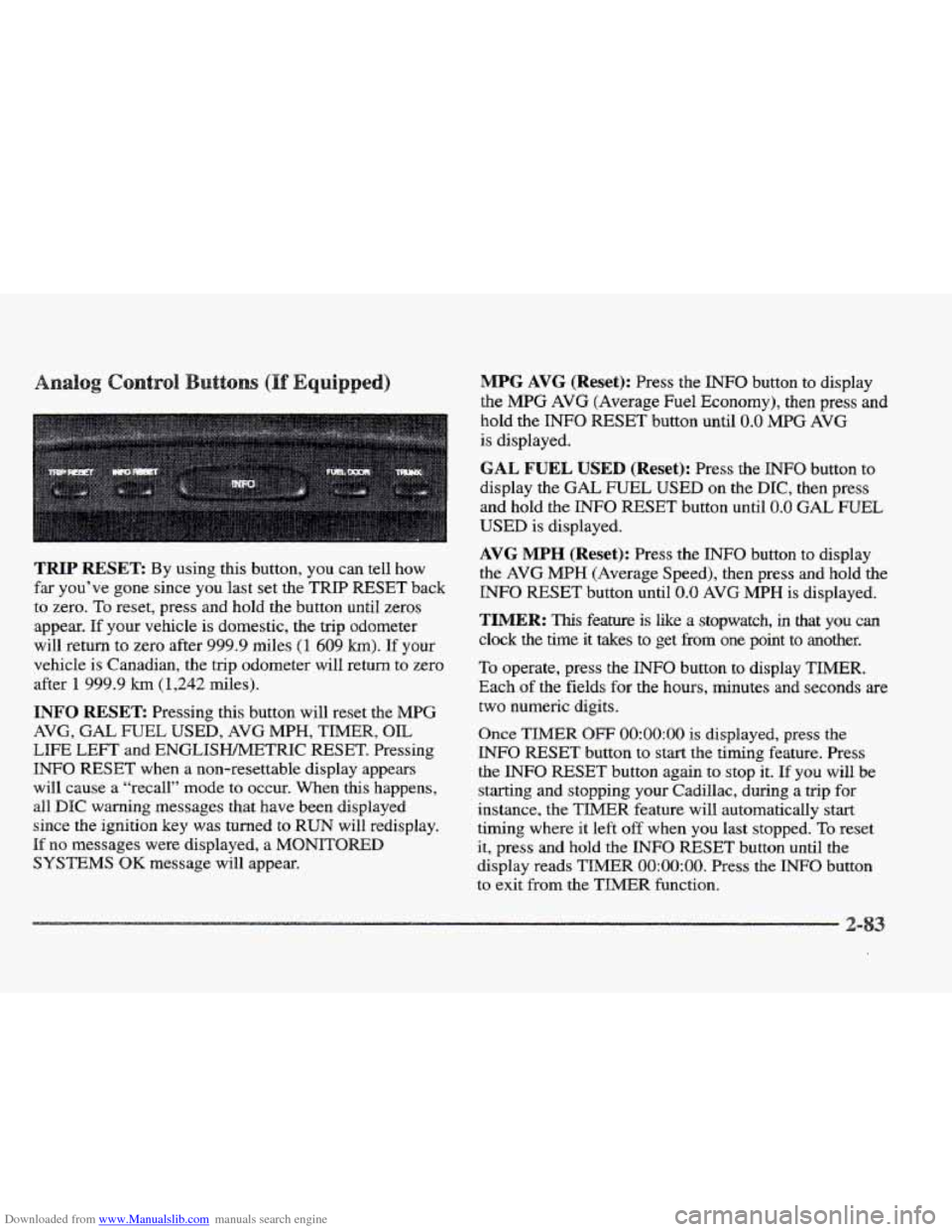
Downloaded from www.Manualslib.com manuals search engine TRIP RESET By using this button, you can tell how
far you’ve gone since you last set the TRIP RESET back
to zero.
To reset, press and hold the button until zeros
appear.
If your vehicle is domestic, the trip odometer
will return to zero after 999.9 miles
(1 609 km). If your
vehicle is Canadian, the
trip odometer will return to zero
after
1 999.9 km (1,242 miles).
INFO RESET: Pressing this button will reset the MPG
AVG, GAL FUEL USED, AVG MPH, TIMER, OIL
LIFE LEFT and ENGLISHMETRIC RESET. Pressing
INFO RESET when a non-resettable display appears
will cause a “recall” mode to occur. When this happens,
all
DIC warning messages that have been displayed
since the ignition key was turned to
RUN will redisplay.
If no messages were displayed, a MONITORED
SYSTEMS QK message will appear.
MPG AVG (Reset): Press the INFO button to display
the
MPG AVG (Average Fuel Economy), then press and
hold the
INFO RESET button until 0.0 MPG AVG
is displayed.
GAL FUEL USED (Reset): Press the INFO button to
display the
GAL FUEL USED on the DIC, then press
and hold the
INFO RESET button until 0.0 GAL FUEL
USED is displayed.
AVG MPH (Reset): Press the INFO button to display
the AVG MPH (Average Speed), then press and hold the
INFO RESET button until 0.0 AVG MPH is displayed.
TIMER: lhs feature is like a stopwatch, in that you can
clock the time it takes to get from one point to another.
To operate, press the INFO button to display TIMER.
Each of the fields for the hours, minutes and seconds are
two numeric digits.
Once TIMER OFF O0:OO:OO is displayed, press the
INFO RESET button to start the timing feature. Press
the
INFO RESET button again to stop it. If you will be
starting and stopping your Cadillac, during a trip
for
instance, the TIMER feature will automatically start
timing where it left off when you last stopped. To reset
it, press and hold the INFO FESET button until the
display reads
TIMER 0O:OO:OO. Press the INFO button
to exit from the
TIMER function.
Page 147 of 361
Downloaded from www.Manualslib.com manuals search engine OIL LIFE LEFT (Reset): Press the INFO button to
display the OIL
LIFE LEFT, then press and hold the
INFO RESET button until 100% OIL LIFE LEFT is
displayed. (This only needs
to be reset after you have
had the oil changed.)
ENGLISWMETRIC (Reset): Press the INFO button
to display ENGLISIWMETFUC RESET, then press the
INFO RESET button to select. The display will change
from English
(miles) to metric (kilometers).
INFO: Pressing this button repeatedly will display the
RANGE, MPG AVG, MPG INST, GAL FUEL USED,
MPH, AVG MPH, TIMER, BATTERY VOLTS,
COOLANT TEMP, OIL LIFE LEFT and
ENGLISWMETRIC RESET.
FUEL DOOR: Press this button to open the fuel door.
(This feature will work only when the shift lever is in
PARK (P) regardless of whether or not the vehicle
is running.)
TRUNK: Press this button to open the trunk.
(Ths feature will work only when the shift lever is in
PARK (P) regardless of whether or not the vehicle
is running.)
river Information Center
These messages will appear if there is a problem sensed
in one of your vehicle’s systems. Vehicles that
are first
sold in Canada will have
a number after each message.
This number helps to identify
the message which is only
displayed in English.
message displays when
the engine coolant becomes
hotter than the normal operating temperature.
To avoid
added
strain on a hot engine, the air conditioning
compressor is automatically turned
off so that
air conditioned
air is not delivered. If the coolant
temperature returns to normal, you must select
AC to
return to a normal
A/C compressor operation. If this
message continues to appear, have the system repaired
as soon as possible to avoid compressor damage.
A/C OFF FOR ENGINE PROTECTION - 16: This
APPLY BRAKE TO SHIFT - 46: This message
will appear
if your vehicle is in PARK (P) for about
15 seconds and the brake is not pressed in. To remove
this message from the
DIC display, hold the OFF and
the blue (cooler) buttons on the digital cluster climate
control panel for about five seconds. On the analog
climate control panel, press the
OFF button (next to the
MODE button) and the down arrow on the PASS TEMP
button for about five seconds. Hold the
same two
buttons to display the message again.
Page 150 of 361
Downloaded from www.Manualslib.com manuals search engine ENGINE COOLANT HOT-IDLE ENGINE - 44:
This message will appear when the engine coolant
temperature is over
248 OF (1 26 O C). To avoid added
strain
on a hot engine, turn off the climate control system.
Stop and allow your vehcle to idle until it cools down or
the message is removed. If it does not cool down, turn
off
the engine and have it serviced before driving it again.
Severe engine damage can result
from an overheated
engine. See “Engine Overheating”
in the Index.
ENGINE MISFIRE -- EASE OFF GAS
PEDAL - 1114: An engine misfire has occurred.
You’ll need to ease
off the gas pedal.
FUEL LEVEE LOW - 11: This message serves as a
warning that the
fuel level in the tank is critically low.
Stop for fuel soon.
ICE POSSIBLE - 13: This message appears when
the outside air temperature
is cold enough to create icy
road conditions.
HEADLAMBS SUGGESTED - 23: If it’s dark enough
outside and the twilight sentinel control is
off, a
FEADLAMPS SUGGESTED message will display on the
DIC. This message informs the driver that turning on the
exterior
lamps is recommended even though the DRL are
still illuminated. (It has become dark enough outside to
require the headlamps and/or other exterior lamps.)
MONITORED SYSTEMS OK - I: This message only
appears
in the “recall” mode by pressing the RESET
button. It lets you know that no other messages are
stored or currently active.
FASS KEY NOT PROGRAMMED - 31: This
warning message displays when the PASS-Key pellet
information has not been programmed into your vehicle.
See your Cadillac dealership for service.
PCM FAULT - 110: The circuit in the Powertrain
Control Module (PCM) has shorted or
is loose when this
message appears. Have your Cadillac serviced by your
dealership at once.
REDUCED ENGINE POWER - 41: This message
informs the driver, that due to wheel slippage, your
vehicle is reducing engine power to compensate for
the loss of traction. Accelerating too fast, causing the
tires to spin, is an example of when this message
would display.
IREMOVE KEY - 70: This message will appear when
the Personalized Automotive Security System
(PASS-Key 11) is unable to read the pellet on the
ignition key or an improper key pellet has been inserted.
Wait for the
DIC to display STARTING DISABLED
DUE TO THEFT
SYSTEM REMOVE IGNITION
KEY. The instrument panel cluster will then run a timer
and change the messages
to WAIT 3 MINUTES, WAIT