climate control CADILLAC ELDORADO 1998 10.G User Guide
[x] Cancel search | Manufacturer: CADILLAC, Model Year: 1998, Model line: ELDORADO, Model: CADILLAC ELDORADO 1998 10.GPages: 380, PDF Size: 21.39 MB
Page 152 of 380
Downloaded from www.Manualslib.com manuals search engine EXT LIGHTS AT UNLOCK: Exterior lamps (parking
lamps, taillamps, sidemarker lamps, license plate lamps,
low-beam headlamps, etc.) turn
on when the unlock
button
on the remote keyless entry transmitter is pressed
and
it is dark outside. These lamps stay on for about 20
seconds or until the key is turned OFF.
The prompts listed here appear in the same order as
displayed on
the Driver Information Center (DIC).
FEATURE
ON appears when a yes response is made
and FEATURE OFF appears with a no response. To
skip
to the next personalization feature (REMOTE
RECALL MEMORY), press the
INFO button.
Remote Recall Memory (If Equipped with
Memory Personalization)
Memory settings that have been previously programmed
(climate control settings,
radio preset settings, exterior
lighting choices, remote confirmation choices and
programmable automatic door lock choices) can be
recalled by using the remote keyless entry transmitter or
by placing the key in your vehicle’s ignition. Before
you begin
programming, make sure that your
vehicle’s ignition
is in RUN. To begin programming,
press the
INFO and INFO RESET buttons at the same
time for about two seconds. As mentioned, remote recall
memory
is the third feature to appear. To skip past the
first two personalization features, press the
INFO button.
When REMOTE RECALL MEMORY appears, the
driver is able to recall memory settings when the unlock
button on the remote keyless entry transmitter is
pressed. Press
the TRIP RESET button to select or press
the
INFO RESET button to answer no and to continue
on to the next prompt. FEATURE ON displays when a
yes response
is made.
If
a no response was made, the KEY IN RECALL
MEMORY prompt will’ show next.
This choice recalls
memory settings when the key is placed
in your
vehicle’s ignition. FEATURE
ON displays for a yes
response, and FEATURE
OFF for a no response. A yes
or
no response is required.
2-82
Page 154 of 380
Downloaded from www.Manualslib.com manuals search engine Climate Control Personalization
With this feature, your vehicle will recall the latest
climate control settings as adjusted
the last time your
vehicle was operated. This feature allows two different
drivers
to store and recall their own climate control
settings. The settings recalled by the climate control
system are determined by which remote keyless entry
transmitter
(“1” or “2”) was used to enter the vehicle.
The number
on the back of the remote keyless entry
transmitter corresponds
to driver 1 or to driver 2. After
the unlock button is pressed on the remote keyless entry
transmitter
or the ignition key is placed in the ignition,
the climate control settings will automatically adjust to
where they were last
set. The settings can also be
changed by briefly pressing the memory seat
buttons
1 or 2 located on the driver’s door.
Radio Personalization
With this feature, your vehicle will recall the latest radio
settings as adjusted the last time your vehicle was
operated. This feature allows two different drivers
to
store and recall their own radio settings for AM and FM
presets, last tuned station, volume, tone and audio
source (radio, cassette
or CD). The settings recalled by
the radio are determined by which remote keyless
entry transmitter
(1 or 2) was used to enter the vehicle.
The number
on the back of the remote keyless entry
transmitter corresponds to driver
1 or to driver 2. After
the unlock button is pressed
on the remote keyless entry
transmitter and the ignition
is in RUN, the radio settings
will automatically adjust to where they were last set
by
the identified driver. The settings can also be changed by
briefly pressing the memory seat buttons
1 or 2 located
on the driver’s door. The new settings will be saved for
the driver.
Continuous Variable -- Road Sensing
Suspension
(CV-RSS) (ETC Only)
The CV-RSS automatically adjusts the ride of your
vehicle. Automatic ride control is achieved through a
computer used
to control and monitor the suspension
system. The controller receives input from various
sensors
to determine the proper system response. If the
controller detects
a problem within the system, the
Driver Information Center
(DIC) will display a
SERVICE RIDE CONTROL message. If this message
appears, have your vehicle serviced at your dealership.
2-84
Page 157 of 380
Downloaded from www.Manualslib.com manuals search engine -,
Section 3 Comfort Controls and Audio Systems
In this section, you’ll find out how to operate the comfort control and audio systems offered with your vehicle. Be
sure to read about the particular systems supplied with your vehicle.
3-2
3-2
3-6 3-6
3-6
3-7
3-8
3-8
3-9
3-9
3-9
3-9
3-
10
3-13
3-1
8 Comfort
Controls
Climate Control Panel
Electronic Solar Sensor
Air Conditioning
Heating
Ventilation System
Defrosting
Rear Window Defogger
HVAC Steering Wheel Controls
Climate Control Personalization
(If Equipped)
Audio Systems
Setting the Clock
AM-FM Stereo with Cassette Tape Player
AM-FM Stereo with Cassette Tape
and
Compact Disc Player (If Equipped)
AM-FM Stereo with Cassette Tape and
Compact Disc Player with Radio Data
Systems (RDS) and Digital Signal Processing
(DPS)
(If Equipped) 3-27
3-28
3-3
1
3-32
3-32
3-33
3-34
3-34 3-35
3-36
3-36
3-37
Radio Data Systems (RDS) Program Type
(PTY) Selections
Trunk Mounted CD Changer
(If Equipped)
CD Adapter Kits
Radio Personalization
(If Equipped)
Theft-Deterrent Feature
Audio Steering Wheel Controls
Understanding Radio Reception
Tips About Your Audio System
Care
of Your Cassette Tape Player
Care of Your Compact Discs
Care of Your Compact Disc Player
Power Antenna Mast
Care
Page 158 of 380
Downloaded from www.Manualslib.com manuals search engine Comfort Controls
This section tells you how to make your air system work
for you. Your Electronic Climate Control (ECC) system
uses ozone-friendly
R- 134a refrigerant.
With
the ECC system, you can control the heating,
cooling and ventilation in your vehicle. Your vehicle
also has a flow-through ventilation system described
later in this section.
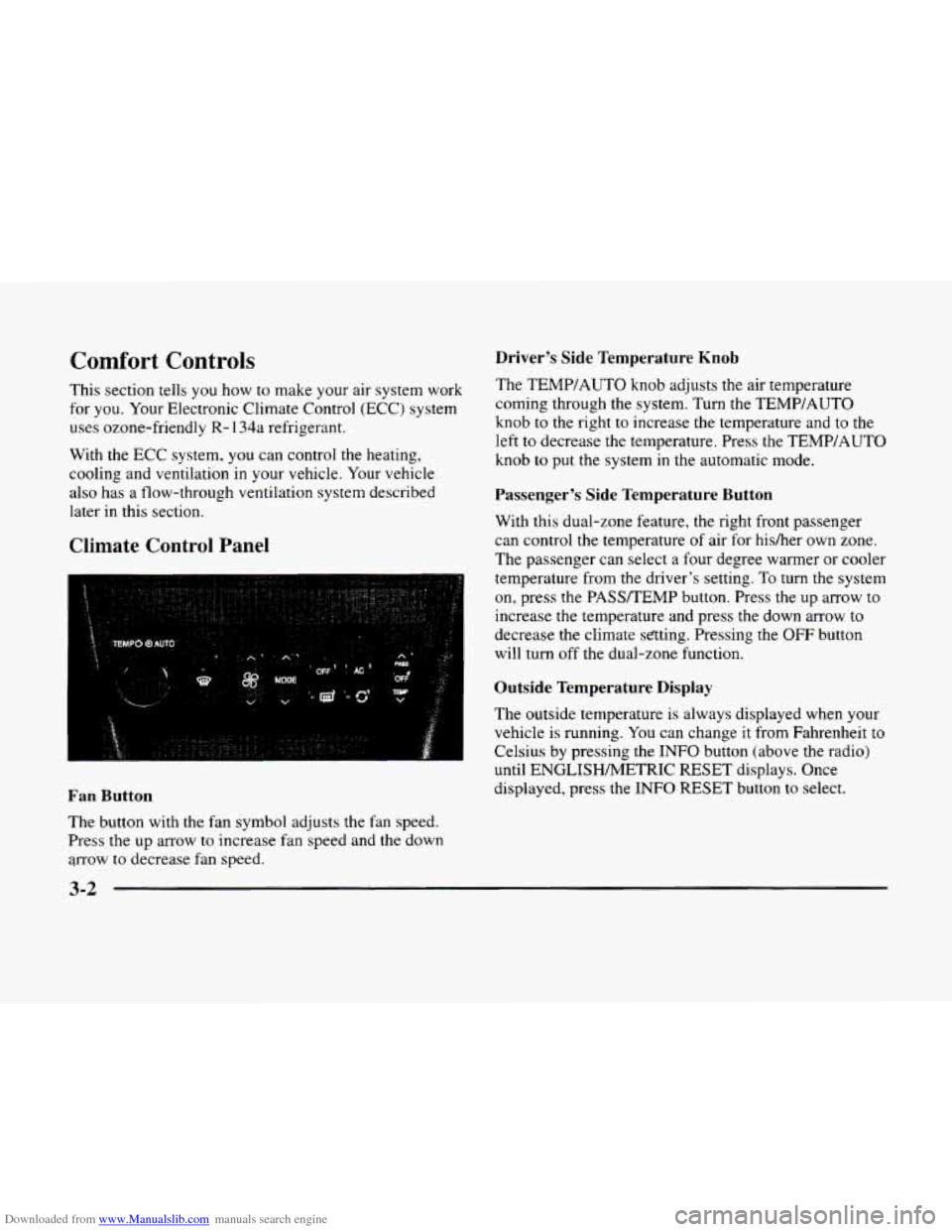
Climate Control Panel
Driver’s Side Temperature Knob
The TEMP/AUTO knob adjusts the air temperature
coming through the system. Turn the TEMPIAUTO
knob
to the right to increase the temperature and to the
left to decrease the temperature. Press
the TEMP/AUTO
knob
to put the system in the automatic mode.
Passenger’s Side Temperature Button
With this dual-zone feature, the right front passenger
can control
the temperature of air for hisher own zone.
The passenger can select a four degree warmer or cooler
temperature from
the driver’s setting. To turn the system
on, press the PASSREMP button. Press the up arrow to
increase
the temperature and press the down arrow to
decrease the climate sating. Pressing the OFF button
will turn off the dual-zone function.
Outside Temperature Display
The outside temperature is always displayed when your
vehicle is running. You can change
it from Fahrenheit to
Celsius by pressing the
INFO button (above the radio)
until ENGLISHMETRIC RESET displays. Once
displayed, press the
INFO RESET button to select. Fan Button
The button with the fan symbol adjusts the fan speed.
Press
the up arrow to increase fan speed and the down
arrow
to decrease fan speed.
3-2
Page 159 of 380
Downloaded from www.Manualslib.com manuals search engine The outside temperature sensor is located near the front
grille. The sensor
can be affected by road or engine heat
during idling, slow driving or when the engine is first
started after a short trip. In order
to ensure proper
automatic climate control operation, the outside air
temperature display may not update
as quickly as
expected. This is to allow the air surrounding the outside
temperature sensor to be as close
to the actual outside
conditions as possible. This is determined by how much
time has elapsed since the vehicle has been turned
off
and by vehicle speed.
Mode Button
Press this button to deliver air through the floor, middle
or windshield outlets. The system will stay in the
selected mode until the
MODE button is pushed again.
Press the up or down arrow to cycle through the
available modes.
Automatic Operation
When the system is set for automatic operation, sensors
will control the air delivery mode. Air will come from
the floor, middle or windshield outlets. The fan speed
will vary as the system maintains the selected
temperature setting. Be
careful not to put anything over the solar sensor
located
in the middle of the instrument panel near the
windshield. This sensor is used by the automatic system
to regulate temperature.
To find your comfort zone, start with the 75°F (24°C)
setting and allow about 30 minutes for the system to
regulate.
Turn the TEMP/AUTO knob to adjust the
temperature if necessary. If
you choose 60°F ( 16"C),
the system will remain at that maximum cooling setting
and will not regulate fan speed. If
you choose the
temperature of
90°F (32"C), the system will remain at
that maximum heating setting and will not regulate fan
speed. Choosing either maximum setting will not cause
the system to heat or cool any faster.
With the automatic setting, the air conditioning
compressor automatically cycles when needed to cool
the air. In cold weather, when the system senses the need
for heat, the airflow will be directed
out the floor
outlets.
As the interior temperature approaches a desired
setting, the blower speed will decrease. To maintain
interior comfort, the airflow may move to the instrument
panel air outlets and floor outlets (bi-level mode). On
bright sunny days
in cold weather, the airflow may come
out of the air conditioning outlets (AC mode) to
maintain comfort and prevent stuffiness.
3-3
Page 165 of 380
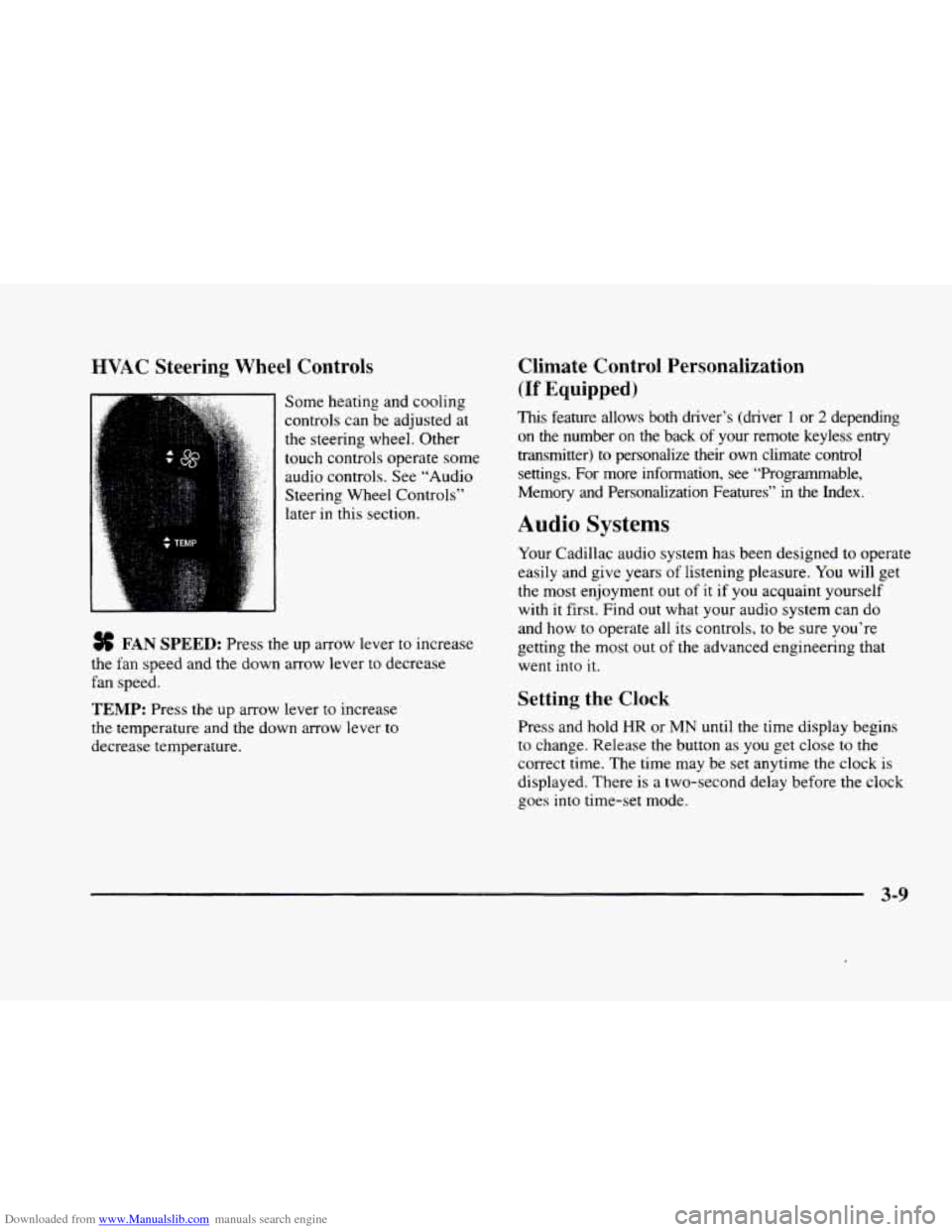
Downloaded from www.Manualslib.com manuals search engine HVAC Steering Wheel Controls
Some heating and cooling
controls can be adjusted at
the steering wheel. Other
touch controls operate some
audio controls. See “Audio
Steering Wheel Controls”
later in this section.
FAN SPEED: Press the up arrow lever to increase
the fan speed and the down arrow lever to decrease
fan speed.
TEMP: Press the up arrow lever to increase
the temperature and the down arrow lever to
decrease temperature.
Climate Control Personalization
(If Equipped j
This feature allows both driver’s (driver 1 or 2 depending
on the number
on the back of your remote keyless entry
transmitter)
to personalize their own climate control
settings. For more information, see “Programmable,
Memory and Personalization Features” in the Index.
Audio Systems
Your Cadillac audio system has been designed to operate
easily and give years of listening pleasure.
You will get
the most enjoyment out of it if you acquaint yourself
with
it first. Find out what your audio system can do
and how
to operate all its controls, to be sure you‘re
getting the most out of the advanced engineering that
went into
it.
Setting the Clock
Press and hold HR or MN until the time display begins
to change. Release the button as you get close to the
correct time. The time may be set anytime the clock is
displayed. There is a two-second delay before the clock
goes into time-set mode.
3-9
Page 301 of 380
Downloaded from www.Manualslib.com manuals search engine If the fluid level is low, add only enough of the proper
fluid to bring
the level into the cross-hatched area on
the dipstick.
1. Pull out the dipstick.
2. Using a long-neck funnel, add enough fluid at the
dipstick hole
to bring it to the proper level.
It doesn’t take much fluid, generally less than
one pint
(0.5 L). Don’t ovegi’ll.
-
NOTICE:
We recommend you use only fluid labeled
DEXRON@-111, because fluid with that label
is
made especially for your automatic transaxle.
Damage caused by fluid other than DEXRON-I11
is not covered by your new vehicle warranty.
3. After adding fluid, recheck the fluid level as
described under “How
to Check.”
4. When the correct fluid level is obtained, push the
dipstick back
in all the way.
How to Reset Transaxle Fluid
Change Indicator:
Your vehicle is equipped with a transaxle fluid change
indicator.
A CHANGE TRANS FLUID message will
display
on the Driver Information Center (DIC) when
the powertrain computer determines that the transaxle
fluid needs to be changed or at each
100,000 miles
(160 000 km) interval, whichever occurs first. See your
Maintenance Schedule booklet for more information.
When this message appears, change
the transaxle fluid
and reset the transaxle fluid life indicator as follows:
1. Turn the ignition on but do not start the engine.
2. Press and hold the OFF and rear defog buttons on
the climate control system at the same time until
the TRANS FLUID RESET message appears on
the DIC.
6-21
Page 324 of 380
Downloaded from www.Manualslib.com manuals search engine Treadwear
The treadwear grade is a comparative rating based on
the wear rate of the tire when tested under controlled
conditions
on a specified government test course.
For example, a tire graded
150 would wear one and a
half (1 1/2) times as well on the government course
as a tire graded 100. The relative performance
of tires
depends upon the actual conditions
of their use,
however, and may depart significantly from the norm
due to variations
in driving habits, service practices
and differences in road characteristics and climate.
Traction -- A, B, C
The traction grades, from highest to lowest, are A, B,
and C, and they represent the tire’s ability to stop
on wet pavement as measured under controlled
conditions
on specified government test surfaces
of asphalt and concrete.
A tire marked C may have
poor traction performance.
Warning: The traction grade assigned to this tire is based
on braking (straight ahead) traction tests and does not
include cornering (turning) traction.
Temperature -- A, B, C
The temperature grades are A (the highest), B, and C,
representing the tire’s resistance to the generation of heat and
its ability to dissipate heat when tested under
controlled conditions on a specified indoor laboratory
test wheel. Sustained high temperature can cause the
material
of the tire to degenerate and reduce tire life, and
excessive temperature can lead
to sudden tire failure.
The grade
C corresponds to a level of performance
which all passenger car tires must meet under the
Federal Motor Vehicle Safety Standard No.
109. Grades
B and A represent higher levels of performance on the
laboratory test wheel than the minimum required by law.
Warning:
The temperature grade for this tire is
established for a tire that is properly inflated and not
overloaded. Excessive speed, underinflation, or
excessive loading, either separately
or in combination,
can cause heat buildup and possible tire failure.
Wheel Alignment and Tire Balance
The wheels on your vehicle were aligned and balanced
carefully at
the factory to give you the longest tire life
and best overall performance.
Scheduled wheel alignment and wheel balancing are not
needed. However, if you notice unusual tire wear or
your vehicle pulling one way or
the other, the alignment
may need to be reset. If
you notice your vehicle
vibrating when driving
on a smooth road, your wheels
may need to be rebalanced.
6-44
Page 342 of 380
Downloaded from www.Manualslib.com manuals search engine Rear Compartment Fuse Block
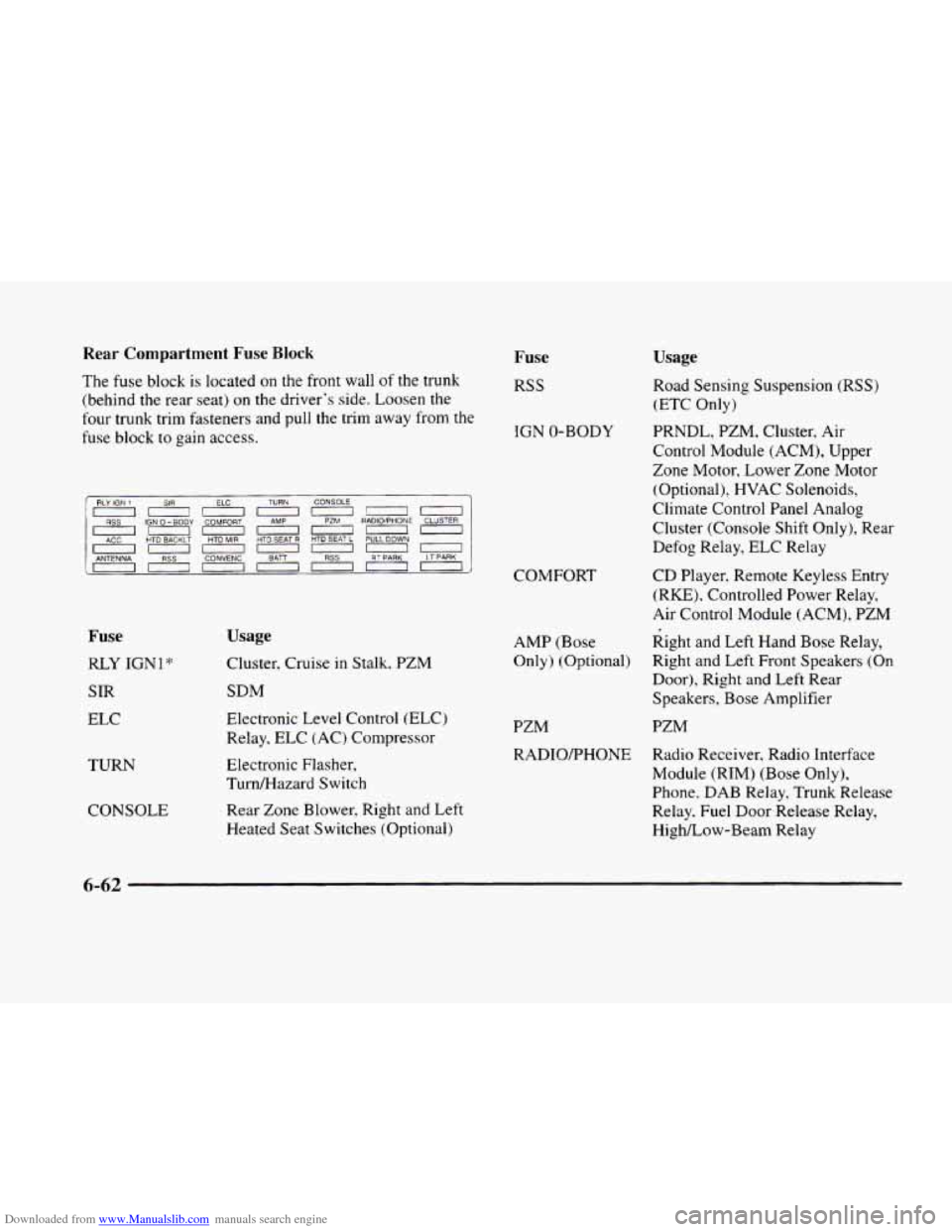
The fuse block is located on the front wall of the trunk
(behind the rear seat) on the driver’s side. Loosen the
four trunk trim fasteners and pull the trim away from the
fuse block
to gain access.
Fuse
RSS
IGN 0-BODY
1 RLY ~~~ IGN 1 SIR ELC TU:: CO:;: n~nn~n~
0~~0~0~
0~~~00~
IGN 0-BODY COMFORT
HTO BACKLT HTD MIR HTD SEAT R HTD SEAT L PULL DOWN
ANTENNA , , RSS , lCONVENCl , BAn I I RSS , , RT PARK I I LT PPRK ,
RADIO’PHONE CLJSTER
Fuse
RLY IGNl*
SIR
ELC
TURN
CONSOLE
Usage
Cluster, Cruise in Stalk, PZM
SDM
Electronic Level Control (ELC)
Relay, ELC (AC) Compressor
Electronic Flasher,
Turn/Hazard Switch
Rear Zone Blower, Right and Left
Heated Seat Switches (Optional)
Usage
Road Sensing Suspension (RSS)
(ETC Only)
PRNDL, PZM, Cluster, Air
Control Module (ACM), Upper
Zone Motor, Lower Zone Motor
(Optional),
HVAC Solenoids,
Climate Control Panel Analog
Cluster (Console Shift Only), Rear
Defog Relay, ELC Relay
COMFORT CD
Player, Remote Keyless Entry
(RE), Controlled Power Relay,
Air Control Module (ACM),
PZM
AMP (Bose Right and
Left Hand Bose Relay,
Only) (Optional) Right and
Left Front Speakers (On
Door), Right and
Left Rear
Speakers, Bose Amplifier
PZM PZM
RADIOmHONE Radio Receiver, Radio Interface
Module
(RIM) (Bose Only),
Phone.
DAB Relay, Trunk Release
Relay. Fuel Door Release Relay,
HighLow-Beam Relay
6-62
Page 363 of 380
Downloaded from www.Manualslib.com manuals search engine ........
Section 8 Index
ABS ......................................... 4-7
Adding Equipment to the Outside
of Your Vehicle ...... 6-3
AirBag
....................................... 1-20
How Does it Restrain
.......................... 1-24
How it Works
................................ 1-22
Location
.................................... 1-22
Readiness Light
......................... 1-21. 2-61
Servicing
................................... 1-25
What Makes it Inflate
.......................... 1-23
What Will You See After it Inflates
............... 1-24
When Should
it Inflate ......................... 1-23
Aircleaner
.................................... 6-15
Air Conditioning ................................ 3-6
Air Conditioning Refrigerants
..................... 6-65
Air Control. Climate Control System
............. 3-3. 3-4
Alarm. Theft-Deterrent
.......................... 2- 14
Alignment and Balance. Tire
...................... 6-44
Aluminum Wheels. Cleaning
...................... 6-52
Antenna. Power
................................ 3-37
Antifreeze
................................ 6-22. 6-23
Anti-Lock
Brake System Warning Light
................ 2-64. 4-7
Brakes
...................................... 4-7
Anti-Lockout Feature
............................ 2-5
Anti-Theft. Radio
.............................. 3-33
Appearancecare
............................... 6-47
Appearance Care Materials
....................... 6-54
Apply Brake To Shift Message .................... 2-71
Arbitration Program
............................. 7-11
Armrest. Storage
.......................... 2.49. 2.X
Ashtrays
...................................... 2-3
Assist Handles
................................. 2-51
Astroroof
..................................... 2-52
Audio Equipment. Adding ........................ 3-3~
Audio Steering Wheel Controls
.................... 3-3:
Audio Systems
.................................. 3-5
Automatic Transaxle
Fluid ....................................... 6-1t
Operation
................................... 2-21
Overdrive
................................... 2-22
Shifting
..................................... 2-21
Starting Your Engine
.......................... 2-15
Automatic Door Locks
............................ 2-2
Automatic Pull-Down Feature
..................... 2-12
Battery
...................................... 6-31
Charging System Indicator Light
................. 2-62
Jump Starting ................................. 5-?
No Charge Message ........................... 2-72
Replacement, Remote Keyless Entry
............... 2-1
Volts High Message ........................... 2-72
Volts Low Message
........................... 2-72
Warnings
................................ 5-3, 5-5