heating CADILLAC ELDORADO 1998 10.G User Guide
[x] Cancel search | Manufacturer: CADILLAC, Model Year: 1998, Model line: ELDORADO, Model: CADILLAC ELDORADO 1998 10.GPages: 380, PDF Size: 21.39 MB
Page 162 of 380
Downloaded from www.Manualslib.com manuals search engine Electronic Solar Sensor
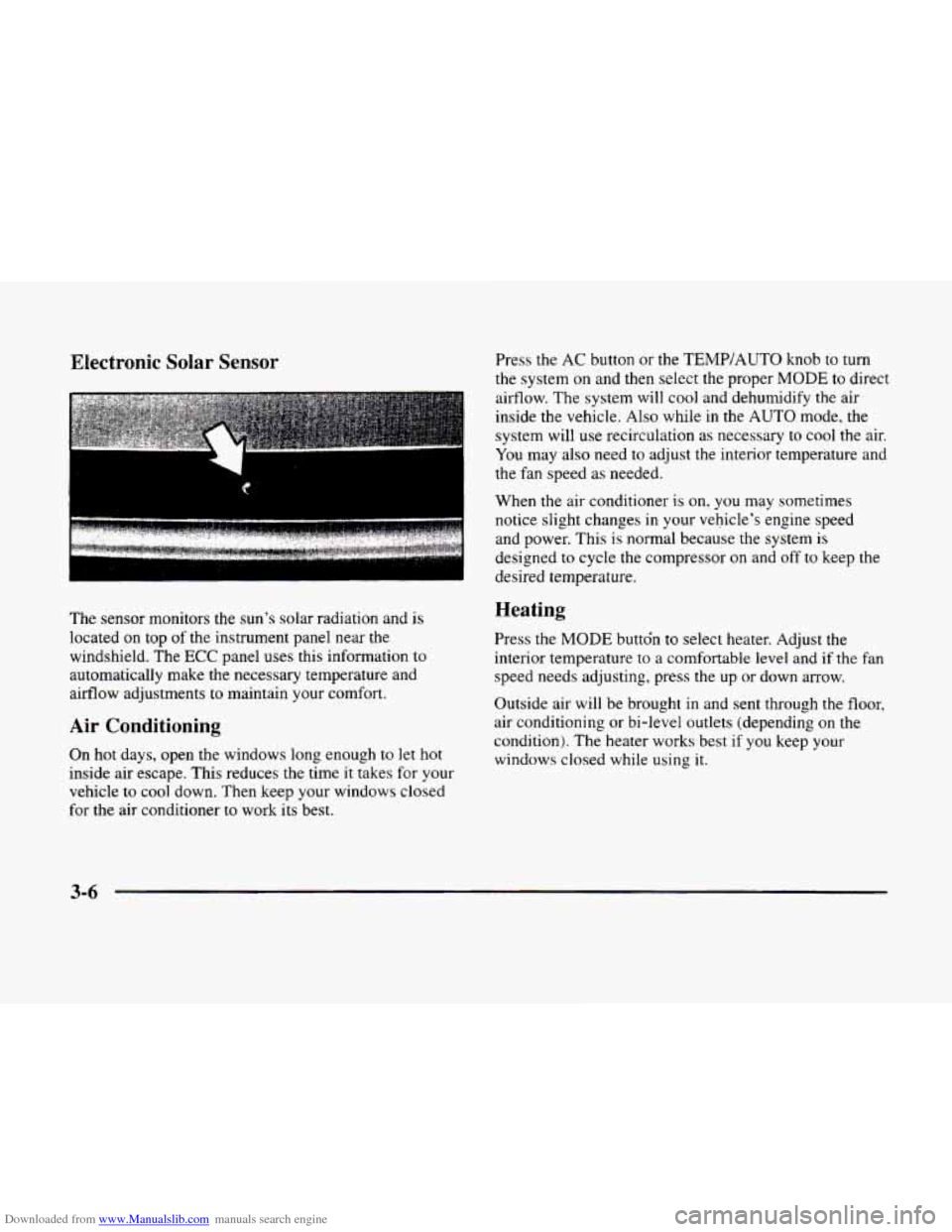
The sensor monitors the sun’s solar radiation and is
located on top of the instrument panel near the
windshield. The
ECC panel uses this information to
automatically make the necessary temperature and
airflow adjustments to maintain your comfort.
Air Conditioning
On hot days, open the windows long enough to let hot
inside air escape. This reduces the time it takes for your
vehicle to
cool down. Then keep your windows closed
for the air conditioner
to work its best. Press the
AC button or the
TEMP/AUTO knob to turn
the system on and then select the proper
MODE to direct
airflow. The system will cool and dehumidify the air
inside the vehicle. Also while
in the AUTO mode, the
system will use recirculation as necessary to cool the air.
You may also need to adjust the interior temperature and
the fan speed as needed.
When
the air conditioner is on, you may sometimes
notice slight changes
in your vehicle’s engine speed
and power. This
is normal because the system is
designed to cycle the compressor on and off to keep the
desired temperature.
Heating
Press the MODE buttdn to select heater. Adjust the
interior temperature to a comfortable level and if the fan
speed needs adjusting, press the up or down arrow.
Outside air will be brought in and sent through the floor,
air conditioning or bi-level outlets (depending on
the
condition). The heater works best if you keep your
windows closed while using
it.
3-6
Page 165 of 380
Downloaded from www.Manualslib.com manuals search engine HVAC Steering Wheel Controls
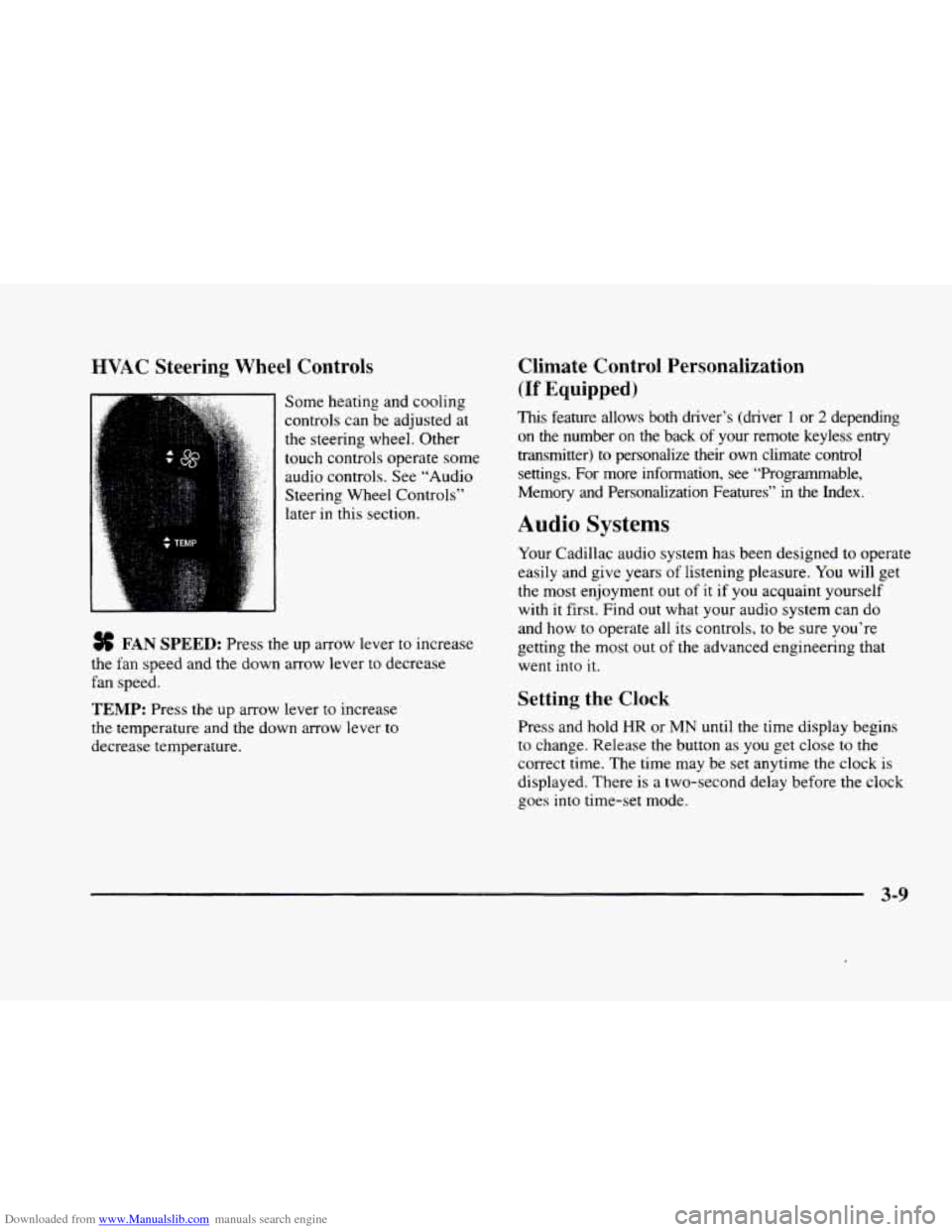
Some heating and cooling
controls can be adjusted at
the steering wheel. Other
touch controls operate some
audio controls. See “Audio
Steering Wheel Controls”
later in this section.
FAN SPEED: Press the up arrow lever to increase
the fan speed and the down arrow lever to decrease
fan speed.
TEMP: Press the up arrow lever to increase
the temperature and the down arrow lever to
decrease temperature.
Climate Control Personalization
(If Equipped j
This feature allows both driver’s (driver 1 or 2 depending
on the number
on the back of your remote keyless entry
transmitter)
to personalize their own climate control
settings. For more information, see “Programmable,
Memory and Personalization Features” in the Index.
Audio Systems
Your Cadillac audio system has been designed to operate
easily and give years of listening pleasure.
You will get
the most enjoyment out of it if you acquaint yourself
with
it first. Find out what your audio system can do
and how
to operate all its controls, to be sure you‘re
getting the most out of the advanced engineering that
went into
it.
Setting the Clock
Press and hold HR or MN until the time display begins
to change. Release the button as you get close to the
correct time. The time may be set anytime the clock is
displayed. There is a two-second delay before the clock
goes into time-set mode.
3-9
Page 235 of 380
Downloaded from www.Manualslib.com manuals search engine Backing Up Turn Signals When Towing a Trailer
Hold the bottom of the steering wheel with one hand.
Then, to move the trailer
to the left, just move that hand
to
the left. To move the trailer to the right, move your
hand
to the right. Always back up slowly and, if
possible, have someone guide you.
Making Turns
I NOTICE:
Making very sharp turns while trailering could
cause the trailer to come in contact with the
vehicle. Your vehicle could be damaged. Avoid
making very sharp turns while trailering.
When you’re turning with a trailer, make wider turns
than normal.
Do this so your trailer won’t strike
soft shoulders, curbs, road signs, trees or other
objects. Avoid jerky or sudden maneuvers. Signal
well in advance. When you tow
a trailer,
your vehicle may need a
different
turn signal flasher and/or extra wiring. Check
with your Cadillac dealer. The green arrows
on your
instrument panel will flash whenever
you signal a turn
or lane change. Properly hooked up, the trailer lamps
will also flash, telling other drivers you’re about to turn,
change lanes or stop.
When towing a trailer, the green arrows on your
instrument panel will flash for turns even if the bulbs on
the trailer are burned
out. Thus, you may think drivers
behind you are seeing your signal when they are not. It’s
important to check occasionally
to be sure the trailer
bulbs are still working.
Driving On Grades
Reduce speed and shift to a lower gear before you start
down a long or steep downgrade. If
you don’t shift
down, you might have
to use your brakes so much that
they would get hot and no longer work well.
On a long uphill grade, shift down and reduce your
speed
to around 45 mph (70 kmh) or less to reduce the
possibility
of engine and transaxle overheating.
4-37
Page 236 of 380
Downloaded from www.Manualslib.com manuals search engine Parking on Hills Shift into a gear; and
a Be sure the parking brake has released.
You really should not park your vehicle, with a trailer
attached, on
a hill. If something goes wrong, your rig
could start
to move. People can be injured, and both
your vehicle and the trailer can be damaged.
But if you ever
have to park your rig on a hill, here’s
how to
do it:
1. Apply your regular brakes, but do not shift into
PARK (P).
2. Have someone place chocks under the trailer wheels.
3. When the wheel chocks are in place, release the
regular brakes until the chocks absorb the load.
4. Reapply the regular brakes. Then shift into
5. Release the regular brakes.
PARK (P) firmly and apply your parking brake.
When You Are Ready to Leave After
Parking on
a Hill
1. Apply your regular brakes and hold the pedal down
while you:
Start your engine;
2. Let up on the brake pedal.
3. Drive slowly until the trailer is clear of the chocks.
4. Stop and have someone pick up and store the chocks.
Maintenance When Trailer Towing
Your vehicle will need service more often when you’re
pulling a trailer. See the Maintenance Schedule for more
on this. Things that are especially important in trailer
operation are automatic transaxle fluid (don’t overfill),
engine oil, belt, cooling system and brake adjustment.
Each
of these is covered in this manual, and the Index
will help you find them quickly. If you’re trailering, it’s
a good idea to review these sections before you start
your trip.
Check periodically
to see that all hitch nuts and bolts
are tight.
Engine Cooling When Trailer Towing
Your cooling system may temporarily overheat during
severe operating conditions. See “Engine Overheating”
in the Index.
4-38
Page 241 of 380
Downloaded from www.Manualslib.com manuals search engine Section 5 Problems on the Koad
Here you'll find what to do about some problems that can occur on the road.
5-2
5-3
5-3
5-8
5- 15
Hazard Warning Flashers
Other Warning Devices
Jump Starting Towing Your Vehicle
Engine Overheating 5-24
If a Tire Goes Flat
5-24 Changing a Flat Tire
5-34 Compact Spare Tire
5-35
If You're Stuck: In Sand, Mud, Ice or Snow
5-1
Page 255 of 380
Downloaded from www.Manualslib.com manuals search engine Engine Overheating
You will find an ENGINE COOLANT HOT, IDLE
ENGINE message or an ENGINE OVERHEATED,
STOP ENGINE message
on the Driver Information
Center (DIC).
You will also hear a chime. There is also
an engine temperature warning light and/or gage
on the
instrument panel. See “Engine Coolant Temperature
Warning Light” or “Engine Coolant Temperature Gage”
in the Index.
Overheated Engine Protection
Operating
Mode
Should an overheated engine condition exist and the
message ENGINE OVERHEATED
STOP ENGINE is
displayed, an overheat protection mode which alternates
firing groups
of four cylinders helps prevent engine
damage. In this mode, you will notice a loss in power and
engine performance. This operating mode allows
your vehicle to be driven to a safe place
in an
emergency; you may drive
up to 50 miles (80 km).
Towing a trailer in the overheat protection mode
should be avoided.
-~
NOTICE:
After driving in the overheated engine protection
operating mode, to avoid engine damage, allow
the engine to cool before attempting any repair.
The engine oil will be severely degraded. Repair
the cause of coolant loss, change the oil and reset
the oil life indicator. See “Engine Oil, When to
Change”
in the Index.
5-15
Page 259 of 380
Downloaded from www.Manualslib.com manuals search engine .. ”.
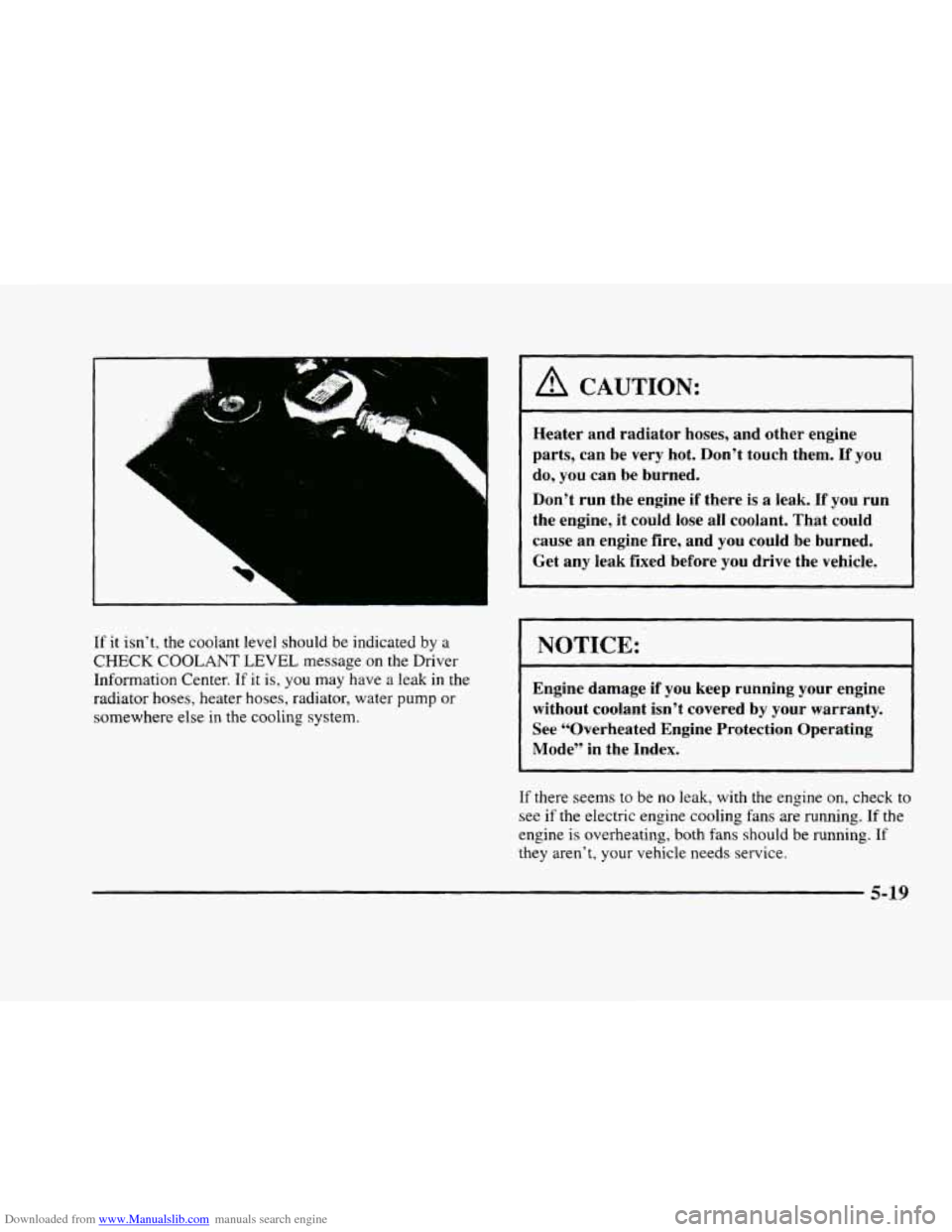
If it isn’t, the coolant level should be indicated by a
CHECK COOLANT LEVEL message on the Driver
Information Center. If it is, you
may have a leak in the
radiator hoses, heater hoses, radiator, water pump or
somewhere else in the cooling system.
A CAUTION:
Heater and radiator hoses, and other engine
parts, can be very hot. Don’t touch them.
If you
do, you can be burned.
Don’t run the engine if there is
a leak. If you run
the engine, it could lose all coolant. That could
cause an engine fire, and you could be burned.
Get any leak fixed before you drive the vehicle.
NOTICE:
Engine damage if you keep running your engine
without coolant isn’t covered by your warranty.
See “Overheated Engine Protection Operating Mode” in the Index.
If there seems to be no leak, with the engine on, check to
see if the electric engine cooling fans are running. If the
engine is overheating, both fans should be running. If
they aren’t, your vehicle needs service.
5-19
Page 302 of 380
Downloaded from www.Manualslib.com manuals search engine Engine Coolant
The cooling s stem in your vehicle is filled with
DEX-COOL engine coolant. This coolant is designed
to remain in your vehicle for
5 years or 150,000 miles
(240 000 km) whichever occurs first, if you add only
DEX-COOL’ extended life coolant.
J
The following explains your cooling system and
how
to add coolant when it is low. If you have a
problem with engine overheating, see “Engine
Overheating” in the Index.
A 50/50 mixture of water and DEX-COOL@
coolant will:
0 Give freezing protection down to -34°F (-37°C).
Give boiling protection up to 265 “F (1 29°C).
Protect against rust and corrosion.
0 Help keep the proper engine temperature.
0 Let the warning lights and gages work as
they should.
NOTICE:
When adding coolant, it is important that you
use only
DEX-COOL@ (silicate-free) coolant.
If coolant other than DEX-COOL is added to
the system, premature engine, heater core or radiator corrosion may result. In addition, the
engine coolant will require change sooner
-0 at
30,000 miles (50 000 km) or 24 months,
whichever occurs first. Damage caused by the
use
of coolant other than DEX-COOL@ is not
covered by your new vehicle warranty.
6-32
Page 305 of 380
Downloaded from www.Manualslib.com manuals search engine Adding Coolant
If you need more coolant, add the proper DEX-COOL@
coolant mixture ut the surge tank, but only when the
engine
is cool.
I A CAUTION:
You can be burned if you spill coolant on hot
engine parts. Coolant contains ethylene glycol,
and it will burn
if the engine parts are hot
enough. Don’t spill coolant on
a hot engine.
When replacing
the pressure cap, make sure it is tight.
Surge Tank Pressure Cap
NOTICE:
The surge tank cap is a 15 psi (105 kPa)
pressure-type cap and must be tightly installed
to prevent coolant loss and possible engine
damage
from overheating. Be sure the arrows
on the cap line up.
If the surge tank pressure cap needs to be replaced, a
GM cap is recommended.
Thermostat
Engine coolant temperature is controlled by a thermostat
in the engine coolant system. The thermostat stops the
flow
of coolant through the radiator until the coolant
reaches a preset temperature.
If your thermostat needs to be replaced. a GM
thermostat is recommended.
6-25
Page 319 of 380
Downloaded from www.Manualslib.com manuals search engine r
r
!
r
I
r
r
I
r
I- t
A CAUTION:
~~ ~~
Poorly maintained and improperly used tires
are dangerous.
0
0
0
Overloading your tires can cause overheating
as a result of too much friction. You could have
an air-out and a serious accident. See “Loading
Your Vehicle”
h the Index.
UnderinfJated tires pose the same danger as
overloaded tires. The resulting accident
could cause serious injury. Check all tires
frequently to maintain the recommended
pressure. Tire pressure should be checked
when your tires are cold.
Overinflated tires are more likely to be
cut, punctured or broken by a sudden
impact
-- such as when you hit a pothole.
Keep tires at the recommended pressure.
CAUTION: (Continued) CAUTION: (Continued)
Worn, old
tires can cause accidents. If your
tread
is badly worn, or if your tires have
been damaged, replace them.
See “Inflation
-- Tire Pressure” in this section
for inflation pressure adjustment for higher
speed driving.
Inflation -- Tire Pressure
The Tire-Loading Information label, which is located
on the rear edge of the driver’s door, shows the correct
inflation pressures for your tires when they’re cold.
“Cold” means your vehicle has been sitting for at least
three hours or driven
no more than 1 mile (1.6 km).
If you’ll be driving at speeds higher than 100 mph
(160 km/h) where it is legal, raise the cold inflation
pressure of each tire to
35 psi (240 kPa). When you end
this very high-speed driving, reduce the cold inflation
pressures
to those listed on the Tire-Loading
Information label.
6-39