instrument panel CADILLAC ELDORADO 1998 10.G Owner's Manual
[x] Cancel search | Manufacturer: CADILLAC, Model Year: 1998, Model line: ELDORADO, Model: CADILLAC ELDORADO 1998 10.GPages: 380, PDF Size: 21.39 MB
Page 160 of 380
Downloaded from www.Manualslib.com manuals search engine If your vehicle is sitting out on a hot day and you have it
set on AUTO, the air will first flow out the floor air
outlets for a few seconds. That is normal. This
is to
expel hot air from the air outlets. As the air
is cooled,
the airflow will move through
the air conditioning
outlets. If you start your vehicle with the fan setting
on
HI, it will skip the air conditioning purge.
To avoid blowing cold air in cold weather, the system
will delay turning on the fan until warm air is available.
The length
of delay depends on the outside air
temperature, engine coolant temperature
or the time
since the engine was last started.
As the coolant warms
up,
the blower fan speed will gradually increase and air
will flow from the heater outlets, with some aifflow
to the windshield to prevent fogging under most
normal conditions.
If you leave your vehicle, the system will remember the
control setting the next time
you start your engine,
except for recirculation and defrost. Each ignition cycle
cancels recirculation, whereas,
DEFROST will change
to automatic operation when the ignition is
shut off and
then turned back on.
Manual Operation
You may manually adjust the air delivery mode or
fan speed.
/J AC: This setting directs airflow through the
A0
middle instrument panel outlets.
l# BI-LEVEL: This setting directs air into your
vehicle in two ways.
Cool air is directed to the upper
portion
of your body through the four instrument panel
outlets while warmed air is directed to the floor.
'fl HEATER/DEFROST: This setting directs air to
the floor outlets and toward the windshield.
I# HEATER: This'setting directs warmed air
through the
floor outlets. Some warm air is diverted to
the windshield to minimize fogging.
A0
w.
0
DEFROST Press this button to quickly remove
fog or frost from the windshield. This setting sends most
of the airflow to the windshield with only a small
amount
to the floor outlets.
3-4
Page 162 of 380
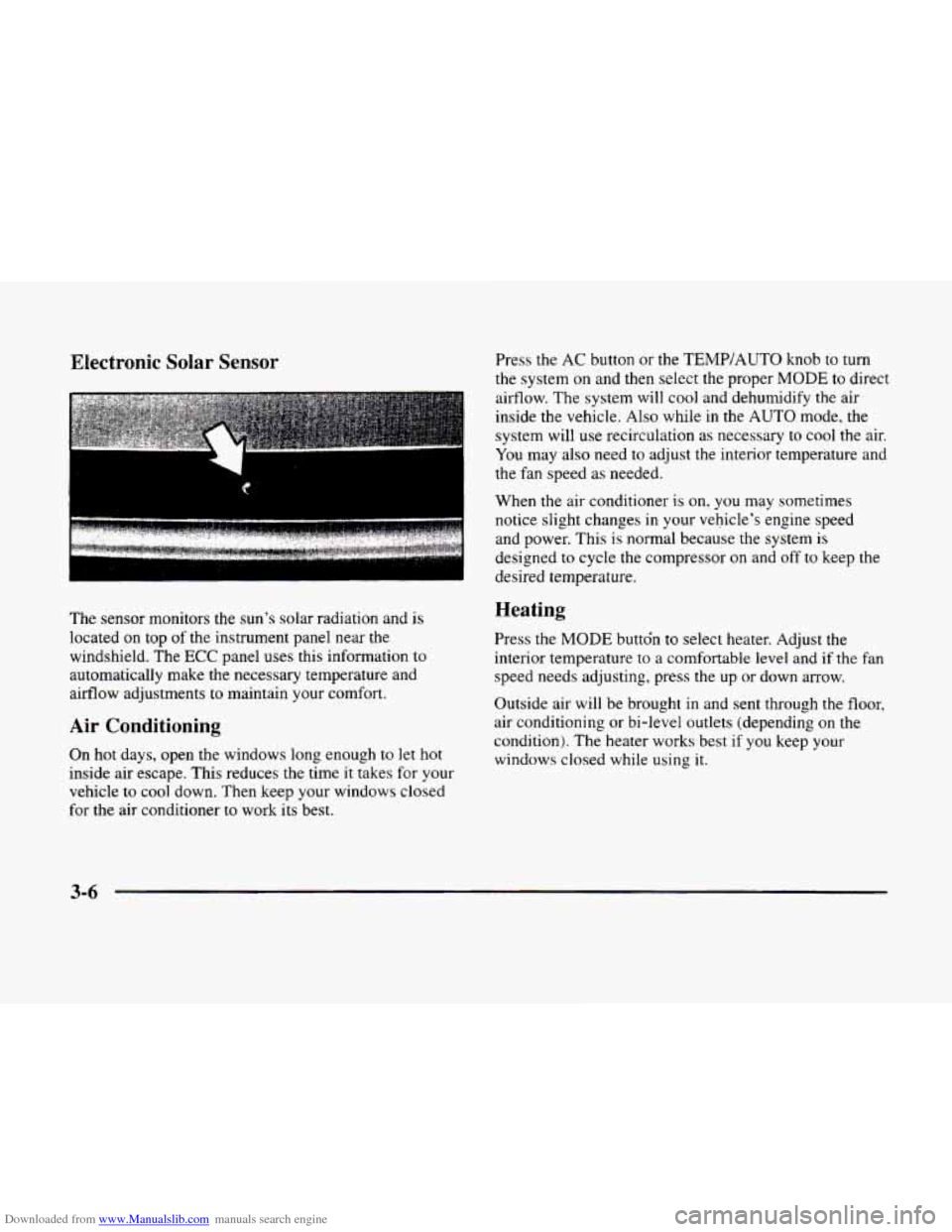
Downloaded from www.Manualslib.com manuals search engine Electronic Solar Sensor
The sensor monitors the sun’s solar radiation and is
located on top of the instrument panel near the
windshield. The
ECC panel uses this information to
automatically make the necessary temperature and
airflow adjustments to maintain your comfort.
Air Conditioning
On hot days, open the windows long enough to let hot
inside air escape. This reduces the time it takes for your
vehicle to
cool down. Then keep your windows closed
for the air conditioner
to work its best. Press the
AC button or the
TEMP/AUTO knob to turn
the system on and then select the proper
MODE to direct
airflow. The system will cool and dehumidify the air
inside the vehicle. Also while
in the AUTO mode, the
system will use recirculation as necessary to cool the air.
You may also need to adjust the interior temperature and
the fan speed as needed.
When
the air conditioner is on, you may sometimes
notice slight changes
in your vehicle’s engine speed
and power. This
is normal because the system is
designed to cycle the compressor on and off to keep the
desired temperature.
Heating
Press the MODE buttdn to select heater. Adjust the
interior temperature to a comfortable level and if the fan
speed needs adjusting, press the up or down arrow.
Outside air will be brought in and sent through the floor,
air conditioning or bi-level outlets (depending on
the
condition). The heater works best if you keep your
windows closed while using
it.
3-6
Page 163 of 380
Downloaded from www.Manualslib.com manuals search engine Ventilation System
Your vehicle's flow-through ventilation system supplies
outside air into
the vehicle when it is moving. Outside
air will also enter
the vehicle when the heater or the air
conditioning fan is running.
-
I. ,, . , .. .
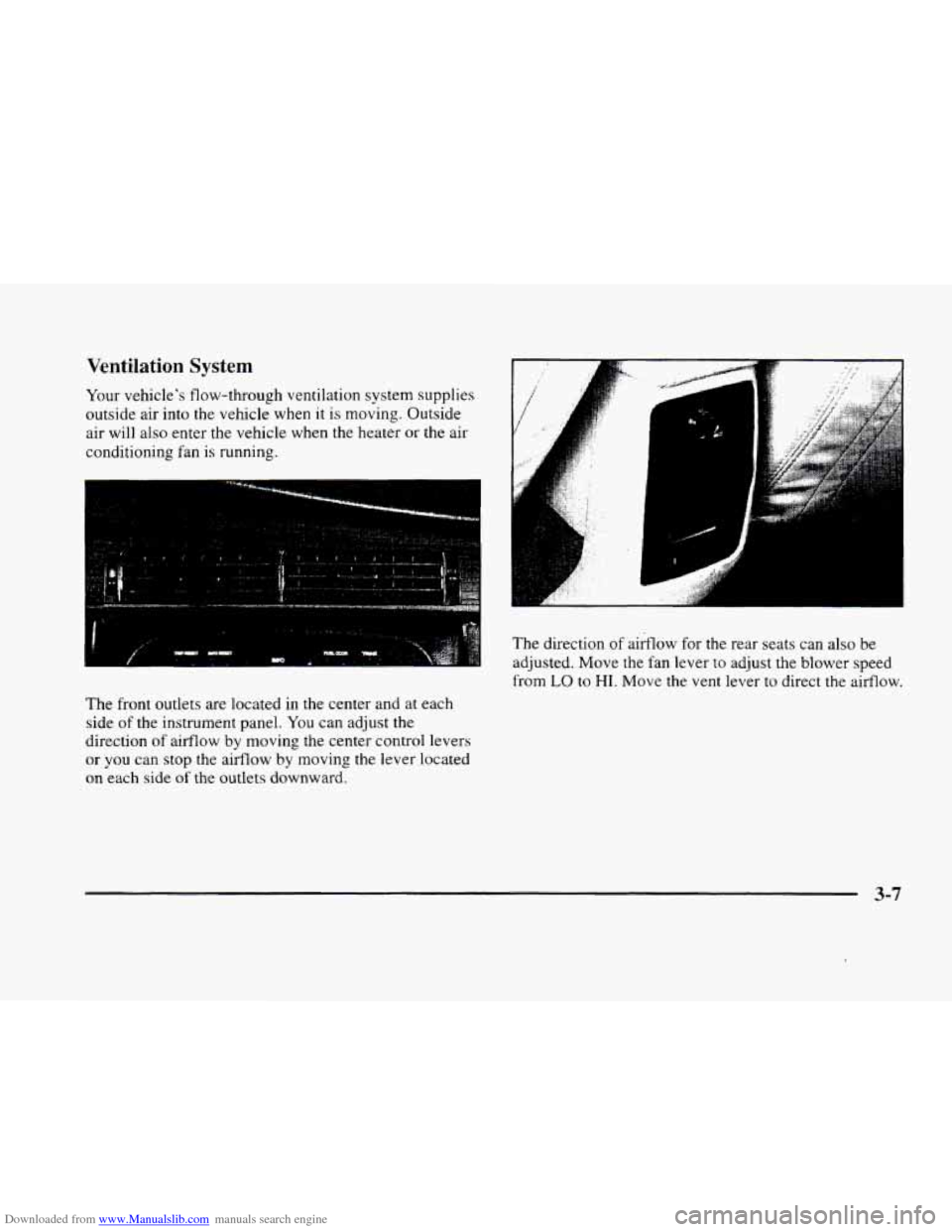
The front outlets are located in the center and at each
side of the instrument panel.
You can adjust the
direction
of airflow by moving the center control levers
or you can stop the aifflow by moving the lever located
on each side of the outlets downward.
.., . . .I . :
The direction of airflow for the rear seats can also be
adjusted. Move
the fan lever to adjust the blower speed
from
LO to HI. Move the vent lever to direct the airflow.
3-7
Page 235 of 380
Downloaded from www.Manualslib.com manuals search engine Backing Up Turn Signals When Towing a Trailer
Hold the bottom of the steering wheel with one hand.
Then, to move the trailer
to the left, just move that hand
to
the left. To move the trailer to the right, move your
hand
to the right. Always back up slowly and, if
possible, have someone guide you.
Making Turns
I NOTICE:
Making very sharp turns while trailering could
cause the trailer to come in contact with the
vehicle. Your vehicle could be damaged. Avoid
making very sharp turns while trailering.
When you’re turning with a trailer, make wider turns
than normal.
Do this so your trailer won’t strike
soft shoulders, curbs, road signs, trees or other
objects. Avoid jerky or sudden maneuvers. Signal
well in advance. When you tow
a trailer,
your vehicle may need a
different
turn signal flasher and/or extra wiring. Check
with your Cadillac dealer. The green arrows
on your
instrument panel will flash whenever
you signal a turn
or lane change. Properly hooked up, the trailer lamps
will also flash, telling other drivers you’re about to turn,
change lanes or stop.
When towing a trailer, the green arrows on your
instrument panel will flash for turns even if the bulbs on
the trailer are burned
out. Thus, you may think drivers
behind you are seeing your signal when they are not. It’s
important to check occasionally
to be sure the trailer
bulbs are still working.
Driving On Grades
Reduce speed and shift to a lower gear before you start
down a long or steep downgrade. If
you don’t shift
down, you might have
to use your brakes so much that
they would get hot and no longer work well.
On a long uphill grade, shift down and reduce your
speed
to around 45 mph (70 kmh) or less to reduce the
possibility
of engine and transaxle overheating.
4-37
Page 242 of 380
Downloaded from www.Manualslib.com manuals search engine Hazard Warning Flashers
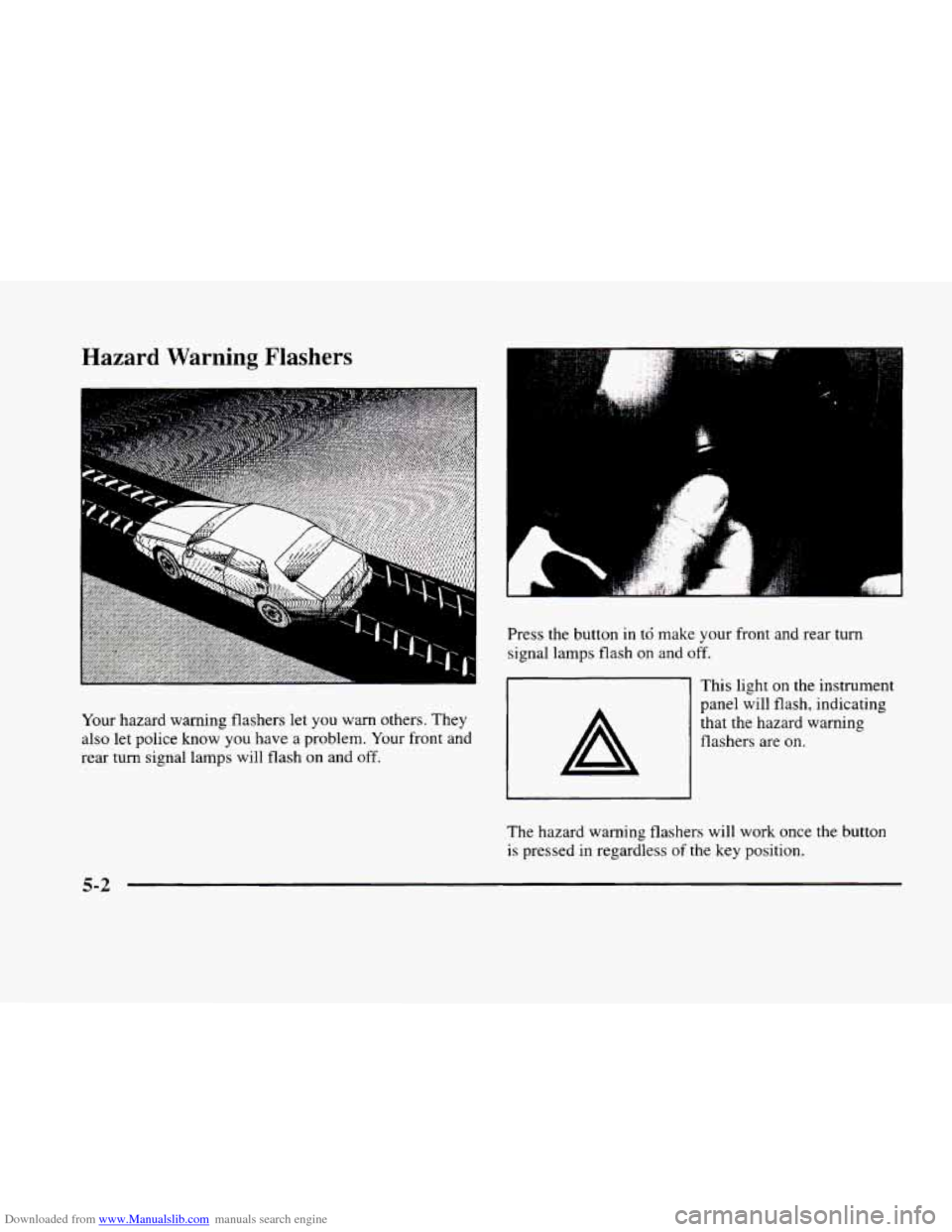
Your hazard warning flashers let you warn others. They
also let police know you have a problem. Your front and
rear turn signal lamps will flash on and
off.
Press the button in td make your front and rear turn
signal lamps flash
on and off.
This light on the instrument
panel will flash, indicating
that the hazard warning
flashers are
on.
The hazard warning flashers will work once the button
is pressed in regardless of the key position.
5-2
Page 255 of 380
Downloaded from www.Manualslib.com manuals search engine Engine Overheating
You will find an ENGINE COOLANT HOT, IDLE
ENGINE message or an ENGINE OVERHEATED,
STOP ENGINE message
on the Driver Information
Center (DIC).
You will also hear a chime. There is also
an engine temperature warning light and/or gage
on the
instrument panel. See “Engine Coolant Temperature
Warning Light” or “Engine Coolant Temperature Gage”
in the Index.
Overheated Engine Protection
Operating
Mode
Should an overheated engine condition exist and the
message ENGINE OVERHEATED
STOP ENGINE is
displayed, an overheat protection mode which alternates
firing groups
of four cylinders helps prevent engine
damage. In this mode, you will notice a loss in power and
engine performance. This operating mode allows
your vehicle to be driven to a safe place
in an
emergency; you may drive
up to 50 miles (80 km).
Towing a trailer in the overheat protection mode
should be avoided.
-~
NOTICE:
After driving in the overheated engine protection
operating mode, to avoid engine damage, allow
the engine to cool before attempting any repair.
The engine oil will be severely degraded. Repair
the cause of coolant loss, change the oil and reset
the oil life indicator. See “Engine Oil, When to
Change”
in the Index.
5-15
Page 284 of 380
Downloaded from www.Manualslib.com manuals search engine octane fuel to get rid of pinging. It’s the heavy, constant
knock that means you have a problem.
If your vehicle is certified to meet California Emission
Standards (indicated
on the underhood emission control
label), it
is designed to operate on fuels that meet
California specifications. If such fuels are not available
in states adopting California emissions standards, your
vehicle will operate satisfactorily
on fuels meeting
federal specifications, but emission control system
performance may be affected. The malfunction indicator
lamp
on your instrument panel may turn on and/or your
vehicle may fail a smog-check test. If this occurs, return
to your authorized Cadillac dealer for diagnosis to
determine the cause of failure. In the event it is
determined that the cause
of the condition is the type of
fuels used, repairs may not be covered by your warranty.
Some gasolines that are not reformulated for low
emissions contain an octane-enhancing additive called
methylcyclopentadienyl manganese tricarbonyl
(MMT);
ask your service station operator whether or not his fuel
contains
MMT. General Motors does not recommend the
use of such gasolines.
If fuels containing MMT are used,
spark plug life
may be reduced and your emission control system
performance may be affected. The
malfunction indicator lamp
on your instrument panel
may turn on. If this occurs, return to your authorized
Cadillac dealer for service.
To provide cleaner air, all gasolines in the United States
are now required to contain additives that will help
prevent deposits from forming in your engine and fuel
system, allowing your emission control system to
function properly. Therefore,
you should not have to add
anything to the fuel. In addition, gasolines containing
oxygenates, such as ethers and ethanol, and
reformulated gasolines may be available in your area to
help clean the air. General Motors recommends that
you
use these gasolines if they comply with the
specifications described earlier.
I NOTICE:
Your vehicle was not designed for fuel that
contains methanol. Don’t use it. It
can corrode
metal parts in your fuel system and also damage
plastic and rubber parts. That damage wouldn’t
be covered under your warranty.
6-4
Page 289 of 380
Downloaded from www.Manualslib.com manuals search engine Hood Release
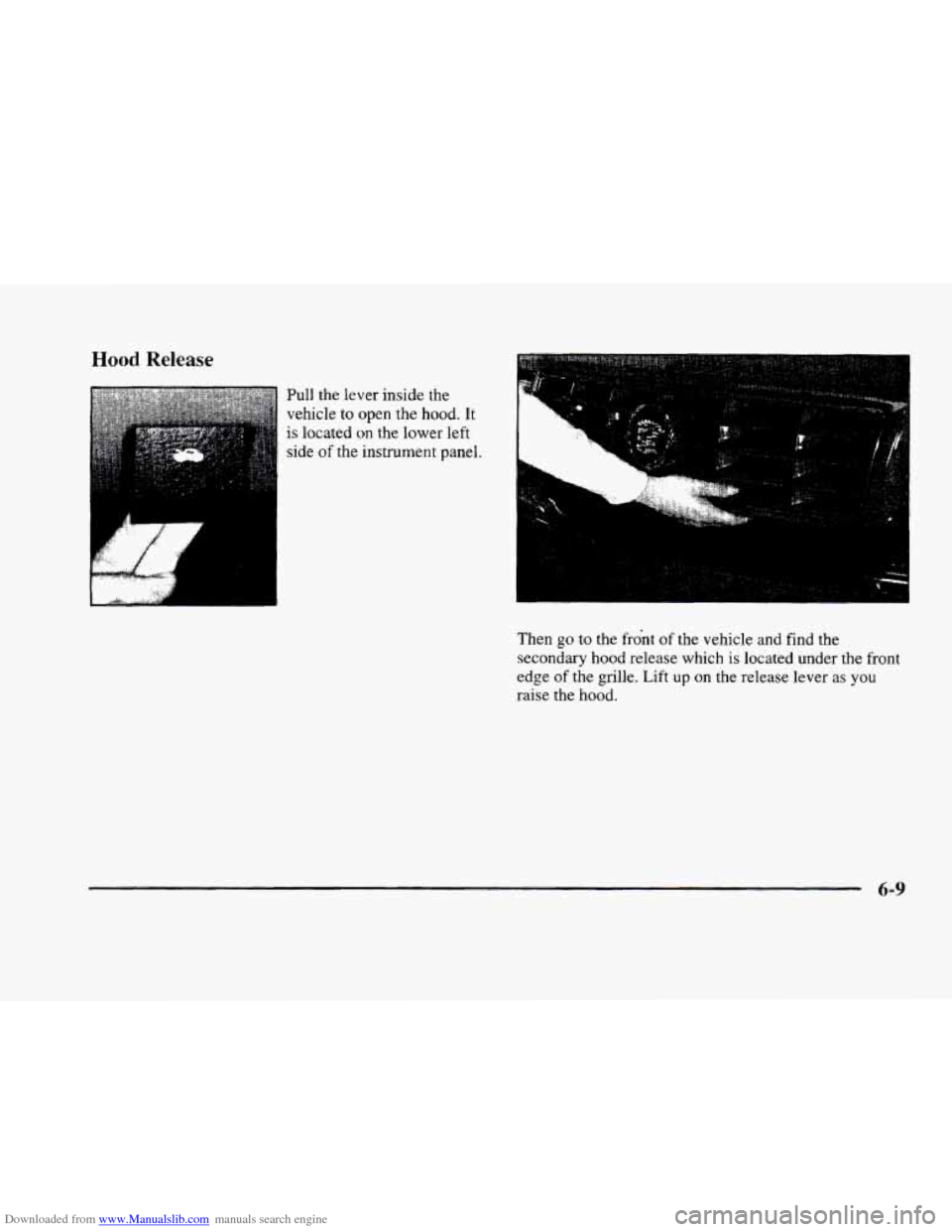
Pull the lever inside the
vehicle
to open the hood. It
is located on the lower left
side
of the instrument panel.
Then
go to the front of the vehicle and find the
secondary hood release which
is located under the front
edge
of the grille. Lift up on the release lever as you
raise the hood.
6-9
Page 329 of 380
Downloaded from www.Manualslib.com manuals search engine Cleaning Leather
Use a soft cloth with lukewarm water and a mild soap
or saddle soap and wipe dry with a soft cloth. Then, let
the leather dry naturally.
Do not use heat to dry.
For stubborn stains. use a leather cleaner. See your
dealer for this product.
0 Never use oils, varnishes, solvent-based or abrasive
cleaners, furniture polish or shoe polish
on leather.
0 Soiled or stained leather should be cleaned
immediately. If dirt is allowed to work into the
finish, it can harm the leather.
Cleaning the Top of the Instrument Panel
Use only mild soap and water to clean the top surfaces
of
the instrument panel. Sprays containing silicones or
waxes may cause annoying reflections in the windshield
and
even make it difficult to see through the windshield
under certain conditions.
Cleaning Interior Plastic Components
Use only a mild soap and water solution on a soft
cloth
or sponge. Commercial cleaners may affect the
surface finish.
Cleaning Wood Panels
Use a clean cloth moistened in warm. soapy water (use
mild dish washing soap).
Dry the wood immediately
with a clean cloth.
Cleaning Speaker Covers
Vacuum around a speaker cover gently, so that the
speaker won't be damaged. Clean spots with just water
and mild soap.
Care of Safety Belts
Keep belts clean and dry.
-
Do not bleach or dye safety belts. If you do, it
may severely weaken them. In
a crash, they
might not
be able to provide adequate protection.
Clean safety belts only with mild soap
and
lukewarm water.
6-49
Page 335 of 380
Downloaded from www.Manualslib.com manuals search engine Vehicle Identification Number (VIN)
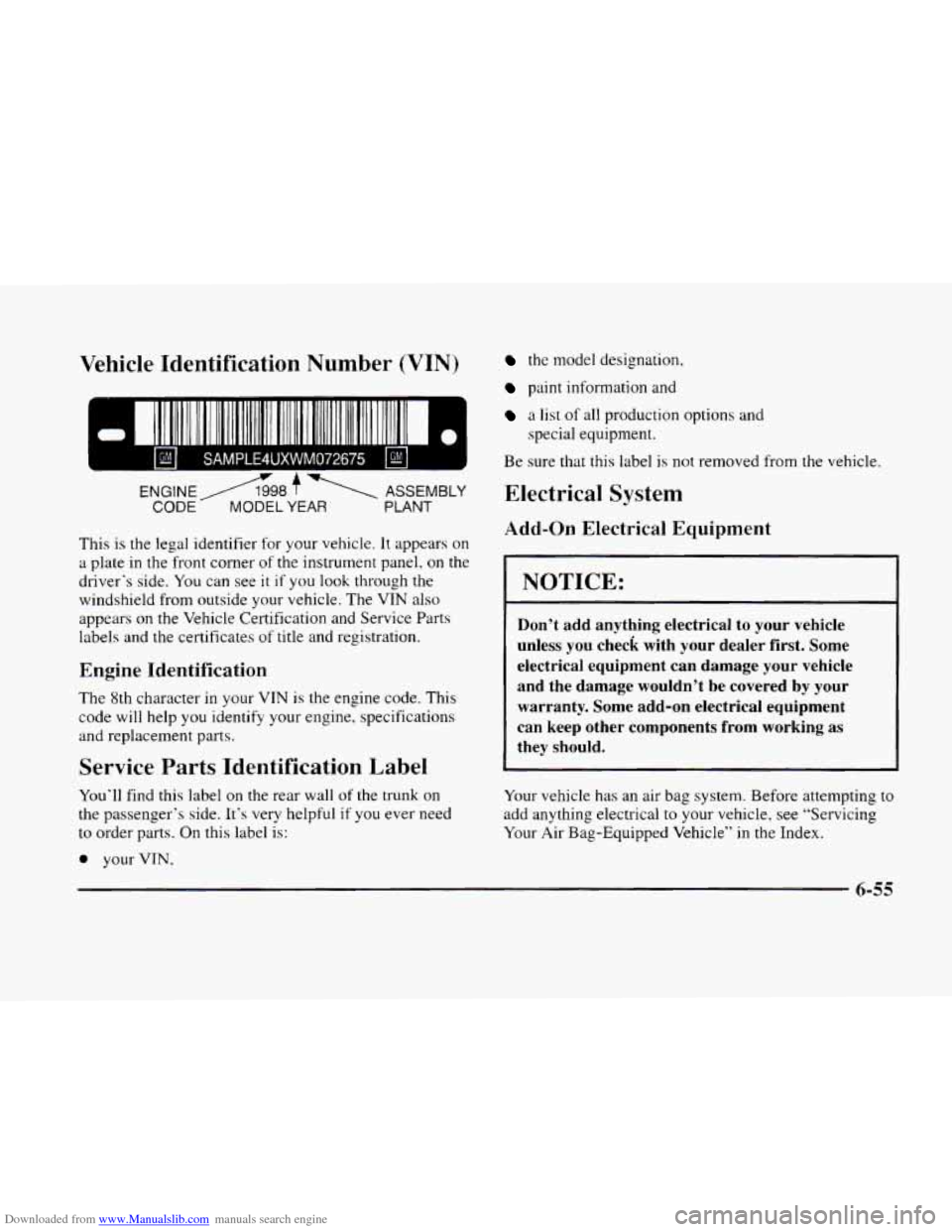
111 1 I11111111 1111 111 111111 111 111111 II 111111111111 Ill1
SAMPLE4UXWM072675
ENGINE A98 f 1 ASSEMBLY
CODE A MODEL YEAR PLANT
This is the legal identifier for your vehicle. It appears on
a plate in the front comer of the instrument panel. on the
driver‘s side. You can see
it if you look through the
windshield from outside your vehicle. The VTN also
appears on the Vehicle Certification and Service Parts
labels and the certificates of title and registration.
Engine Identification
The 8th character in your VIN is the engine code. This
code will help you identify your engine. specifications
and replacement parts.
Service Parts Identification Label
You‘ll find this label on the rear wall of the trunk on
the passenger’s side. It’s very helpful if you ever need
to order parts.
On this label is:
0 your VIN,
the model designation,
paint information and
a list of all production options and
Be sure that this label
is not removed from
special
equipment.
Electrical System
Add-on Electrical Equipment
the vehicle.
I NOTICE:
Don’t add anything electrical to your vehicle
unless you check with your dealer first. Some
electrical equipment can damage your vehicle
and the damage wouldn’t be covered by your warranty. Some add-on electrical equipment
can keep other components
from working as
they should.
Your vehicle has an air bag system. Before attempting to
add anything electrical to your vehicle, see “Servicing
Your Air Bag-Equipped Vehicle” in the Index.
6-55