instrument cluster CADILLAC ELR 2016 User Guide
[x] Cancel search | Manufacturer: CADILLAC, Model Year: 2016, Model line: ELR, Model: CADILLAC ELR 2016Pages: 368, PDF Size: 6.92 MB
Page 106 of 368
Cadillac ELR Owner Manual (GMNA-Localizing-U.S/Canada-9087644) -
2016 - crc - 9/17/15
Instruments and Controls 105
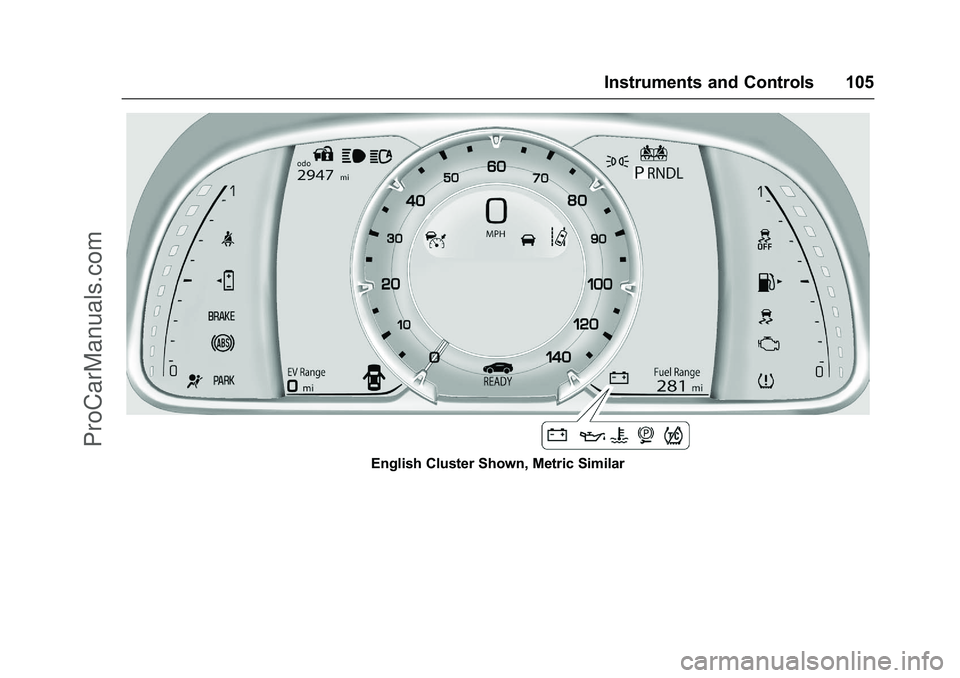
English Cluster Shown, Metric Similar
ProCarManuals.com
Page 107 of 368
Cadillac ELR Owner Manual (GMNA-Localizing-U.S/Canada-9087644) -
2016 - crc - 9/17/15
106 Instruments and Controls
Reconfigurable Instrument
Cluster
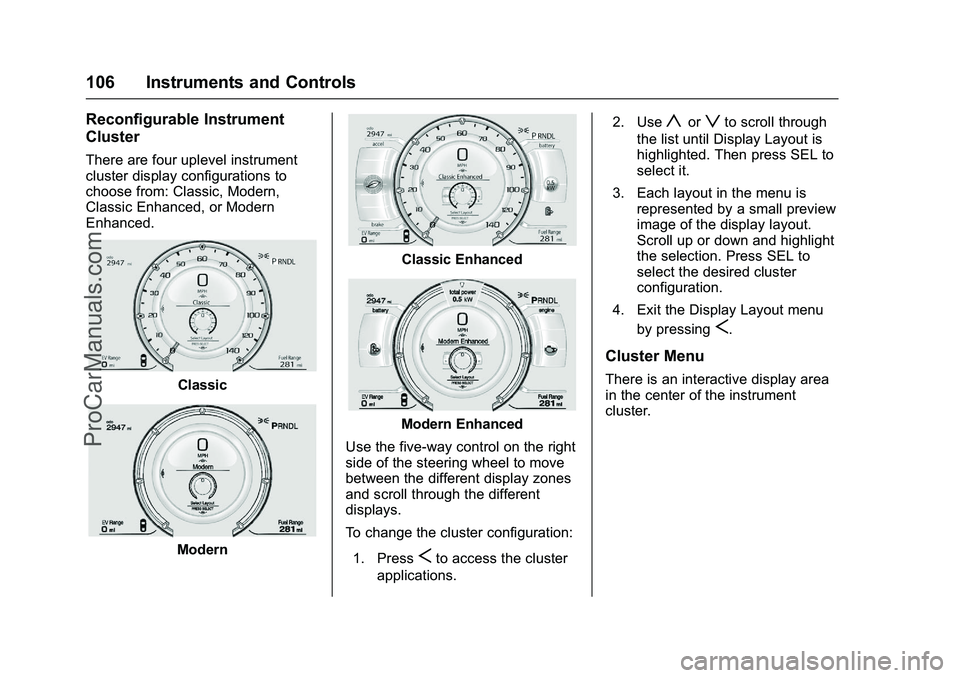
There are four uplevel instrument
cluster display configurations to
choose from: Classic, Modern,
Classic Enhanced, or Modern
Enhanced.
Classic
Modern
Classic Enhanced
Modern Enhanced
Use the five-way control on the right
side of the steering wheel to move
between the different display zones
and scroll through the different
displays.
To change the cluster configuration:
1. Press
Sto access the cluster
applications. 2. Use
yorzto scroll through
the list until Display Layout is
highlighted. Then press SEL to
select it.
3. Each layout in the menu is represented by a small preview
image of the display layout.
Scroll up or down and highlight
the selection. Press SEL to
select the desired cluster
configuration.
4. Exit the Display Layout menu by pressing
S.
Cluster Menu
There is an interactive display area
in the center of the instrument
cluster.
ProCarManuals.com
Page 108 of 368

Cadillac ELR Owner Manual (GMNA-Localizing-U.S/Canada-9087644) -
2016 - crc - 9/17/15
Instruments and Controls 107
Use the right steering wheel control
to open and scroll through the
different items and displays.
Press
Sto access the cluster
applications. Use
yorzto scroll
through the list of applications.
. Info. This is where you can view
the Driver Information Center
(DIC) displays. See Driver
Information Center (DIC) 0132.
. Audio
. Phone
. Navigation .
Display Layout. See
“Reconfigurable Instrument
Cluster” earlier in this section.
. Settings
Audio
While the Audio application page is
displayed, press
Tto enter the
Audio menu. In the Audio menu,
search for music or change the
audio source.
Phone
While the Phone application page is
displayed, press
Tto enter the
Phone menu. In the Phone menu,
if there is no active phone call, view
recent calls or scroll through
contacts. If there is an active call,
mute the phone or switch to handset
operation.
Navigation
If there is no active route, a
compass will be displayed. If there
is an active route, press
Tto end
route guidance or turn the voice
prompts on or off. Settings
Press
Tto enter the Settings menu.
Use
yorzto scroll through the
items in the Settings menu
Units : Press SEL while Units is
highlighted to enter the Unit menu.
Choose US, Metric, or Imperial units
by pressing SEL while the desired
item is highlighted. A checkmark will
be displayed next to the
selected item.
Speed Warning : The Speed
Warning display allows the driver to
set a speed that they do not want to
exceed. To set the Speed Warning,
press SEL when Speed Warning is
displayed. Press
yorzto adjust
the value. Press SEL to set the
speed. Once the speed is set, this
feature can be turned off by
pressing SEL while viewing this
page. If the selected speed limit is
exceeded, a pop-up warning is
displayed with a chime.
Tutorial : Press SEL while Tutorial
is highlighted to view the tutorials
that explain some of the features of
ProCarManuals.com
Page 109 of 368

Cadillac ELR Owner Manual (GMNA-Localizing-U.S/Canada-9087644) -
2016 - crc - 9/17/15
108 Instruments and Controls
the instrument cluster. The tutorials
are only available when the vehicle
is in P (Park).
Open Source Software :Press
SEL while Open Source Software is
highlighted to display open source
software information.
Speedometer
The speedometer shows the
vehicle's speed in either kilometers
per hour (km/h) or miles per
hour (mph).
Odometer
The odometer shows how far the
vehicle has been driven, in either
kilometers or miles.
Trip Odometer
The trip odometer shows how far
the vehicle has been driven since
the trip odometer was last reset.
The trip odometer is accessed and
reset through the Driver Information
Center (DIC). See Driver
Information Center (DIC) 0132.
Battery Gauge (High
Voltage)
This gauge shows the high voltage
battery charge level.
The arrow next to the battery
symbol points to the side of the
vehicle the charge port is on.
See Electric Mode 0187.
Fuel Gauge
When the ignition is on, the fuel
gauge indicates about how much
fuel is left in the tank.
There is an arrow near the fuel
gauge pointing to the side of the
vehicle the fuel door is on.
When the indicator nears empty, the
low fuel light comes on. There still is
a little fuel left, but the vehicle
should be refueled soon.
ProCarManuals.com
Page 111 of 368

Cadillac ELR Owner Manual (GMNA-Localizing-U.S/Canada-9087644) -
2016 - crc - 9/17/15
110 Instruments and Controls
Total Power
The power gauge is on the right
side of the display in the Classic
Enhanced configuration and on both
right and left sides in the Modern
Enhanced configuration.
The power gauge shows the power
coming from the engine and/or
battery. When the power indicator is
green, battery power is being
regenerated. When the indicator is
yellow, the vehicle is using power.
Safety Belt Reminders
Driver Safety Belt Reminder
Light
There is a driver safety belt
reminder light on the instrument
cluster.
When the vehicle is started, this
light flashes and a chime may come
on to remind the driver to fasten
their safety belt. Then the light stays
on solid until the belt is buckled.
This cycle may continue several
times if the driver remains or
becomes unbuckled while the
vehicle is moving.
If the driver safety belt is already
buckled, neither the light nor the
chime comes on.
Passenger Safety Belt
Reminder Light
There is a passenger safety belt
reminder light near the passenger
airbag status indicator. See
Passenger Sensing System 070.
When the vehicle is started, this
light flashes and a chime may come
on to remind passengers to fasten
their safety belt. Then the light stays
on solid until the belt is buckled.
This cycle may continue several
times if the front passenger remains
or becomes unbuckled while the
vehicle is moving.
If the front passenger safety belt is
buckled, neither the chime nor the
light comes on.
The front passenger safety belt
reminder light and chime may turn
on if an object is put on the seat
such as a briefcase, handbag,
ProCarManuals.com
Page 112 of 368

Cadillac ELR Owner Manual (GMNA-Localizing-U.S/Canada-9087644) -
2016 - crc - 9/17/15
Instruments and Controls 111
grocery bag, laptop, or other
electronic device. To turn off the
reminder light and/or chime, remove
the object from the seat or buckle
the safety belt.
Second Row Passenger Safety
Belt Reminder Light
Second row seating positions
monitored for safety belt use are
represented by a colored symbol
indicating safety belt status.
When the vehicle is started, two
safety belt symbols come on in the
instrument cluster and stay on for
several seconds to alert the driver
that passengers may need to fasten
their safety belts. After the
passenger safety belt is buckled,
the corresponding safety belt
symbol in the instrument cluster
turns green. If a safety belt is notinitially buckled, the instrument
cluster displays a gray safety belt
symbol.
While the vehicle is moving, if a
second row passenger who was
previously buckled becomes
unbuckled, the corresponding safety
belt symbol will change to flashing
red and a chime may sound.
Airbag Readiness Light
This light shows if there is an
electrical problem with the airbag
system. The system check includes
the airbag sensor(s), the passenger
sensing system, the pretensioners,
the airbag modules, the wiring, and
the crash sensing and diagnostic
module. For more information on the
airbag system, see
Airbag
System 064.
The airbag readiness light comes on
for several seconds when the
vehicle is started. If the light does
not come on then, have it fixed
immediately.
{Warning
If the airbag readiness light stays
on after the vehicle is started or
comes on while driving, it means
the airbag system might not be
working properly. The airbags in
the vehicle might not inflate in a
crash, or they could even inflate
without a crash. To help avoid
injury, have the vehicle serviced
right away.
If there is a problem with the airbag
system, a Driver Information Center
(DIC) message may also come on.
See Airbag System
Messages 0142.
ProCarManuals.com
Page 118 of 368

Cadillac ELR Owner Manual (GMNA-Localizing-U.S/Canada-9087644) -
2016 - crc - 9/17/15
Instruments and Controls 117
reconfigurable cluster, this light is in
the display area and it may not
come on when the ignition is
turned on.
The traction off light comes on when
the Traction Control System (TCS)
has been turned off by pressing and
releasing the TCS/StabiliTrak
button.
This light and the StabiliTrak OFF
light come on when StabiliTrak is
turned off.
If the TCS is off, wheel spin is not
limited. Adjust driving accordingly.
SeeTraction Control/Electronic
Stability Control 0198.
StabiliTrak®OFF Light
This light comes on briefly while
starting the engine. If it does not,
have the vehicle serviced by your
dealer.
This light comes on when the
StabiliTrak system is turned off.
If StabiliTrak is off, the Traction
Control System (TCS) is also off.
If StabiliTrak and TCS are off, the
system does not assist in controlling
the vehicle. Turn on the TCS and
the StabiliTrak systems, and the
warning light turns off.
See Traction Control/Electronic
Stability Control 0198.
Traction Control System
(TCS)/StabiliTrak®Light
This light comes on briefly when the
engine is started. If the light does not come on, have
the vehicle serviced by your dealer.
If the system is working normally,
the indicator light turns off.
If the light is on and not flashing, the
TCS and potentially the StabiliTrak
system have been disabled. A DIC
message may display. Check the
DIC messages to determine which
feature(s) is no longer functioning
and whether the vehicle requires
service.
If the light is on and flashing, the
TCS and/or the StabiliTrak system
is actively working.
See
Traction Control/Electronic
Stability Control 0198.
ProCarManuals.com
Page 119 of 368
Cadillac ELR Owner Manual (GMNA-Localizing-U.S/Canada-9087644) -
2016 - crc - 9/17/15
118 Instruments and Controls
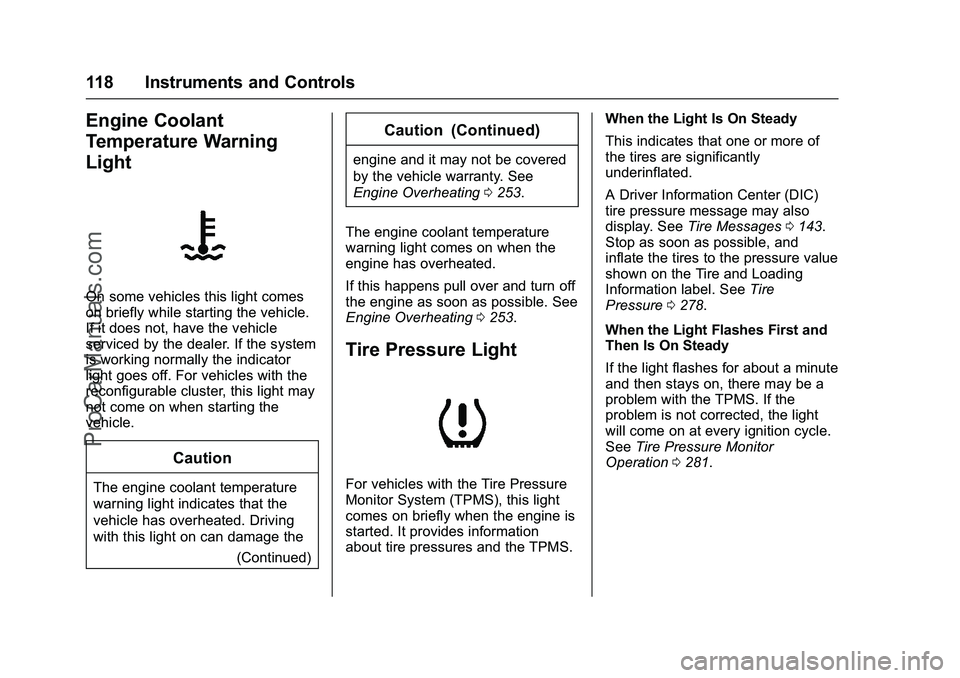
Engine Coolant
Temperature Warning
Light
On some vehicles this light comes
on briefly while starting the vehicle.
If it does not, have the vehicle
serviced by the dealer. If the system
is working normally the indicator
light goes off. For vehicles with the
reconfigurable cluster, this light may
not come on when starting the
vehicle.
Caution
The engine coolant temperature
warning light indicates that the
vehicle has overheated. Driving
with this light on can damage the(Continued)
Caution (Continued)
engine and it may not be covered
by the vehicle warranty. See
Engine Overheating0253.
The engine coolant temperature
warning light comes on when the
engine has overheated.
If this happens pull over and turn off
the engine as soon as possible. See
Engine Overheating 0253.
Tire Pressure Light
For vehicles with the Tire Pressure
Monitor System (TPMS), this light
comes on briefly when the engine is
started. It provides information
about tire pressures and the TPMS. When the Light Is On Steady
This indicates that one or more of
the tires are significantly
underinflated.
A Driver Information Center (DIC)
tire pressure message may also
display. See
Tire Messages 0143.
Stop as soon as possible, and
inflate the tires to the pressure value
shown on the Tire and Loading
Information label. See Tire
Pressure 0278.
When the Light Flashes First and
Then Is On Steady
If the light flashes for about a minute
and then stays on, there may be a
problem with the TPMS. If the
problem is not corrected, the light
will come on at every ignition cycle.
See Tire Pressure Monitor
Operation 0281.
ProCarManuals.com
Page 120 of 368

Cadillac ELR Owner Manual (GMNA-Localizing-U.S/Canada-9087644) -
2016 - crc - 9/17/15
Instruments and Controls 119
Engine Oil Pressure Light
Caution
Lack of proper engine oil
maintenance can damage the
engine. Driving with the engine oil
low can also damage the engine.
The repairs would not be covered
by the vehicle warranty. Check
the oil level as soon as possible.
Add oil if required, but if the oil
level is within the operating range
and the oil pressure is still low,
have the vehicle serviced. Always
follow the maintenance schedule
for changing engine oil.
This light should come on briefly as
the engine is started. If it does not
come on, have the vehicle serviced
by your dealer.If the light comes on and stays on, it
means that oil is not flowing through
the engine properly. The vehicle
could be low on oil and might have
some other system problem. See
your dealer.
Low Fuel Warning Light
This light is near the fuel gauge and
comes on briefly when the ignition is
turned on as a check to show it is
working.
It also comes on when the fuel tank
is low on fuel. The light turns off
when fuel is added. If it does not,
have the vehicle serviced.
Security Light
On some vehicles the immobilizer
light should come on briefly as the
engine is started. If it does not come
on, have the vehicle serviced by
your dealer. If the system is working
normally, the indicator light turns off.
For vehicles with the reconfigurable
cluster, this light may not come on
when the engine is started.
If the light stays on and the engine
does not start, there could be a
problem with the theft-deterrent
system. See
Immobilizer
Operation 044.
ProCarManuals.com
Page 133 of 368

Cadillac ELR Owner Manual (GMNA-Localizing-U.S/Canada-9087644) -
2016 - crc - 9/17/15
132 Instruments and Controls
Energy Information
To view the Energy Usage, press
the
[button on the infotainment
display and then press the INFO
button at the bottom of the touch
screen.
Energy Usage
The Energy Usage screen displays
information for the total of all drive
cycles since the last time the high
voltage battery was fully charged.
This includes distance traveled in
Electric Mode, distance traveled in
Extended Range Mode, total
distance traveled, electric energy
used from the battery, total fuel
used, and average fuel economy.
There are maximum limits to some
of the values that can be displayed. When these values are replaced
with dashes, the value limits have
been reached. To reset these
values, the high voltage battery will
need to be fully recharged. The
circle graph also represents
the percentage of distance traveled
using Electric Mode versus
Extended Range Mode. The
Lifetime Fuel Economy is a total
over the life of the vehicle and can
only be reset by the dealer. The
Energy Usage information will also
appear automatically on power off
when Retained Accessory Power is
active. This automatic pop-up can
be disabled through vehicle
personalization. See
“Energy
Summary Pop-up” underVehicle
Personalization 0145.
Driver Information
Center (DIC)
The DIC is displayed in the
instrument cluster. It shows the
status of many vehicle systems.
yorz:Move SEL up or down to
go to the previous or next selection.
SorT: Press to move between
the interactive display zones in the
cluster. Press
Sto go back to the
previous menu.
SEL (Select) : Press to open a
menu or select a menu item. Press
and hold to reset values on certain
screens.
ProCarManuals.com