instrument panel CADILLAC ESCALADE 2005 2.G Owner's Manual
[x] Cancel search | Manufacturer: CADILLAC, Model Year: 2005, Model line: ESCALADE, Model: CADILLAC ESCALADE 2005 2.GPages: 470, PDF Size: 2.86 MB
Page 147 of 470
If your headlamps are in the automatic position or on
low beam, your high-beam headlamps will turn on.
They’ll stay on as long as you hold the lever toward you.
The high-beam indicator on the instrument panel
cluster will come on. Release the lever to return to
normal operation.
Windshield Wipers
You control the windshield wipers by turning the band
with the wiper symbol on it.
8(Mist):For a single wiping cycle, turn the band to
mist. Hold it there until the wipers start. Then let go. The
wipers will stop after one wipe. If you want more
wipes, hold the band on mist longer.
N(Delay):You can set the wiper speed for a long or
short delay between wipes. This can be very useful
in light rain or snow. Turn the band to choose the delay
time. The closer to the top of the lever, the shorter
the delay.
6(Low Speed):For steady wiping at low speed,
turn the band away from you to the rst solid band past
the delay settings.
1(High Speed):For high-speed wiping, turn the
band further, to the second solid band past the
delay settings.
9(Off):To stop the wipers, move the band to off.
Be sure to clear ice and snow from the wiper blades
before using them. If they’re frozen to the windshield,
carefully loosen or thaw them. If your blades do become
worn or damaged, get new blades or blade inserts.
Windshield Washer
L(Washer Fluid):There is a paddle marked with the
windshield washer symbol at the top of the multifunction
lever. To spray washer uid on the windshield, push
the paddle. The wipers will clear the window and then
either stop or return to your preset speed.
{CAUTION:
In freezing weather, do not use your washer
until the windshield is warmed. Otherwise the
washer uid can form ice on the windshield,
blocking your vision.
3-9
Page 148 of 470
Rear Window Washer/Wiper
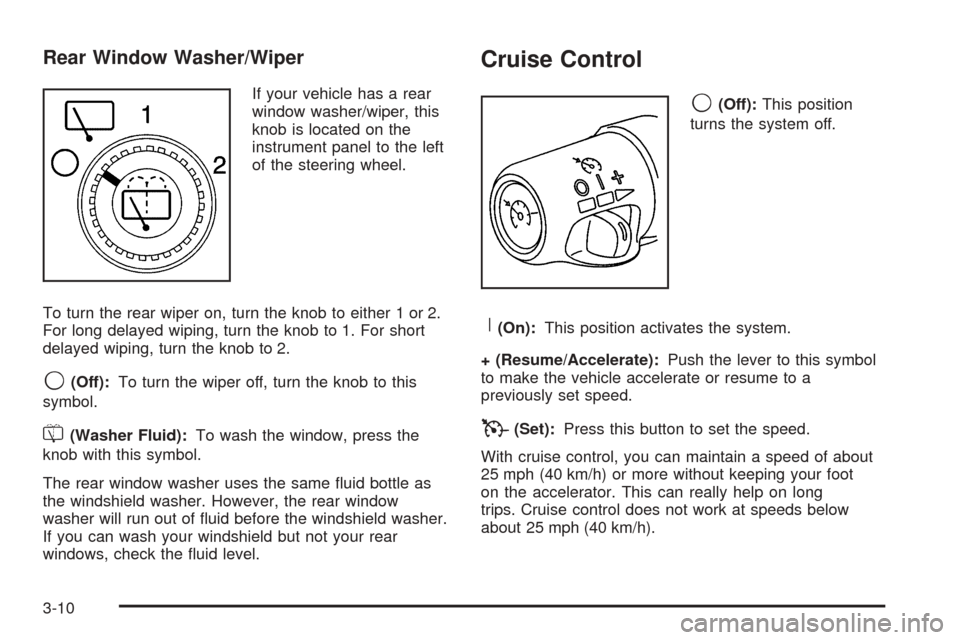
If your vehicle has a rear
window washer/wiper, this
knob is located on the
instrument panel to the left
of the steering wheel.
To turn the rear wiper on, turn the knob to either 1 or 2.
For long delayed wiping, turn the knob to 1. For short
delayed wiping, turn the knob to 2.
9(Off):To turn the wiper off, turn the knob to this
symbol.
=(Washer Fluid):To wash the window, press the
knob with this symbol.
The rear window washer uses the same uid bottle as
the windshield washer. However, the rear window
washer will run out of uid before the windshield washer.
If you can wash your windshield but not your rear
windows, check the uid level.
Cruise Control
9(Off):This position
turns the system off.
R(On):This position activates the system.
+ (Resume/Accelerate):Push the lever to this symbol
to make the vehicle accelerate or resume to a
previously set speed.
T(Set):Press this button to set the speed.
With cruise control, you can maintain a speed of about
25 mph (40 km/h) or more without keeping your foot
on the accelerator. This can really help on long
trips. Cruise control does not work at speeds below
about 25 mph (40 km/h).
3-10
Page 149 of 470
If you apply your brakes, the cruise control will shut off.
{CAUTION:
Cruise control can be dangerous where you
cannot drive safely at a steady speed. So, do
not use your cruise control on winding roads
or in heavy traffic.
Cruise control can be dangerous on slippery
roads. On such roads, fast changes in tire
traction can cause needless wheel spinning,
and you could lose control. Do not use cruise
control on slippery roads.
Setting Cruise Control
{CAUTION:
If you leave your cruise control on when you
are not using cruise, you might hit a button
and go into cruise when you do not want to.
You could be startled and even lose control.
Keep the cruise control switch off until you
want to use cruise control.
1. Move the cruise control switch to on.
2. Get up to the speed you want.
3. Press in the set button at the end of the lever and
release it.
4. Take your foot off the accelerator pedal.
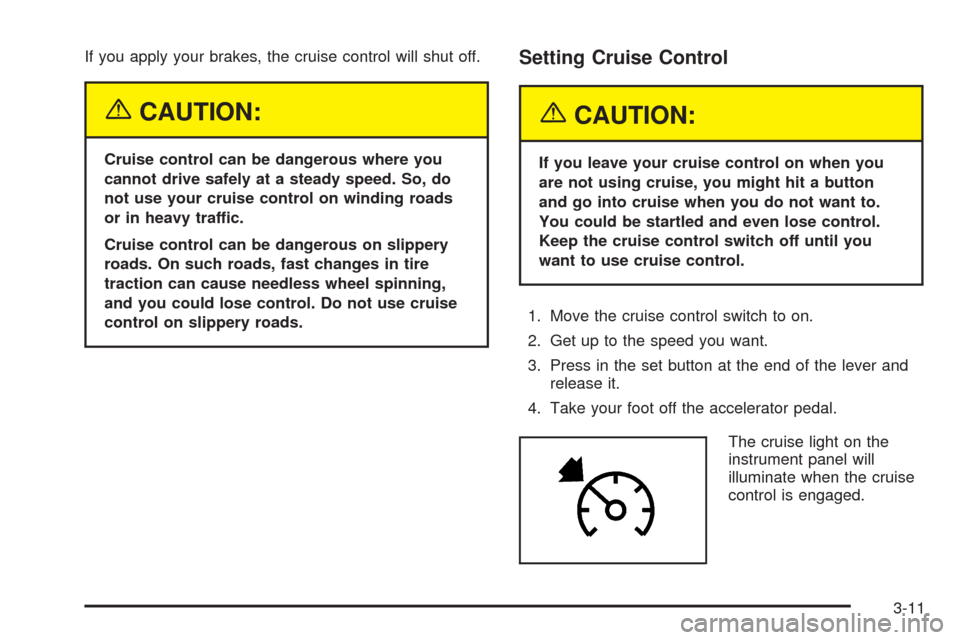
The cruise light on the
instrument panel will
illuminate when the cruise
control is engaged.
3-11
Page 152 of 470
Exterior Lamps
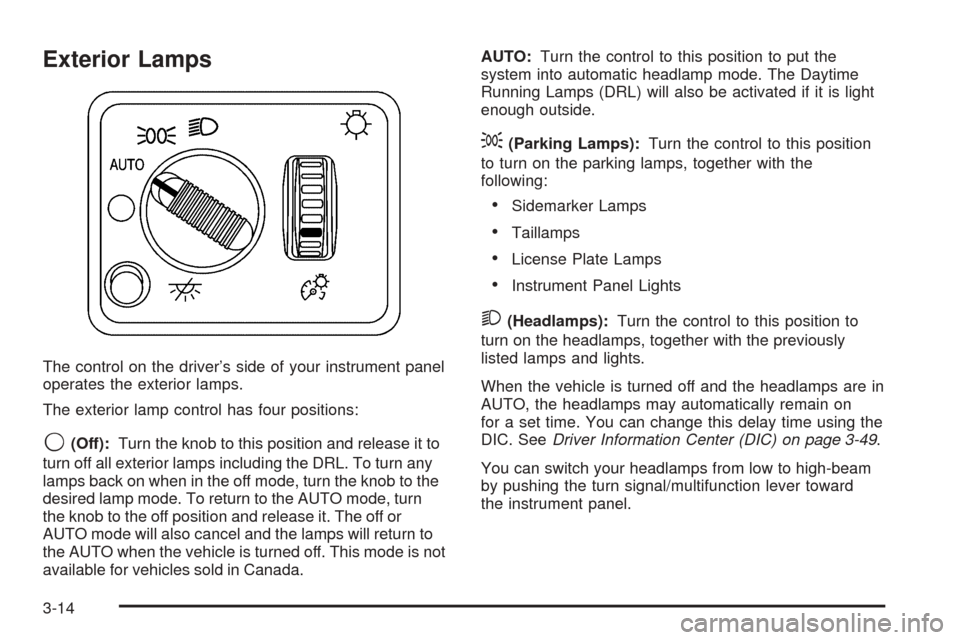
The control on the driver’s side of your instrument panel
operates the exterior lamps.
The exterior lamp control has four positions:
9(Off):Turn the knob to this position and release it to
turn off all exterior lamps including the DRL. To turn any
lamps back on when in the off mode, turn the knob to the
desired lamp mode. To return to the AUTO mode, turn
the knob to the off position and release it. The off or
AUTO mode will also cancel and the lamps will return to
the AUTO when the vehicle is turned off. This mode is not
available for vehicles sold in Canada.AUTO:Turn the control to this position to put the
system into automatic headlamp mode. The Daytime
Running Lamps (DRL) will also be activated if it is light
enough outside.
;(Parking Lamps):Turn the control to this position
to turn on the parking lamps, together with the
following:
Sidemarker Lamps
Taillamps
License Plate Lamps
Instrument Panel Lights
2(Headlamps):Turn the control to this position to
turn on the headlamps, together with the previously
listed lamps and lights.
When the vehicle is turned off and the headlamps are in
AUTO, the headlamps may automatically remain on
for a set time. You can change this delay time using the
DIC. SeeDriver Information Center (DIC) on page 3-49.
You can switch your headlamps from low to high-beam
by pushing the turn signal/multifunction lever toward
the instrument panel.
3-14
Page 153 of 470
Headlamps on Reminder
If a door is open, a reminder chime will sound when your
headlamps or parking lamps are manually turned on and
your key is out of the ignition. To turn off the chime, turn
the headlamp switch to off or AUTO and then back on. In
the AUTO mode, the headlamps turn off once the ignition
is in LOCK or may remain on until the headlamp delay
ends (if enabled in the DIC).
Daytime Running Lamps (DRL)
Daytime Running Lamps (DRL) can make it easier for
others to see the front of your vehicle during the
day. DRL can be helpful in many different driving
conditions, but they can be especially helpful in the short
periods after dawn and before sunset. Fully functional
daytime running lamps are required on all vehicles
rst sold in Canada.
The DRL system will come on when the following
conditions are met:
The ignition is on,
the exterior lamps control is in AUTO,
the transmission is not in PARK (P), and
the light sensor determines it is daytime.
When the DRL are on, only your DRL lamps will be on.The taillamps, sidemarker and other lamps won’t be on.
The instrument panel won’t be lit up either.
When it begins to get dark, the automatic headlamp
system will switch from DRL to the headlamps.
As with any vehicle, you should turn on the regular
headlamp system when you need it.
Automatic Headlamp System
When it is dark enough outside and the headlamp
switch is in AUTO, your automatic headlamp system will
turn on your headlamps at the normal brightness
along with other lamps such as the taillamps,
sidemarker, parking lamps, roof marker lamps and the
instrument panel lights. The radio lights will also be dim.
To turn off the automatic headlamp system, turn the
exterior lamps switch to the off position and then
release. Turning off the automatic headlamp system
with the headlamp switch is not available for vehicles
rst sold in Canada. For vehicles rst sold in Canada,
you can turn off the automatic headlamp system
when parked at night by applying the parking brake
before starting your vehicle. The headlamps will remain
off once the vehicle is started for as long as you are
parked. If you release the parking brake, the lights will
turn on. If the parking brake is not released before
you begin to drive, the exterior lamps will turn on above
2 mph (3.2 km/h).
3-15
Page 154 of 470
Your vehicle has a light sensor located on the top of the
instrument panel. Be sure it is not covered, or the
system will be on whenever the ignition is on.
The system may also turn on your headlamps when
driving through a parking garage, heavy overcast
weather or a tunnel. This is normal.
There is a delay in the transition between the daytime
and nighttime operation of the Daytime Running
Lamps (DRL) and the automatic headlamp systems so
that driving under bridges or bright overhead street
lights does not affect the system. The DRL and
automatic headlamp system will only be affected when
the light sensor sees a change in lighting lasting
longer than the delay.
If you start your vehicle in a dark garage, the automatic
headlamp system will come on immediately. Once
you leave the garage, it will take approximately
one minute for the automatic headlamp system to
change to DRL if it is light outside. During that delay,
your instrument panel cluster may not be as bright
as usual. Make sure your instrument panel brightness
control is in the full bright position. SeeInstrument Panel
Brightness on page 3-17.Fog Lamps
If your vehicle has fog lamps you can use them for
better vision in foggy or misty conditions. Your parking
lamps and/or low-beam headlamps must be on for
your fog lamps to work.
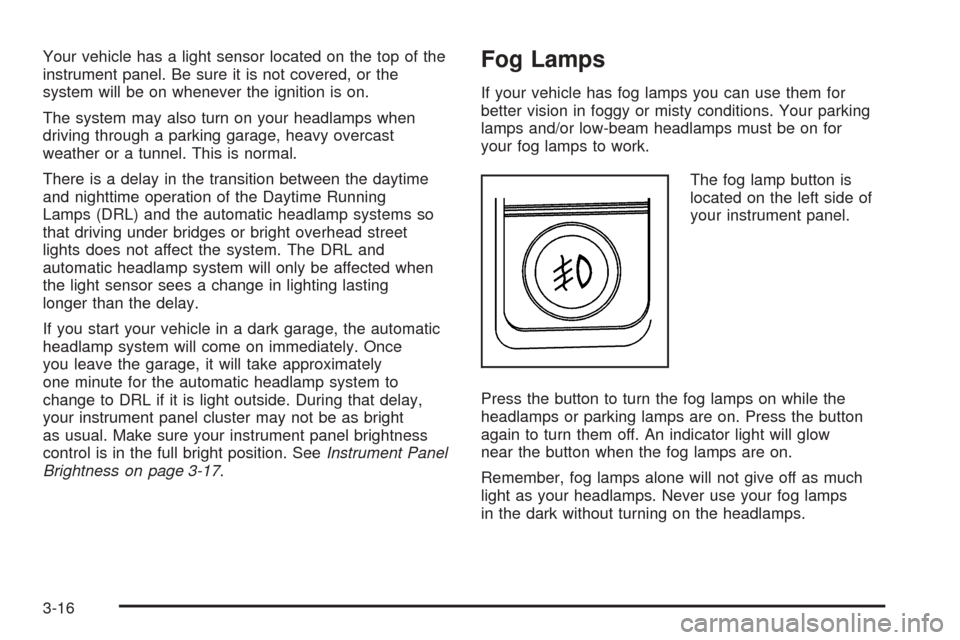
The fog lamp button is
located on the left side of
your instrument panel.
Press the button to turn the fog lamps on while the
headlamps or parking lamps are on. Press the button
again to turn them off. An indicator light will glow
near the button when the fog lamps are on.
Remember, fog lamps alone will not give off as much
light as your headlamps. Never use your fog lamps
in the dark without turning on the headlamps.
3-16
Page 155 of 470
The fog lamps will go off whenever your high-beam
headlamps come on. When the high beams go off, the
fog lamps will come on again.
The fog lamps will be cancelled after the ignition is
turned off. If you still want to use the fog lamps after you
restart the vehicle, you will need to press the fog
lamp button again.
Instrument Panel Brightness
The thumbwheel for this feature is located next to the
exterior lamps control.
D(Instrument Panel Lights):Turn the thumbwheel
up or down to brighten or dim the instrument panel
lights and the radio display. This will only work if
the headlamps or parking lamps are on.
To turn on the dome lamps, with the vehicle doors
closed, turn the thumbwheel all the way up.
Dome Lamps
The dome lamps will come on when you open a door,
and will turn off when all doors are closed.
You can also turn the dome lamps on by turning the
thumbwheel, located next to the exterior lamp control, all
the way up. In this position, the dome lamps will
remain on whether a door is opened or closed.
E(Dome Override):Press this button, located below
the exterior lamp control, to turn dome lamps off even
while a door is opened. To return the lamps to automatic
operation, press the button again and it will return to
the out position. In this position, the dome lamps
will come on when you open a door.
Entry/Exit Lighting
Your vehicle is equipped with an illuminated entry/exit
feature.
When a door is opened or the key is removed from the
ignition, the dome lamps will come on if the dome
override button is in the out position.
3-17
Page 162 of 470
Automatic Operation
AUTO (Automatic):When automatic operation is
active the system will control the inside temperature, the
air delivery, and the fan speed.
Use the steps below to place the entire system in
automatic mode:
1. Press the AUTO button.
When AUTO is selected, the display will change to
show the current driver’s set temperature, delivery
mode and fan speed. Press the AUTO button again
within ve seconds to display the passenger’s set
temperature.
If the driver’s and passenger’s temperature settings
are the same when AUTO is pressed, the
temperature setting and both arrows will be
displayed for ve seconds along with the automatic
air delivery mode and fan speed. After the
ve-second update, the display will change to show
the temperature setting, both arrows and AUTO.
If the driver’s and passenger’s temperature settings
are not the same, the opposite side temperature
setting will be displayed for an additional
ve seconds. To make the passenger’s temperature
the same as the driver’s press and hold the
AUTO button for about four seconds.
When auto is selected, the air conditioning operation
and air inlet will be automatically controlled.The air conditioning compressor will run when the
outside temperature is over about 40°F (4°C). The air
inlet will normally be set to outside air. If it’s hot
outside, the air inlet may automatically switch to
recirculate inside air to help quickly cool down your
vehicle. The light on the button will illuminate in
recirculation.
2. Set the driver’s and passenger’s temperature.
To nd your comfort setting, start with a 74°F (23°C)
temperature setting and allow about 20 minutes
for the system to regulate. Turn the driver’s or
passenger’s side temperature knob to adjust the
temperature setting as necessary. If you choose the
temperature setting of 60°F (15°C) the system
will remain at the maximum cooling setting. If you
choose the temperature setting of 90°F (32°C)
the system will remain at the maximum heat setting.
Choosing either maximum setting will not cause
the vehicle to heat or cool any faster.
Be careful not to cover the sensor located on the
top of the instrument panel near the windshield. This
sensor regulates air temperature based on sun
load, and also turns on your headlamps.
To avoid blowing cold air in cold weather, the
system will delay turning on the fan until warm air is
available. The length of delay depends on the
engine coolant temperature. Pressing the fan switch
will override this delay and change the fan to a
selected speed.
3-24
Page 163 of 470
9(Off):Press this button to turn off the entire climate
control system. Outside air will still enter the vehicle, and
will be directed to the oor. This direction can be changed
by pressing the mode button. The temperature can also
be adjusted using either temperature knob. Press the up
or down arrows on the fan switch, the defrost button, the
AUTO button, or the air conditioning button to turn the
system on when it is off.
Manual Operation
You may manually adjust the air delivery mode or
fan speed.
w9x(Fan):The switch with the fan symbol allows
you to manually adjust the fan speed. Press the up
arrow to increase fan speed and the down arrow
to decrease fan speed.
Pressing this button when the system is off will turn the
system on.
C(Mode):Press this button to manually change the
direction of the airow in your vehicle. Keep pressing the
button until the desired mode appears on the display.
If you press the mode button to select an air delivery
mode, the display will change to show you the selected
air mode delivery. The display will then show the
current status of the system. When the system is turned
off, the display will go blank after displaying the
current status of the system.
H(Panel):This setting will deliver air to the
instrument panel outlets.
)(Bi-Level):This setting will deliver warmer air to the
oor and cooler air to the instrument panel outlets.
6(Floor):This setting will deliver air to the oor
outlets.
-(Defog):See “Defogging and Defrosting” later in
this section.
@(Recirculation):Press this button to limit the
amount of outside air entering your vehicle. The light on
the recirculation button will glow. This is helpful when you
are trying to limit odors entering your vehicle and for
maximum air conditioning performance in hot weather.
Press this button again to allow outside air to enter the
vehicle. The light on the recirculation button will go off.
Pressing this button also cancels the auto recirculation
feature. To resume the auto recirculation function, press
the AUTO button. Each time the vehicle is started, the
system will revert to the auto recirculation function.
If you select recirculation while in defrost, defog or oor,
the light in the button will ash and then go out to let you
know that this is not allowed. This is normal and helps to
prevent fogging.
3-25
Page 164 of 470
When the weather is cool or damp, operating the system
in recirculation for extended periods of time may cause
fogging of the vehicle’s windows. To clear the fog, select
either defog or front defrost.
You may also notice that the A/C compressor will run
while in recirculation mode. This is normal and helps to
prevent fogging.
#(Air Conditioning):Press this button to turn the air
conditioning (A/C) compressor on and off. The
snowake symbol will appear on the display when the
A/C is on and will turn off when the air conditioning is off.
Pressing this button when the outside temperature is
too cool for air conditioning to be effective will make the
snowake symbol ash three times and then turn off
to let you know that the air conditioning mode is
not available. If the air conditioning is on and the outside
temperature drops below a temperature which is too
cool for air conditioning to be effective, the snowake
symbol will turn off to let you know that the air
conditioning mode has been canceled.
When air conditioning is selected or in AUTO mode, the
system will run the air conditioning automatically to
cool and dehumidify the air entering the vehicle.If you select A/C off while in front defrost, defog or
recirculation, the A/C snowake symbol will turn off, but
the A/C compressor will still run to help prevent fogging.
On hot days, open the windows long enough to let hot
inside air escape. This reduces the time it takes for your
vehicle to cool down. Then keep your windows closed
for the air conditioner to work its best.
On cool, but sunny days while using manual operation
of the automatic system, use bi-level to deliver warm
air to the oor and cooler air to the instrument
panel outlets. To warm or cool the air delivered, turn the
temperature knob to the desired setting.
In AUTO mode the system will cool and dehumidify the
air inside the vehicle. Also while in AUTO mode, the
system will maximize its performance by using
recirculation as necessary.
9(Off):Press this button to turn off the entire climate
control system. Outside air will still enter the vehicle, and
will be directed to the oor. This direction can be changed
by pressing the mode button. The temperature can also
be adjusted using either temperature knob. Press the up
or down arrows on the fan switch, the defrost button, the
AUTO button, or the air conditioning button to turn the
system on when it is off.
3-26