radio CADILLAC ESCALADE 2007 3.G Workshop Manual
[x] Cancel search | Manufacturer: CADILLAC, Model Year: 2007, Model line: ESCALADE, Model: CADILLAC ESCALADE 2007 3.GPages: 574, PDF Size: 2.89 MB
Page 318 of 574
+e−e(Volume):Press the plus or minus
button to increase or to decrease the radio volume.
¨(Seek):Press the seek arrow to go to the
next radio station while in AM, FM, or XM™
(if equipped). Press this button to go to the next
track or chapter while sourced to the CD or
DVD slot. Press the button to go to the next disc
while sourced to a CD or DVD changer, if
multiple discs are loaded.
Radio Reception
You may experience frequency interference and
static during normal radio reception if items
such as cellphone chargers, vehicle convenience
accessories, and external electronic devices
are plugged into the accessory power outlet. If
there is interference or static, unplug the item from
the accessory power outlet.
AM
The range for most AM stations is greater than for
FM, especially at night. The longer range can cause
station frequencies to interfere with each other. For
better radio reception, most AM radio stations will
boost the power levels during the day, and then
reduce these levels during the night. Static can also
occur when things like storms and power lines
interfere with radio reception. When this happens,
try reducing the treble on your radio.
FM Stereo
FM stereo will give the best sound, but FM signals
will reach only about 10 to 40 miles (16 to 65 km).
Tall buildings or hills can interfere with FM
signals, causing the sound to fade in and out.
XM™ Satellite Radio Service
XM™ Satellite Radio Service gives digital radio
reception from coast-to-coast in the 48 contiguous
United States, and in Canada. Just as with FM, tall
buildings or hills can interfere with satellite radio
signals, causing the sound to fade in and out. In
addition, traveling or standing under heavy foliage,
bridges, garages, or tunnels may cause loss of the
XM™ signal for a period of time. The radio may
display No Signl to indicate interference.
318
Page 319 of 574
Care of Your CDs and DVDs
Handle CDs carefully. Store them in their original
cases or other protective cases and away from
direct sunlight and dust. The CD player scans the
bottom surface of the disc. If the surface of a
CD is damaged, such as cracked, broken,
or scratched, the CD will not play properly or not
at all. If the surface of a CD is soiled, take a
soft, lint free cloth or dampen a clean, soft cloth in
a mild, neutral detergent solution mixed with
water, and clean it. Make sure the wiping process
starts from the center to the edge.
Do not touch the bottom side of a CD while
handling it; this could damage the surface. Pick up
CDs by grasping the outer edges or the edge of
the hole and the outer edge.
Care of the CD and DVD Player
The use of CD lens cleaners for CDs is not
advised, due to the risk of contaminating the lens
of the CD optics with lubricants internal to the
CD mechanism.
Rear Side Window Antenna
Your AM-FM antenna is located in the passenger
rear side window. Be sure that the inside
surfaces of the rear side window is not scratched
and that the lines on the glass are not damaged.
If the inside surfaces are damaged, they could
interfere with radio reception.
Notice:Using a razor blade or sharp object
to clear the inside of the rear side windows
may affect radio reception or damage the
antenna. Repairs would not be covered by your
warranty. Do not clear the inside of the rear
side windows with sharp objects.
Notice:Do not apply aftermarket glass tinting
with metallic lm. The metallic lm in some
tinting materials will interfere with or distort
the incoming radio reception. Any damage
caused to your antenna due to metallic tinting
materials will not be covered by your
warranty.
Because this antenna is built into your rear side
window, there is a reduced risk of damage caused
by car washes and vandals.
319
Page 320 of 574
If you choose to add an aftermarket cellular
telephone to your vehicle, and the antenna needs
to be attached to the glass, be sure that you
do not damage the grid lines for the AM-FM
antennas or place the cellular telephone antenna
over the grid lines.
XM™ Satellite Radio Antenna
System
The XM™ Satellite Radio antenna is located on
the roof of your vehicle. Keep this antenna clear of
snow and ice build up for clear radio reception.
If your vehicle has a sunroof, the performance of
the XM™ system may be affected if the sunroof
is open.
Loading items onto the roof of your vehicle can
interfere with the performance of the XM™ system.
Make sure the XM™ Satellite Radio antenna is
not obstructed.
Chime Level Adjustment
The radio is used to adjust the vehicle’s chime
level. To change the volume level of the chime,
press and hold pushbutton 6 with the ignition
on and the radio power off. The volume level will
change from the normal level to loud, and
LOUD will appear on the radio display. To change
back to the default or normal setting, press and
hold pushbutton 6 again. The volume level
will change from the loud level to normal, and
NORMAL will appear on the radio display. Each
time the chime volume is changed, three
chimes will sound to indicate the new volume
selected. Removing the radio and not replacing it
with a factory radio or chime module will disable
vehicle chimes.
320
Page 438 of 574
Notice:If the other vehicle’s system is not a
12-volt system with a negative ground,
both vehicles can be damaged. Only use
vehicles with 12-volt systems with negative
grounds to jump start your vehicle.
2. Get the vehicles close enough so the jumper
cables can reach, but be sure the vehicles are
not touching each other. If they are, it could
cause a ground connection you do not
want. You would not be able to start your
vehicle, and the bad grounding could damage
the electrical systems.
To avoid the possibility of the vehicles rolling,
set the parking brake rmly on both vehicles
involved in the jump start procedure. Put
the automatic transmission in PARK (P) or a
manual transmission in NEUTRAL before
setting the parking brake. If you have a
four-wheel-drive vehicle, be sure the transfer
case is in a drive gear, not in NEUTRAL.Notice:If you leave your radio or other
accessories on during the jump starting
procedure, they could be damaged. The repairs
would not be covered by your warranty.
Always turn off your radio and other
accessories when jump starting your vehicle.
3. Turn off the ignition on both vehicles.
Unplug unnecessary accessories plugged into
the cigarette lighter or the accessory power
outlets. Turn off the radio and all the
lamps that are not needed. This will avoid
sparks and help save both batteries. And it
could save the radio!
4. Open the hood on the other vehicle and
locate the positive (+) and negative (−)
terminal locations on that vehicle.
Your vehicle has a remote positive (+) jump
starting terminal and a remote negative (−)
jump starting terminal. You should always use
these remote terminals instead of the
terminals on the battery.
The remote positive (+) terminal, if equipped,
is located under a red plastic cover at the
positive battery post. To uncover the remote
positive (+) terminal, open the red plastic
cover.
438
Page 462 of 574
High-Speed Operation
{CAUTION:
Driving at high speeds, 100 mph
(160 km/h) or higher, puts an additional
strain on tires. Sustained high-speed
driving causes excessive heat build up
and can cause sudden tire failure. You
could have a crash and you or others
could be killed. Some high-speed rated
tires require ination pressure adjustment
for high speed operation. When speed
limits and road conditions are such that a
vehicle can be driven at high speeds,
make sure the tires are rated for high
speed operation, in excellent condition,
and set to the correct cold tire ination
pressure for the vehicle load.If your vehicle has P265/65R18 or P285/45R22
size tires and you will be driving at high speeds,
speeds of 100 mph (160 km/h) or higher, set
the cold ination pressure to 3 psi (20 kPa) above
the recommended tire pressure shown on the
Tire and Loading Information Label. When you end
this high-speed driving, return the tires to the
cold ination pressure shown on the Tire
and Loading Information label. SeeLoading Your
Vehicle on page 370andInation - Tire Pressure
on page 460.
Tire Pressure Monitor System
The Tire Pressure Monitor System (TPMS) uses
radio and sensor technology to check tire pressure
levels. If your vehicle has this feature, sensors
are mounted on each tire and wheel assembly,
except the spare tire. The TPMS sensors monitor
the air pressure in your vehicle’s tires and
transmit tire pressure readings to a receiver
located in the vehicle.
The TPMS is designed to alert the driver, if a low
tire pressure condition exists. If your vehicle has the
Driver Information Center (DIC), the driver may also
check tire pressure levels using the DIC.
462
Page 467 of 574
Federal Communications Commission
(FCC) and Industry and Science
Canada
The Tire Pressure Monitor System (TPMS)
operates on a radio frequency and complies with
Part 15 of the FCC Rules. Operation is subject
to the following two conditions:
1. This device may not cause harmful
interference.
2. This device must accept any interference
received, including interference that may
cause undesired operation.
The Tire Pressure Monitor System (TPMS)
operates on a radio frequency and complies with
RSS-210 of Industry and Science Canada.
Operation is subject to the following two
conditions:
1. This device may not cause interference.
2. This device must accept any interference
received, including interference that may
cause undesired operation of the device.
Changes or modications to this system by other
than an authorized service facility could void
authorization to use this equipment.
Tire Inspection and Rotation
Tires should be rotated every 5,000 to 8,000 miles
(8 000 to 13 000 km).
Any time you notice unusual wear, rotate your
tires as soon as possible and check wheel
alignment. Also check for damaged tires or wheels.
SeeWhen It Is Time for New Tires on page 469
andWheel Replacement on page 474for
more information.
Make sure the spare tire is stored securely. Push,
pull, and then try to rotate or turn the tire. If it
moves, use the ratchet/wheel wrench to tighten the
cable. SeeChanging a Flat Tire on page 476.
The purpose of regular rotation is to achieve more
uniform wear for all tires on the vehicle. The
rst rotation is the most important. SeeScheduled
Maintenance on page 521.
467
Page 496 of 574
Appearance Care
Cleaning the Inside of Your Vehicle
Your vehicle’s interior will continue to look its
best if it is cleaned often. Although not always
visible, dust and dirt can accumulate on your
upholstery. Dirt can damage carpet, fabric, leather,
and plastic surfaces. Regular vacuuming is
recommended to remove particles from your
upholstery. It is important to keep your upholstery
from becoming and remaining heavily soiled.
Soils should be removed as quickly as possible.
Your vehicle’s interior may experience extremes of
heat that could cause stains to set rapidly.
Lighter colored interiors may require more frequent
cleaning. Use care because newspapers and
garments that transfer color to your home
furnishings may also transfer color to your
vehicle’s interior.
When cleaning your vehicle’s interior, only use
cleaners specically designed for the surfaces
being cleaned. Permanent damage may result from
using cleaners on surfaces for which they were not
intended. Use glass cleaner only on glass. Remove
any accidental over-spray from other surfaces
immediately. To prevent over-spray, apply cleaner
directly to the cleaning cloth.Notice:If you use abrasive cleaners when
cleaning glass surfaces on your vehicle, you
could scratch the glass and/or cause damage
to the integrated radio antenna and the
rear window defogger. When cleaning the
glass on your vehicle, use only a soft cloth and
glass cleaner.
Many cleaners contain solvents that may become
concentrated in your vehicle’s breathing space.
Before using cleaners, read and adhere to
all safety instructions on the label. While cleaning
your vehicle’s interior, maintain adequate
ventilation by opening your vehicle’s doors and
windows.
Dust may be removed from small buttons and
knobs using a small brush with soft bristles.
Your GM dealer has a product for cleaning your
vehicle’s glass. Should it become necessary,
you can also obtain a product from your GM dealer
to remove odors from your vehicle’s upholstery.
496
Page 507 of 574
Your vehicle has an airbag system. Before
attempting to add anything electrical to your
vehicle, seeServicing Your Airbag-Equipped
Vehicle on page 106.
Windshield Wiper Fuses
The windshield wiper motor is protected by an
internal circuit breaker and a fuse. If the motor
overheats due to heavy snow, etc., the wiper will
stop until the motor cools. If the overload is
caused by some electrical problem and not snow,
etc., be sure to get it xed.
Power Windows and Other Power
Options
Circuit breakers protect the power windows and
other power accessories. If the current load is too
heavy, the circuit breaker opens and then
closes after a cool down period, protecting the
circuit until the problem is xed or goes away.
Fuses and Circuit Breakers
The wiring circuits in your vehicle are protected
from short circuits by a combination of fuses,
circuit breakers and fusible thermal links.
This greatly reduces the chance of res caused by
electrical problems.
Look at the silver-colored band inside the fuse.
If the band is broken or melted, replace the fuse.
Be sure you replace a bad fuse with a new
one of the identical size and rating.
If you ever have a problem on the road and don’t
have a spare fuse, you can borrow one that has the
same amperage. Just pick some feature of your
vehicle that you can get along without – like the
radio or cigarette lighter – and use its fuse, if it is the
correct amperage. Replace it as soon as you can.
Instrument Panel Fuse Block
The instrument panel fuse block access door is
located on the driver’s outside edge of the
instrument panel.
507
Page 559 of 574

A
Accessories and Modications..................... 396
Accessory Power Outlet(s).......................... 218
Adding Equipment to Your Airbag-Equipped
Vehicle..................................................... 107
Additives, Fuel............................................ 399
Add-On Electrical Equipment....................... 506
Adjustable Throttle and Brake Pedal............ 142
Air Cleaner/Filter, Engine............................. 412
Air Conditioning........................................... 220
Airbag
Passenger Status Indicator....................... 233
Readiness Light....................................... 232
Airbag Sensing and Diagnostic
Module (SDM).......................................... 551
Airbag System............................................... 90
Adding Equipment to Your
Airbag-Equipped Vehicle....................... 107
How Does an Airbag Restrain?.................. 99
Passenger Sensing System...................... 101
Servicing Your Airbag-Equipped Vehicle.... 106
What Makes an Airbag Inate?.................. 99
What Will You See After an Airbag
Inates?................................................ 100
When Should an Airbag Inate?................. 96
Where Are the Airbags?............................. 93Airbag System (cont.)
All-Wheel Drive........................................... 443
All-Wheel-Drive (AWD) System.................... 332
Analog Clock............................................... 219
Antenna, Rear Side Window........................ 319
Antenna, XM™ Satellite Radio Antenna
System.................................................... 320
Anti-Lock Brake System (ABS).................... 327
Anti-Lock Brake, System Warning Light....... 237
Appearance Care
Aluminum or Chrome-Plated Wheels........ 502
Care of Safety Belts................................ 499
Chemical Paint Spotting........................... 504
Cleaning Exterior Lamps/Lenses.............. 500
Cleaning the Inside of Your Vehicle.......... 496
Fabric/Carpet........................................... 497
Finish Care.............................................. 501
Finish Damage......................................... 504
Instrument Panel, Vinyl, and Other
Plastic Surfaces.................................... 499
Leather.................................................... 498
Sheet Metal Damage............................... 503
Speaker Covers....................................... 499
Tires........................................................ 503
Underbody Maintenance........................... 504
Vehicle Care/Appearance Materials.......... 505
Washing Your Vehicle .............................. 500
559
Page 560 of 574
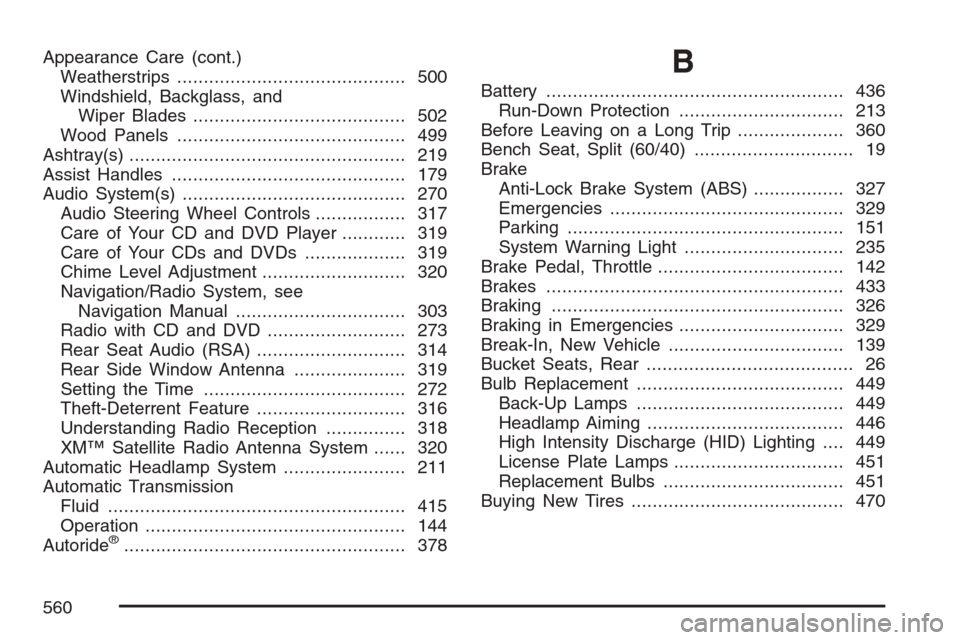
Appearance Care (cont.)
Weatherstrips........................................... 500
Windshield, Backglass, and
Wiper Blades........................................ 502
Wood Panels........................................... 499
Ashtray(s).................................................... 219
Assist Handles............................................ 179
Audio System(s).......................................... 270
Audio Steering Wheel Controls................. 317
Care of Your CD and DVD Player............ 319
Care of Your CDs and DVDs................... 319
Chime Level Adjustment........................... 320
Navigation/Radio System, see
Navigation Manual................................ 303
Radio with CD and DVD.......................... 273
Rear Seat Audio (RSA)............................ 314
Rear Side Window Antenna..................... 319
Setting the Time...................................... 272
Theft-Deterrent Feature............................ 316
Understanding Radio Reception............... 318
XM™ Satellite Radio Antenna System...... 320
Automatic Headlamp System....................... 211
Automatic Transmission
Fluid........................................................ 415
Operation................................................. 144
Autoride
®..................................................... 378
B
Battery........................................................ 436
Run-Down Protection............................... 213
Before Leaving on a Long Trip.................... 360
Bench Seat, Split (60/40).............................. 19
Brake
Anti-Lock Brake System (ABS)................. 327
Emergencies............................................ 329
Parking.................................................... 151
System Warning Light.............................. 235
Brake Pedal, Throttle................................... 142
Brakes........................................................ 433
Braking....................................................... 326
Braking in Emergencies............................... 329
Break-In, New Vehicle................................. 139
Bucket Seats, Rear....................................... 26
Bulb Replacement....................................... 449
Back-Up Lamps....................................... 449
Headlamp Aiming..................................... 446
High Intensity Discharge (HID) Lighting.... 449
License Plate Lamps................................ 451
Replacement Bulbs.................................. 451
Buying New Tires........................................ 470
560