ECO mode CADILLAC ESCALADE 2008 3.G User Guide
[x] Cancel search | Manufacturer: CADILLAC, Model Year: 2008, Model line: ESCALADE, Model: CADILLAC ESCALADE 2008 3.GPages: 490, PDF Size: 2.65 MB
Page 170 of 490
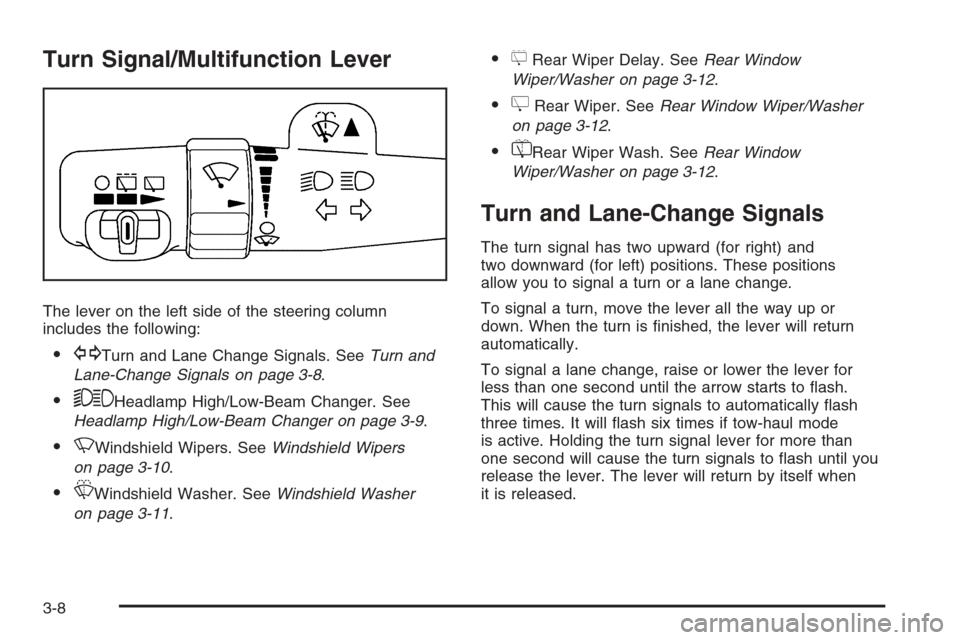
Turn Signal/Multifunction Lever
The lever on the left side of the steering column
includes the following:
GTurn and Lane Change Signals. SeeTurn and
Lane-Change Signals on page 3-8.
53Headlamp High/Low-Beam Changer. See
Headlamp High/Low-Beam Changer on page 3-9.
NWindshield Wipers. SeeWindshield Wipers
on page 3-10.
LWindshield Washer. SeeWindshield Washer
on page 3-11.
5Rear Wiper Delay. SeeRear Window
Wiper/Washer on page 3-12.
ZRear Wiper. SeeRear Window Wiper/Washer
on page 3-12.
=Rear Wiper Wash. SeeRear Window
Wiper/Washer on page 3-12.
Turn and Lane-Change Signals
The turn signal has two upward (for right) and
two downward (for left) positions. These positions
allow you to signal a turn or a lane change.
To signal a turn, move the lever all the way up or
down. When the turn is nished, the lever will return
automatically.
To signal a lane change, raise or lower the lever for
less than one second until the arrow starts to ash.
This will cause the turn signals to automatically ash
three times. It will ash six times if tow-haul mode
is active. Holding the turn signal lever for more than
one second will cause the turn signals to ash until you
release the lever. The lever will return by itself when
it is released.
3-8
Page 172 of 490
Windshield Wipers
Clear ice and snow from the wiper blades before
using them. If they are frozen to the windshield, gently
loosen or thaw them. Damaged wiper blades may
not clear the windshield well, making it harder to see
and drive safely. If the blades do become damaged,
install new blades or blade inserts. For more information,
seeWindshield Wiper Blade Replacement on page 5-52.
Heavy snow or ice can overload the wiper motor.
A circuit breaker will stop the motor until it cools down.
Clear away snow or ice to prevent an overload.
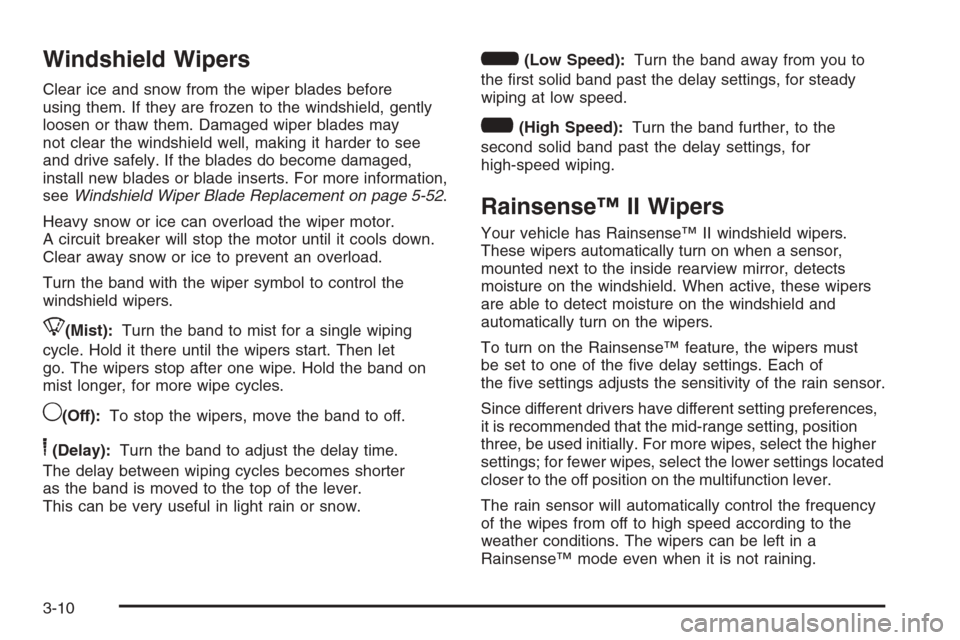
Turn the band with the wiper symbol to control the
windshield wipers.
8(Mist):Turn the band to mist for a single wiping
cycle. Hold it there until the wipers start. Then let
go. The wipers stop after one wipe. Hold the band on
mist longer, for more wipe cycles.
9(Off):To stop the wipers, move the band to off.
6(Delay):Turn the band to adjust the delay time.
The delay between wiping cycles becomes shorter
as the band is moved to the top of the lever.
This can be very useful in light rain or snow.
6(Low Speed):Turn the band away from you to
the rst solid band past the delay settings, for steady
wiping at low speed.
?(High Speed):Turn the band further, to the
second solid band past the delay settings, for
high-speed wiping.
Rainsense™ II Wipers
Your vehicle has Rainsense™ II windshield wipers.
These wipers automatically turn on when a sensor,
mounted next to the inside rearview mirror, detects
moisture on the windshield. When active, these wipers
are able to detect moisture on the windshield and
automatically turn on the wipers.
To turn on the Rainsense™ feature, the wipers must
be set to one of the ve delay settings. Each of
the ve settings adjusts the sensitivity of the rain sensor.
Since different drivers have different setting preferences,
it is recommended that the mid-range setting, position
three, be used initially. For more wipes, select the higher
settings; for fewer wipes, select the lower settings located
closer to the off position on the multifunction lever.
The rain sensor will automatically control the frequency
of the wipes from off to high speed according to the
weather conditions. The wipers can be left in a
Rainsense™ mode even when it is not raining.
3-10
Page 189 of 490
Automatic Operation
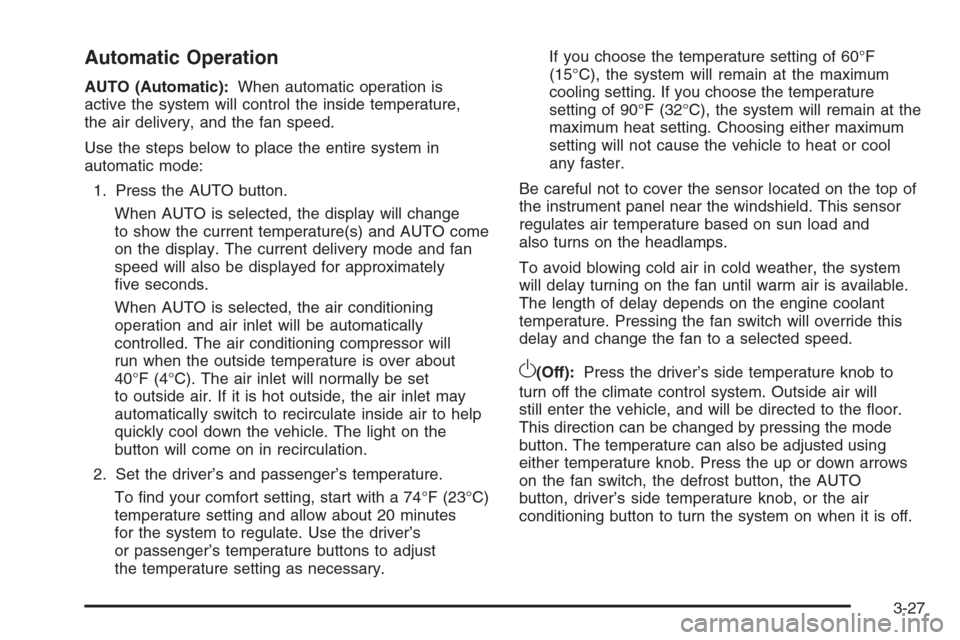
AUTO (Automatic):When automatic operation is
active the system will control the inside temperature,
the air delivery, and the fan speed.
Use the steps below to place the entire system in
automatic mode:
1. Press the AUTO button.
When AUTO is selected, the display will change
to show the current temperature(s) and AUTO come
on the display. The current delivery mode and fan
speed will also be displayed for approximately
ve seconds.
When AUTO is selected, the air conditioning
operation and air inlet will be automatically
controlled. The air conditioning compressor will
run when the outside temperature is over about
40°F (4°C). The air inlet will normally be set
to outside air. If it is hot outside, the air inlet may
automatically switch to recirculate inside air to help
quickly cool down the vehicle. The light on the
button will come on in recirculation.
2. Set the driver’s and passenger’s temperature.
To nd your comfort setting, start with a 74°F (23°C)
temperature setting and allow about 20 minutes
for the system to regulate. Use the driver’s
or passenger’s temperature buttons to adjust
the temperature setting as necessary.If you choose the temperature setting of 60°F
(15°C), the system will remain at the maximum
cooling setting. If you choose the temperature
setting of 90°F (32°C), the system will remain at the
maximum heat setting. Choosing either maximum
setting will not cause the vehicle to heat or cool
any faster.
Be careful not to cover the sensor located on the top of
the instrument panel near the windshield. This sensor
regulates air temperature based on sun load and
also turns on the headlamps.
To avoid blowing cold air in cold weather, the system
will delay turning on the fan until warm air is available.
The length of delay depends on the engine coolant
temperature. Pressing the fan switch will override this
delay and change the fan to a selected speed.
O(Off):Press the driver’s side temperature knob to
turn off the climate control system. Outside air will
still enter the vehicle, and will be directed to the oor.
This direction can be changed by pressing the mode
button. The temperature can also be adjusted using
either temperature knob. Press the up or down arrows
on the fan switch, the defrost button, the AUTO
button, driver’s side temperature knob, or the air
conditioning button to turn the system on when it is off.
3-27
Page 190 of 490
Manual Operation
The air delivery mode or fan speed can be manually
adjusted.
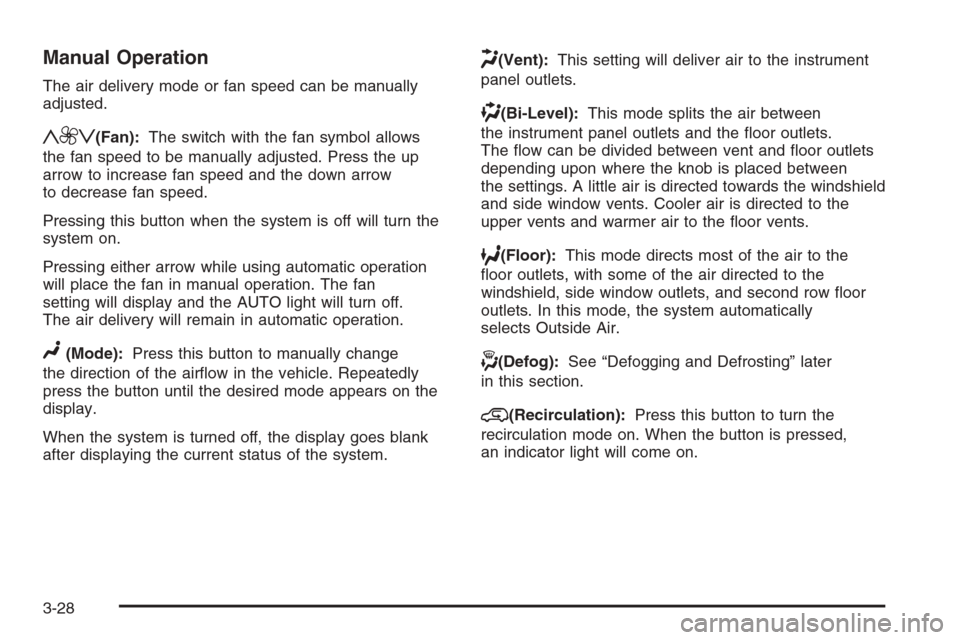
y9z(Fan):The switch with the fan symbol allows
the fan speed to be manually adjusted. Press the up
arrow to increase fan speed and the down arrow
to decrease fan speed.
Pressing this button when the system is off will turn the
system on.
Pressing either arrow while using automatic operation
will place the fan in manual operation. The fan
setting will display and the AUTO light will turn off.
The air delivery will remain in automatic operation.
N(Mode):Press this button to manually change
the direction of the airow in the vehicle. Repeatedly
press the button until the desired mode appears on the
display.
When the system is turned off, the display goes blank
after displaying the current status of the system.
H(Vent):This setting will deliver air to the instrument
panel outlets.
)(Bi-Level):This mode splits the air between
the instrument panel outlets and the oor outlets.
The ow can be divided between vent and oor outlets
depending upon where the knob is placed between
the settings. A little air is directed towards the windshield
and side window vents. Cooler air is directed to the
upper vents and warmer air to the oor vents.
6(Floor):This mode directs most of the air to the
oor outlets, with some of the air directed to the
windshield, side window outlets, and second row oor
outlets. In this mode, the system automatically
selects Outside Air.
-(Defog):See “Defogging and Defrosting” later
in this section.
@(Recirculation):Press this button to turn the
recirculation mode on. When the button is pressed,
an indicator light will come on.
3-28
Page 213 of 490
Units
Press the vehicle information button until UNITS displays.
This display allows you to select between English or
Metric units of measurement. Once in this display, press
the set/reset button to select between ENGLISH or
METRIC units. All of the vehicle information will then be
displayed in the unit of measurement selected.
Tire Pressure
The pressure for each tire can be viewed in the DIC.
The tire pressure will be shown in either pounds per
square inch (psi) or kilopascals (kPa). Press the vehicle
information button until the DIC displays FRONT TIRES
PSI (kPa) LEFT ## RIGHT ##. Press the vehicle
information button again until the DIC displays REAR
TIRES PSI (kPa) LEFT ## RIGHT ##.
If a low or high tire pressure condition is detected by the
system while driving, a message advising you to check
the pressure in a specic tire will appear in the display.
SeeInflation - Tire Pressure on page 5-60andDIC
Warnings and Messages on page 3-52for more
information.
If the tire pressure display shows dashes instead of a
value, there may be a problem with your vehicle. If this
consistently occurs, see your dealer/retailer for service.
Relearn Remote Key
This display allows you to match Remote Keyless
Entry (RKE) transmitters to your vehicle. To match
an RKE transmitter to your vehicle:
1. Press the vehicle information button until
PRESS
VTO RELEARN REMOTE KEY displays.
2. Press the set/reset button until REMOTE KEY
LEARNING ACTIVE is displayed.
3. Press and hold the lock and unlock buttons on
the rst transmitter at the same time for about
15 seconds.
On vehicles with memory recall seats, the rst
transmitter learned will match driver 1 and
the second will match driver 2.
A chime will sound indicating that the transmitter
is matched.
4. To match additional transmitters at this time,
repeat Step 3.
Each vehicle can have a maximum of
eight transmitters matched to it.
5. To exit the programming mode, you must
cycle the key to LOCK/OFF.
Blank Display
This display shows no information.
3-51
Page 215 of 490
ENGINE HOT A/C (Air Conditioning)
TURNED OFF
This message displays when the engine coolant
becomes hotter than the normal operating temperature.
SeeEngine Coolant Temperature Gage on page 3-42.
To avoid added strain on a hot engine, the air
conditioning compressor automatically turns off. When
the coolant temperature returns to normal, the air
conditioning compressor turns back on. You can
continue to drive your vehicle.
If this message continues to appear, have the system
repaired by your dealer/retailer as soon as possible
to avoid damage to the engine.
ENGINE OVERHEATED IDLE ENGINE
Notice:If you drive your vehicle while the engine
is overheating, severe engine damage may occur.
If an overheat warning appears on the instrument
panel cluster and/or DIC, stop the vehicle as soon
as possible. SeeEngine Overheating on page 5-26
for more information.
This message displays when the engine coolant
temperature is too hot. Stop and allow the vehicle
to idle until it cools down. SeeEngine Coolant
Temperature Gage on page 3-42.SeeOverheated Engine Protection Operating Mode
on page 5-28for information on driving to a safe place
in an emergency.
ENGINE OVERHEATED STOP ENGINE
Notice:If you drive your vehicle while the engine
is overheating, severe engine damage may occur.
If an overheat warning appears on the instrument
panel cluster and/or DIC, stop the vehicle as soon as
possible. SeeEngine Overheating on page 5-26
for more information.
This message displays and a chime sounds if the
engine cooling system reaches unsafe temperatures for
operation. Stop and turn off the vehicle as soon as it
is safe to do so to avoid severe damage. This message
clears when the engine has cooled to a safe operating
temperature.
ENGINE POWER IS REDUCED
This message displays and a chime sounds when the
cooling system temperature gets too hot and the engine
further enters the engine coolant protection mode.
SeeEngine Overheating on page 5-26for further
information.
3-53
Page 233 of 490
If a CD or DVD is not loaded, the display changes to
the auxiliary source, if your vehicle has this feature,
or continues to play the radio.
Vehicle Noise Compensation (VNC):Your vehicle has
a Bose
®audio system. It includes Bose AudioPilot®noise
compensation technology. When turned on, AudioPilot®
continuously adjusts the audio system equalization, to
compensate for background noise, so that the audio
always sounds the same at the set volume level.
This feature is most effective at lower radio volume
settings where background noise can affect how well the
music is being heard through the audio system. At higher
volume settings, where the music is much louder than the
background noise, there might be little or no adjustments
by AudioPilot
®.
Turn the AudioPilot
®on by pressing thew(tune/
select) knob to enter the main menu. Then turn this knob
until VNC:AUDIOPILOT displays. Press this knob to
turn AudioPilot
®on and off. An X appears in the box while
it is on.
To turn AudioPilot
®off, press thewknob to enter
the main menu, turn this knob until VNC:AUDIOPILOT
appears, and press this knob. The X in the box disappears
when it is turned off. For additional information on
AudioPilot
®, visit www.bose.com/audiopilot.
Finding a Station
BAND:Press to select AM, FM1, FM2, or XM1 or
XM2 (if equipped).
w(Tune/Select):Turn to select radio stations.
©¨(Seek):Press the left arrow to go to the previous
station and stay there. Press the right arrow to go to
the next station and stay there. The sound mutes while
seeking.
The radio only seeks stations with a strong signal that
are in the selected band.
©¨(Scan):Press the arrows to enter scan mode.
SCAN displays. Press the arrows to scan to the
next station. The radio goes to a station, plays for
ve seconds, and then goes on to the next station.
Press the arrows again to stop scanning.
To scan preset stations, press and hold the arrows
for more than two seconds until a beep sounds
and PSCAN displays. The radio goes to the rst preset
station, plays for ve seconds, and then goes to the
next preset station. Press the arrows again to stop
scanning presets.
The radio only scans stations with a strong signal that
are in the selected band.
3-71
Page 237 of 490
3. Press this knob to enter the tone settings.
4. Press this knob again to scroll to BALANCE
or FADER.
5. Turn this knob to adjust the BALANCE to the
right or the left speakers and the FADER to the
front or the rear speakers.
6. Press this knob again to set the adjustment.
7. Press the BACK (F6) button to exit the display.
To return to the original display, repeatedly press
the BACK (F6) button or wait for the display to
time out.
EQ0 does not display while in this mode.
Digital Signal Processing (DSP):This feature is used
to provide a choice of different listening experiences.
To choose a DSP setting, perform the following steps:
1. Press the
wknob to enter the main menu.
2. Turn this knob until DSP displays.
3. Press this knob again to set the DSP setting.
The DSP setting displays.
4. Press the BACK (F6) button to exit the display.
To return to the original display, repeatedly press
the BACK (F6) button or wait for the display to
time out.The DSP settings available are:
Normal: Select this setting for normal mode.
It provides the best sound quality for all seating
positions.
Centerpoint®: Select this setting to enable Bose
Centerpoint®. Centerpoint®signal processing
gives surround sound quality for a CD, MP3, or a
DVD stereo audio source. Centerpoint
®delivers
ve independent audio channels from conventional
stereo recordings.
Rear: Select this setting to adjust the audio for the
rear seat passengers to receive the best possible
sound quality.
Driver: Select this setting to adjust the audio for the
driver to receive the best possible sound quality.
5.1 Surround: Select this setting to turn on true
5.1 surround sound processing, available for
DVD-A or DVD-V sources that were recorded in
5.1 Surround. This setting is only available if
the Rear Seat Audio (RSA) control is turned off.
5.1 Surround + Normal— Select this
mode for the best audio, for all seating
positions.
5.1 Surround + Rear— Select this mode
for the best audio, for rear seat occupants.
3-75
Page 242 of 490
Care of Your CD and DVD Player
Do not add any label to a CD, it could get caught in the
CD player. If a CD is recorded on a personal computer
and a description label is needed, try labeling the top
of the recorded CD with a marking pen.
The use of CD lens cleaners for CDs is not advised,
due to the risk of contaminating the lens of the CD optics
with lubricants internal to the CD and DVD player
mechanism.
Notice:If a label is added to a CD, or more than
one CD is inserted into the slot at a time, or an
attempt is made to play scratched or damaged CDs,
the CD player could be damaged. While using the
CD player, use only CDs in good condition without
any label, load one CD at a time, and keep the
CD player and the loading slot free of foreign
materials, liquids, and debris.
If an error displays, see “CD Messages” later in this
section.
F1 DISC
n(Down):Press to go to the previous CD.
F2 DISC
m(Up):Press to go to the next CD.
F3 CD REV
{(Reverse):Press and hold to reverse
quickly within the track. Holding this button plays in
reverse at 10 times the normal speed. After holding it for
more than four seconds it plays in reverse at 20 times
the normal speed. Release to play the passage.
The elapsed time of the track displays.F4 CD FWD
|(Forward):Press and hold to advance
quickly within the track. Holding this button plays at
10 times the normal speed. After holding it for more than
four seconds it plays at 20 times the normal speed.
Release to play the passage. The elapsed time of the
track displays.
F5 MODE:Press to select from NORMAL, RPT TRCK
(Repeat Track), RPT DISC (Repeat CD), RDM TRCK
(Random Track), and RDM ALL (Random All CDs).
Normal:Sets the system for normal play of
the CD(s).
RPT TRCK (Repeat Track):Repeats the track
over again. RPT TRCK displays. Press the
MODE pushbutton again to turn off repeat play
and advance to the next mode.
RPT DISC (Repeat CD):Repeats the CD over
again. RPT DISC displays. Press the MODE
pushbutton again to turn off repeat play and
advance to the next mode.
RDM TRCK (Random Track):Plays the tracks on
the current CD in random, rather than sequential
order. RDM TRCK displays. Press the MODE
pushbutton again to turn off random play and
advance to the next mode.
RDM ALL (Random All CDs):Plays all of the CDs
loaded in random, rather than sequential order. RDM
ALL displays. Press the MODE pushbutton again to
turn off random play and advance to the next mode.
3-80
Page 243 of 490
F6 DISP (Display):Press to display the time of the
track. Press again to display CD PLAY MODE.
©¨(Seek):Press the left arrow to go to the start of
the current track. Press it again to go to the previous
track, or press the right arrow to go to the start of
the next track. Pressing either arrow for more than
two seconds searches the previous or next tracks at
two tracks per second. Release to stop searching and
to play the track.
©¨(Scan):Press the arrows to listen to each track
for 10 seconds. The CD goes to a track, plays for
10 seconds, and then goes to the next track. Press
the arrows again to stop scanning.
SRCE (Source):Press to select a source, either radio,
CD, DVD or AUX (auxiliary), if your vehicle has this
feature. The CD must be loaded to select the source and
to play. CD appears on the display if a CD is loaded.
If a CD is not loaded, the display changes to the
next available source, either DVD, AUX, if your vehicle
has this feature, or radio.
Z(Eject):Press to eject the CD that is currently
playing, or press and hold to eject all of the CDs loaded.
A beep sounds. Eject can be activated with the
ignition or radio off. If the CD is not removed after a
short time, the CD is pulled back into the CD player
for storage.
Playing an MP3 CD-R Disc
Radios with the MP3 feature are capable of playing
an MP3 CD-R disc. For more information on how to play
an MP3 CD-R disc, seeUsing an MP3 on page 3-87
later in this section.
CD Messages
If the CD comes out, it could be for one of the following
reasons:
It is very hot. When the temperature returns to
normal, the CD should play.
You are driving on a very rough road. When the
road becomes smoother, the CD should play.
The CD is dirty, scratched, wet, or upside down.
The air is very humid. If so, wait about an hour and
try again.
The format of the CD might not be compatible. See
Using an MP3 on page 3-87later in this section.
There could have been a problem while burning
the CD.
The label could be caught in the CD player.
If any error occurs repeatedly or if an error cannot be
corrected, contact your dealer/retailer. If the radio
displays an error message, write it down and provide it
to your dealer/retailer when reporting the problem.
3-81