ESP CADILLAC ESCALADE 2008 3.G Owners Manual
[x] Cancel search | Manufacturer: CADILLAC, Model Year: 2008, Model line: ESCALADE, Model: CADILLAC ESCALADE 2008 3.GPages: 490, PDF Size: 2.65 MB
Page 10 of 490
Memory Seat, Mirrors, and Pedals
Your vehicle has the memory package.
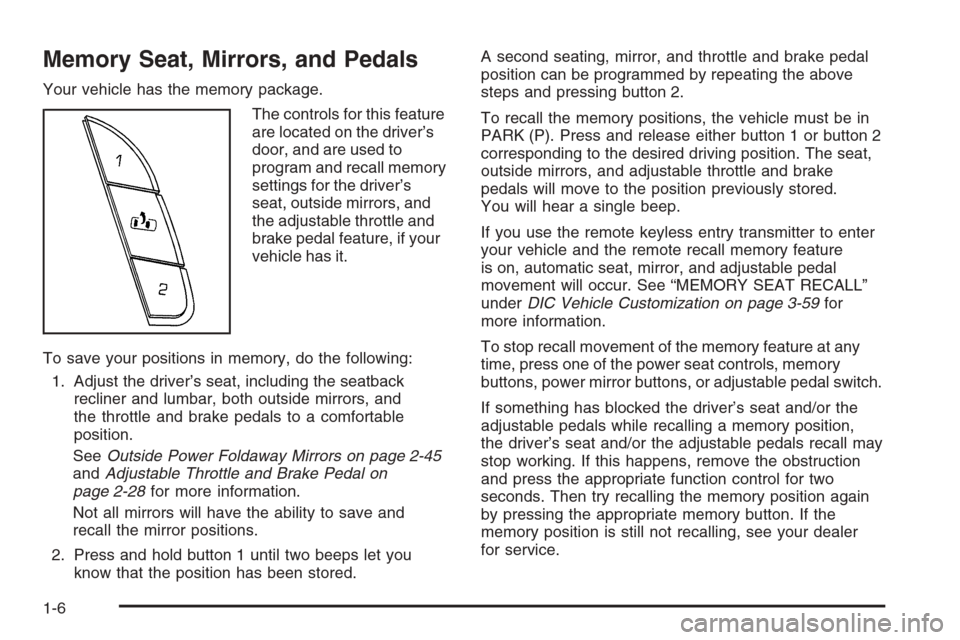
The controls for this feature
are located on the driver’s
door, and are used to
program and recall memory
settings for the driver’s
seat, outside mirrors, and
the adjustable throttle and
brake pedal feature, if your
vehicle has it.
To save your positions in memory, do the following:
1. Adjust the driver’s seat, including the seatback
recliner and lumbar, both outside mirrors, and
the throttle and brake pedals to a comfortable
position.
SeeOutside Power Foldaway Mirrors on page 2-45
andAdjustable Throttle and Brake Pedal on
page 2-28for more information.
Not all mirrors will have the ability to save and
recall the mirror positions.
2. Press and hold button 1 until two beeps let you
know that the position has been stored.A second seating, mirror, and throttle and brake pedal
position can be programmed by repeating the above
steps and pressing button 2.
To recall the memory positions, the vehicle must be in
PARK (P). Press and release either button 1 or button 2
corresponding to the desired driving position. The seat,
outside mirrors, and adjustable throttle and brake
pedals will move to the position previously stored.
You will hear a single beep.
If you use the remote keyless entry transmitter to enter
your vehicle and the remote recall memory feature
is on, automatic seat, mirror, and adjustable pedal
movement will occur. See “MEMORY SEAT RECALL”
underDIC Vehicle Customization on page 3-59for
more information.
To stop recall movement of the memory feature at any
time, press one of the power seat controls, memory
buttons, power mirror buttons, or adjustable pedal switch.
If something has blocked the driver’s seat and/or the
adjustable pedals while recalling a memory position,
the driver’s seat and/or the adjustable pedals recall may
stop working. If this happens, remove the obstruction
and press the appropriate function control for two
seconds. Then try recalling the memory position again
by pressing the appropriate memory button. If the
memory position is still not recalling, see your dealer
for service.
1-6
Page 36 of 490
Questions and Answers About
Safety Belts
Q:Will I be trapped in the vehicle after a crash
if I am wearing a safety belt?
A:Youcouldbe — whether you are wearing a safety
belt or not. But your chance of being conscious
during and after an accident, so youcanunbuckle
and get out, ismuchgreater if you are belted.
And you can unbuckle a safety belt, even if you are
upside down.
Q:If my vehicle has airbags, why should I have to
wear safety belts?
A:Airbags are supplemental systems only; so they
workwithsafety belts — not instead of them.
Whether or not an airbag is provided, all occupants
still have to buckle up to get the most protection.
That is true not only in frontal collisions, but
especially in side and other collisions.
Q:If I am a good driver, and I never drive far from
home, why should I wear safety belts?
A:You may be an excellent driver, but if you are in a
crash — even one that is not your fault — you and
your passenger(s) can be hurt. Being a good
driver does not protect you from things beyond your
control, such as bad drivers.
Most accidents occur within 25 miles (40 km) of
home. And the greatest number of serious
injuries and deaths occur at speeds of less than
40 mph (65 km/h).
Safety belts are for everyone.
1-32
Page 106 of 490
Doors and Locks
Door Locks
{CAUTION:
Unlocked doors can be dangerous.
Passengers, especially children, can easily
open the doors and fall out of a moving
vehicle. When a door is locked, the handle
will not open it. You increase the chance
of being thrown out of the vehicle in a
crash if the doors are not locked. So, wear
safety belts properly and lock the doors
whenever you drive.
Young children who get into unlocked
vehicles may be unable to get out. A child
can be overcome by extreme heat and can
suffer permanent injuries or even death
from heat stroke. Always lock your vehicle
whenever you leave it.
Outsiders can easily enter through an
unlocked door when you slow down or
stop your vehicle. Locking your doors can
help prevent this from happening.There are several ways to lock and unlock your vehicle.
From the outside, use the Remote Keyless Entry (RKE)
transmitter or the key in the driver’s door.
From the inside, use the power door locks or manual
door locks. To lock or unlock the door with the manual
locks, push down or pull up on the manual lock knob.
Power Door Locks
The power door lock switches are located on the
front doors.
K(Unlock):Press to unlock the doors.
Q(Lock):Remove the key from the ignition and press
to lock the doors.
2-10
Page 114 of 490
Windows
{CAUTION:
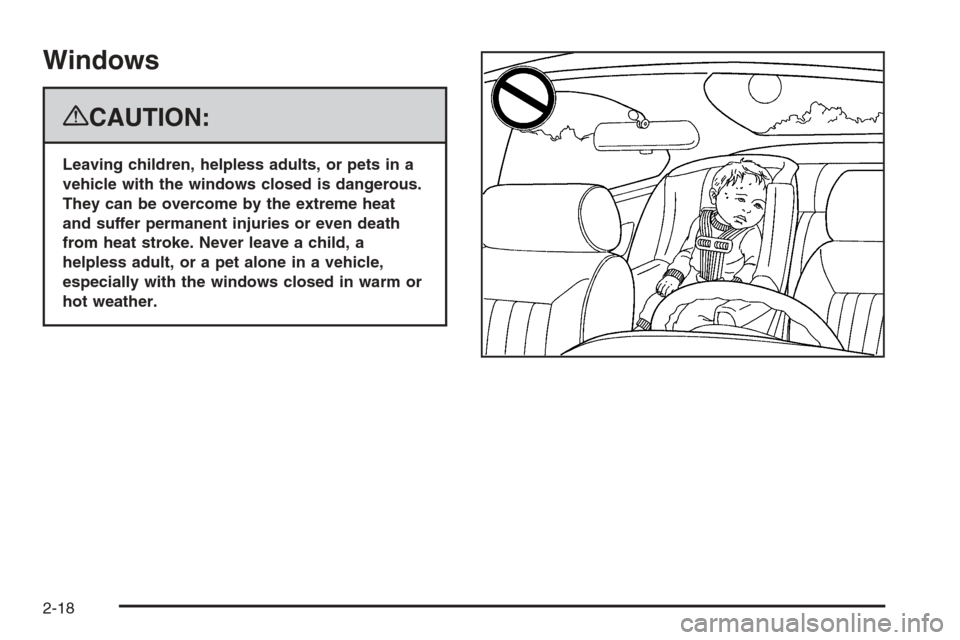
Leaving children, helpless adults, or pets in a
vehicle with the windows closed is dangerous.
They can be overcome by the extreme heat
and suffer permanent injuries or even death
from heat stroke. Never leave a child, a
helpless adult, or a pet alone in a vehicle,
especially with the windows closed in warm or
hot weather.
2-18
Page 116 of 490
Express-Down Windows
Windows with an express-down feature allow the
windows to be lowered without holding the switch.
Press down fully on the window switch, then release,
to activate the express-down mode. The express-down
mode can be canceled at any time by pulling up on
the front edge of the switch.
Window Lockout
o
(Window Lockout):The window lockout switch is
located with the power window switches on the
driver’s door armrest. This feature prevents the rear
passenger windows from operating, except from
the driver’s position. Press the switch to turn the lockout
feature on or off. An indicator light will come on to
show the lockout feature is on.
Sun Visors
Pull the sun visor down to block glare. Detach the sun
visor from the center mount and slide it along the
rod from side-to-side to cover the driver or passenger
side of the front window. Swing the sun visor to the side
to cover the side window. It can be moved along the
rod from side-to-side in this position also.
Lighted Visor Vanity Mirror
Your vehicle has lighted visor vanity mirrors on both the
driver’s and passenger’s sun visors. Pull the sun
visor down and lift the mirror cover to turn the lamps on.
Theft-Deterrent Systems
Vehicle theft is big business, especially in some cities.
This vehicle has theft-deterrent features, however,
they do not make it impossible to steal.
Content Theft-Deterrent
Your vehicle has a content theft-deterrent alarm system.
This is the security light.
2-20
Page 123 of 490
Starting Procedure
1. With your foot off the accelerator pedal, turn the
ignition key to START. When the engine starts,
let go of the key. The idle speed will go down as
your engine gets warm. Do not race the engine
immediately after starting it. Operate the engine and
transmission gently to allow the oil to warm up
and lubricate all moving parts.
Your vehicle has a Computer-Controlled Cranking
System. This feature assists in starting the
engine and protects components. If the ignition key
is turned to the START position, and then released
when the engine begins cranking, the engine
will continue cranking for a few seconds or until the
vehicle starts. If the engine does not start and
the key is held in START for many seconds,
cranking will be stopped after 15 seconds to prevent
cranking motor damage. To prevent gear damage,
this system also prevents cranking if the engine
is already running. Engine cranking can be stopped
by turning the ignition switch to the
ACC/ACCESSORY or LOCK/OFF position.
Notice:Cranking the engine for long periods of
time, by returning the key to the START position
immediately after cranking has ended, can overheat
and damage the cranking motor, and drain the
battery. Wait at least 15 seconds between each try,
to let the cranking motor cool down.2. If the engine does not start after 5-10 seconds,
especially in very cold weather (below 0°F
or−18°C), it could be ooded with too much
gasoline. Try pushing the accelerator pedal all the
way to the oor and holding it there as you hold
the key in START for up to a maximum of
15 seconds. Wait at least 15 seconds between
each try, to allow the cranking motor to cool down.
When the engine starts, let go of the key and
accelerator. If the vehicle starts briey but then
stops again, do the same thing. This clears the extra
gasoline from the engine. Do not race the engine
immediately after starting it. Operate the engine and
transmission gently until the oil warms up and
lubricates all moving parts.
Notice:The engine is designed to work with the
electronics in your vehicle. If you add electrical
parts or accessories, you could change the way the
engine operates. Before adding electrical equipment,
check with your dealer/retailer. If you do not, your
engine might not perform properly. Any resulting
damage would not be covered by your vehicle’s
warranty.
2-27
Page 126 of 490
Automatic Transmission Operation
Your vehicle has a Hydra-Matic®6L80 automatic
transmission, and has an electronic shift position
indicator within the instrument panel cluster.
The electronic shift position indicator displays when
the shift lever is moved out of PARK (P).
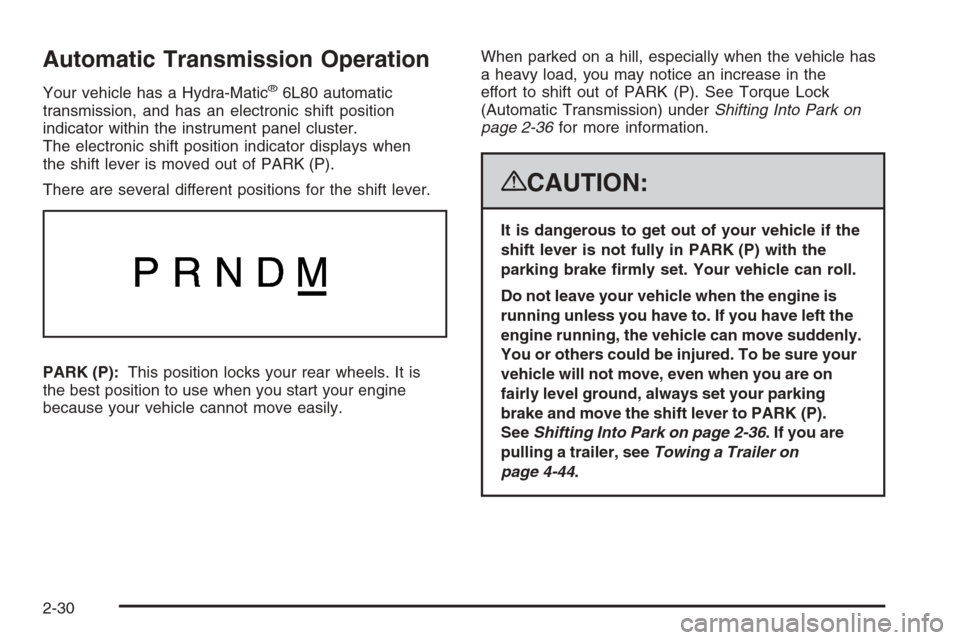
There are several different positions for the shift lever.
PARK (P):This position locks your rear wheels. It is
the best position to use when you start your engine
because your vehicle cannot move easily.When parked on a hill, especially when the vehicle has
a heavy load, you may notice an increase in the
effort to shift out of PARK (P). See Torque Lock
(Automatic Transmission) underShifting Into Park on
page 2-36for more information.
{CAUTION:
It is dangerous to get out of your vehicle if the
shift lever is not fully in PARK (P) with the
parking brake rmly set. Your vehicle can roll.
Do not leave your vehicle when the engine is
running unless you have to. If you have left the
engine running, the vehicle can move suddenly.
You or others could be injured. To be sure your
vehicle will not move, even when you are on
fairly level ground, always set your parking
brake and move the shift lever to PARK (P).
SeeShifting Into Park on page 2-36. If you are
pulling a trailer, seeTowing a Trailer on
page 4-44.
2-30
Page 149 of 490
On some vehicles, you may have to hold the button for
a few seconds and give the command “ONSTAR” to
activate the OnStar Hands-Free Calling.
On some vehicles, the mute button can be used to dial
numbers into voicemail systems, or to dial phone
extensions. See the OnStar Owner’s Guide for more
information.
How OnStar Service Works
Your vehicle’s OnStar system has the capability of
recording and transmitting vehicle information.
This information is automatically sent to an OnStar
Call Center at the time of an OnStar button press,
Emergency button press or if your airbags or AACN
system deploys. The vehicle information usually includes
your GPS location and, in the event of a crash,
additional information regarding the accident that your
vehicle has been involved in (e.g. the direction from
which your vehicle was hit). When you use the Virtual
Advisor feature of OnStar Hands-Free Calling, your
vehicle also sends OnStar your GPS location so that we
can provide you with location-based services.
OnStar service cannot work unless your vehicle is in a
place where OnStar has an agreement with a wireless
service provider for service in that area. OnStar service
also cannot work unless you are in a place where the
wireless service provider OnStar has hired for that areahas coverage, network capacity and reception when the
service is needed, and technology that is compatible
with the OnStar service. Not all services are available
everywhere, particularly in remote or enclosed areas, or
at all times.
Location information about your vehicle is only available if
the GPS satellite signals are unobstructed and available.
Your vehicle must have a working electrical system
(including adequate battery power) for the OnStar
equipment to operate. There are other problems OnStar
cannot control that may prevent OnStar from providing
OnStar service to you at any particular time or place.
Some examples are damage to important parts of your
vehicle in an accident, hills, tall buildings, tunnels,
weather or wireless phone network congestion.
Your Responsibility
Increase the radio volume if you cannot hear the OnStar
advisor. If the light next to the OnStar buttons is red, this
means that your system is not functioning properly and
should be checked by your dealer/retailer. If the light
appears clear (no light is appearing), your OnStar
subscription has expired. You can always press the
OnStar button to conrm that your OnStar equipment
is active.
2-53
Page 182 of 490
Headlamps on Reminder
If a door is open, a reminder chime will sound when
your headlamps or parking lamps are manually turned
on and your key is out of the ignition. To turn off
the chime, turn the headlamp switch to off or AUTO and
then back on, or close and re-open the door. In the
AUTO mode, the headlamps turn off once the ignition is
in LOCK or may remain on until the headlamp delay
ends (if enabled in the DIC). See “Exit Lighting” under
DIC Vehicle Customization on page 3-59.
Daytime Running Lamps (DRL)
Daytime Running Lamps (DRL) can make it easier for
others to see the front of your vehicle during the day. DRL
can be helpful in many different driving conditions, but
they can be especially helpful in the short periods after
dawn and before sunset. Fully functional daytime running
lamps are required on all vehicles rst sold in Canada.
The DRL system will come on when the following
conditions are met:
The ignition is on.
The exterior lamps control is in AUTO.
The transmission is not in PARK (P).
The light sensor determines it is daytime.When the DRL are on, only the DRL lamps will be on.
The taillamps, sidemarker, and other lamps will not
be on. The instrument panel will not be lit up either.
When it begins to get dark, the automatic headlamp
system will switch from DRL to the headlamps.
To turn off the DRL lamps, turn the exterior lamps control
to the OFF position and then release. For vehicles
rst sold in Canada, the transmission must be in the
PARK (P) position, before the DRL lamps can be
turned off.
Automatic Headlamp System
When it is dark enough outside, the automatic
headlamp system will turn on the headlamps at the
normal brightness, along with the taillamps, sidemarker,
parking lamps, and the instrument panel lights.
The radio lights will also be dim.
To turn off the automatic headlamp system, turn the
exterior lamps switch to the off position and then release
it. For vehicles rst sold in Canada, the transmission
must be in the PARK (P) position, before the automatic
headlamp system can be turned off.
3-20
Page 222 of 490
To change customization preferences, use the following
procedure.
Entering the Feature Settings Menu
1. Turn the ignition on and place the vehicle in
PARK (P).
To avoid excessive drain on the battery, it is
recommended that the headlamps are turned off.
2. Press the customization button to scroll through
the available customizable options.
Feature Settings Menu Items
The following are customization features that allow you
to program settings to the vehicle:
DISPLAY IN ENGLISH
This feature will only display if a language other than
English has been set. This feature allows you to change
the language in which the DIC messages appear to
English.
Press the customization button until the PRESS
VTO
DISPLAY IN ENGLISH screen appears on the DIC
display. Press the set/reset button once to display all
DIC messages in English.
DISPLAY LANGUAGE
This feature allows you to select the language in which
the DIC messages will appear.
Press the customization button until the DISPLAY
LANGUAGE screen appears on the DIC display. Press
the set/reset button once to access the settings for
this feature. Then press the customization button
to scroll through the following settings:
ENGLISH (default):All messages will appear in
English.
DEUTSCH:All messages will appear in German.
ITALIANO:All messages will appear in Italian.
FRANCAIS:All messages will appear in French.
ESPANOL:All messages will appear in Spanish.
ARABIC:All messages will appear in Arabic.
CHINESE:All messages will appear in Chinese.
NO CHANGE:No change will be made to this feature.
The current setting will remain.
To select a setting, press the set/reset button while the
desired setting is displayed on the DIC.
3-60