sensor CADILLAC ESCALADE 2008 3.G User Guide
[x] Cancel search | Manufacturer: CADILLAC, Model Year: 2008, Model line: ESCALADE, Model: CADILLAC ESCALADE 2008 3.GPages: 490, PDF Size: 2.65 MB
Page 181 of 490
Your vehicle is loaded such that the front end of
the vehicle points upward, causing the IntelliBeam
sensor to aim high and not detect headlamps
and taillamps.
You are driving on winding or hilly roads.
You may need to manually disable or cancel the
high-beam headlamps by turning the low-beam
headlamps on, if any of the above conditions exist.
Disabling and Resetting IntelliBeam®at the
Rearview Mirror
IntelliBeam®can be disabled by using the controls on
the inside rearview mirror.
AUTO
3(On/Off):To disable the system, press this
button on the inside rearview mirror. The IntelliBeam®
indicator will turn off and will not come back on until the
IntelliBeam®button is pressed again.
(Stalk Disable):When IntelliBeam
®has turned on
the high-beams, pull or push the high-beam stalk. This
will disable IntelliBeam
®. The IntelliBeam®indicator
on the mirror will turn off. To re-enable IntelliBeam®,
press the IntelliBeam®button on the mirror.A different sensitivity setting is available for dealer
diagnostics. This is done by pushing and holding this
button for 20 seconds until the IntelliBeam
®indicator
light ashes three times. If you accidentally activate this,
the vehicle’s setting will automatically be reset each
time the ignition is turned off and then on again.
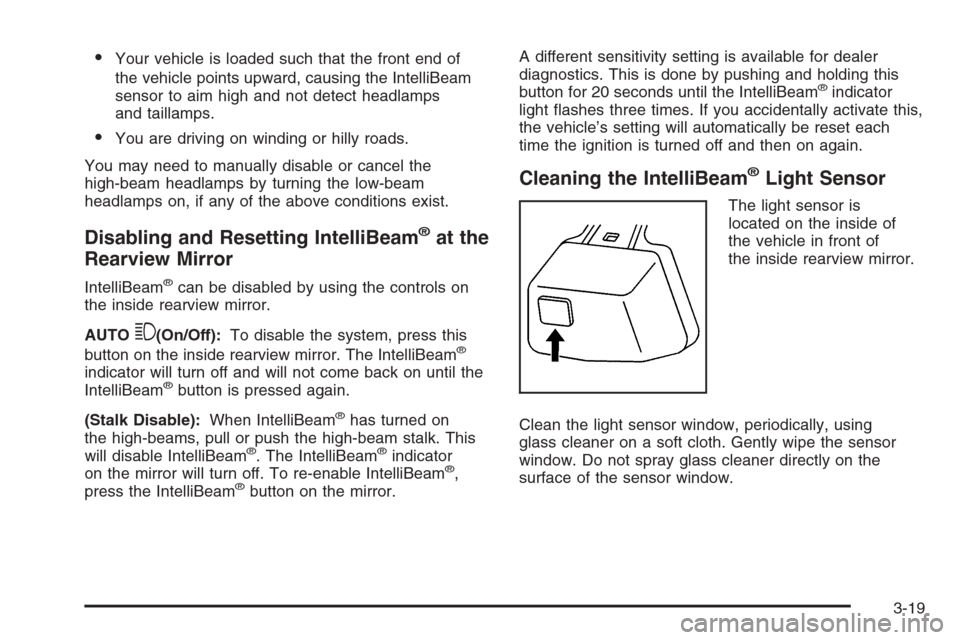
Cleaning the IntelliBeam®Light Sensor
The light sensor is
located on the inside of
the vehicle in front of
the inside rearview mirror.
Clean the light sensor window, periodically, using
glass cleaner on a soft cloth. Gently wipe the sensor
window. Do not spray glass cleaner directly on the
surface of the sensor window.
3-19
Page 182 of 490
Headlamps on Reminder
If a door is open, a reminder chime will sound when
your headlamps or parking lamps are manually turned
on and your key is out of the ignition. To turn off
the chime, turn the headlamp switch to off or AUTO and
then back on, or close and re-open the door. In the
AUTO mode, the headlamps turn off once the ignition is
in LOCK or may remain on until the headlamp delay
ends (if enabled in the DIC). See “Exit Lighting” under
DIC Vehicle Customization on page 3-59.
Daytime Running Lamps (DRL)
Daytime Running Lamps (DRL) can make it easier for
others to see the front of your vehicle during the day. DRL
can be helpful in many different driving conditions, but
they can be especially helpful in the short periods after
dawn and before sunset. Fully functional daytime running
lamps are required on all vehicles rst sold in Canada.
The DRL system will come on when the following
conditions are met:
The ignition is on.
The exterior lamps control is in AUTO.
The transmission is not in PARK (P).
The light sensor determines it is daytime.When the DRL are on, only the DRL lamps will be on.
The taillamps, sidemarker, and other lamps will not
be on. The instrument panel will not be lit up either.
When it begins to get dark, the automatic headlamp
system will switch from DRL to the headlamps.
To turn off the DRL lamps, turn the exterior lamps control
to the OFF position and then release. For vehicles
rst sold in Canada, the transmission must be in the
PARK (P) position, before the DRL lamps can be
turned off.
Automatic Headlamp System
When it is dark enough outside, the automatic
headlamp system will turn on the headlamps at the
normal brightness, along with the taillamps, sidemarker,
parking lamps, and the instrument panel lights.
The radio lights will also be dim.
To turn off the automatic headlamp system, turn the
exterior lamps switch to the off position and then release
it. For vehicles rst sold in Canada, the transmission
must be in the PARK (P) position, before the automatic
headlamp system can be turned off.
3-20
Page 183 of 490
The vehicle has a light sensor located on the top of the
instrument panel in the defroster grille that regulates
when the automatic headlamps turn on. Be sure it is
not covered, or the headlamps will come on whenever
the ignition is on.
The system may also turn on the headlamps when
driving through a parking garage, heavy overcast
weather, or a tunnel. This is normal.
There is a delay in the transition between the daytime
and nighttime operation of the Daytime Running
Lamps (DRL) and the automatic headlamp systems
so that driving under bridges or bright overhead street
lights does not affect the system. The DRL and
automatic headlamp system will only be affected when
the light sensor detects a change in lighting lasting
longer than the delay.
If the vehicle is started in a dark garage, the automatic
headlamp system will come on immediately. Once
the vehicle leaves the garage, it takes approximately
one minute for the automatic headlamp system to
change to DRL if it is bright enough outside. During
that delay, the instrument panel cluster may not be
as bright as usual. Make sure the instrument panel
brightness control is in the full bright position.
SeeInstrument Panel Brightness on page 3-22.
To idle the vehicle with the automatic headlamp
system off, turn the control to the off position.The headlamps will also stay on after you exit the
vehicle. This feature can be programmed using the
Driver Information Center (DIC). SeeDIC Vehicle
Customization on page 3-59.
The regular headlamp system can be turned on
when needed.
Fog Lamps
-(Fog Lamps):If your vehicle has fog lamps, the
control is located next to the exterior lamps control
on the instrument panel to the left of the steering
column.
The ignition must be in the ON/RUN position for the
fog lamps to come on.
Press the button to turn the fog lamps on or off. A light
will come on in the instrument panel cluster.
When the fog lamps are turned on, the headlamps
automatically turn on.
When the headlamps are changed to high-beam, the
fog lamps also go off. When the high-beam headlamps
go off, the fog lamps will come on again.
Some localities have laws that require the headlamps to
be on along with the fog lamps.
3-21
Page 189 of 490
Automatic Operation
AUTO (Automatic):When automatic operation is
active the system will control the inside temperature,
the air delivery, and the fan speed.
Use the steps below to place the entire system in
automatic mode:
1. Press the AUTO button.
When AUTO is selected, the display will change
to show the current temperature(s) and AUTO come
on the display. The current delivery mode and fan
speed will also be displayed for approximately
ve seconds.
When AUTO is selected, the air conditioning
operation and air inlet will be automatically
controlled. The air conditioning compressor will
run when the outside temperature is over about
40°F (4°C). The air inlet will normally be set
to outside air. If it is hot outside, the air inlet may
automatically switch to recirculate inside air to help
quickly cool down the vehicle. The light on the
button will come on in recirculation.
2. Set the driver’s and passenger’s temperature.
To nd your comfort setting, start with a 74°F (23°C)
temperature setting and allow about 20 minutes
for the system to regulate. Use the driver’s
or passenger’s temperature buttons to adjust
the temperature setting as necessary.If you choose the temperature setting of 60°F
(15°C), the system will remain at the maximum
cooling setting. If you choose the temperature
setting of 90°F (32°C), the system will remain at the
maximum heat setting. Choosing either maximum
setting will not cause the vehicle to heat or cool
any faster.
Be careful not to cover the sensor located on the top of
the instrument panel near the windshield. This sensor
regulates air temperature based on sun load and
also turns on the headlamps.
To avoid blowing cold air in cold weather, the system
will delay turning on the fan until warm air is available.
The length of delay depends on the engine coolant
temperature. Pressing the fan switch will override this
delay and change the fan to a selected speed.
O(Off):Press the driver’s side temperature knob to
turn off the climate control system. Outside air will
still enter the vehicle, and will be directed to the oor.
This direction can be changed by pressing the mode
button. The temperature can also be adjusted using
either temperature knob. Press the up or down arrows
on the fan switch, the defrost button, the AUTO
button, driver’s side temperature knob, or the air
conditioning button to turn the system on when it is off.
3-27
Page 198 of 490
Passenger Safety Belt Reminder Light
Several seconds after the engine is started, a chime
will sound for several seconds to remind the front
passenger to buckle their safety belt. This would only
occur if the passenger airbag is enabled. SeePassenger
Sensing System on page 1-83for more information.
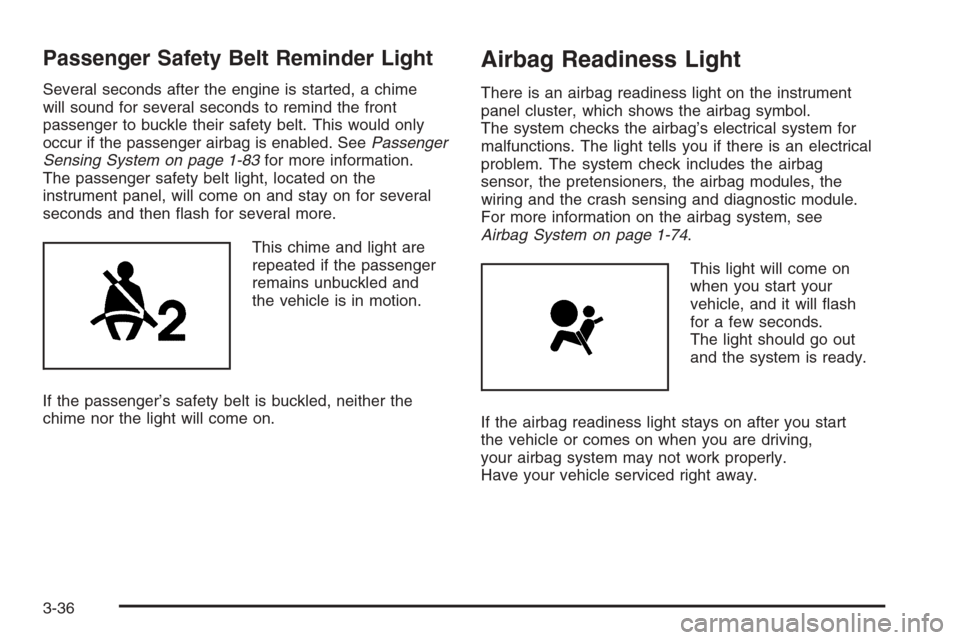
The passenger safety belt light, located on the
instrument panel, will come on and stay on for several
seconds and then ash for several more.
This chime and light are
repeated if the passenger
remains unbuckled and
the vehicle is in motion.
If the passenger’s safety belt is buckled, neither the
chime nor the light will come on.
Airbag Readiness Light
There is an airbag readiness light on the instrument
panel cluster, which shows the airbag symbol.
The system checks the airbag’s electrical system for
malfunctions. The light tells you if there is an electrical
problem. The system check includes the airbag
sensor, the pretensioners, the airbag modules, the
wiring and the crash sensing and diagnostic module.
For more information on the airbag system, see
Airbag System on page 1-74.
This light will come on
when you start your
vehicle, and it will ash
for a few seconds.
The light should go out
and the system is ready.
If the airbag readiness light stays on after you start
the vehicle or comes on when you are driving,
your airbag system may not work properly.
Have your vehicle serviced right away.
3-36
Page 220 of 490
There are several conditions that can cause this
message to appear.
One condition is overheating, which could occur if
StabiliTrak®activates continuously for an extended
period of time.
The message also displays if the brake system
warning light is on. SeeBrake System Warning
Light on page 3-40.
The message could display if the stability system
takes longer than usual to complete its diagnostic
checks due to driving conditions.
The message displays if an engine or vehicle
related problem has been detected and the vehicle
needs service. See your dealer/retailer.
The message turns off as soon as the conditions that
caused the message to be displayed are no longer
present.
TIGHTEN GAS CAP
This message may display along with the check engine
light on the instrument panel cluster if the vehicle’s
fuel cap is not tightened properly. SeeMalfunction
Indicator Lamp on page 3-43. Reinstall the fuel cap fully.SeeFilling the Tank on page 5-7. The diagnostic
system can determine if the fuel cap has been left
off or improperly installed. A loose or missing fuel cap
allows fuel to evaporate into the atmosphere. A few
driving trips with the cap properly installed should turn
this light and message off.
TIRE LEARNING ACTIVE
This message displays when the Tire Pressure Monitor
System (TPMS) is re-learning the tire positions on
your vehicle. The tire positions must be re-learned
after rotating the tires or after replacing a tire or sensor.
SeeTire Inspection and Rotation on page 5-67,
Tire Pressure Monitor System on page 5-62, and
Inflation - Tire Pressure on page 5-60for more
information.
TRACTION CONTROL OFF
If your vehicle has StabiliTrak®, this message displays
when the Traction Control System (TCS) is turned
off. Adjust your driving accordingly. SeeStabiliTrak
®
System on page 4-6for more information.
3-58
Page 386 of 490
Tire Pressure Monitor System
The Tire Pressure Monitor System (TPMS) uses radio
and sensor technology to check tire pressure levels.
The TPMS sensors monitor the air pressure in your
vehicle’s tires and transmit tire pressure readings to a
receiver located in the vehicle.
Each tire, including the spare (if provided), should be
checked monthly when cold and inated to the ination
pressure recommended by the vehicle manufacturer
on the vehicle placard or tire ination pressure label.
(If your vehicle has tires of a different size than the
size indicated on the vehicle placard or tire ination
pressure label, you should determine the proper
tire ination pressure for those tires.)
As an added safety feature, your vehicle has been
equipped with a tire pressure monitoring system (TPMS)
that illuminates a low tire pressure telltale when one
or more of your tires is signicantly under-inated.
Accordingly, when the low tire pressure telltale
illuminates, you should stop and check your tires as
soon as possible, and inate them to the proper
pressure. Driving on a signicantly under-inated tire
causes the tire to overheat and can lead to tire failure.
Under-ination also reduces fuel efficiency and tire
tread life, and may affect the vehicle’s handling
and stopping ability.Please note that the TPMS is not a substitute for proper
tire maintenance, and it is the driver’s responsibility to
maintain correct tire pressure, even if under-ination has
not reached the level to trigger illumination of the TPMS
low tire pressure telltale.
Your vehicle has also been equipped with a TPMS
malfunction indicator to indicate when the system is not
operating properly. The TPMS malfunction indicator
is combined with the low tire pressure telltale.
When the system detects a malfunction, the telltale will
ash for approximately one minute and then remain
continuously illuminated. This sequence will continue
upon subsequent vehicle start-ups as long as the
malfunction exists.
When the malfunction indicator is illuminated, the system
may not be able to detect or signal low tire pressure as
intended. TPMS malfunctions may occur for a variety of
reasons, including the installation of replacement or
alternate tires or wheels on the vehicle that prevent the
TPMS from functioning properly. Always check the TPMS
malfunction telltale after replacing one or more tires or
wheels on your vehicle to ensure that the replacement or
alternate tires and wheels allow the TPMS to continue to
function properly.
SeeTire Pressure Monitor Operation on page 5-63for
additional information.
5-62
Page 387 of 490
Federal Communications Commission
(FCC) and Industry and Science
Canada
The Tire Pressure Monitor System (TPMS) operates on
a radio frequency and complies with Part 15 of the
FCC Rules. Operation is subject to the following
two conditions:
1. This device may not cause harmful interference.
2. This device must accept any interference received,
including interference that may cause undesired
operation.
The TPMS operates on a radio frequency and complies
with RSS-210 of Industry and Science Canada.
Operation is subject to the following two conditions:
1. This device may not cause interference.
2. This device must accept any interference received,
including interference that may cause undesired
operation of the device.
Changes or modications to this system by other than
an authorized service facility could void authorization to
use this equipment.
Tire Pressure Monitor Operation
The Tire Pressure Monitor System (TPMS) is designed
to warn the driver when a low tire pressure condition
exists. TPMS sensors are mounted onto each tire
and wheel assembly, excluding the spare tire and wheel
assembly. The TPMS sensors monitor the air pressure
in the vehicle’s tires and transmits the tire pressure
readings to a receiver located in the vehicle.
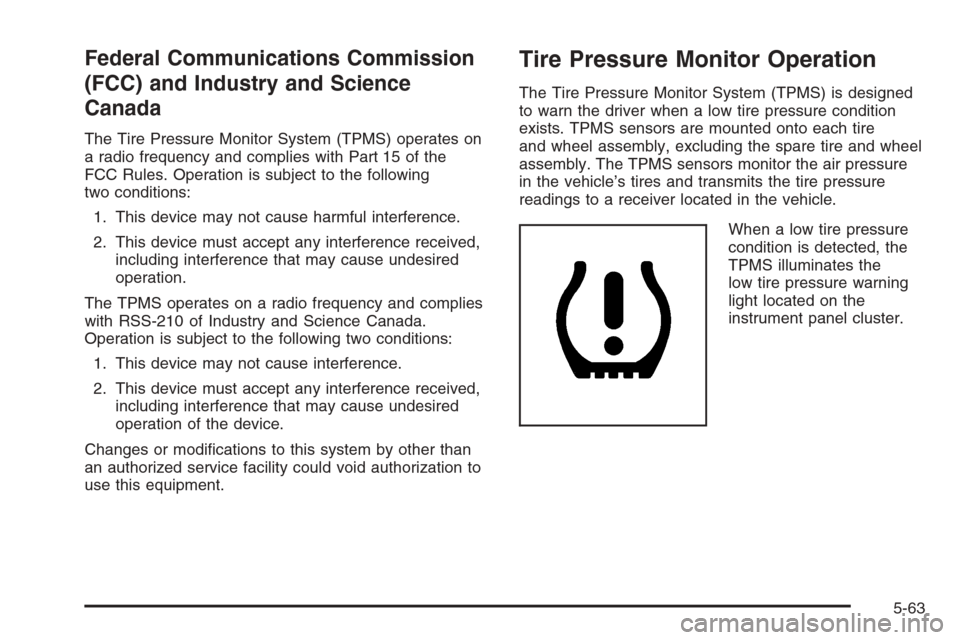
When a low tire pressure
condition is detected, the
TPMS illuminates the
low tire pressure warning
light located on the
instrument panel cluster.
5-63
Page 388 of 490
At the same time a message to check the pressure in a
specic tire appears on the Driver Information Center
(DIC) display. The low tire pressure warning light
and the DIC warning message come on at each ignition
cycle until the tires are inated to the correct ination
pressure. Using the DIC, tire pressure levels can
be viewed by the driver. For additional information and
details about the DIC operation and displays see
DIC Operation and Displays on page 3-48andDIC
Warnings and Messages on page 3-52.
The low tire pressure warning light may come on in cool
weather when the vehicle is rst started, and then
turn off as you start to drive. This could be an early
indicator that the air pressure in the tire(s) are getting
low and need to be inated to the proper pressure.A Tire and Loading Information label, attached to your
vehicle, shows the size of your vehicle’s original
equipment tires and the correct ination pressure for
your vehicle’s tires when they are cold. SeeLoading
Your Vehicle on page 4-35, for an example of the Tire
and Loading Information label and its location on
your vehicle. Also seeInflation - Tire Pressure on
page 5-60.
Your vehicle’s TPMS can warn you about a low tire
pressure condition but it does not replace normal
tire maintenance. SeeTire Inspection and Rotation on
page 5-67andTires on page 5-54.
Notice:Liquid tire sealants could damage the
Tire Pressure Monitor System (TPMS) sensors.
Sensor damage caused by using a tire sealant is
not covered by your warranty. Do not use liquid tire
sealants.
5-64
Page 389 of 490
TPMS Malfunction Light and Message
The TPMS will not function properly if one or more of the
TPMS sensors are missing or inoperable. When the
system detects a malfunction, the low tire warning light
ashes for about one minute and then stays on for
the remainder of the ignition cycle. A DIC warning
message is also displayed. The low tire warning light
and DIC warning message come on at each ignition
cycle until the problem is corrected. Some of the
conditions that can cause the malfunction light and
DIC message to come on are:
One of the road tires has been replaced with the
spare tire. The spare tire does not have a TPMS
sensor. The TPMS malfunction light and DIC
message should go off once you re-install the road
tire containing the TPMS sensor.
The TPMS sensor matching process was started
but not completed or not completed successfully
after rotating the vehicle’s tires. The DIC message
and TPMS malfunction light should go off once
the TPMS sensor matching process is performed
successfully. See “TPMS Sensor Matching Process”
later in this section.
One or more TPMS sensors are missing or
damaged. The DIC message and the TPMS
malfunction light should go off when the TPMS
sensors are installed and the sensor matching
process is performed successfully. See your
dealer/retailer for service.
Replacement tires or wheels do not match your
vehicle’s original equipment tires or wheels.
Tires and wheels other than those recommended
for your vehicle could prevent the TPMS from
functioning properly. SeeBuying New Tires on
page 5-70.
Operating electronic devices or being near facilities
using radio wave frequencies similar to the TPMS
could cause the TPMS sensors to malfunction.
If the TPMS is not functioning it cannot detect or signal a
low tire condition. See your dealer/retailer for service if
the TPMS malfunction light and DIC message comes on
and stays on.
5-65