stop start CADILLAC ESCALADE 2008 3.G Owner's Manual
[x] Cancel search | Manufacturer: CADILLAC, Model Year: 2008, Model line: ESCALADE, Model: CADILLAC ESCALADE 2008 3.GPages: 490, PDF Size: 2.65 MB
Page 262 of 490
If the remote control is to be stored for a long period of
time, remove the batteries and keep them in a cool,
dry place.
Problem Recommended Action
No power. The ignition might not be
turned ON/RUN or in
ACC/ACCESSORY.
The picture does not ll the
screen. There are black
borders on the top and
bottom or on both sides
or it looks stretched out.Check the display mode
settings in the setup menu
by pressing the display
menu button on the remote
control.
In auxiliary mode, the
picture moves or scrolls.Check the auxiliary input
connections at both
devices.
The remote control
does not work.Check to make sure
there is no obstruction
between the remote
control and the
transmitter window.
Check the batteries to
make sure they are not
dead or installed
incorrectly.
Problem Recommended Action
After stopping the player,
I push Play but
sometimes the DVD
starts where I left off
and sometimes at the
beginning.If the stop button was
pressed one time, the
DVD player resumes
playing where the DVD
was stopped. If the stop
button was pressed two
times the DVD player
begins to play from the
beginning of the DVD.
The auxiliary source is
running but there is no
picture or sound.Check that the RSE video
screen is in the auxiliary
source mode.
Check the auxiliary
input connections at
both devices.
Sometimes the wireless
headphone audio cuts
out or buzzes.Check for obstructions,
low batteries, reception
range, and interference
from cellular telephone
towers or by using your
cellular telephone in
the vehicle.
Check that the
headphones are on
correctly using the L (left)
and R (right) on the
headphones.
3-100
Page 265 of 490
©¨(Seek):When listening to FM, AM, or XM™
(if equipped), press either the left
©or right¨seek
arrow to go to the previous or to the next station
or channels and stay there. This function is inactive,
with some radios, if the front seat passengers are
listening to the radio.
Press and hold either the left
©or right¨seek arrow
until the display ashes, to tune to an individual
station. The display stops ashing after the buttons
have not been pushed for more than two seconds.
This function is inactive, with some radios, if the front
seat passengers are listening to the radio.
While listening to a disc, press the right
¨seek arrow
to go to the next track or chapter on the disc. Press
the left
©seek arrow to go back to the start of
the current track or chapter (if more than ten seconds
have played). This function is inactive, with some
radios, if the front seat passengers are listening
to the disc.When a DVD video menu is being displayed, press
either the left
©or right¨seek arrow to perform
a cursor up or down on the menu. Hold the left
©or
right
¨seek arrow to perform a cursor left or right
on the menu.
PROG (Program):Press this button to go to the
next preset radio station or channel set on the main
radio. This function is inactive, with some radios,
if the front seat passengers are listening to the radio.
When a CD or DVD audio disc is playing, press
this button to go to the beginning of the CD or DVD
audio. This function is inactive, with some radios, if the
front seat passengers are listening to the disc.
When a disc is playing in the CD or DVD changer,
press this button to select the next disc, if multiple discs
are loaded. This function is inactive, with some radios,
if the front seat passengers are listening to the disc.
When a DVD video menu is being displayed, press the
PROG button to perform the menu function, enter.
3-103
Page 272 of 490
And, of course, actual stopping distances vary greatly
with the surface of the road, whether it is pavement or
gravel; the condition of the road, whether it is wet, dry,
or icy; tire tread; the condition of the brakes; the weight
of the vehicle; and the amount of brake force applied.
Avoid needless heavy braking. Some people drive
in spurts — heavy acceleration followed by heavy
braking — rather than keeping pace with traffic. This
is a mistake. The brakes might not have time to cool
between hard stops. The brakes will wear out much
faster if you do a lot of heavy braking. If you keep pace
with the traffic and allow realistic following distances,
you will eliminate a lot of unnecessary braking.
That means better braking and longer brake life.
If your vehicle’s engine ever stops while you are
driving, brake normally but do not pump the brakes.
If you do, the pedal could get harder to push down.
If the engine stops, you will still have some power brake
assist. But you will use it when you brake. Once the
power assist is used up, it can take longer to stop
and the brake pedal will be harder to push.
Adding non-dealer/non-retailer accessories can affect
your vehicle’s performance. SeeAccessories and
Modifications on page 5-3.Antilock Brake System (ABS)
Your vehicle has the Antilock Brake System (ABS),
an advanced electronic braking system that will
help prevent a braking skid.
When you start the engine and begin to drive away,
ABS will check itself. You might hear a momentary
motor or clicking noise while this test is going on.
This is normal.
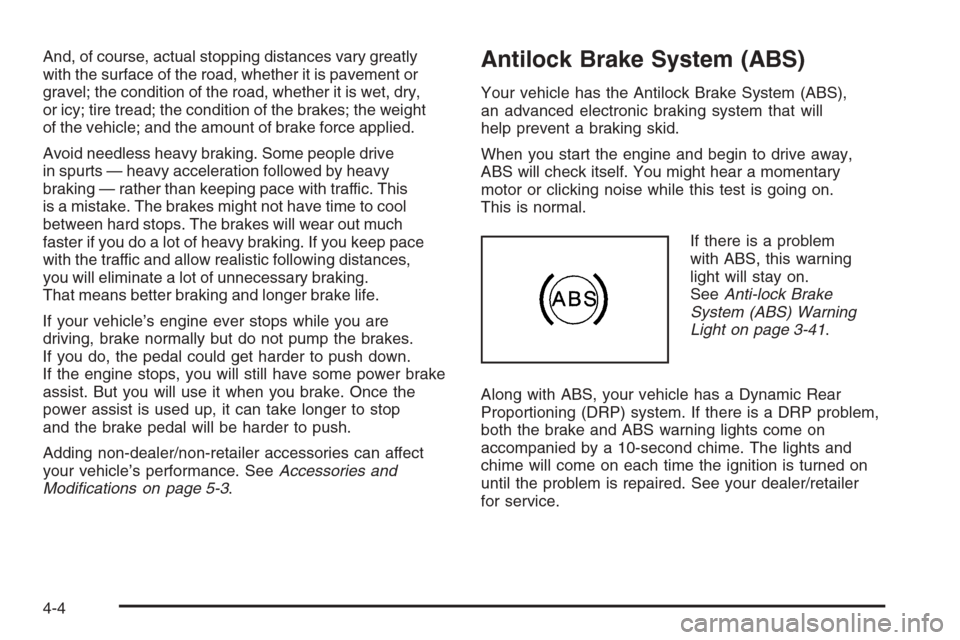
If there is a problem
with ABS, this warning
light will stay on.
SeeAnti-lock Brake
System (ABS) Warning
Light on page 3-41.
Along with ABS, your vehicle has a Dynamic Rear
Proportioning (DRP) system. If there is a DRP problem,
both the brake and ABS warning lights come on
accompanied by a 10-second chime. The lights and
chime will come on each time the ignition is turned on
until the problem is repaired. See your dealer/retailer
for service.
4-4
Page 280 of 490
Skidding
In a skid, a driver can lose control of the vehicle.
Defensive drivers avoid most skids by taking reasonable
care suited to existing conditions, and by not overdriving
those conditions. But skids are always possible.
The three types of skids correspond to your vehicle’s
three control systems. In the braking skid, the wheels are
not rolling. In the steering or cornering skid, too much
speed or steering in a curve causes tires to slip and lose
cornering force. And in the acceleration skid, too much
throttle causes the driving wheels to spin.
A cornering skid is best handled by easing your foot off
the accelerator pedal.
Remember: Any traction control system helps avoid only
the acceleration skid. If your traction control system is off,
then an acceleration skid is also best handled by easing
your foot off the accelerator pedal.
If your vehicle starts to slide, ease your foot off the
accelerator pedal and quickly steer the way you want
the vehicle to go. If you start steering quickly enough,
your vehicle may straighten out. Always be ready for
a second skid if it occurs.Of course, traction is reduced when water, snow, ice,
gravel, or other material is on the road. For safety,
you will want to slow down and adjust your driving to
these conditions. It is important to slow down on slippery
surfaces because stopping distance will be longer and
vehicle control more limited.
While driving on a surface with reduced traction, try your
best to avoid sudden steering, acceleration, or braking,
including reducing vehicle speed by shifting to a lower
gear. Any sudden changes could cause the tires to
slide. You may not realize the surface is slippery until
your vehicle is skidding. Learn to recognize warning
clues — such as enough water, ice, or packed snow on
the road to make a mirrored surface — and slow down
when you have any doubt.
Remember: Any Antilock Brake System (ABS) helps
avoid only the braking skid.
Off-Road Driving
This off-road guide is for vehicles that have all-wheel
drive. If your vehicle does not have all-wheel drive or
if it has 20-inch tire/wheel assemblies, you should not
drive off-road unless you are on a level, solid surface.
SeeTires on page 5-54.
4-12
Page 285 of 490
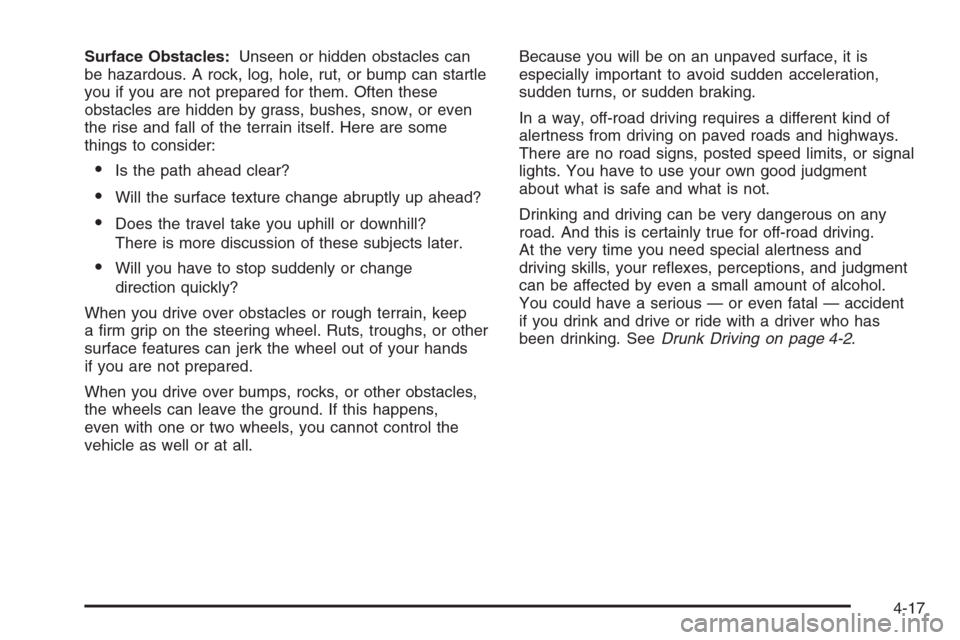
Surface Obstacles:Unseen or hidden obstacles can
be hazardous. A rock, log, hole, rut, or bump can startle
you if you are not prepared for them. Often these
obstacles are hidden by grass, bushes, snow, or even
the rise and fall of the terrain itself. Here are some
things to consider:
Is the path ahead clear?
Will the surface texture change abruptly up ahead?
Does the travel take you uphill or downhill?
There is more discussion of these subjects later.
Will you have to stop suddenly or change
direction quickly?
When you drive over obstacles or rough terrain, keep
a rm grip on the steering wheel. Ruts, troughs, or other
surface features can jerk the wheel out of your hands
if you are not prepared.
When you drive over bumps, rocks, or other obstacles,
the wheels can leave the ground. If this happens,
even with one or two wheels, you cannot control the
vehicle as well or at all.Because you will be on an unpaved surface, it is
especially important to avoid sudden acceleration,
sudden turns, or sudden braking.
In a way, off-road driving requires a different kind of
alertness from driving on paved roads and highways.
There are no road signs, posted speed limits, or signal
lights. You have to use your own good judgment
about what is safe and what is not.
Drinking and driving can be very dangerous on any
road. And this is certainly true for off-road driving.
At the very time you need special alertness and
driving skills, your reexes, perceptions, and judgment
can be affected by even a small amount of alcohol.
You could have a serious — or even fatal — accident
if you drink and drive or ride with a driver who has
been drinking. SeeDrunk Driving on page 4-2.
4-17
Page 288 of 490
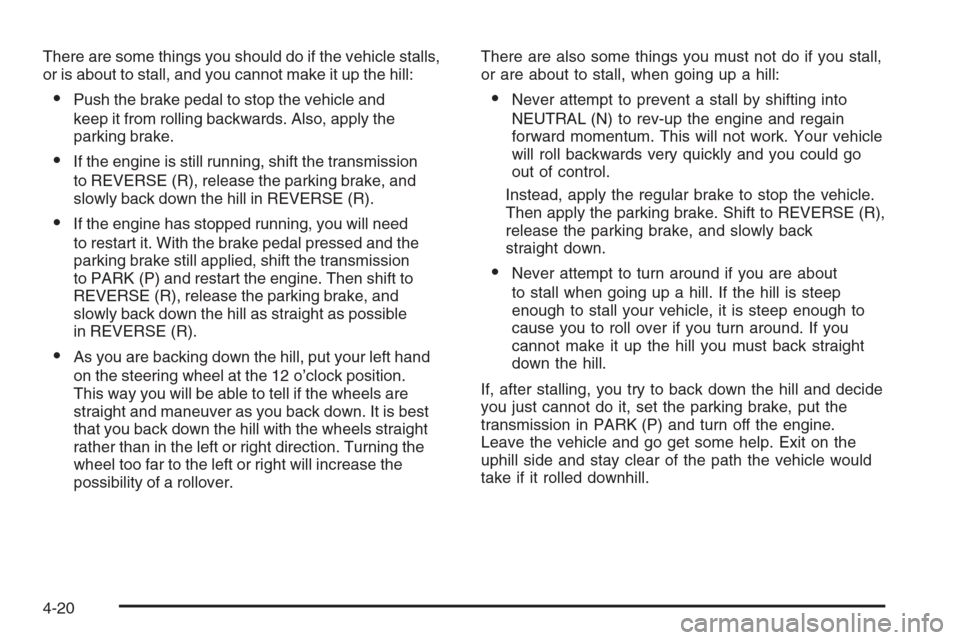
There are some things you should do if the vehicle stalls,
or is about to stall, and you cannot make it up the hill:
Push the brake pedal to stop the vehicle and
keep it from rolling backwards. Also, apply the
parking brake.
If the engine is still running, shift the transmission
to REVERSE (R), release the parking brake, and
slowly back down the hill in REVERSE (R).
If the engine has stopped running, you will need
to restart it. With the brake pedal pressed and the
parking brake still applied, shift the transmission
to PARK (P) and restart the engine. Then shift to
REVERSE (R), release the parking brake, and
slowly back down the hill as straight as possible
in REVERSE (R).
As you are backing down the hill, put your left hand
on the steering wheel at the 12 o’clock position.
This way you will be able to tell if the wheels are
straight and maneuver as you back down. It is best
that you back down the hill with the wheels straight
rather than in the left or right direction. Turning the
wheel too far to the left or right will increase the
possibility of a rollover.There are also some things you must not do if you stall,
or are about to stall, when going up a hill:
Never attempt to prevent a stall by shifting into
NEUTRAL (N) to rev-up the engine and regain
forward momentum. This will not work. Your vehicle
will roll backwards very quickly and you could go
out of control.
Instead, apply the regular brake to stop the vehicle.
Then apply the parking brake. Shift to REVERSE (R),
release the parking brake, and slowly back
straight down.
Never attempt to turn around if you are about
to stall when going up a hill. If the hill is steep
enough to stall your vehicle, it is steep enough to
cause you to roll over if you turn around. If you
cannot make it up the hill you must back straight
down the hill.
If, after stalling, you try to back down the hill and decide
you just cannot do it, set the parking brake, put the
transmission in PARK (P) and turn off the engine.
Leave the vehicle and go get some help. Exit on the
uphill side and stay clear of the path the vehicle would
take if it rolled downhill.
4-20
Page 289 of 490
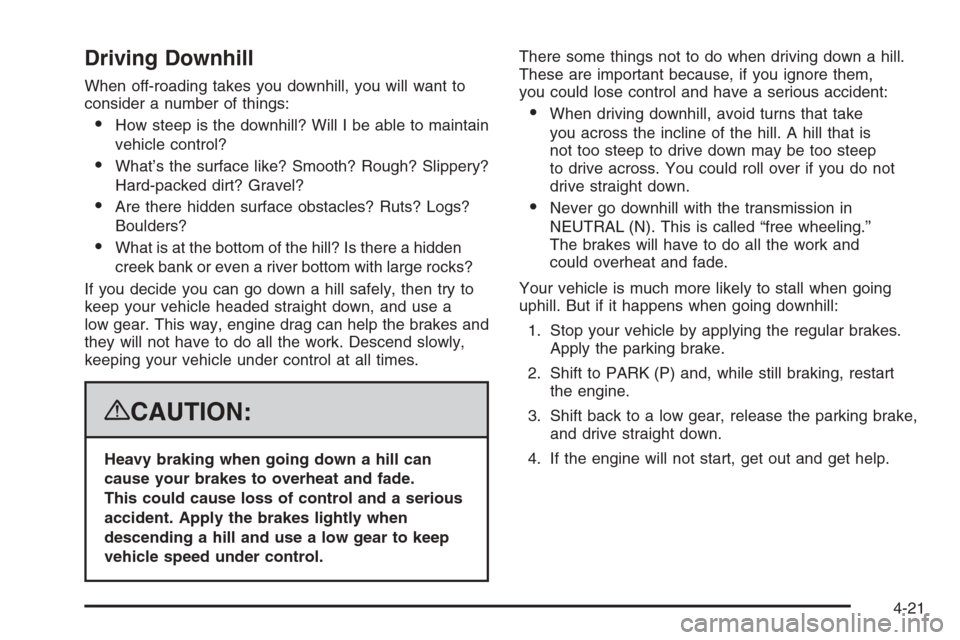
Driving Downhill
When off-roading takes you downhill, you will want to
consider a number of things:
How steep is the downhill? Will I be able to maintain
vehicle control?
What’s the surface like? Smooth? Rough? Slippery?
Hard-packed dirt? Gravel?
Are there hidden surface obstacles? Ruts? Logs?
Boulders?
What is at the bottom of the hill? Is there a hidden
creek bank or even a river bottom with large rocks?
If you decide you can go down a hill safely, then try to
keep your vehicle headed straight down, and use a
low gear. This way, engine drag can help the brakes and
they will not have to do all the work. Descend slowly,
keeping your vehicle under control at all times.
{CAUTION:
Heavy braking when going down a hill can
cause your brakes to overheat and fade.
This could cause loss of control and a serious
accident. Apply the brakes lightly when
descending a hill and use a low gear to keep
vehicle speed under control.There some things not to do when driving down a hill.
These are important because, if you ignore them,
you could lose control and have a serious accident:
When driving downhill, avoid turns that take
you across the incline of the hill. A hill that is
not too steep to drive down may be too steep
to drive across. You could roll over if you do not
drive straight down.
Never go downhill with the transmission in
NEUTRAL (N). This is called “free wheeling.”
The brakes will have to do all the work and
could overheat and fade.
Your vehicle is much more likely to stall when going
uphill. But if it happens when going downhill:
1. Stop your vehicle by applying the regular brakes.
Apply the parking brake.
2. Shift to PARK (P) and, while still braking, restart
the engine.
3. Shift back to a low gear, release the parking brake,
and drive straight down.
4. If the engine will not start, get out and get help.
4-21
Page 291 of 490
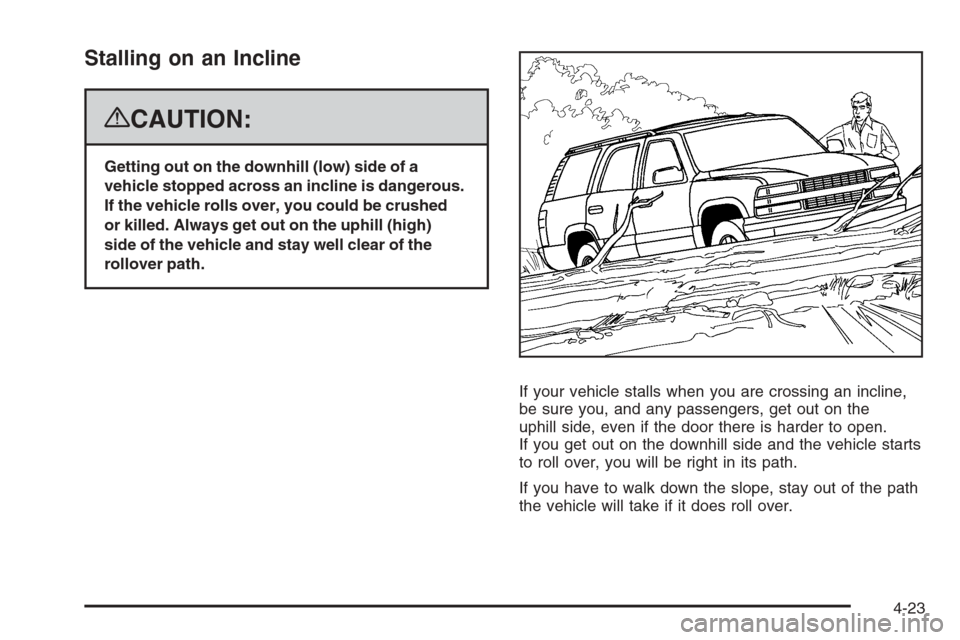
Stalling on an Incline
{CAUTION:
Getting out on the downhill (low) side of a
vehicle stopped across an incline is dangerous.
If the vehicle rolls over, you could be crushed
or killed. Always get out on the uphill (high)
side of the vehicle and stay well clear of the
rollover path.
If your vehicle stalls when you are crossing an incline,
be sure you, and any passengers, get out on the
uphill side, even if the door there is harder to open.
If you get out on the downhill side and the vehicle starts
to roll over, you will be right in its path.
If you have to walk down the slope, stay out of the path
the vehicle will take if it does roll over.
4-23
Page 293 of 490
Driving in Water
{CAUTION:
Driving through rushing water can be
dangerous. Deep water can sweep your vehicle
downstream and you and your passengers
could drown. If it is only shallow water,
it can still wash away the ground from under
your tires, and you could lose traction and
roll the vehicle over. Do not drive through
rushing water.
Heavy rain can mean ash ooding, and ood waters
demand extreme caution.
Find out how deep the water is before you drive through
it. If it is deep enough to cover the wheel hubs, axles,
or exhaust pipe, do not try it — you probably will not
get through. Also, water that deep can damage the
axle and other vehicle parts.If the water is not too deep, drive slowly through it.
At faster speeds, water splashes on the ignition
system and your vehicle can stall. Stalling can also
occur if you get the tailpipe under water. And, as long
as the tailpipe is under water, you will never be able
to start the engine. When you go through water,
remember that when the brakes get wet, it may take
you longer to stop.
SeeDriving in Rain and on Wet Roads on page 4-26
for more information on driving through water.
After Off-Road Driving
Remove any brush or debris that has collected on
the underbody, chassis, or under the hood. These
accumulations can be a re hazard.
After operation in mud or sand, have the brake linings
cleaned and checked. These substances can cause
glazing and uneven braking. Check the body structure,
steering, suspension, wheels, tires, and exhaust
system for damage. Also, check the fuel lines and
cooling system for any leakage.
Your vehicle will require more frequent service due
to off-road use. Refer to the Maintenance Schedule
for additional information.
4-25
Page 313 of 490
If You Do Decide To Pull A Trailer
If you do, here are some important points:
There are many different laws, including speed limit
restrictions, having to do with trailering. Make sure
your rig will be legal, not only where you live
but also where you’ll be driving. A good source for
this information can be state or provincial police.
Consider using a sway control. See “Hitches”
later in this section.
Don’t tow a trailer at all during the rst 500 miles
(800 km) your new vehicle is driven. Your engine,
axle or other parts could be damaged.
Then, during the rst 500 miles (800 km) that you
tow a trailer, don’t drive over 50 mph (80 km/h)
and don’t make starts at full throttle. This helps
your engine and other parts of your vehicle wear
in at the heavier loads.
You can tow in DRIVE (D). If the transmission
shifts too often (e.g., under heavy loads and/or hilly
conditions) you may want to shift the transmission
to a lower gear selection or enable the Tow/Haul
mode. See “Tow/Haul Mode” later in this section.Three important considerations have to do with weight:
the weight of the trailer
the weight of the trailer tongue
and the weight on your vehicle’s tires
Tow/Haul Mode
Tow/Haul is designed to assist while your vehicle
is pulling a large or heavy load or trailer. Tow/Haul
is most useful while pulling such a load in rolling
terrain, in stop-and-go traffic, or when you need
improved low-speed control, such as when parking.
The purpose of the Tow/Haul mode is to:
Reduce the frequency and improve the
predictability of transmission shifts when pulling
a heavy trailer or a large or heavy load.
Provide the same solid shift feel when pulling
a heavy trailer or a large or heavy load as
when the vehicle is unloaded.
Improve control of vehicle speed while requiring
less throttle pedal activity when pulling a heavy
trailer or a large or heavy load.
4-45