belt CADILLAC ESCALADE 2008 3.G Repair Manual
[x] Cancel search | Manufacturer: CADILLAC, Model Year: 2008, Model line: ESCALADE, Model: CADILLAC ESCALADE 2008 3.GPages: 490, PDF Size: 2.65 MB
Page 92 of 490
Servicing Your Airbag-Equipped
Vehicle
Airbags affect how your vehicle should be serviced.
There are parts of the airbag system in several places
around your vehicle. Your dealer/retailer and the service
manual have information about servicing your vehicle
and the airbag system. To purchase a service manual,
seeService Publications Ordering Information on
page 7-15.
{CAUTION:
For up to 10 seconds after the ignition is
turned off and the battery is disconnected, an
airbag can still inate during improper service.
You can be injured if you are close to an
airbag when it inates. Avoid yellow
connectors. They are probably part of the
airbag system. Be sure to follow proper
service procedures, and make sure the person
performing work for you is qualied to do so.
Adding Equipment to Your
Airbag-Equipped Vehicle
Q:Is there anything I might add to or change
about the vehicle that could keep the airbags
from working properly?
A:Yes. If you add things that change your vehicle’s
frame, bumper system, height, front end or side
sheet metal, they may keep the airbag system from
working properly. Changing or moving any parts
of the front seats, safety belts, the airbag sensing
and diagnostic module, steering wheel, instrument
panel, roof-rail airbag modules, ceiling headliner
or pillar garnish trim, overhead console, front
sensors, side impact sensors, rollover sensor
module, or airbag wiring can affect the operation of
the airbag system.
In addition, your vehicle has a passenger sensing
system for the right front passenger’s position,
which includes sensors that are part of the
passenger’s seat. The passenger sensing system
may not operate properly if the original seat trim
is replaced with non-GM covers, upholstery or trim,
1-88
Page 94 of 490
Restraint System Check
Checking the Restraint Systems
Safety Belts
Now and then, make sure the safety belt reminder light
and all your belts, buckles, latch plates, retractors
and anchorages are working properly.
Look for any other loose or damaged safety belt system
parts. If you see anything that might keep a safety
belt system from doing its job, have it repaired. Torn or
frayed safety belts may not protect you in a crash.
They can rip apart under impact forces. If a belt is torn
or frayed, get a new one right away.
Make sure the safety belt reminder light is working.
SeeSafety Belt Reminders on page 3-35for more
information.
Keep safety belts clean and dry. SeeCare of Safety
Belts on page 5-99.
Airbags
The airbag system does not need regularly scheduled
maintenance or replacement. Make sure the airbag
readiness light is working. SeeAirbag Readiness Light
on page 3-36for more information.
Notice:If an airbag covering is damaged, opened,
or broken, the airbag may not work properly.
Do not open or break the airbag coverings. If there
are any opened or broken airbag covers, have the
airbag covering and/or airbag module replaced.
For the location of the airbag modules, seeWhat
Makes an Airbag Inflate? on page 1-81. See your
dealer/retailer for service.
1-90
Page 95 of 490
Replacing Restraint System Parts
After a Crash
{CAUTION:
A crash can damage the restraint systems in
your vehicle. A damaged restraint system
may not properly protect the person using it,
resulting in serious injury or even death in a
crash. To help make sure your restraint
systems are working properly after a crash,
have them inspected and any necessary
replacements made as soon as possible.
If you have had a crash, do you need new belts or
LATCH system (if equipped) parts?
After a very minor crash, nothing may be necessary.
But the belt assemblies that were used during any crash
may have been stressed or damaged. See your
dealer/retailer to have your safety belt assemblies
inspected or replaced.If your vehicle has the LATCH system and it was being
used during a crash, you may need new LATCH
system parts.
New parts and repairs may be necessary even if the
belt or LATCH system (if equipped), was not being used
at the time of the crash.
If an airbag inates, you will need to replace airbag
system parts. See the part on the airbag system earlier
in this section.
Have your safety belt pretensioners checked if your
vehicle has been in a crash, if your airbag readiness
light stays on after you start your vehicle, or while you
are driving. SeeAirbag Readiness Light on page 3-36.
1-91
Page 106 of 490
Doors and Locks
Door Locks
{CAUTION:
Unlocked doors can be dangerous.
Passengers, especially children, can easily
open the doors and fall out of a moving
vehicle. When a door is locked, the handle
will not open it. You increase the chance
of being thrown out of the vehicle in a
crash if the doors are not locked. So, wear
safety belts properly and lock the doors
whenever you drive.
Young children who get into unlocked
vehicles may be unable to get out. A child
can be overcome by extreme heat and can
suffer permanent injuries or even death
from heat stroke. Always lock your vehicle
whenever you leave it.
Outsiders can easily enter through an
unlocked door when you slow down or
stop your vehicle. Locking your doors can
help prevent this from happening.There are several ways to lock and unlock your vehicle.
From the outside, use the Remote Keyless Entry (RKE)
transmitter or the key in the driver’s door.
From the inside, use the power door locks or manual
door locks. To lock or unlock the door with the manual
locks, push down or pull up on the manual lock knob.
Power Door Locks
The power door lock switches are located on the
front doors.
K(Unlock):Press to unlock the doors.
Q(Lock):Remove the key from the ignition and press
to lock the doors.
2-10
Page 163 of 490
Instrument Panel Overview...............................3-4
Hazard Warning Flashers................................3-6
Other Warning Devices...................................3-6
Horn .............................................................3-6
Tilt Wheel.....................................................3-6
Heated Steering Wheel...................................3-7
Turn Signal/Multifunction Lever.........................3-8
Turn and Lane-Change Signals........................3-8
Headlamp High/Low-Beam Changer..................3-9
Windshield Wipers........................................3-10
Rainsense™ II Wipers...................................3-10
Windshield Washer.......................................3-11
Rear Window Wiper/Washer...........................3-12
Cruise Control..............................................3-12
Exterior Lamps.............................................3-16
Headlamps on Reminder................................3-20
Daytime Running Lamps (DRL).......................3-20
Automatic Headlamp System..........................3-20
Fog Lamps ..................................................3-21
Instrument Panel Brightness...........................3-22
Dome Lamps ...............................................3-22
Dome Lamp Override....................................3-22
Entry Lighting...............................................3-22
Exit Lighting.................................................3-22Reading Lamps............................................3-23
Electric Power Management...........................3-23
Battery Run-Down Protection..........................3-24
Accessory Power Outlet(s).............................3-24
Ashtray(s) and Cigarette Lighter......................3-25
Analog Clock...............................................3-25
Climate Controls............................................3-26
Dual Automatic Climate Control System...........3-26
Outlet Adjustment.........................................3-31
Rear Air Conditioning and Heating System
and Electronic Climate Controls...................3-31
Warning Lights, Gages, and Indicators............3-33
Instrument Panel Cluster................................3-34
Speedometer and Odometer...........................3-35
Trip Odometer..............................................3-35
Tachometer.................................................3-35
Safety Belt Reminders...................................3-35
Airbag Readiness Light..................................3-36
Passenger Airbag Status Indicator...................3-37
Charging System Light..................................3-39
Brake System Warning Light..........................3-40
Anti-lock Brake System (ABS) Warning Light.......3-41
StabiliTrak
®Indicator Light.............................3-41
Engine Coolant Temperature Gage..................3-42
Section 3 Instrument Panel
3-1
Page 197 of 490
Speedometer and Odometer
Your speedometer lets you see your speed in both
miles per hour (mph) and kilometers per hour (km/h).
Your vehicle’s odometer works together with the
driver information center. You can set a Trip odometer.
See “Trip Odometer” underDIC Operation and
Displays on page 3-48for more information.
The odometer mileage can be checked without the
vehicle running. Simply press the trip stem on the
instrument panel cluster.
If your vehicle ever needs a new odometer installed,
the new one will be set to the correct mileage total of
the old odometer.
Trip Odometer
The trip odometer can tell you how far your vehicle
has been driven since you last set the trip odometer
to zero.
For more information see “Trip Odometer” underDIC
Operation and Displays on page 3-48.
Tachometer
Your tachometer displays the engine speed in
revolutions per minute (rpm).
Safety Belt Reminders
Safety Belt Reminder Light
When the engine is started, a chime will come on for
several seconds to remind people to fasten their safety
belts, unless the driver’s safety belt is already buckled.
The safety belt light
will also come on and stay
on for several seconds,
then it will ash for
several more.
This chime and light is repeated if the driver remains
unbuckled and the vehicle is in motion. If the driver’s
belt is already buckled, neither the chime nor the
light will come on.
3-35
Page 198 of 490
Passenger Safety Belt Reminder Light
Several seconds after the engine is started, a chime
will sound for several seconds to remind the front
passenger to buckle their safety belt. This would only
occur if the passenger airbag is enabled. SeePassenger
Sensing System on page 1-83for more information.
The passenger safety belt light, located on the
instrument panel, will come on and stay on for several
seconds and then ash for several more.
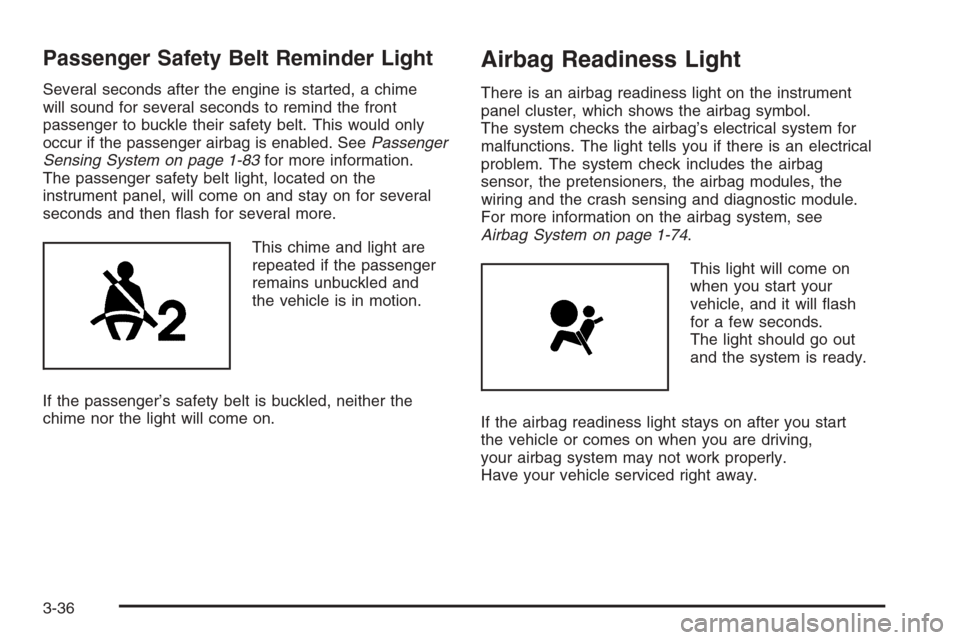
This chime and light are
repeated if the passenger
remains unbuckled and
the vehicle is in motion.
If the passenger’s safety belt is buckled, neither the
chime nor the light will come on.
Airbag Readiness Light
There is an airbag readiness light on the instrument
panel cluster, which shows the airbag symbol.
The system checks the airbag’s electrical system for
malfunctions. The light tells you if there is an electrical
problem. The system check includes the airbag
sensor, the pretensioners, the airbag modules, the
wiring and the crash sensing and diagnostic module.
For more information on the airbag system, see
Airbag System on page 1-74.
This light will come on
when you start your
vehicle, and it will ash
for a few seconds.
The light should go out
and the system is ready.
If the airbag readiness light stays on after you start
the vehicle or comes on when you are driving,
your airbag system may not work properly.
Have your vehicle serviced right away.
3-36
Page 201 of 490
If, after several seconds, both status indicator lights
remain on, or if there are no lights at all, there may
be a problem with the lights or the passenger sensing
system. See your dealer/retailer for service.
{CAUTION:
If the airbag readiness light in the instrument
panel cluster ever comes on and stays on,
it means that something may be wrong with
the airbag system. If this ever happens, have
the vehicle serviced promptly, because an
adult-size person sitting in the right front
passenger’s seat may not have the protection
of the airbag(s). SeeAirbag Readiness Light
on page 3-36for more on this, including
important safety information.
Charging System Light
This light will come on
briey when you turn
on the ignition key, but
the engine is not running,
as a check to show
you it is working.
It should go out once the engine is running. If it stays
on, or comes on while driving, there could be a problem
with the charging system. A charging system Driver
Information Center (DIC) message may also appear.
SeeDIC Warnings and Messages on page 3-52
for more information. This light could indicate that
there are problems with a generator drive belt, or that
there is an electrical problem. Have it checked right
away. If you must drive a short distance with the light on,
be certain to turn off all the accessories, such as the
radio and air conditioner.
3-39
Page 231 of 490
Set up your audio system by presetting your
favorite radio stations, setting the tone, and
adjusting the speakers. Then, when driving
conditions permit, you can tune to your favorite
radio stations using the presets and steering
wheel controls if the vehicle has them.
Notice:Before adding any sound equipment to
your vehicle, such as an audio system, CD player, CB
radio, mobile telephone, or two-way radio, make sure
that it can be added by checking with your dealer/
retailer. Also, check federal rules covering mobile
radio and telephone units. If sound equipment can be
added, it is very important to do it properly. Added
sound equipment may interfere with the operation
of your vehicle’s engine, radio, or other systems,
and even damage them. Your vehicle’s systems
may interfere with the operation of sound equipment
that has been added.
Notice:The chime signals related to safety belts,
parking brake, and other functions of your vehicle
operate through the radio/entertainment system.
If that equipment is replaced or additional equipment
is added to your vehicle, the chimes may not work.
Make sure that replacement or additional equipment
is compatible with your vehicle before installing it.
SeeAccessories and Modifications on page 5-3.Your vehicle may have a feature called Retained
Accessory Power (RAP). With RAP, the audio system
can be played even after the ignition is turned off.
SeeRetained Accessory Power (RAP) on page 2-26
for more information.
Setting the Clock
1. Press thew(tune/select) knob (the passenger
side knob) to enter the main menu.
2. Turn the same knob until SET CLOCK displays.
3. Press this knob to select SET CLOCK.
4. Turn this knob to adjust the time.
5. Press the same knob to update the time.
VEHICLE TIME UPDATED displays.
If the CLOCK/RADIO DISP (display) is programmed into
one of the congurable keys, pressing the key switches
the display back to the clock set function. The time
and date always appears on the radio display.
See “Congurable Radio Display Keys” later in this
section for more information on conguring the keys.
3-69
Page 270 of 490
Your Driving, the Road, and
Your Vehicle
Defensive Driving
Defensive driving means “always expect the
unexpected.” The rst step in driving defensively is
to wear your safety belt — SeeSafety Belts: They Are
for Everyone on page 1-28.
{CAUTION:
Assume that other road users (pedestrians,
bicyclists, and other drivers) are going to be
careless and make mistakes. Anticipate what
they might do and be ready. In addition:
Allow enough following distance between
you and the driver in front of you.
Focus on the task of driving.
Driver distraction can cause collisions
resulting in injury or possible death. These
simple defensive driving techniques could
save your life.
Drunk Driving
{CAUTION:
Drinking and then driving is very dangerous.
Your reexes, perceptions, attentiveness, and
judgment can be affected by even a small
amount of alcohol. You can have a serious — or
even fatal — collision if you drive after drinking.
Do not drink and drive or ride with a driver who
has been drinking. Ride home in a cab; or if you
are with a group, designate a driver who will
not drink.
Death and injury associated with drinking and driving
is a global tragedy.
Alcohol affects four things that anyone needs to drive
a vehicle: judgment, muscular coordination, vision,
and attentiveness.
4-2