ignition CADILLAC ESCALADE 2008 3.G Owners Manual
[x] Cancel search | Manufacturer: CADILLAC, Model Year: 2008, Model line: ESCALADE, Model: CADILLAC ESCALADE 2008 3.GPages: 490, PDF Size: 2.65 MB
Page 8 of 490
Heated Seats
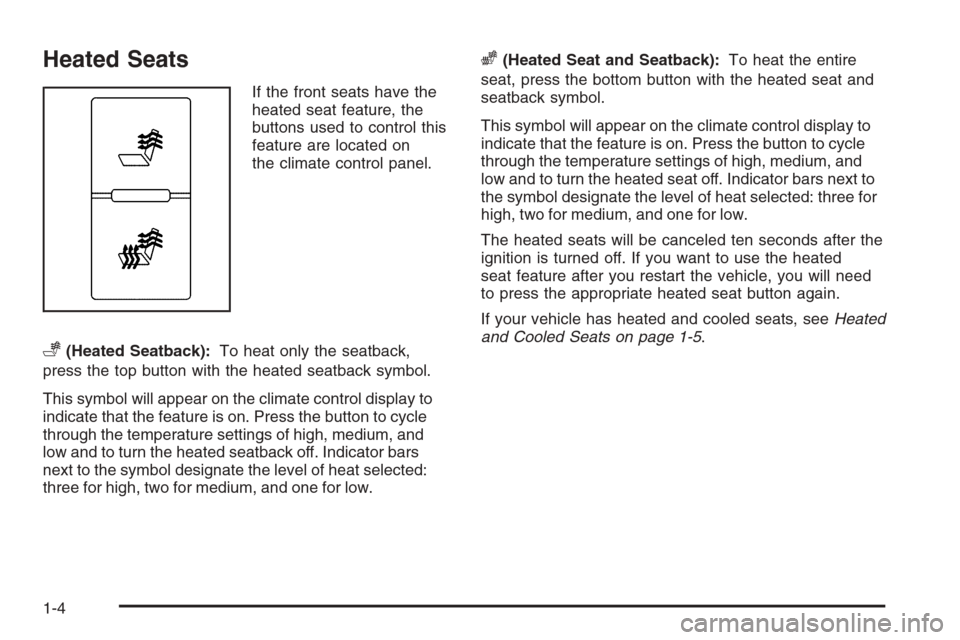
If the front seats have the
heated seat feature, the
buttons used to control this
feature are located on
the climate control panel.
+(Heated Seatback):To heat only the seatback,
press the top button with the heated seatback symbol.
This symbol will appear on the climate control display to
indicate that the feature is on. Press the button to cycle
through the temperature settings of high, medium, and
low and to turn the heated seatback off. Indicator bars
next to the symbol designate the level of heat selected:
three for high, two for medium, and one for low.
z(Heated Seat and Seatback):To heat the entire
seat, press the bottom button with the heated seat and
seatback symbol.
This symbol will appear on the climate control display to
indicate that the feature is on. Press the button to cycle
through the temperature settings of high, medium, and
low and to turn the heated seat off. Indicator bars next to
the symbol designate the level of heat selected: three for
high, two for medium, and one for low.
The heated seats will be canceled ten seconds after the
ignition is turned off. If you want to use the heated
seat feature after you restart the vehicle, you will need
to press the appropriate heated seat button again.
If your vehicle has heated and cooled seats, seeHeated
and Cooled Seats on page 1-5.
1-4
Page 9 of 490
Heated and Cooled Seats
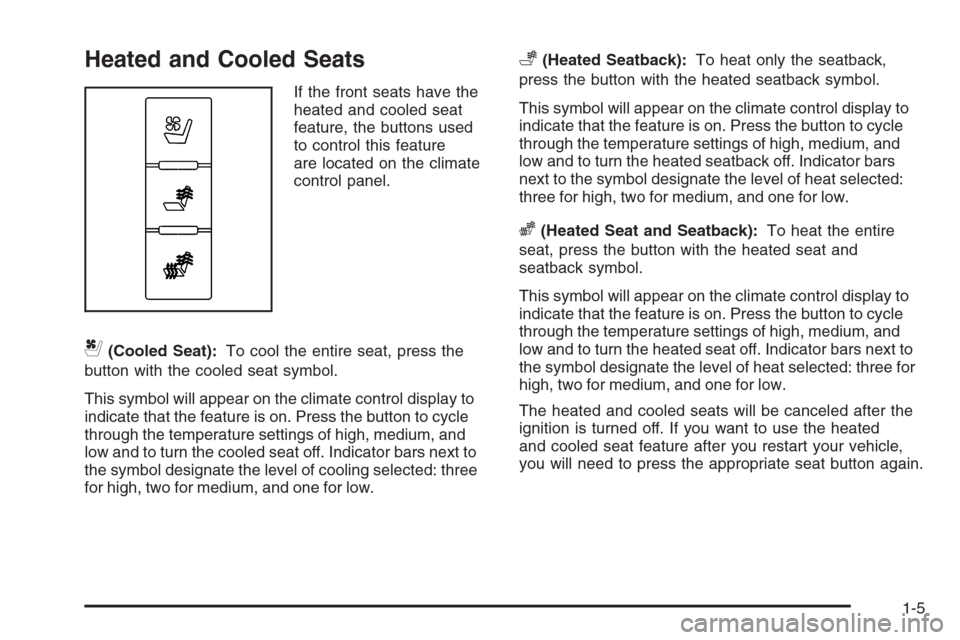
If the front seats have the
heated and cooled seat
feature, the buttons used
to control this feature
are located on the climate
control panel.
{(Cooled Seat):To cool the entire seat, press the
button with the cooled seat symbol.
This symbol will appear on the climate control display to
indicate that the feature is on. Press the button to cycle
through the temperature settings of high, medium, and
low and to turn the cooled seat off. Indicator bars next to
the symbol designate the level of cooling selected: three
for high, two for medium, and one for low.
+(Heated Seatback):To heat only the seatback,
press the button with the heated seatback symbol.
This symbol will appear on the climate control display to
indicate that the feature is on. Press the button to cycle
through the temperature settings of high, medium, and
low and to turn the heated seatback off. Indicator bars
next to the symbol designate the level of heat selected:
three for high, two for medium, and one for low.
z(Heated Seat and Seatback):To heat the entire
seat, press the button with the heated seat and
seatback symbol.
This symbol will appear on the climate control display to
indicate that the feature is on. Press the button to cycle
through the temperature settings of high, medium, and
low and to turn the heated seat off. Indicator bars next to
the symbol designate the level of heat selected: three for
high, two for medium, and one for low.
The heated and cooled seats will be canceled after the
ignition is turned off. If you want to use the heated
and cooled seat feature after you restart your vehicle,
you will need to press the appropriate seat button again.
1-5
Page 11 of 490
Easy Exit Seat
The control for this feature is located on the driver’s
door between buttons 1 and 2.
With the vehicle in PARK (P), the exit position can be
recalled by pressing the exit button. You will hear
a single beep. The driver’s seat will move back.
If the easy exit seat feature is on in the Driver
Information Center (DIC), automatic seat movement
will occur when the key is removed from the ignition.
See “EASY EXIT SEAT” underDIC Vehicle
Customization on page 3-59for more information.
Further programming for the memory seat feature can
be done using the DIC. You can select the automatic
easy exit seat feature or the remote memory seat
recall feature.
For programming information, seeDIC Vehicle
Customization on page 3-59.
Power Reclining Seatbacks
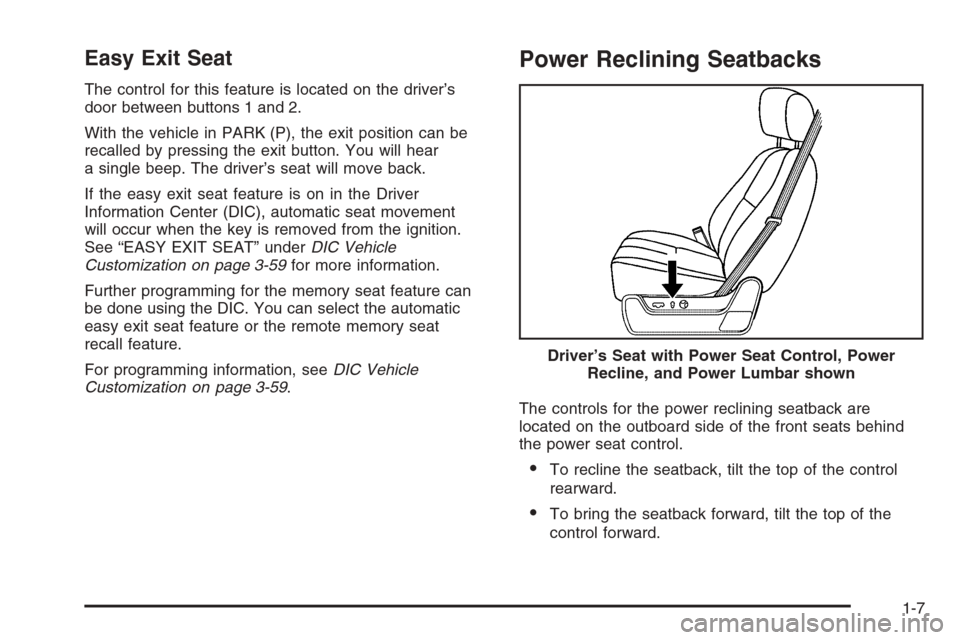
The controls for the power reclining seatback are
located on the outboard side of the front seats behind
the power seat control.
To recline the seatback, tilt the top of the control
rearward.
To bring the seatback forward, tilt the top of the
control forward. Driver’s Seat with Power Seat Control, Power
Recline, and Power Lumbar shown
1-7
Page 14 of 490
Center Seat
Your vehicle may have a front center seat. The seatback
doubles as an armrest and cupholder/storage area for
the driver and passenger when the center seat is
not used. Do not use it as a seating position when the
seatback is folded down.
Rear Seats
Heated Seats
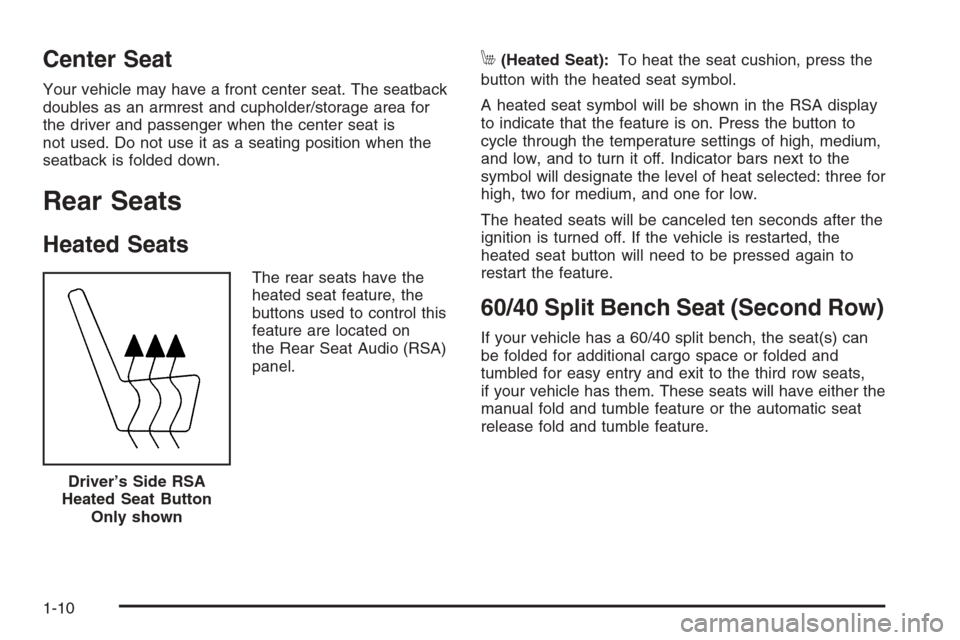
The rear seats have the
heated seat feature, the
buttons used to control this
feature are located on
the Rear Seat Audio (RSA)
panel.
M(Heated Seat):To heat the seat cushion, press the
button with the heated seat symbol.
A heated seat symbol will be shown in the RSA display
to indicate that the feature is on. Press the button to
cycle through the temperature settings of high, medium,
and low, and to turn it off. Indicator bars next to the
symbol will designate the level of heat selected: three for
high, two for medium, and one for low.
The heated seats will be canceled ten seconds after the
ignition is turned off. If the vehicle is restarted, the
heated seat button will need to be pressed again to
restart the feature.
60/40 Split Bench Seat (Second Row)
If your vehicle has a 60/40 split bench, the seat(s) can
be folded for additional cargo space or folded and
tumbled for easy entry and exit to the third row seats,
if your vehicle has them. These seats will have either the
manual fold and tumble feature or the automatic seat
release fold and tumble feature.
Driver’s Side RSA
Heated Seat Button
Only shown
1-10
Page 92 of 490
Servicing Your Airbag-Equipped
Vehicle
Airbags affect how your vehicle should be serviced.
There are parts of the airbag system in several places
around your vehicle. Your dealer/retailer and the service
manual have information about servicing your vehicle
and the airbag system. To purchase a service manual,
seeService Publications Ordering Information on
page 7-15.
{CAUTION:
For up to 10 seconds after the ignition is
turned off and the battery is disconnected, an
airbag can still inate during improper service.
You can be injured if you are close to an
airbag when it inates. Avoid yellow
connectors. They are probably part of the
airbag system. Be sure to follow proper
service procedures, and make sure the person
performing work for you is qualied to do so.
Adding Equipment to Your
Airbag-Equipped Vehicle
Q:Is there anything I might add to or change
about the vehicle that could keep the airbags
from working properly?
A:Yes. If you add things that change your vehicle’s
frame, bumper system, height, front end or side
sheet metal, they may keep the airbag system from
working properly. Changing or moving any parts
of the front seats, safety belts, the airbag sensing
and diagnostic module, steering wheel, instrument
panel, roof-rail airbag modules, ceiling headliner
or pillar garnish trim, overhead console, front
sensors, side impact sensors, rollover sensor
module, or airbag wiring can affect the operation of
the airbag system.
In addition, your vehicle has a passenger sensing
system for the right front passenger’s position,
which includes sensors that are part of the
passenger’s seat. The passenger sensing system
may not operate properly if the original seat trim
is replaced with non-GM covers, upholstery or trim,
1-88
Page 97 of 490
Keys...............................................................2-3
Remote Keyless Entry (RKE) System................2-4
Remote Keyless Entry (RKE) System
Operation...................................................2-5
Remote Vehicle Start......................................2-7
Doors and Locks............................................2-10
Door Locks..................................................2-10
Power Door Locks........................................2-10
Delayed Locking...........................................2-11
Programmable Automatic Door Locks..............2-11
Rear Door Security Locks..............................2-11
Lockout Protection........................................2-12
Liftgate/Liftglass............................................2-12
Power Liftgate..............................................2-14
Power Running Boards..................................2-17
Windows........................................................2-18
Power Windows............................................2-19
Sun Visors...................................................2-20Theft-Deterrent Systems..................................2-20
Content Theft-Deterrent.................................2-20
PASS-Key
®III+ Electronic Immobilizer.............2-22
PASS-Key®III+ Electronic Immobilizer
Operation.................................................2-23
Starting and Operating Your Vehicle................2-24
New Vehicle Break-In....................................2-24
Ignition Positions..........................................2-25
Retained Accessory Power (RAP)...................2-26
Starting the Engine.......................................2-26
Adjustable Throttle and Brake Pedal................2-28
Engine Coolant Heater..................................2-28
Automatic Transmission Operation...................2-30
Tow/Haul Mode............................................2-34
Parking Brake..............................................2-35
Shifting Into Park..........................................2-36
Shifting Out of Park......................................2-37
Parking Over Things That Burn.......................2-38
Engine Exhaust............................................2-38
Running the Vehicle While Parked..................2-39
Section 2 Features and Controls
2-1
Page 99 of 490
Keys
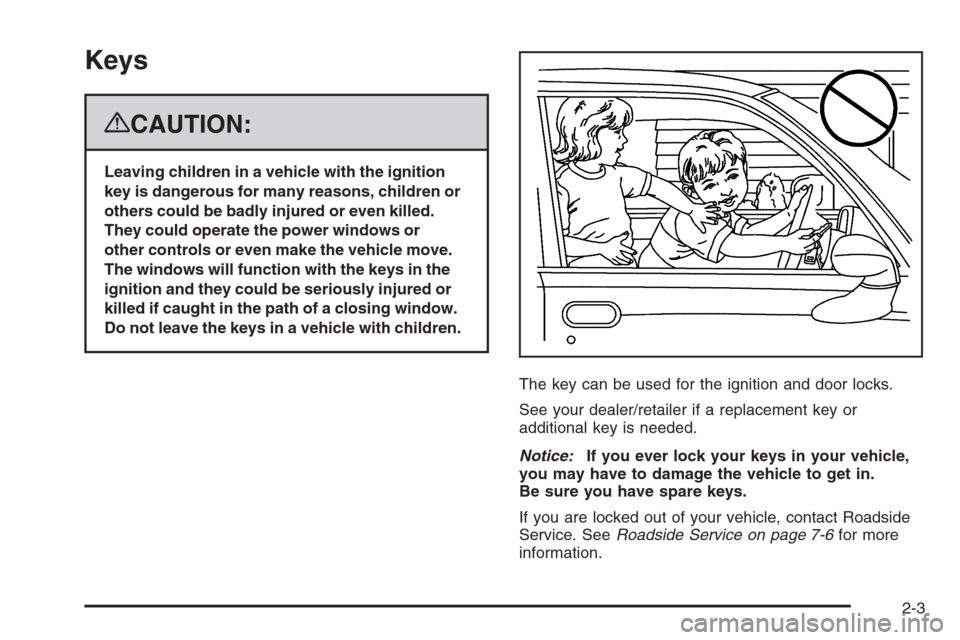
{CAUTION:
Leaving children in a vehicle with the ignition
key is dangerous for many reasons, children or
others could be badly injured or even killed.
They could operate the power windows or
other controls or even make the vehicle move.
The windows will function with the keys in the
ignition and they could be seriously injured or
killed if caught in the path of a closing window.
Do not leave the keys in a vehicle with children.
The key can be used for the ignition and door locks.
See your dealer/retailer if a replacement key or
additional key is needed.
Notice:If you ever lock your keys in your vehicle,
you may have to damage the vehicle to get in.
Be sure you have spare keys.
If you are locked out of your vehicle, contact Roadside
Service. SeeRoadside Service on page 7-6for more
information.
2-3
Page 101 of 490
Remote Keyless Entry (RKE)
System Operation
The Remote Keyless Entry (RKE) transmitter functions
will work up to 195 feet (60 m) away, however, the
operating range may be less while the vehicle is running.
There are other conditions which can affect the
performance of the transmitter. SeeRemote Keyless
Entry (RKE) System on page 2-4.The following functions may be available if your vehicle
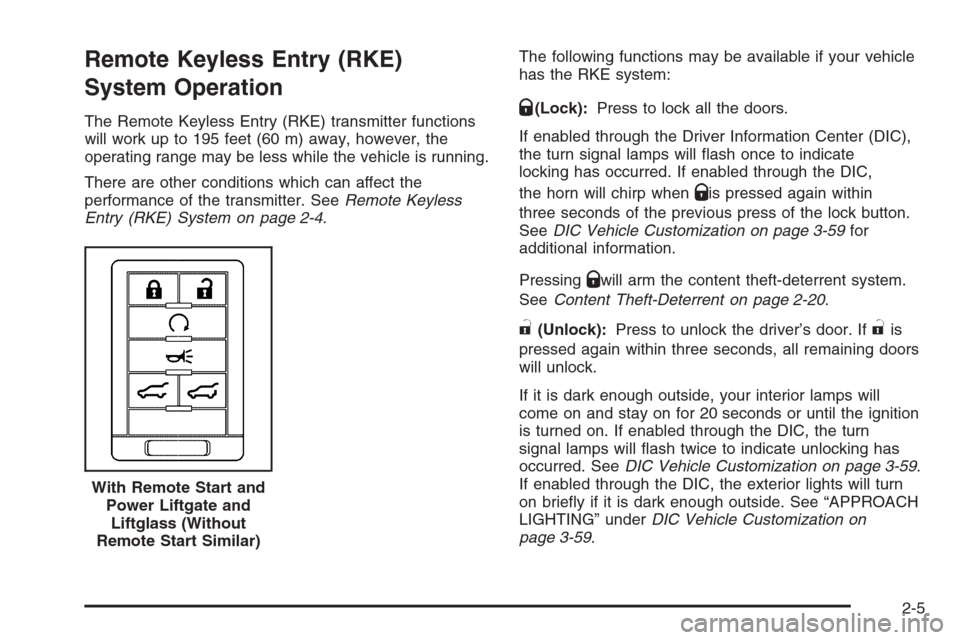
has the RKE system:Q(Lock):Press to lock all the doors.
If enabled through the Driver Information Center (DIC),
the turn signal lamps will ash once to indicate
locking has occurred. If enabled through the DIC,
the horn will chirp when
Qis pressed again within
three seconds of the previous press of the lock button.
SeeDIC Vehicle Customization on page 3-59for
additional information.
Pressing
Qwill arm the content theft-deterrent system.
SeeContent Theft-Deterrent on page 2-20.
"(Unlock):Press to unlock the driver’s door. If"is
pressed again within three seconds, all remaining doors
will unlock.
If it is dark enough outside, your interior lamps will
come on and stay on for 20 seconds or until the ignition
is turned on. If enabled through the DIC, the turn
signal lamps will ash twice to indicate unlocking has
occurred. SeeDIC Vehicle Customization on page 3-59.
If enabled through the DIC, the exterior lights will turn
on briey if it is dark enough outside. See “APPROACH
LIGHTING” underDIC Vehicle Customization on
page 3-59. With Remote Start and
Power Liftgate and
Liftglass (Without
Remote Start Similar)
2-5
Page 102 of 490
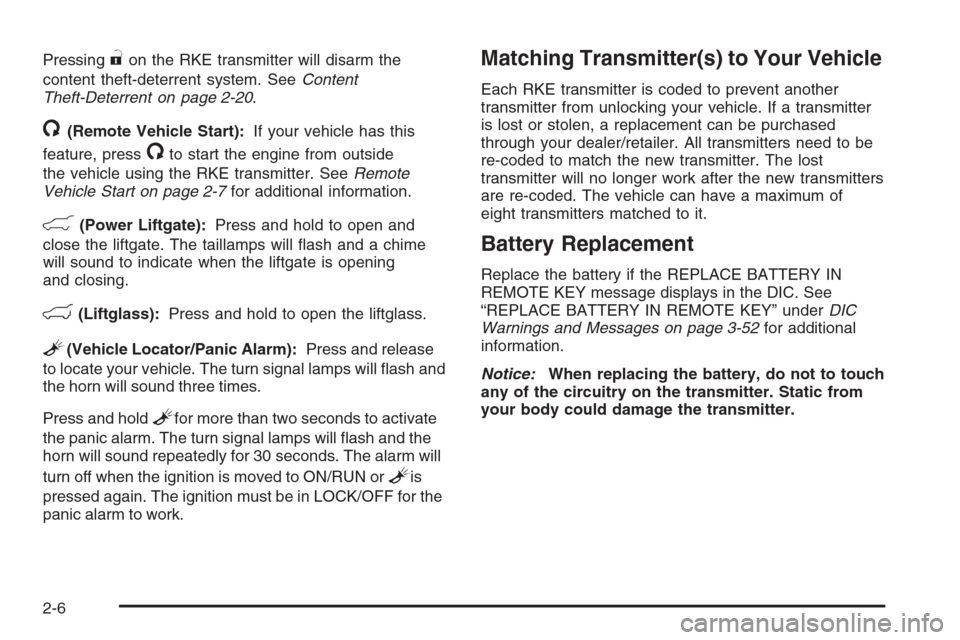
Pressing"on the RKE transmitter will disarm the
content theft-deterrent system. SeeContent
Theft-Deterrent on page 2-20.
/(Remote Vehicle Start):If your vehicle has this
feature, press
/to start the engine from outside
the vehicle using the RKE transmitter. SeeRemote
Vehicle Start on page 2-7for additional information.
&(Power Liftgate):Press and hold to open and
close the liftgate. The taillamps will ash and a chime
will sound to indicate when the liftgate is opening
and closing.
m(Liftglass):Press and hold to open the liftglass.
L(Vehicle Locator/Panic Alarm):Press and release
to locate your vehicle. The turn signal lamps will ash and
the horn will sound three times.
Press and hold
Lfor more than two seconds to activate
the panic alarm. The turn signal lamps will ash and the
horn will sound repeatedly for 30 seconds. The alarm will
turn off when the ignition is moved to ON/RUN or
Lis
pressed again. The ignition must be in LOCK/OFF for the
panic alarm to work.
Matching Transmitter(s) to Your Vehicle
Each RKE transmitter is coded to prevent another
transmitter from unlocking your vehicle. If a transmitter
is lost or stolen, a replacement can be purchased
through your dealer/retailer. All transmitters need to be
re-coded to match the new transmitter. The lost
transmitter will no longer work after the new transmitters
are re-coded. The vehicle can have a maximum of
eight transmitters matched to it.
Battery Replacement
Replace the battery if the REPLACE BATTERY IN
REMOTE KEY message displays in the DIC. See
“REPLACE BATTERY IN REMOTE KEY” underDIC
Warnings and Messages on page 3-52for additional
information.
Notice:When replacing the battery, do not to touch
any of the circuitry on the transmitter. Static from
your body could damage the transmitter.
2-6
Page 105 of 490
After entering the vehicle during a remote start, insert
and turn the key to ON/RUN to drive the vehicle.
To manually shut off a remote start, do any of the
following:
Aim the RKE transmitter at the vehicle and press
the remote start button until the parking lamps
turn off.
Turn on the hazard warning ashers.
Turn the ignition switch on and then off.
The vehicle can be remote started two separate times
between driving sequences. The engine will run for
10 minutes after each remote start.
Or, you can extend the engine run time by another
10 minutes within the rst 10 minute remote start time
frame, and before the engine stops.
For example, if the lock button and then the remote
start buttons are pressed again after the vehicle
has been running for ve minutes, 10 minutes are
added, allowing the engine to run for 15 minutes.The additional ten minutes are considered a
second remote vehicle start.
After your vehicles engine has been started two times
using the remote vehicle start button, or a single remote
start with one time extension, the vehicle must be
started with the key.
After the key is removed from the ignition, the vehicle
can be remote started again.
The vehicle cannot be remote started if the key is in the
ignition, the hood is not closed, or if there is an
emission control system malfunction and the check
engine light comes on.
Also, the engine will turn off during a remote vehicle
start if the coolant temperature gets too high or if the oil
pressure gets low.
Vehicles that have the remote vehicle start feature are
shipped from the factory with the remote vehicle
start system enabled. The system may be enabled or
disabled through the DIC. See “REMOTE START” under
DIC Vehicle Customization on page 3-59for additional
information.
2-9