seats CADILLAC ESCALADE 2009 3.G Owner's Guide
[x] Cancel search | Manufacturer: CADILLAC, Model Year: 2009, Model line: ESCALADE, Model: CADILLAC ESCALADE 2009 3.GPages: 586, PDF Size: 4.47 MB
Page 217 of 586
Relearn Remote Key
This display allows you to match Remote Keyless
Entry (RKE) transmitters to your vehicle. To match
an RKE transmitter to your vehicle:
1. Press the vehicle information button until PRESS
V
TO RELEARN REMOTE KEY displays.
2. Press the set/reset button until REMOTE KEY
LEARNING ACTIVE is displayed.
3. Press and hold the lock and unlock buttons on
the rst transmitter at the same time for about
15 seconds.
On vehicles with memory recall seats, the
rst transmitter learned will match driver 1 and
the second will match driver 2.
A chime will sound indicating that the transmitter
is matched.
4. To match additional transmitters at this time,
repeat Step 3.
Each vehicle can have a maximum of
eight transmitters matched to it.
5. To exit the programming mode, you must
cycle the key to LOCK/OFF.
Compass Zone Setting
This display allows for setting the compass zone.
SeeDIC Compass on page 3-51for more information.
Compass Recalibration
This display allows for calibrating the compass. See
DIC Compass on page 3-51for more information.
Blank Display
This display shows no information.
DIC Compass
Your vehicle may have a compass in the Driver
Information Center (DIC).
Compass Zone
The zone is set to zone eight upon leaving the factory.
Your dealer/retailer will set the correct zone for your
location.
Under certain circumstances, such as during a long
distance cross-country trip or moving to a new state or
province, it will be necessary to compensate for
compass variance by resetting the zone through the
DIC if the zone is not set correctly.
3-51
Page 219 of 586
Compass Calibration
The compass can be manually calibrated. Only calibrate
the compass in a magnetically clean and safe location,
such as an open parking lot, where driving the vehicle in
circles is not a danger. It is suggested to calibrate
away from tall buildings, utility wires, manhole covers, or
other industrial structures, if possible.
If CAL should ever appear in the DIC display, the
compass should be calibrated.
If the DIC display does not show a heading, for example,
N for North, or the heading does not change after
making turns, there may be a strong magnetic eld
interfering with the compass. Such interference may be
caused by a magnetic CB or cell phone antenna
mount, a magnetic emergency light, magnetic note pad
holder, or any other magnetic item. Turn off the
vehicle, move the magnetic item, then turn on the
vehicle and calibrate the compass.To calibrate the compass, use the following procedure:Compass Calibration Procedure
1. Before calibrating the compass, make sure the
compass zone is set to the variance zone in
which the vehicle is located. See “Compass
Variance (Zone) Procedure” earlier in this section.
Do not operate any switches such as window,
sunroof, climate controls, seats, etc. during
the calibration procedure.
2. Press the vehicle information button until PRESS
V
TO CALIBRATE COMPAS (Compass) displays.
3. Press the set/reset button to start the compass
calibration.
4. The DIC will display CALIBRATING: DRIVE IN
CIRCLES. Drive the vehicle in tight circles at less
than 5 mph (8 km/h) to complete the calibration. The
DIC will display CALIBRATION COMPLETE for a
few seconds when the calibration is complete. The
DIC display will then return to the previous menu.
3-53
Page 263 of 586
The DVD player can be controlled by using the buttons
located below the video display screen or by using
the buttons on the system’s remote control. See
“Remote Control” later for more information.
The following discs are compatible with the DVD player:
DVD-Video: A DVD that has video.
CD-DA: A CD that has music or sound content only.
CD-Video: A CD that has a movie.
CD-R/RW: A disc that has audio les such as CD-R
with downloaded MP3 les, MPEG, or JPEG les.
The DVD player and discs are coded by global region.
The DVD players are set to Region 1. Discs with
other region codes will not work in the players.
If an error message displays on the video screen, see
“DVD Messages” later in this section.
While the vehicle is moving, passengers should not
unfasten their safety belts to make adjustments to the
video screen control buttons. See “Safety Belts”
under, Seats and Restraint Systems in the vehicle’s
owner manual. Use the remote control for any necessary
adjustments. See “Remote Control” later in this
supplement.
POWER
O:Press to turn the power on or off. Each
video screen can be powered on or off independently.EJECT
X:Press to eject a disc from the DVD slot.
If a disc is ejected from the player, but not removed,
it will automatically reload into the player. Another way to
reload a disc that has been ejected, but not removed
from the DVD player, is to press the eject button or the
play button.
PLAY
r:Press this button located below the video
display screen to start playback of a disc. On DVDs and
video CDs with playback control (PBC), menu screens
can display automatically. It might be necessary to press
the play button again to begin play.
There is a play position memory feature for DVD and
video CD only. If the DVD player is turned off and then
turned back on, the DVD player resumes playback
where the disc stopped. The play position memory is
erased if the disc is removed.
STOP
c:Press once to stop playing a DVD.
There is a pre-stop feature for DVD and video CD only.
This feature resumes playback of the disc where it
was stopped. Press the stop button once during disc
playback and
cdisplays on the DVD startup screen.
This icon disappears after a few seconds. Press the stop
button a second time, or eject the disc, to cancel the
pre-stop feature and to clear the disc position memory.
3-97
Page 405 of 586
Using heavier suspension components to get
added durability might not change your weight
ratings. Ask your dealer to help you load
your vehicle the right way.
If you put things inside your vehicle — like
suitcases, tools, packages, or anything else — they
will go as fast as the vehicle goes. If you have to
stop or turn quickly, or if there is a crash, they will
keep going.
{CAUTION:
Things you put inside your vehicle can strike
and injure people in a sudden stop or turn, or
in a crash.
Put things in the cargo area of your
vehicle. Try to spread the weight evenly.
Never stack heavier things, like
suitcases, inside the vehicle so that some
of them are above the tops of the seats.
Do not leave an unsecured child restraint
in your vehicle.
When you carry something inside the
vehicle, secure it whenever you can.
Do not leave a seat folded down unless
you need to.There is also important loading information for
off-road driving in this manual. See “Loading Your
Vehicle for Off-Road Driving” underOff-Road
Driving on page 5-13.
Add-On Equipment
When you carry removable items, you may need to
put a limit on how many people you can carry inside
your vehicle. Be sure to weigh your vehicle before
you buy and install the new equipment.
Notice
:Overloading your vehicle may cause
damage. Repairs would not be covered by your
warranty. Do not overload your vehicle.
Remember not to exceed the Gross Axle Weight
Rating (GAWR) of the front or rear axle.
Automatic Level Control
The automatic level control rear suspension
comes as a part of the Road Sensing Suspension.
SeeRoad Sensing Suspension on page 5-9.
This type of level control is fully automatic and will
provide a better leveled riding position as well as
better handling under a variety of passenger and
loading conditions. An air compressor connected
to the rear shocks will raise or lower the rear of
the vehicle to maintain proper vehicle height.
5-37
Page 483 of 586
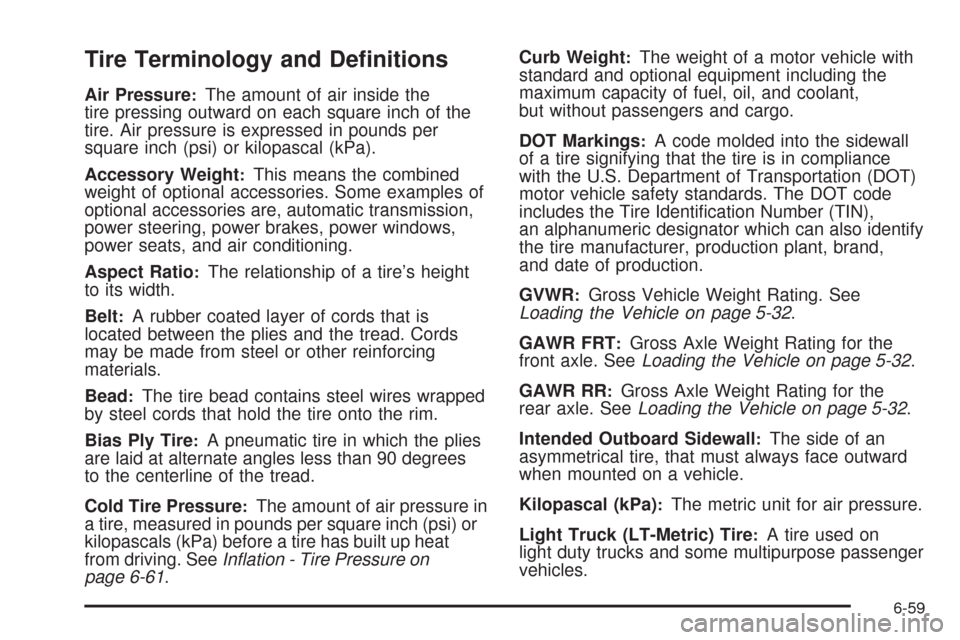
Tire Terminology and Denitions
Air Pressure:The amount of air inside the
tire pressing outward on each square inch of the
tire. Air pressure is expressed in pounds per
square inch (psi) or kilopascal (kPa).
Accessory Weight
:This means the combined
weight of optional accessories. Some examples of
optional accessories are, automatic transmission,
power steering, power brakes, power windows,
power seats, and air conditioning.
Aspect Ratio
:The relationship of a tire’s height
to its width.
Belt
:A rubber coated layer of cords that is
located between the plies and the tread. Cords
may be made from steel or other reinforcing
materials.
Bead
:The tire bead contains steel wires wrapped
by steel cords that hold the tire onto the rim.
Bias Ply Tire
:A pneumatic tire in which the plies
are laid at alternate angles less than 90 degrees
to the centerline of the tread.
Cold Tire Pressure
:The amount of air pressure in
a tire, measured in pounds per square inch (psi) or
kilopascals (kPa) before a tire has built up heat
from driving. SeeInflation - Tire Pressure on
page 6-61.Curb Weight
:The weight of a motor vehicle with
standard and optional equipment including the
maximum capacity of fuel, oil, and coolant,
but without passengers and cargo.
DOT Markings
:A code molded into the sidewall
of a tire signifying that the tire is in compliance
with the U.S. Department of Transportation (DOT)
motor vehicle safety standards. The DOT code
includes the Tire Identication Number (TIN),
an alphanumeric designator which can also identify
the tire manufacturer, production plant, brand,
and date of production.
GVWR
:Gross Vehicle Weight Rating. See
Loading the Vehicle on page 5-32.
GAWR FRT
:Gross Axle Weight Rating for the
front axle. SeeLoading the Vehicle on page 5-32.
GAWR RR
:Gross Axle Weight Rating for the
rear axle. SeeLoading the Vehicle on page 5-32.
Intended Outboard Sidewall
:The side of an
asymmetrical tire, that must always face outward
when mounted on a vehicle.
Kilopascal (kPa)
:The metric unit for air pressure.
Light Truck (LT-Metric) Tire
:A tire used on
light duty trucks and some multipurpose passenger
vehicles.
6-59
Page 528 of 586
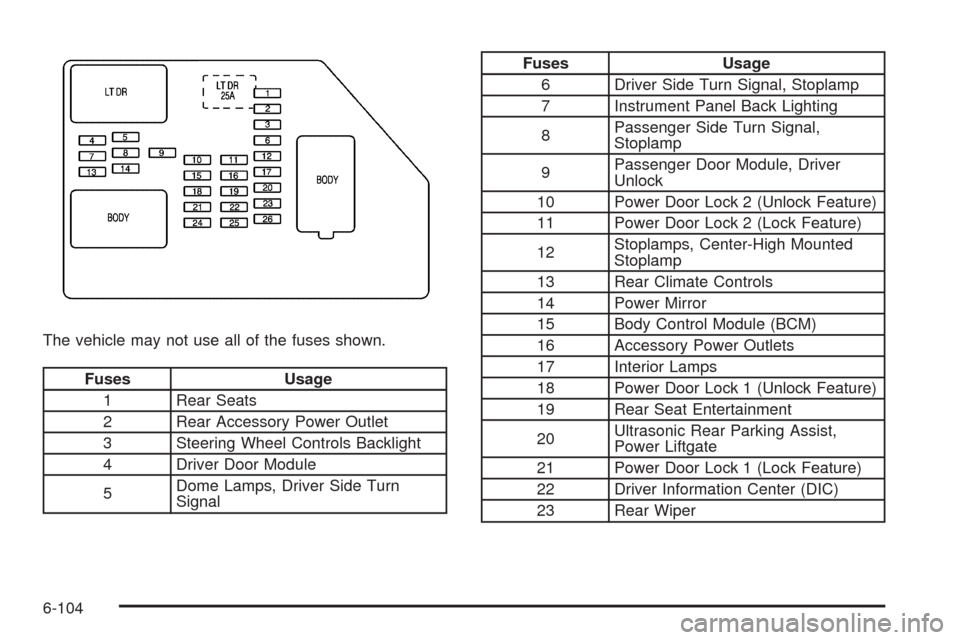
The vehicle may not use all of the fuses shown.
Fuses Usage
1 Rear Seats
2 Rear Accessory Power Outlet
3 Steering Wheel Controls Backlight
4 Driver Door Module
5Dome Lamps, Driver Side Turn
Signal
Fuses Usage
6 Driver Side Turn Signal, Stoplamp
7 Instrument Panel Back Lighting
8Passenger Side Turn Signal,
Stoplamp
9Passenger Door Module, Driver
Unlock
10 Power Door Lock 2 (Unlock Feature)
11 Power Door Lock 2 (Lock Feature)
12Stoplamps, Center-High Mounted
Stoplamp
13 Rear Climate Controls
14 Power Mirror
15 Body Control Module (BCM)
16 Accessory Power Outlets
17 Interior Lamps
18 Power Door Lock 1 (Unlock Feature)
19 Rear Seat Entertainment
20Ultrasonic Rear Parking Assist,
Power Liftgate
21 Power Door Lock 1 (Lock Feature)
22 Driver Information Center (DIC)
23 Rear Wiper
6-104
Page 529 of 586
Fuses Usage
24 Cooled Seats
25Driver Seat Module, Remote
Keyless Entry System
26Driver Power Door Lock
(Unlock Feature)
Circuit Breaker Usage
LT DRDriver Side Power Window Circuit
Breaker
Harness
ConnectorUsage
LT DR Driver Door Harness Connection
BODY Harness Connector
BODY Harness Connector
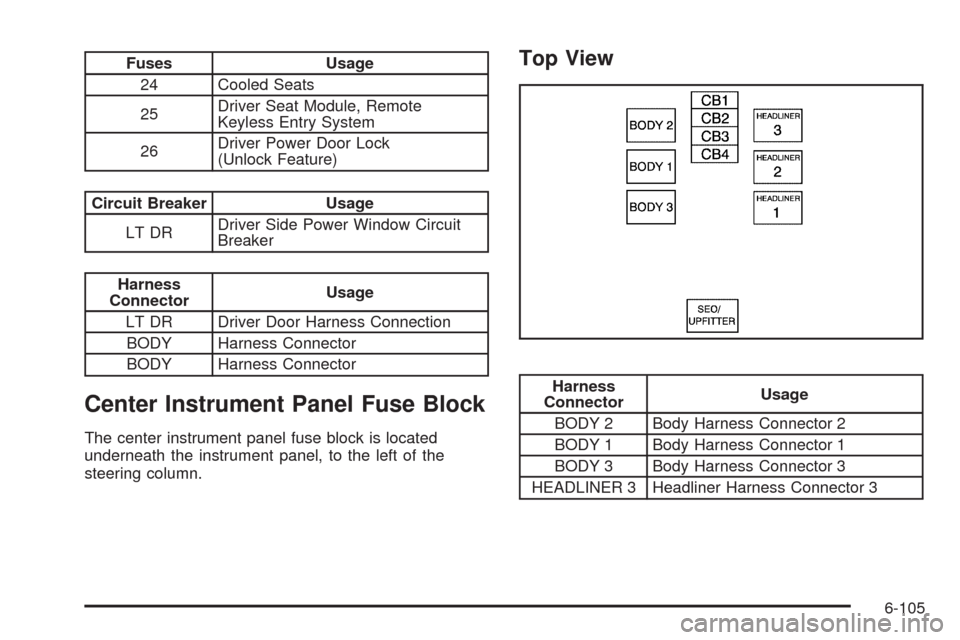
Center Instrument Panel Fuse Block
The center instrument panel fuse block is located
underneath the instrument panel, to the left of the
steering column.
Top View
Harness
ConnectorUsage
BODY 2 Body Harness Connector 2
BODY 1 Body Harness Connector 1
BODY 3 Body Harness Connector 3
HEADLINER 3 Headliner Harness Connector 3
6-105
Page 548 of 586
Usage Fluid/Lubricant
Front and Rear
AxleSAE 75W-90 Synthetic Axle
Lubricant (GM Part No. U.S.
89021677, in Canada 89021678)
meeting GM Specication 9986115.
Transfer CaseDEXRON
®-VI Automatic
Transmission Fluid.
Hood HingesMulti-Purpose Lubricant, Superlube
(GM Part No. U.S. 12346241, in
Canada 10953474).
Body Door
Hinge Pins,
Tailgate Hinge
and Linkage,
Folding Seats,
and Fuel Door
HingeMulti-Purpose Lubricant, Superlube
(GM Part No. U.S. 12346241, in
Canada 10953474).
Usage Fluid/Lubricant
Outer Tailgate
Handle Pivot
PointsMulti-Purpose Lubricant, Superlube
(GM Part No. U.S. 12346241, in
Canada 10953474).
Weatherstrip
ConditioningWeatherstrip Lubricant (GM Part No.
U.S. 3634770, in Canada 10953518)
or Dielectric Silicone Grease
(GM Part No. U.S. 12345579,
in Canada 992887).
Weatherstrip
SqueaksSynthetic Grease with Teon,
Superlube (GM Part No. U.S.
12371287, in Canada 10953437).
7-14
Page 574 of 586
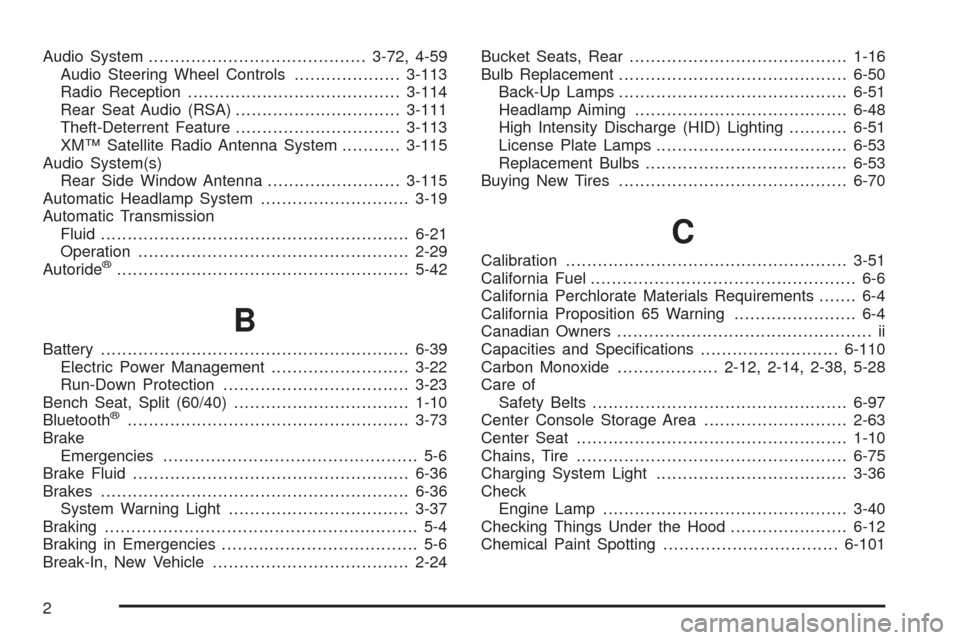
Audio System.........................................3-72, 4-59
Audio Steering Wheel Controls....................3-113
Radio Reception........................................3-114
Rear Seat Audio (RSA)...............................3-111
Theft-Deterrent Feature...............................3-113
XM™ Satellite Radio Antenna System...........3-115
Audio System(s)
Rear Side Window Antenna.........................3-115
Automatic Headlamp System............................3-19
Automatic Transmission
Fluid..........................................................6-21
Operation...................................................2-29
Autoride
®.......................................................5-42
B
Battery..........................................................6-39
Electric Power Management..........................3-22
Run-Down Protection...................................3-23
Bench Seat, Split (60/40).................................1-10
Bluetooth
®.....................................................3-73
Brake
Emergencies................................................ 5-6
Brake Fluid....................................................6-36
Brakes..........................................................6-36
System Warning Light..................................3-37
Braking........................................................... 5-4
Braking in Emergencies..................................... 5-6
Break-In, New Vehicle.....................................2-24Bucket Seats, Rear.........................................1-16
Bulb Replacement...........................................6-50
Back-Up Lamps...........................................6-51
Headlamp Aiming........................................6-48
High Intensity Discharge (HID) Lighting...........6-51
License Plate Lamps....................................6-53
Replacement Bulbs......................................6-53
Buying New Tires...........................................6-70
C
Calibration.....................................................3-51
California Fuel.................................................. 6-6
California Perchlorate Materials Requirements....... 6-4
California Proposition 65 Warning....................... 6-4
Canadian Owners................................................ ii
Capacities and Specications..........................6-110
Carbon Monoxide...................2-12, 2-14, 2-38, 5-28
Care of
Safety Belts................................................6-97
Center Console Storage Area...........................2-63
Center Seat...................................................1-10
Chains, Tire...................................................6-75
Charging System Light....................................3-36
Check
Engine Lamp..............................................3-40
Checking Things Under the Hood......................6-12
Chemical Paint Spotting.................................6-101
2
Page 575 of 586
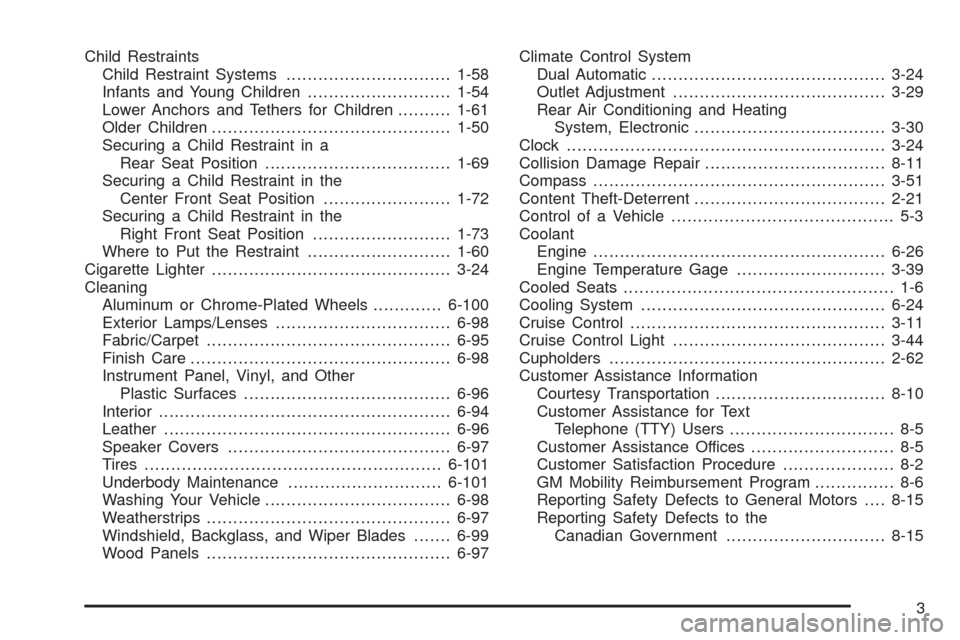
Child Restraints
Child Restraint Systems...............................1-58
Infants and Young Children...........................1-54
Lower Anchors and Tethers for Children..........1-61
Older Children.............................................1-50
Securing a Child Restraint in a
Rear Seat Position...................................1-69
Securing a Child Restraint in the
Center Front Seat Position........................1-72
Securing a Child Restraint in the
Right Front Seat Position..........................1-73
Where to Put the Restraint...........................1-60
Cigarette Lighter.............................................3-24
Cleaning
Aluminum or Chrome-Plated Wheels.............6-100
Exterior Lamps/Lenses.................................6-98
Fabric/Carpet..............................................6-95
Finish Care.................................................6-98
Instrument Panel, Vinyl, and Other
Plastic Surfaces.......................................6-96
Interior.......................................................6-94
Leather......................................................6-96
Speaker Covers..........................................6-97
Tires........................................................6-101
Underbody Maintenance.............................6-101
Washing Your Vehicle...................................6-98
Weatherstrips..............................................6-97
Windshield, Backglass, and Wiper Blades.......6-99
Wood Panels..............................................6-97Climate Control System
Dual Automatic............................................3-24
Outlet Adjustment........................................3-29
Rear Air Conditioning and Heating
System, Electronic....................................3-30
Clock............................................................3-24
Collision Damage Repair..................................8-11
Compass.......................................................3-51
Content Theft-Deterrent....................................2-21
Control of a Vehicle.......................................... 5-3
Coolant
Engine.......................................................6-26
Engine Temperature Gage............................3-39
Cooled Seats................................................... 1-6
Cooling System..............................................6-24
Cruise Control................................................3-11
Cruise Control Light........................................3-44
Cupholders....................................................2-62
Customer Assistance Information
Courtesy Transportation................................8-10
Customer Assistance for Text
Telephone (TTY) Users............................... 8-5
Customer Assistance Offices........................... 8-5
Customer Satisfaction Procedure..................... 8-2
GM Mobility Reimbursement Program............... 8-6
Reporting Safety Defects to General Motors....8-15
Reporting Safety Defects to the
Canadian Government..............................8-15
3