brake CADILLAC ESCALADE 2011 3.G User Guide
[x] Cancel search | Manufacturer: CADILLAC, Model Year: 2011, Model line: ESCALADE, Model: CADILLAC ESCALADE 2011 3.GPages: 558, PDF Size: 7.59 MB
Page 140 of 558
Black plate (2,1)Cadillac Escalade/Escalade ESV Owner Manual - 2011
5-2 Instruments and Controls
Vehicle Messages
Vehicle Messages . . . . . . . . . . . 5-31
Battery Voltage and ChargingMessages . . . . . . . . . . . . . . . . . . 5-31
Brake System Messages . . . . 5-31
Door Ajar Messages . . . . . . . . . 5-32
Engine Cooling System Messages . . . . . . . . . . . . . . . . . . 5-33
Engine Oil Messages . . . . . . . . 5-34
Engine Power Messages . . . . 5-34
Fuel System Messages . . . . . . 5-35
Key and Lock Messages . . . . . 5-35
Lamp Messages . . . . . . . . . . . . . 5-35
Object Detection System Messages . . . . . . . . . . . . . . . . . . 5-36
Ride Control System Messages . . . . . . . . . . . . . . . . . . 5-37
Airbag System Messages . . . . 5-38 Anti-Theft Alarm System
Messages . . . . . . . . . . . . . . . . . . 5-38
Tire Messages . . . . . . . . . . . . . . . 5-39
Transmission Messages . . . . . 5-40
Vehicle Reminder Messages . . . . . . . . . . . . . . . . . . 5-40
Washer Fluid Messages . . . . . 5-40
Vehicle Personalization
Vehicle Personalization . . . . . . 5-40
Universal Remote System
Universal Remote System . . . 5-50
Universal Remote System Programming . . . . . . . . . . . . . . . 5-50
Universal Remote System Operation . . . . . . . . . . . . . . . . . . 5-55
Controls
Steering Wheel
Adjustment
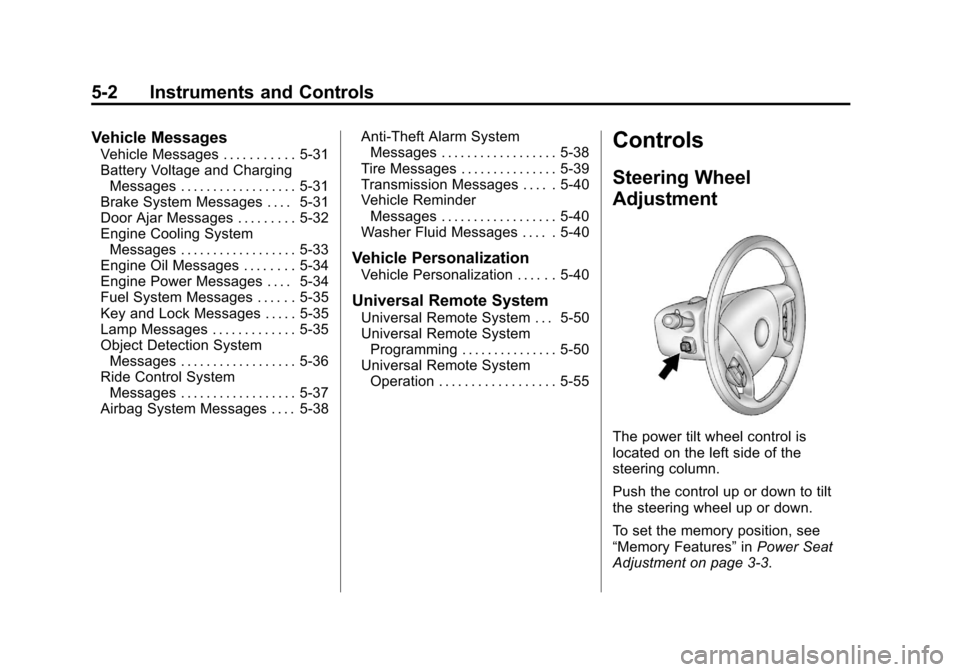
The power tilt wheel control is
located on the left side of the
steering column.
Push the control up or down to tilt
the steering wheel up or down.
To set the memory position, see
“Memory Features” inPower Seat
Adjustment on page 3‑3.
Page 159 of 558
Black plate (21,1)Cadillac Escalade/Escalade ESV Owner Manual - 2011
Instruments and Controls 5-21
The vehicle may not pass
inspection if:
.The malfunction indicator lamp is
on with the engine running, or if
the light does not come on when
the ignition is turned to ON/RUN
while the engine is off.
.The critical emission control
systems have not been
completely diagnosed by
the system. This can happen
if the battery has recently
been replaced or if the battery
has run down. The diagnostic
system evaluates critical
emission control systems during
normal driving. This can take
several days of routine driving.
If this has been done and the
vehicle still does not pass the
inspection, your dealer can
prepare the vehicle for
inspection.
Brake System Warning
Light
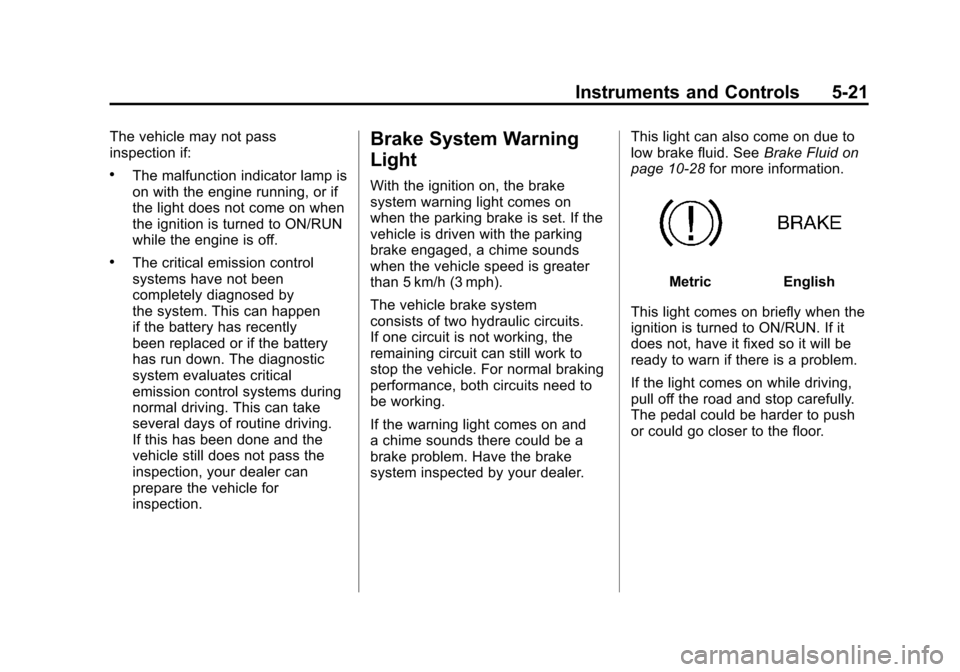
With the ignition on, the brake
system warning light comes on
when the parking brake is set. If the
vehicle is driven with the parking
brake engaged, a chime sounds
when the vehicle speed is greater
than 5 km/h (3 mph).
The vehicle brake system
consists of two hydraulic circuits.
If one circuit is not working, the
remaining circuit can still work to
stop the vehicle. For normal braking
performance, both circuits need to
be working.
If the warning light comes on and
a chime sounds there could be a
brake problem. Have the brake
system inspected by your dealer.This light can also come on due to
low brake fluid. See
Brake Fluid on
page 10‑28 for more information.
MetricEnglish
This light comes on briefly when the
ignition is turned to ON/RUN. If it
does not, have it fixed so it will be
ready to warn if there is a problem.
If the light comes on while driving,
pull off the road and stop carefully.
The pedal could be harder to push
or could go closer to the floor.
Page 160 of 558
Black plate (22,1)Cadillac Escalade/Escalade ESV Owner Manual - 2011
5-22 Instruments and Controls
It can take longer to stop. If the light
is still on, have the vehicle towed for
service. SeeTowing the Vehicle on
page 10‑94.
{WARNING
The brake system might not be
working properly if the brake
system warning light is on.
Driving with the brake system
warning light on can lead to a
crash. If the light is still on after
the vehicle has been pulled off
the road and carefully stopped,
have the vehicle towed for
service.
Antilock Brake System
(ABS) Warning Light
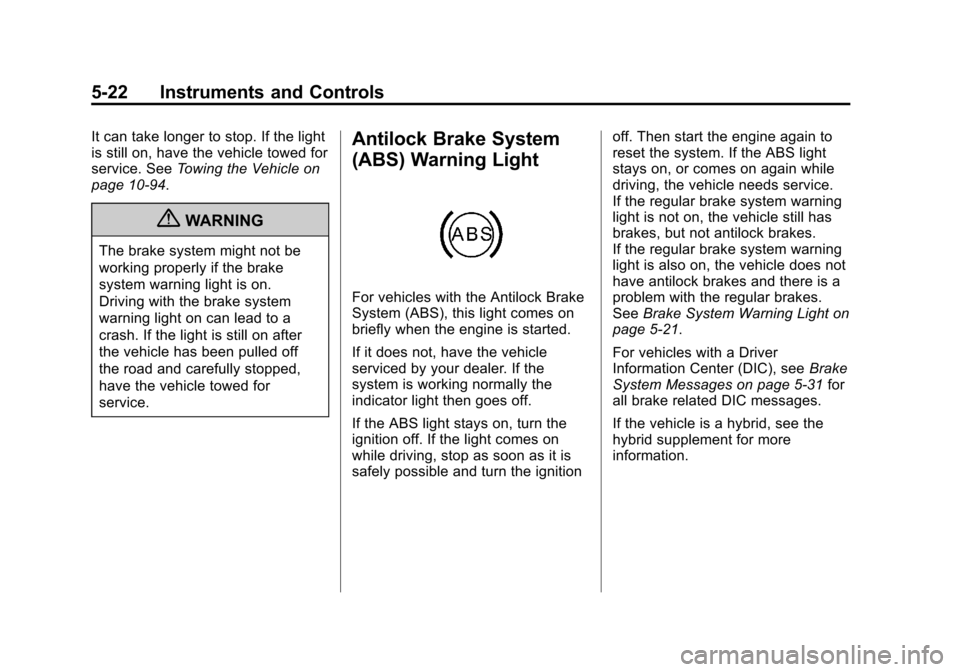
For vehicles with the Antilock Brake
System (ABS), this light comes on
briefly when the engine is started.
If it does not, have the vehicle
serviced by your dealer. If the
system is working normally the
indicator light then goes off.
If the ABS light stays on, turn the
ignition off. If the light comes on
while driving, stop as soon as it is
safely possible and turn the ignition off. Then start the engine again to
reset the system. If the ABS light
stays on, or comes on again while
driving, the vehicle needs service.
If the regular brake system warning
light is not on, the vehicle still has
brakes, but not antilock brakes.
If the regular brake system warning
light is also on, the vehicle does not
have antilock brakes and there is a
problem with the regular brakes.
See
Brake System Warning Light on
page 5‑21.
For vehicles with a Driver
Information Center (DIC), see Brake
System Messages on page 5‑31 for
all brake related DIC messages.
If the vehicle is a hybrid, see the
hybrid supplement for more
information.
Page 169 of 558
Black plate (31,1)Cadillac Escalade/Escalade ESV Owner Manual - 2011
Instruments and Controls 5-31
Vehicle Messages
Messages displayed on the DIC
indicate the status of the vehicle
or some action may be needed
to correct a condition. Multiple
messages may appear one after
another.
The messages that do not
require immediate action can
be acknowledge and cleared
by pressing any DIC button.
The messages that require
immediate action cannot be cleared
until that action is performed.
All messages should be taken
seriously and clearing the message
does not correct the problem.
The following are the possible
messages and some information
about them.
Battery Voltage and
Charging Messages
BATTERY LOW START
VEHICLE
When the vehicle’s battery
is severely discharged, this
message will display and four
chimes will sound. Start the vehicle
immediately. If the vehicle is not
started and the battery continues
to discharge, the climate controls,
heated seats, and audio systems
will shut off and the vehicle may
require a jump start. These systems
will function again after the vehicle
is started.
SERVICE BATTERY
CHARGING SYSTEM
On some vehicles, this message
displays if there is a problem
with the battery charging system.
Under certain conditions, the charging system light may also turn
on in the instrument panel cluster.
See
Charging System Light on
page 5‑18. Driving with this problem
could drain the battery. Turn off all
unnecessary accessories. Have the
electrical system checked as soon
as possible. See your dealer.
Brake System Messages
SERVICE BRAKE SYSTEM
This message displays along with
the brake system warning light if
there is a problem with the brake
system. See Brake System Warning
Light on page 5‑21. If this message
appears, stop as soon as possible
and turn off the vehicle. Restart the
vehicle and check for the message
on the DIC display. If the message
is still displayed or appears again
when you begin driving, the brake
system needs service as soon as
possible. See your dealer.
Page 170 of 558
Black plate (32,1)Cadillac Escalade/Escalade ESV Owner Manual - 2011
5-32 Instruments and Controls
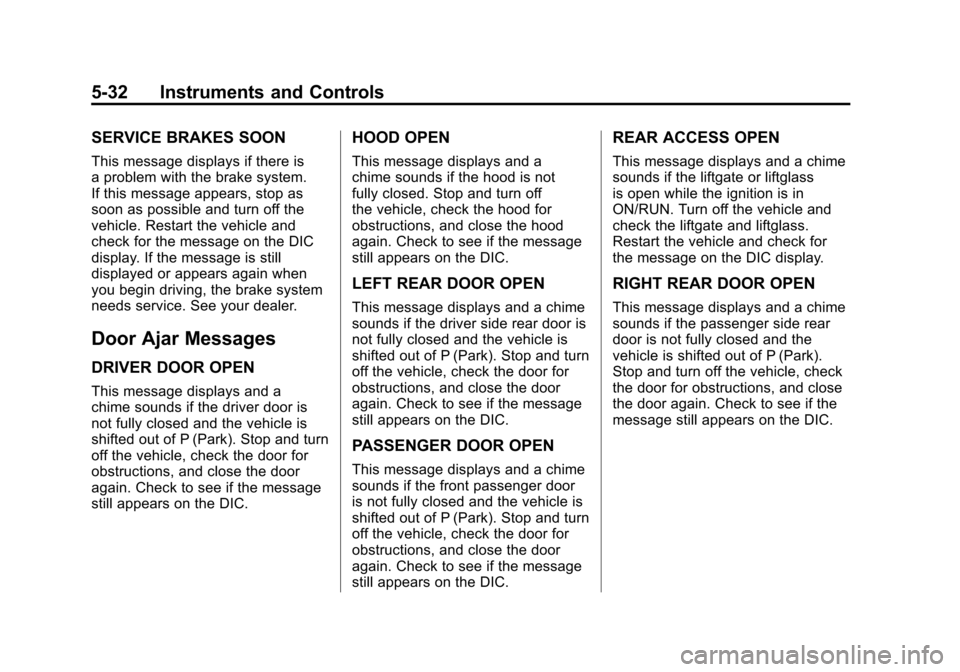
SERVICE BRAKES SOON
This message displays if there is
a problem with the brake system.
If this message appears, stop as
soon as possible and turn off the
vehicle. Restart the vehicle and
check for the message on the DIC
display. If the message is still
displayed or appears again when
you begin driving, the brake system
needs service. See your dealer.
Door Ajar Messages
DRIVER DOOR OPEN
This message displays and a
chime sounds if the driver door is
not fully closed and the vehicle is
shifted out of P (Park). Stop and turn
off the vehicle, check the door for
obstructions, and close the door
again. Check to see if the message
still appears on the DIC.
HOOD OPEN
This message displays and a
chime sounds if the hood is not
fully closed. Stop and turn off
the vehicle, check the hood for
obstructions, and close the hood
again. Check to see if the message
still appears on the DIC.
LEFT REAR DOOR OPEN
This message displays and a chime
sounds if the driver side rear door is
not fully closed and the vehicle is
shifted out of P (Park). Stop and turn
off the vehicle, check the door for
obstructions, and close the door
again. Check to see if the message
still appears on the DIC.
PASSENGER DOOR OPEN
This message displays and a chime
sounds if the front passenger door
is not fully closed and the vehicle is
shifted out of P (Park). Stop and turn
off the vehicle, check the door for
obstructions, and close the door
again. Check to see if the message
still appears on the DIC.
REAR ACCESS OPEN
This message displays and a chime
sounds if the liftgate or liftglass
is open while the ignition is in
ON/RUN. Turn off the vehicle and
check the liftgate and liftglass.
Restart the vehicle and check for
the message on the DIC display.
RIGHT REAR DOOR OPEN
This message displays and a chime
sounds if the passenger side rear
door is not fully closed and the
vehicle is shifted out of P (Park).
Stop and turn off the vehicle, check
the door for obstructions, and close
the door again. Check to see if the
message still appears on the DIC.
Page 176 of 558

Black plate (38,1)Cadillac Escalade/Escalade ESV Owner Manual - 2011
5-38 Instruments and Controls
There are several conditions that
can cause this message to appear.
.One condition is overheating,
which could occur if StabiliTrak
activates continuously for an
extended period of time.
.The message also displays if the
brake system warning light is on.
SeeBrake System Warning
Light on page 5‑21.
.The message could display
if the stability system takes
longer than usual to complete
its diagnostic checks due to
driving conditions.
.The message displays if an
engine or vehicle related
problem has been detected
and the vehicle needs service.
See your dealer.
The message turns off as soon
as the conditions that caused the
message to be displayed are no
longer present.
TRACTION CONTROL OFF
If your vehicle has StabiliTrak, this
message displays when the Traction
Control System (TCS) is turned off.
Adjust your driving accordingly.
See StabiliTrak
®System on
page 9‑47 for more information.
Airbag System Messages
SERVICE AIR BAG
This message displays if there is
a problem with the airbag system.
Have your dealer inspect the
system for problems. See Airbag
Readiness Light on page 5‑16 and
Airbag System on page 3‑39 for
more information.
Anti-Theft Alarm System
Messages
SERVICE THEFT DETERRENT
SYSTEM
This message displays when there
is a problem with the theft-deterrent
system. The vehicle may or may not
restart so you may want to take the
vehicle to your dealer before turning
off the engine. See Immobilizer
Operation on page 2‑15 for more
information.
Page 186 of 558
Black plate (48,1)Cadillac Escalade/Escalade ESV Owner Manual - 2011
5-48 Instruments and Controls
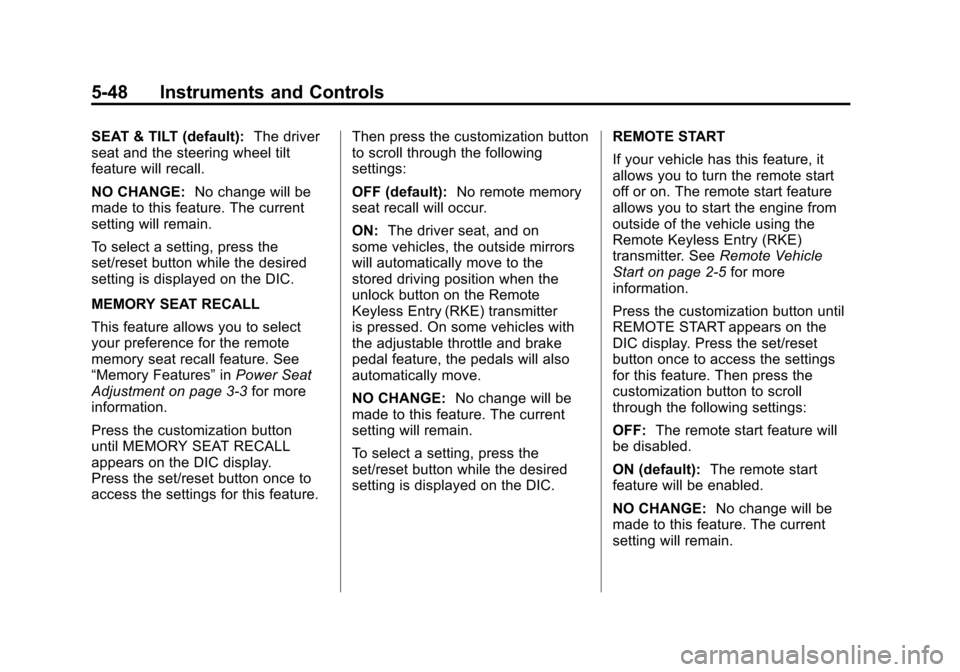
SEAT & TILT (default):The driver
seat and the steering wheel tilt
feature will recall.
NO CHANGE: No change will be
made to this feature. The current
setting will remain.
To select a setting, press the
set/reset button while the desired
setting is displayed on the DIC.
MEMORY SEAT RECALL
This feature allows you to select
your preference for the remote
memory seat recall feature. See
“Memory Features” inPower Seat
Adjustment on page 3‑3 for more
information.
Press the customization button
until MEMORY SEAT RECALL
appears on the DIC display.
Press the set/reset button once to
access the settings for this feature. Then press the customization button
to scroll through the following
settings:
OFF (default):
No remote memory
seat recall will occur.
ON: The driver seat, and on
some vehicles, the outside mirrors
will automatically move to the
stored driving position when the
unlock button on the Remote
Keyless Entry (RKE) transmitter
is pressed. On some vehicles with
the adjustable throttle and brake
pedal feature, the pedals will also
automatically move.
NO CHANGE: No change will be
made to this feature. The current
setting will remain.
To select a setting, press the
set/reset button while the desired
setting is displayed on the DIC. REMOTE START
If your vehicle has this feature, it
allows you to turn the remote start
off or on. The remote start feature
allows you to start the engine from
outside of the vehicle using the
Remote Keyless Entry (RKE)
transmitter. See
Remote Vehicle
Start on page 2‑5 for more
information.
Press the customization button until
REMOTE START appears on the
DIC display. Press the set/reset
button once to access the settings
for this feature. Then press the
customization button to scroll
through the following settings:
OFF: The remote start feature will
be disabled.
ON (default): The remote start
feature will be enabled.
NO CHANGE: No change will be
made to this feature. The current
setting will remain.
Page 216 of 558
Black plate (10,1)Cadillac Escalade/Escalade ESV Owner Manual - 2011
7-10 Infotainment System
Radio
AM-FM Radio
Notice:Before adding any
sound equipment to the vehicle,
such as an audio system,
CD player, CB radio, mobile
telephone, or two-way radio,
make sure that it can be added
by checking with your dealer.
Also, check federal rules
covering mobile radio and
telephone units. If sound
equipment can be added, it is
very important to do it properly.
Added sound equipment can
interfere with the operation of
the vehicle's engine, radio,
or other systems, and even
damage them. The vehicle's
systems can interfere with the
operation of sound equipment
that has been added. Notice:
The chime signals
related to safety belts, parking
brake, and other functions
of the vehicle operate through
the navigation system. If that
equipment is replaced or
additional equipment is added
to the vehicle, the chimes
may not work. Make sure that
replacement or additional
equipment is compatible with the
vehicle before installing it. See
“Accessories and Modifications”
in the vehicle's owner manual.
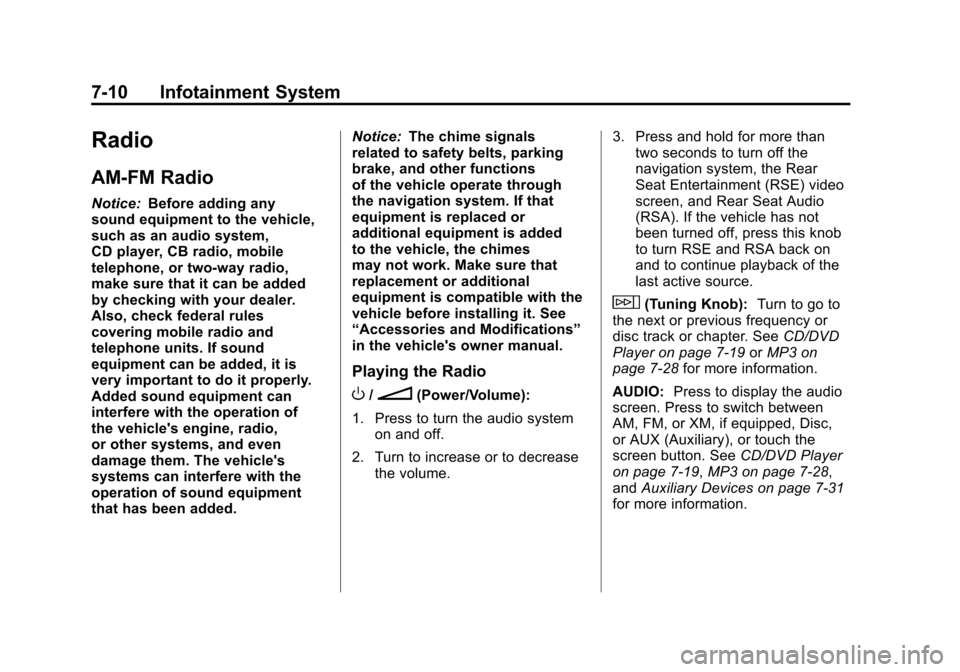
Playing the Radio
O/n(Power/Volume):
1. Press to turn the audio system on and off.
2. Turn to increase or to decrease the volume. 3. Press and hold for more than
two seconds to turn off the
navigation system, the Rear
Seat Entertainment (RSE) video
screen, and Rear Seat Audio
(RSA). If the vehicle has not
been turned off, press this knob
to turn RSE and RSA back on
and to continue playback of the
last active source.
w(Tuning Knob): Turn to go to
the next or previous frequency or
disc track or chapter. See CD/DVD
Player on page 7‑19 orMP3 on
page 7‑28 for more information.
AUDIO: Press to display the audio
screen. Press to switch between
AM, FM, or XM, if equipped, Disc,
or AUX (Auxiliary), or touch the
screen button. See CD/DVD Player
on page 7‑19, MP3 on page 7‑28,
and Auxiliary Devices on page 7‑31
for more information.
Page 323 of 558
Black plate (1,1)Cadillac Escalade/Escalade ESV Owner Manual - 2011
Driving and Operating 9-1
Driving and
Operating
Driving Information
Defensive Driving . . . . . . . . . . . . . 9-2
Drunk Driving . . . . . . . . . . . . . . . . . 9-3
Control of a Vehicle . . . . . . . . . . . 9-3
Braking . . . . . . . . . . . . . . . . . . . . . . . 9-4
Steering . . . . . . . . . . . . . . . . . . . . . . . 9-5
Off-Road Recovery . . . . . . . . . . . . 9-6
Loss of Control . . . . . . . . . . . . . . . . 9-6
Off-Road Driving . . . . . . . . . . . . . . 9-7
Driving on Wet Roads . . . . . . . 9-18
Highway Hypnosis . . . . . . . . . . . 9-20
Hill and Mountain Roads . . . . . 9-20
Winter Driving . . . . . . . . . . . . . . . 9-21
If the Vehicle is Stuck . . . . . . . . 9-23
Vehicle Load Limits . . . . . . . . . . 9-24
Starting and Operating
New Vehicle Break-In . . . . . . . . 9-30
Adjustable Throttle and BrakePedal . . . . . . . . . . . . . . . . . . . . . . . 9-31
Ignition Positions . . . . . . . . . . . . 9-32
Starting the Engine . . . . . . . . . . 9-33
Engine Heater . . . . . . . . . . . . . . . 9-35 Retained Accessory
Power (RAP) . . . . . . . . . . . . . . . 9-35
Shifting Into Park . . . . . . . . . . . . 9-36
Shifting Out of Park . . . . . . . . . . 9-37
Parking Over Things That Burn . . . . . . . . . . . . . . . . . . 9-38
Active Fuel Management™ . . . . . . . . . . . . . 9-38
Engine Exhaust
Engine Exhaust . . . . . . . . . . . . . . 9-38
Running the Vehicle While
Parked . . . . . . . . . . . . . . . . . . . . . 9-39
Automatic Transmission
Automatic Transmission . . . . . 9-40
Manual Mode . . . . . . . . . . . . . . . . 9-43
Tow/Haul Mode . . . . . . . . . . . . . . 9-43
Drive Systems
All-Wheel Drive . . . . . . . . . . . . . . 9-45
Brakes
Antilock BrakeSystem (ABS) . . . . . . . . . . . . . . 9-45
Parking Brake . . . . . . . . . . . . . . . 9-46
Brake Assist . . . . . . . . . . . . . . . . . 9-47
Ride Control Systems
StabiliTrak®System . . . . . . . . . 9-47
Locking Rear Axle . . . . . . . . . . . 9-49
Road Sensing Suspension . . . 9-50
Continuous Damping Control (CDC) . . . . . . . . . . . . . . 9-50
Automatic Level Control . . . . . 9-50
Cruise Control
Cruise Control . . . . . . . . . . . . . . . 9-51
Object Detection Systems
Ultrasonic Parking Assist . . . . 9-54
Side Blind Zone Alert (SBZA) . . . . . . . . . . . . . . . 9-56
Rear Vision Camera (RVC) . . . . . . . . . . . . . 9-59
Fuel
Fuel . . . . . . . . . . . . . . . . . . . . . . . . . 9-63
Recommended Fuel . . . . . . . . . 9-64
Gasoline Specifications . . . . . . 9-64
California FuelRequirements . . . . . . . . . . . . . . 9-64
Fuels in Foreign Countries . . . 9-65
Fuel Additives . . . . . . . . . . . . . . . 9-65
Fuel E85 (85% Ethanol) . . . . . 9-66
Filling the Tank . . . . . . . . . . . . . . 9-68
Filling a Portable Fuel Container . . . . . . . . . . . . . . . . . . . 9-70
Page 325 of 558
Black plate (3,1)Cadillac Escalade/Escalade ESV Owner Manual - 2011
Driving and Operating 9-3
Drunk Driving
{WARNING
Drinking and then driving is
very dangerous. Your reflexes,
perceptions, attentiveness,
and judgment can be affected by
even a small amount of alcohol.
You can have a serious—or
even fatal —collision if you drive
after drinking. Do not drink and
drive or ride with a driver who has
been drinking. Ride home in a
cab; or if you are with a group,
designate a driver who will not
drink.
Death and injury associated with
drinking and driving is a global
tragedy.
Alcohol affects four things that
anyone needs to drive a vehicle:
judgment, muscular coordination,
vision, and attentiveness. Police records show that
almost 40 percent of all motor
vehicle-related deaths involve
alcohol. In most cases, these
deaths are the result of someone
who was drinking and driving.
In recent years, more than
17,000 annual motor vehicle-related
deaths have been associated with
the use of alcohol, with about
250,000 people injured.
For persons under 21, it is against
the law in every U.S. state to drink
alcohol. There are good medical,
psychological, and developmental
reasons for these laws.
The obvious way to eliminate the
leading highway safety problem is
for people never to drink alcohol
and then drive.
Medical research shows that
alcohol in a person's system
can make crash injuries worse,
especially injuries to the brain,
spinal cord, or heart. This means
that when anyone who has been
drinking
—driver or passenger —is
in a crash, that person's chance of
being killed or permanently disabled
is higher than if the person had not
been drinking.
Control of a Vehicle
The following three systems
help to control the vehicle while
driving —brakes, steering, and
accelerator. At times, as when
driving on snow or ice, it is easy to
ask more of those control systems
than the tires and road can provide.
Meaning, you can lose control of the
vehicle. See StabiliTrak
®System on
page 9‑47.
Adding non‐dealer accessories
can affect vehicle performance.
See Accessories and Modifications
on page 10‑3.