power steering CADILLAC ESCALADE 2011 3.G User Guide
[x] Cancel search | Manufacturer: CADILLAC, Model Year: 2011, Model line: ESCALADE, Model: CADILLAC ESCALADE 2011 3.GPages: 558, PDF Size: 7.59 MB
Page 185 of 558
Black plate (47,1)Cadillac Escalade/Escalade ESV Owner Manual - 2011
Instruments and Controls 5-47
EASY EXIT RECALL
If your vehicle has this feature, it
allows you to select your preference
for the automatic easy exit seat
feature. See“Memory Features” in
Power Seat Adjustment on page 3‑3
for more information.
Press the customization button until
EASY EXIT RECALL appears on
the DIC display. Press the set/reset
button once to access the settings
for this feature. Then press the
customization button to scroll
through the following settings:
DOOR BUTTON ONLY: No
automatic seat exit recall will occur.
The recall will only occur after
pressing the easy exit seat button.
BUTTON AND KEY OUT
(default): If the features are
enabled through the EASY EXIT
SETUP menu, the driver seat will
move back, and if the vehicle has the power tilt wheel feature, the
power steering column will move up
when the key is removed from the
ignition or after pressing the easy
exit seat button.
The automatic easy exit seat
movement will only occur one time
after the key is removed from the
ignition. If the automatic movement
has already occurred, and you put
the key back in the ignition and
remove it again, the seat and
steering column will stay in the
original exit position, unless a
memory recall took place prior
to removing the key again.
NO CHANGE:
No change will be
made to this feature. The current
setting will remain.
To select a setting, press the
set/reset button while the desired
setting is displayed on the DIC. EASY EXIT SETUP
If your vehicle has this feature, it
allows you to select which areas will
recall with the automatic easy exit
seat feature. It also allows you to
turn off the automatic easy exit
feature. See
“Memory Features” in
Power Seat Adjustment on page 3‑3
and “EASY EXIT RECALL” earlier
for more information.
Press the customization button until
EASY EXIT SETUP appears on the
DIC display. Press the set/reset
button once to access the settings
for this feature. Then press the
menu up/down button to scroll
through the following settings:
OFF: No automatic seat exit will
recall.
SEAT ONLY: The driver seat will
recall.
TILT ONLY: The steering wheel tilt
feature will recall.
Page 186 of 558
Black plate (48,1)Cadillac Escalade/Escalade ESV Owner Manual - 2011
5-48 Instruments and Controls
SEAT & TILT (default):The driver
seat and the steering wheel tilt
feature will recall.
NO CHANGE: No change will be
made to this feature. The current
setting will remain.
To select a setting, press the
set/reset button while the desired
setting is displayed on the DIC.
MEMORY SEAT RECALL
This feature allows you to select
your preference for the remote
memory seat recall feature. See
“Memory Features” inPower Seat
Adjustment on page 3‑3 for more
information.
Press the customization button
until MEMORY SEAT RECALL
appears on the DIC display.
Press the set/reset button once to
access the settings for this feature. Then press the customization button
to scroll through the following
settings:
OFF (default):
No remote memory
seat recall will occur.
ON: The driver seat, and on
some vehicles, the outside mirrors
will automatically move to the
stored driving position when the
unlock button on the Remote
Keyless Entry (RKE) transmitter
is pressed. On some vehicles with
the adjustable throttle and brake
pedal feature, the pedals will also
automatically move.
NO CHANGE: No change will be
made to this feature. The current
setting will remain.
To select a setting, press the
set/reset button while the desired
setting is displayed on the DIC. REMOTE START
If your vehicle has this feature, it
allows you to turn the remote start
off or on. The remote start feature
allows you to start the engine from
outside of the vehicle using the
Remote Keyless Entry (RKE)
transmitter. See
Remote Vehicle
Start on page 2‑5 for more
information.
Press the customization button until
REMOTE START appears on the
DIC display. Press the set/reset
button once to access the settings
for this feature. Then press the
customization button to scroll
through the following settings:
OFF: The remote start feature will
be disabled.
ON (default): The remote start
feature will be enabled.
NO CHANGE: No change will be
made to this feature. The current
setting will remain.
Page 195 of 558
Black plate (1,1)Cadillac Escalade/Escalade ESV Owner Manual - 2011
Lighting 6-1
Lighting
Exterior Lighting
Exterior Lamp Controls . . . . . . . . 6-1
Exterior Lamps OffReminder . . . . . . . . . . . . . . . . . . . . 6-5
Headlamp High/Low-Beam Changer . . . . . . . . . . . . . . . . . . . . . 6-6
Flash-to-Pass . . . . . . . . . . . . . . . . . 6-6
Daytime Running Lamps (DRL) . . . . . . . . . . . . . . . . 6-6
Automatic Headlamp System . . . . . . . . . . . . . . . . . . . . . . 6-7
Hazard Warning Flashers . . . . . 6-8
Turn and Lane-Change Signals . . . . . . . . . . . . . . . . . . . . . . 6-8
Fog Lamps . . . . . . . . . . . . . . . . . . . . 6-9
Interior Lighting
Instrument Panel Illumination Control . . . . . . . . . . . . . . . . . . . . . . 6-9
Dome Lamps . . . . . . . . . . . . . . . . 6-10
Reading Lamps . . . . . . . . . . . . . . 6-10
Lighting Features
Entry Lighting . . . . . . . . . . . . . . . . 6-11
Exit Lighting . . . . . . . . . . . . . . . . . 6-11
Battery Load Management . . . 6-11
Battery Power Protection . . . . 6-12
Exterior Lighting
Exterior Lamp Controls
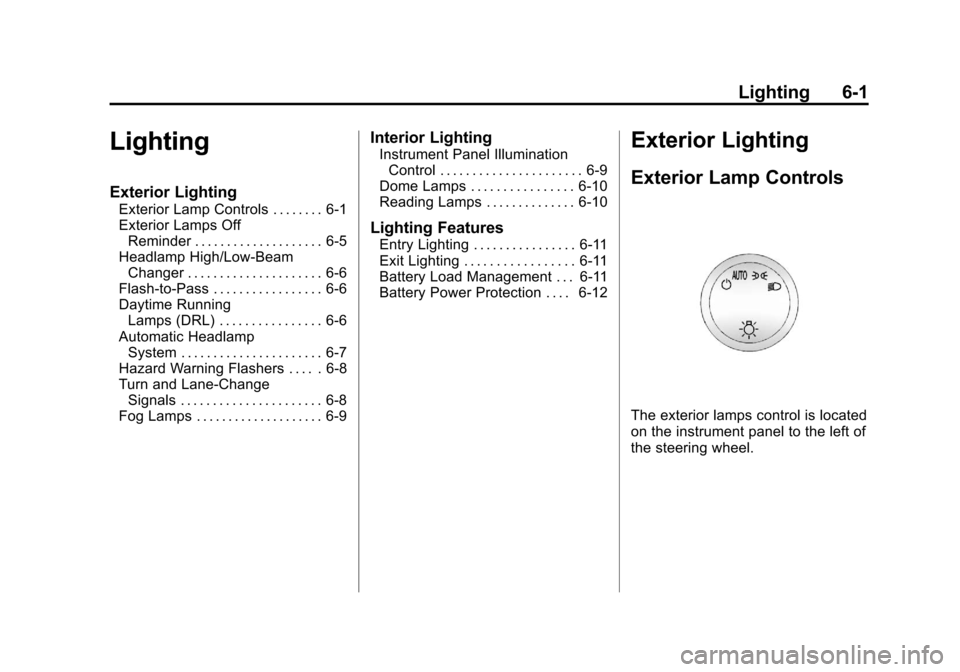
The exterior lamps control is located
on the instrument panel to the left of
the steering wheel.
Page 305 of 558
Black plate (99,1)Cadillac Escalade/Escalade ESV Owner Manual - 2011
Infotainment System 7-99
Voice Recognition
The navigation system's
voice recognition allows for
hands-free operation of the
navigation system, audio system,
and OnStar (if equipped) features.
The DVD map disc must be
installed in the navigation system
for voice recognition to work.
SeeMaps on page 7‑62 for
more information.
Voice recognition can be used when
the ignition is on or when Retained
Accessory Power (RAP) is active.
See Retained Accessory Power
(RAP) on page 9‑35 for more
information. To use voice recognition:
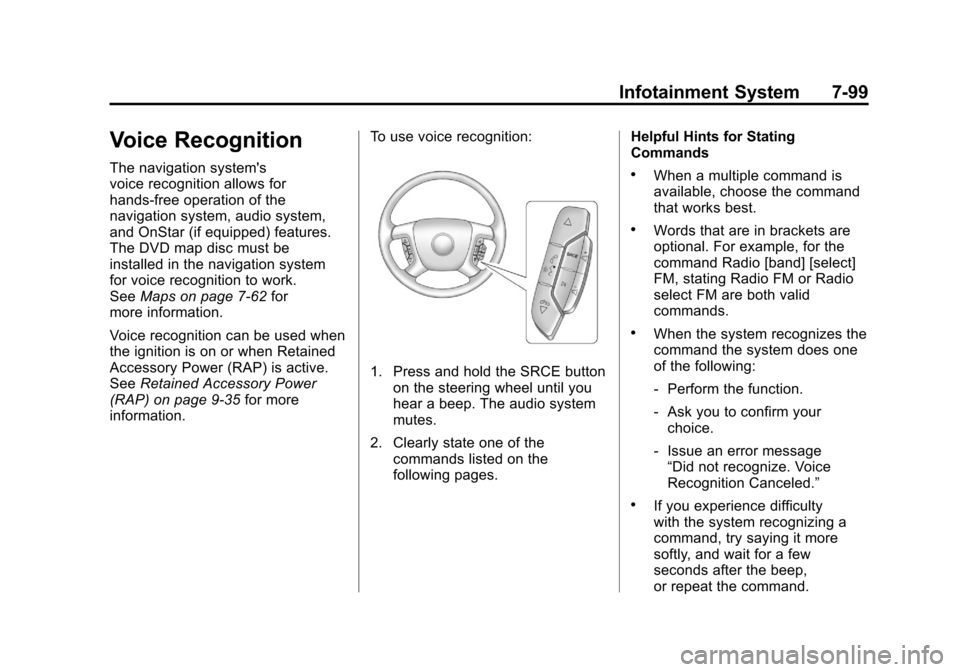
1. Press and hold the SRCE button
on the steering wheel until you
hear a beep. The audio system
mutes.
2. Clearly state one of the commands listed on the
following pages. Helpful Hints for Stating
Commands
.When a multiple command is
available, choose the command
that works best.
.Words that are in brackets are
optional. For example, for the
command Radio [band] [select]
FM, stating Radio FM or Radio
select FM are both valid
commands.
.When the system recognizes the
command the system does one
of the following:
‐
Perform the function.
‐ Ask you to confirm your
choice.
‐ Issue an error message
“Did not recognize. Voice
Recognition Canceled.”
.If you experience difficulty
with the system recognizing a
command, try saying it more
softly, and wait for a few
seconds after the beep,
or repeat the command.
Page 323 of 558
Black plate (1,1)Cadillac Escalade/Escalade ESV Owner Manual - 2011
Driving and Operating 9-1
Driving and
Operating
Driving Information
Defensive Driving . . . . . . . . . . . . . 9-2
Drunk Driving . . . . . . . . . . . . . . . . . 9-3
Control of a Vehicle . . . . . . . . . . . 9-3
Braking . . . . . . . . . . . . . . . . . . . . . . . 9-4
Steering . . . . . . . . . . . . . . . . . . . . . . . 9-5
Off-Road Recovery . . . . . . . . . . . . 9-6
Loss of Control . . . . . . . . . . . . . . . . 9-6
Off-Road Driving . . . . . . . . . . . . . . 9-7
Driving on Wet Roads . . . . . . . 9-18
Highway Hypnosis . . . . . . . . . . . 9-20
Hill and Mountain Roads . . . . . 9-20
Winter Driving . . . . . . . . . . . . . . . 9-21
If the Vehicle is Stuck . . . . . . . . 9-23
Vehicle Load Limits . . . . . . . . . . 9-24
Starting and Operating
New Vehicle Break-In . . . . . . . . 9-30
Adjustable Throttle and BrakePedal . . . . . . . . . . . . . . . . . . . . . . . 9-31
Ignition Positions . . . . . . . . . . . . 9-32
Starting the Engine . . . . . . . . . . 9-33
Engine Heater . . . . . . . . . . . . . . . 9-35 Retained Accessory
Power (RAP) . . . . . . . . . . . . . . . 9-35
Shifting Into Park . . . . . . . . . . . . 9-36
Shifting Out of Park . . . . . . . . . . 9-37
Parking Over Things That Burn . . . . . . . . . . . . . . . . . . 9-38
Active Fuel Management™ . . . . . . . . . . . . . 9-38
Engine Exhaust
Engine Exhaust . . . . . . . . . . . . . . 9-38
Running the Vehicle While
Parked . . . . . . . . . . . . . . . . . . . . . 9-39
Automatic Transmission
Automatic Transmission . . . . . 9-40
Manual Mode . . . . . . . . . . . . . . . . 9-43
Tow/Haul Mode . . . . . . . . . . . . . . 9-43
Drive Systems
All-Wheel Drive . . . . . . . . . . . . . . 9-45
Brakes
Antilock BrakeSystem (ABS) . . . . . . . . . . . . . . 9-45
Parking Brake . . . . . . . . . . . . . . . 9-46
Brake Assist . . . . . . . . . . . . . . . . . 9-47
Ride Control Systems
StabiliTrak®System . . . . . . . . . 9-47
Locking Rear Axle . . . . . . . . . . . 9-49
Road Sensing Suspension . . . 9-50
Continuous Damping Control (CDC) . . . . . . . . . . . . . . 9-50
Automatic Level Control . . . . . 9-50
Cruise Control
Cruise Control . . . . . . . . . . . . . . . 9-51
Object Detection Systems
Ultrasonic Parking Assist . . . . 9-54
Side Blind Zone Alert (SBZA) . . . . . . . . . . . . . . . 9-56
Rear Vision Camera (RVC) . . . . . . . . . . . . . 9-59
Fuel
Fuel . . . . . . . . . . . . . . . . . . . . . . . . . 9-63
Recommended Fuel . . . . . . . . . 9-64
Gasoline Specifications . . . . . . 9-64
California FuelRequirements . . . . . . . . . . . . . . 9-64
Fuels in Foreign Countries . . . 9-65
Fuel Additives . . . . . . . . . . . . . . . 9-65
Fuel E85 (85% Ethanol) . . . . . 9-66
Filling the Tank . . . . . . . . . . . . . . 9-68
Filling a Portable Fuel Container . . . . . . . . . . . . . . . . . . . 9-70
Page 327 of 558
Black plate (5,1)Cadillac Escalade/Escalade ESV Owner Manual - 2011
Driving and Operating 9-5
Steering
Power Steering
If the vehicle is a hybrid, see the
hybrid supplement for more
information.
If power steering assist is lost
because the engine stops or the
power steering system is not
functioning, the vehicle can be
steered but it will take more effort.
Steering Tips
It is important to take curves at a
reasonable speed.
Traction in a curve depends on
the condition of the tires and the
road surface, the angle at which the
curve is banked, and vehicle speed.
While in a curve, speed is the one
factor that can be controlled.
If there is a need to reduce speed,
do it before entering the curve, while
the front wheels are straight.Try to adjust the speed so you can
drive through the curve. Maintain a
reasonable, steady speed. Wait to
accelerate until out of the curve,
and then accelerate gently into the
straightaway.
Steering in Emergencies
There are times when steering
can be more effective than braking.
For example, you come over a hill
and find a truck stopped in your
lane, or a car suddenly pulls out
from nowhere, or a child darts out
from between parked cars and stops
right in front of you. These problems
can be avoided by braking
—if you
can stop in time. But sometimes
you cannot stop in time because
there is no room. That is the time
for evasive action —steering around
the problem.
The vehicle can perform very well
in emergencies like these. First,
apply the brakes. See Braking on
page 9‑4. It is better to remove as
much speed as possible from a collision. Then steer around
the problem, to the left or right
depending on the space available.
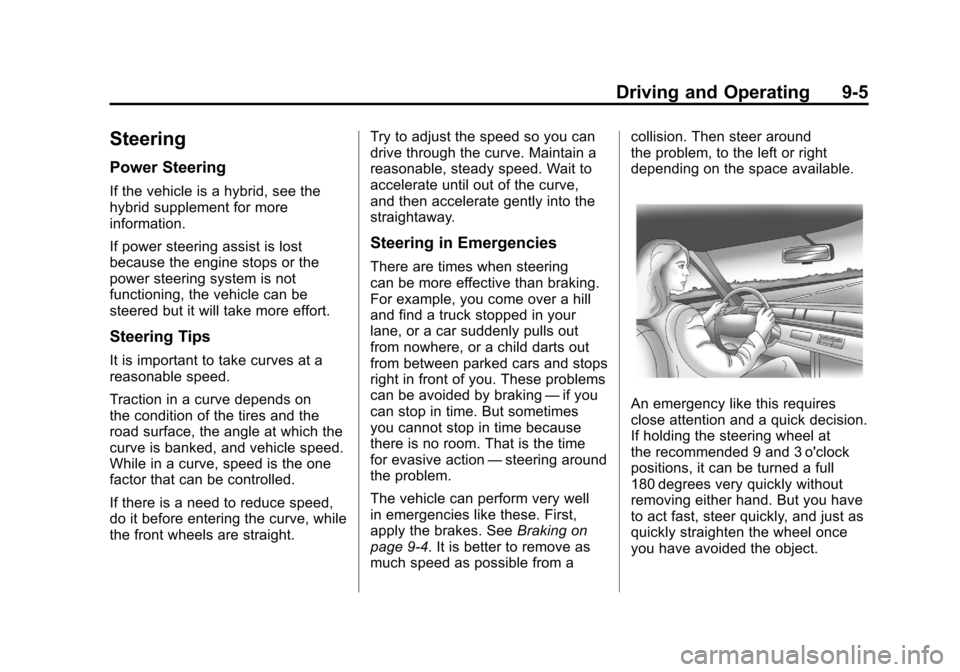
An emergency like this requires
close attention and a quick decision.
If holding the steering wheel at
the recommended 9 and 3 o'clock
positions, it can be turned a full
180 degrees very quickly without
removing either hand. But you have
to act fast, steer quickly, and just as
quickly straighten the wheel once
you have avoided the object.
Page 335 of 558
Black plate (13,1)Cadillac Escalade/Escalade ESV Owner Manual - 2011
Driving and Operating 9-13
.Are there obstructions on the hill
that can block your path, such
as boulders, trees, logs, or ruts?
.What is beyond the hill? Is
there a cliff, an embankment, a
drop-off, a fence? Get out and
walk the hill if you do not know.
It is the smart way to find out.
.Is the hill simply too rough?
Steep hills often have ruts,
gullies, troughs, and exposed
rocks because they are more
susceptible to the effects of
erosion.
Driving Uphill
Once you decide it is safe to drive
up the hill:
.Use a low gear and get a firm
grip on the steering wheel.
.Get a smooth start up the
hill and try to maintain speed.
Not using more power than
needed can avoid spinning
the wheels or sliding.
{WARNING
Turning or driving across steep
hills can be dangerous. You could
lose traction, slide sideways, and
possibly roll over. You could be
seriously injured or killed. When
driving up hills, always try to go
straight up.
.Try to drive straight up the hill if
at all possible. If the path twists
and turns, you might want to find
another route.
.Ease up on the speed as you
approach the top of the hill.
.Attach a flag to the vehicle to
be more visible to approaching
traffic on trails or hills.
.Sound the horn as you approach
the top of the hill to let opposing
traffic know you are there.
.Use headlamps even during the
day to make the vehicle more
visible to oncoming traffic.
{WARNING
Driving to the top (crest) of a
hill at full speed can cause an
accident. There could be a
drop-off, embankment, cliff,
or even another vehicle. You
could be seriously injured or
killed. As you near the top of a
hill, slow down and stay alert.
If the vehicle stalls, or is about to
stall, and you cannot make it up
the hill:
.Push the brake pedal to stop the
vehicle and keep it from rolling
backwards and apply the
parking brake.
.If the engine is still running, shift
the transmission to R (Reverse),
release the parking brake, and
slowly back down the hill in
R (Reverse).
Page 354 of 558
Black plate (32,1)Cadillac Escalade/Escalade ESV Owner Manual - 2011
9-32 Driving and Operating
Ignition Positions
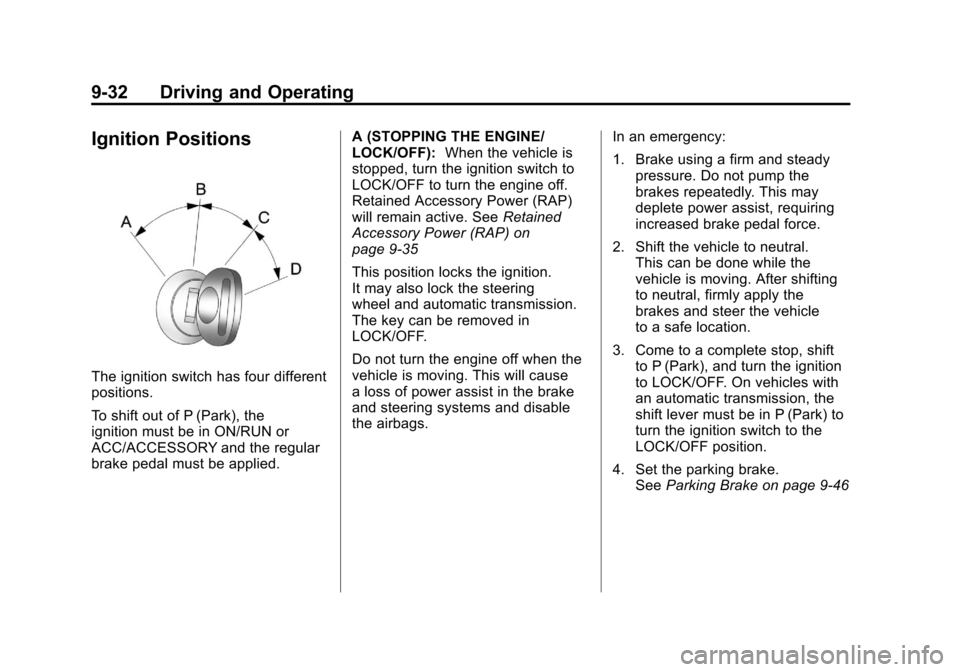
The ignition switch has four different
positions.
To shift out of P (Park), the
ignition must be in ON/RUN or
ACC/ACCESSORY and the regular
brake pedal must be applied.A (STOPPING THE ENGINE/
LOCK/OFF):
When the vehicle is
stopped, turn the ignition switch to
LOCK/OFF to turn the engine off.
Retained Accessory Power (RAP)
will remain active. See Retained
Accessory Power (RAP) on
page 9‑35
This position locks the ignition.
It may also lock the steering
wheel and automatic transmission.
The key can be removed in
LOCK/OFF.
Do not turn the engine off when the
vehicle is moving. This will cause
a loss of power assist in the brake
and steering systems and disable
the airbags. In an emergency:
1. Brake using a firm and steady
pressure. Do not pump the
brakes repeatedly. This may
deplete power assist, requiring
increased brake pedal force.
2. Shift the vehicle to neutral. This can be done while the
vehicle is moving. After shifting
to neutral, firmly apply the
brakes and steer the vehicle
to a safe location.
3. Come to a complete stop, shift to P (Park), and turn the ignition
to LOCK/OFF. On vehicles with
an automatic transmission, the
shift lever must be in P (Park) to
turn the ignition switch to the
LOCK/OFF position.
4. Set the parking brake. See Parking Brake on page 9‑46
Page 405 of 558
Black plate (1,1)Cadillac Escalade/Escalade ESV Owner Manual - 2011
Vehicle Care 10-1
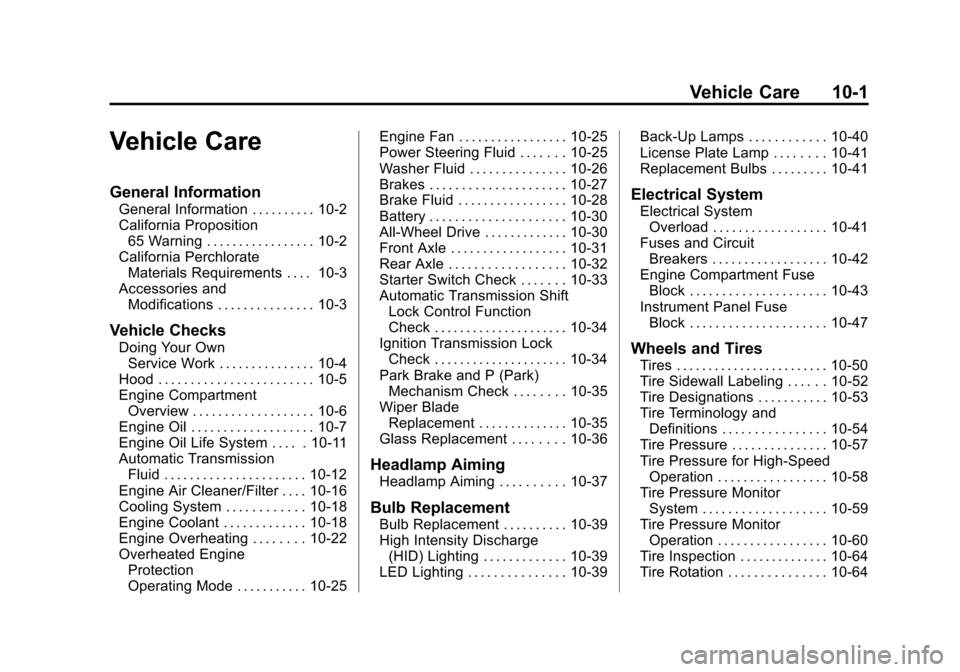
Vehicle Care
General Information
General Information . . . . . . . . . . 10-2
California Proposition65 Warning . . . . . . . . . . . . . . . . . 10-2
California Perchlorate Materials Requirements . . . . 10-3
Accessories and Modifications . . . . . . . . . . . . . . . 10-3
Vehicle Checks
Doing Your OwnService Work . . . . . . . . . . . . . . . 10-4
Hood . . . . . . . . . . . . . . . . . . . . . . . . 10-5
Engine Compartment Overview . . . . . . . . . . . . . . . . . . . 10-6
Engine Oil . . . . . . . . . . . . . . . . . . . 10-7
Engine Oil Life System . . . . . 10-11
Automatic Transmission Fluid . . . . . . . . . . . . . . . . . . . . . . 10-12
Engine Air Cleaner/Filter . . . . 10-16
Cooling System . . . . . . . . . . . . 10-18
Engine Coolant . . . . . . . . . . . . . 10-18
Engine Overheating . . . . . . . . 10-22
Overheated Engine Protection
Operating Mode . . . . . . . . . . . 10-25 Engine Fan . . . . . . . . . . . . . . . . . 10-25
Power Steering Fluid . . . . . . . 10-25
Washer Fluid . . . . . . . . . . . . . . . 10-26
Brakes . . . . . . . . . . . . . . . . . . . . . 10-27
Brake Fluid . . . . . . . . . . . . . . . . . 10-28
Battery . . . . . . . . . . . . . . . . . . . . . 10-30
All-Wheel Drive . . . . . . . . . . . . . 10-30
Front Axle . . . . . . . . . . . . . . . . . . 10-31
Rear Axle . . . . . . . . . . . . . . . . . . 10-32
Starter Switch Check . . . . . . . 10-33
Automatic Transmission Shift
Lock Control Function
Check . . . . . . . . . . . . . . . . . . . . . 10-34
Ignition Transmission Lock Check . . . . . . . . . . . . . . . . . . . . . 10-34
Park Brake and P (Park) Mechanism Check . . . . . . . . 10-35
Wiper Blade Replacement . . . . . . . . . . . . . . 10-35
Glass Replacement . . . . . . . . 10-36
Headlamp Aiming
Headlamp Aiming . . . . . . . . . . 10-37
Bulb Replacement
Bulb Replacement . . . . . . . . . . 10-39
High Intensity Discharge (HID) Lighting . . . . . . . . . . . . . 10-39
LED Lighting . . . . . . . . . . . . . . . 10-39 Back-Up Lamps . . . . . . . . . . . . 10-40
License Plate Lamp . . . . . . . . 10-41
Replacement Bulbs . . . . . . . . . 10-41
Electrical System
Electrical System
Overload . . . . . . . . . . . . . . . . . . 10-41
Fuses and Circuit Breakers . . . . . . . . . . . . . . . . . . 10-42
Engine Compartment Fuse Block . . . . . . . . . . . . . . . . . . . . . 10-43
Instrument Panel Fuse Block . . . . . . . . . . . . . . . . . . . . . 10-47
Wheels and Tires
Tires . . . . . . . . . . . . . . . . . . . . . . . . 10-50
Tire Sidewall Labeling . . . . . . 10-52
Tire Designations . . . . . . . . . . . 10-53
Tire Terminology andDefinitions . . . . . . . . . . . . . . . . 10-54
Tire Pressure . . . . . . . . . . . . . . . 10-57
Tire Pressure for High-Speed Operation . . . . . . . . . . . . . . . . . 10-58
Tire Pressure Monitor System . . . . . . . . . . . . . . . . . . . 10-59
Tire Pressure Monitor Operation . . . . . . . . . . . . . . . . . 10-60
Tire Inspection . . . . . . . . . . . . . . 10-64
Tire Rotation . . . . . . . . . . . . . . . 10-64
Page 411 of 558
Black plate (7,1)Cadillac Escalade/Escalade ESV Owner Manual - 2011
Vehicle Care 10-7
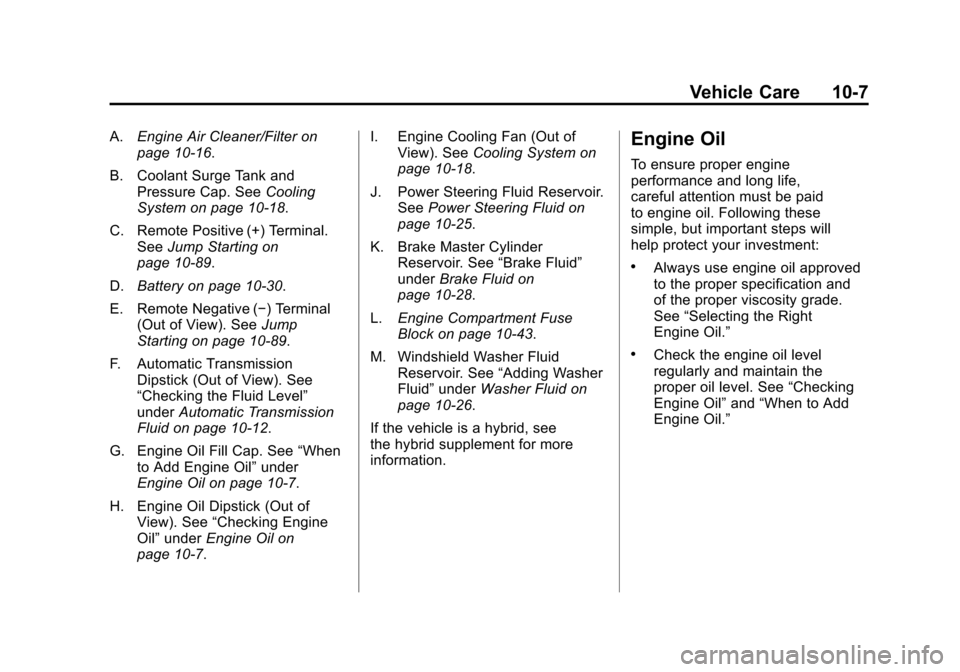
A.Engine Air Cleaner/Filter on
page 10‑16.
B. Coolant Surge Tank and Pressure Cap. See Cooling
System on page 10‑18.
C. Remote Positive (+) Terminal. See Jump Starting on
page 10‑89.
D. Battery on page 10‑30.
E. Remote Negative (−) Terminal (Out of View). See Jump
Starting on page 10‑89.
F. Automatic Transmission Dipstick (Out of View). See
“Checking the Fluid Level”
under Automatic Transmission
Fluid on page 10‑12.
G. Engine Oil Fill Cap. See “When
to Add Engine Oil” under
Engine Oil on page 10‑7.
H. Engine Oil Dipstick (Out of View). See “Checking Engine
Oil” under Engine Oil on
page 10‑7. I. Engine Cooling Fan (Out of
View). See Cooling System on
page 10‑18.
J. Power Steering Fluid Reservoir. See Power Steering Fluid on
page 10‑25.
K. Brake Master Cylinder Reservoir. See “Brake Fluid”
under Brake Fluid on
page 10‑28.
L. Engine Compartment Fuse
Block on page 10‑43.
M. Windshield Washer Fluid Reservoir. See “Adding Washer
Fluid” under Washer Fluid on
page 10‑26.
If the vehicle is a hybrid, see
the hybrid supplement for more
information.Engine Oil
To ensure proper engine
performance and long life,
careful attention must be paid
to engine oil. Following these
simple, but important steps will
help protect your investment:
.Always use engine oil approved
to the proper specification and
of the proper viscosity grade.
See “Selecting the Right
Engine Oil.”
.Check the engine oil level
regularly and maintain the
proper oil level. See “Checking
Engine Oil” and“When to Add
Engine Oil.”