light CADILLAC ESCALADE 2012 3.G Owners Manual
[x] Cancel search | Manufacturer: CADILLAC, Model Year: 2012, Model line: ESCALADE, Model: CADILLAC ESCALADE 2012 3.GPages: 538, PDF Size: 7.59 MB
Page 255 of 538
Black plate (71,1)Cadillac Escalade/Escalade ESV Owner Manual - 2012
Infotainment System 7-71
4. Select a category.The system displays available
POI names in the selected
category.
5. Press GO, located next to the POI. The map screen, with the
destination marked displays.
6. Select the route preference for Fastest, Shortest, or Other. The
system calculates and highlights
the route.
7. Press Start Guidance. The route is now ready to be started.
See “Getting Started on Your
Route” in this section for more
information. Address Book
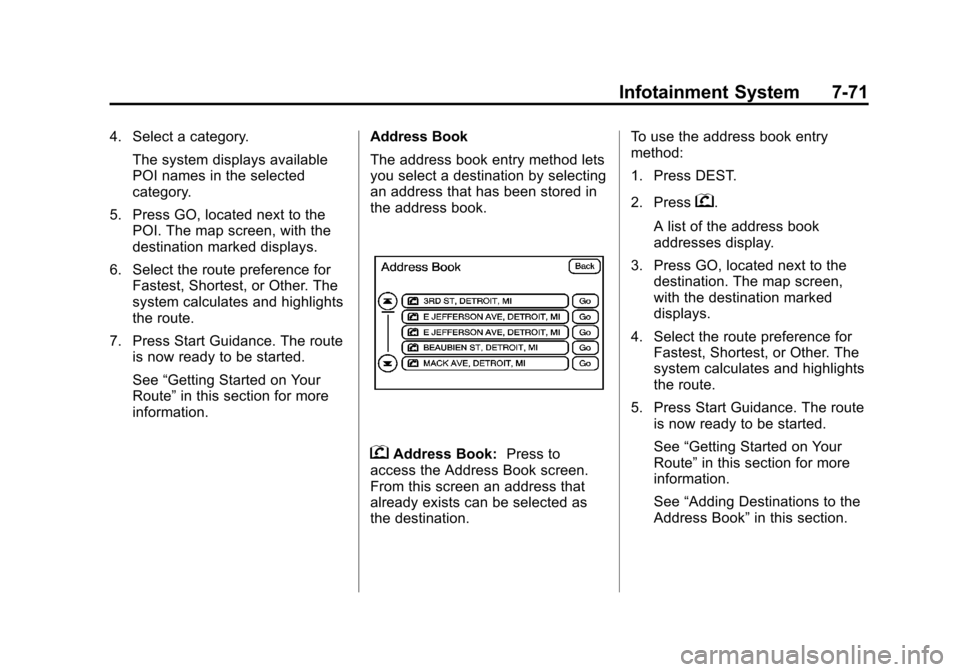
The address book entry method lets
you select a destination by selecting
an address that has been stored in
the address book.
gAddress Book:
Press to
access the Address Book screen.
From this screen an address that
already exists can be selected as
the destination. To use the address book entry
method:
1. Press DEST.
2. Press
g.
A list of the address book
addresses display.
3. Press GO, located next to the destination. The map screen,
with the destination marked
displays.
4. Select the route preference for Fastest, Shortest, or Other. The
system calculates and highlights
the route.
5. Press Start Guidance. The route is now ready to be started.
See “Getting Started on Your
Route” in this section for more
information.
See “Adding Destinations to the
Address Book” in this section.
Page 256 of 538
Black plate (72,1)Cadillac Escalade/Escalade ESV Owner Manual - 2012
7-72 Infotainment System
Previous Destination
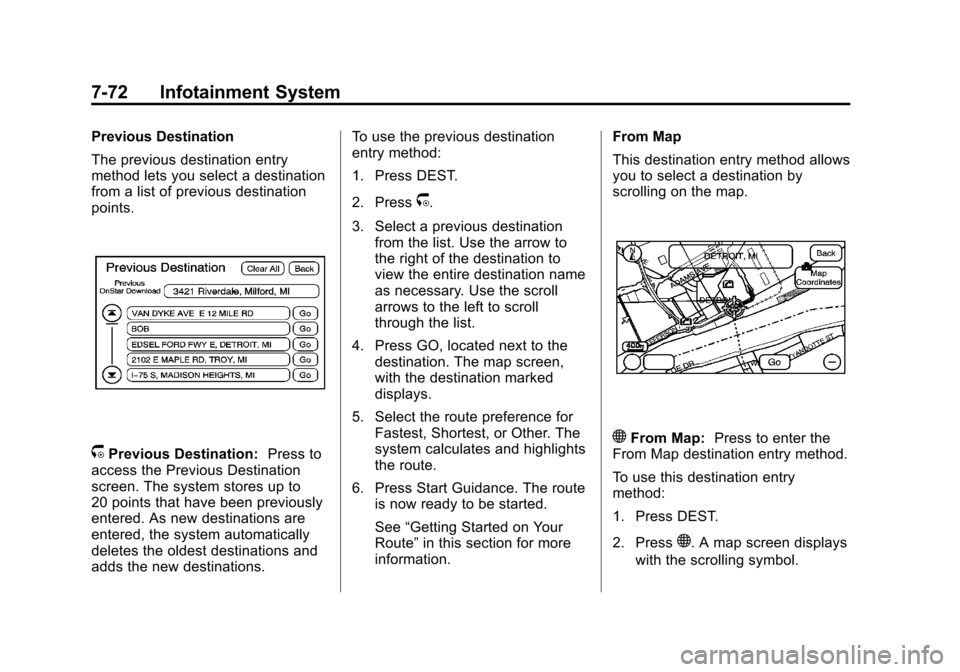
The previous destination entry
method lets you select a destination
from a list of previous destination
points.
/Previous Destination:Press to
access the Previous Destination
screen. The system stores up to
20 points that have been previously
entered. As new destinations are
entered, the system automatically
deletes the oldest destinations and
adds the new destinations. To use the previous destination
entry method:
1. Press DEST.
2. Press
/.
3. Select a previous destination from the list. Use the arrow to
the right of the destination to
view the entire destination name
as necessary. Use the scroll
arrows to the left to scroll
through the list.
4. Press GO, located next to the destination. The map screen,
with the destination marked
displays.
5. Select the route preference for Fastest, Shortest, or Other. The
system calculates and highlights
the route.
6. Press Start Guidance. The route is now ready to be started.
See “Getting Started on Your
Route” in this section for more
information. From Map
This destination entry method allows
you to select a destination by
scrolling on the map.
)From Map:
Press to enter the
From Map destination entry method.
To use this destination entry
method:
1. Press DEST.
2. Press
). A map screen displays
with the scrolling symbol.
Page 257 of 538
Black plate (73,1)Cadillac Escalade/Escalade ESV Owner Manual - 2012
Infotainment System 7-73
3. Use0/1and press on the
map to find the area that you
would like to select as your
destination.
Pressing/holding and dragging
your finger on the map activates
fast scrolling.
4. Press once on the area that you would like to set as your
destination.
The map screen displays the
address information.
5. Press GO. The map screen, with the destination marked displays.
6. Select the route preference for Fastest, Shortest, or Other. The
system calculates and highlights
the route.
7. Press Start Guidance. The route is now ready to be started.
See “Getting Started on Your
Route” in this section for more
information. Map Coordinates
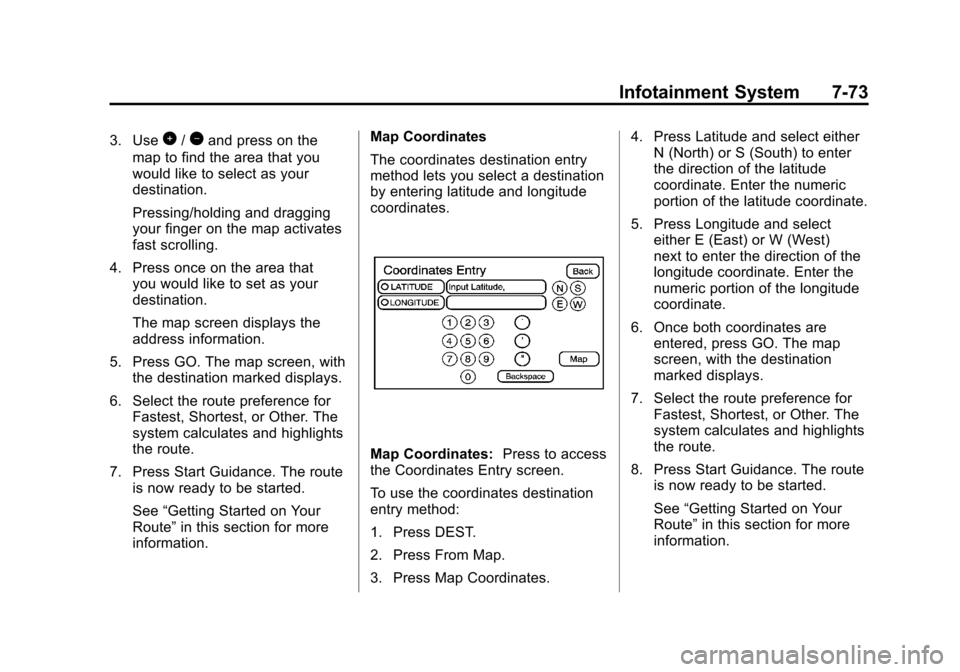
The coordinates destination entry
method lets you select a destination
by entering latitude and longitude
coordinates.
Map Coordinates:
Press to access
the Coordinates Entry screen.
To use the coordinates destination
entry method:
1. Press DEST.
2. Press From Map.
3. Press Map Coordinates. 4. Press Latitude and select either
N (North) or S (South) to enter
the direction of the latitude
coordinate. Enter the numeric
portion of the latitude coordinate.
5. Press Longitude and select either E (East) or W (West)
next to enter the direction of the
longitude coordinate. Enter the
numeric portion of the longitude
coordinate.
6. Once both coordinates are entered, press GO. The map
screen, with the destination
marked displays.
7. Select the route preference for Fastest, Shortest, or Other. The
system calculates and highlights
the route.
8. Press Start Guidance. The route is now ready to be started.
See “Getting Started on Your
Route” in this section for more
information.
Page 258 of 538
Black plate (74,1)Cadillac Escalade/Escalade ESV Owner Manual - 2012
7-74 Infotainment System
Preset Destination
The preset destination entry method
lets you set a destination by
selecting from one of five previously
stored destinations. Besides voice
tagged destinations, these are the
only destinations available to set
while the vehicle is moving. If a
destination is not set for one of the
screen buttons, the button is
dimmed and not available for use.
See“Adding or Changing Preset
Destinations” in this section for
information on how to add a preset
destination.
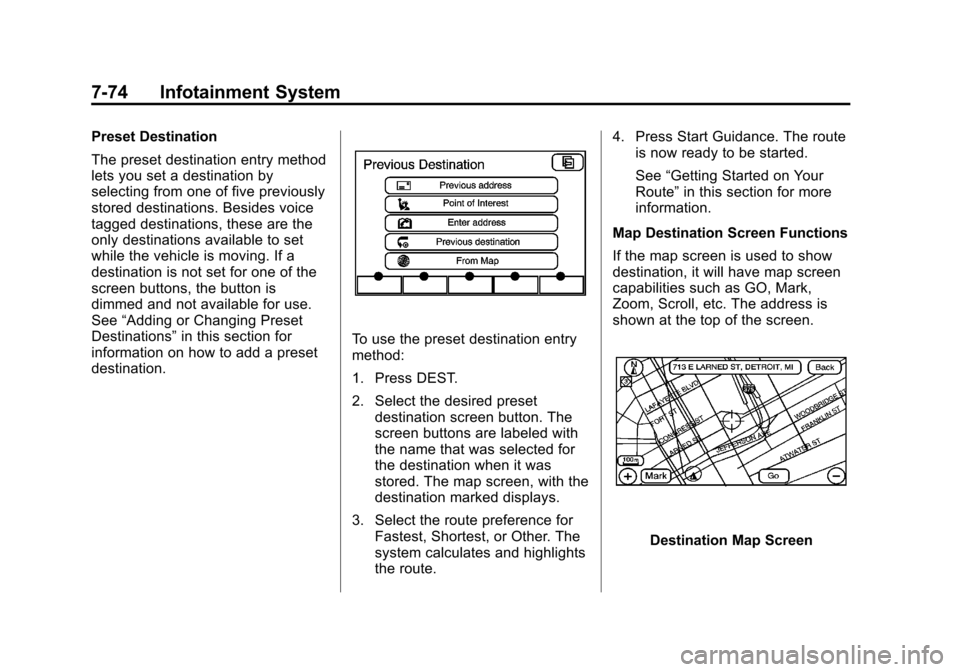
To use the preset destination entry
method:
1. Press DEST.
2. Select the desired preset destination screen button. The
screen buttons are labeled with
the name that was selected for
the destination when it was
stored. The map screen, with the
destination marked displays.
3. Select the route preference for Fastest, Shortest, or Other. The
system calculates and highlights
the route. 4. Press Start Guidance. The route
is now ready to be started.
See “Getting Started on Your
Route” in this section for more
information.
Map Destination Screen Functions
If the map screen is used to show
destination, it will have map screen
capabilities such as GO, Mark,
Zoom, Scroll, etc. The address is
shown at the top of the screen.
Destination Map Screen
Page 263 of 538
Black plate (79,1)Cadillac Escalade/Escalade ESV Owner Manual - 2012
Infotainment System 7-79
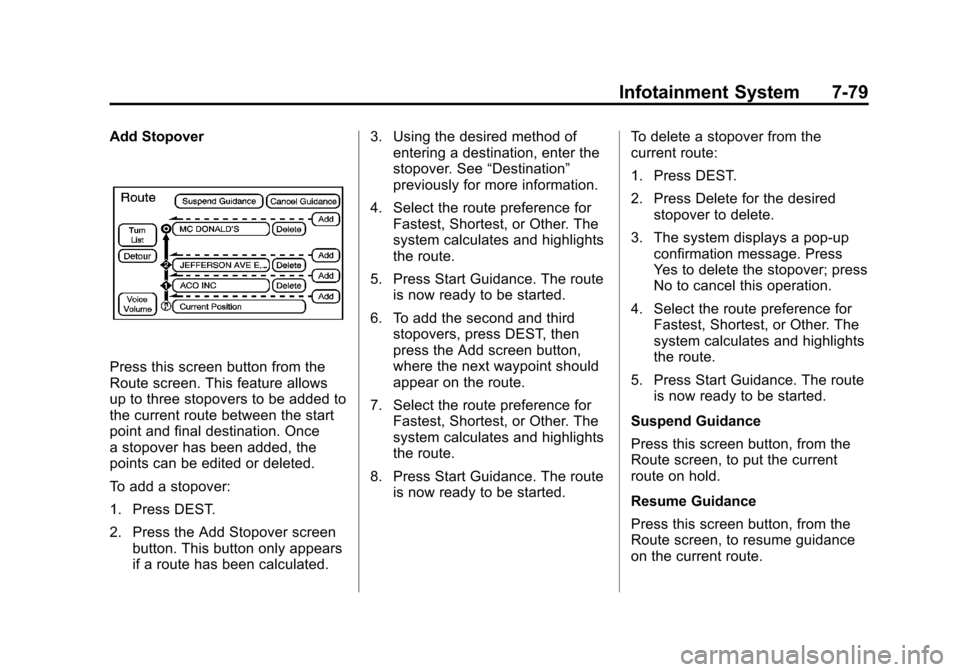
Add Stopover
Press this screen button from the
Route screen. This feature allows
up to three stopovers to be added to
the current route between the start
point and final destination. Once
a stopover has been added, the
points can be edited or deleted.
To add a stopover:
1. Press DEST.
2. Press the Add Stopover screenbutton. This button only appears
if a route has been calculated. 3. Using the desired method of
entering a destination, enter the
stopover. See “Destination”
previously for more information.
4. Select the route preference for Fastest, Shortest, or Other. The
system calculates and highlights
the route.
5. Press Start Guidance. The route is now ready to be started.
6. To add the second and third stopovers, press DEST, then
press the Add screen button,
where the next waypoint should
appear on the route.
7. Select the route preference for Fastest, Shortest, or Other. The
system calculates and highlights
the route.
8. Press Start Guidance. The route is now ready to be started. To delete a stopover from the
current route:
1. Press DEST.
2. Press Delete for the desired
stopover to delete.
3. The system displays a pop-up confirmation message. Press
Yes to delete the stopover; press
No to cancel this operation.
4. Select the route preference for Fastest, Shortest, or Other. The
system calculates and highlights
the route.
5. Press Start Guidance. The route is now ready to be started.
Suspend Guidance
Press this screen button, from the
Route screen, to put the current
route on hold.
Resume Guidance
Press this screen button, from the
Route screen, to resume guidance
on the current route.
Page 268 of 538
Black plate (84,1)Cadillac Escalade/Escalade ESV Owner Manual - 2012
7-84 Infotainment System
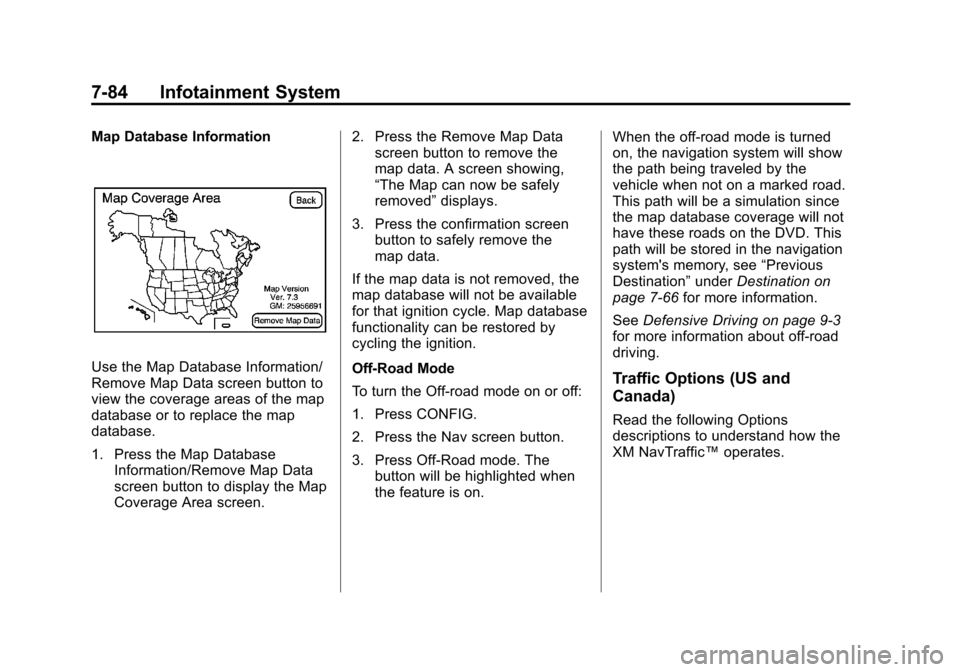
Map Database Information
Use the Map Database Information/
Remove Map Data screen button to
view the coverage areas of the map
database or to replace the map
database.
1. Press the Map DatabaseInformation/Remove Map Data
screen button to display the Map
Coverage Area screen. 2. Press the Remove Map Data
screen button to remove the
map data. A screen showing,
“The Map can now be safely
removed” displays.
3. Press the confirmation screen button to safely remove the
map data.
If the map data is not removed, the
map database will not be available
for that ignition cycle. Map database
functionality can be restored by
cycling the ignition.
Off-Road Mode
To turn the Off-road mode on or off:
1. Press CONFIG.
2. Press the Nav screen button.
3. Press Off-Road mode. The button will be highlighted when
the feature is on. When the off-road mode is turned
on, the navigation system will show
the path being traveled by the
vehicle when not on a marked road.
This path will be a simulation since
the map database coverage will not
have these roads on the DVD. This
path will be stored in the navigation
system's memory, see
“Previous
Destination” underDestination on
page 7‑66 for more information.
See Defensive Driving on page 9‑3
for more information about off-road
driving.Traffic Options (US and
Canada)
Read the following Options
descriptions to understand how the
XM NavTraffic™ operates.
Page 270 of 538
Black plate (86,1)Cadillac Escalade/Escalade ESV Owner Manual - 2012
7-86 Infotainment System
Turning XM NavTraffic On and Off
To turn traffic on or off:
1. Press CONFIG, then pressCONFIG repeatedly until Nav
is selected or press the Nav
screen button.
2. Press the Traffic Options button.
3. Press the Traffic button. This button is highlighted when it is
active.
Selecting Alert for Approaching
Traffic Events enables the
system to show a pop-up screen
that notifies of possible traffic
issues ahead.
When this feature is highlighted,
while traveling on a route,
accidents located on the route
are indicated and can be
avoided. Traffic Icon
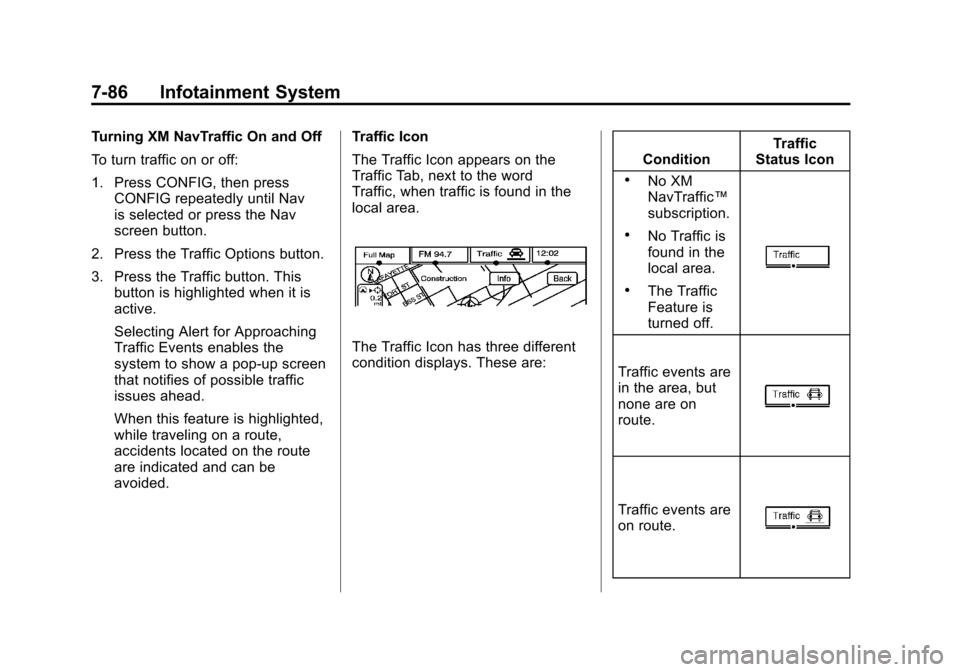
The Traffic Icon appears on the
Traffic Tab, next to the word
Traffic, when traffic is found in the
local area.
The Traffic Icon has three different
condition displays. These are:
Condition
Traffic
Status Icon
.No XM
NavTraffic ™
subscription.
.No Traffic is
found in the
local area.
.The Traffic
Feature is
turned off.
Traffic events are
in the area, but
none are on
route.
Traffic events are
on route.
Page 272 of 538
Black plate (88,1)Cadillac Escalade/Escalade ESV Owner Manual - 2012
7-88 Infotainment System
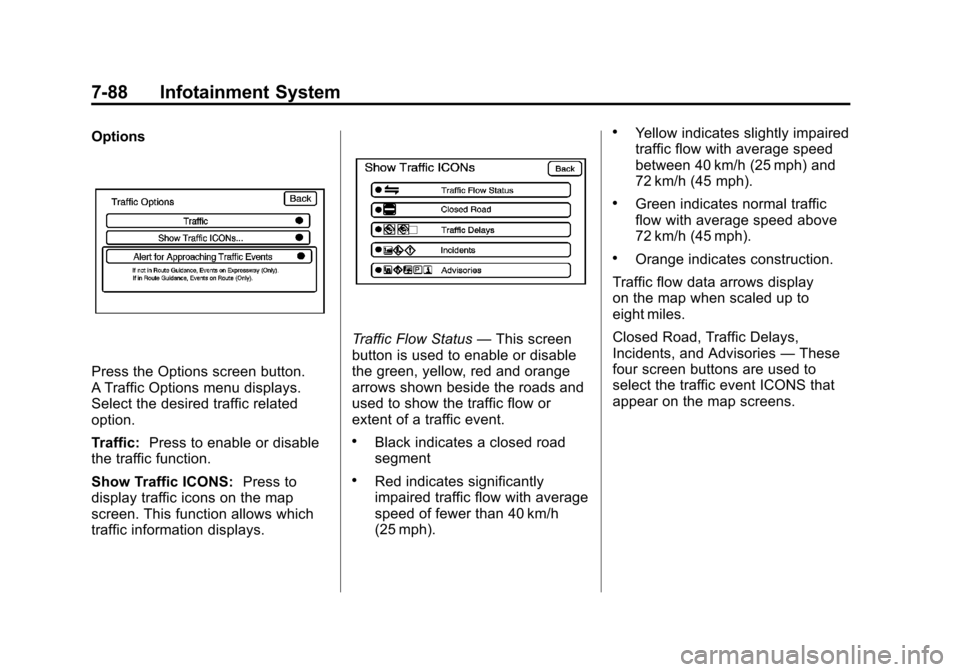
Options
Press the Options screen button.
A Traffic Options menu displays.
Select the desired traffic related
option.
Traffic:Press to enable or disable
the traffic function.
Show Traffic ICONS: Press to
display traffic icons on the map
screen. This function allows which
traffic information displays.
Traffic Flow Status —This screen
button is used to enable or disable
the green, yellow, red and orange
arrows shown beside the roads and
used to show the traffic flow or
extent of a traffic event.
.Black indicates a closed road
segment
.Red indicates significantly
impaired traffic flow with average
speed of fewer than 40 km/h
(25 mph).
.Yellow indicates slightly impaired
traffic flow with average speed
between 40 km/h (25 mph) and
72 km/h (45 mph).
.Green indicates normal traffic
flow with average speed above
72 km/h (45 mph).
.Orange indicates construction.
Traffic flow data arrows display
on the map when scaled up to
eight miles.
Closed Road, Traffic Delays,
Incidents, and Advisories —These
four screen buttons are used to
select the traffic event ICONS that
appear on the map screens.
Page 277 of 538
Black plate (93,1)Cadillac Escalade/Escalade ESV Owner Manual - 2012
Infotainment System 7-93
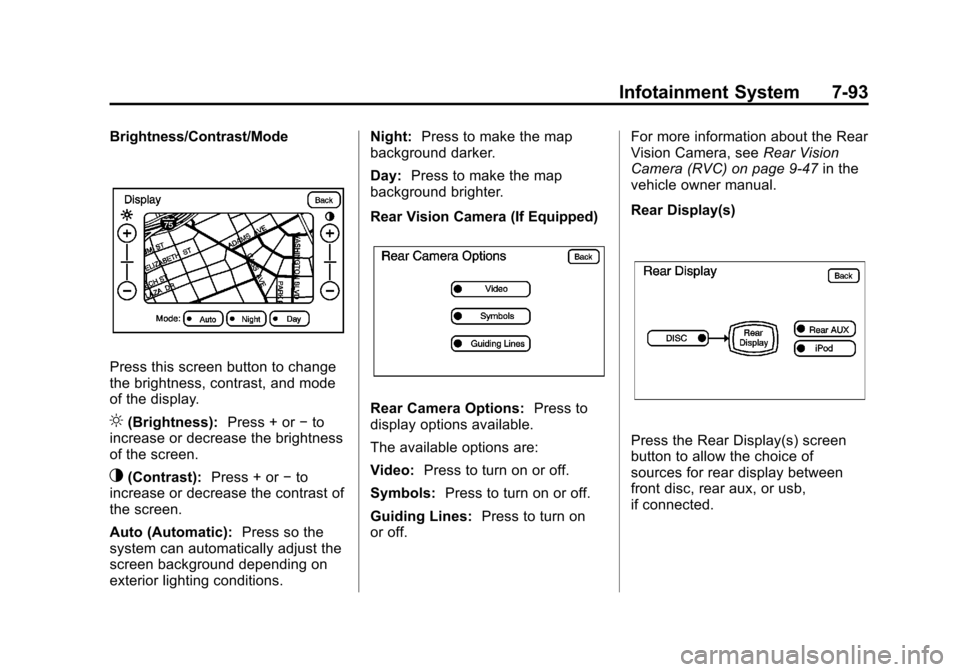
Brightness/Contrast/Mode
Press this screen button to change
the brightness, contrast, and mode
of the display.
](Brightness):Press + or−to
increase or decrease the brightness
of the screen.
_(Contrast): Press + or−to
increase or decrease the contrast of
the screen.
Auto (Automatic): Press so the
system can automatically adjust the
screen background depending on
exterior lighting conditions. Night:
Press to make the map
background darker.
Day: Press to make the map
background brighter.
Rear Vision Camera (If Equipped)
Rear Camera Options: Press to
display options available.
The available options are:
Video: Press to turn on or off.
Symbols: Press to turn on or off.
Guiding Lines: Press to turn on
or off. For more information about the Rear
Vision Camera, see
Rear Vision
Camera (RVC) on page 9‑47 in the
vehicle owner manual.
Rear Display(s)
Press the Rear Display(s) screen
button to allow the choice of
sources for rear display between
front disc, rear aux, or usb,
if connected.
Page 294 of 538

Black plate (2,1)Cadillac Escalade/Escalade ESV Owner Manual - 2012
8-2 Climate Controls
Off:Press the driver side
temperature knob to turn the climate
control system off. Outside air still
enters the vehicle, and is directed
to the floor. This direction can be
changed by pressing the mode
button. The temperature can also be
adjusted using either temperature
knob. Press the up or down arrows
on the fan switch, the defrost button,
the AUTO button, driver side
temperature knob, or the air
conditioning button to turn the
system on when it is off.
Driver and Passenger Side
Temperature Knob
The driver and passenger side
temperature knobs are used to
adjust the temperature of the air
coming through the system on the
driver or passenger side of the
vehicle. The temperature can be
adjusted even if the system is
turned off. This is possible since
outside air always flows through the
system as the vehicle is moving forward unless it is set to
recirculation mode. See
“Recirculation”
later in this section.
Turn the knob clockwise or
counterclockwise to increase or
decrease the cabin temperature.
The display will show the
temperature setting increasing
or decreasing.
Set the passenger temperature
setting to match the driver
temperature setting by pressing the
passenger temperature knob.
When in defrost mode the
passenger temperature setting
cannot be changed.
Automatic Operation
AUTO (Automatic): When
automatic operation is active the
system will control the inside
temperature, the air delivery, and
the fan speed. Use the steps below to place the
entire system in automatic mode:
1. Press the AUTO button.
When AUTO is selected, the
display will change to show the
current temperature(s) and
AUTO come on the display. The
current delivery mode and fan
speed will also be displayed for
approximately 5 seconds.
When AUTO is selected, the
air conditioning operation and
air inlet will be automatically
controlled. The air conditioning
compressor will run when the
outside temperature is over
about 4°C (40°F). The air inlet
will normally be set to outside
air. If it is hot outside, the air
inlet may automatically switch to
recirculate inside air to help
quickly cool down the vehicle.
The light on the button comes on
in recirculation.