lock CADILLAC ESCALADE 2016 4.G Repair Manual
[x] Cancel search | Manufacturer: CADILLAC, Model Year: 2016, Model line: ESCALADE, Model: CADILLAC ESCALADE 2016 4.GPages: 357, PDF Size: 3.49 MB
Page 162 of 357
Cadillac Escalade Owner Manual (GMNA-Localizing-MidEast-9369153) -
2016 - crc - 6/19/15
Instruments and Controls 161
Select All Doors or Driver
Door Only.
Passive Door Lock
This feature can be turned on or off,
or can be used to select feedback
when using the button on the driver
door to lock the vehicle. See
Remote Keyless Entry (RKE)
System Operation029.
Select Off, On with Horn
Chirp, or On.
Remote Left in Vehicle Alert
This feature sounds an alert when
the RKE transmitter is left in the
vehicle.
Select Off or On.
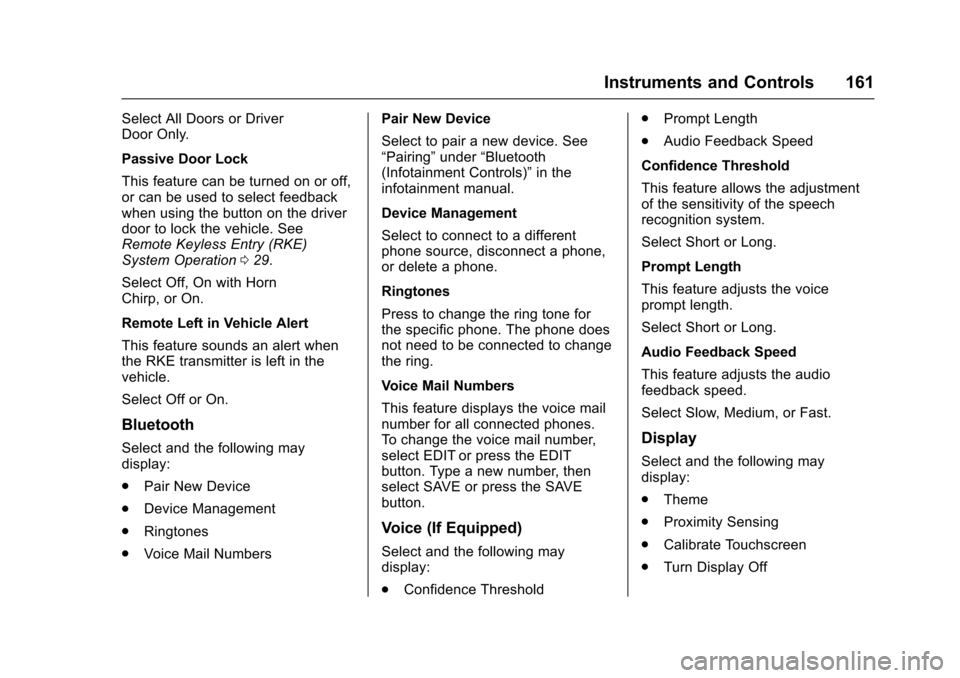
Bluetooth
Select and the following may
display:
. Pair New Device
. Device Management
. Ringtones
. Voice Mail Numbers Pair New Device
Select to pair a new device. See
“Pairing”
under“Bluetooth
(Infotainment Controls)” in the
infotainment manual.
Device Management
Select to connect to a different
phone source, disconnect a phone,
or delete a phone.
Ringtones
Press to change the ring tone for
the specific phone. The phone does
not need to be connected to change
the ring.
Voice Mail Numbers
This feature displays the voice mail
number for all connected phones.
To change the voice mail number,
select EDIT or press the EDIT
button. Type a new number, then
select SAVE or press the SAVE
button.
Voice (If Equipped)
Select and the following may
display:
. Confidence Threshold .
Prompt Length
. Audio Feedback Speed
Confidence Threshold
This feature allows the adjustment
of the sensitivity of the speech
recognition system.
Select Short or Long.
Prompt Length
This feature adjusts the voice
prompt length.
Select Short or Long.
Audio Feedback Speed
This feature adjusts the audio
feedback speed.
Select Slow, Medium, or Fast.
Display
Select and the following may
display:
. Theme
. Proximity Sensing
. Calibrate Touchscreen
. Turn Display Off
Page 169 of 357
Cadillac Escalade Owner Manual (GMNA-Localizing-MidEast-9369153) -
2016 - crc - 6/19/15
168 Lighting
.The vehicle's windshield is dirty,
cracked, or obstructed by
something that blocks the view
of the light sensor.
. The vehicle is loaded such that
the front end points upward,
causing the light sensor to aim
high and not detect headlamps
and taillamps.
. The vehicle is being driven on
winding or hilly roads.
The automatic high-beam
headlamps may need to be disabled
if any of the above conditions exist.
This feature can be turned on or off
in vehicle personalization. See
Vehicle Personalization 0156.
Exterior Lamps Off
Reminder
If a door is open, a reminder chime
sounds when the headlamps or
parking lamps are manually turned
on and the ignition is off. To turn off
the chime, turn the exterior lamp
control to off or AUTO and then
back on, or close and re-open the
door. In the AUTO mode, the headlamps turn off once the ignition
is off or remain on until the
headlamp delay ends (if enabled in
the DIC). See
“Exit Lighting” under
Vehicle Personalization 0156.
Headlamp High/
Low-Beam Changer
$
(Headlamp High/Low-Beam
Changer) : Push the turn signal
lever toward the instrument panel to
change the headlamps from low to
high beam.
Pull the turn signal lever toward you
and release it to return to low-beam
headlamps.
When the high-beam headlamps are
on, this indicator light on the
instrument cluster will also be on.
Flash-to-Pass
This feature lets you use the
high-beam headlamps to signal a
driver in front of you that you want
to pass. It works even if the
headlamps are in the automatic
position.
To use it, pull the turn signal lever
toward you, then release it.
If the headlamps are in the
automatic position or on low beam,
the high-beam headlamps will turn
on. They will stay on as long as you
hold the lever toward you. The
high-beam indicator on the
instrument cluster will come on.
Release the lever to return to
normal operation.
Daytime Running
Lamps (DRL)
DRL can make it easier for others to
see the front of the vehicle during
the day.
The DRL system comes on when
the following conditions are met:
. The ignition is on.
Page 180 of 357
Cadillac Escalade Owner Manual (GMNA-Localizing-MidEast-9369153) -
2016 - crc - 6/19/15
Climate Controls 179
conditioning on or off. If the fan is
turned off or the outside
temperature falls below freezing, the
air conditioner will not run.
Press AUTO to return to automatic
operation and the air conditioner
runs as needed.
Automatic Air Recirculation :
When the AUTO indicator light is
on, the air is automatically
recirculated as needed to help
quickly cool the inside of the
vehicle.
The climate control system may
have a sensor to detect air pollution.
When using automatic air
recirculation, the air quality control
system may operate. To adjust the
sensitivity of the air quality sensor,
see“Climate and Air Quality” under
Vehicle Personalization 0156.
@(Recirculation) : Press to
alternate between recirculating air
inside the vehicle or pulling in
outside air. The indicator light on the
button is lit when recirculation mode
is active. This helps to quickly cool
the air inside the vehicle and reduce
the entry of outside air and odors. Pressing this button cancels
automatic recirculation. Press AUTO
to return to automatic operation;
recirculation runs automatically as
needed.
Manual recirculation mode is not
available when in Defrost or Defog
modes.
Auto Defog :
The climate control
system may have a sensor to
automatically detect high humidity
inside the vehicle. When high
humidity is detected, the climate
control system may adjust to
outside air supply and turn on the
air conditioner. If the climate control
system does not detect possible
window fogging, it returns to normal
operation. To turn Auto Defog off or
on, see “Climate and Air Quality”
under Vehicle Personalization
0 156.Rear Window Defogger
=(Rear Window Defogger) :
Press to turn the rear window
defogger on or off. An indicator light
on the button comes on to show that
the rear window defogger is on. The rear window defogger only
works when the ignition is in ON/
RUN. The defogger turns off if the
ignition is turned to ACC/
ACCESSORY or LOCK/OFF.
The heated outside rearview mirrors
turn on when the rear window
defogger button is on and help to
clear fog or frost from the surface of
the mirrors.
Caution
Do not try to clear frost or other
material from the inside of the
front windshield and rear window
with a razor blade or anything
else that is sharp. This may
damage the rear window
defogger grid and affect the
radio's ability to pick up stations
clearly. The repairs would not be
covered by the vehicle warranty.
Driver and Passenger Heated and
Cooled Seats (If Equipped) : Press
Ior+to heat the driver or
passenger seatback only.
Page 182 of 357
Cadillac Escalade Owner Manual (GMNA-Localizing-MidEast-9369153) -
2016 - crc - 6/19/15
Climate Controls 181
4. Fan Control
5.
O(On/Off)
6. Air Delivery Mode Control
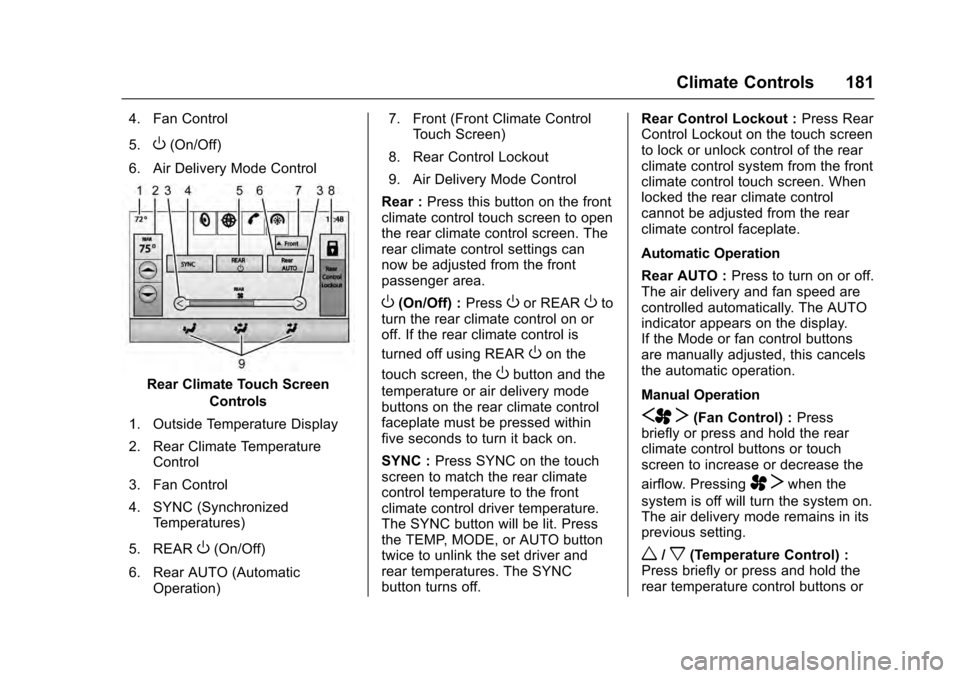
Rear Climate Touch Screen Controls
1. Outside Temperature Display
2. Rear Climate Temperature Control
3. Fan Control
4. SYNC (Synchronized Temperatures)
5. REAR
O(On/Off)
6. Rear AUTO (Automatic Operation) 7. Front (Front Climate Control
Touch Screen)
8. Rear Control Lockout
9. Air Delivery Mode Control
Rear : Press this button on the front
climate control touch screen to open
the rear climate control screen. The
rear climate control settings can
now be adjusted from the front
passenger area.
O(On/Off) : PressOor REAROto
turn the rear climate control on or
off. If the rear climate control is
turned off using REAR
Oon the
touch screen, the
Obutton and the
temperature or air delivery mode
buttons on the rear climate control
faceplate must be pressed within
five seconds to turn it back on.
SYNC : Press SYNC on the touch
screen to match the rear climate
control temperature to the front
climate control driver temperature.
The SYNC button will be lit. Press
the TEMP, MODE, or AUTO button
twice to unlink the set driver and
rear temperatures. The SYNC
button turns off. Rear Control Lockout :
Press Rear
Control Lockout on the touch screen
to lock or unlock control of the rear
climate control system from the front
climate control touch screen. When
locked the rear climate control
cannot be adjusted from the rear
climate control faceplate.
Automatic Operation
Rear AUTO : Press to turn on or off.
The air delivery and fan speed are
controlled automatically. The AUTO
indicator appears on the display.
If the Mode or fan control buttons
are manually adjusted, this cancels
the automatic operation.
Manual Operation
SA T(Fan Control) : Press
briefly or press and hold the rear
climate control buttons or touch
screen to increase or decrease the
airflow. Pressing
A Twhen the
system is off will turn the system on.
The air delivery mode remains in its
previous setting.
w/x(Temperature Control) :
Press briefly or press and hold the
rear temperature control buttons or
Page 183 of 357
Cadillac Escalade Owner Manual (GMNA-Localizing-MidEast-9369153) -
2016 - crc - 6/19/15
182 Climate Controls
touch screen to adjust the rear
passenger temperature. Press
w
for warmer air and pressxfor
cooler air.
Y/\/Y(Air Delivery Mode
Control) : Press the desired mode
button on the touch screen or the
MODE button on the rear faceplate
to change the direction of the airflow
in the rear seating area.
MorL(Heated Rear Seats) :
Press
MorLto heat the left or
right outboard seat cushion and
seatback. See Heated Rear Seats
0 62.
Air Vents
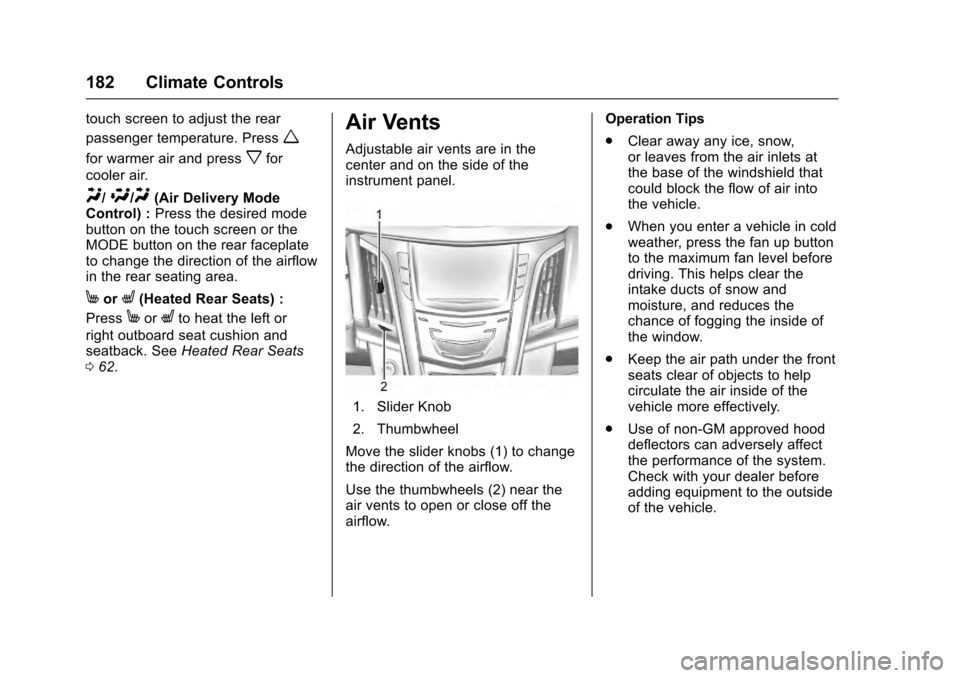
Adjustable air vents are in the
center and on the side of the
instrument panel.
1. Slider Knob
2. Thumbwheel
Move the slider knobs (1) to change
the direction of the airflow.
Use the thumbwheels (2) near the
air vents to open or close off the
airflow. Operation Tips
.
Clear away any ice, snow,
or leaves from the air inlets at
the base of the windshield that
could block the flow of air into
the vehicle.
. When you enter a vehicle in cold
weather, press the fan up button
to the maximum fan level before
driving. This helps clear the
intake ducts of snow and
moisture, and reduces the
chance of fogging the inside of
the window.
. Keep the air path under the front
seats clear of objects to help
circulate the air inside of the
vehicle more effectively.
. Use of non-GM approved hood
deflectors can adversely affect
the performance of the system.
Check with your dealer before
adding equipment to the outside
of the vehicle.
Page 185 of 357
Cadillac Escalade Owner Manual (GMNA-Localizing-MidEast-9369153) -
2016 - crc - 6/19/15
184 Driving and Operating
Driving and
Operating
Driving Information
Distracted Driving . . . . . . . . . . . . 185
Defensive Driving . . . . . . . . . . . . . 186
Control of a Vehicle . . . . . . . . . . . 186
Braking . . . . . . . . . . . . . . . . . . . . . . . 186
Steering . . . . . . . . . . . . . . . . . . . . . . 186
Off-Road Recovery . . . . . . . . . . . 187
Loss of Control . . . . . . . . . . . . . . . 187
Off-Road Driving . . . . . . . . . . . . . 188
Driving on Wet Roads . . . . . . . . 192
Hill and Mountain Roads . . . . . 193
Winter Driving . . . . . . . . . . . . . . . . 194
If the Vehicle Is Stuck . . . . . . . . 195
Vehicle Load Limits . . . . . . . . . . . 196
Starting and Operating
New Vehicle Break-In . . . . . . . . . 200
Adjustable Throttle and BrakePedal . . . . . . . . . . . . . . . . . . . . . . . 200
Ignition Positions . . . . . . . . . . . . . 201
Starting the Engine . . . . . . . . . . . 203
Retained Accessory Power (RAP) . . . . . . . . . . . . . . . . 204
Shifting Into Park . . . . . . . . . . . . . 204
Shifting out of Park . . . . . . . . . . . 205 Parking over Things
That Burn . . . . . . . . . . . . . . . . . . . 206
Active Fuel Management
®. . . . 206
Engine Exhaust
Engine Exhaust . . . . . . . . . . . . . . 206
Running the Vehicle While Parked . . . . . . . . . . . . . . . . . . . . . . 207
Automatic Transmission
Automatic Transmission . . . . . . 207
Manual Mode . . . . . . . . . . . . . . . . . 210
Tow/Haul Mode . . . . . . . . . . . . . . . 212
Drive Systems
Four-Wheel Drive . . . . . . . . . . . . . 213
Brakes
Antilock BrakeSystem (ABS) . . . . . . . . . . . . . . . 216
Parking Brake . . . . . . . . . . . . . . . . 217
Electric Parking Brake . . . . . . . . 218
Brake Assist . . . . . . . . . . . . . . . . . . 219
Hill Start Assist (HSA) . . . . . . . . 219
Ride Control Systems
Traction Control/Electronic Stability Control . . . . . . . . . . . . . 220
Magnetic Ride Control . . . . . . . . 222
Locking Rear Axle . . . . . . . . . . . . 222
Automatic Level Control . . . . . . 222
Cruise Control
Cruise Control . . . . . . . . . . . . . . . . 223
Adaptive Cruise Control . . . . . . 225
Driver Assistance Systems
Driver Assistance Systems . . . 232
Assistance Systems for Parking or Backing . . . . . . . . . . 233
Assistance Systems for Driving . . . . . . . . . . . . . . . . . . . . . . 238
Forward Collision Alert (FCA) System . . . . . . . . . . . . . . . . . . . . . . 238
Front Automatic Braking (FAB) System . . . . . . . . . . . . . . . . . . . . . . 240
Side Blind Zone Alert (SBZA) . . . . . . . . . . . . . . . . 241
Lane Change Alert (LCA) . . . . . 242
Lane Departure Warning (LDW) . . . . . . . . . . . . . 244
Lane Keep Assist (LKA) . . . . . . 244
Fuel
Fuel . . . . . . . . . . . . . . . . . . . . . . . . . . 246
Fuel Additives . . . . . . . . . . . . . . . . 246
Filling the Tank . . . . . . . . . . . . . . . 247
Filling a Portable Fuel Container . . . . . . . . . . . . . . . . . . . 248
Trailer Towing
General TowingInformation . . . . . . . . . . . . . . . . . . 249
Page 188 of 357
Cadillac Escalade Owner Manual (GMNA-Localizing-MidEast-9369153) -
2016 - crc - 6/19/15
Driving and Operating 187
See specific vehicle steering
messages underSteering System
Messages 0153. See your dealer if
there is a problem.
Curve Tips
. Take curves at a reasonable
speed.
. Reduce speed before entering a
curve.
. Maintain a reasonable steady
speed through the curve.
. Wait until the vehicle is out of
the curve before accelerating
gently into the straightaway.
Steering in Emergencies
.There are some situations when
steering around a problem may
be more effective than braking.
. Holding both sides of the
steering wheel allows you to turn
180 degrees without removing
a hand.
. Antilock Brake System (ABS)
allows steering while braking.
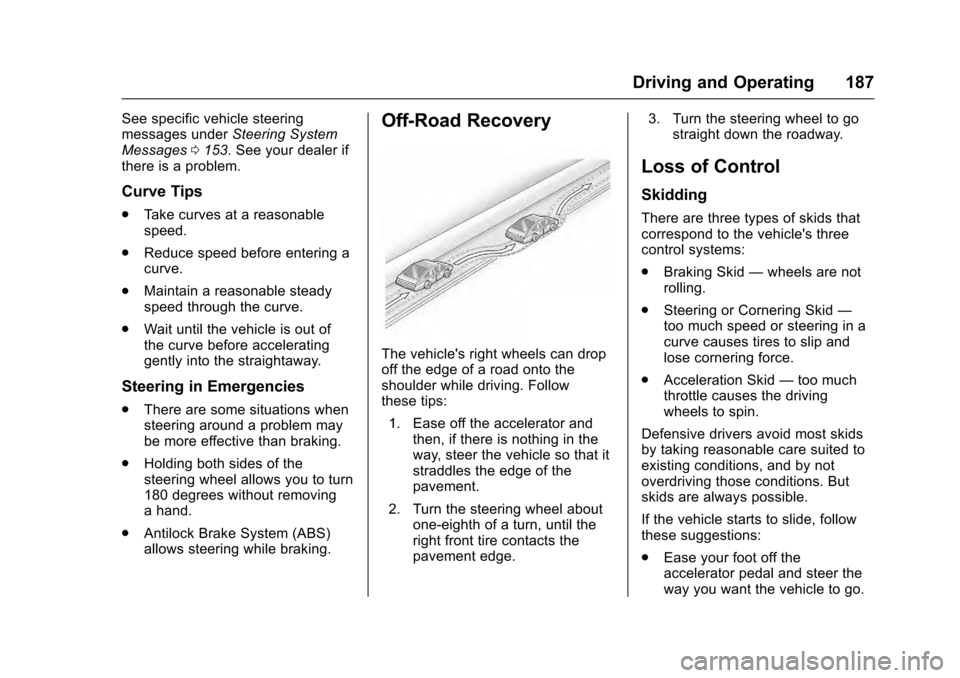
Off-Road Recovery
The vehicle's right wheels can drop
off the edge of a road onto the
shoulder while driving. Follow
these tips:
1. Ease off the accelerator and then, if there is nothing in the
way, steer the vehicle so that it
straddles the edge of the
pavement.
2. Turn the steering wheel about one-eighth of a turn, until the
right front tire contacts the
pavement edge. 3. Turn the steering wheel to go
straight down the roadway.
Loss of Control
Skidding
There are three types of skids that
correspond to the vehicle's three
control systems:
.Braking Skid —wheels are not
rolling.
. Steering or Cornering Skid —
too much speed or steering in a
curve causes tires to slip and
lose cornering force.
. Acceleration Skid —too much
throttle causes the driving
wheels to spin.
Defensive drivers avoid most skids
by taking reasonable care suited to
existing conditions, and by not
overdriving those conditions. But
skids are always possible.
If the vehicle starts to slide, follow
these suggestions:
. Ease your foot off the
accelerator pedal and steer the
way you want the vehicle to go.
Page 189 of 357
Cadillac Escalade Owner Manual (GMNA-Localizing-MidEast-9369153) -
2016 - crc - 6/19/15
188 Driving and Operating
The vehicle may straighten out.
Be ready for a second skid if it
occurs.
. Slow down and adjust your
driving according to weather
conditions. Stopping distance
can be longer and vehicle
control can be affected when
traction is reduced by water,
snow, ice, gravel, or other
material on the road. Learn to
recognize warning clues —such
as enough water, ice, or packed
snow on the road to make a
mirrored surface —and slow
down when you have any doubt.
. Try to avoid sudden steering,
acceleration, or braking,
including reducing vehicle speed
by shifting to a lower gear. Any
sudden changes could cause
the tires to slide.
Remember: Antilock brakes help
avoid only the braking skid.
Off-Road Driving
Four-wheel-drive vehicles can be
used for off-road driving. Vehicles
without four-wheel drive and vehicles not equipped with All
Terrain (AT) or On-Off Road (OOR)
tires must not be driven off-road
except on a level, solid surface. For
more contact information about the
original equipment tires, see the
Limited Warranty and Owner
Assistance Information manual.
One of the best ways for successful
off-road driving is to control the
speed.
{Warning
When driving off-road, bouncing
and quick changes in direction
can easily throw you out of
position. This could cause you to
lose control and crash. You and
your passengers should always
wear safety belts.
Before Driving Off-Road
.
Have all necessary maintenance
and service work completed. .
Fuel the vehicle, fill fluid levels,
and check inflation pressure in
all tires, including the spare,
if equipped.
. Read all the information about
four-wheel-drive vehicles in this
manual.
. Know the local laws that apply to
off-road driving.
To gain more ground clearance if
needed, it may be necessary to
remove the front fascia lower
air dam.
Caution
Operating the vehicle for
extended periods without the front
fascia lower air dam installed can
cause improper air flow to the
engine. Re-attach the front fascia
air dam after off-road driving.
Page 195 of 357
Cadillac Escalade Owner Manual (GMNA-Localizing-MidEast-9369153) -
2016 - crc - 6/19/15
194 Driving and Operating
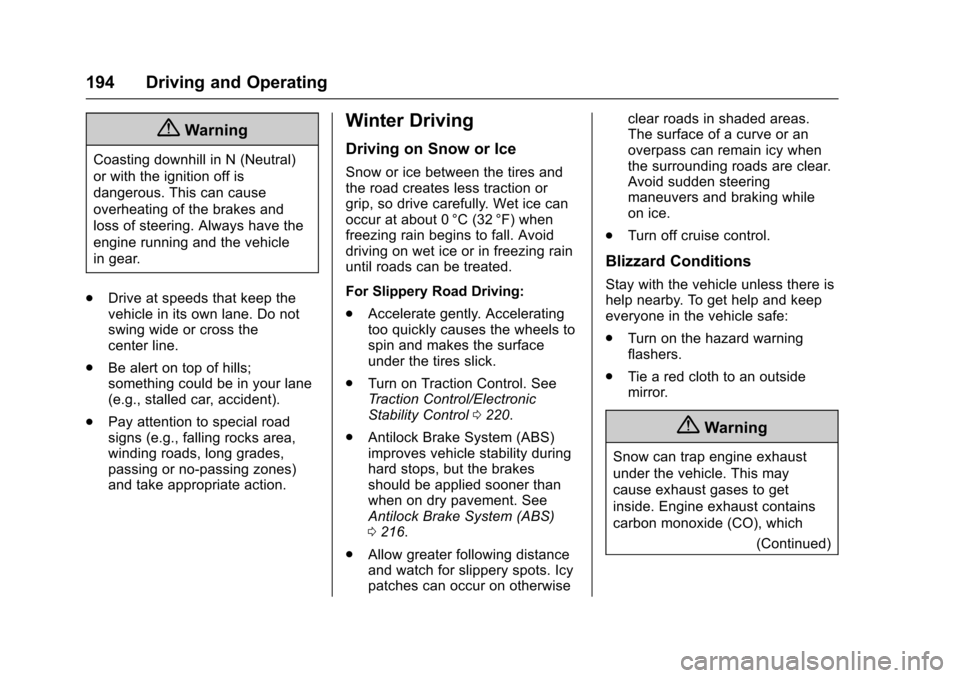
{Warning
Coasting downhill in N (Neutral)
or with the ignition off is
dangerous. This can cause
overheating of the brakes and
loss of steering. Always have the
engine running and the vehicle
in gear.
. Drive at speeds that keep the
vehicle in its own lane. Do not
swing wide or cross the
center line.
. Be alert on top of hills;
something could be in your lane
(e.g., stalled car, accident).
. Pay attention to special road
signs (e.g., falling rocks area,
winding roads, long grades,
passing or no-passing zones)
and take appropriate action.
Winter Driving
Driving on Snow or Ice
Snow or ice between the tires and
the road creates less traction or
grip, so drive carefully. Wet ice can
occur at about 0 °C (32 °F) when
freezing rain begins to fall. Avoid
driving on wet ice or in freezing rain
until roads can be treated.
For Slippery Road Driving:
.Accelerate gently. Accelerating
too quickly causes the wheels to
spin and makes the surface
under the tires slick.
. Turn on Traction Control. See
Traction Control/Electronic
Stability Control 0220.
. Antilock Brake System (ABS)
improves vehicle stability during
hard stops, but the brakes
should be applied sooner than
when on dry pavement. See
Antilock Brake System (ABS)
0216.
. Allow greater following distance
and watch for slippery spots. Icy
patches can occur on otherwise clear roads in shaded areas.
The surface of a curve or an
overpass can remain icy when
the surrounding roads are clear.
Avoid sudden steering
maneuvers and braking while
on ice.
. Turn off cruise control.
Blizzard Conditions
Stay with the vehicle unless there is
help nearby. To get help and keep
everyone in the vehicle safe:
.Turn on the hazard warning
flashers.
. Tie a red cloth to an outside
mirror.
{Warning
Snow can trap engine exhaust
under the vehicle. This may
cause exhaust gases to get
inside. Engine exhaust contains
carbon monoxide (CO), which
(Continued)
Page 196 of 357
Cadillac Escalade Owner Manual (GMNA-Localizing-MidEast-9369153) -
2016 - crc - 6/19/15
Driving and Operating 195
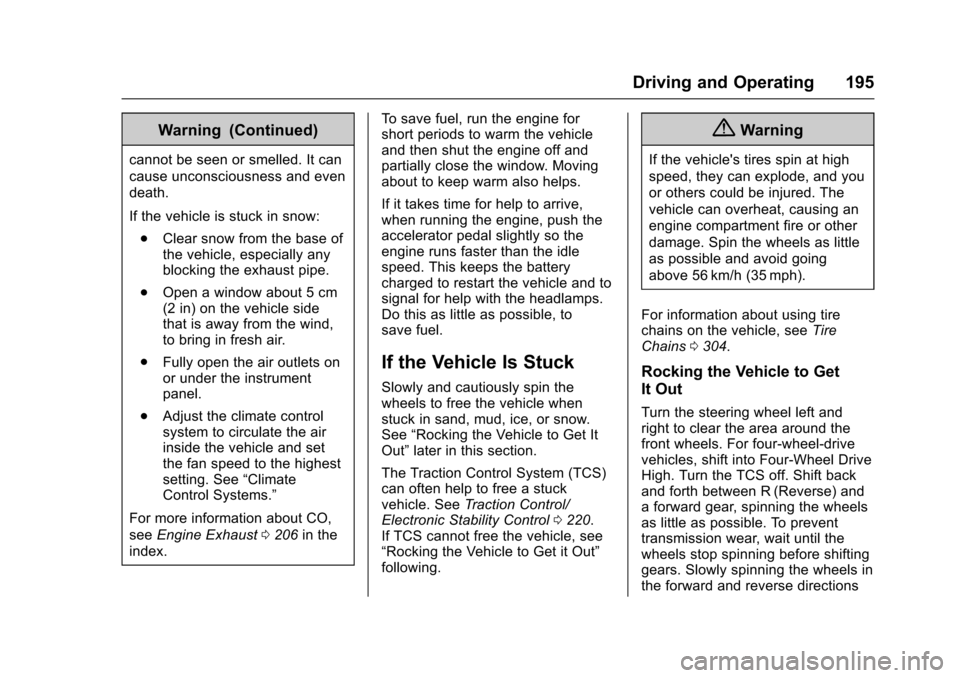
Warning (Continued)
cannot be seen or smelled. It can
cause unconsciousness and even
death.
If the vehicle is stuck in snow:. Clear snow from the base of
the vehicle, especially any
blocking the exhaust pipe.
. Open a window about 5 cm
(2 in) on the vehicle side
that is away from the wind,
to bring in fresh air.
. Fully open the air outlets on
or under the instrument
panel.
. Adjust the climate control
system to circulate the air
inside the vehicle and set
the fan speed to the highest
setting. See “Climate
Control Systems.”
For more information about CO,
see Engine Exhaust 0206 in the
index. To save fuel, run the engine for
short periods to warm the vehicle
and then shut the engine off and
partially close the window. Moving
about to keep warm also helps.
If it takes time for help to arrive,
when running the engine, push the
accelerator pedal slightly so the
engine runs faster than the idle
speed. This keeps the battery
charged to restart the vehicle and to
signal for help with the headlamps.
Do this as little as possible, to
save fuel.
If the Vehicle Is Stuck
Slowly and cautiously spin the
wheels to free the vehicle when
stuck in sand, mud, ice, or snow.
See
“Rocking the Vehicle to Get It
Out” later in this section.
The Traction Control System (TCS)
can often help to free a stuck
vehicle. See Traction Control/
Electronic Stability Control 0220.
If TCS cannot free the vehicle, see
“Rocking the Vehicle to Get it Out”
following.
{Warning
If the vehicle's tires spin at high
speed, they can explode, and you
or others could be injured. The
vehicle can overheat, causing an
engine compartment fire or other
damage. Spin the wheels as little
as possible and avoid going
above 56 km/h (35 mph).
For information about using tire
chains on the vehicle, see Tire
Chains 0304.
Rocking the Vehicle to Get
It Out
Turn the steering wheel left and
right to clear the area around the
front wheels. For four-wheel-drive
vehicles, shift into Four-Wheel Drive
High. Turn the TCS off. Shift back
and forth between R (Reverse) and
a forward gear, spinning the wheels
as little as possible. To prevent
transmission wear, wait until the
wheels stop spinning before shifting
gears. Slowly spinning the wheels in
the forward and reverse directions