display CADILLAC ESCALADE 2017 4.G Owners Manual
[x] Cancel search | Manufacturer: CADILLAC, Model Year: 2017, Model line: ESCALADE, Model: CADILLAC ESCALADE 2017 4.GPages: 354, PDF Size: 3.9 MB
Page 242 of 354

Cadillac Escalade Owner Manual (GMNA-Localizing-MidEast-10293077) -
2017 - crc - 8/24/16
DRIVING AND OPERATING 241
Warning (Continued)
.Detect lanes on winding or
hilly roads.
If LKA only detects lane markings
on one side of the road, it will only
assist or provide an LDW alert
when approaching the lane on the
side where it has detected a lane
marking. Even with LKA and LDW,
you must steer the vehicle. Always
keep your attention on the road and
maintain proper vehicle position
within the lane, or vehicle damage,
injury, or death could occur. Always
keep the windshield, headlamps,
and camera sensors clean and in
good repair. Do not use LKA in bad
weather conditions.
{Warning
Using LKA while towing a trailer or
on slippery roads could cause loss
of control of the vehicle and a
crash. Turn the system off.
How the System Works
The LKA camera sensor is on the
windshield ahead of the rearview
mirror.
To turn LKA on and off, press
A
on the center stack.
When on,
Ais green if LKA is
available to assist and provide LDW
alerts. It may assist by gently turning
the steering wheel and display
A
as amber if the vehicle approaches a
detected lane marking without using a
turn signal in that direction. It may
also provide an LDW alert by
flashing
Aamber as the lane
marking is crossed. Additionally, there
will be three beeps, or the driver seat
will pulse three times, on the right or
left, depending on the lane departure
direction.
The LKA system does not
continuously steer the vehicle. If LKA
does not detect active driver steering,
an alert and chime may be provided.
Move the steering wheel to dismiss.
When the System Does Not
Seem to Work Properly
The system performance may be
affected by:
. Close vehicles ahead.
. Sudden lighting changes, such as
when driving through tunnels.
. Banked roads.
. Roads with poor lane markings,
such as two-lane roads.
If the LKA system is not functioning
properly when lane markings are
clearly visible, cleaning the windshield
may help.
LKA assistance and/or LDW alerts
may occur due to tar marks, shadows,
cracks in the road, temporary or
construction lane markings, or other
road imperfections. This is normal
system operation; the vehicle does not
need service. Turn LKA off if these
conditions continue.
Page 259 of 354
Cadillac Escalade Owner Manual (GMNA-Localizing-MidEast-10293077) -
2017 - crc - 8/24/16
258 VEHICLE CARE
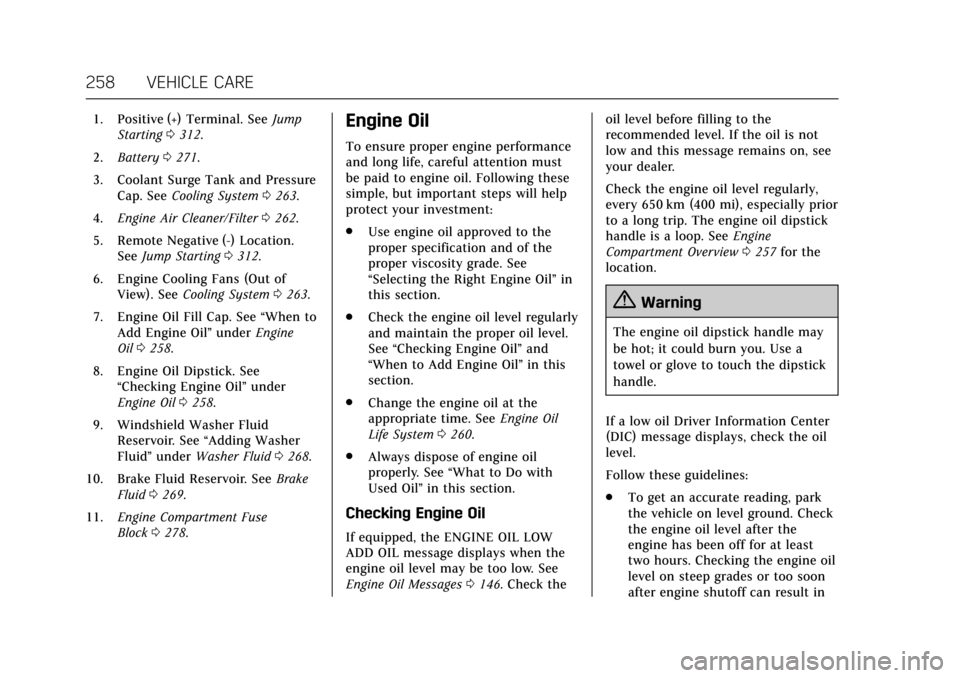
1. Positive (+) Terminal. SeeJump
Starting 0312.
2. Battery 0271.
3. Coolant Surge Tank and Pressure Cap. See Cooling System 0263.
4. Engine Air Cleaner/Filter 0262.
5. Remote Negative (-) Location. See Jump Starting 0312.
6. Engine Cooling Fans (Out of View). See Cooling System 0263.
7. Engine Oil Fill Cap. See “When to
Add Engine Oil” underEngine
Oil 0258.
8. Engine Oil Dipstick. See “Checking Engine Oil” under
Engine Oil 0258.
9. Windshield Washer Fluid Reservoir. See “Adding Washer
Fluid ”under Washer Fluid 0268.
10. Brake Fluid Reservoir. See Brake
Fluid 0269.
11. Engine Compartment Fuse
Block 0278.Engine Oil
To ensure proper engine performance
and long life, careful attention must
be paid to engine oil. Following these
simple, but important steps will help
protect your investment:
.
Use engine oil approved to the
proper specification and of the
proper viscosity grade. See
“Selecting the Right Engine Oil” in
this section.
. Check the engine oil level regularly
and maintain the proper oil level.
See “Checking Engine Oil” and
“When to Add Engine Oil” in this
section.
. Change the engine oil at the
appropriate time. See Engine Oil
Life System 0260.
. Always dispose of engine oil
properly. See “What to Do with
Used Oil” in this section.
Checking Engine Oil
If equipped, the ENGINE OIL LOW
ADD OIL message displays when the
engine oil level may be too low. See
Engine Oil Messages 0146. Check the oil level before filling to the
recommended level. If the oil is not
low and this message remains on, see
your dealer.
Check the engine oil level regularly,
every 650 km (400 mi), especially prior
to a long trip. The engine oil dipstick
handle is a loop. See
Engine
Compartment Overview 0257 for the
location.
{Warning
The engine oil dipstick handle may
be hot; it could burn you. Use a
towel or glove to touch the dipstick
handle.
If a low oil Driver Information Center
(DIC) message displays, check the oil
level.
Follow these guidelines:
. To get an accurate reading, park
the vehicle on level ground. Check
the engine oil level after the
engine has been off for at least
two hours. Checking the engine oil
level on steep grades or too soon
after engine shutoff can result in
Page 262 of 354
Cadillac Escalade Owner Manual (GMNA-Localizing-MidEast-10293077) -
2017 - crc - 8/24/16
VEHICLE CARE 261
If the system is ever reset accidentally,
the oil must be changed at 5 000 km
(3,000 mi) since the last oil change.
Remember to reset the oil life system
whenever the oil is changed.
How to Reset the Engine Oil Life
System
Reset the system whenever the engine
oil is changed so that the system can
calculate the next engine oil change.
To reset the system:1. Using the DIC controls on the right side of the steering wheel,
display OIL LIFE on the DIC. See
Driver Information Center (DIC)
0138. When remaining oil life is
low, the CHANGE ENGINE OIL
SOON message will appear on
the display. See Engine Oil
Messages 0146.
2. Press and hold SEL on the DIC controls for a few seconds to
clear the CHANGE ENGINE OIL
SOON message and reset the oil
life at 100%.
Be careful not to reset the oil life
display accidentally at any time
other than after the oil is changed. It cannot be reset
accurately until the next oil
change.
The oil life system can also be reset as
follows: 1. Display OIL LIFE on the DIC. See Driver Information Center
(DIC) 0138.
2. Fully press and release the accelerator pedal three times
within five seconds.
If the CHANGE ENGINE OIL
SOON message is not on, the
system is reset.
The system is reset when the
CHANGE ENGINE OIL SOON message
is off.
If the CHANGE ENGINE OIL SOON
message comes back on when the
vehicle is started, the engine oil life
system has not been reset. Repeat the
procedure.
Automatic Transmission
Fluid
When to Check and Change
Automatic Transmission Fluid
It is usually not necessary to check
the transmission fluid level. The only
reason for fluid loss is a transmission
leak or overheated transmission. This
vehicle is not equipped with a
transmission fluid level dipstick.
There is a special procedure for
checking and changing the
transmission fluid in these vehicles.
Because this procedure is difficult,
this should be done at the dealer.
Contact the dealer for additional
information.
Caution
Use of the incorrect automatic
transmission fluid may damage the
vehicle, and the damage may not be
covered by the vehicle warranty.
Always use the automatic
transmission fluid listed in
Recommended Fluids and
Lubricants 0336.
Page 268 of 354
Cadillac Escalade Owner Manual (GMNA-Localizing-MidEast-10293077) -
2017 - crc - 8/24/16
VEHICLE CARE 267
If Steam is Coming from the
Engine Compartment
{Warning
Steam from an overheated engine
can burn you badly, even if you just
open the hood. Stay away from the
engine if you see or hear steam
coming from it. Just turn it off and
get everyone away from the vehicle
until it cools down. Wait until there
is no sign of steam or coolant
before you open the hood.
If you keep driving when the engine
is overheated, the liquids in it can
catch fire. You or others could be
badly burned. Stop the engine if it
overheats, and get out of the
vehicle until the engine is cool.
If No Steam is Coming from the
Engine Compartment
The ENGINE OVERHEATED STOP
ENGINE or the ENGINE
OVERHEATED IDLE ENGINE message,
along with a low coolant condition,
can indicate a serious problem.If there is an engine overheat warning,
but no steam is seen or heard, the
problem may not be too serious.
Sometimes the engine can get a little
too hot when the vehicle:
.
Climbs a long hill on a hot day.
. Stops after high-speed driving.
. Idles for long periods in traffic.
. Tows a trailer; see Trailer
Towing 0247.
If the ENGINE OVERHEATED STOP
ENGINE or the ENGINE
OVERHEATED IDLE ENGINE message
appears with no sign of steam, try this
for a minute or so: 1. Turn the air conditioning off.
2. Turn the heater on to the highest temperature and to the highest
fan speed. Open the windows as
necessary.
3. When it is safe to do so, pull off the road, shift to P (Park) or
N (Neutral), and let the
engine idle.
If the engine coolant temperature
gauge is no longer in the overheat
zone or an overheat warning no longer displays, the vehicle can be driven.
Continue to drive the vehicle slowly
for about 10 minutes. Keep a safe
vehicle distance from the vehicle in
front. If the warning does not come
back on, continue to drive normally
and have the cooling system checked
for proper fill and function.
If the warning continues, pull over,
stop, and park the vehicle right away.
If there is still no sign of steam and
the vehicle is equipped with an engine
driven cooling fan, push down the
accelerator until the engine speed is
about twice as fast as normal idle
speed for at least five minutes while
the vehicle is parked. If the warning is
still there, turn off the engine and get
everyone out of the vehicle until it
cools down.
If there is no sign of steam, idle the
engine for five minutes while parked.
If the warning is still displayed, turn
off the engine until it cools down.Engine Fan
If the vehicle has electric cooling fans,
the fans may be heard spinning at low
speed during most everyday driving.
Page 269 of 354
Cadillac Escalade Owner Manual (GMNA-Localizing-MidEast-10293077) -
2017 - crc - 8/24/16
268 VEHICLE CARE
The fans may turn off if no cooling is
required. Under heavy vehicle loading,
trailer towing, high outside
temperatures, or operation of the air
conditioning system, the fans may
change to high speed and an increase
in fan noise may be heard. This is
normal and indicates that the cooling
system is functioning properly. The
fans will change to low speed when
additional cooling is no longer
required.
The electric engine cooling fans may
run after the engine has been turned.
off. This is normal and no service is
required.
Washer Fluid
What to Use
When windshield washer fluid needs
to be added, be sure to read the
manufacturer's instructions before
use. Use a fluid that has sufficient
protection against freezing in an area
where the temperature may fall below
freezing.
Adding Washer Fluid
The vehicle has a low washer fluid
message on the DIC that comes on
when the washer fluid is low. The
message is displayed for 15 seconds at
the start of each ignition cycle. When
the WASHER FLUID LOW ADD FLUID
message displays, washer fluid will
need to be added to the windshield
washer fluid reservoir.
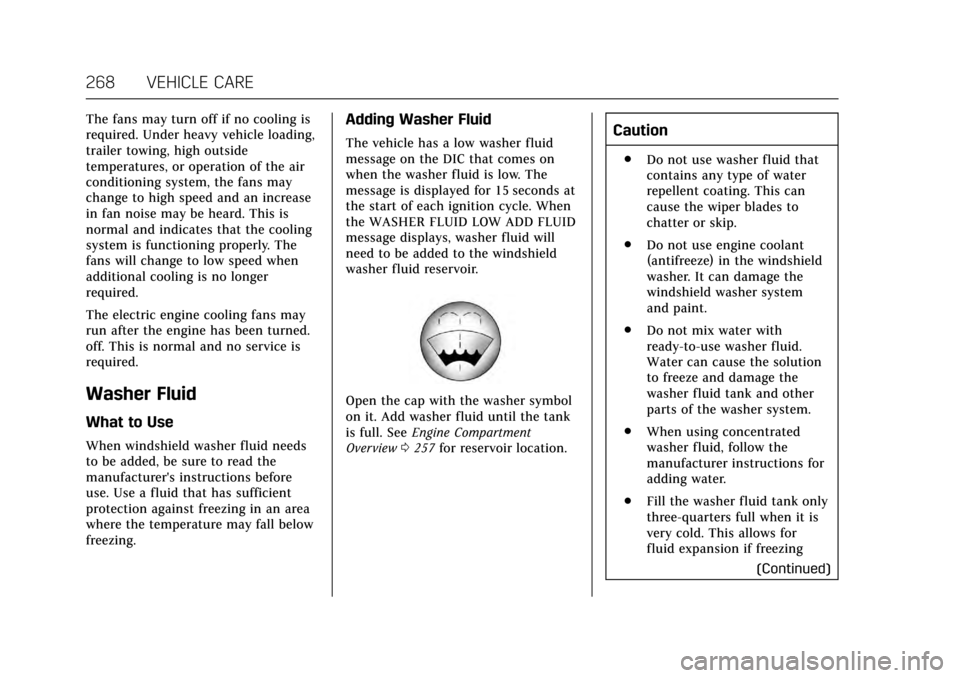
Open the cap with the washer symbol
on it. Add washer fluid until the tank
is full. SeeEngine Compartment
Overview 0257 for reservoir location.
Caution
.
Do not use washer fluid that
contains any type of water
repellent coating. This can
cause the wiper blades to
chatter or skip.
. Do not use engine coolant
(antifreeze) in the windshield
washer. It can damage the
windshield washer system
and paint.
. Do not mix water with
ready-to-use washer fluid.
Water can cause the solution
to freeze and damage the
washer fluid tank and other
parts of the washer system.
. When using concentrated
washer fluid, follow the
manufacturer instructions for
adding water.
. Fill the washer fluid tank only
three-quarters full when it is
very cold. This allows for
fluid expansion if freezing
(Continued)
Page 295 of 354
Cadillac Escalade Owner Manual (GMNA-Localizing-MidEast-10293077) -
2017 - crc - 8/24/16
294 VEHICLE CARE
telltale after replacing one or more
tires or wheels on your vehicle to
ensure that the replacement or
alternate tires and wheels allow the
TPMS to continue to function
properly.
SeeTire Pressure Monitor Operation
0 294 for additional information.
Tire Pressure Monitor
Operation
This vehicle may have a Tire Pressure
Monitor System (TPMS). The TPMS is
designed to warn the driver when a
low tire pressure condition exists.
TPMS sensors are mounted onto each
tire and wheel assembly, excluding the
spare tire and wheel assembly. The
TPMS sensors monitor the air
pressure in the tires and transmits the
tire pressure readings to a receiver
located in the vehicle.
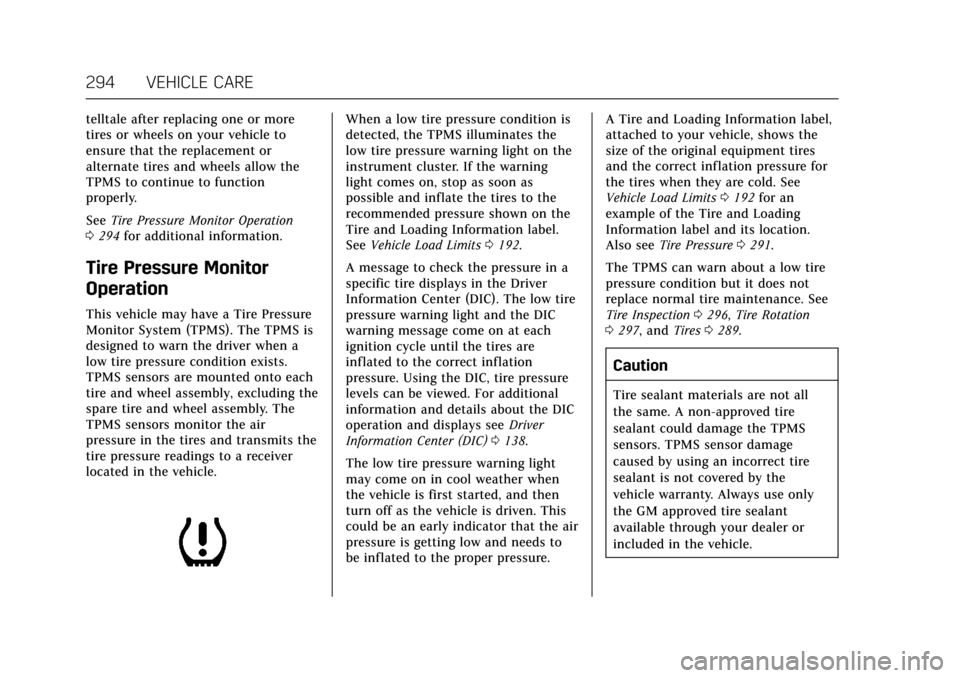
When a low tire pressure condition is
detected, the TPMS illuminates the
low tire pressure warning light on the
instrument cluster. If the warning
light comes on, stop as soon as
possible and inflate the tires to the
recommended pressure shown on the
Tire and Loading Information label.
SeeVehicle Load Limits 0192.
A message to check the pressure in a
specific tire displays in the Driver
Information Center (DIC). The low tire
pressure warning light and the DIC
warning message come on at each
ignition cycle until the tires are
inflated to the correct inflation
pressure. Using the DIC, tire pressure
levels can be viewed. For additional
information and details about the DIC
operation and displays see Driver
Information Center (DIC) 0138.
The low tire pressure warning light
may come on in cool weather when
the vehicle is first started, and then
turn off as the vehicle is driven. This
could be an early indicator that the air
pressure is getting low and needs to
be inflated to the proper pressure. A Tire and Loading Information label,
attached to your vehicle, shows the
size of the original equipment tires
and the correct inflation pressure for
the tires when they are cold. See
Vehicle Load Limits
0192 for an
example of the Tire and Loading
Information label and its location.
Also see Tire Pressure 0291.
The TPMS can warn about a low tire
pressure condition but it does not
replace normal tire maintenance. See
Tire Inspection 0296, Tire Rotation
0 297, and Tires0289.
Caution
Tire sealant materials are not all
the same. A non-approved tire
sealant could damage the TPMS
sensors. TPMS sensor damage
caused by using an incorrect tire
sealant is not covered by the
vehicle warranty. Always use only
the GM approved tire sealant
available through your dealer or
included in the vehicle.
Page 296 of 354
Cadillac Escalade Owner Manual (GMNA-Localizing-MidEast-10293077) -
2017 - crc - 8/24/16
VEHICLE CARE 295
TPMS Malfunction Light and
Message
The TPMS will not function properly if
one or more of the TPMS sensors are
missing or inoperable. When the
system detects a malfunction, the low
tire warning light flashes for about
one minute and then stays on for the
remainder of the ignition cycle. A DIC
warning message also displays. The
malfunction light and DIC warning
message come on at each ignition
cycle until the problem is corrected.
Some of the conditions that can cause
these to come on are:
.One of the road tires has been
replaced with the spare tire. The
spare tire does not have a TPMS
sensor. The malfunction light and
DIC message should go off after
the road tire is replaced and the
sensor matching process is
performed successfully. See “TPMS
Sensor Matching Process ”
following.
. The TPMS sensor matching
process was not done or not
completed successfully after
rotating the tires. The malfunction light and the DIC message should
go off after successfully
completing the sensor matching
process. See "TPMS Sensor
Matching Process" following.
. One or more TPMS sensors are
missing or damaged. The
malfunction light and the DIC
message should go off when the
TPMS sensors are installed and
the sensor matching process is
performed successfully. See your
dealer for service.
. Replacement tires or wheels do
not match the original equipment
tires or wheels. Tires and wheels
other than those recommended
could prevent the TPMS from
functioning properly. See Buying
New Tires 0298.
. Operating electronic devices or
being near facilities using radio
wave frequencies similar to the
TPMS could cause the TPMS
sensors to malfunction.
If the TPMS is not functioning
properly, it cannot detect or signal a
low tire condition. See your dealer for service if the TPMS malfunction light
and DIC message come on and
stay on.
TPMS Sensor Matching Process
Each TPMS sensor has a unique
identification code. The identification
code needs to be matched to a new
tire/wheel position after rotating the
vehicle’s tires or replacing one or more
of the TPMS sensors. The TPMS
sensor matching process should also
be performed after replacing a spare
tire with a road tire containing the
TPMS sensor. The malfunction light
and the DIC message should go off at
the next ignition cycle. The sensors
are matched to the tire/wheel
positions, using a TPMS relearn tool,
in the following order: driver side
front tire, passenger side front tire,
passenger side rear tire, and driver
side rear tire. See your dealer for
service or to purchase a relearn tool.
There are two minutes to match the
first tire/wheel position, and
five minutes overall to match all four
tire/wheel positions. If it takes longer,
the matching process stops and must
be restarted.
Page 297 of 354
Cadillac Escalade Owner Manual (GMNA-Localizing-MidEast-10293077) -
2017 - crc - 8/24/16
296 VEHICLE CARE
The TPMS sensor matching process is:1. Set the parking brake.
2. Place the vehicle power mode in ON/RUN/START. See Ignition
Positions 0197.
3. Make sure the Tire Pressure info display option is turned on. The
info displays on the DIC can be
turned on and off through the
Settings menu. See Driver
Information Center (DIC) 0138.
4. Use the five-way DIC control on the right side of the steering
wheel to scroll to the Tire
Pressure screen under the DIC
info page. See Driver Information
Center (DIC) 0138.
5. Press and hold SEL in the center of the five-way DIC control.
The horn sounds twice to signal
the receiver is in relearn mode
and the TIRE LEARNING ACTIVE
message displays on the DIC
screen.
6. Start with the driver side front tire. 7. Place the relearn tool against the
tire sidewall, near the valve stem.
Then press the button to activate
the TPMS sensor. A horn chirp
confirms that the sensor
identification code has been
matched to this tire and wheel
position.
8. Proceed to the passenger side front tire, and repeat the
procedure in Step 7.
9. Proceed to the passenger side rear tire, and repeat the
procedure in Step 7.
10. Proceed to the driver side rear tire, and repeat the procedure in
Step 7. The horn sounds two
times to indicate the sensor
identification code has been
matched to the driver side rear
tire, and the TPMS sensor
matching process is no longer
active. The TIRE LEARNING
ACTIVE message on the DIC
display screen goes off.
11. Press ENGINE START/STOP to turn the ignition off. 12. Set all four tires to the
recommended air pressure level
as indicated on the Tire and
Loading Information label.
Tire Inspection
We recommend that the tires,
including the spare tire, if the
vehicle has one, be inspected for
signs of wear or damage at least
once a month.
Replace the tire if:
.The indicators at three or more
places around the tire can
be seen.
.There is cord or fabric showing
through the tire's rubber.
.The tread or sidewall is
cracked, cut, or snagged deep
enough to show cord or fabric.
.The tire has a bump, bulge,
or split.
Page 319 of 354
Cadillac Escalade Owner Manual (GMNA-Localizing-MidEast-10293077) -
2017 - crc - 8/24/16
318 VEHICLE CARE
10. If equipped with Keyless Access,keep the RKE transmitter outside
of the vehicle, and manually lock
the doors. Access the vehicle as
if it has a dead RKE transmitter
battery, by using the key in the
door lock.
Disconnecting the Towed Vehicle
Before disconnecting the towed
vehicle: 1. Park on a level surface.
2. Set the parking brake, then shift the transmission to P (Park).
3. Connect the battery.
4. Apply the brake pedal.
5. Turn the ignition to ON/RUN with the engine off. Shift the
transfer case out of N (Neutral)
to 2
m. See “Shifting out of
N (Neutral)” underFour-Wheel
Drive 0209. See your dealer if
the transfer case cannot be
shifted out of N (Neutral).
6. Check that the vehicle is in 2
m
by starting the engine and
shifting the transmission to R (Reverse) and then to D
(Drive). There should be
movement of the vehicle while
shifting.
7. Shift the transmission to P (Park) and turn off the ignition.
8. Disconnect the vehicle from the tow vehicle.
9. Release the parking brake.
10. Reset any lost presets. The outside temperature display
will default to 0 °C (32 °F) but
will reset with normal usage.
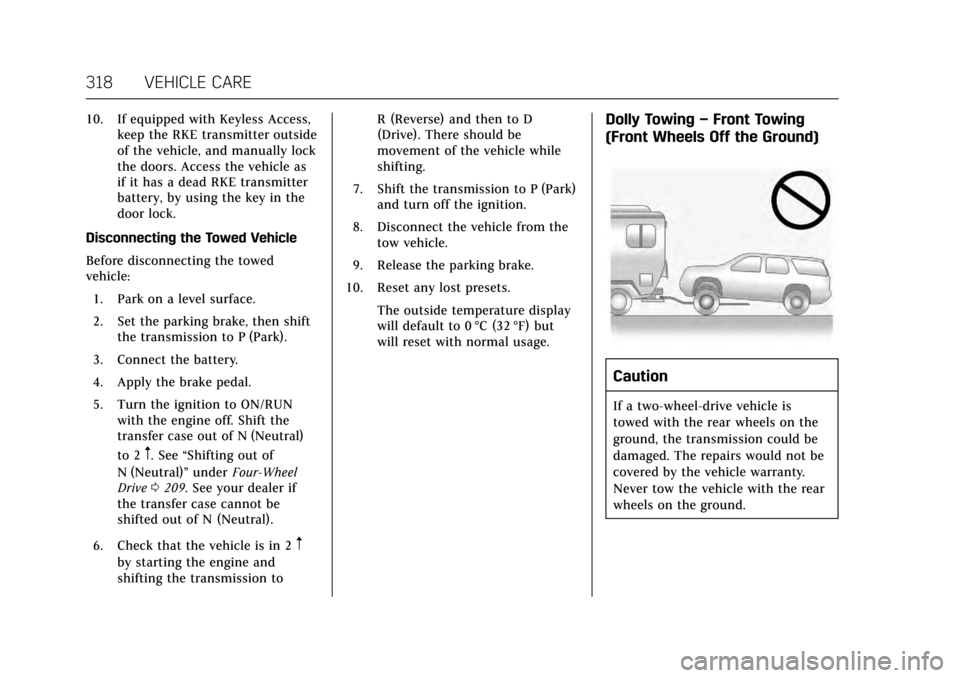
Dolly Towing –Front Towing
(Front Wheels Off the Ground)
Caution
If a two-wheel-drive vehicle is
towed with the rear wheels on the
ground, the transmission could be
damaged. The repairs would not be
covered by the vehicle warranty.
Never tow the vehicle with the rear
wheels on the ground.
Page 327 of 354
Cadillac Escalade Owner Manual (GMNA-Localizing-MidEast-10293077) -
2017 - crc - 8/24/16
326 VEHICLE CARE
Cleaning High Gloss Surfaces
and Vehicle Information and
Radio Displays
Use a microfiber cloth on high gloss
surfaces or vehicle displays. First, use
a soft bristle brush to remove dirt that
can scratch the surface. Then gently
clean by rubbing with a microfiber
cloth. Never use window cleaners or
solvents. Periodically hand wash the
microfiber cloth separately, using mild
soap. Do not use bleach or fabric
softener. Rinse thoroughly and air dry
before next use.
Caution
Do not attach a device with a
suction cup to the display. This may
cause damage and would not be
covered by the vehicle warranty.
Instrument Panel, Leather, Vinyl,
Other Plastic Surfaces, Low
Gloss Paint Surfaces and
Natural Open Pore Wood
Surfaces
Use a soft microfiber cloth dampened
with water to remove dust and loose
dirt. For a more thorough cleaning,
use a soft microfiber cloth dampened
with a mild soap solution.
Caution
Soaking or saturating leather,
especially perforated leather, as well
as other interior surfaces, may
cause permanent damage. Wipe
excess moisture from these surfaces
after cleaning and allow them to
dry naturally. Never use heat,
steam, or spot removers. Do not use
cleaners that contain silicone or
wax-based products. Cleaners
containing these solvents can
permanently change the appearance
and feel of leather or soft trim, and
are not recommended.Do not use cleaners that increase
gloss, especially on the instrument
panel. Reflected glare can decrease
visibility through the windshield
under certain conditions.
Caution
Use of air fresheners may cause
permanent damage to plastics and
painted surfaces. If an air freshener
comes in contact with any plastic
or painted surface in the vehicle,
blot immediately and clean with a
soft cloth dampened with a mild
soap solution. Damage caused by
air fresheners would not be covered
by the vehicle warranty.
Cargo Cover and
Convenience Net
Wash with warm water and mild
detergent. Do not use chlorine bleach.
Rinse with cold water, and then dry
completely.
Care of Safety Belts
Keep belts clean and dry.