height CADILLAC ESCALADE 2017 4.G User Guide
[x] Cancel search | Manufacturer: CADILLAC, Model Year: 2017, Model line: ESCALADE, Model: CADILLAC ESCALADE 2017 4.GPages: 354, PDF Size: 3.9 MB
Page 144 of 354
Cadillac Escalade Owner Manual (GMNA-Localizing-MidEast-10293077) -
2017 - crc - 8/24/16
INSTRUMENTS AND CONTROLS 143
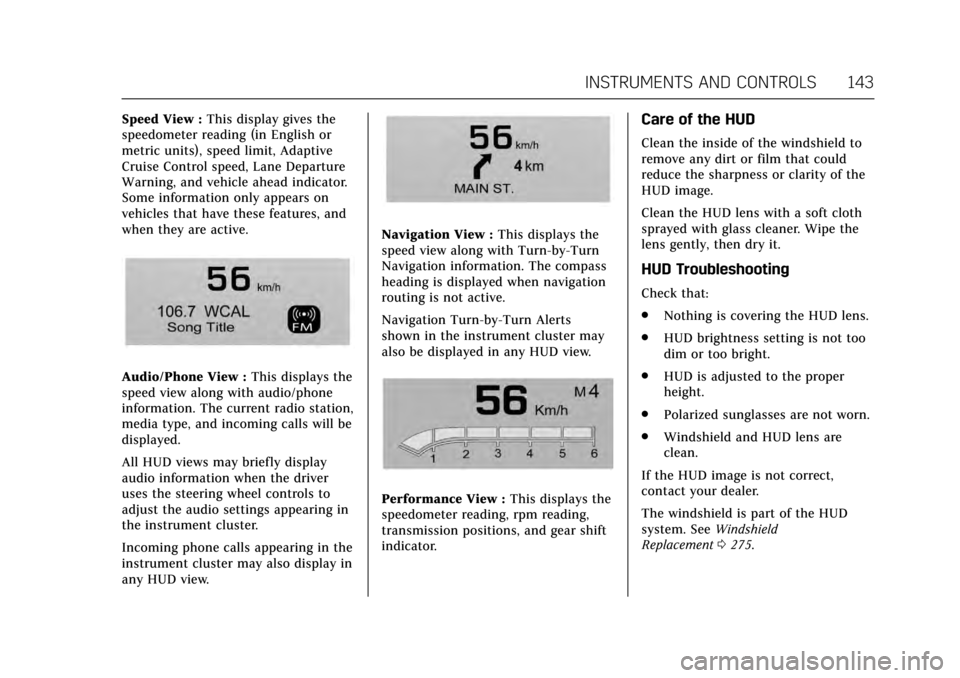
Speed View :This display gives the
speedometer reading (in English or
metric units), speed limit, Adaptive
Cruise Control speed, Lane Departure
Warning, and vehicle ahead indicator.
Some information only appears on
vehicles that have these features, and
when they are active.
Audio/Phone View : This displays the
speed view along with audio/phone
information. The current radio station,
media type, and incoming calls will be
displayed.
All HUD views may briefly display
audio information when the driver
uses the steering wheel controls to
adjust the audio settings appearing in
the instrument cluster.
Incoming phone calls appearing in the
instrument cluster may also display in
any HUD view.
Navigation View : This displays the
speed view along with Turn-by-Turn
Navigation information. The compass
heading is displayed when navigation
routing is not active.
Navigation Turn-by-Turn Alerts
shown in the instrument cluster may
also be displayed in any HUD view.
Performance View : This displays the
speedometer reading, rpm reading,
transmission positions, and gear shift
indicator.
Care of the HUD
Clean the inside of the windshield to
remove any dirt or film that could
reduce the sharpness or clarity of the
HUD image.
Clean the HUD lens with a soft cloth
sprayed with glass cleaner. Wipe the
lens gently, then dry it.
HUD Troubleshooting
Check that:
. Nothing is covering the HUD lens.
. HUD brightness setting is not too
dim or too bright.
. HUD is adjusted to the proper
height.
. Polarized sunglasses are not worn.
. Windshield and HUD lens are
clean.
If the HUD image is not correct,
contact your dealer.
The windshield is part of the HUD
system. See Windshield
Replacement 0275.
Page 197 of 354
Cadillac Escalade Owner Manual (GMNA-Localizing-MidEast-10293077) -
2017 - crc - 8/24/16
196 DRIVING AND OPERATING
There is also important loading
information for off-road driving in
this manual. See“Loading the
Vehicle for Off-Road Driving”
under Off-Road Driving 0185.
Add-On Equipment
There may be a limit on how
many people can be inside the
vehicle when carrying removable
items. Be sure to weigh the vehicle
before buying and installing the
new equipment.
Caution
Overloading the vehicle may cause
damage. Repairs would not be
covered by the vehicle warranty. Do
not overload the vehicle.
Remember not to exceed the
Gross Axle Weight Rating (GAWR)
of the front or rear axle. Automatic Level Control
See
Automatic Level Control 0219.
If a weight-distributing hitch is
being used, it is recommended to
allow the shocks to inflate,
thereby leveling the vehicle prior
to adjusting the height. See
“Hitches” underTowing
Equipment 0249
.
Starting and Operating
New Vehicle Break-In
Caution
The vehicle does not need an
elaborate break-in. But it will
perform better in the long run if
you follow these guidelines:
. Keep the vehicle speed at
88 km/h (55 mph) or less for
the first 805 km (500 mi).
. Do not drive at any one
constant speed, fast or slow,
for the first 805 km (500 mi).
Do not make full-throttle
starts. Avoid downshifting to
brake or slow the vehicle.
. Avoid making hard stops for
the first 322 km (200 mi) or
so. During this time the new
brake linings are not yet
broken in. Hard stops with
new linings can mean
premature wear and earlier
replacement. Follow this
(Continued)
Page 220 of 354
Cadillac Escalade Owner Manual (GMNA-Localizing-MidEast-10293077) -
2017 - crc - 8/24/16
DRIVING AND OPERATING 219
Magnetic Ride Control
The Magnetic Ride Control monitors
the suspension system.
Based on road conditions, steering
wheel angle, and vehicle speed, the
system automatically adjusts to
provide the best handling while
providing a smooth ride. The Tour and
Sport Modes will feel similar on a
smooth road.
Tour :Use for normal city and
highway driving. This setting provides
a smooth, soft ride.
8Sport : Use where road conditions
or personal preference demand more
control. This setting provides more
“feel,” or response to road conditions.
6Snow/Ice : Use when more
traction is needed during slippery
conditions.
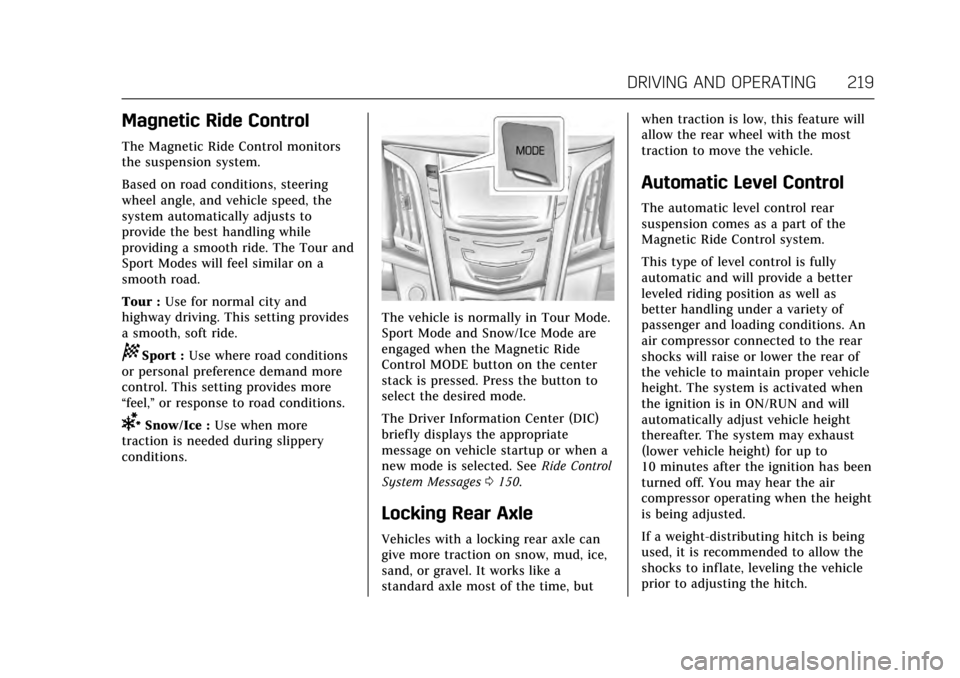
The vehicle is normally in Tour Mode.
Sport Mode and Snow/Ice Mode are
engaged when the Magnetic Ride
Control MODE button on the center
stack is pressed. Press the button to
select the desired mode.
The Driver Information Center (DIC)
briefly displays the appropriate
message on vehicle startup or when a
new mode is selected. See Ride Control
System Messages 0150.
Locking Rear Axle
Vehicles with a locking rear axle can
give more traction on snow, mud, ice,
sand, or gravel. It works like a
standard axle most of the time, but when traction is low, this feature will
allow the rear wheel with the most
traction to move the vehicle.
Automatic Level Control
The automatic level control rear
suspension comes as a part of the
Magnetic Ride Control system.
This type of level control is fully
automatic and will provide a better
leveled riding position as well as
better handling under a variety of
passenger and loading conditions. An
air compressor connected to the rear
shocks will raise or lower the rear of
the vehicle to maintain proper vehicle
height. The system is activated when
the ignition is in ON/RUN and will
automatically adjust vehicle height
thereafter. The system may exhaust
(lower vehicle height) for up to
10 minutes after the ignition has been
turned off. You may hear the air
compressor operating when the height
is being adjusted.
If a weight-distributing hitch is being
used, it is recommended to allow the
shocks to inflate, leveling the vehicle
prior to adjusting the hitch.
Page 240 of 354
Cadillac Escalade Owner Manual (GMNA-Localizing-MidEast-10293077) -
2017 - crc - 8/24/16
DRIVING AND OPERATING 239
The LCA sensor covers a zone of
approximately one lane over from
both sides of the vehicle, or 3.5 m
(11 ft). The height of the zone is
approximately between 0.5 m (1.5 ft)
and 2 m (6 ft) off the ground. The Side
Blind Zone Alert (SBZA) warning area
starts at approximately the middle of
the vehicle and goes back 5 m (16 ft).
Drivers are also warned of vehicles
rapidly approaching this area up to
approximately 70 m (230 ft) behind
the vehicle.
How the System Works
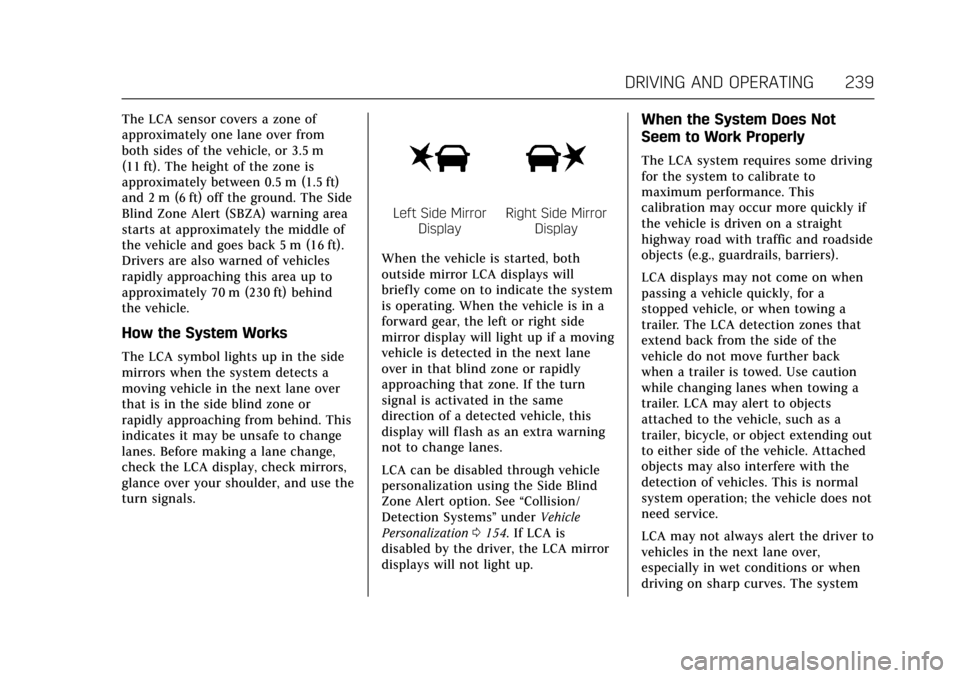
The LCA symbol lights up in the side
mirrors when the system detects a
moving vehicle in the next lane over
that is in the side blind zone or
rapidly approaching from behind. This
indicates it may be unsafe to change
lanes. Before making a lane change,
check the LCA display, check mirrors,
glance over your shoulder, and use the
turn signals.
Left Side MirrorDisplayRight Side Mirror Display
When the vehicle is started, both
outside mirror LCA displays will
briefly come on to indicate the system
is operating. When the vehicle is in a
forward gear, the left or right side
mirror display will light up if a moving
vehicle is detected in the next lane
over in that blind zone or rapidly
approaching that zone. If the turn
signal is activated in the same
direction of a detected vehicle, this
display will flash as an extra warning
not to change lanes.
LCA can be disabled through vehicle
personalization using the Side Blind
Zone Alert option. See “Collision/
Detection Systems” underVehicle
Personalization 0154. If LCA is
disabled by the driver, the LCA mirror
displays will not light up.
When the System Does Not
Seem to Work Properly
The LCA system requires some driving
for the system to calibrate to
maximum performance. This
calibration may occur more quickly if
the vehicle is driven on a straight
highway road with traffic and roadside
objects (e.g., guardrails, barriers).
LCA displays may not come on when
passing a vehicle quickly, for a
stopped vehicle, or when towing a
trailer. The LCA detection zones that
extend back from the side of the
vehicle do not move further back
when a trailer is towed. Use caution
while changing lanes when towing a
trailer. LCA may alert to objects
attached to the vehicle, such as a
trailer, bicycle, or object extending out
to either side of the vehicle. Attached
objects may also interfere with the
detection of vehicles. This is normal
system operation; the vehicle does not
need service.
LCA may not always alert the driver to
vehicles in the next lane over,
especially in wet conditions or when
driving on sharp curves. The system
Page 256 of 354
Cadillac Escalade Owner Manual (GMNA-Localizing-MidEast-10293077) -
2017 - crc - 8/24/16
VEHICLE CARE 255
Appearance Care
Exterior Care . . . . . . . . . . . . . . . . . . . . . . 320
Interior Care . . . . . . . . . . . . . . . . . . . . . . 324
Floor Mats . . . . . . . . . . . . . . . . . . . . . . . . 327General Information
For service and parts needs, visit your
dealer. You will receive genuine parts
and trained and supported service
people.
Accessories and
Modifications
Adding non-dealer accessories or
making modifications to the vehicle
can affect vehicle performance and
safety, including such things as
airbags, braking, stability, ride and
handling, emissions systems,
aerodynamics, durability, and
electronic systems like antilock
brakes, traction control, and stability
control. These accessories or
modifications could even cause
malfunction or damage not covered by
the vehicle warranty.
Damage to suspension components
caused by modifying vehicle height
outside of factory settings will not be
covered by the vehicle warranty.
Damage to vehicle components
resulting from modifications or the
installation or use of non-GM certifiedparts, including control module or
software modifications, is not covered
under the terms of the vehicle
warranty and may affect remaining
warranty coverage for affected parts.
GM Accessories are designed to
complement and function with other
systems on the vehicle. See your
dealer to accessorize the vehicle using
genuine GM Accessories installed by a
dealer technician.
Also, see
Adding Equipment to the
Airbag-Equipped Vehicle 088.
Page 270 of 354
Cadillac Escalade Owner Manual (GMNA-Localizing-MidEast-10293077) -
2017 - crc - 8/24/16
VEHICLE CARE 269
Caution (Continued)
occurs, which could damage
the tank if it is
completely full.
Brakes
Disc brake pads have built-in wear
indicators that make a high-pitched
warning sound when the brake pads
are worn and new pads are needed.
The sound can come and go or can be
heard all the time when the vehicle is
moving, except when applying the
brake pedal firmly.
{Warning
The brake wear warning sound
means that soon the brakes will not
work well. That could lead to a
crash. When the brake wear
warning sound is heard, have the
vehicle serviced.
Caution
Continuing to drive with worn-out
brake pads could result in costly
brake repair.
Some driving conditions or climates
can cause a brake squeal when the
brakes are first applied or lightly
applied. This does not mean
something is wrong with the brakes.
Properly torqued wheel nuts are
necessary to help prevent brake
pulsation. When tires are rotated,
inspect brake pads for wear and
evenly tighten wheel nuts in the
proper sequence to torque
specifications. See Capacities and
Specifications 0340.
Brake pads should be replaced as
complete sets.
Brake Pedal Travel
See your dealer if the brake pedal does
not return to normal height, or if
there is a rapid increase in pedal
travel. This could be a sign that brake
service may be required.
Replacing Brake System Parts
Always replace brake system parts
with new, approved replacement parts.
If this is not done, the brakes may not
work properly. The braking
performance expected can change in
many other ways if the wrong
replacement brake parts are installed
or if parts are improperly installed.
Brake Fluid
The brake master cylinder reservoir is
filled with DOT 3 brake fluid. See
Engine Compartment Overview 0257
for the location of the reservoir.
There are only two reasons why the
brake fluid level in the reservoir may
go down:
. Normal brake lining wear. When
new linings are installed, the fluid
level goes back up.
Page 302 of 354

Cadillac Escalade Owner Manual (GMNA-Localizing-MidEast-10293077) -
2017 - crc - 8/24/16
VEHICLE CARE 301
slight pull to the left or right,
depending on the crown of the road
and/or other road surface variations
such as troughs or ruts, is normal.
If the vehicle is vibrating when driving
on a smooth road, the tires and
wheels may need to be rebalanced.
See your dealer for proper diagnosis.
Wheel Replacement
Replace any wheel that is bent,
cracked, or badly rusted or corroded.
If wheel nuts keep coming loose, the
wheel, wheel bolts, and wheel nuts
should be replaced. If the wheel leaks
air, replace it. Some aluminum wheels
can be repaired. See your dealer if any
of these conditions exist.
Your dealer will know the kind of
wheel that is needed.
Each new wheel should have the same
load-carrying capacity, diameter,
width, offset, and be mounted the
same way as the one it replaces.
Replace wheels, wheel bolts, wheel
nuts, or Tire Pressure Monitor System
(TPMS) sensors with new GM original
equipment parts.
{Warning
Using the wrong replacement
wheels, wheel bolts, or wheel nuts
can be dangerous. It could affect
the braking and handling of the
vehicle. Tires can lose air, and
cause loss of control, causing a
crash. Always use the correct wheel,
wheel bolts, and wheel nuts for
replacement.
Caution
The wrong wheel can also cause
problems with bearing life, brake
cooling, speedometer or odometer
calibration, headlamp aim, bumper
height, vehicle ground clearance,
and tire or tire chain clearance to
the body and chassis.
Used Replacement Wheels
{Warning
Replacing a wheel with a used one
is dangerous. How it has been used
or how far it has been driven may
be unknown. It could fail suddenly
and cause a crash. When replacing
wheels, use a new GM original
equipment wheel.
Tire Chains
{Warning
Do not use tire chains. There is not
enough clearance. Tire chains used
on a vehicle without the proper
amount of clearance can cause
damage to the brakes, suspension,
or other vehicle parts. The area
damaged by the tire chains could
cause loss of control and a crash.
Use another type of traction device
only if its manufacturer
recommends it for the vehicle's tire(Continued)