disable CADILLAC ESCALADE 2019 Owner's Manual
[x] Cancel search | Manufacturer: CADILLAC, Model Year: 2019, Model line: ESCALADE, Model: CADILLAC ESCALADE 2019Pages: 415, PDF Size: 6.66 MB
Page 11 of 415
Cadillac Escalade Owner Manual (GMNA-Localizing-U.S./Canada/Mexico-
12460268) - 2019 - crc - 9/14/18
10 IN BRIEF
To open the liftgate, pressKon the
power door lock switch or press
Kon
the Remote Keyless Entry (RKE)
transmitter twice to unlock all doors.
Press the touch pad (1) on the
underside of the liftgate handle and
lift up. See Remote Keyless Entry (RKE)
System Operation 028.
Use the pull cup to lower and close
the liftgate. Do not press the touch
pad while closing the liftgate. This will
cause the liftgate to be unlatched.
To open the liftglass, press the
button (2) above the license plate.
Close the liftglass before opening the
liftgate to avoid damaging it.
Power Liftgate Operation
If equipped with a power liftgate, the
switch is on the overhead console. The
vehicle must be in P (Park).
Choose the power liftgate mode by
selecting MAX or 3/4. Press
8on
the overhead console or on the RKE
transmitter press
btwice quickly. Press any liftgate button while the
liftgate is moving to stop it. Pressing
again reverses the direction.
To close, press
lon the bottom of
the liftgate next to the latch.
To disable the power liftgate function,
select OFF on the liftgate switch. See
Liftgate 040.
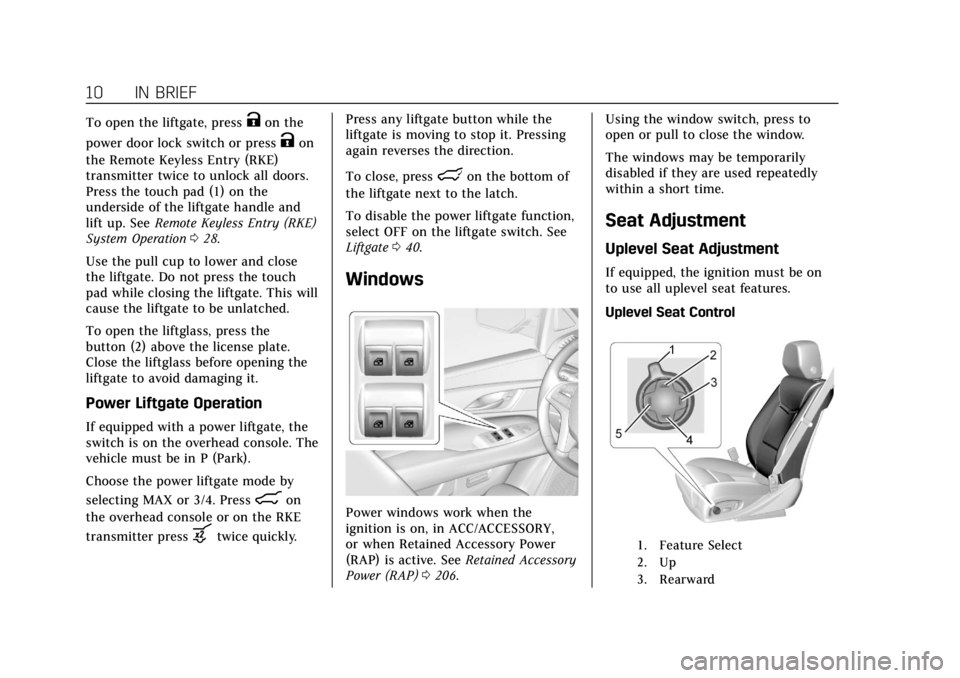
Windows
Power windows work when the
ignition is on, in ACC/ACCESSORY,
or when Retained Accessory Power
(RAP) is active. See Retained Accessory
Power (RAP) 0206. Using the window switch, press to
open or pull to close the window.
The windows may be temporarily
disabled if they are used repeatedly
within a short time.
Seat Adjustment
Uplevel Seat Adjustment
If equipped, the ignition must be on
to use all uplevel seat features.
Uplevel Seat Control
1. Feature Select
2. Up
3. Rearward
Page 31 of 415
Cadillac Escalade Owner Manual (GMNA-Localizing-U.S./Canada/Mexico-
12460268) - 2019 - crc - 9/14/18
30 KEYS, DOORS, AND WINDOWS
least four seconds. The engine may be
started from outside the vehicle using
the RKE transmitter. SeeRemote
Vehicle Start 035.
Keyless Access Operation
The Keyless Access system allows for
the doors and liftgate to be accessed
without pressing the RKE transmitter
button. The RKE transmitter must be
within 1 m (3 ft) of the liftgate or door
being opened. The buttons are on the
outside door handles.
Keyless Access can be programmed to
unlock all doors on the first lock/
unlock press from the driver door. See
Vehicle Personalization 0155.
If equipped with memory seats, RKE
transmitters 1 and 2 are linked to
seating positions of memory 1 or 2.
See Memory Seats 065.
Keyless Unlocking/Locking from the
Driver Door
When the doors are locked and the
RKE transmitter is within 1 m (3 ft) of
the door handle, pressing the lock/
unlock button on the driver door
handle will unlock the driver door. If the lock/unlock button is pressed
again within five seconds, all
passenger doors and the liftgate will
unlock.
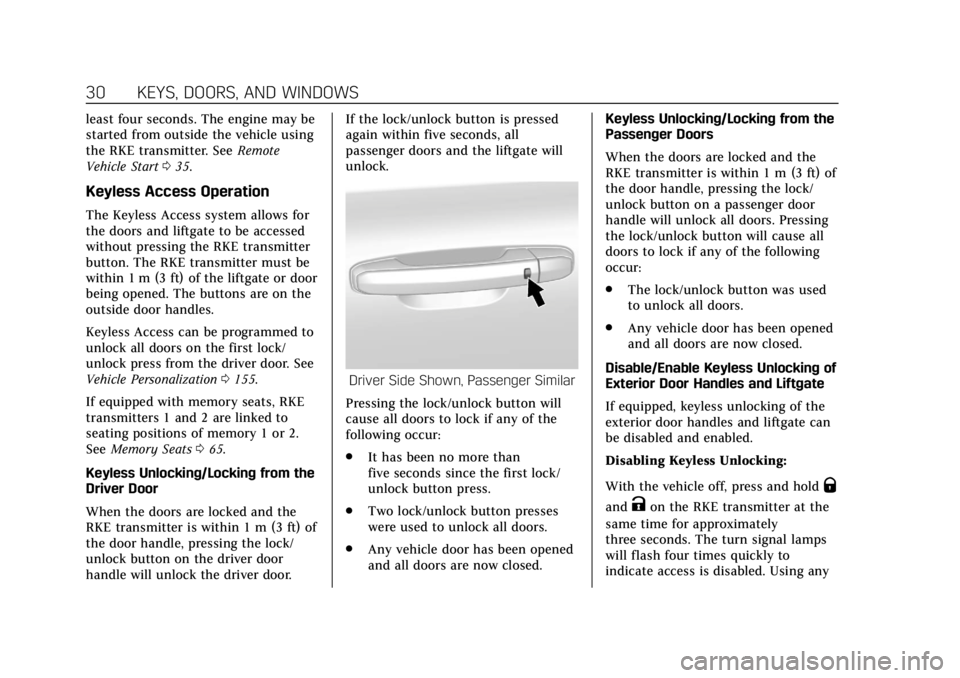
Driver Side Shown, Passenger Similar
Pressing the lock/unlock button will
cause all doors to lock if any of the
following occur:
. It has been no more than
five seconds since the first lock/
unlock button press.
. Two lock/unlock button presses
were used to unlock all doors.
. Any vehicle door has been opened
and all doors are now closed. Keyless Unlocking/Locking from the
Passenger Doors
When the doors are locked and the
RKE transmitter is within 1 m (3 ft) of
the door handle, pressing the lock/
unlock button on a passenger door
handle will unlock all doors. Pressing
the lock/unlock button will cause all
doors to lock if any of the following
occur:
.
The lock/unlock button was used
to unlock all doors.
. Any vehicle door has been opened
and all doors are now closed.
Disable/Enable Keyless Unlocking of
Exterior Door Handles and Liftgate
If equipped, keyless unlocking of the
exterior door handles and liftgate can
be disabled and enabled.
Disabling Keyless Unlocking:
With the vehicle off, press and hold
Q
andKon the RKE transmitter at the
same time for approximately
three seconds. The turn signal lamps
will flash four times quickly to
indicate access is disabled. Using any
Page 32 of 415
Cadillac Escalade Owner Manual (GMNA-Localizing-U.S./Canada/Mexico-
12460268) - 2019 - crc - 9/14/18
KEYS, DOORS, AND WINDOWS 31
exterior handle to unlock the doors or
open the liftgate will cause the turn
signal lamps to flash four times
quickly, indicating access is disabled.
If disabled, disarm the alarm system
before starting the vehicle.
Enabling Keyless Unlocking:
With the vehicle off, press and hold
Q
andKon the RKE transmitter at the
same time for approximately
three seconds. The turn signal lamps
will flash twice quickly to indicate
access is enabled.
Passive Locking
Keyless Access will lock the vehicle
several seconds after all doors are
closed, if the vehicle is off and at least
one RKE transmitter has been
removed from the interior, or none
remain in the interior.
If other electronic devices interfere
with the RKE transmitter signal, the
vehicle may not detect the RKE
transmitter inside the vehicle.
If passive locking is enabled, the doors
may lock with the RKE transmitter inside the vehicle. Do not leave the
RKE transmitter in an unattended
vehicle.
To customize the doors to
automatically lock when exiting the
vehicle, see
“Remote Lock, Unlock,
Start ”under Vehicle Personalization
0 155.
Temporary Disable of Passive
Locking
Temporarily disable passive locking by
pressing and holding
Kon the
interior door switch with a door open
for at least four seconds, or until three
chimes are heard. Passive locking will
then remain disabled until
Qon the
interior door is pressed, or until the
vehicle is turned on.
Remote Left In Vehicle Alert
When the vehicle is turned off and an
RKE transmitter is left in the vehicle,
the horn will chirp three times after
all doors are closed. To turn on or off
see Vehicle Personalization 0155. Remote No Longer in Vehicle Alert
If the vehicle is on with a door open,
and then all doors are closed, the
vehicle will check for RKE
transmitters inside. If an RKE
transmitter is not detected, the Driver
Information Center (DIC) will display
NO REMOTE DETECTED and the horn
will chirp three times. This occurs
only once each time the vehicle is
driven. To turn on or off see
Vehicle
Personalization 0155.
Keyless Liftgate Opening
Press the touch pad on the rear of the
liftgate above the license plate to open
the liftgate when all doors are
unlocked or when the transmitter is
within 1 m (3 ft).
Keyless Liftglass Opening
Press the exterior liftglass button to
open the liftglass when all doors are
unlocked or when the transmitter is
within 1 m (3 ft).
Key Access
To access a vehicle with a weak
transmitter battery, see Door Locks
0 36.
Page 40 of 415
Cadillac Escalade Owner Manual (GMNA-Localizing-U.S./Canada/Mexico-
12460268) - 2019 - crc - 9/14/18
KEYS, DOORS, AND WINDOWS 39
Delayed locking can only be turned on
when the Unlocked Door Anti-Lockout
feature has been turned off.
When
Qis pressed on the power door
lock switch while a door or the liftgate
is open, a chime will sound three
times indicating delayed locking is
active.
The doors will lock automatically
five seconds after all doors are closed.
If a door is reopened before that time,
the five-second timer will reset when
all doors are closed again.
Press
Qon the door lock switch again
or press
Qon the RKE transmitter to
lock doors immediately.
This feature can also be programmed.
See Vehicle Personalization 0155.
Automatic Door Locks
The doors will lock automatically
when all doors are closed, the ignition
is on, and the vehicle is shifted out of
P (Park). If a vehicle door is unlocked and then
opened and closed, the doors will lock
either when your foot is removed from
the brake or the vehicle speed
becomes faster than 13 km/h (8 mph).
To unlock the doors:
.
Press
Kon the power door lock
switch.
. Shift the transmission into
P (Park).
Automatic door locking cannot be
disabled. Automatic door unlocking
can be programmed. See Vehicle
Personalization 0155.
Lockout Protection
If the ignition is on or in ACC/
ACCESSORY and the power door lock
switch is pressed with the driver door
open, all the doors will lock and only
the driver door will unlock.
If the vehicle is off and locking is
requested while a door is open, when
all doors are closed the vehicle will
check for RKE transmitters inside.
If an RKE transmitter is detected and
the number of RKE transmitters inside has not reduced, the driver door will
unlock and the horn will chirp three
times.
Lockout Protection can be manually
overridden with the driver door open
by pressing and holding
Qon the
power door lock switch.
Unlocked Door Anti-Lockout
If Unlocked Door Anti-Lockout is
turned on and the vehicle is off, the
driver door is open, and locking is
requested, all the doors will lock and
the driver door will remain open.
Press the button again to lock the
driver door. The Unlocked Door
Anti-Lockout feature can be turned on
or off. SeeVehicle Personalization 0155.
Safety Locks
The rear door safety locks prevent
passengers from opening the rear
doors from inside the vehicle.
Page 41 of 415

Cadillac Escalade Owner Manual (GMNA-Localizing-U.S./Canada/Mexico-
12460268) - 2019 - crc - 9/14/18
40 KEYS, DOORS, AND WINDOWS
Press{to activate the safety locks on
the rear doors. The indicator light
comes on when activated.
Press
{again to deactivate the safety
locks.
Doors
Liftgate
{Warning
Exhaust gases can enter the vehicle
if it is driven with the liftgate or
trunk/hatch open, or with any
objects that pass through the seal
between the body and the trunk/
hatch or liftgate. Engine exhaust
contains carbon monoxide (CO)
which cannot be seen or smelled.
It can cause unconsciousness and
even death.
If the vehicle must be driven with
the liftgate or trunk/hatch open:
. Close all of the windows.
. Fully open the air outlets on
or under the instrument
panel.
. Adjust the climate control
system to a setting that
brings in only outside air and
(Continued)
Warning (Continued)
set the fan speed to the
highest setting. See “Climate
Control Systems” in the Index.
. If the vehicle is equipped with
a power liftgate, disable the
power liftgate function.
See Engine Exhaust 0208.
Caution
To avoid damage to the liftgate or
liftgate glass, make sure the area
above and behind the liftgate is
clear before opening it.
Page 43 of 415
Cadillac Escalade Owner Manual (GMNA-Localizing-U.S./Canada/Mexico-
12460268) - 2019 - crc - 9/14/18
42 KEYS, DOORS, AND WINDOWS
.Presslon the bottom edge of
the liftgate next to the latch to
close.
Press any liftgate button, the touch
pad, or
bon the RKE transmitter
while the liftgate is moving to stop it.
Pressing any liftgate button or
pressing
btwice quickly on the RKE
transmitter restarts the operation in
the reverse direction. Pressing the
touch pad on the liftgate handle will
restart the motion, but only in the
opening direction.
Caution
Manually forcing the liftgate to
open or close during a power cycle
can damage the vehicle. Allow the
power cycle to complete.
The power liftgate may be temporarily
disabled in extremely low
temperatures, or after repeated power
cycling over a short period of time.
If this occurs, the liftgate can still be
operated manually. If the vehicle is shifted out of P (Park)
while the power function is in
progress, the liftgate will continue to
completion. If the vehicle is
accelerated before the liftgate has
completed moving, the liftgate may
stop or reverse direction. Check for
Driver Information Center (DIC)
messages and make sure the liftgate is
closed and latched before driving.
Falling Liftgate Detection
If the power liftgate automatically
closes after a power opening cycle, it
indicates that the system is reacting
to excess weight on the liftgate or a
possible support strut failure.
A repetitive chime will sound while
the falling liftgate detection feature is
operating. Remove any excess weight.
If the liftgate continues to
automatically close after opening, see
your dealer for service before using
the power liftgate.
Interfering with the power liftgate
motion or manually closing the
liftgate too quickly after power
opening may resemble a support strut
failure. This could also activate the
falling liftgate detection feature. Allowthe liftgate to complete its operation
and wait a few seconds before
manually closing the liftgate.
Obstacle Detection Features
If the liftgate encounters an obstacle
during a power open or close cycle,
the liftgate will automatically reverse
direction and move a short distance
away from the obstacle. After
removing the obstruction, the power
liftgate operation can be used again.
If the liftgate encounters multiple
obstacles on the same power cycle,
the power function will deactivate.
After removing the obstructions,
manually close the liftgate. This will
allow normal power operation
functions to resume.
If the vehicle is locked while the
liftgate is closing, and an obstacle is
encountered that prevents the liftgate
from completely closing, the horn will
sound as an alert that the liftgate did
not close.
Pinch sensors are on the side edges of
the liftgate. If an object is caught
between the liftgate and the vehicle
and presses against a sensor, the
Page 45 of 415

Cadillac Escalade Owner Manual (GMNA-Localizing-U.S./Canada/Mexico-
12460268) - 2019 - crc - 9/14/18
44 KEYS, DOORS, AND WINDOWS
Use the pull cup to lower and close
the liftgate. Do not press the touch
pad while closing the liftgate. This will
cause the liftgate to be unlatched.
The liftgate can be opened when
locked if the RKE transmitter is within
1 m (3 ft) of the touch pad. See
Remote Keyless Entry (RKE) System
Operation028.
The liftgate has an electric latch.
If the battery is disconnected or has
low voltage, the liftgate will not open.
The liftgate will resume operation
when the battery is reconnected and
charged.
Hands-Free Operation
If equipped, the liftgate may be
operated with a kicking motion near
the center of the rear bumper at the
location of the projected logo. The
RKE transmitter must be within 1 m
(3 ft) of the rear bumper to operate
the power liftgate hands-free.
The hands-free feature will not work
while the liftgate is moving. To stop
the liftgate while in motion use one of
the liftgate switches. The hands-free feature can be
customized. See
Vehicle Personalization
0 155. Choose from the following:
On-Open and Close : The kicking
motion is activated to both open and
close the liftgate.
On-Open Only : The kicking motion is
activated to only open the liftgate.
Off : The feature is disabled.
Kick Zone
To operate, move your foot in a
forward kicking motion near the
center of the rear bumper at the
location of the projected logo, then
pull it back. The kick must come
within 14 cm (6 in) of the rear
bumper to activate. Then step back.
Page 46 of 415
Cadillac Escalade Owner Manual (GMNA-Localizing-U.S./Canada/Mexico-
12460268) - 2019 - crc - 9/14/18
KEYS, DOORS, AND WINDOWS 45
Caution
Splashing water may cause the
liftgate to open. Keep the RKE
transmitter away from the rear
bumper detection area or turn the
liftgate mode to OFF when cleaning
or working near the rear bumper to
avoid accidental opening.
. Do not sweep your foot side
to side.
. Do not keep your foot under the
bumper; the liftgate will not
activate.
. Do not touch the liftgate until it
has stopped moving.
This feature may be temporarily
disabled under some conditions. If the
liftgate does not respond to the kick,
open or close the liftgate by another
method or start the vehicle. The
feature will be re-enabled.
When closing the liftgate using this
feature, there will be a short delay.
The taillamps will flash and a chime
will sound. Step away from the liftgate before it
starts moving.Projected Logo
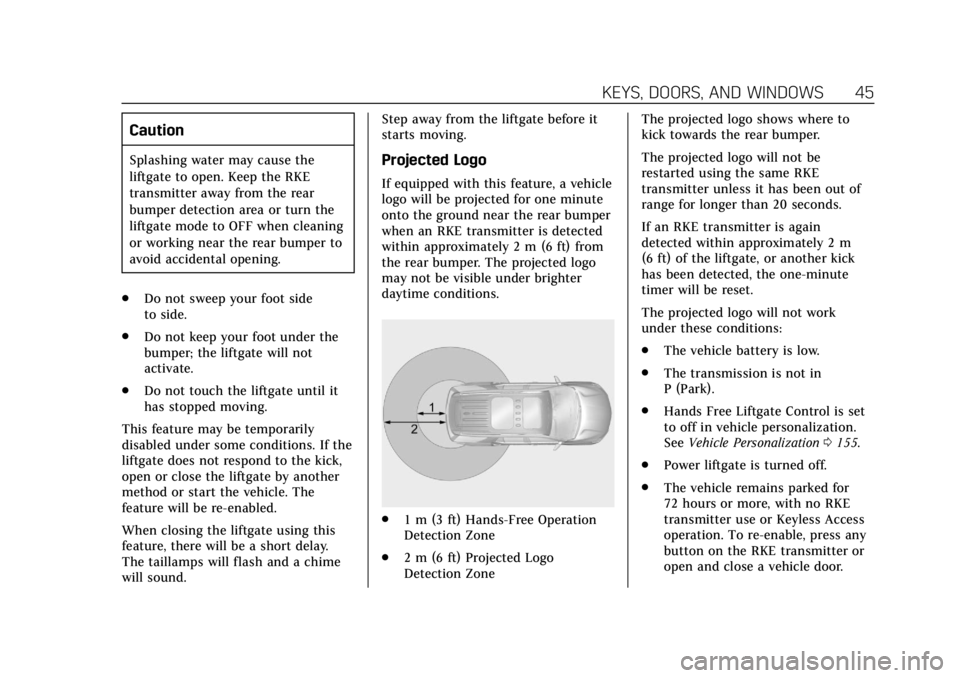
If equipped with this feature, a vehicle
logo will be projected for one minute
onto the ground near the rear bumper
when an RKE transmitter is detected
within approximately 2 m (6 ft) from
the rear bumper. The projected logo
may not be visible under brighter
daytime conditions.
.
1 m (3 ft) Hands-Free Operation
Detection Zone
. 2 m (6 ft) Projected Logo
Detection Zone The projected logo shows where to
kick towards the rear bumper.
The projected logo will not be
restarted using the same RKE
transmitter unless it has been out of
range for longer than 20 seconds.
If an RKE transmitter is again
detected within approximately 2 m
(6 ft) of the liftgate, or another kick
has been detected, the one-minute
timer will be reset.
The projected logo will not work
under these conditions:
.
The vehicle battery is low.
. The transmission is not in
P (Park).
. Hands Free Liftgate Control is set
to off in vehicle personalization.
See Vehicle Personalization 0155.
. Power liftgate is turned off.
. The vehicle remains parked for
72 hours or more, with no RKE
transmitter use or Keyless Access
operation. To re-enable, press any
button on the RKE transmitter or
open and close a vehicle door.
Page 48 of 415

Cadillac Escalade Owner Manual (GMNA-Localizing-U.S./Canada/Mexico-
12460268) - 2019 - crc - 9/14/18
KEYS, DOORS, AND WINDOWS 47
Hands-Free Liftgate and Projected Logo Availability
ActionHands-Free Liftgate Projected Logo
RKE transmitter entering projected logo
detection zone Operative
On for one minute
RKE transmitter left inside projected
logo detection zone for minimum of
10 minutes Operative
Off until RKE transmitter button press
or a door is opened and closed
RKE transmitter brought in and out of
projected logo detection zone five times
or more within 10 minutes Operative
Off for one hour or until RKE
transmitter button press or a door is
opened and closed
Vehicle remains parked for more than
72 hours Operative
Off until RKE transmitter button press
or a door is opened and closed
Vehicle battery is low Non-operative Off
Transmission is not in P (Park) Non-operative Off
Power liftgate is turned off Non-operative Off
Hands-free liftgate is disabled in
vehicle personalization Non-operative
Off
Page 49 of 415

Cadillac Escalade Owner Manual (GMNA-Localizing-U.S./Canada/Mexico-
12460268) - 2019 - crc - 9/14/18
48 KEYS, DOORS, AND WINDOWS
Power Assist Steps
{Warning
To avoid personal injury or property
damage, before entering or exiting
the vehicle, be sure the power assist
step is fully extended. Do not step
on the power assist step while it is
moving. Never place hands or other
body parts between the extended
power assist step and the vehicle.
Disable the assist steps before jacking
or placing any object under the
vehicle.
Too much ice buildup may prevent
deployment of the power assist steps.
Check the step position before exiting
the vehicle. If this happens, disable
the power assist steps, clear the ice,
then enable the assist steps and
confirm normal function prior to use.
Keep hands, children, pets, objects,
and clothing clear of the power assist
steps when in motion. The steps will
reverse direction if they encounter an
obstruction when opening or closing. Remove the obstruction, then open
and close the door on the same side
to complete the motion of the assist
steps. If the obstruction is not cleared,
the assist steps remain extended while
driving.
To change the settings:
1. Touch
F.
2. Touch Running Boards icon.
The options are:
OFF : Disables the power assist steps,
so they will not deploy.
ON : Power assist steps will deploy
when a door is opened. When a door
is closed the assist steps will
automatically retract after
three seconds.
Extended : Keeps the steps deployed
when the vehicle is in P (Park) or
N (Neutral). This setting may be used
when cleaning the steps.
Vehicle Security
This vehicle has theft-deterrent
features; however, they do not make
the vehicle impossible to steal.
Vehicle Alarm System
The indicator light, on the instrument
panel near the windshield, indicates
the status of the system.
Off : Alarm system is disarmed.
On Solid : Vehicle is secured during
the delay to arm the system.