high CADILLAC ESCALADE 2019 Owner's Manual
[x] Cancel search | Manufacturer: CADILLAC, Model Year: 2019, Model line: ESCALADE, Model: CADILLAC ESCALADE 2019Pages: 415, PDF Size: 6.66 MB
Page 4 of 415
Cadillac Escalade Owner Manual (GMNA-Localizing-U.S./Canada/Mexico-
12460268) - 2019 - crc - 9/14/18
INTRODUCTION 3
Danger, Warning, and
Caution
Warning messages found on vehicle
labels and in this manual describe
hazards and what to do to avoid or
reduce them.
{Danger
Danger indicates a hazard with a
high level of risk which will result
in serious injury or death.
{Warning
Warning indicates a hazard that
could result in injury or death.
Caution
Caution indicates a hazard that
could result in property or vehicle
damage.
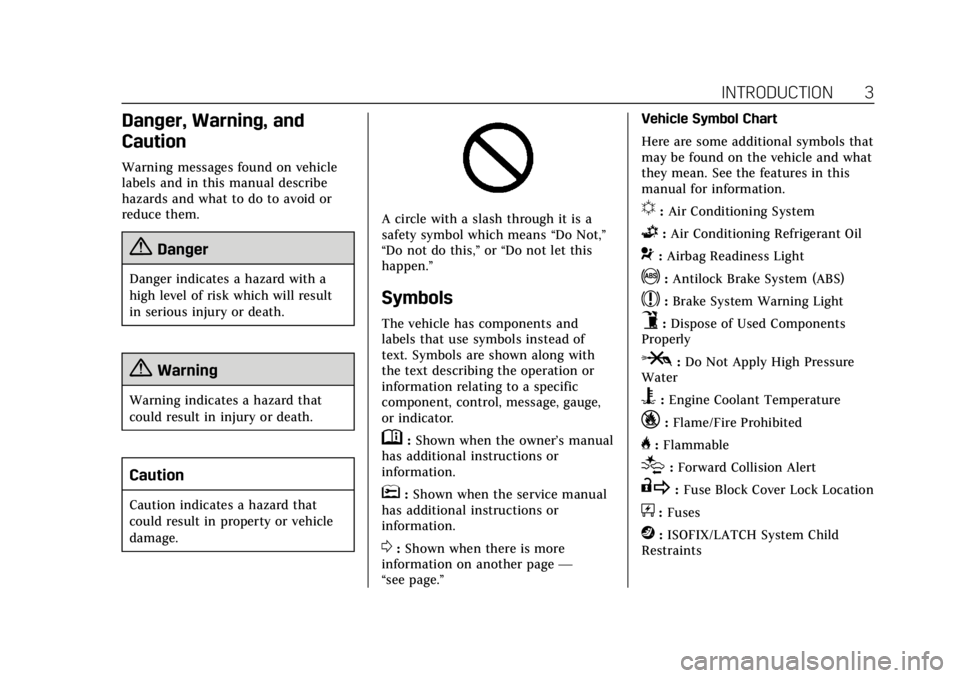
A circle with a slash through it is a
safety symbol which means“Do Not,”
“Do not do this,” or“Do not let this
happen.”
Symbols
The vehicle has components and
labels that use symbols instead of
text. Symbols are shown along with
the text describing the operation or
information relating to a specific
component, control, message, gauge,
or indicator.
M: Shown when the owner’s manual
has additional instructions or
information.
*: Shown when the service manual
has additional instructions or
information.
0: Shown when there is more
information on another page —
“see page.” Vehicle Symbol Chart
Here are some additional symbols that
may be found on the vehicle and what
they mean. See the features in this
manual for information.
u:
Air Conditioning System
G:Air Conditioning Refrigerant Oil
9:Airbag Readiness Light
!:Antilock Brake System (ABS)
$:Brake System Warning Light
9:Dispose of Used Components
Properly
P: Do Not Apply High Pressure
Water
B: Engine Coolant Temperature
_:Flame/Fire Prohibited
H: Flammable
[:Forward Collision Alert
R: Fuse Block Cover Lock Location
+:Fuses
j:ISOFIX/LATCH System Child
Restraints
Page 18 of 415
Cadillac Escalade Owner Manual (GMNA-Localizing-U.S./Canada/Mexico-
12460268) - 2019 - crc - 9/14/18
IN BRIEF 17
Windshield Wiper/Washer
The windshield wiper control is on the
turn signal lever.
The windshield wipers are controlled
by turning the band with
zFRONT
on it.
1: Fast wipes.
w: Slow wipes.
3INT : Use this setting for
intermittent wipes or Rainsense ™. For
intermittent wipes, turn the
z
FRONT band up for more frequent
wipes or down for less frequent wipes. To turn on Rainsense, press
z
AUTO on the lever, then turn thez
FRONT band on the wiper lever to
adjust the sensitivity.
.
Turn the band up to a higher INT
setting for more sensitivity to
moisture.
. Turn the band down to the lower
INT setting for less sensitivity to
moisture.
Move the band out of the
3INT
position to deactivate Rainsense.
OFF : Turns the windshield wipers off.
8:For a single wipe, turn the band
down, then release. For several wipes,
hold the band down.
Lm: Push the paddle at the top of
the lever to spray washer fluid on the
windshield.
See Windshield Wiper/Washer 0124.
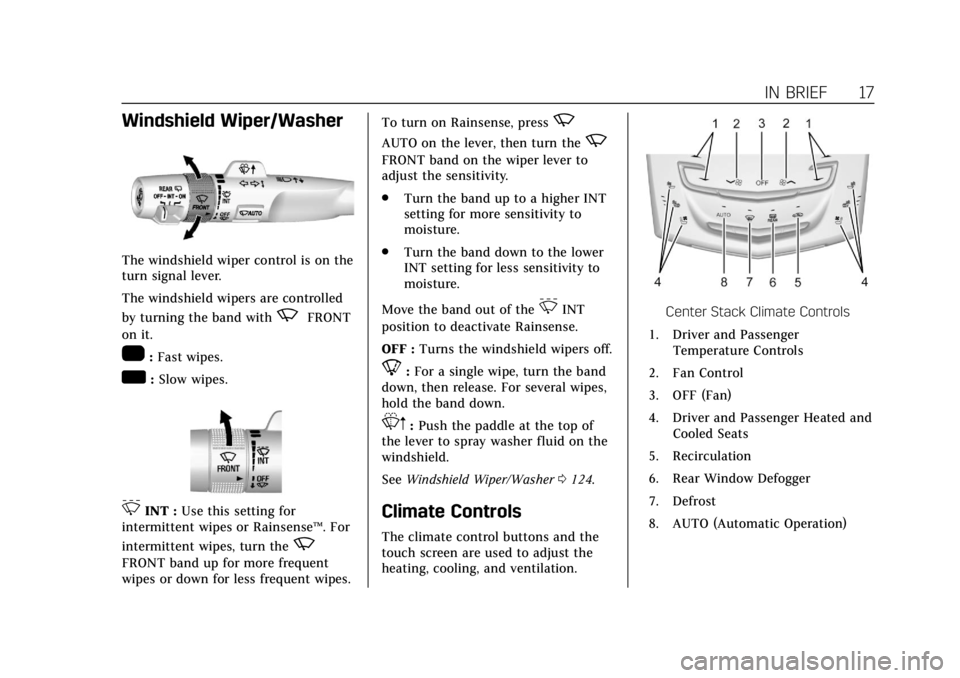
Climate Controls
The climate control buttons and the
touch screen are used to adjust the
heating, cooling, and ventilation.
Center Stack Climate Controls
1. Driver and Passenger Temperature Controls
2. Fan Control
3. OFF (Fan)
4. Driver and Passenger Heated and Cooled Seats
5. Recirculation
6. Rear Window Defogger
7. Defrost
8. AUTO (Automatic Operation)
Page 19 of 415
Cadillac Escalade Owner Manual (GMNA-Localizing-U.S./Canada/Mexico-
12460268) - 2019 - crc - 9/14/18
18 IN BRIEF
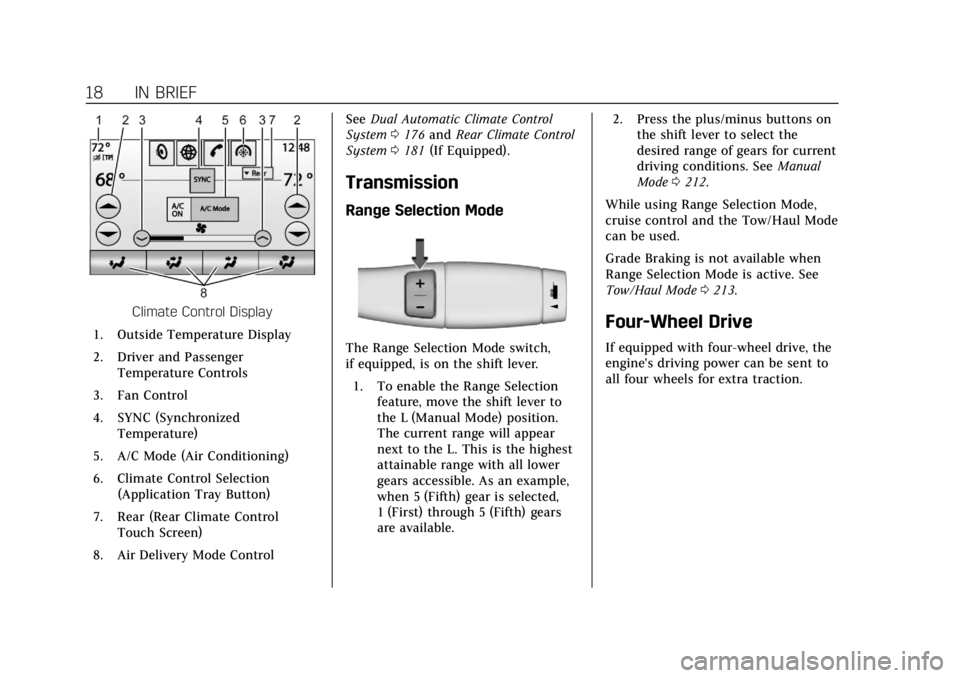
Climate Control Display
1. Outside Temperature Display
2. Driver and Passenger Temperature Controls
3. Fan Control
4. SYNC (Synchronized Temperature)
5. A/C Mode (Air Conditioning)
6. Climate Control Selection (Application Tray Button)
7. Rear (Rear Climate Control Touch Screen)
8. Air Delivery Mode Control See
Dual Automatic Climate Control
System 0176 and Rear Climate Control
System 0181 (If Equipped).
Transmission
Range Selection Mode
The Range Selection Mode switch,
if equipped, is on the shift lever.
1. To enable the Range Selection feature, move the shift lever to
the L (Manual Mode) position.
The current range will appear
next to the L. This is the highest
attainable range with all lower
gears accessible. As an example,
when 5 (Fifth) gear is selected,
1 (First) through 5 (Fifth) gears
are available. 2. Press the plus/minus buttons on
the shift lever to select the
desired range of gears for current
driving conditions. See Manual
Mode 0212.
While using Range Selection Mode,
cruise control and the Tow/Haul Mode
can be used.
Grade Braking is not available when
Range Selection Mode is active. See
Tow/Haul Mode 0213.
Four-Wheel Drive
If equipped with four-wheel drive, the
engine's driving power can be sent to
all four wheels for extra traction.
Page 20 of 415
Cadillac Escalade Owner Manual (GMNA-Localizing-U.S./Canada/Mexico-
12460268) - 2019 - crc - 9/14/18
IN BRIEF 19
Automatic Transfer Case
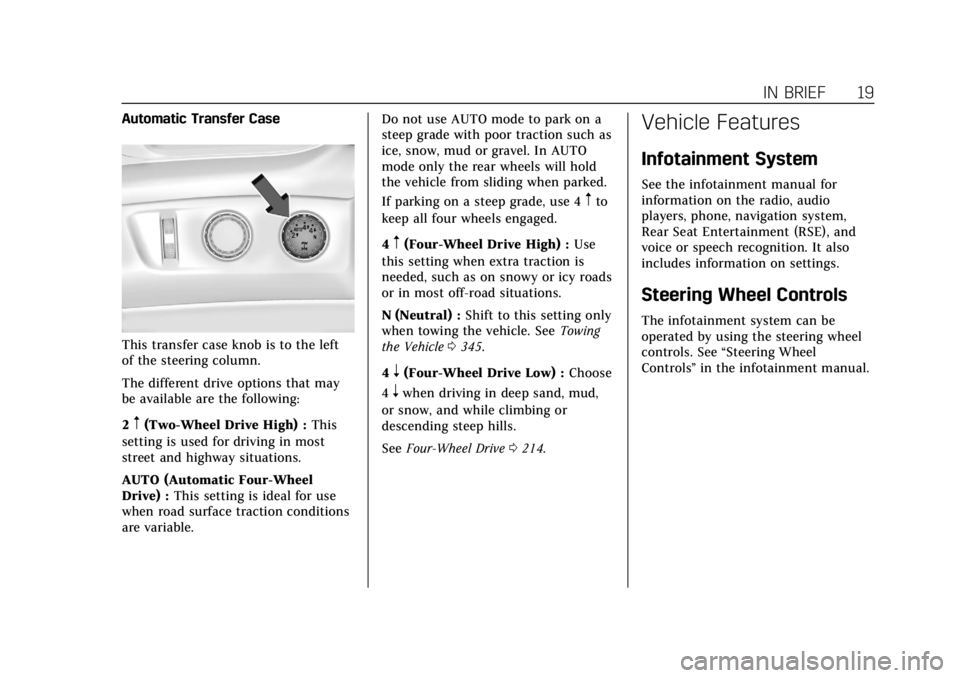
This transfer case knob is to the left
of the steering column.
The different drive options that may
be available are the following:
2
m(Two-Wheel Drive High) :This
setting is used for driving in most
street and highway situations.
AUTO (Automatic Four-Wheel
Drive) : This setting is ideal for use
when road surface traction conditions
are variable. Do not use AUTO mode to park on a
steep grade with poor traction such as
ice, snow, mud or gravel. In AUTO
mode only the rear wheels will hold
the vehicle from sliding when parked.
If parking on a steep grade, use 4
mto
keep all four wheels engaged.
4
m(Four-Wheel Drive High) : Use
this setting when extra traction is
needed, such as on snowy or icy roads
or in most off-road situations.
N (Neutral) : Shift to this setting only
when towing the vehicle. See Towing
the Vehicle 0345.
4
n(Four-Wheel Drive Low) : Choose
4
nwhen driving in deep sand, mud,
or snow, and while climbing or
descending steep hills.
See Four-Wheel Drive 0214.
Vehicle Features
Infotainment System
See the infotainment manual for
information on the radio, audio
players, phone, navigation system,
Rear Seat Entertainment (RSE), and
voice or speech recognition. It also
includes information on settings.
Steering Wheel Controls
The infotainment system can be
operated by using the steering wheel
controls. See “Steering Wheel
Controls ”in the infotainment manual.
Page 23 of 415
Cadillac Escalade Owner Manual (GMNA-Localizing-U.S./Canada/Mexico-
12460268) - 2019 - crc - 9/14/18
22 IN BRIEF
Rear Cross Traffic Alert
(RCTA) System
If equipped, the RCTA system shows a
triangle with an arrow on the
infotainment display to warn of traffic
behind your vehicle that may cross
your vehicle's path while in
R (Reverse). In addition, beeps will
sound, or the driver seat will pulse.
SeeAssistance Systems for Parking or
Backing 0237.
Park Assist
If equipped, Front and Rear Park
Assist (FRPA) uses sensors on the
front and rear bumpers to assist with
parking and avoiding objects during
low speed parking maneuvers.
It operates at speeds less than 8 km/h
(5 mph). FRPA may display a warning
triangle on the infotainment display
and a graphic on the instrument
cluster to provide the object distance.
In addition, multiple beeps or seat
pulses may occur if very close to an
object. The vehicle may also have a higher
speed Backing Warning System and
the Reverse Automatic Braking
system.
See
Driver Assistance Systems 0236.
Automatic Parking
Assist (APA)
If equipped, the APA system helps to
search for and maneuver the vehicle
into parallel or perpendicular parking
spots using automatic steering,
displays, and beeps. When the vehicle
speed is below 30 km/h (18 mph),
touch
Oto enable the system.
See “Automatic Parking Assist (APA)”
under Assistance Systems for Parking
or Backing 0237.
Reverse Automatic
Braking (RAB)
If the vehicle has Adaptive Cruise
Control (ACC) it also has the RAB
system, which is designed to help
avoid or reduce the harm caused by
backing crashes when the vehicle is
shifted into R (Reverse). If the system detects the vehicle is backing too fast
to avoid a crash with a detected object
behind your vehicle in your path, it
may automatically brake hard to
a stop.
See
Assistance Systems for Parking or
Backing 0237.
Power Outlets
Power Outlets 12 Volt Direct
Current
Accessory power outlets can be used
to plug in electrical equipment, such
as a cell phone, MP3 player, etc.
The vehicle has five accessory power
outlets:
.
One near the cupholders on the
center console
. One inside the center console
. One on the rear of the center
console
. One in the third row seat on the
driver side
. One in the rear cargo area on the
passenger side
Page 37 of 415
Cadillac Escalade Owner Manual (GMNA-Localizing-U.S./Canada/Mexico-
12460268) - 2019 - crc - 9/14/18
36 KEYS, DOORS, AND WINDOWS
The engine will turn off during a
remote vehicle start if:
.The coolant temperature gets
too high.
. The oil pressure gets low.
The RKE transmitter range may be
less while the vehicle is running.
Other conditions can affect the
performance of the transmitter.
See Remote Keyless Entry (RKE) System
0 28 orVehicle Personalization 0155.
Starting the Engine Using Remote
Start
1. Press and release
Q.
2. Immediately press and hold
/
until the turn signal lamps flash
or for at least four seconds.
When the vehicle starts, the
parking lamps will turn on. The
doors will be locked and the
climate control system may
come on. The engine will continue to run
for 15 minutes. Repeat
Steps 1 and 2 for one 15-minute
time extension.
Turn the ignition on to operate the
vehicle.
Extending Engine Run Time
The engine run time can be extended
by 15 minutes, for a total of
30 minutes, if during the first
15 minutes Steps 1 and 2 are repeated
while the engine is still running. An
extension can be requested
30 seconds after starting.
A maximum of two remote starts, or a
single start with an extension, is
allowed between ignition cycles.
The vehicle's ignition must be turned
on and then back off to use remote
start again.
Canceling a Remote Start
To cancel a remote start, do one of
the following:
. Press and hold
/until the
parking lamps turn off. .
Turn on the hazard warning
flashers.
. Turn the ignition on and then off.
Door Locks
{Warning
Unlocked doors can be dangerous.
. Passengers, especially
children, can easily open the
doors and fall out of a moving
vehicle. The doors can be
unlocked and opened while
the vehicle is moving. The
chance of being thrown out of
the vehicle in a crash is
increased if the doors are not
locked. So, all passengers
should wear seat belts
properly and the doors should
be locked whenever the
vehicle is driven.
. Young children who get into
unlocked vehicles may be
unable to get out. A child can
be overcome by extreme heat
(Continued)
Page 41 of 415

Cadillac Escalade Owner Manual (GMNA-Localizing-U.S./Canada/Mexico-
12460268) - 2019 - crc - 9/14/18
40 KEYS, DOORS, AND WINDOWS
Press{to activate the safety locks on
the rear doors. The indicator light
comes on when activated.
Press
{again to deactivate the safety
locks.
Doors
Liftgate
{Warning
Exhaust gases can enter the vehicle
if it is driven with the liftgate or
trunk/hatch open, or with any
objects that pass through the seal
between the body and the trunk/
hatch or liftgate. Engine exhaust
contains carbon monoxide (CO)
which cannot be seen or smelled.
It can cause unconsciousness and
even death.
If the vehicle must be driven with
the liftgate or trunk/hatch open:
. Close all of the windows.
. Fully open the air outlets on
or under the instrument
panel.
. Adjust the climate control
system to a setting that
brings in only outside air and
(Continued)
Warning (Continued)
set the fan speed to the
highest setting. See “Climate
Control Systems” in the Index.
. If the vehicle is equipped with
a power liftgate, disable the
power liftgate function.
See Engine Exhaust 0208.
Caution
To avoid damage to the liftgate or
liftgate glass, make sure the area
above and behind the liftgate is
clear before opening it.
Page 70 of 415
Cadillac Escalade Owner Manual (GMNA-Localizing-U.S./Canada/Mexico-
12460268) - 2019 - crc - 9/14/18
SEATS AND RESTRAINTS 69
5. To activate massage at lastmassage type and intensity
settings or to turn massage off,
press the massage On/Off
control (2).
Heated and Cooled Front
Seats
{Warning
If temperature change or pain to
the skin cannot be felt, the seat
heater may cause burns. To reduce
the risk of burns, use care when
using the seat heater, especially for
long periods of time. Do not place
anything on the seat that insulates
against heat, such as a blanket,
cushion, cover, or similar item. This
may cause the seat heater to
overheat. An overheated seat heater
may cause a burn or may damage
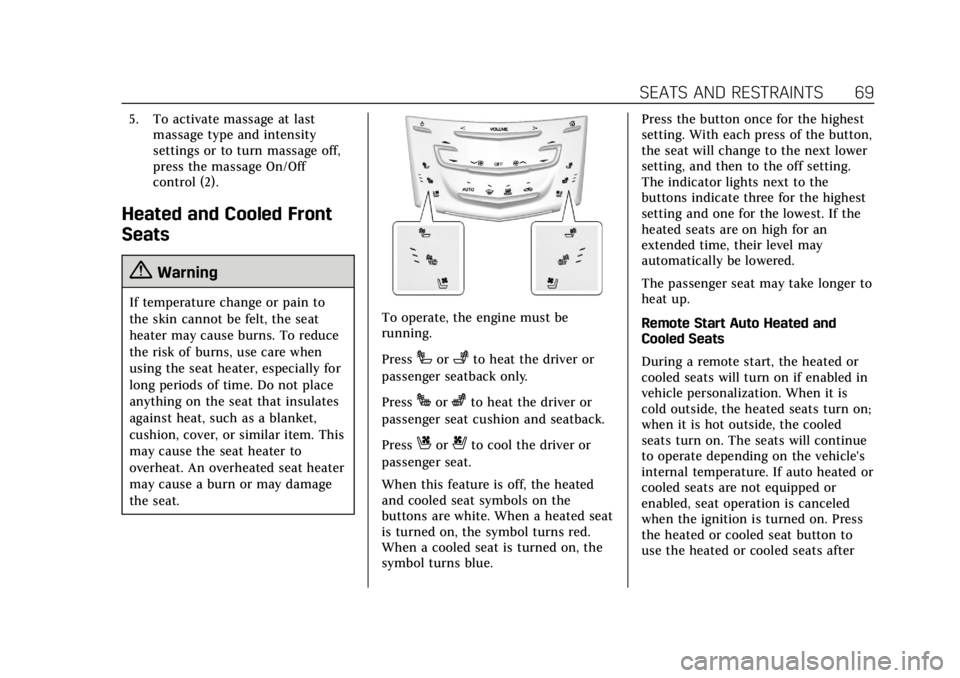
the seat.To operate, the engine must be
running.
Press
Ior+to heat the driver or
passenger seatback only.
Press
Jorzto heat the driver or
passenger seat cushion and seatback.
Press
Cor{to cool the driver or
passenger seat.
When this feature is off, the heated
and cooled seat symbols on the
buttons are white. When a heated seat
is turned on, the symbol turns red.
When a cooled seat is turned on, the
symbol turns blue. Press the button once for the highest
setting. With each press of the button,
the seat will change to the next lower
setting, and then to the off setting.
The indicator lights next to the
buttons indicate three for the highest
setting and one for the lowest. If the
heated seats are on high for an
extended time, their level may
automatically be lowered.
The passenger seat may take longer to
heat up.
Remote Start Auto Heated and
Cooled Seats
During a remote start, the heated or
cooled seats will turn on if enabled in
vehicle personalization. When it is
cold outside, the heated seats turn on;
when it is hot outside, the cooled
seats turn on. The seats will continue
to operate depending on the vehicle's
internal temperature. If auto heated or
cooled seats are not equipped or
enabled, seat operation is canceled
when the ignition is turned on. Press
the heated or cooled seat button to
use the heated or cooled seats after
Page 72 of 415

Cadillac Escalade Owner Manual (GMNA-Localizing-U.S./Canada/Mexico-
12460268) - 2019 - crc - 9/14/18
SEATS AND RESTRAINTS 71
The buttons are on the rear of the
center console.
With the engine running, press
Mor
Lto heat the left or right outboard
seat cushion. An indicator on the rear
climate control display appears when
this feature is on.
Press the button once for the highest
setting. With each press of the button,
the seat will change to the next lower
setting, and then to the off setting.
The indicator lights next to the
buttons indicate three for the highest
setting and one for the lowest. If the heated seats are on high for an
extended time, their level may
automatically be lowered.
Second Row Seats
The second row seats can be folded
for additional cargo space or folded
and tumbled for easy entry and exit to
the third row seat.
Reclining Seatbacks
To recline the seatback:
1. Lift the lever on the outboard
side of the seat. 2. Move the seatback to the desired
position, and then release the
lever to lock the seatback in
place.
3. Push and pull on the seatback to make sure it is locked.
To return the seatback to the upright
position:
{Warning
If either seatback is not locked, it
could move forward in a sudden
stop or crash. That could cause
injury to the person sitting there.
Always push and pull on the
seatbacks to be sure they are
locked.
1. Lift the lever fully while applying pressure to the seatback, and the
seatback will return to the
upright position. If the lever is
lifted without applying pressure,
the seat will release to a folded
position.
2. Push and pull on the seatback to make sure it is locked.
Page 80 of 415

Cadillac Escalade Owner Manual (GMNA-Localizing-U.S./Canada/Mexico-
12460268) - 2019 - crc - 9/14/18
SEATS AND RESTRAINTS 79
It is very important for all occupants
to buckle up. Statistics show that
unbelted people are hurt more often
in crashes than those who are wearing
seat belts.
There are important things to know
about wearing a seat belt properly.
.Sit up straight and always keep
your feet on the floor in front of
you (if possible).
. Always use the correct buckle for
your seating position.
. Wear the lap part of the belt low
and snug on the hips, just
touching the thighs. In a crash, this applies force to the strong
pelvic bones and you would be
less likely to slide under the lap
belt. If you slid under it, the belt
would apply force on your
abdomen. This could cause serious
or even fatal injuries.
. Wear the shoulder belt over the
shoulder and across the chest.
These parts of the body are best
able to take belt restraining forces.
The shoulder belt locks if there is
a sudden stop or crash.
{Warning
You can be seriously injured,
or even killed, by not wearing your
seat belt properly.
Never allow the lap or shoulder belt to
become loose or twisted.