seats CADILLAC ESCALADE 2021 Manual PDF
[x] Cancel search | Manufacturer: CADILLAC, Model Year: 2021, Model line: ESCALADE, Model: CADILLAC ESCALADE 2021Pages: 492, PDF Size: 7.92 MB
Page 170 of 492
Cadillac Escalade Owner Manual (GMNA-Localizing-U.S./Canada/Mexico-
13690472) - 2021 - CRC - 8/10/21
INFOTAINMENT SYSTEM 169
reception. If the vehicle has a sunroof,
and it is open, reception can also be
affected.
Audio Players
Avoiding Untrusted Media
Devices
When using media devices such as SD
cards, USB devices, and mobile
devices, consider the source.
Untrusted media devices could
contain files that affect system
operation or performance. Avoid use if
the content or origin cannot be
trusted.
USB Port
Audio stored on a USB device may be
listened to.
The vehicle may be equipped with two
USB ports in the center console under
the armrest and another two on the
center stack. These ports are for data
and charging. There may also be two
USB ports at the rear of the centerconsole and a USB port on each side
of the third row seats for
charging only.
Caution
To avoid vehicle damage, unplug all
accessories and disconnect all
accessory cables from the vehicle
when not in use. Accessory cables
left plugged into the vehicle,
unconnected to a device, could be
damaged or cause an electrical
short if the unconnected end comes
in contact with liquids or another
power source such as the accessory
power outlet.
Playing from a USB
A USB mass storage device can be
connected to the USB port.
Audio extensions supported by the
USB may include:
.MP3
.AAC
.OGG
.3GPGracenote
When plugging in a USB device,
Gracenote service builds voice tags for
music. Voice tags allow artists, albums
with hard to pronounce names, and
nicknames to be used to play music
through voice recognition, if equipped.
While indexing, infotainment features
may be available.
My Media Library
MyMedia is only available when more
than one indexed device is connected.
It allows access to content from all
indexed media sources. MyMedia will
show as an available source in the
Source page.
USB MP3 Player and USB Devices
The USB MP3 players and USB devices
connected must comply with the USB
Mass Storage Class specification
(USB MSC).
To play a USB device:
1. Connect the USB.
2. Touch Audio from the Home Page.
3. Touch the More option and then touch the USB device.
Page 174 of 492
Cadillac Escalade Owner Manual (GMNA-Localizing-U.S./Canada/Mexico-
13690472) - 2021 - CRC - 8/10/21
INFOTAINMENT SYSTEM 173
upper right corner of the screen does
not end the call, but returns to the
previous screen.
Wi-Fi Hotspot
Touch to display the Settings page,
which shows the configurations for
the vehicle hotspot and allows them
to be changed.
For more information, see
www.onstar.com.
Account
The Account tab displays a snapshot
of the account linked with the vehicle.
If there is no such account, this tab
will show all values as——. The call
advisor call icon will be active even if
there is no active account.
Help
Selecting Help is the same as pressing
>. See OnStar Overview 0471.
Rear Seat Infotainment
Rear Seat Infotainment
(RSI) System
If equipped, the system includes two
rear USB-C ports, two HDMI inputs,
and two wireless headphones.
The RSI system may not operate
properly until the temperature is
above −20 °C (−4 °F) and below 55 °C
(131 °F).
System Operation
The video screens are in back of the
driver and front passenger seats.
To use:
1. Touch either screen to Power On and view the Home screen.
2. Select from the Watch, Listen or Navigate menus.
If Remember Screen Power Status was
selected in the settings, the screens
will return to the same Power Status
as when the vehicle was turned off.
See “Remember Screen Power Status ”
later in this section.
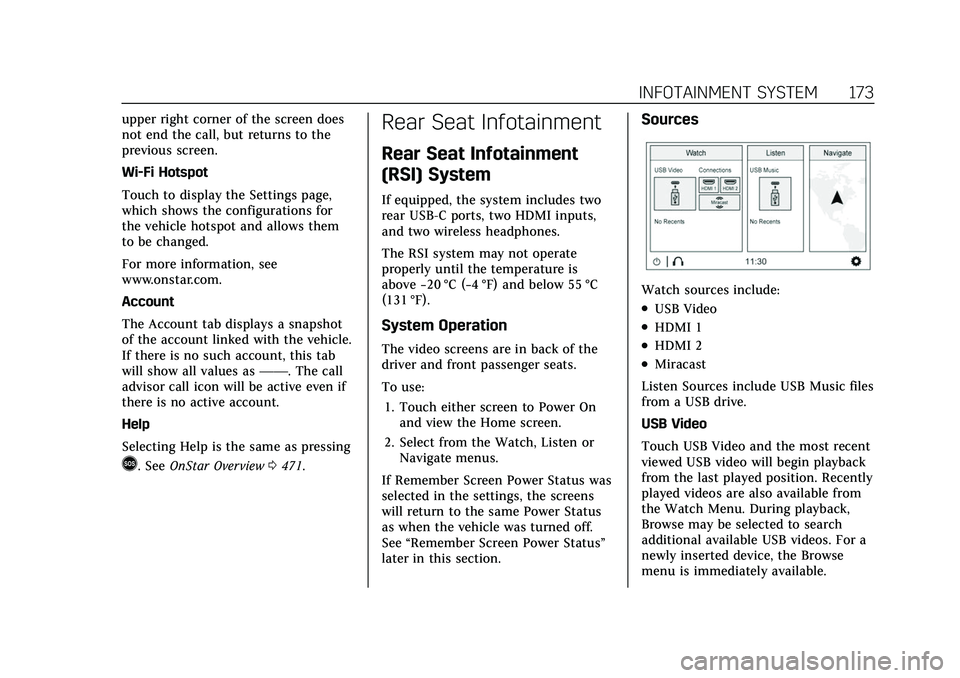
Sources
Watch sources include:
.USB Video
.HDMI 1
.HDMI 2
.Miracast
Listen Sources include USB Music files
from a USB drive.
USB Video
Touch USB Video and the most recent
viewed USB video will begin playback
from the last played position. Recently
played videos are also available from
the Watch Menu. During playback,
Browse may be selected to search
additional available USB videos. For a
newly inserted device, the Browse
menu is immediately available.
Page 224 of 492
Cadillac Escalade Owner Manual (GMNA-Localizing-U.S./Canada/Mexico-
13690472) - 2021 - CRC - 8/10/21
CLIMATE CONTROLS 223
started in cold weather and turns off
when the vehicle is warmed. To turn
Auto Rear Defog on or off, see
“Climate and Air Quality”under
Vehicle Personalization 0138.
The heated outside rearview mirrors
turn on when the rear window
defogger button is on and help to
clear fog or frost from the surface of
the mirrors.
Caution
Do not try to clear frost or other
material from the inside of the
front windshield and rear window
with a razor blade or anything else
that is sharp. This may damage the
rear window defogger grid and
affect the radio's ability to pick up
stations clearly. The repairs would
not be covered by the vehicle
warranty.
Driver and Passenger Heated and
Cooled Seats : Press
Ior+to heat
the driver or passenger seatback only.
Press
Jorzto heat the driver or
passenger seat cushion and seatback. Press
Cor{to cool the driver or
passenger seat.
There are also auto heated and cooled
seats, for more information see Heated
and Ventilated Front Seats 048.
Remote Start Climate Control
Operation : The climate control
system may run when the vehicle is
started remotely. The system uses the
driver’s previous settings to heat or
cool the inside of the vehicle. The rear
defog may come on during remote
start based on cold ambient
conditions. The rear defog indicator
light does not come on during a
remote start. If equipped with heated
or cooled seats, they may come on
during a remote start. See Remote
Vehicle Start 014 and
Heated and Ventilated Front Seats 048.Sensor
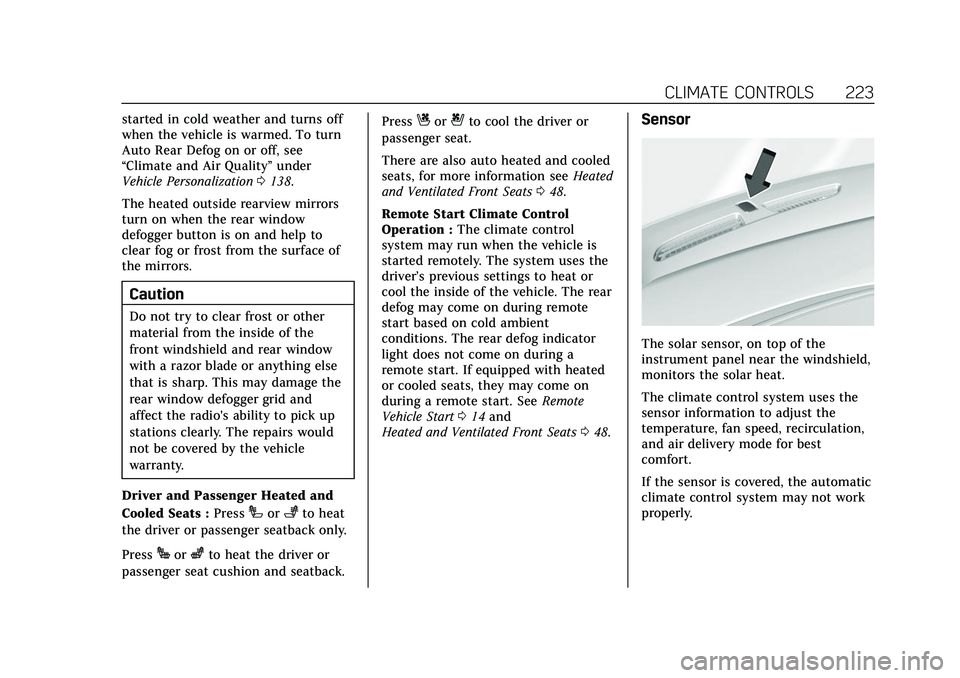
The solar sensor, on top of the
instrument panel near the windshield,
monitors the solar heat.
The climate control system uses the
sensor information to adjust the
temperature, fan speed, recirculation,
and air delivery mode for best
comfort.
If the sensor is covered, the automatic
climate control system may not work
properly.
Page 225 of 492
Cadillac Escalade Owner Manual (GMNA-Localizing-U.S./Canada/Mexico-
13690472) - 2021 - CRC - 8/10/21
224 CLIMATE CONTROLS
Rear Climate Control System
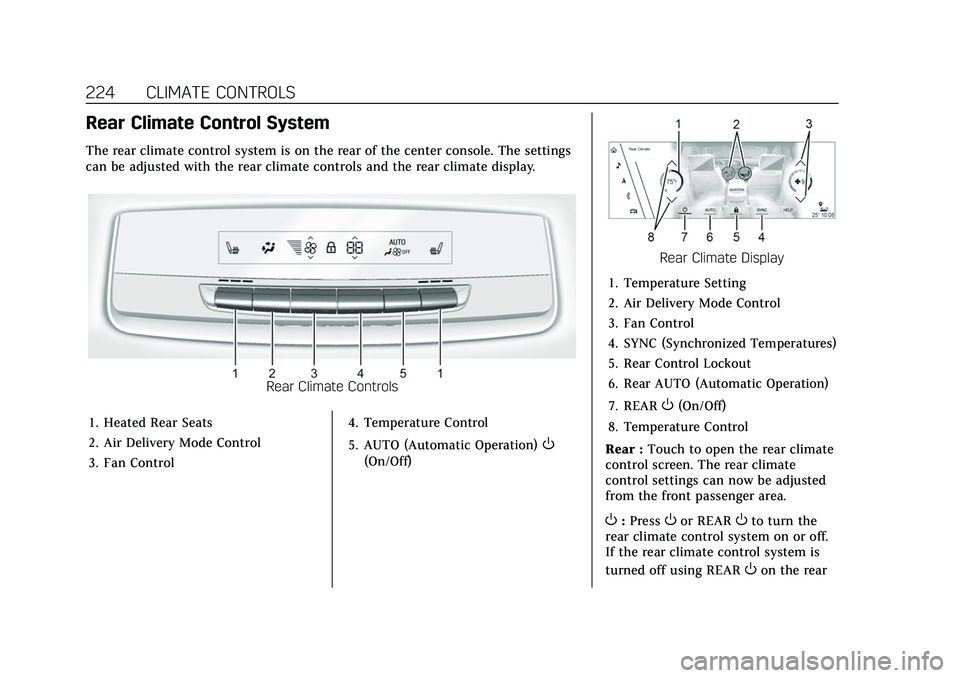
The rear climate control system is on the rear of the center console. The settings
can be adjusted with the rear climate controls and the rear climate display.
Rear Climate Controls
1. Heated Rear Seats
2. Air Delivery Mode Control
3. Fan Control 4. Temperature Control
5. AUTO (Automatic Operation)
O
(On/Off)
Rear Climate Display
1. Temperature Setting
2. Air Delivery Mode Control
3. Fan Control
4. SYNC (Synchronized Temperatures)
5. Rear Control Lockout
6. Rear AUTO (Automatic Operation)
7. REAR
O(On/Off)
8. Temperature Control
Rear : Touch to open the rear climate
control screen. The rear climate
control settings can now be adjusted
from the front passenger area.
O: PressOor REAROto turn the
rear climate control system on or off.
If the rear climate control system is
turned off using REAR
Oon the rear
Page 226 of 492
Cadillac Escalade Owner Manual (GMNA-Localizing-U.S./Canada/Mexico-
13690472) - 2021 - CRC - 8/10/21
CLIMATE CONTROLS 225
climate display, theObutton and the
temperature or air delivery mode
buttons on the rear climate controls
must be pressed within five seconds
to turn it back on.
SYNC : Touch SYNC on the rear
climate display to match the rear
climate control temperature to the
front climate control driver
temperature. The SYNC button will be
lit. Press the temperature, MODE,
or AUTO button to unlink the set
driver and rear temperatures. The
SYNC button turns off.
Rear Control Lockout : Touch Rear
Control Lockout on the rear climate
display to lock or unlock control of
the rear climate control system from
the front climate control display.
When locked the rear climate control
system cannot be adjusted from the
rear climate controls on the rear of
the center console.
Automatic Operation
Rear AUTO : Touch to turn on or off.
The air delivery and fan speed are
controlled automatically. The AUTO
indicator appears on the display on the rear of the center console. If the
Mode or fan control buttons are
manually adjusted, this cancels the
automatic operation.
Manual Operation
A«/ªAª:
Touch or press the
fan controls on the rear climate
display or on the rear of the center
console to increase or decrease the
airf low. Pressing
A «when the
system is off will turn the system on.
The air delivery mode remains in its
previous setting.
«/ª: Touch or press and hold the
rear temperature controls on the rear
climate display or on the rear of the
center console to adjust the rear
passenger temperature. Press
«for
warmer air and press
ªfor cooler air.
Y/\/Y: Touch the desired mode
on the rear climate display or the
MODE button on the rear of the
center console to change the direction
of the airflow in the rear seating area.
MorL: PressMorLto heat the left
or right outboard seat cushion. See
Heated Rear Seats 050.
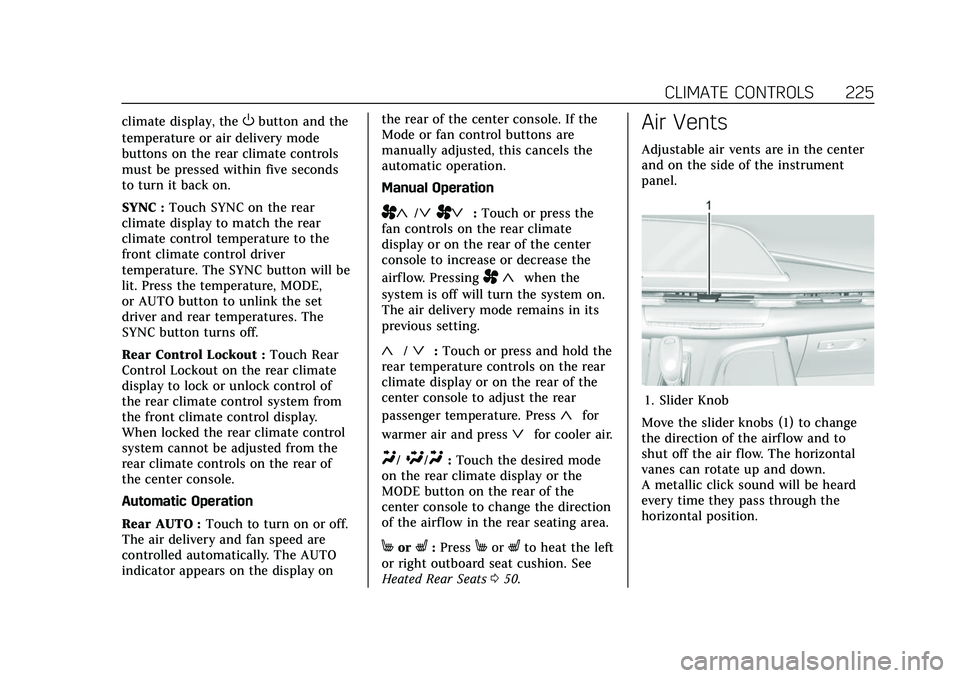
Air Vents
Adjustable air vents are in the center
and on the side of the instrument
panel.
1. Slider Knob
Move the slider knobs (1) to change
the direction of the airf low and to
shut off the air flow. The horizontal
vanes can rotate up and down.
A metallic click sound will be heard
every time they pass through the
horizontal position.
Page 227 of 492
Cadillac Escalade Owner Manual (GMNA-Localizing-U.S./Canada/Mexico-
13690472) - 2021 - CRC - 8/10/21
226 CLIMATE CONTROLS
Operation Tips
.Clear away any ice, snow, or leaves
from the air inlets at the base of the
windshield that could block the
flow of air into the vehicle.
.Clear snow off the hood to improve
visibility and help decrease moisture
drawn into the vehicle.
.When you enter a vehicle in cold
weather, press the fan up button to
the maximum fan level before
driving. This helps clear the intake
ducts of snow and moisture, and
reduces the chance of fogging the
inside of the window.
.Keep the air path under the front
seats clear of objects to help
circulate the air inside of the vehicle
more effectively.
.Use of non-GM approved hood
deflectors can adversely affect the
performance of the system. Check
with your dealer before adding
equipment to the outside of the
vehicle.Rear System Air Vents
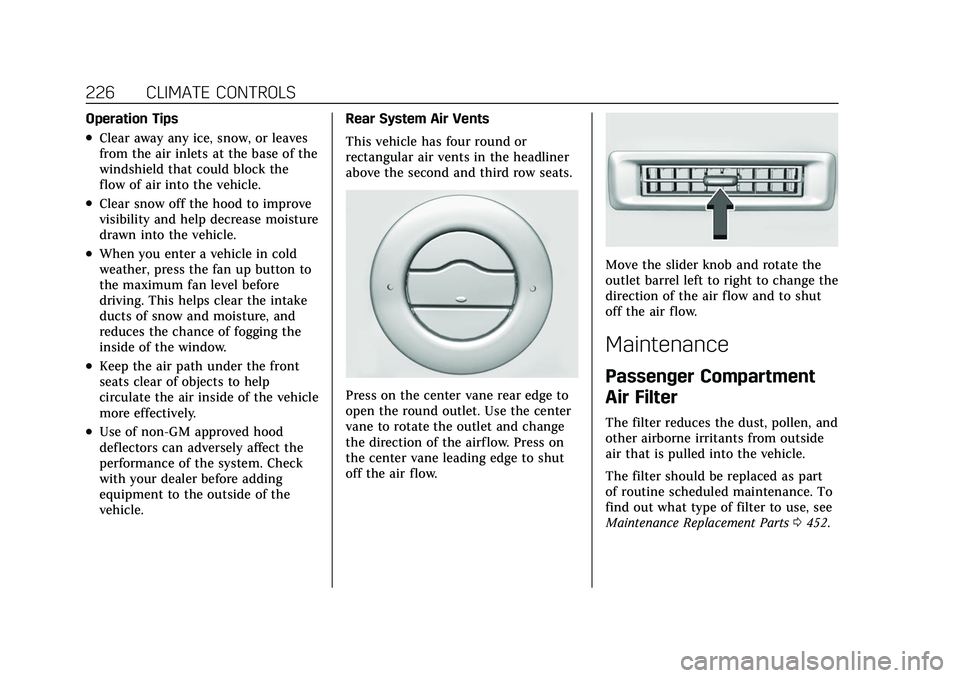
This vehicle has four round or
rectangular air vents in the headliner
above the second and third row seats.
Press on the center vane rear edge to
open the round outlet. Use the center
vane to rotate the outlet and change
the direction of the airf low. Press on
the center vane leading edge to shut
off the air flow.
Move the slider knob and rotate the
outlet barrel left to right to change the
direction of the air flow and to shut
off the air flow.
Maintenance
Passenger Compartment
Air Filter
The filter reduces the dust, pollen, and
other airborne irritants from outside
air that is pulled into the vehicle.
The filter should be replaced as part
of routine scheduled maintenance. To
find out what type of filter to use, see
Maintenance Replacement Parts
0452.
Page 245 of 492
Cadillac Escalade Owner Manual (GMNA-Localizing-U.S./Canada/Mexico-
13690472) - 2021 - CRC - 8/10/21
244 DRIVING AND OPERATING
{Warning
Things you put inside the
vehicle can strike and injure
people in a sudden stop or turn,
or in a crash.
.Put things in the cargo area
of the vehicle. Try to spread
the weight evenly.
.Never stack heavier things,
like suitcases, inside the
vehicle so that some of them
are above the tops of the
seats.
.Do not leave an unsecured
child restraint in the vehicle.
.When you carry something
inside the vehicle, secure it
whenever you can.
.Do not leave a seat folded
down unless you need to. There is also important loading
information for off-road driving in
this manual. See
“Loading the
Vehicle for Off-Road Driving”
under Off-Road Driving 0234.
Add-On Equipment
There may be a limit on how
many people can be inside the
vehicle when carrying removable
items. Be sure to weigh the vehicle
before buying and installing the
new equipment.
Caution
Overloading the vehicle may cause
damage. Repairs would not be
covered by the vehicle warranty. Do
not overload the vehicle.
Remember not to exceed the
Gross Axle Weight Rating (GAWR)
of the front or rear axle.
Starting and Operating
New Vehicle Break-In
Caution
The vehicle does not need an
elaborate break-in. But it will
perform better in the long run if
you follow these guidelines:
.Keep the vehicle speed at
88 km/h (55 mph) or less for the
first 805 km (500 mi).
.Do not drive at any one constant
speed, fast or slow, for the first
805 km (500 mi). Do not make
full-throttle starts. Avoid
downshifting to brake or slow the
vehicle.
.Avoid making hard stops for the
first 322 km (200 mi) or so.
During this time the new brake
linings are not yet broken in.
Hard stops with new linings can
mean premature wear and earlier
replacement. Follow this
breaking-in guideline every time
you get new brake linings. (Continued)
Page 398 of 492

Cadillac Escalade Owner Manual (GMNA-Localizing-U.S./Canada/Mexico-
13690472) - 2021 - CRC - 8/10/21
VEHICLE CARE 397
Tire Designations
Tire Size
The example shows a typical
passenger vehicle tire size.
Passenger (P-Metric) Tire
(1) Passenger (P-Metric) Tire:
The United States version of a
metric tire sizing system. The
letter "P" as the first character in
the tire size means a passenger
vehicle tire engineered to
standards set by the U.S. Tire and
Rim Association.
(2) Tire Width
:The 3-digit
number indicates the tire section
width in millimeters from sidewall
to sidewall. (3) Aspect Ratio
:A 2-digit
number that indicates the tire
height-to-width measurements.
For example, if the tire size aspect
ratio is 75, as shown in item (3) of
the illustration, it would mean
that the tire's sidewall is
75 percent as high as it is wide.
(4) Construction Code
:A letter
code is used to indicate the type
of ply construction in the tire. The
letter "R" means radial ply
construction; the letter "D" means
diagonal or bias ply construction.
(5) Rim Diameter
:Diameter of
the wheel in inches.
(6) Service Description
:These
characters represent the load
index and speed rating of the tire.
The load index represents the load
carrying capacity a tire is certified
to carry. The speed rating is the
maximum speed a tire is certified
to carry a load.
Tire Terminology and
Definitions
Air Pressure:The amount of air
inside the tire pressing outward
on each square inch of the tire.
Air pressure is expressed in kPa
(kilopascal) or psi (pounds per
square inch).
Accessory Weight
:The combined
weight of optional accessories.
Some examples of optional
accessories are automatic
transmission, power windows,
power seats, and air conditioning.
Aspect Ratio
:The relationship of
a tire's height to its width.
Belt
:A rubber coated layer of
cords between the plies and the
tread. Cords may be made from
steel or other reinforcing
materials.
Page 408 of 492
Cadillac Escalade Owner Manual (GMNA-Localizing-U.S./Canada/Mexico-
13690472) - 2021 - CRC - 8/10/21
VEHICLE CARE 407
Reset the Tire Pressure Monitor
System. SeeTire Pressure Monitor
Operation 0403.
Check that all wheel nuts are
properly tightened. See “Wheel
Nut Torque ”under Capacities and
Specifications 0455.
{Warning
Rust or dirt on a wheel, or on
the parts to which it is fastened,
can cause wheel nuts to become
loose over time. The wheel
could come off and cause a
crash. When changing a wheel,
remove any rust or dirt from
places where the wheel attaches
to the vehicle. In an emergency,
a cloth or paper towel can be
used; however, use a scraper or
wire brush later to remove all
rust or dirt. Lightly coat the inner diameter of
the wheel hub opening with wheel
bearing grease after a wheel
change or tire rotation to prevent
corrosion or rust build-up.
{Warning
Do not apply grease to the
wheel mounting surface, wheel
conical seats, or the wheel nuts
or bolts. Grease applied to these
areas could cause a wheel to
become loose or come off,
resulting in a crash.
When It Is Time for New
Tires
Factors, such as maintenance,
temperatures, driving speeds, vehicle
loading, and road conditions affect the
wear rate of the tires.
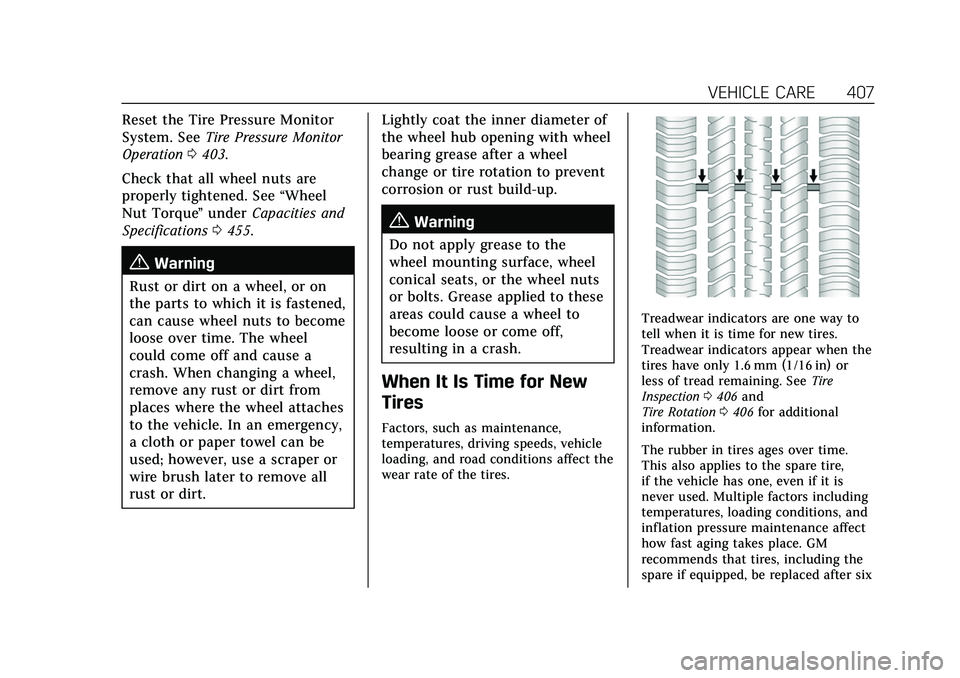
Treadwear indicators are one way to
tell when it is time for new tires.
Treadwear indicators appear when the
tires have only 1.6 mm (1/16 in) or
less of tread remaining. See Tire
Inspection 0406 and
Tire Rotation 0406 for additional
information.
The rubber in tires ages over time.
This also applies to the spare tire,
if the vehicle has one, even if it is
never used. Multiple factors including
temperatures, loading conditions, and
inflation pressure maintenance affect
how fast aging takes place. GM
recommends that tires, including the
spare if equipped, be replaced after six
Page 480 of 492
Cadillac Escalade Owner Manual (GMNA-Localizing-U.S./Canada/Mexico-
13690472) - 2021 - CRC - 8/10/21
INDEX 479
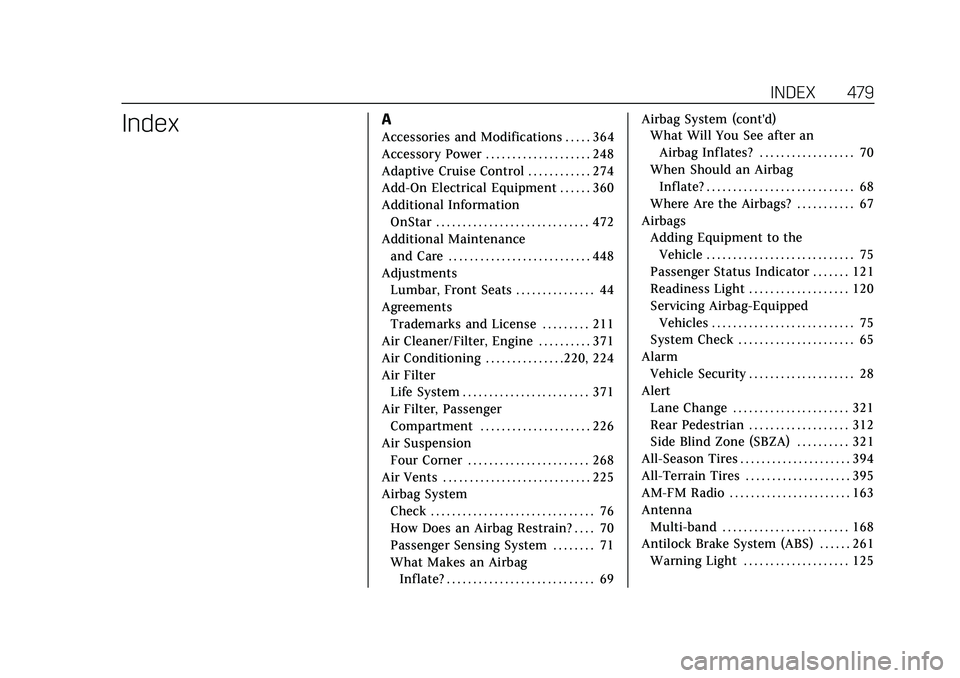
IndexA
Accessories and Modifications . . . . . 364
Accessory Power . . . . . . . . . . . . . . . . . . . . 248
Adaptive Cruise Control . . . . . . . . . . . . 274
Add-On Electrical Equipment . . . . . . 360
Additional InformationOnStar . . . . . . . . . . . . . . . . . . . . . . . . . . . . . 472
Additional Maintenance and Care . . . . . . . . . . . . . . . . . . . . . . . . . . . 448
Adjustments
Lumbar, Front Seats . . . . . . . . . . . . . . . 44
Agreements Trademarks and License . . . . . . . . . 211
Air Cleaner/Filter, Engine . . . . . . . . . . 371
Air Conditioning . . . . . . . . . . . . . . .220, 224
Air Filter
Life System . . . . . . . . . . . . . . . . . . . . . . . . 371
Air Filter, Passenger Compartment . . . . . . . . . . . . . . . . . . . . . 226
Air Suspension Four Corner . . . . . . . . . . . . . . . . . . . . . . . 268
Air Vents . . . . . . . . . . . . . . . . . . . . . . . . . . . . 225
Airbag System Check . . . . . . . . . . . . . . . . . . . . . . . . . . . . . . . 76
How Does an Airbag Restrain? . . . . 70
Passenger Sensing System . . . . . . . . 71
What Makes an AirbagInflate? . . . . . . . . . . . . . . . . . . . . . . . . . . . . 69 Airbag System (cont'd)
What Will You See after an
Airbag Inflates? . . . . . . . . . . . . . . . . . . 70
When Should an Airbag Inflate? . . . . . . . . . . . . . . . . . . . . . . . . . . . . 68
Where Are the Airbags? . . . . . . . . . . . 67
Airbags
Adding Equipment to theVehicle . . . . . . . . . . . . . . . . . . . . . . . . . . . . 75
Passenger Status Indicator . . . . . . . 121
Readiness Light . . . . . . . . . . . . . . . . . . . 120
Servicing Airbag-Equipped Vehicles . . . . . . . . . . . . . . . . . . . . . . . . . . . 75
System Check . . . . . . . . . . . . . . . . . . . . . . 65
Alarm Vehicle Security . . . . . . . . . . . . . . . . . . . . 28
Alert Lane Change . . . . . . . . . . . . . . . . . . . . . . 321
Rear Pedestrian . . . . . . . . . . . . . . . . . . . 312
Side Blind Zone (SBZA) . . . . . . . . . . 321
All-Season Tires . . . . . . . . . . . . . . . . . . . . . 394
All-Terrain Tires . . . . . . . . . . . . . . . . . . . . 395
AM-FM Radio . . . . . . . . . . . . . . . . . . . . . . . 163
Antenna
Multi-band . . . . . . . . . . . . . . . . . . . . . . . . 168
Antilock Brake System (ABS) . . . . . . 261
Warning Light . . . . . . . . . . . . . . . . . . . . 125