instrument panel CADILLAC ESCALADE 2022 User Guide
[x] Cancel search | Manufacturer: CADILLAC, Model Year: 2022, Model line: ESCALADE, Model: CADILLAC ESCALADE 2022Pages: 508, PDF Size: 9.18 MB
Page 135 of 508
Cadillac Escalade Owner Manual (GMNA-Localizing-U.S./Canada/Mexico-
15567102) - 2022 - CRC - 11/18/21
134 INSTRUMENTS AND CONTROLS
infotainment display. SeeSettings
0 205 or
Vehicle Information 0136.
If the vehicle has a diesel engine, see
the Duramax diesel supplement for
more information.
DIC Information Displays
The following is the list of all possible
DIC information displays and their
locations. Some of the information
displays may not be available for your
particular vehicle.
Control Panel
Trip 1 or Trip 2 and Average Fuel
Economy : The Trip display shows the
current distance traveled, in either
kilometers (km) or miles (mi), since
the trip odometer was last reset. To
reset the current trip, touch and hold
the touchscreen display when trip
odometer is displayed.
The Average Fuel Economy display
shows the approximate average liters
per 100 kilometers (L/100 km) or
miles per gallon (mpg). This number
is calculated based on the number of
L/100 km (mpg) recorded since the last time this menu item was reset.
This number reflects only the
approximate average fuel economy
that the vehicle has right now, and
will change as driving conditions
change. The Average Fuel Economy
can be reset along with the trip
odometer by touching and holding the
touchscreen display when trip
odometer is displayed.
Left Zone
Time/Date :
Displays current date and
time information.
Auto Lane Change : Displays the
status of a driver-requested lane
change when Super Cruise is active.
See Super Cruise 0286.
Eff iciency Gauge : Displays a gauge
that is a guide to driving in an
efficient manner.
Efficient Driving is shown by a green
ball in the center of the gauge.
Inefficient driving is shown by a
yellow ball above the center of the
gauge. Aggressive braking is shown by
a yellow ball below the center of the
gauge. Average Speed :
Shows the average
speed of the vehicle in kilometers per
hour (km/h) or miles per hour (mph).
This average is calculated based on
the various vehicle speeds recorded
since the last reset of this value. The
average speed can be reset by
touching reset in vehicle information
screen.
Timer : This display can be used as a
timer. To start the timer, touch Start
while this display is active. The
display will show the amount of time
that has passed since the timer was
last reset. To stop the timer, touch
Stop briefly while this display is active
and the timer is running. To reset the
timer to zero, touch and hold Reset
while this display is active.
Off Road : Displays vehicle pitch and
roll information, road wheel angle,
and four-wheel drive (4WD) status.
Battery Voltage : Shows the current
battery voltage.
Trailer Brake : On vehicles with the
Integrated Trailer Brake Control
(ITBC) system, the trailer brake
display appears in the DIC.
Page 137 of 508

Cadillac Escalade Owner Manual (GMNA-Localizing-U.S./Canada/Mexico-
15567102) - 2022 - CRC - 11/18/21
136 INSTRUMENTS AND CONTROLS
Off :Allows for no information to be
displayed in the cluster info display
areas.
Right Zone
Audio Now Playing : Displays the
actively playing audio.
Navigation : Displays a variety of
navigation information.
Audio and Navigation : Displays both
audio and navigation information
together.
Off : Allows for no information to be
displayed in the cluster info display
areas.
Vehicle Information
The following are all possible vehicle
information features.
To access the vehicle information
menu, press
Ton the Multi
Function Controller (MFC) or touch
Tfrom the list of home page icons
displayed on the left side of the
infotainment display.
The Vehicle Information App will
display 3 cards per page. The currently displayed page of cards
is remembered from the last ignition
cycle.
The menu may contain the following
cards:
.Notifications
.Oil Life
.Tire Pressure
.Fuel Economy
.Average Speed
.Timer
.Diesel Exhaust Fluid
.Fuel Filter Life
.Off-Road
.Engine Hours
.Battery Voltage
.Oil Pressure
.Trailer Brake
.Coolant Temperature
.Transmission Fluid Temp
.Air Filter Life
.Brake Pad Life
.Traction and Stability
.Time and Date
.Efficiency Gauge
Head-Up Display (HUD)
{Warning
If the HUD image is too bright or
too high in your field of view, it
may take you more time to see
things you need to see when it is
dark outside. Be sure to keep the
HUD image dim and placed low in
your field of view.
If equipped with HUD, some
information about the operation of
the vehicle is projected onto the
windshield. The image is projected
through the HUD lens on top of the
instrument panel. The information
appears as an image focused out
toward the front of the vehicle.
Caution
If you try to use the HUD image as
a parking aid, you may misjudge
the distance and damage your
vehicle. Do not use the HUD image
as a parking aid.
Page 151 of 508

Cadillac Escalade Owner Manual (GMNA-Localizing-U.S./Canada/Mexico-
15567102) - 2022 - CRC - 11/17/21
150 LIGHTING
Lighting
Exterior Lighting
Exterior Lamp Controls . . . . . . . . . . 150
Exterior Lamps Off Reminder . . . 153
Headlamp High/Low-BeamChanger . . . . . . . . . . . . . . . . . . . . . . . . . . 153
Flash-to-Pass . . . . . . . . . . . . . . . . . . . . . 153
Daytime Running Lamps (DRL) . . . . . . . . . . . . . . . . . . . . 154
Automatic Headlamp System . . . 154
Headlamp Leveling Control . . . . . . 155
Hazard Warning Flashers . . . . . . . . 155
Turn and Lane-Change Signals . . . . . . . . . . . . . . . . . . . . . . . . . . . 155
Cornering Lamps . . . . . . . . . . . . . . . . . 156
Interior Lighting
Instrument Panel Illumination Control . . . . . . . . . . . . . . . . . . . . . . . . . . 156
Interior Lamps . . . . . . . . . . . . . . . . . . . . 156
Dome Lamps . . . . . . . . . . . . . . . . . . . . . 157
Reading Lamps . . . . . . . . . . . . . . . . . . . 157
Lighting Features
Entry Lighting . . . . . . . . . . . . . . . . . . . . 157
Exit Lighting . . . . . . . . . . . . . . . . . . . . . . 158
Battery Load Management . . . . . . 158
Battery Power Protection . . . . . . . . 158
Exterior Lighting Battery Saver . . . . . . . . . . . . . . . . . . . . . . . . . . . . . 159Exterior Lighting
Exterior Lamp Controls
The exterior lamp control is on the
turn signal lever.
Turn the control to the following
positions:
O:Turns the exterior lamps off and
deactivates the AUTO mode. Turn to
Oagain to reactivate the AUTO mode.
For vehicles first sold in Canada, the
headlamps will automatically
reactivate when the vehicle is shifted
out of P (Park).
AUTO : Automatically turns the
exterior lamps on and off, depending
on outside lighting.
Page 152 of 508

Cadillac Escalade Owner Manual (GMNA-Localizing-U.S./Canada/Mexico-
15567102) - 2022 - CRC - 11/17/21
LIGHTING 151
;:Turns on all lamps, except the
headlamps.
2: Turns on the headlamps together
with the parking lamps and
instrument panel lights.
IntelliBeam System
If equipped, this system turns the
vehicle's high-beam headlamps on and
off according to surrounding traffic
conditions.
The system turns the high-beam
headlamps on when it is dark enough
and there is no other traffic present.
This light
bcomes on in the
instrument cluster when the
IntelliBeam system is enabled.
Turning On and Enabling IntelliBeam
To enable the IntelliBeam system,
press
bon the turn signal lever
when it is dark outside and the
exterior lamp control is in AUTO
or
2.
Driving with IntelliBeam
The system only activates the high
beams when driving over 40 km/h
(25 mph).
The blue high-beam on light appears
on the instrument cluster when the
high beams are on.
There is a sensor near the top center
of the windshield that automatically
controls the system. Keep this area of
the windshield clear of debris to allow
for best system performance.
The high-beam headlamps remain on,
under the automatic control, until one
of the following situations occurs:
.The system detects an approaching
vehicle's headlamps.
.The system detects a preceding
vehicle's taillamps.
.The outside light is bright enough
that high-beam headlamps are not
required.
.The vehicle's speed drops below
20 km/h (12 mph).
.The IntelliBeam system is disabled
by the button on the turn signal
lever. If this happens, press
bon
the turn signal lever when the
exterior lamp control is in the
AUTO or
2position to reactivate
the IntelliBeam system. The
instrument cluster light will come
on to indicate the IntelliBeam
system is reactivated.
The high beams may not turn off
automatically if the system cannot
detect another vehicle's lamps because
of any of the following:
.The other vehicle's lamps are
missing, damaged, obstructed from
view, or otherwise undetected.
.The other vehicle's lamps are
covered with dirt, snow, and/or road
spray.
.The other vehicle's lamps cannot be
detected due to dense exhaust,
smoke, fog, snow, road spray, mist,
or other airborne obstructions.
Page 155 of 508

Cadillac Escalade Owner Manual (GMNA-Localizing-U.S./Canada/Mexico-
15567102) - 2022 - CRC - 11/17/21
154 LIGHTING
Daytime Running
Lamps (DRL)
DRL can make it easier for others to
see the front of the vehicle during the
day. Fully functional DRL are required
on all vehicles first sold in Canada.
The DRL system comes on when the
following conditions are met:
.The ignition is on.
.The exterior lamp control is
in AUTO.
.The light sensor determines it is
daytime.
When the DRL system is on, only the
DRL are on. The taillamps, sidemarker
lamps, instrument panel lights, and
other lamps will not be on.
When it begins to get dark, the
automatic headlamp system switches
from DRL to the headlamps.
To turn off the DRL, turn the exterior
lamp control to
Oand then release.
For vehicles first sold in Canada, off
will only work when the vehicle is
parked.
Automatic Headlamp
System
When it is dark enough outside, the
automatic headlamp system turns on
the headlamps at the normal
brightness, along with the taillamps,
sidemarker, parking lamps, and the
instrument panel lights. The radio
lights will also be dim.
To turn off the automatic headlamp
system, turn the exterior lamp control
to
Pand then release it.
The vehicle has a light sensor on the
top of the instrument panel that
controls the automatic headlamp system. Do not cover the sensor,
otherwise the headlamps may come
on when they are not needed.
The system may also turn on the
headlamps when driving through a
parking garage, heavy overcast
weather, or a tunnel. This is normal.
There is a delay in the transition
between the daytime and nighttime
operation of the automatic headlamp
system so that driving under bridges
or bright overhead street lights does
not affect the system. The automatic
headlamp system is only affected
when the light sensor detects a
change in lighting lasting longer than
the delay.
If the vehicle is started in a dark
garage, the automatic headlamp
system will come on immediately.
Once the vehicle leaves the garage,
there is a slight delay for the
automatic headlamp system to change
if it is bright enough outside. During
that delay, the instrument cluster may
not be as bright as usual. Make sure
the instrument panel brightness
Page 156 of 508
Cadillac Escalade Owner Manual (GMNA-Localizing-U.S./Canada/Mexico-
15567102) - 2022 - CRC - 11/17/21
LIGHTING 155
control is in the full bright position.
SeeInstrument Panel Illumination
Control 0156.
To idle the vehicle with the automatic
headlamp system off, turn the control
to the off position.
The headlamps will also stay on after
you exit the vehicle.
The regular headlamp system can be
turned on when needed.
Lights On with Wipers
If the windshield wipers are activated
in daylight with the engine on, and
the exterior lamp control is in AUTO,
the headlamps, parking lamps, and
other exterior lamps come on. The
transition time for the lamps coming
on varies based on wiper speed. When
the wipers are not operating, these
lamps turn off. Move the exterior
lamp control to
Por;to disable
this feature.
Headlamp Leveling Control
Automatic Headlamp Leveling
Control
If equipped, the inclination of the
headlamps are adjusted automatically
based on vehicle load.
Hazard Warning Flashers
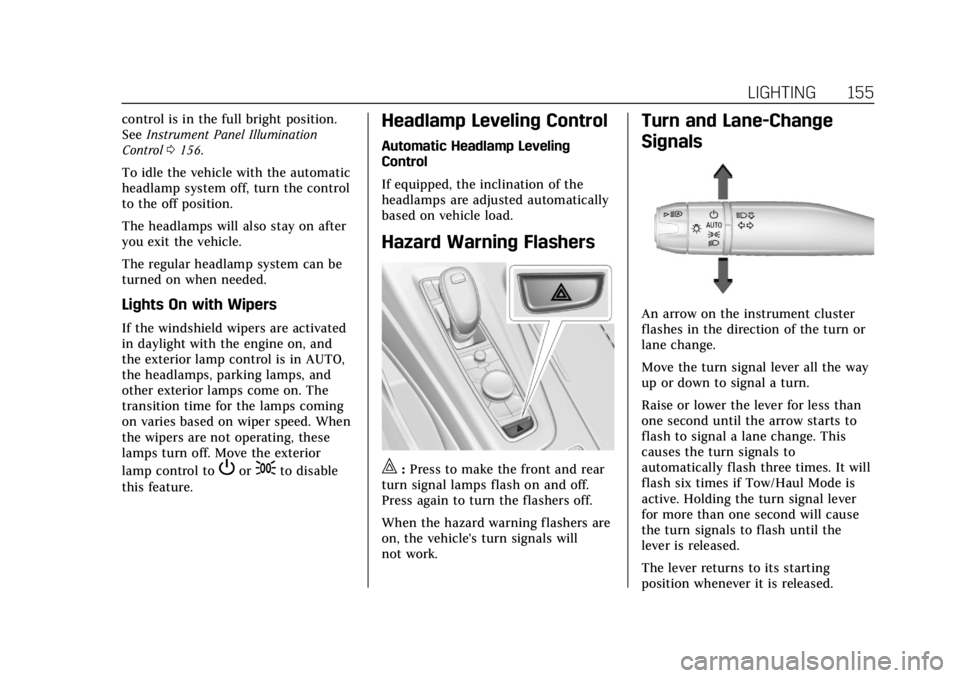
|: Press to make the front and rear
turn signal lamps flash on and off.
Press again to turn the flashers off.
When the hazard warning flashers are
on, the vehicle's turn signals will
not work.
Turn and Lane-Change
Signals
An arrow on the instrument cluster
flashes in the direction of the turn or
lane change.
Move the turn signal lever all the way
up or down to signal a turn.
Raise or lower the lever for less than
one second until the arrow starts to
flash to signal a lane change. This
causes the turn signals to
automatically flash three times. It will
flash six times if Tow/Haul Mode is
active. Holding the turn signal lever
for more than one second will cause
the turn signals to flash until the
lever is released.
The lever returns to its starting
position whenever it is released.
Page 157 of 508

Cadillac Escalade Owner Manual (GMNA-Localizing-U.S./Canada/Mexico-
15567102) - 2022 - CRC - 11/17/21
156 LIGHTING
If after signaling a turn or a lane
change the arrows flash rapidly or do
not come on, a signal bulb could be
burned out.
Replace any burned out bulbs. If a
bulb is not burned out, check the fuse.
SeeFuses and Circuit Breakers 0392.
Turn Signal On Chime
If the turn signal is left on for more
than 1.2 km (0.75 mi), a chime sounds
at each flash of the turn signal. The
message TURN SIGNAL ON will also
appear in the Driver Information
Center (DIC). To turn the chime and
message off, move the turn signal
lever to the off position.
Cornering Lamps
If equipped with cornering lamps, they
automatically come on when all of the
following occur:
.The low-beam headlamps are on.
.The turn signals are activated or the
steering wheel is at a turning angle.
.The vehicle speed is below 40 km/h
(25 mph).
Interior Lighting
Instrument Panel
Illumination Control
This feature adjusts the brightness of
all illuminated controls.
The display brightness automatically
adjusts based on outdoor lighting.
D: Move the thumbwheel up or
down to brighten or dim the lights.
The thumbwheel is functional at
night, or when the headlamps or
parking lamps are on.
Interior Lamps
Interior Ambient Lighting
If equipped, this feature allows the
color of the interior lighting in the
vehicle to be chosen.
To access, press
{on the
infotainment controls, then touch
AMBIENT LIGHTING to display the
settings screen.
Touch to select from the following:
OFF : Turns the feature off.
ON : Turns the feature on. Ambient
lighting provides the ability to
customize the color and intensity of
the interior accent lighting. Chose the
color on the display screen to make
change to interior lighting color.
DEMO MODE : When the shift lever
is in P (Park), touch to turn the
feature on in colors chosen by the
vehicle. When the shift lever is not in
P (Park) , the interior color will default
to the last active color selected.
LINK TO DRIVE MODE : The light
color is matched to the color being
used for the drive mode.
Page 224 of 508

Cadillac Escalade Owner Manual (GMNA-Localizing-U.S./Canada/Mexico-
15567102) - 2022 - CRC - 11/17/21
CLIMATE CONTROLS 223
Air Delivery Mode Control :When
the climate information is displayed,
press the desired air delivery mode on
the climate control display to change
the direction of the airf low. The
selected air delivery mode button is
lit. Pressing any of the air delivery
buttons cancels automatic air delivery
control and the direction of the
airf low can be controlled manually.
Press AUTO to return to automatic
operation.
To change the current mode, select
one of the following:
z: Air is directed to the windshield,
outboard a/c outlets, and side window
outlets.
Y: Air is directed to the instrument
panel outlets.
[: Air is primarily directed to the
floor outlets, with some air directed to
the windshield, outboard a/c outlets,
and side window outlets.
d: Clears the windshield of fog or
frost more quickly. Air is directed to
the windshield. Press
dto turn on or
off. Changing the air delivery mode
also turns the defrost off.
A/C : Touch AC on the climate control
display to turn the automatic air
conditioning on or off. If the fan is
turned off or the outside temperature
falls below freezing, the air
conditioner will not run.
Press AUTO to return to automatic
operation and the air conditioner runs
as needed.
Automatic Air Recirculation : When
the AUTO indicator light is on, the air
is automatically recirculated as
needed to help quickly cool the inside
of the vehicle.
@: Press to alternate between
recirculating air inside the vehicle or
pulling in outside air. The indicator
light on the button is lit when
recirculation mode is active. This
helps to quickly cool the air inside the
vehicle and reduce the entry of
outside air and odors. Pressing this button cancels automatic
recirculation. Press AUTO to return to
automatic operation; recirculation
runs automatically as needed.
Manual recirculation mode is not
available when in Defrost or some air
distribution modes with air to the
windshield.
Auto Defog :
The climate control
system uses a sensor to automatically
detect high humidity inside the
vehicle. When high humidity is
detected, the climate control system
may adjust to outside air supply, turn
on the air conditioner, and direct
more air to the windshield. If the
climate control system does not
detect possible window fogging, it
returns to normal operation. To turn
Auto Defog off or on, see “Climate and
Air Quality” underVehicle
Personalization 0140.
Page 226 of 508

Cadillac Escalade Owner Manual (GMNA-Localizing-U.S./Canada/Mexico-
15567102) - 2022 - CRC - 11/17/21
CLIMATE CONTROLS 225
The solar sensor, on top of the
instrument panel near the windshield,
monitors the solar heat.
The climate control system uses the
sensor information to adjust the
temperature, fan speed, recirculation,
and air delivery mode for best
comfort.
If the sensor is covered, the automatic
climate control system may not work
properly.
Afterblow Feature
If equipped, under certain conditions,
the fan may stay on or may turn on
and off several times after you turn
off and lock the vehicle. This is
normal.Rear Climate Control System
The rear climate control system is on the rear of the center console. The settings
can be adjusted with the rear climate controls and the rear climate display.
Rear Climate Controls
1. Heated Rear Seats
2. Air Delivery Mode Control
3. Fan Control 4. Temperature Control
5. AUTO (Automatic Operation)
O
(On/Off)
Page 228 of 508
Cadillac Escalade Owner Manual (GMNA-Localizing-U.S./Canada/Mexico-
15567102) - 2022 - CRC - 11/17/21
CLIMATE CONTROLS 227
Air Vents
Adjustable air vents are in the center
and on the side of the instrument
panel.
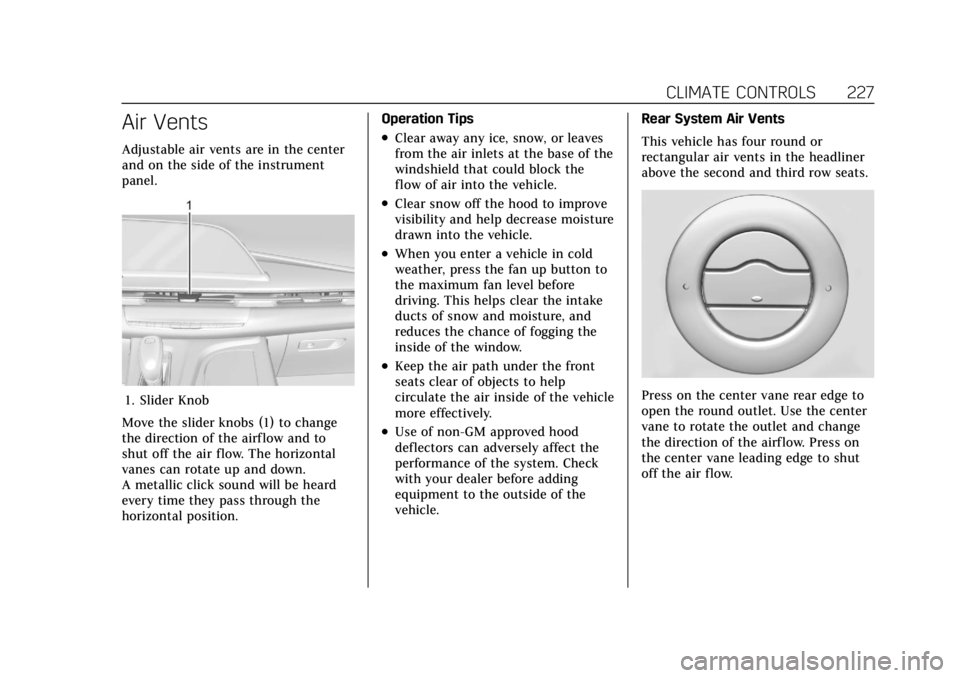
1. Slider Knob
Move the slider knobs (1) to change
the direction of the airf low and to
shut off the air flow. The horizontal
vanes can rotate up and down.
A metallic click sound will be heard
every time they pass through the
horizontal position. Operation Tips
.Clear away any ice, snow, or leaves
from the air inlets at the base of the
windshield that could block the
flow of air into the vehicle.
.Clear snow off the hood to improve
visibility and help decrease moisture
drawn into the vehicle.
.When you enter a vehicle in cold
weather, press the fan up button to
the maximum fan level before
driving. This helps clear the intake
ducts of snow and moisture, and
reduces the chance of fogging the
inside of the window.
.Keep the air path under the front
seats clear of objects to help
circulate the air inside of the vehicle
more effectively.
.Use of non-GM approved hood
deflectors can adversely affect the
performance of the system. Check
with your dealer before adding
equipment to the outside of the
vehicle.
Rear System Air Vents
This vehicle has four round or
rectangular air vents in the headliner
above the second and third row seats.
Press on the center vane rear edge to
open the round outlet. Use the center
vane to rotate the outlet and change
the direction of the airf low. Press on
the center vane leading edge to shut
off the air flow.