trailer CADILLAC ESCALADE 2022 Manual PDF
[x] Cancel search | Manufacturer: CADILLAC, Model Year: 2022, Model line: ESCALADE, Model: CADILLAC ESCALADE 2022Pages: 508, PDF Size: 9.18 MB
Page 365 of 508

Cadillac Escalade Owner Manual (GMNA-Localizing-U.S./Canada/Mexico-
15567102) - 2022 - CRC - 11/17/21
364 DRIVING AND OPERATING
Towing Assistance Setup
A trailer should be connected to
complete this portion of profile setup.
Touch to set up towing assistance
features for the Trailer Profile. See
"Towing Assistance" for details on the
setup.
Tire Pressure Setup
Touch to set up the Trailer Tire
Pressure Monitoring System (TTPMS)
for the Trailer Profile. See“Trailer Tire
Pressure Setup ”previously in this
section for details on the setup. Also,
touch Tire Pressure Setup if the trailer
tires were rotated or if the tire
pressure sensors in the tires were
replaced for this Trailer Profile. The
vehicle will need to relearn the tire
sensors and their locations.
If TTPMS had been set up previously,
the Select Number of Sensors screen
will appear after touching Tire
Pressure Setup. If the number of
sensors has changed, select the
number and touch Next. If a new number of sensors is selected,
the Relearn Sensors pop-up will
appear. Touch Cancel to go back or
touch Relearn to overwrite the current
sensors and begin the relearning
process. See
“Trailer Tire Pressure
Setup ”previously in this section.
If number of sensors has not changed,
touch Next and the Learn sensors
screen will appear.
On the Learn Sensors screen. Touch
Relearn to overwrite the current
sensors and begin the relearning
process. See “Trailer Tire Pressure
Setup ”previously in this section.
On the Learn Sensors screen, touch
Next to go to the Edit Recommended
Tire Pressure screen.
On the Edit Recommended Tire
Pressure screen, touch a number on
the keypad to change the
recommended tire pressure for the
trailer’s tires. This will change the
number at which the vehicle displays
alerts related to trailer tire pressure.
Touch Done to return to the Trailer
Profile view.Trailer Maintenance
Touch to view a list of maintenance
reminders for the Trailer Profile.
Touch a reminder to view, reset,
delete, or edit it.
Reset Reminder
Touch Maintenance Complete in the
reminder view to reset the reminder.
On the pop-up, touch Reset to reset
the time and mileage values for the
reminder. Touch Cancel to return to
the previous view and nothing will
change.
Edit Reminder
Touch to edit the mileage or time
settings for the reminder. Touch Save
to save the new settings to the Trailer
Profile.
Delete Reminder
Touch to delete the maintenance
reminder. On the pop-up, touch Delete
to delete the reminder or touch Cancel
to return to the previous view and
nothing will change.
Page 366 of 508
Cadillac Escalade Owner Manual (GMNA-Localizing-U.S./Canada/Mexico-
15567102) - 2022 - CRC - 11/17/21
DRIVING AND OPERATING 365
New Maintenance Reminder
Touch + New Maintenance Reminder
to set up a new reminder. Suggested
reminders that were previously set will
have checkmarks next to them.
Suggested reminders that have not
been set will have empty boxes next
to them. The maximum number of
reminders is 50.
Edit Mileage
Touch to edit the Trailer Profile’s
mileage. Touch Reset to reset trailer
mileage to zero, or enter a new value
and touch Save. Touching back will
return to the Trailer Profile view.
Effect on Maintenance Reminders
If the mileage is reset or changed, and
mileage has already accumulated, any
maintenance reminders that have
been set up will be adjusted
accordingly.
Reset Average Fuel Economy
Touch to reset the average fuel
economy for the Trailer Profile. Touch
Reset to change, or touch Cancel to go
back to the previous view.Delete/Remove Trailer
Touch to remove the Trailer Profile
and all of its settings.
On the pop-up, touch Remove to
remove the Trailer Profile from the
vehicle. Touch Cancel to dismiss the
pop-up and return to the
previous view.
Remove will be displayed if there is a
connected OnStar plan active with the
vehicle. Removing a trailer profile will
remove the profile from the vehicle
but the profile will still be associated
with the user account. However,
if there is not a connected OnStar
plan then the remove button will read
DELETE and the profile will be deleted
permanently
Settings View
Within the Trailering App, touch the
Settings tab to modify the following
settings:
.Trailer Detection Alert
.Maintenance Alerts
.Theft Alert
.Tow/Haul Mode Reminder
.Trailer Length Indicator
Trailer Detection Alert
The Trailer Detection Alert setting will
be on by default. Turn it off to disable
the Trailer Detection pop-up from
displaying when a trailer is connected.
The Guest Trailer Profile will become
the active Trailer Profile, unless
another Trailer Profile is selected
manually through the Trailering App.
If this setting is disabled while a
Custom Trailer Profile is active, that
Trailer Profile will remain the active
profile until the trailer is
disconnected.
Maintenance Alerts
Touch Maintenance Alerts to view the
Maintenance Alerts settings page.
These alerts are based on the Trailer
Profile, so the settings for each Trailer
Profile must be turned on or off.
Touch a profile to view more
information or adjust the setting for
that profile.
The setting will be on by default for
each profile. All Maintenance Alerts
for that active Trailer Profile will be
received.
Page 367 of 508

Cadillac Escalade Owner Manual (GMNA-Localizing-U.S./Canada/Mexico-
15567102) - 2022 - CRC - 11/17/21
366 DRIVING AND OPERATING
Turn a setting off to not receive any
of the Maintenance Alerts when that
Trailer Profile is active.
Theft Alert
A theft alert can be set if a trailer is
connected and the alert is enabled.
When the trailer is disconnected and
the vehicle is off, an alarm will sound.
Touch Theft Alert in Settings to view
the Theft Alert settings page. These
alerts are based on the Trailer Profile,
so the settings for each Trailer Profile
must be turned on or off. Touch a
profile to view more information or
adjust the setting for that profile.
This setting will be off by default for
each Trailer Profile, including the
Guest Trailer Profile.
A smartphone will receive a
notification that the trailer related to
the selected Trailer Profile is
disconnected from the vehicle, if the
setting is on for the active Trailer
Profile, the vehicle has an OnStar or
connected service plan and the
smartphone number has been added
to the account for this notification.If the setting is turned off for a given
Trailer Profile, the smartphone will
not receive this security notification
even if the Trailer Profile is active.Tow/Haul Mode Reminder
This is a reminder to turn on the Tow/
Haul Mode when towing a trailer. See
Driver Mode Control
0267.
Touch Tow/Haul Mode Reminder in
Settings to view the Tow/Haul Mode
Reminder settings page. These alerts
are based on the Trailer Profile, so the
settings for each Trailer Profile must
be turned on or off. Touch a profile to
view more information or to adjust
the setting for that profile.
This setting will default to OFF for
each Trailer Profile, including the
Guest Trailer Profile.
If Tow/Haul Mode is off and this
setting is on for a Trailer Profile, each
time the ignition is turned on a
reminder will appear to turn on Tow/
Haul Mode when the Trailer Profile is
active. If Tow/Haul Mode is on and this
setting is on for a Trailer Profile, the
reminder will not appear when the
Trailer Profile is active.
Trailer Length Indicator
Touch Trailer Length Indicator to view
the Trailer Length Indicator settings
page. If this setting is ON a guideline
is displayed in the side mirror camera
view to indicate the rear of the
attached trailer. If this setting is OFF
the guideline will not be displayed.
This setting will default to OFF if the
trailer length indicator feature is not
set up. See "Towing Assistance" for
details on the setup.
Page 383 of 508

Cadillac Escalade Owner Manual (GMNA-Localizing-U.S./Canada/Mexico-
15567102) - 2022 - CRC - 11/17/21
382 VEHICLE CARE
Check to see if the engine cooling
fan(s) are running. If the engine is
overheating, the fans should be
running. If they are not, do not
continue to run the engine. Have the
vehicle serviced.
If Steam is Coming from the
Engine Compartment
{Warning
Steam and scalding liquids from a
hot cooling system are under
pressure. Turning the pressure cap,
even a little, can cause them to
come out at high speed and you
could be burned. Never turn the cap
when the cooling system, including
the pressure cap, is hot. Wait for
the cooling system and pressure
cap to cool.
If No Steam is Coming from the
Engine Compartment
The ENGINE OVERHEATED STOP
ENGINE or the ENGINE
OVERHEATED IDLE ENGINE message,
along with a low coolant condition,
can indicate a serious problem.If there is an engine overheat warning,
but no steam is seen or heard, the
problem may not be too serious.
Sometimes the engine can get a little
too hot when the vehicle:
.Climbs a long hill on a hot day.
.Stops after high-speed driving.
.Idles for long periods in traffic.
.Tows a trailer; see
Trailer Towing
0 340.
If the ENGINE OVERHEATED STOP
ENGINE or the ENGINE
OVERHEATED IDLE ENGINE message
appears with no sign of steam, try this
for a minute or so: 1. Turn the air conditioning off.
2. Turn the heater on to the highest temperature and to the highest fan
speed. Open the windows as
necessary.
3. When it is safe to do so, pull off the road, shift to P (Park) or
N (Neutral), and let the engine idle.
If the engine coolant temperature
gauge is no longer in the overheat
zone or an overheat warning no longer
displays, the vehicle can be driven.
Continue to drive the vehicle slowly for about 10 minutes. Keep a safe
vehicle distance from the vehicle in
front. If the warning does not come
back on, continue to drive normally
and have the cooling system checked
for proper fill and function.
If the warning continues, pull over,
stop, and park the vehicle right away.
If there is still no sign of steam and
the vehicle is equipped with an engine
driven cooling fan, push down the
accelerator until the engine speed is
about twice as fast as normal idle
speed for at least five minutes while
the vehicle is parked. If the warning is
still there, turn off the engine and get
everyone out of the vehicle until it
cools down.
If there is no sign of steam, idle the
engine for five minutes while parked.
If the warning is still displayed, turn
off the engine until it cools down.
Engine Fan
If the vehicle has a diesel engine, see
the Duramax diesel supplement.
Page 384 of 508
Cadillac Escalade Owner Manual (GMNA-Localizing-U.S./Canada/Mexico-
15567102) - 2022 - CRC - 11/17/21
VEHICLE CARE 383
If the vehicle has electric cooling fans,
the fans may be heard spinning at low
speed during most everyday driving.
The fans may turn off if no cooling is
required. Under heavy vehicle loading,
trailer towing, high outside
temperatures, or operation of the air
conditioning system, the fans may
change to high speed and an increase
in fan noise may be heard. This is
normal and indicates that the cooling
system is functioning properly. The
fans will change to low speed when
additional cooling is no longer
required.
The electric engine cooling fans may
run after the engine has been turned.
off. This is normal and no service is
required.
Washer Fluid
What to Use
When windshield washer fluid needs
to be added, be sure to read the
manufacturer's instructions before
use. Use a fluid that has sufficient
protection against freezing in an area
where the temperature may fall below
freezing.
Adding Washer Fluid
The vehicle has a low washer fluid
message on the DIC that comes on
when the washer fluid is low. The
message is displayed for 15 seconds at
the start of each ignition cycle. When
the WASHER FLUID LOW ADD FLUID
message displays, washer fluid will
need to be added to the windshield
washer fluid reservoir.
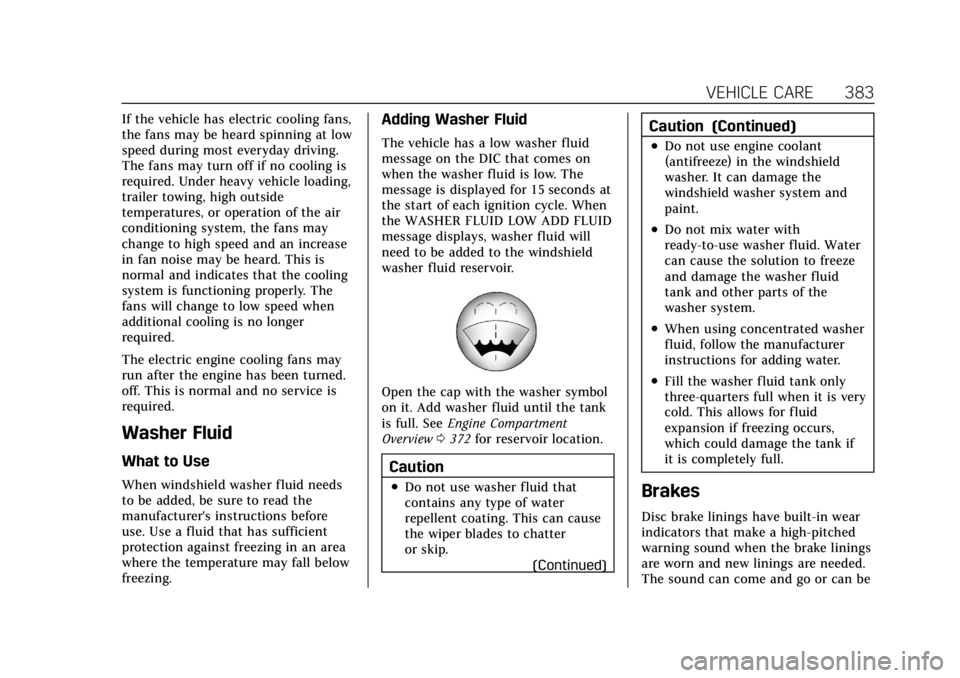
Open the cap with the washer symbol
on it. Add washer fluid until the tank
is full. SeeEngine Compartment
Overview 0372 for reservoir location.
Caution
.Do not use washer fluid that
contains any type of water
repellent coating. This can cause
the wiper blades to chatter
or skip.
(Continued)
Caution (Continued)
.Do not use engine coolant
(antifreeze) in the windshield
washer. It can damage the
windshield washer system and
paint.
.Do not mix water with
ready-to-use washer fluid. Water
can cause the solution to freeze
and damage the washer fluid
tank and other parts of the
washer system.
.When using concentrated washer
fluid, follow the manufacturer
instructions for adding water.
.Fill the washer fluid tank only
three-quarters full when it is very
cold. This allows for fluid
expansion if freezing occurs,
which could damage the tank if
it is completely full.
Brakes
Disc brake linings have built-in wear
indicators that make a high-pitched
warning sound when the brake linings
are worn and new linings are needed.
The sound can come and go or can be
Page 396 of 508

Cadillac Escalade Owner Manual (GMNA-Localizing-U.S./Canada/Mexico-
15567102) - 2022 - CRC - 11/17/21
VEHICLE CARE 395
FusesUsage
1 –
2 –
3 –
4 –
6 ELM 7 –Exterior
Lighting Module 7
7 ELM 4 –Exterior
Lighting Module 4
8 –
9 ELM 5 –Exterior
Lighting Module 5
10 ELM 6 –Exterior
Lighting Module 6
11 LRR/FRT SRR –
Long Range Radar/
Front Short Range
Radar
12 –
13 Washer Front
14 Washer Rear
15 REC 2 –Rear
Electrical Center 2 Fuses
Usage
16 Power Sounder
17 EBCM –Electronic
Brake Control
Module Battery 1
19 DC/AC Inverter
20 IECR 2 –Instrument
Electrical Center
Right 2
21 –
22 IECL 1 –Instrument
Electrical Center
Left 1
24 Fuel Heater
25 REC 1 –Rear
Electrical Center 1
26 Camera Wash
27 Horn
28 Headlamp RT –
Right
29 Headlamp LT –Left
30 ELM 3 –Exterior
Lighting Module 3 Fuses
Usage
31 ELM 1 –Exterior
Lighting Module 1
32 –
33 Not R/C
34 –
37 MISC Body Ignition 1
38 MISC Body Ignition 2
39 Upfitter
40 MISC Instrument Panel (IP)
41 Trailer Parking Lamps
42 Right Taillamp
44 Trailer Tow
45 Secondary Axle Motor
46 Engine Control Module (ECM)
Ignition
47 OBD Engine
Page 397 of 508

Cadillac Escalade Owner Manual (GMNA-Localizing-U.S./Canada/Mexico-
15567102) - 2022 - CRC - 11/17/21
396 VEHICLE CARE
FusesUsage
48 –
49 Transmission Auxiliary Oil Pump
50 A/C Clutch
51 TCCM –Transfer
Case Control Module
52 Front Wiper
53 –
54 Left Taillamps
55 Trailer Back-up Lamp
56 SADS –Semi Active
Damping System
57 Spare
58 Starter Motor
60 Powertrain Sensor 2
61 Automatic Lamp Control (ALC) Main Fuses
Usage
62 ICCM/CVS/DEF –
Integrated Chassis
Control Module/
Canister Vent
Solenoid/Diesel
Exhaust Fluid
63 Trailer Brake
65 –
66 Left Cool Fan Motor
67 AFM 2 –Active Fuel
Management 2
68 Automatic Lamp Control (ALC) Motor
69 Starter Pinion
71 Cool Fan Motor Lower
72 Right Cool Fan Motor/Lower
73 Left Trailer Stop Turn Lamp
74 TIM 2 –Trailer
Interface Module 2 Fuses
Usage
75 DEFC –Diesel
Exhaust Fluid
Controller
76 Electric Power Running Boards
78 ECM –Engine
Control Module
79 Cabin Cool Pump 17W
80 Powertrain Sensor 1
81 Right Trailer Stop Turn Lamp
82 TIM 1 –Trailer
Interface Module 1
83 FTZM –Fuel Tank
Zone Module
84 Trailer Battery
85 Auxiliary Water Pump
86 ECM –Engine
Control Module
87 Injector B Even
88 02 B Sensor
Page 398 of 508

Cadillac Escalade Owner Manual (GMNA-Localizing-U.S./Canada/Mexico-
15567102) - 2022 - CRC - 11/17/21
VEHICLE CARE 397
FusesUsage
89 02 A Sensor
90 Injector A Odd
91 Engine Control Module (ECM)
Throttle Control
92 Cool Fan Clutch AERO Shutter
Relays Usage
5 –
18 DC/AC Inverter
23 Fuel Heater
35 Trailer Park Lamp
36 Run/Crank
43 Secondary Axle Motor
59 A/C Clutch
64 Starter Motor
70 Starter Pinion
77 PowertrainInstrument Panel Fuse
Block
The right instrument panel fuse block
access door is on the passenger side
edge of the instrument panel.
Pull off the cover to access the fuse
block. A fuse puller is available on the
right instrument panel end cap.
Page 406 of 508

Cadillac Escalade Owner Manual (GMNA-Localizing-U.S./Canada/Mexico-
15567102) - 2022 - CRC - 11/17/21
VEHICLE CARE 405
(4) Tire Identification Number
(TIN)
:The letters and numbers
following the DOT code are the
TIN. The TIN shows the
manufacturer and plant code, tire
size, and date the tire was
manufactured. The TIN is molded
onto both sides of the tire,
although only one side may have
the date of manufacture.
(5) Tire Ply Material
:The type
of cord and number of plies in the
sidewall and under the tread.
(6) Uniform Tire Quality
Grading (UTQG)
:Tire
manufacturers are required to
grade tires based on three
performance factors: tread wear,
traction, and temperature
resistance. For more information,
see Uniform Tire Quality Grading
0 420. (7) Maximum Cold Inf lation
Load Limit
:Maximum load that
can be carried and the maximum
pressure needed to support that
load. For information on
recommended tire pressure see
Tire Pressure 0409 and
Vehicle Load Limits 0241.
(8) Temporary Use Only
:Only
use a temporary spare tire until
the road tire is repaired and
replaced. This spare tire should
not be driven on over 112 km/h
(70 mph), or 88 km/h (55 mph)
when pulling a trailer, with the
proper inflation pressure. See
Full-Size Spare Tire 0435.
Tire Designations
Tire Size
The example shows a typical
passenger vehicle tire size.
Passenger (P-Metric) Tire
(1) Passenger (P-Metric) Tire:
The United States version of a
metric tire sizing system. The
letter "P" as the first character in
the tire size means a passenger
vehicle tire engineered to
standards set by the U.S. Tire and
Rim Association.
(2) Tire Width
:The 3-digit
number indicates the tire section
width in millimeters from sidewall
to sidewall.
Page 416 of 508

Cadillac Escalade Owner Manual (GMNA-Localizing-U.S./Canada/Mexico-
15567102) - 2022 - CRC - 11/17/21
VEHICLE CARE 415
Trailer Tire Pressure Monitoring
Operation
If equipped, the Trailer Tire Pressure
Monitoring System (TTPMS) is
designed to monitor the pressure of
the trailer tires and warn the driver
when a low pressure condition exists.
TTPMS sensors for four tires are
provided. The system can
accommodate a trailer with up to six
tires if additional sensors are
purchased from the dealer. Also, the
system can be paired with up to five
individual trailers.
Prior to use, the vehicle must learn
the sensors by following the learning
process. SeeTrailering App 0355.
Contact your trailer service center or
tire service center to have the
pressure sensors installed inside the
trailer tires. The technician should
insert the sensor stem through the
hole in the trailer wheel. When the
sensor is correctly positioned, the nut
on the sensor stem should be
tightened to 8 Y(6 lb ft). When
mounting the trailer tire onto the
trailer wheel be careful not to damage
the sensor.
The Trailering App can be used to
view the tire pressures after the
recommended trailer tire pressures
have been entered. Refer to the trailer tire placard on the trailer or the trailer
tire sidewall for the recommended tire
pressure.
The system is compatible with trailer
tires that have placard pressure values
from 103 - 689 kpa (15 - 100 psi). The
hole in the wheel for the tire stem
must be 11.43 mm (0.453 in) in
diameter. Use of the pressure sensors
on a wheel with a different stem hole
size could result in loss of air from
the tire.
If a low trailer tire pressure condition
is detected, the TTPMS displays a
warning message on the DIC. If the
warning message is displayed, stop as
soon as possible and inflate the tires
to the recommended pressure shown
on the tire placard on the trailer.
In addition, the TTPMS monitors the
temperature of the trailer tires. If the
system detects a high temperature on
one or more of the trailer tires, a
warning message will be displayed on
the DIC. If this warning message is
displayed, stop as soon as possible,
and inspect the overheated trailer tire.