lights CADILLAC ESCALADE 2023 User Guide
[x] Cancel search | Manufacturer: CADILLAC, Model Year: 2023, Model line: ESCALADE, Model: CADILLAC ESCALADE 2023Pages: 461, PDF Size: 7.99 MB
Page 136 of 461

Cadillac Escalade Owner Manual (GMNA-Localizing-U.S./Canada/Mexico-
16417396) - 2023 - CRC - 5/9/22
134 Lighting
Lighting
Exterior Lighting
Exterior Lamp Controls . . . . . . . . . . . . . . . . 134
Exterior Lamps Off Reminder . . . . . . . . . . 136
Headlamp High/Low-Beam Changer . . . 136
Flash-to-Pass . . . . . . . . . . . . . . . . . . . . . . . . . . . 137
Daytime Running Lamps (DRL) . . . . . . . . . 137
Automatic Headlamp System . . . . . . . . . . 137
Adaptive Forward Lighting (AFL) . . . . . . . 138
Headlamp Leveling Control . . . . . . . . . . . . 139
Hazard Warning Flashers . . . . . . . . . . . . . . 139
Turn and Lane-Change Signals . . . . . . . . . 140
Cornering Lamps . . . . . . . . . . . . . . . . . . . . . . 140
Interior Lighting
Instrument Panel IlluminationControl . . . . . . . . . . . . . . . . . . . . . . . . . . . . . . 140
Interior Lamps . . . . . . . . . . . . . . . . . . . . . . . . . 140
Dome Lamps . . . . . . . . . . . . . . . . . . . . . . . . . . . 141
Reading Lamps . . . . . . . . . . . . . . . . . . . . . . . . . 141
Lighting Features
Entry Lighting . . . . . . . . . . . . . . . . . . . . . . . . . 142
Exit Lighting . . . . . . . . . . . . . . . . . . . . . . . . . . . 142
Battery Load Management . . . . . . . . . . . . 142
Battery Power Protection . . . . . . . . . . . . . . 143
Exterior Lighting Battery Saver . . . . . . . . 143
Exterior Lighting
Exterior Lamp Controls
The exterior lamp control is on the turn
signal lever.
Turn the control to the following positions:
O: Turns the exterior lamps off and
deactivates the AUTO mode. Turn to
O
again to reactivate the AUTO mode.
For vehicles first sold in Canada, the
headlamps will automatically reactivate
when the vehicle is shifted out of P (Park).
AUTO : Automatically turns the exterior
lamps on and off, depending on outside
lighting.
;: Turns on all lamps, except the
headlamps.
2: Turns on the headlamps together with
the parking lamps and instrument panel
lights.
IntelliBeam System
If equipped, this system turns the vehicle's
high-beam headlamps on and off according
to surrounding traffic conditions.
The system turns the high-beam headlamps
on when it is dark enough and there is no
other traffic present.
This light
bcomes on in the instrument
cluster when the IntelliBeam system is
enabled.
Turning On and Enabling IntelliBeam
Page 137 of 461

Cadillac Escalade Owner Manual (GMNA-Localizing-U.S./Canada/Mexico-
16417396) - 2023 - CRC - 5/9/22
Lighting 135
To enable the IntelliBeam system, press
bon the turn signal lever when it is
dark outside and the exterior lamp control is
in AUTO or
2.
Driving with IntelliBeam
The system only activates the high beams
when driving over 40 km/h (25 mph).
The blue high-beam on light appears on the
instrument cluster when the high beams
are on.
There is a sensor near the top center of the
windshield that automatically controls the
system. Keep this area of the windshield
clear of debris to allow for best system
performance.
The high-beam headlamps remain on, under
the automatic control, until one of the
following situations occurs:
.The system detects an approaching
vehicle's headlamps.
.The system detects a preceding vehicle's
taillamps.
.The outside light is bright enough that
high-beam headlamps are not required.
.The vehicle's speed drops below 20 km/h
(12 mph).
.The IntelliBeam system is disabled by the
button on the turn signal lever. If this
happens, press
bon the turn signal
lever when the exterior lamp control is in
the AUTO or
2position to reactivate the
IntelliBeam system. The instrument
cluster light will come on to indicate the
IntelliBeam system is reactivated.
The high beams may not turn off
automatically if the system cannot detect
another vehicle's lamps because of any of
the following:
.The other vehicle's lamps are missing,
damaged, obstructed from view,
or otherwise undetected.
.The other vehicle's lamps are covered
with dirt, snow, and/or road spray.
.The other vehicle's lamps cannot be
detected due to dense exhaust, smoke,
fog, snow, road spray, mist, or other
airborne obstructions.
.The vehicle's windshield is dirty, cracked,
or obstructed by something that blocks
the view of the light sensor.
.The vehicle is loaded such that the front
end points upward, causing the light
sensor to aim high and not detect
headlamps and taillamps.
.The vehicle is being driven on winding or
hilly roads.
The automatic high-beam headlamps may
need to be disabled if any of the above
conditions exist.
Adaptive Headlight System
If equipped, the Adaptive Headlight system
allows the high beam to function as the
main driving light at night. There is a sensor
near the top center of the windshield that
automatically detects the lights of oncoming
and preceding vehicles. Keep this area of the
windshield clear of debris to allow for best
system performance.
The system turns on all the high-beam
headlamp LED segments when it is dark
enough and there is no other traffic present.
This light
bdisplays on the instrument
cluster when the Adaptive Headlight system
is enabled.
Page 139 of 461

Cadillac Escalade Owner Manual (GMNA-Localizing-U.S./Canada/Mexico-
16417396) - 2023 - CRC - 5/9/22
Lighting 137
To return to low beams, push the lever
again or pull it toward you and release.
When the high-beam headlamps are on, this
indicator light on the instrument cluster will
also be on.
Flash-to-Pass
This feature lets you use the high-beam
headlamps to signal a driver in front of you
that you want to pass. It works even if the
headlamps are in the automatic position.
To use it, pull the turn signal lever toward
you, then release it.
The high beam headlamps will stay on as
long as you hold the lever toward you. The
high-beam indicator on the instrument
cluster will come on. Release the lever to
return to normal operation.
Daytime Running Lamps (DRL)
DRL can make it easier for others to see the
front of the vehicle during the day. Fully
functional DRL are required on all vehicles
first sold in Canada.
The DRL system comes on when the
following conditions are met:
.The ignition is on.
.The exterior lamp control is in AUTO.
.The light sensor determines it is daytime.
When the DRL system is on, only the DRL
are on. The taillamps, sidemarker lamps,
instrument panel lights, and other lamps
will not be on.
When it begins to get dark, the automatic
headlamp system switches from DRL to the
headlamps.
To turn off the DRL, turn the exterior lamp
control to
Oand then release. For vehicles
first sold in Canada, off will only work when
the vehicle is parked.
Automatic Headlamp System
When it is dark enough outside, the
automatic headlamp system turns on the
headlamps at the normal brightness, along with the taillamps, sidemarker, parking
lamps, and the instrument panel lights. The
radio lights will also be dim.
To turn off the automatic headlamp system,
turn the exterior lamp control to
Pand
then release it.
The vehicle has a light sensor on the top of
the instrument panel that controls the
automatic headlamp system. Do not cover
the sensor, otherwise the headlamps may
come on when they are not needed.
The system may also turn on the headlamps
when driving through a parking garage,
heavy overcast weather, or a tunnel. This is
normal.
Page 140 of 461

Cadillac Escalade Owner Manual (GMNA-Localizing-U.S./Canada/Mexico-
16417396) - 2023 - CRC - 5/9/22
138 Lighting
There is a delay in the transition between
the daytime and nighttime operation of the
automatic headlamp system so that driving
under bridges or bright overhead street
lights does not affect the system. The
automatic headlamp system is only affected
when the light sensor detects a change in
lighting lasting longer than the delay.
If the vehicle is started in a dark garage, the
automatic headlamp system will come on
immediately. Once the vehicle leaves the
garage, there is a slight delay for the
automatic headlamp system to change if it
is bright enough outside. During that delay,
the instrument cluster may not be as bright
as usual. Make sure the instrument panel
brightness control is in the full bright
position. SeeInstrument Panel Illumination
Control 0140.
To idle the vehicle with the automatic
headlamp system off, turn the control to
the off position.
The headlamps will also stay on after you
exit the vehicle.
The regular headlamp system can be turned
on when needed.Lights On with Wipers
If the windshield wipers are activated in
daylight with the engine on, and the
exterior lamp control is in AUTO, the
headlamps, parking lamps, and other
exterior lamps come on. The transition time
for the lamps coming on varies based on
wiper speed. When the wipers are not
operating, these lamps turn off. Move the
exterior lamp control to
Por;to
disable this feature.
Adaptive Forward Lighting (AFL)
If equipped with the AFL system, the
high-beam headlamps move horizontally
while turning the steering wheel to provide
greater road illumination around curves.
To activate AFL, set the exterior lamp
control to the Auto or
2position, and
Adaptive Headlight system is active. See
Exterior Lamp Controls 0134. To adjust the AFL setting, go to the
infotainment home screen and select
Settings > Vehicle > Lighting.
Moving the exterior lamp controls out of the
Auto or
2position will deactivate the
system. The high-beam headlamps can move
horizontally when the vehicle speed is
greater than 3 km/h (2 mph). Headlamps will
not move horizontally when the
transmission is in R (Reverse).
If equipped, the AFL system automatically
modifies the low-beam lighting patterns to
the situation to enable optimal light
performance for the driver. Light distribution
and intensity of low-beam light are
controlled based on exterior lighting
conditions, vehicle location, and driving
situations.
Town Light
If equipped, the town light activates
automatically at a speed of 30 km/h
(18 mph) up to 55 km/h (34 mph).
Page 142 of 461
Cadillac Escalade Owner Manual (GMNA-Localizing-U.S./Canada/Mexico-
16417396) - 2023 - CRC - 5/9/22
140 Lighting
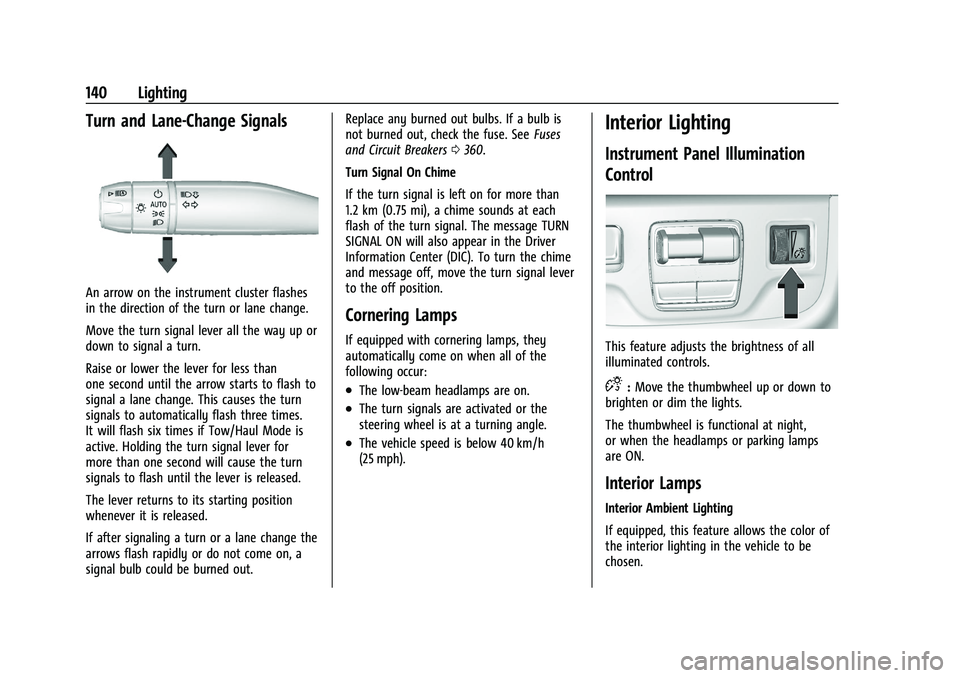
Turn and Lane-Change Signals
An arrow on the instrument cluster flashes
in the direction of the turn or lane change.
Move the turn signal lever all the way up or
down to signal a turn.
Raise or lower the lever for less than
one second until the arrow starts to flash to
signal a lane change. This causes the turn
signals to automatically flash three times.
It will flash six times if Tow/Haul Mode is
active. Holding the turn signal lever for
more than one second will cause the turn
signals to flash until the lever is released.
The lever returns to its starting position
whenever it is released.
If after signaling a turn or a lane change the
arrows flash rapidly or do not come on, a
signal bulb could be burned out.Replace any burned out bulbs. If a bulb is
not burned out, check the fuse. See
Fuses
and Circuit Breakers 0360.
Turn Signal On Chime
If the turn signal is left on for more than
1.2 km (0.75 mi), a chime sounds at each
flash of the turn signal. The message TURN
SIGNAL ON will also appear in the Driver
Information Center (DIC). To turn the chime
and message off, move the turn signal lever
to the off position.
Cornering Lamps
If equipped with cornering lamps, they
automatically come on when all of the
following occur:
.The low-beam headlamps are on.
.The turn signals are activated or the
steering wheel is at a turning angle.
.The vehicle speed is below 40 km/h
(25 mph).
Interior Lighting
Instrument Panel Illumination
Control
This feature adjusts the brightness of all
illuminated controls.
D: Move the thumbwheel up or down to
brighten or dim the lights.
The thumbwheel is functional at night,
or when the headlamps or parking lamps
are ON.
Interior Lamps
Interior Ambient Lighting
If equipped, this feature allows the color of
the interior lighting in the vehicle to be
chosen.
Page 144 of 461
Cadillac Escalade Owner Manual (GMNA-Localizing-U.S./Canada/Mexico-
16417396) - 2023 - CRC - 5/9/22
142 Lighting
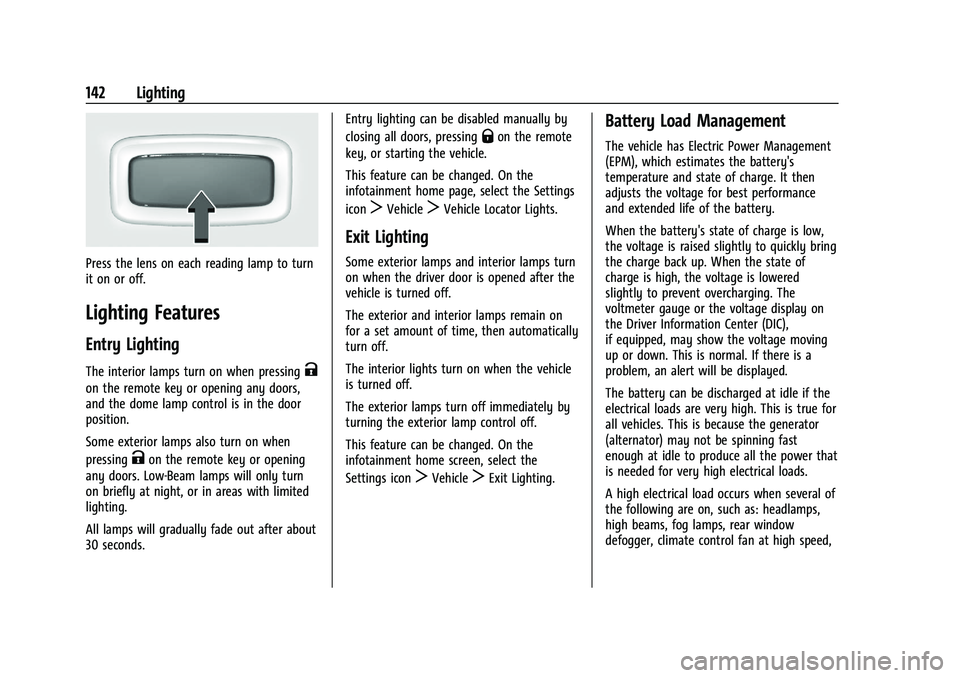
Press the lens on each reading lamp to turn
it on or off.
Lighting Features
Entry Lighting
The interior lamps turn on when pressingK
on the remote key or opening any doors,
and the dome lamp control is in the door
position.
Some exterior lamps also turn on when
pressing
Kon the remote key or opening
any doors. Low-Beam lamps will only turn
on briefly at night, or in areas with limited
lighting.
All lamps will gradually fade out after about
30 seconds. Entry lighting can be disabled manually by
closing all doors, pressing
Qon the remote
key, or starting the vehicle.
This feature can be changed. On the
infotainment home page, select the Settings
icon
TVehicleTVehicle Locator Lights.
Exit Lighting
Some exterior lamps and interior lamps turn
on when the driver door is opened after the
vehicle is turned off.
The exterior and interior lamps remain on
for a set amount of time, then automatically
turn off.
The interior lights turn on when the vehicle
is turned off.
The exterior lamps turn off immediately by
turning the exterior lamp control off.
This feature can be changed. On the
infotainment home screen, select the
Settings icon
TVehicleTExit Lighting.
Battery Load Management
The vehicle has Electric Power Management
(EPM), which estimates the battery's
temperature and state of charge. It then
adjusts the voltage for best performance
and extended life of the battery.
When the battery's state of charge is low,
the voltage is raised slightly to quickly bring
the charge back up. When the state of
charge is high, the voltage is lowered
slightly to prevent overcharging. The
voltmeter gauge or the voltage display on
the Driver Information Center (DIC),
if equipped, may show the voltage moving
up or down. This is normal. If there is a
problem, an alert will be displayed.
The battery can be discharged at idle if the
electrical loads are very high. This is true for
all vehicles. This is because the generator
(alternator) may not be spinning fast
enough at idle to produce all the power that
is needed for very high electrical loads.
A high electrical load occurs when several of
the following are on, such as: headlamps,
high beams, fog lamps, rear window
defogger, climate control fan at high speed,
Page 222 of 461

Cadillac Escalade Owner Manual (GMNA-Localizing-U.S./Canada/Mexico-
16417396) - 2023 - CRC - 5/11/22
220 Driving and Operating
{Warning
Turning off the vehicle while moving may
cause loss of power assist in the brake
and steering systems and disable the
airbags. While driving, only shut the
vehicle off in an emergency.
Stopping the Engine/LOCK/OFF (No Indicator
Lights) : When the vehicle is stopped, press
ENGINE START/STOP once to turn the
engine off.
If the vehicle is in P (Park), the ignition will
turn off, and Retained Accessory Power (RAP)
will remain active. See Retained Accessory
Power (RAP) 0222.
If the vehicle is not in P (Park), the ignition
will return to accessory mode and display
the message SHIFT TO PARK in the Driver
Information Center (DIC). When the vehicle is
shifted into P (Park), the ignition system will
turn off.
The vehicle may have an electric steering
column lock. The lock is activated when the
ignition is turned off and either front door is
opened. A sound may be heard as the lock
actuates or releases. The steering column
lock may not release with the wheels turned
off center. If this happens, the vehicle may not start. Move the steering wheel from left
to right while attempting to start the
vehicle. If this does not work, the vehicle
needs service.
If the vehicle must be shut off in an
emergency:
1. Brake using a firm and steady pressure. Do not pump the brakes repeatedly. This
may deplete power assist, requiring
increased brake pedal force.
2. Shift the vehicle to N (Neutral). This can be done while the vehicle is moving.
After shifting to N (Neutral), firmly apply
the brakes and steer the vehicle to a
safe location.
3. Come to a complete stop.
4. Hold the brake pedal down and shift to P (Park). The shift lever must be in
P (Park) to turn the ignition off.
5. Continue to hold the brake pedal down.
6. Set the parking brake. See Electric
Parking Brake 0236.
7. Press ENGINE START/STOP once to turn the ignition off.
8. Release the brake pedal. If the vehicle cannot be pulled over, and
must be shut off while driving, press and
hold ENGINE START/STOP for longer than
two seconds, or press twice in five seconds.
Accessory Mode (Amber Indicator Light) :
This mode allows some electrical accessories
to be used when the engine is off.
With the ignition off, pressing the button
one time without the brake pedal applied
will place the ignition system in
accessory mode.
The ignition will switch from accessory
mode to off after five minutes to prevent
battery rundown.
ON/RUN/START (Green Indicator Light) :
This
mode is for driving and starting. With the
ignition off, and the brake pedal applied,
pressing the button once will turn the
ignition on. Once engine cranking begins,
release the button. Engine cranking will
continue until the engine starts. See Starting
the Engine 0221.
Service Mode
This power mode is available for service and
diagnostics, and to verify the proper
operation of the malfunction indicator lamp
as may be required for emission inspection
purposes. With the vehicle off, and the
Page 261 of 461

Cadillac Escalade Owner Manual (GMNA-Localizing-U.S./Canada/Mexico-
16417396) - 2023 - CRC - 5/11/22
Driving and Operating 259
Super Cruise uses the following to detect
the current lane position and lane markings
ahead on compatible roads under certain
conditions:
.Cameras
.Global Positioning System (GPS) sensing
.A high-precision map
.GPS-enhancement data downloaded
through OnStar
Super Cruise works with Adaptive Cruise
Control (ACC), which controls acceleration
and braking while Super Cruise is enabled
and operating. Review and understand both
this section and the ACC section before
using Super Cruise. See Adaptive Cruise
Control (Advanced) 0248.
An active Connected Service plan that
includes Super Cruise Services is required to
use Super Cruise.
{Warning
Super Cruise does not perform all aspects
of driving, nor does it do everything a
driver can do. Super Cruise only steers to
maintain vehicle position in the current (Continued)
Warning (Continued)
lane or, under some circumstances, to
change lanes. Super Cruise can only be
used with Adaptive Cruise Control.
Super Cruise does:
.Not prevent crashes or warn of
possible crashes.
.Not steer to avoid stopped or
slow-moving vehicles, cross-traffic,
construction barriers or cones,
motorcycles, children, pedestrians,
animals, or other objects on the road.
.Not steer in response to vehicles or
objects next to your vehicle, including
vehicles attempting to enter your lane.
.Not respond to traffic lights, stop
signs, or other traffic control devices.
.Not respond to crossing traffic.
.Not make turns.
.Not steer to merge onto or to exit
highways.
.Not steer to avoid, or steer through
construction zones.
.Not function on surface streets.(Continued)
Warning (Continued)
.Not respond to oncoming traffic.
.Not function in city driving conditions.
{Warning
Some state and local laws may require
hands to be kept on the steering wheel
at all times. Only remove your hands
from the steering wheel if Super Cruise is
engaged, it is safe to do so, and it is
permitted by state and local laws.
{Warning
Failure to supervise the driving task and
to respond appropriately, even while
Super Cruise is operating, can cause a
crash. Super Cruise may not respond as
you would to all driving situations and
may not maintain lane position under all
conditions.
It is extremely important to pay
attention to the operation of the vehicle,
even while using Super Cruise. Do not
(Continued)
Page 270 of 461

Cadillac Escalade Owner Manual (GMNA-Localizing-U.S./Canada/Mexico-
16417396) - 2023 - CRC - 5/11/22
268 Driving and Operating
Steering Wheel Light Bar Instrument Cluster LightSuper Cruise Description
Off OffSuper Cruise is off. There is no automatic steering. Operate the vehicle
manually.
Off WhiteSuper Cruise is available and can be engaged.
Solid Green Solid Green Super Cruise is steering. Pay attention to the road and vehicle operation.
Flashing Blue Solid BlueSuper Cruise is not steering. Operate the vehicle manually. See
“Steering
Manually and Changing Lanes” previously in this section.
Flashing Green Solid GreenSuper Cruise has detected you are not paying sufficiently close attention to
the road. Pay attention to the road. See
“Attention to the Road”previously in
this section.
Flashing Red Solid RedTake over steering immediately. Super Cruise will disengage. See
“Take Over
Alert” previously in this section.
Disengaging Super Cruise
There are two ways to disengage Super
Cruise:
.Press]while your hands are on the
steering wheel. The Super Cruise steering
will disengage.
.Press the brake pedal while your hands
are on the steering wheel. Both Super
Cruise steering and Adaptive Cruise
Control will disengage.
Super Cruise Messages
If
^does not appear,]can be pressed
to display a DIC message as to why the
system is unavailable. Immediately after a disengagement,
pressing the
]within 10 seconds will
display a DIC message with the reason for
Super Cruise disengagement.
Page 289 of 461
Cadillac Escalade Owner Manual (GMNA-Localizing-U.S./Canada/Mexico-
16417396) - 2023 - CRC - 5/11/22
Driving and Operating 287
Assistance Systems for Driving
If equipped, when driving the vehicle in a
forward gear, Forward Collision Alert (FCA),
Front Pedestrian Braking (FPB), Lane Keep
Assist (LKA), Side Blind Zone Alert (SBZA),
Night Vision System, Lane Change Alert
(LCA), and/or Automatic Emergency Braking
(AEB) can help to avoid a crash or reduce
crash damage.
Forward Collision Alert (FCA)
System
The FCA system may help to avoid or
reduce the harm caused by front-end
crashes. When approaching a vehicle ahead
too quickly, FCA provides a red flashing alert
on the windshield and rapidly beeps or
pulses the driver seat. FCA also lights an
amber visual alert if following another
vehicle much too closely.
FCA detects vehicles within a distance of
approximately 60 m (197 ft) and operates at
speeds above 8 km/h (5 mph). If the vehicle
has Adaptive Cruise Control (ACC), it can
detect vehicles to distances of approximately
110 m (360 ft) and operates at all speeds.
SeeAdaptive Cruise Control (Advanced)
0 248.
{Warning
FCA is a warning system and does not
apply the brakes. When approaching a
slower-moving or stopped vehicle ahead
too rapidly, or when following a vehicle
too closely, FCA may not provide a
warning with enough time to help avoid
a crash. It also may not provide any
warning at all. FCA does not warn of
pedestrians, animals, signs, guardrails,
bridges, construction barrels, or other
objects. Be ready to take action and
apply the brakes. See Defensive Driving
0 207.
FCA can be disabled through vehicle
personalization. To view available settings
for this feature, touch the Settings icon on
the infotainment home page. Select
“Vehicle” to display the list of available
options and select “Collision/Detection
Systems”.
Detecting the Vehicle Ahead
FCA warnings will not occur unless the FCA
system detects a vehicle ahead. When a
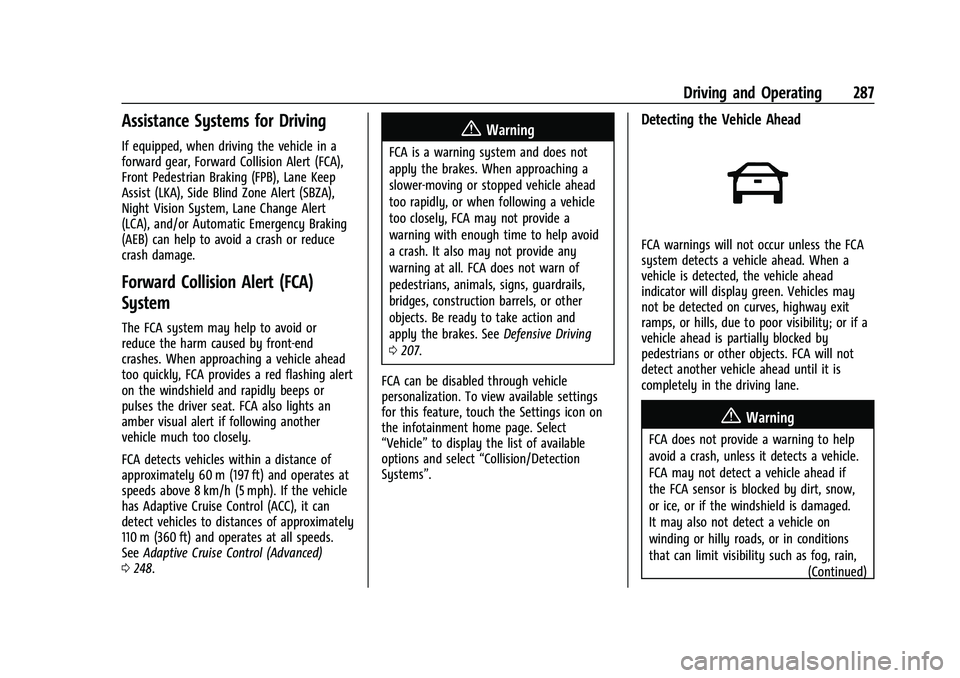
vehicle is detected, the vehicle ahead
indicator will display green. Vehicles may
not be detected on curves, highway exit
ramps, or hills, due to poor visibility; or if a
vehicle ahead is partially blocked by
pedestrians or other objects. FCA will not
detect another vehicle ahead until it is
completely in the driving lane.
{Warning
FCA does not provide a warning to help
avoid a crash, unless it detects a vehicle.
FCA may not detect a vehicle ahead if
the FCA sensor is blocked by dirt, snow,
or ice, or if the windshield is damaged.
It may also not detect a vehicle on
winding or hilly roads, or in conditions
that can limit visibility such as fog, rain,
(Continued)