turn signal CADILLAC ESCALADE ESV 2007 2.G User Guide
[x] Cancel search | Manufacturer: CADILLAC, Model Year: 2007, Model line: ESCALADE ESV, Model: CADILLAC ESCALADE ESV 2007 2.GPages: 574, PDF Size: 2.89 MB
Page 201 of 574
Rear Window Wiper/Washer
{CAUTION:
In freezing weather, do not use your
washer until the windshield is warmed.
Otherwise the washer uid can form ice
on the windshield, blocking your vision.
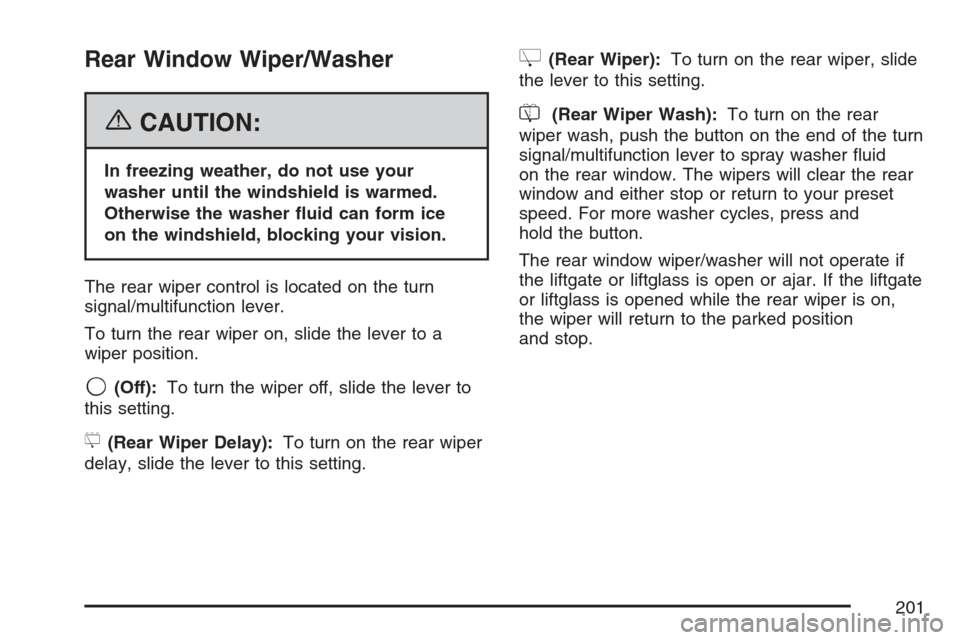
The rear wiper control is located on the turn
signal/multifunction lever.
To turn the rear wiper on, slide the lever to a
wiper position.
9(Off):To turn the wiper off, slide the lever to
this setting.
5(Rear Wiper Delay):To turn on the rear wiper
delay, slide the lever to this setting.
Z(Rear Wiper):To turn on the rear wiper, slide
the lever to this setting.
=(Rear Wiper Wash):To turn on the rear
wiper wash, push the button on the end of the turn
signal/multifunction lever to spray washer uid
on the rear window. The wipers will clear the rear
window and either stop or return to your preset
speed. For more washer cycles, press and
hold the button.
The rear window wiper/washer will not operate if
the liftgate or liftglass is open or ajar. If the liftgate
or liftglass is opened while the rear wiper is on,
the wiper will return to the parked position
and stop.
201
Page 207 of 574

IntellliBeam™ Intelligent High-Beam
Headlamp Control System
If your vehicle has this feature, be sure to read
this entire section before using it.
IntellliBeam™ is an enhancement to your vehicle’s
headlamp system. Using a digital light sensor
on your rearview mirror, this system will turn the
vehicle’s high-beam headlamps on and off
according to surrounding traffic conditions.
The IntellliBeam™ system will turn your high-beam
headlamps on when it is dark enough, there is
no other traffic present, and the IntellliBeam
system is enabled.
Turning On and Enabling IntellliBeam™
Press and release the IntellliBeam™ button on the
inside rear view mirror. The IntellliBeam™ indicator
on the mirror will turn on to let you know the system
has been turned on. Once the system has been
turned on, it will remain on each time the vehicle is
started. Additionally, the IntellliBeam system must
be enabled.To enable the IntellliBeam™ system, turn the
exterior lamp control to AUTO, with the turn
signal/multifunction lever in its neutral position.
The High-Beam On Light will appear on the
instrument panel cluster when the high-beams
are on. SeeHighbeam On Light on page 243.
Driving with IntellliBeam™
IntellliBeam™ will only activate your high-beams
when driving over 20 mph (32 km/h).
The high-beam headlamps will remain on, under
the automatic control of IntellliBeam™, until any of
the following situations occur:
The system detects an approaching vehicle’s
headlamps.
The system detects a preceding vehicle’s
taillamps.
The outside light is bright enough that
high-beam headlamps are not required.
The vehicle’s speed drops below
15 mph (24 km/h).
207
Page 259 of 574
TRANSMISSION HOT IDLE ENGINE
Notice:If you drive your vehicle while
the transmission uid is overheating and the
transmission temperature warning is displayed
on the instrument panel cluster and/or DIC,
you can damage the transmission. This could
lead to costly repairs that would not be
covered by your warranty. Do not drive your
vehicle with overheated transmission uid
or while the transmission temperature warning
is displayed.
If the transmission uid in the vehicle gets hot,
this message will display along with a continuous
chime. Driving with the transmission uid
temperature high can cause damage to the
vehicle. Stop the vehicle and let it idle to allow the
transmission to cool. This message will clear
and the chime will stop when the uid temperature
reaches a safe level.
TURN SIGNAL ON
If a turn signal is left on for 3/4 of a mile (1.2 km),
this message will display and a chime will
sound. Move the turn signal/multifunction lever to
the off position.
WASHER FLUID LOW ADD FLUID
If the washer uid level is low, this message will
display. Adding washer uid to the windshield
washer reservoir will clear the message. See
Windshield Washer Fluid on page 431.
This message will clear itself after 10 seconds,
until the next ignition cycle.
DIC Vehicle Customization
Your vehicle may have customization capabilities
that allow you to program certain features to
one preferred setting. Customization features
can only be programmed to one setting on
the vehicle and cannot be programmed to a
preferred setting for two different drivers.
All of the customization options may not be
available on your vehicle. Only the options
available will be displayed on your DIC.
The default settings for the customization features
were set when your vehicle left the factory, but
may have been changed from their default
state since then.
The customization preferences are automatically
recalled.
259
Page 271 of 574
Here are some ways in which you can help avoid
distraction while driving.
While your vehicle is parked:
Familiarize yourself with all of its controls.
Familiarize yourself with its operation.
Set up your audio system by presetting your
favorite radio stations, setting the tone, and
adjusting the speakers. Then, when driving
conditions permit, you can tune to your favorite
radio stations using the presets and steering
wheel controls if the vehicle has them.
Notice:Before adding any sound equipment
to your vehicle, such as an audio system,
CD player, CB radio, mobile telephone,
or two-way radio, make sure that it can be
added by checking with your dealer. Also,
check federal rules covering mobile radio and
telephone units. If sound equipment can be
added, it is very important to do it properly.
Added sound equipment may interfere with the
operation of your vehicle’s engine, radio, or
other systems, and even damage them.
Your vehicle’s systems may interfere with the
operation of sound equipment that has
been added.Notice:The chime signals related to safety
belts, parking brake, and other functions
of your vehicle operate through the
radio/entertainment system. If that equipment
is replaced or additional equipment is added
to your vehicle, the chimes may not work. Make
sure that replacement or additional equipment
is compatible with your vehicle before
installing it. SeeAccessories and Modifications
on page 396.
Your vehicle has a feature called Retained
Accessory Power (RAP). With RAP, the audio
system can be played even after the ignition
is turned off. SeeRetained Accessory Power
(RAP) on page 141for more information.
271
Page 274 of 574
To use AudioPilot®, set the radio volume at a low to
moderate listening level. Begin listening while the
vehicle is stopped with the motor running. Turn the
AudioPilot
®on by pressing the tune/sel knob to
enter the main menu. Then turn the tune/sel (select)
knob until VNC:AUDIOPILOT appears on the
display. Press the tune/sel knob to turn AudioPilot
®
on and off. An X will appear in the box when it is
turned on. Then, resume driving, gradually
increasing the vehicle speed. You will notice that
your music sounds the same regardless of
background noises; such as road noise, tire hum, or
wind. With the AudioPilot
®turned off, repeat this
process again without adjusting the volume or tone
controls. You will notice that background noise is
now audible, and will prevent you from hearing
softer passages of the music. To turn AudioPilot
®
off, press the tune/sel knob to enter the main menu,
turn the tune/sel knob until VNC:AUDIOPILOT
appears, and press the tune/sel knob. The X in
the box will disappear when it is turned off. For
additional information on AudioPilot
®, please visit
www.bose.com.
Finding a Station
BAND:Press this button to select AM, FM1, FM2,
or XM1 or XM2 (if equipped).
w(Tune):Turn this knob to select radio
stations.
©¨(Seek):Press the left single arrow button to
go to the previous station and stay there. Press the
right single arrow button to go to the next station
and stay there. The sound will mute while seeking.
The radio will only seek stations with a strong signal
that are in the selected band.
©¨(Scan):Press the double arrow scan button
to enter scan mode. SCAN will appear on the
display. Press this button to scan to the next
station. The radio will go to a station, play for
ve seconds, and then go on to the next station.
Press this button again to stop scanning.
274
Page 275 of 574
To scan preset stations, press and hold the double
arrow scan button for more than two seconds until
you hear a beep and PSCAN appears on the
display. The radio will go to the rst preset station,
play for ve seconds, and then go on to the next
preset station. Press this button again to stop
scanning presets.
The radio will only scan stations with a strong signal
that are in the selected band.
ALOCAL/DISTANT Selection:With this feature
you can set the radio to search for local stations
or stations that are further away for a larger
selection. To set this feature to LOCAL or
DISTANT, perform the following steps:
1. Press the tune/sel knob to enter the
main menu.
2. Turn the tune/sel knob until SEEK LOCAL or
SEEK DISTANT appears on the display.
3. Press the tune/sel knob to select either
LOCAL or DISTANT.4. Press the BACK (F6) button to exit the
display. To return to the original display,
repeatedly press the BACK (F6) button or
wait for the display to time out.
To search for stations, press the single arrow
buttons. If the system is set to LOCAL, SEEK
will appear on the display and seek to stations with
strong signals only. If the system is set to
DISTANT, D-SEEK will appear on the display and
seek to stations with weak and strong signals.Setting Preset Stations
Up to 30 stations (six AM, six FM1, six FM2, and
six XM1 and six XM2 (if equipped)), can be
programmed on the six numbered pushbuttons, by
performing the following steps:
1. Turn the radio on.
2. Press BAND to select AM, FM1, FM2, or XM1
or XM2 (if equipped).
275
Page 276 of 574
3. Tune in the desired station.
4. Press and hold one of the six numbered
pushbuttons for two seconds until you hear a
beep. The set preset station number will
appear on the display above the pushbutton
that it is set to. Whenever that numbered
pushbutton is pressed for less than
two seconds, the station that was set will
return.
5. Repeat the steps for each pushbutton.
To set the preset stations with an equalization
setting, DSP (digital signal processing)
setting, or a PTY (program type) setting, see
each of these features later in this section.
When a preset station is selected, once one of
these additional settings is selected, the
preset station will remember each setting and
it will remain active, until the setting is
selected off for that preset station.AUTOSTORE PRESETS:To set the preset
stations automatically, perform the following steps:
1. Turn the radio on.
2. Press BAND to select AM, FM1, or FM2.
3. Press the tune/sel knob to enter the
main menu.
4. Turn the tune/sel knob until AUTOSTORE
PRESETS appears on the display.
5. Press the tune/sel knob to select.
AUTOSTORE will appear on the display.
The radio will automatically search the band
and select and store the six radio stations with
the strongest signal. The stations will be
stored by signal strength, not sequential order.
The set preset station number will appear
on the display above the pushbutton that it is
set to.
6. Press the BACK (F6) button to exit the
display. To return to the original display,
repeatedly press the BACK (F6) button or wait
for the display to time out.
When battery power is removed and later applied,
you will not have to reset your radio presets.
276
Page 279 of 574
Digital Signal Processing (DSP):This feature is
used to provide a choice of different listening
experiences. To choose a DSP setting, perform
the following steps:
1. Press the tune/sel knob to enter the
main menu.
2. Turn the tune/sel knob until DSP appears on
the display.
3. Press the tune/sel knob to set the DSP
setting. The DSP setting will appear on
the display.
4. Press the BACK (F6) button to exit the
display. To return to the original display,
repeatedly press the BACK (F6) button or
wait for the display to time out.The DSP settings available are:
Normal: Select this setting for normal mode,
this provides the best sound quality for all
seating positions.
Centerpoint™: Select this setting to enable
Bose Centerpoint™. Centerpoint™ signal
processing gives surround sound listening for
a CD, MP3, or a DVD stereo audio source.
Centerpoint™ delivers ve independent audio
channels from conventional stereo recordings.
Rear: Select this setting to adjust the audio for
the rear seat passengers to receive the best
possible sound quality.
Driver: Select this setting to adjust the audio
for the driver to receive the best possible
sound quality.
5.1 Surround: Select this setting to turn
on true 5.1 surround sound processing,
available for DVD-A or DVD-V sources that
were recorded in 5.1 Surround.
5.1 Surround + Normal— this mode is
optimized for all seating positions.
5.1 Surround + Rear— this mode is
optimized for rear seat occupants.
279
Page 282 of 574
TP (Traffic Program):TP will appear on the
display when the radio detects a signal from an
RDS station that has traffic announcement
broadcast capability.
TA (Traffic Announcement):If TA appears on
the display, the tuned radio station broadcasts
traffic announcements and when a traffic
announcement comes on the tuned station you
will hear it.
If the station does not broadcast traffic
announcements, when TA is turned on it will
seek to a station that does. When a station that
broadcasts traffic announcements is found,
the radio will stop seeking and TA will appear on
the display. If no station is found that broadcasts
traffic announcements, No Traffic will appear
on the display.The radio will play traffic announcements if the
volume is low. The radio will interrupt the play of a
CD or DVD if the last tuned station broadcasts
traffic announcements.
To turn TA on or off, perform the following steps:
1. Press the tune/sel knob to enter the
main menu.
2. Turn the tune/sel knob until TRAFFIC
ANNOUNCE appears on the display.
3. Press the tune/sel knob to select ON or OFF.
An X will appear in the box when TA is
selected on.
4. Press the BACK (F6) button to exit the
display. To return to the original display,
repeatedly press the BACK (F6) button or
wait for the display to time out.
282
Page 302 of 574

XM Radio Messages
Radio Display Message Condition Action Required
XL (Explicit Language
Channels)XL on the radio display,
after the channel name,
indicates content with
explicit language.These channels, or any others, can be blocked at a
customer’s request, by calling 1-800-852-XMXM (9696).
Updating Updating encryption code The encryption code in the receiver is being updated, and no
action is required. This process should take no longer than
30 seconds.
No Signl Loss of signal The system is functioning correctly, but the vehicle is in a
location that is blocking the XM™ signal. When the vehicle is
moved into an open area, the signal should return.
Loading Acquiring channel audio
(after 4 second delay)The audio system is acquiring and processing audio and text
data. No action is needed. This message should disappear
shortly.
Off Air Channel not in service This channel is not currently in service. Tune in to another
channel.
CH Unavl Channel no longer
availableThis previously assigned channel is no longer assigned. Tune
to another station. If this station was one of the presets,
choose another station for that preset button.
No Info Artist Name/Feature not
availableNo artist information is available at this time on this channel.
The system is working properly.
No Info Song/Program Title not
availableNo song title information is available at this time on this
channel. The system is working properly.
No Info Category Name not
availableNo category information is available at this time on this
channel. The system is working properly.
NotFound No channel available for
the chosen categoryThere are no channels available for the selected category.
The system is working properly.
302