wheel CADILLAC ESCALADE ESV 2007 2.G Owner's Manual
[x] Cancel search | Manufacturer: CADILLAC, Model Year: 2007, Model line: ESCALADE ESV, Model: CADILLAC ESCALADE ESV 2007 2.GPages: 574, PDF Size: 2.89 MB
Page 202 of 574
Cruise Control
{CAUTION:
Cruise control can be dangerous where
you cannot drive safely at a steady speed.
So, do not use your cruise control on
winding roads or in heavy traffic.
Cruise control can be dangerous on
slippery roads. On such roads, fast
changes in tire traction can cause
excessive wheel slip, and you could lose
control. Do not use cruise control on
slippery roads.
With cruise control, you can maintain a speed
of about 25 mph (40 km/h) or more without
keeping your foot on the accelerator. This can
really help on long trips. Cruise control does not
work at speeds below about 25 mph (40 km/h).
When you apply your brakes, cruise control
is turned off.If your vehicle has the StabiliTrak
®system and
begins to limit wheel spin while you are using cruise
control, the cruise control will automatically
disengage. SeeStabiliTrak
®System on page 330.
When road conditions allow you to safely use it
again, you may turn the cruise control back on.
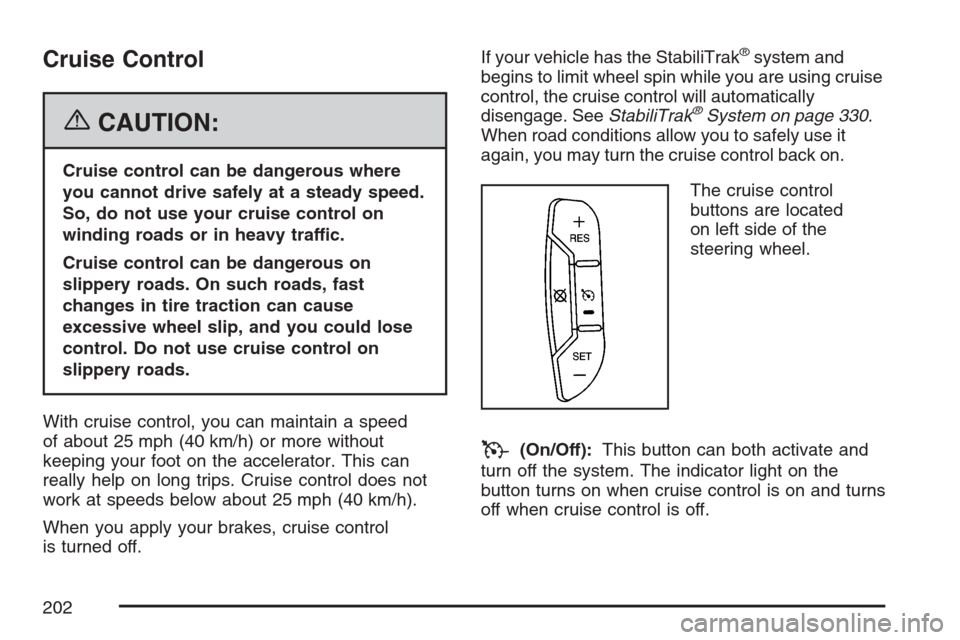
The cruise control
buttons are located
on left side of the
steering wheel.
T(On/Off):This button can both activate and
turn off the system. The indicator light on the
button turns on when cruise control is on and turns
off when cruise control is off.
202
Page 203 of 574
+ RES (Resume/Accelerate):Press this button
to make the vehicle accelerate or resume to
a previously set speed.
SET−(Set/Coast):Press this button to set the
speed or make the vehicle decelerate.
[(Cancel):Press this button to cancel cruise
control without erasing the set speed from
memory.
Setting Cruise Control
Cruise control will not work if your parking brake is
set, or if the master cylinder brake uid level is low.
The cruise control light on the instrument panel
cluster will come on after the cruise control
has been set to the desired speed.
{CAUTION:
If you leave your cruise control on when
you are not using cruise, you might hit a
button and go into cruise when you do
not want to. You could be startled and
even lose control. Keep the cruise control
switch off until you want to use cruise
control.
1. Press the cruise control On/Off button.
2. Get up to the desired speed.
3. Press the SET−button located on the steering
wheel and release it.
4. Take your foot off the accelerator.
203
Page 204 of 574
Resuming a Set Speed
Suppose you set your cruise control at a desired
speed and then you apply the brake. This
shuts off the cruise control. But you do not need
to reset it.
Once you are driving about 25 mph (40 km/h) or
more, press the +RES button on your steering
wheel. The vehicle will go back to the previous set
speed and stay there.
Increasing Speed While Using
Cruise Control
To increase the cruise speed while using cruise
control:
Press and hold the +RES button on the
steering wheel until you reach your new
desired speed, then release it.
To increase vehicle speed in small increments,
press the +RES button. Each time you do this,
you will go about 1 mph (1.6 km/h) faster.
Reducing Speed While Using
Cruise Control
To reduce your speed while using cruise control:
Press and hold the SET– button on the
steering wheel until the desired lower speed is
reached, then release it.
To slow down in very small amounts, press
the SET– button on the steering wheel
briey. Each time you do this, the vehicle will
go about 1 mph (1.6 km/h) slower.
Passing Another Vehicle While Using
Cruise Control
Use the accelerator pedal to increase your speed.
When you take your foot off the pedal, your
vehicle will slow down to the previous set
cruise speed.
204
Page 205 of 574
Using Cruise Control on Hills
How well your cruise control will work on hills
depends upon your speed, load, and the
steepness of the hills. When going up steep hills,
you may have to step on the accelerator pedal
to maintain the vehicle’s speed. When going
downhill, you may have to brake or shift to a lower
gear to keep the vehicle’s speed down. Of
course, applying the brake takes you out of cruise
control. Many drivers nd this to be too much
trouble and do not use cruise control on steep hills.
Ending Cruise Control
There are three ways to end cruise control:
Step lightly on the brake pedal.
Press the cancel button on the steering wheel.
Press the On/Off button on the steering
wheel.
Erasing Speed Memory
When you turn off the cruise control or the
ignition, the cruise control set speed memory is
erased.
Exterior Lamps
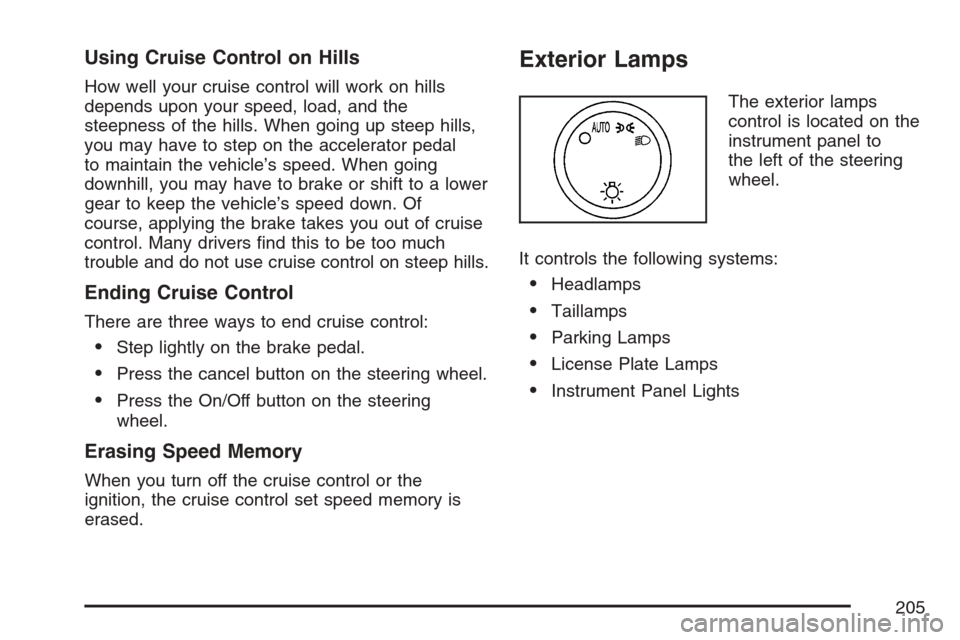
The exterior lamps
control is located on the
instrument panel to
the left of the steering
wheel.
It controls the following systems:
Headlamps
Taillamps
Parking Lamps
License Plate Lamps
Instrument Panel Lights
205
Page 237 of 574
Anti-Lock Brake System
Warning Light
With the anti-lock brake
system, this light will
come on when you start
your engine and may
stay on for several
seconds.
That’s normal. If the light does not come on then,
have it xed so it will be ready to warn you if
there is a problem.
If the light stays on, or comes on when you are
driving, your vehicle needs service. You will also
hear a chime sound when the light is on steady. If
the regular brake system warning light is not on,
you still have brakes, but you do not have anti-lock
brakes. If the regular brake system warning light is
also on you do not have anti-lock brakes and there
is a problem with your regular brakes. In addition to
both lights, you will also hear a chime sound on the
rst occurrence of a problem and each time the
vehicle is shut off and then restarted. SeeBrake
System Warning Light on page 235.The anti-lock brake system warning light should
come on briey when you turn the ignition
key to RUN. If the light does not come on then,
have it xed so it will be ready to warn you if there
is a problem.
StabiliTrak®Indicator Light
This warning light
should come on briey
when the engine is
started.
If the warning light does not come on then, have it
xed so it will be ready to warn you if there is a
problem. If it stays on, or comes on when you
are driving, there may be a problem with your
StabiliTrak
®system and your vehicle may need
service. When this warning light is on, the system is
off and will not limit wheel spin. Adjust your driving
accordingly.
This light will also ash when the StabiliTrak
®
system is active.
237
Page 245 of 574

Driver Information Center (DIC)
Your vehicle has a Driver Information Center (DIC).
The DIC displays information about your vehicle.
It also displays warning messages if a system
problem is detected. The DIC also allows some
features to be customized. SeeDIC Vehicle
Customization on page 259for more information.
All messages will appear in the DIC display
located in the center of the instrument panel
cluster.
The DIC comes on when the ignition is on. After a
short delay, the DIC will display the information
that was last displayed before the engine was
turned off.
SeeDIC Operation and Displays on page 245and
DIC Vehicle Customization on page 259for the
displays available.
DIC Operation and Displays
The DIC has different displays which can be
accessed by pressing the DIC buttons located on
the instrument panel, next to the steering wheel.The DIC displays trip, fuel, and vehicle system
information, and warning messages if a system
problem is detected. A digital speedometer also
appears at the bottom of the DIC display. The
digital speedometer can be enabled or disabled.
See “DISPLAY DIGITAL SPEED” underDIC
Vehicle Customization on page 259for more
information.
DIC Buttons
The buttons are the
trip/fuel, vehicle
information,
customization, and
set/reset buttons.
The button functions
are detailed in the
following pages.
3(Trip/Fuel):Press this button to display the
odometer, trip odometer, fuel range, average
economy, fuel used, timer, and transmission
temperature.
245
Page 257 of 574

SERVICE TIRE MONITOR SYSTEM
If your vehicle has the Tire Pressure Monitor
(TPM) system, this message will display if a part
on the system is not working properly. If you
drive your vehicle while any of the four sensors
are missing or inoperable, the warning will
come on in about 20 minutes. A sensor would be
missing, for example, if you put different wheels
on your vehicle without transferring the sensors.
If the warning comes on and stays on, there
may be a problem with the TPM. See your dealer.
SERVICE TRACTION CONTROL
If your vehicle has StabiliTrak®, this message will
display when there is a problem with the traction
control system. When this message is displayed,
the system will not limit wheel spin. Adjust
your driving accordingly. See your dealer for
service. SeeStabiliTrak
®System on page 330
for more information.
STABILITRAK OFF
If your vehicle has StabiliTrak®, this message will
display when you turn off StabiliTrak®, or when
the stability control has been automatically
disabled. To limit wheel spin and realize the full
benets of the stability enhancement system, you
should normally leave StabiliTrak
®on. However,
you should turn StabiliTrak®off if your vehicle gets
stuck in sand, mud, ice, or snow and you want
to rock your vehicle to attempt to free it, or if you
are driving in extreme off-road conditions and
require more wheel spin. SeeIf Your Vehicle is
Stuck in Sand, Mud, Ice, or Snow on page 368.
To turn the StabiliTrak
®system on or off, see
StabiliTrak®System on page 330.
There are several conditions that can cause this
message to appear.
One condition is overheating, which could
occur if StabiliTrak®activates continuously
for an extended period of time.
The message will also be displayed if the
brake system warning light is on. See
Brake System Warning Light on page 235.
257
Page 270 of 574
Audio System(s)
Determine which radio your vehicle has and then
read the pages following to familiarize yourself
with its features.
Driving without distraction is a necessity for a
safer driving experience. SeeDefensive Driving
on page 322. By taking a few moments to read
this manual and get familiar with your vehicle’s
audio system, you can use it with less effort,
as well as take advantage of its features. While
your vehicle is parked, set up your audio system
by presetting your favorite radio stations,
setting the tone, and adjusting the speakers.
Then, when driving conditions permit, you can tune
to your favorite stations using the presets and
steering wheel controls if the vehicle has them.{CAUTION:
This system provides you with a far greater
access to audio stations and song listings.
Giving extended attention to entertainment
tasks while driving can cause a crash and
you or others can be injured or killed.
Always keep your eyes on the road and
your mind on the drive — avoid engaging
in extended searching while driving.
Keeping your mind on the drive is important for
safe driving. For more information, seeDefensive
Driving on page 322.
270
Page 271 of 574
Here are some ways in which you can help avoid
distraction while driving.
While your vehicle is parked:
Familiarize yourself with all of its controls.
Familiarize yourself with its operation.
Set up your audio system by presetting your
favorite radio stations, setting the tone, and
adjusting the speakers. Then, when driving
conditions permit, you can tune to your favorite
radio stations using the presets and steering
wheel controls if the vehicle has them.
Notice:Before adding any sound equipment
to your vehicle, such as an audio system,
CD player, CB radio, mobile telephone,
or two-way radio, make sure that it can be
added by checking with your dealer. Also,
check federal rules covering mobile radio and
telephone units. If sound equipment can be
added, it is very important to do it properly.
Added sound equipment may interfere with the
operation of your vehicle’s engine, radio, or
other systems, and even damage them.
Your vehicle’s systems may interfere with the
operation of sound equipment that has
been added.Notice:The chime signals related to safety
belts, parking brake, and other functions
of your vehicle operate through the
radio/entertainment system. If that equipment
is replaced or additional equipment is added
to your vehicle, the chimes may not work. Make
sure that replacement or additional equipment
is compatible with your vehicle before
installing it. SeeAccessories and Modifications
on page 396.
Your vehicle has a feature called Retained
Accessory Power (RAP). With RAP, the audio
system can be played even after the ignition
is turned off. SeeRetained Accessory Power
(RAP) on page 141for more information.
271
Page 317 of 574

Audio Steering Wheel Controls
Your vehicle has audio
steering wheel controls,
they may differ
depending on your
vehicle’s options. Some
audio controls can
be adjusted at
the steering wheel.
They include the
following:
xw(Next/Previous):Press the up or the down
arrow to go to the next or to the previous radio
station stored as a favorite.
When a CD/DVD is playing, press the up or the
down arrow to go to the next or previous track or
chapter.
g(Mute/Voice Recognition):Press and release
this button to silence the vehicle speakers only.
The audio of the wireless and wired headphones,
if your vehicle has these features, will not be
muted. Press and release this button again, to turn
the sound on.
If your vehicle has the navigation system, press
and hold this button for longer than one second to
initiate voice recognition. See “Voice Recognition”
in the Navigation System manual for more
information.
Your vehicle has OnStar
®, press and hold this
button for longer than one second to interact with
the OnStar
®system. If your vehicle also has
the navigation system, press and hold this button
for longer than one second to initiate voice
recognition and say “OnStar” to enter OnStar
®
mode. See theOnStar®System on page 165in
this manual for more information.
SRCE (Source):Press this button to switch
between the radio (AM, FM), XM™ (if equipped),
CD, and if your vehicle has these features,
DVD, front auxiliary, and rear auxiliary.
317