ECO mode CADILLAC ESCALADE ESV 2009 Owner's Manual
[x] Cancel search | Manufacturer: CADILLAC, Model Year: 2009, Model line: ESCALADE ESV, Model: CADILLAC ESCALADE ESV 2009Pages: 602, PDF Size: 5.18 MB
Page 279 of 602
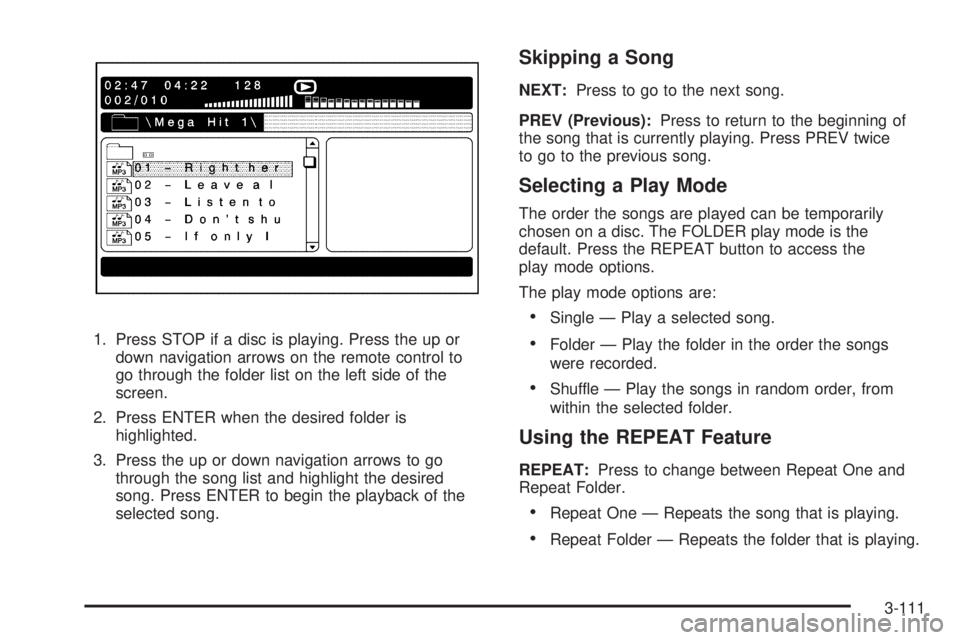
1. Press STOP if a disc is playing. Press the up or
down navigation arrows on the remote control to
go through the folder list on the left side of the
screen.
2. Press ENTER when the desired folder is
highlighted.
3. Press the up or down navigation arrows to go
through the song list and highlight the desired
song. Press ENTER to begin the playback of the
selected song. Skipping a Song NEXT: Press to go to the next song.
PREV (Previous): Press to return to the beginning of
the song that is currently playing. Press PREV twice
to go to the previous song.
Selecting a Play Mode The order the songs are played can be temporarily
chosen on a disc. The FOLDER play mode is the
default. Press the REPEAT button to access the
play mode options.
The play mode options are:
Single — Play a selected song.
Folder — Play the folder in the order the songs
were recorded.
Shuffle — Play the songs in random order, from
within the selected folder.
Using the REPEAT Feature REPEAT: Press to change between Repeat One and
Repeat Folder.
Repeat One — Repeats the song that is playing.
Repeat Folder — Repeats the folder that is playing.
3-111
Page 280 of 602

Tips and Troubleshooting Chart Problem Recommended Action
IR Sensor Inoperative
Check that the
batteries are good in
the remote control.
Check that the
remote Control
IR Sensor is not
blocked.
Aim the remote
control toward the
IR Sensor being
controlled.
Select the correct
screen, 3 or 4.
No picture
Check that the
correct video input
mode is selected.
Check that the video
cable is plugged into
the jack securely. Problem Recommended Action
No Sound
Check that the
correct audio input
mode is selected.
Check that the audio
cable is securely
plugged into the jack.
Cleaning the Video Screens The video display screens are made of a specially
coated glass and can be scratched or damaged by
abrasive products, solvents, or ammonia-based window
cleaners. Clean with a soft, lint-free, cotton cloth that
has been slightly dampened with warm water. Dry the
screens by wiping with a clean dry cotton cloth.
3-112
Page 353 of 602
Digital Signal Processing (DSP) The system has Digital Signal Processing (DSP).
DSP provides a choice of four different listening
experiences. DSP can be used while listening to
the audio system. Not all DSP modes are available
for all source types. The type of DSP selected is
displayed on the status line.
Select from the following DSP settings:
Normal: Adjusts the audio for normal mode. This
provides the best sound quality for all seating positions.
Surround (Centerpoint ®
): Enables Bose Centerpoint
signal processing that produces a surround sound
listening experience from a CD or XM stereo digital
audio source. Centerpoint delivers ve independent
audio channels from conventional two channel stereo
recordings (not available for AM or FM).
Driver: Adjusts the audio to give the driver the best
possible sound quality.
Rear: Adjusts the audio to give the rear seat occupants
the best possible sound quality.
2 CH. (Channel): Enhances surround sound.
5.1 CH. (Channel): Gives a full affect of surround
sound listening. This button is only available when
playing DVD video and DVD audio discs that support
5.1 audio and the RSA is off. Radio Menu
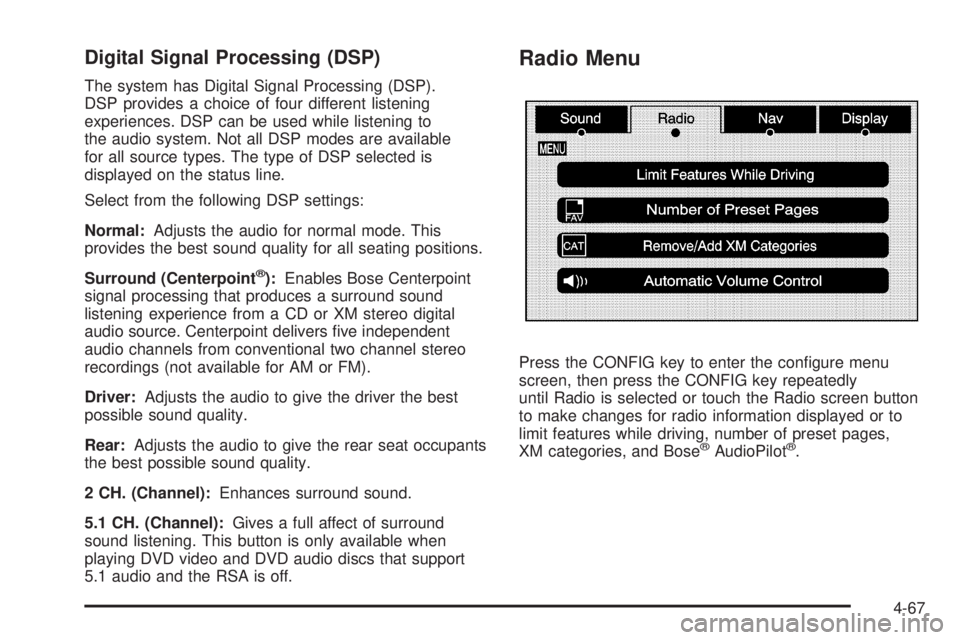
Press the CONFIG key to enter the congure menu
screen, then press the CONFIG key repeatedly
until Radio is selected or touch the Radio screen button
to make changes for radio information displayed or to
limit features while driving, number of preset pages,
XM categories, and Bose ®
AudioPilot ®
.
4-67
Page 374 of 602

Storing Voice Tags From the address book entry information page, press
the Add Voice tag screen button. The system responds
“Name Please?” and you will have four seconds to
record a name. The system asks for conrmation of
the name before saving it as a voice tag.
Navigation Help Navigation Help: This command instructs the system
to assist with navigation commands.
Display Commands Use the following display commands to set the
display mode.
Display [set] day [mode]: Sets the display to
daytime mode.
Display [set] night [mode]: Sets the display to
night mode.
Display [set] auto [mode]: Sets the display to
automatic mode. The system changes between day
and night mode automatically.
System help: Instructs the system to assist with
display commands. Radio Commands The following are radio commands that can be accessed
by clearly stating the commands exactly as they are
written.
Radio [band] [select] AM, radio [band] [select]
FM, radio [band] [select] XM, radio [band] [select]
satellite: Instructs the system to go to either the AM, FM,
or XM (if equipped).
Radio [select] (frequency) AM, radio [select]
(frequency) FM: Instructs the system to go to a
specic frequency on either AM or FM.
Radio [select] (channel) XM, radio [select] (channel)
satellite: Instructs the system to go to a specic channel
on the XM™ band (if equipped).
Radio help: Instructs the system to assist with radio
commands.
4-88
Page 384 of 602

It is recommended to leave the system on for normal
driving conditions, but it may be necessary to turn the
system off if the vehicle is stuck in sand, mud, ice or
snow, and you want to “rock” the vehicle to attempt to
free it. It may also be necessary to turn off the system
when driving in extreme off-road conditions where high
wheel spin is required. See If Your Vehicle is Stuck in
Sand, Mud, Ice, or Snow on page 5-31 .
Traction Control Operation The traction control system is part of the StabiliTrak
system. Traction control limits wheel spin by reducing
engine power to the wheels (engine speed management)
and by applying brakes to each individual wheel
(brake-traction control) as necessary.
The traction control system is enabled automatically
when the vehicle is started. It will activate and the
StabiliTrak light will ash if it senses that any of the
wheels are spinning or beginning to lose traction
while driving. If traction control is turned off, only the
brake-traction control portion of traction control will work.
The engine speed management will be disabled. In this
mode, engine power is not reduced automatically and the
driven wheels can spin more freely. This can cause the
brake-traction control to activate constantly. Notice: If the wheel(s) of one axle is allowed
to spin excessively while the StabiliTrak, ABS and
brake warning lights and any relevant DIC messages
are displayed, the transfer case could be damaged.
The repairs would not be covered by the vehicle
warranty. Reduce engine power and do not spin
the wheel(s) excessively while these lights and
messages are displayed.
The traction control system may activate on dry or
rough roads or under conditions such as heavy
acceleration while turning or abrupt upshifts/downshifts
of the transmission. When this happens, a reduction in
acceleration may be noticed, or a noise or vibration may
be heard. This is normal.
If cruise control is being used when the system activates,
the StabiliTrak light will ash and cruise control will
automatically disengage. Cruise control may be
reengaged when road conditions allow. See Cruise
Control on page 3-13 .
StabiliTrak may also turn off automatically if it determines
that a problem exists with the system. If the problem does
not clear itself after restarting the vehicle, see your
dealer/retailer for service.
5-8
Page 427 of 602
Safety Chains Always attach chains between the vehicle and the trailer.
Cross the safety chains under the tongue of the trailer to
help prevent the tongue from contacting the road if it
becomes separated from the hitch. Instructions about
safety chains may be provided by the hitch manufacturer
or by the trailer manufacturer. If the trailer being towed
weighs up to the vehicle’s trailer rating limit, safety chains
may be attached to the attaching point on the hitch
platform. Always leave just enough slack so the rig can
turn. Never allow safety chains to drag on the ground.
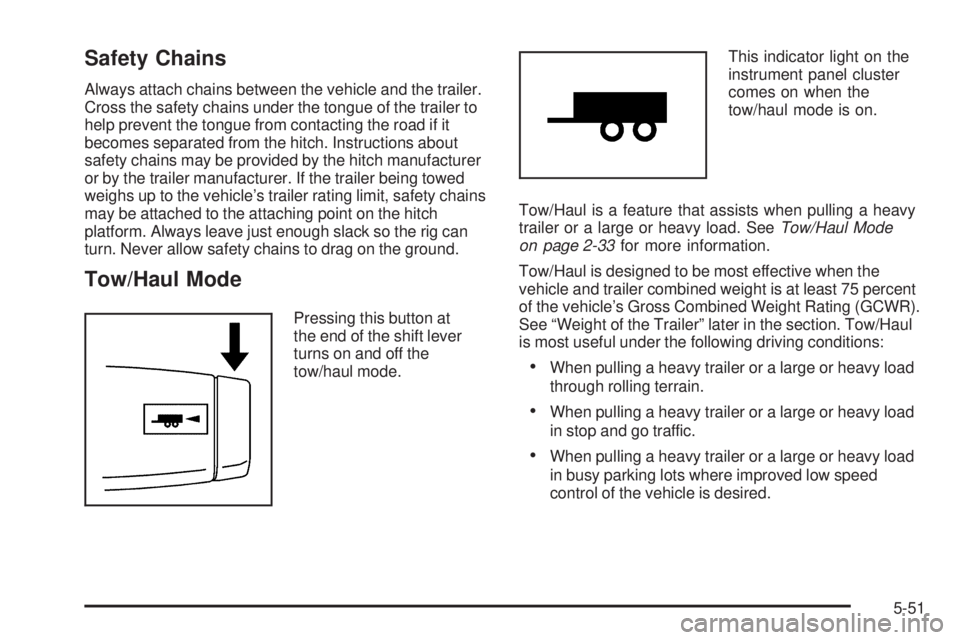
Tow/Haul Mode Pressing this button at
the end of the shift lever
turns on and off the
tow/haul mode. This indicator light on the
instrument panel cluster
comes on when the
tow/haul mode is on.
Tow/Haul is a feature that assists when pulling a heavy
trailer or a large or heavy load. See Tow/Haul Mode
on page 2-33 for more information.
Tow/Haul is designed to be most effective when the
vehicle and trailer combined weight is at least 75 percent
of the vehicle’s Gross Combined Weight Rating (GCWR).
See “Weight of the Trailer” later in the section. Tow/Haul
is most useful under the following driving conditions:
When pulling a heavy trailer or a large or heavy load
through rolling terrain.
When pulling a heavy trailer or a large or heavy load
in stop and go traffic.
When pulling a heavy trailer or a large or heavy load
in busy parking lots where improved low speed
control of the vehicle is desired.
5-51
Page 432 of 602

Maintenance When Trailer Towing The vehicle needs service more often when pulling a
trailer. See this manual’s Maintenance Schedule or Index
for more information. Things that are especially important
in trailer operation are automatic transmission uid,
engine oil, axle lubricant, belts, cooling system and brake
system. It is a good idea to inspect these before and
during the trip.
Check periodically to see that all hitch nuts and bolts
are tight.
Trailer Wiring Harness Heavy-Duty Trailer Wiring Package
The vehicle is equipped with the seven-wire trailer
towing harness. This harness with a seven-pin universal
heavy-duty trailer connector is attached to the rear
bumper beam. It is located next to the integrated trailer
hitch. The seven-wire harness contains the following trailer
circuits:
Yellow: Left Stop/Turn Signal
Dark Green: Right Stop/Turn Signal
Brown: Taillamps
White: Ground
Light Green: Back-up Lamps
Red w/ Black Stripe: Battery Feed*
Dark Blue: Trailer Brake*
*The fuses for these two circuits are installed in the
underhood electrical center, but the circuits are
not connected. They should be installed by your dealer
or a qualied service center.
If charging a remote (non-vehicle) battery, press the
Tow/Haul mode button, if equipped, located at the end of
the shift lever. This will boost the vehicle system voltage
and properly charge the battery. If the trailer is too light
for Tow/Haul mode, or the vehicle is not equipped with
Tow/Haul, turn on the headlamps as a second way to
boost the vehicle system and charge the battery.
5-56
Page 494 of 602

GAWR RR :
Gross Axle Weight Rating for the rear
axle. See Loading the Vehicle on page 5-33 .
Intended Outboard Sidewall :
The side of
an asymmetrical tire, that must always face
outward when mounted on a vehicle.
Kilopascal (kPa) :
The metric unit for air pressure.
Light Truck (LT-Metric) Tire :
A tire used on
light duty trucks and some multipurpose passenger
vehicles.
Load Index :
An assigned number ranging
from 1 to 279 that corresponds to the load
carrying capacity of a tire.
Maximum Ination Pressure :
The maximum air
pressure to which a cold tire can be inated. The
maximum air pressure is molded onto the sidewall.
Maximum Load Rating :
The load rating for a tire
at the maximum permissible ination pressure
for that tire.
Maximum Loaded Vehicle Weight :
The sum of
curb weight, accessory weight, vehicle capacity
weight, and production options weight. Normal Occupant Weight :
The number of
occupants a vehicle is designed to seat multiplied
by 150 lbs (68 kg). See Loading the Vehicle on
page 5-33 .
Occupant Distribution :
Designated seating
positions.
Outward Facing Sidewall :
The side of an
asymmetrical tire that has a particular side that
faces outward when mounted on a vehicle.
The side of the tire that contains a whitewall,
bears white lettering, or bears manufacturer,
brand, and/or model name molding that is higher
or deeper than the same moldings on the
other sidewall of the tire.
Passenger (P-Metric) Tire :
A tire used on
passenger cars and some light duty trucks and
multipurpose vehicles.
Recommended Ination Pressure :
Vehicle
manufacturer’s recommended tire ination
pressure as shown on the tire placard. See
Inflation - Tire Pressure on page 6-62 and Loading
the Vehicle on page 5-33 .
6-60
Page 496 of 602
Ination - Tire Pressure If your vehicle is a Two-mode Hybrid, see the
Two-mode Hybrid manual for more information.
Tires need the correct amount of air pressure
to operate effectively.
Notice: Do not let anyone tell you that
under-ination or over-ination is all right.
It is not. If your tires do not have enough air
(under-ination), you can get the following:
Too much exing
Too much heat
Tire overloading
Premature or irregular wear
Poor handling
Reduced fuel economy
If your tires have too much air (over-ination),
you can get the following:
Unusual wear
Poor handling
Rough ride
Needless damage from road hazards A vehicle specic Tire and Loading Information
label is attached to your vehicle. This label shows
your vehicle’s original equipment tires and the
correct ination pressures for your tires when they
are cold. The recommended cold tire ination
pressure, shown on the label, is the minimum
amount of air pressure needed to support
your vehicle’s maximum load carrying capacity.
For additional information regarding how much
weight your vehicle can carry, and an example of
the Tire and Loading Information label, see Loading
the Vehicle on page 5-33 . How you load your
vehicle affects vehicle handling and ride comfort.
Never load your vehicle with more weight than it
was designed to carry.
When to Check Check your tires once a month or more.
Do not forget to check the pressure of the spare
tire. See Spare Tire on page 6-96 for additional
information.
6-62
Page 502 of 602

You have two minutes to match the rst tire/wheel
position, and ve minutes overall to match all four
tire/wheel positions. If it takes longer than two minutes, to
match the rst tire and wheel, or more than ve minutes
to match all four tire and wheel positions the matching
process stops and you need to start over.
The TPMS sensor matching process is outlined below:
1. Set the parking brake.
2. Turn the ignition switch to ON/RUN with the
engine off.
3. Press the Remote Keyless Entry (RKE) transmitter’s
LOCK and UNLOCK buttons at the same time for
approximately ve seconds. The horn sounds
twice to signal the receiver is in relearn mode
and TIRE LEARNING ACTIVE message displays
on the DIC screen.
4. Start with the driver side front tire. 5. Remove the valve cap from the valve cap stem.
Activate the TPMS sensor by increasing or
decreasing the tire’s air pressure for ve seconds,
or until a horn chirp sounds. The horn chirp,
which may take up to 30 seconds to sound,
conrms that the sensor identication code has
been matched to this tire and wheel position.
6. Proceed to the passenger side front tire, and repeat
the procedure in Step 5.
7. Proceed to the passenger side rear tire, and repeat
the procedure in Step 5.
8. Proceed to the driver side rear tire, and repeat the
procedure in Step 5. The horn sounds two times to
indicate the sensor identication code has been
matched to the driver side rear tire, and the TPMS
sensor matching process is no longer active. The
TIRE LEARNING ACTIVE message on the DIC
display screen goes off.
9. Turn the ignition switch to LOCK/OFF.
10. Set all four tires to the recommended air pressure
level as indicated on the Tire and Loading
Information label.
11. Put the valve caps back on the valve stems.
6-68