radio CADILLAC ESCALADE ESV 2009 Workshop Manual
[x] Cancel search | Manufacturer: CADILLAC, Model Year: 2009, Model line: ESCALADE ESV, Model: CADILLAC ESCALADE ESV 2009Pages: 602, PDF Size: 5.18 MB
Page 364 of 602
DVD Player The player can be used for DVD audio and DVD video.
DVD video will not display on the navigation screen
unless the vehicle is in PARK (P). It will operate on the
rear seat entertainment screens while the vehicle is
moving. The Rear Seat Entertainment (RSE) video
screen will start play of the DVD when a DVD video
has been inserted into the navigation system. The DVD
player can be controlled by the buttons on the navigation
system, the Rear Seat Audio (RSA) system, and the
remote control. The DVD player can also be used for
the rear seat passengers with the radio off. The rear
seat passengers can power on the video screen and
use the remote control to navigate the disc. See “Rear
Seat Entertainment System” in the Index of your vehicle’s
owner manual for more information.
The DVD player is only compatible with DVDs of the
appropriate region code that is printed on the jacket of
most DVDs.
The DVD slot is compatible with most audio CDs,
CD-R, CD-RW, DVD-Video, DVD-Audio, DVD-R/RW,
DVD+R/RW media along with MP3 and WMA formats. If an error appears on the display, see “DVD Messages”
later in this section.
M (Load): To load one disc, do the following:
1. Press the load hard key and follow the screen
message displayed.
2. When the system displays “Insert Disc (number)”,
insert the disc partway into the slot, label side up.
The system will pull it into the rst available slot
and start playing. The system will display the type
of disc inserted.
To load multiple discs, do the following:
1. Press and hold the load hard key and follow the
screen message displayed.
2. When the system displays “Insert Disc (number)”,
insert the disc partway into the slot, label side up.
The system will pull it in.
4-78
Page 373 of 602
![CADILLAC ESCALADE ESV 2009 Workshop Manual Helpful Hints for Stating Commands
When a multiple command is available, choose the
command that works best.
Words that are in brackets are optional.
For example, for the command Radio [band]
[selec](/img/23/58684/w960_58684-372.png "CADILLAC ESCALADE ESV 2009 Workshop Manual Helpful Hints for Stating Commands
When a multiple command is available, choose the
command that works best.
Words that are in brackets are optional.
For example, for the command Radio [band]
[selec")
Helpful Hints for Stating Commands
When a multiple command is available, choose the
command that works best.
Words that are in brackets are optional.
For example, for the command Radio [band]
[select] FM, stating Radio FM or Radio select
FM are both valid commands.
When the system recognizes the command the
system does one of the following:
Perform the function.
Ask you to conrm your choice.
Issue an error message “Did not recognize.
Voice Recognition Canceled.”
If you experience difficulty with the system
recognizing a command, try saying it more softly,
and wait for a few seconds after the beep, or repeat
the command.
Background noise may cause voice commands to be
misunderstood, including airow noise from wind.
To use the voice recognition system, the map
DVD must be loaded and the navigation system
must be on.
This system is able to recognize commands in three
different languages. The system only recognizes
commands based on the language selected from the
Driver Information Center (DIC). See DIC Vehicle
Customization on page 3-65 for more information. Voice Recognition Commands The following list shows all of the voice commands
available for the navigation system with a brief
description of each. The commands are listed with the
optional words in brackets. To use the voice commands,
refer to the instructions listed previously.
Voice Tag Commands The following are voice tag commands that can be
accessed by clearly stating the commands exactly as
they are written. There are up to 40 voice tag entries
for destinations.
Navigation go to [destination], navigation select:
These commands instruct the system to select a
destination saved under the voice tag you have stored.
The system prompts for a destination name then waits
for you to state the name.
If not currently driving on a route, the system
automatically creates the voice tag destination as
the nal destination. If driving on a route, the system
automatically creates the voice tag destination as a
stopover. Up to three stopovers can be created.
4-87
Page 374 of 602

Storing Voice Tags From the address book entry information page, press
the Add Voice tag screen button. The system responds
“Name Please?” and you will have four seconds to
record a name. The system asks for conrmation of
the name before saving it as a voice tag.
Navigation Help Navigation Help: This command instructs the system
to assist with navigation commands.
Display Commands Use the following display commands to set the
display mode.
Display [set] day [mode]: Sets the display to
daytime mode.
Display [set] night [mode]: Sets the display to
night mode.
Display [set] auto [mode]: Sets the display to
automatic mode. The system changes between day
and night mode automatically.
System help: Instructs the system to assist with
display commands. Radio Commands The following are radio commands that can be accessed
by clearly stating the commands exactly as they are
written.
Radio [band] [select] AM, radio [band] [select]
FM, radio [band] [select] XM, radio [band] [select]
satellite: Instructs the system to go to either the AM, FM,
or XM (if equipped).
Radio [select] (frequency) AM, radio [select]
(frequency) FM: Instructs the system to go to a
specic frequency on either AM or FM.
Radio [select] (channel) XM, radio [select] (channel)
satellite: Instructs the system to go to a specic channel
on the XM™ band (if equipped).
Radio help: Instructs the system to assist with radio
commands.
4-88
Page 475 of 602
Notice: If the other vehicle’s system is not a 12-volt
system with a negative ground, both vehicles can
be damaged. Only use vehicles with 12-volt systems
with negative grounds to jump start your vehicle.
2. Get the vehicles close enough so the jumper cables
can reach, but be sure the vehicles are not touching
each other. If they are, it could cause a ground
connection you do not want. You would not be
able to start your vehicle, and the bad grounding
could damage the electrical systems.
To avoid the possibility of the vehicles rolling, set
the parking brake rmly on both vehicles involved
in the jump start procedure. Put the automatic
transmission in P (Park) or a manual transmission
in Neutral before setting the parking brake. If
you have a four-wheel-drive vehicle, be sure the
transfer case is in a drive gear, not in Neutral. Notice: If you leave the radio or other accessories
on during the jump starting procedure, they could
be damaged. The repairs would not be covered by
the warranty. Always turn off the radio and other
accessories when jump starting the vehicle.
3. Turn off the ignition on both vehicles. Unplug
unnecessary accessories plugged into the cigarette
lighter or the accessory power outlets. Turn off
the radio and all the lamps that are not needed.
This avoids sparks and helps save both batteries.
And it could save the radio!
4. Open the hood on the other vehicle and locate the
positive (+) and negative ( − ) terminal locations on
that vehicle.
Your vehicle has a remote positive (+) jump starting
terminal and a remote negative ( − ) jump starting
terminal. You should always use these remote
terminals instead of the terminals on the battery.
If the vehicle has a remote positive (+) terminal, it is
located under a red plastic cover at the positive
battery post. To uncover the remote positive (+)
terminal, open the red plastic cover.
6-41
Page 498 of 602

Tire Pressure Monitor System The Tire Pressure Monitor System (TPMS) uses radio
and sensor technology to check tire pressure levels. The
TPMS sensors monitor the air pressure in your vehicle’s
tires and transmit tire pressure readings to a receiver
located in the vehicle.
Each tire, including the spare (if provided), should be
checked monthly when cold and inated to the ination
pressure recommended by the vehicle manufacturer on
the vehicle placard or tire ination pressure label. (If your
vehicle has tires of a different size than the size indicated
on the vehicle placard or tire ination pressure label, you
should determine the proper tire ination pressure for
those tires.)
As an added safety feature, your vehicle has been
equipped with a tire pressure monitoring system (TPMS)
that illuminates a low tire pressure telltale when one
or more of your tires is signicantly under-inated.
Accordingly, when the low tire pressure telltale
illuminates, you should stop and check your tires as
soon as possible, and inate them to the proper pressure.
Driving on a signicantly under-inated tire causes the
tire to overheat and can lead to tire failure. Under-ination
also reduces fuel efficiency and tire tread life, and may
affect the vehicle’s handling and stopping ability. Please note that the TPMS is not a substitute for proper
tire maintenance, and it is the driver’s responsibility to
maintain correct tire pressure, even if under-ination has
not reached the level to trigger illumination of the TPMS
low tire pressure telltale.
Your vehicle has also been equipped with a TPMS
malfunction indicator to indicate when the system is
not operating properly. The TPMS malfunction indicator
is combined with the low tire pressure telltale. When
the system detects a malfunction, the telltale will
ash for approximately one minute and then remain
continuously illuminated. This sequence will continue
upon subsequent vehicle start-ups as long as the
malfunction exists.
When the malfunction indicator is illuminated, the system
may not be able to detect or signal low tire pressure as
intended. TPMS malfunctions may occur for a variety of
reasons, including the installation of replacement or
alternate tires or wheels on the vehicle that prevent the
TPMS from functioning properly. Always check the TPMS
malfunction telltale after replacing one or more tires or
wheels on your vehicle to ensure that the replacement or
alternate tires and wheels allow the TPMS to continue to
function properly.
See Tire Pressure Monitor Operation on page 6-65 for
additional information.
6-64
Page 499 of 602

Federal Communications Commission
(FCC) and Industry and Science
Canada The Tire Pressure Monitor System (TPMS) operates on
a radio frequency and complies with Part 15 of the
FCC Rules. Operation is subject to the following two
conditions:
1. This device may not cause harmful interference.
2. This device must accept any interference received,
including interference that may cause undesired
operation.
Vehicles with TPMS operate on a radio frequency and
comply with RSS-210 of Industry and Science Canada.
Operation is subject to the following two conditions:
1. This device may not cause interference.
2. This device must accept any interference received,
including interference that may cause undesired
operation of the device.
Changes or modications to this system by other than
an authorized service facility could void authorization to
use this equipment. Tire Pressure Monitor Operation If your vehicle is a Two-mode Hybrid, see the Two-mode
Hybrid manual for more information.
This vehicle may have a Tire Pressure Monitor System
(TPMS). The TPMS is designed to warn the driver when
a low tire pressure condition exists. TPMS sensors are
mounted onto each tire and wheel assembly, excluding
the spare tire and wheel assembly. The TPMS sensors
monitor the air pressure in the vehicle’s tires and transmit
the tire pressure readings to a receiver located in the
vehicle.
When a low tire pressure
condition is detected, the
TPMS illuminates the
low tire pressure warning
light located on the
instrument panel cluster.
At the same time a message to check the pressure in a
specic tire appears on the Driver Information Center
(DIC) display. The low tire pressure warning light and the
DIC warning message come on at each ignition cycle
until the tires are inated to the correct ination pressure.
6-65
Page 501 of 602

One or more TPMS sensors are missing or
damaged. The DIC message and the TPMS
malfunction light should go off when the TPMS
sensors are installed and the sensor matching
process is performed successfully. See your dealer/
retailer for service.
Replacement tires or wheels do not match your
vehicle’s original equipment tires or wheels. Tires
and wheels other than those recommended for your
vehicle could prevent the TPMS from functioning
properly. See Buying New Tires on page 6-71 .
Operating electronic devices or being near facilities
using radio wave frequencies similar to the TPMS
could cause the TPMS sensors to malfunction.
If the TPMS is not functioning it cannot detect or signal a
low tire condition. See your dealer/retailer for service if
the TPMS malfunction light and DIC message comes on
and stays on. TPMS Sensor Matching Process Each TPMS sensor has a unique identication code.
Any time you rotate your vehicle’s tires or replace one or
more of the TPMS sensors, the identication codes
will need to be matched to the new tire/wheel position.
The sensors are matched to the tire/wheel positions
in the following order: driver side front tire, passenger
side front tire, passenger side rear tire, and driver
side rear tire using a TPMS diagnostic tool. See your
dealer/retailer for service.
The TPMS sensors can also be matched to each tire/
wheel position by increasing or decreasing the tire’s air
pressure. If increasing the tire’s air pressure, do not
exceed the maximum ination pressure indicated on the
tire’s sidewall.
To decrease air-pressure out of a tire you can use the
pointed end of the valve cap, a pencil-style air pressure
gage, or a key.
6-67
Page 540 of 602
Fuses and Circuit Breakers If the vehicle is a Two-mode Hybrid, see the Two-mode
Hybrid manual for more information.
The wiring circuits in the vehicle are protected from
short circuits by a combination of fuses, circuit breakers
and fusible thermal links. This greatly reduces the
chance of res caused by electrical problems.
Look at the silver-colored band inside the fuse. If the
band is broken or melted, replace the fuse. Be sure you
replace a bad fuse with a new one of the identical size
and rating.
If you ever have a problem on the road and don’t have
a spare fuse, you can borrow one that has the same
amperage. Just pick some feature of your vehicle
that you can get along without – like the radio or
cigarette lighter – and use its fuse, if it is the correct
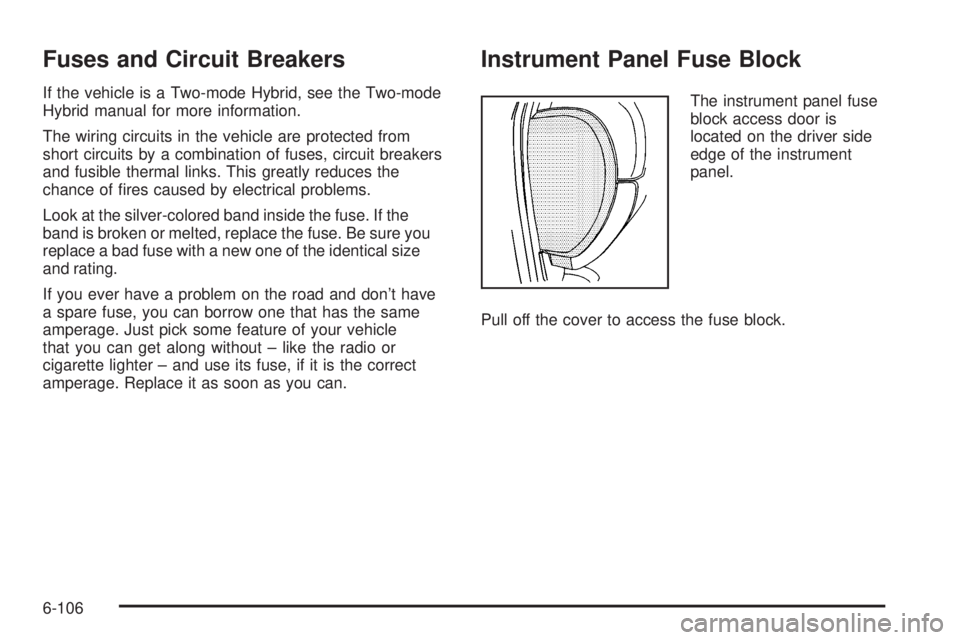
amperage. Replace it as soon as you can. Instrument Panel Fuse Block The instrument panel fuse
block access door is
located on the driver side
edge of the instrument
panel.
Pull off the cover to access the fuse block.
6-106
Page 569 of 602

Customer Assistance and Information .............. .8-2
Customer Satisfaction Procedure ..................... .8-2
Online Owner Center ..................................... .8-5
Customer Assistance for
Text Telephone (TTY) Users ........................ .8-6
Customer Assistance Offices ........................... .8-6
GM Mobility Reimbursement Program ............... .8-7
Roadside Service .......................................... .8-7
Scheduling Service Appointments ................... .8-10
Courtesy Transportation Program ................... .8-10
Collision Damage Repair ............................... .8-12 Reporting Safety Defects ............................... .8-14
Reporting Safety Defects to the
United States Government ......................... .8-14
Reporting Safety Defects to the
Canadian Government ............................... .8-15
Reporting Safety Defects to General Motors .... .8-15
Service Publications Ordering Information ........ .8-15
Vehicle Data Recording and Privacy ............... .8-16
Event Data Recorders .................................. .8-17
OnStar ®
..................................................... .8-18
Navigation System ....................................... .8-18
Radio Frequency Identication (RFID) ............. .8-18Section 8 Customer Assistance Information
8-1
Page 584 of 602

Current and Past Model Order Forms Technical Service Bulletins and Manuals are available
for current and past model GM vehicles. To request
an order form, specify year and model name of
the vehicle.
ORDER TOLL FREE: 1-800-551-4123
Monday-Friday 8:00 AM - 6:00 PM
Eastern Time For Credit Card Orders Only
(VISA-MasterCard-Discover), visit Helm, Inc.
on the World Wide Web at: helminc.com
Or you can write to:
Helm, Incorporated
P.O. Box 07130
Detroit, MI 48207
Prices are subject to change without notice and without
incurring obligation. Allow ample time for delivery.
Note to Canadian Customers: All listed prices are
quoted in U.S. funds. Canadian residents are to make
checks payable in U.S. funds. Vehicle Data Recording and
Privacy Your GM vehicle has a number of sophisticated
computers that record information about the vehicle’s
performance and how it is driven. For example, your
vehicle uses computer modules to monitor and control
engine and transmission performance, to monitor the
conditions for airbag deployment and deploy airbags in a
crash and, if so equipped, to provide antilock braking to
help the driver control the vehicle. These modules may
store data to help your dealer/retailer technician service
your vehicle. Some modules may also store data about
how you operate the vehicle, such as rate of fuel
consumption or average speed. These modules may also
retain the owner’s personal preferences, such as radio
pre-sets, seat positions, and temperature settings.
8-16