audio CADILLAC ESCALADE ESV 2010 User Guide
[x] Cancel search | Manufacturer: CADILLAC, Model Year: 2010, Model line: ESCALADE ESV, Model: CADILLAC ESCALADE ESV 2010Pages: 620, PDF Size: 7.4 MB
Page 42 of 620

Black plate (10,1)Cadillac Escalade/Escalade ESV Owner Manual - 2010
Rear Seats Heated Seats
Driver's Side RSA Heated
Seat Button Only shown The rear outboard seats
have the heated seat
feature. The buttons used
to control this feature are
located on the Rear Seat
Audio (RSA) panel.
M (Heated Seat): To heat the seat cushion, press the
button with the heated seat symbol.
A heated seat symbol will be shown in the RSA display
to indicate that the feature is on. Press the button to
cycle through the temperature settings of high, medium,
and low, and to turn it off. Indicator bars next to the
symbol will designate the level of heat selected: three
for high, two for medium, and one for low. The heated seats will be canceled ten seconds after the
ignition is turned off. If the vehicle is restarted, the
heated seat button will need to be pressed again to
restart the feature.
60/40 Split Bench Seat If your vehicle has a 60/40 split bench, the seat(s) can
be folded for additional cargo space or folded and
tumbled for easy entry and exit to the third row seats,
if your vehicle has them. These seats will have either
the manual fold and tumble feature or the automatic
seat release fold and tumble feature.
Manual Fold and Tumble Feature Folding and Tumbling the Seat(s) To fold and tumble the seat:
1. Make sure that there is nothing under, in front of,
or on the seat.
Notice: Folding a rear seat with the safety belts still
fastened may cause damage to the seat or the
safety belts. Always unbuckle the safety belts and
return them to their normal stowed position before
folding a rear seat.
2-10
Page 152 of 620

Black plate (28,1)Cadillac Escalade/Escalade ESV Owner Manual - 2010
The steering may bind with the wheels turned off center.
If this happens, move the steering wheel from right to
left while turning the key to ACC/ACCESSORY. If this
doesn't work, then the vehicle needs service.
Notice: Using a tool to force the key to turn in the
ignition could cause damage to the switch or break
the key. Use the correct key, make sure it is all the
way in, and turn it only with your hand. If the key
cannot be turned by hand, see your dealer.
B (ACC/ACCESSORY): This position lets things like
the radio and the windshield wipers operate while the
engine is off. Use this position if the vehicle must be
pushed or towed.
C (ON/RUN): This position can be used to operate the
electrical accessories and to display some instrument
panel cluster warning and indicator lights. The switch
stays in this position when the engine is running. The
transmission is also unlocked in this position on
automatic transmission vehicles.
If you leave the key in the ACC/ACCESSORY or
ON/RUN position with the engine off, the battery could
be drained. You may not be able to start the vehicle if
the battery is allowed to drain for an extended period
of time. D (START): This is the position that starts the engine.
When the engine starts, release the key. The ignition
switch returns to ON/RUN for driving.
A warning tone will sound when the driver door is
opened, the ignition is in ACC/ACCESSORY or
LOCK/OFF and the key is in the ignition.
Retained Accessory Power (RAP) The following vehicle accessories can be used for up to
10 minutes after the engine is turned off: .
Audio System .
Power Windows .
OnStar ®
System (if equipped) .
Sunroof (if equipped)
These features work when the key is in ON/RUN or
ACC/ACCESSORY. Once the key is turned from
ON/RUN to LOCK/OFF, the windows and sunroof
continue to work up to 10 minutes until any door is
opened. The radio continues to work for up to
10 minutes or until the driver door is opened.
3-28
Page 194 of 620
Black plate (2,1)Cadillac Escalade/Escalade ESV Owner Manual - 2010
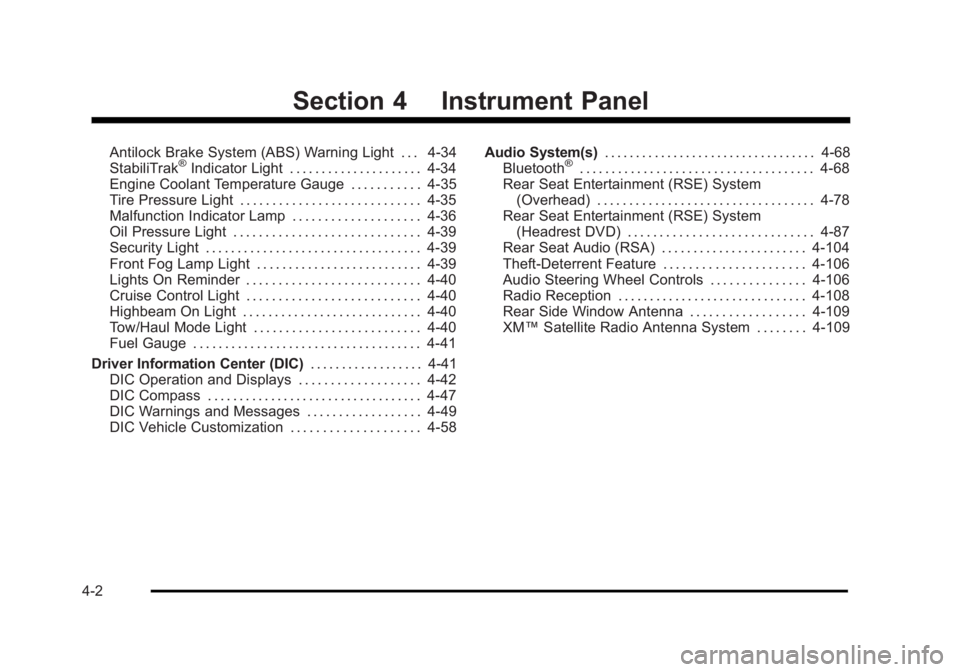
Section 4 Instrument PanelAntilock Brake System (ABS) Warning Light . . . 4-34
StabiliTrak ®
Indicator Light . . . . . . . . . . . . . . . . . . . . . 4-34
Engine Coolant Temperature Gauge . . . . . . . . . . . 4-35
Tire Pressure Light . . . . . . . . . . . . . . . . . . . . . . . . . . . . 4-35
Malfunction Indicator Lamp . . . . . . . . . . . . . . . . . . . . 4-36
Oil Pressure Light . . . . . . . . . . . . . . . . . . . . . . . . . . . . . 4-39
Security Light . . . . . . . . . . . . . . . . . . . . . . . . . . . . . . . . . . 4-39
Front Fog Lamp Light . . . . . . . . . . . . . . . . . . . . . . . . . . 4-39
Lights On Reminder . . . . . . . . . . . . . . . . . . . . . . . . . . . 4-40
Cruise Control Light . . . . . . . . . . . . . . . . . . . . . . . . . . . 4-40
Highbeam On Light . . . . . . . . . . . . . . . . . . . . . . . . . . . . 4-40
Tow/Haul Mode Light . . . . . . . . . . . . . . . . . . . . . . . . . . 4-40
Fuel Gauge . . . . . . . . . . . . . . . . . . . . . . . . . . . . . . . . . . . . 4-41
Driver Information Center (DIC) . . . . . . . . . . . . . . . . . . 4-41
DIC Operation and Displays . . . . . . . . . . . . . . . . . . . 4-42
DIC Compass . . . . . . . . . . . . . . . . . . . . . . . . . . . . . . . . . . 4-47
DIC Warnings and Messages . . . . . . . . . . . . . . . . . . 4-49
DIC Vehicle Customization . . . . . . . . . . . . . . . . . . . . 4-58 Audio System(s) . . . . . . . . . . . . . . . . . . . . . . . . . . . . . . . . . . 4-68
Bluetooth ®
. . . . . . . . . . . . . . . . . . . . . . . . . . . . . . . . . . . . . 4-68
Rear Seat Entertainment (RSE) System
(Overhead) . . . . . . . . . . . . . . . . . . . . . . . . . . . . . . . . . . 4-78
Rear Seat Entertainment (RSE) System
(Headrest DVD) . . . . . . . . . . . . . . . . . . . . . . . . . . . . . 4-87
Rear Seat Audio (RSA) . . . . . . . . . . . . . . . . . . . . . . . 4-104
Theft-Deterrent Feature . . . . . . . . . . . . . . . . . . . . . . 4-106
Audio Steering Wheel Controls . . . . . . . . . . . . . . . 4-106
Radio Reception . . . . . . . . . . . . . . . . . . . . . . . . . . . . . . 4-108
Rear Side Window Antenna . . . . . . . . . . . . . . . . . . 4-109
XM ™ Satellite Radio Antenna System . . . . . . . . 4-109
4-2
Page 218 of 620

Black plate (26,1)Cadillac Escalade/Escalade ESV Owner Manual - 2010
Rear Air Conditioning and Heating
System and Electronic Climate
Controls For vehicles with the rear heat and air conditioning
controls, they are integrated with the rear seat audio
controls located in the center console. The system can
be controlled from the front controls as well as the rear
controls.
Rear Climate Control with Rear Seat Audio Controls
A. Fan Control
B. Air Delivery Mode Control
C. Temperature Control REAR: Press the REAR button on the front climate
control system to turn the rear climate control system on
or off. An indicator comes on when the rear system
is on.
The rear climate control system can also be turned off
by pressing and holding the
C button. To turn the
system on from the rear seats, press any rear climate
control button, except the
C button.
Mimic Mode: This mode matches the rear climate
control to the front climate control airflow settings.
It comes on when REAR is pressed the first time.
Independent Mode: This mode directs rear seating
airflow according to the settings of the rear controls.
To turn the system on from the rear, press any rear
climate control button, except the
C button.
4-26
Page 219 of 620

Black plate (27,1)Cadillac Escalade/Escalade ESV Owner Manual - 2010
Automatic Operation, If Equipped. AUTO: Press the air delivery mode button until this
setting is selected to control the inside temperature, air
delivery, and fan speed. AUTO appears in the display
when automatic operation is active.
+/ − (Increase/Decrease Temperature) : Press
the + or − buttons to increase or decrease the cabin
temperature. The rear control temperature display will
show the temperature setting increasing or decreasing.
The display only indicates climate control functions
when the system is in rear independent mode.
Manual Operation
D C (Fan Control): Press these buttons on the rear
seat audio control panel to increase or decrease the
airflow. Pressing the fan up button when the system is
off will turn the system on. The air delivery mode will
remain under automatic control.
+/ − (Temperature Control): Press these buttons to
adjust the temperature of the air flowing into the
passenger area. Press the + button for warmer air and
press the − button for cooler air.
N (Air Delivery Mode Control): Press the mode
button to change the direction of the airflow in the
vehicle. Repeatedly press the button until the desired
mode appears on the display. Multiple presses will cycle
through the delivery selections. Warning Lights, Gauges, and
Indicators Warning lights and gauges can signal that something is
wrong before it becomes serious enough to cause an
expensive repair or replacement. Paying attention to the
warning lights and gauges could prevent injury.
Warning lights come on when there might be or there is
a problem with one of the vehicle's functions. Some
warning lights come on briefly when the engine is
started to indicate they are working.
Gauges can indicate when there might be or there is a
problem with one of the vehicle's functions. Often
gauges and warning lights work together to indicate a
problem with the vehicle.
When one of the warning lights comes on and stays on
while driving, or when one of the gauges shows there
could be a problem, check the section that explains
what to do. Follow this manual's advice. Waiting to do
repairs can be costly and even dangerous.
4-27
Page 242 of 620

Black plate (50,1)Cadillac Escalade/Escalade ESV Owner Manual - 2010
You should take any messages that appear on the
display seriously and remember that clearing the
messages will only make the messages disappear, not
correct the problem.
The following are the possible messages that can be
displayed and some information about them.
BATTERY LOW START VEHICLE When the vehicle ’ s battery is severely discharged, this
message will display and four chimes will sound. Start
the vehicle immediately. If the vehicle is not started and
the battery continues to discharge, the climate controls,
heated seats, and audio systems will shut off and the
vehicle may require a jump start. These systems will
function again after the vehicle is started.
CHANGE ENGINE OIL SOON This message displays when the engine oil needs to be
changed. When you change the engine oil, be sure to
reset the CHANGE ENGINE OIL SOON message.
See Engine Oil Life System
on page 7 ‑ 20 for
information on how to reset the message. See Engine
Oil on page 7 ‑ 17 and Scheduled Maintenance on
page 8 ‑ 3
for more information. DRIVER DOOR OPEN This message displays and a chime sounds if the driver
door is not fully closed and the vehicle is shifted out of
P (Park). Stop and turn off the vehicle, check the door
for obstructions, and close the door again. Check to see
if the message still appears on the DIC.
ENGINE HOT A/C (Air Conditioning)
TURNED OFF This message displays when the engine coolant
becomes hotter than the normal operating temperature.
See Engine Coolant Temperature Gauge
on
page 4 ‑ 35 . To avoid added strain on a hot engine,
the air conditioning compressor automatically turns off.
When the coolant temperature returns to normal, the air
conditioning compressor turns back on. You can
continue to drive your vehicle.
If this message continues to appear, have the system
repaired by your dealer as soon as possible to avoid
damage to the engine.
ENGINE OIL HOT IDLE ENGINE This message displays when the engine oil becomes
hotter than the normal operating temperature. Stop and
allow the vehicle to idle until it cools down. See Engine
Coolant Temperature Gauge
on page 4 ‑ 35 .
4-50
Page 260 of 620

Black plate (68,1)Cadillac Escalade/Escalade ESV Owner Manual - 2010
Audio System(s) Read the following pages to become familiar with the
audio system's features.
{ WARNING: Taking your eyes off the road for extended periods
could cause a crash resulting in injury or death to
you or others. Do not give extended attention to
entertainment tasks while driving.
This system provides access to many audio and non
audio listings.
To minimize taking your eyes off the road while driving,
do the following while the vehicle is parked: .
Become familiar with the operation and controls of
the audio system. .
Set up the tone, speaker adjustments, and preset
radio stations.
For more information, see Defensive Driving on
page 6 ‑ 2 .
This vehicle's audio system may be equipped with a
noise reduction system which can work improperly if the
audio amplifier, engine calibrations, exhaust system, microphones, radio, or speakers are modified or
replaced. This could result in more noticeable engine
noise at certain speeds.
Notice: Contact your dealer before adding any
equipment.
Adding audio or communication equipment could
interfere with the operation of the vehicle's engine,
radio, or other systems, and could damage them.
Follow federal rules covering mobile radio and
telephone equipment.
The vehicle has Retained Accessory Power (RAP). With
RAP, the audio system can be played even after the
ignition is turned off. See Retained Accessory Power
(RAP)
on page 3 ‑ 28 for more information.
Bluetooth ®
Vehicles with a Bluetooth system can use a
Bluetooth capable cell phone with a Hands Free
Profile to make and receive phone calls. The system
can be used while the key is in ON/RUN or ACC/
ACCESSORY position. The range of the Bluetooth
system can be up to 9.1 m (30 ft). Not all phones
support all functions, and not all phones are guaranteed
to work with the in-vehicle Bluetooth system.
See www.gm.com/bluetooth for more information
on compatible phones.
4-68
Page 261 of 620

Black plate (69,1)Cadillac Escalade/Escalade ESV Owner Manual - 2010
Voice Recognition The Bluetooth system uses voice recognition to
interpret voice commands to dial phone numbers and
name tags.
Noise: Keep interior noise levels to a minimum. The
system may not recognize voice commands if there is
too much background noise.
When to Speak: A short tone sounds after the system
responds indicating when it is waiting for a voice
command. Wait until the tone and then speak.
How to Speak: Speak clearly in a calm and natural
voice.
Audio System When using the in ‐ vehicle Bluetooth system, sound
comes through the vehicle's front audio system
speakers and overrides the audio system. Use the
audio system volume knob, during a call, to change the
volume level. The adjusted volume level remains in
memory for later calls. To prevent missed calls, a
minimum volume level is used if the volume is turned
down too low. Bluetooth Controls Use the buttons located on the steering wheel to
operate the in ‐ vehicle Bluetooth system. See Audio
Steering Wheel Controls
on page 4 ‑ 106 for more
information.
b g (Push To Talk) : Press to answer incoming calls,
to confirm system information, and to start speech
recognition.
c x (Phone On Hook): Press to end a call, reject a
call, or to cancel an operation.
Pairing A Bluetooth enabled cell phone must be paired to the
in ‐ vehicle Bluetooth system first and then connected
to the vehicle before it can be used. See the cell phone
manufacturers user guide for Bluetooth functions
before pairing the cell phone. If a Bluetooth phone is
not connected, calls will be made using OnStar ®
Hands ‐ Free Calling, if available. Refer to the OnStar
owner's guide for more information.
Pairing Information: .
Up to five cell phones can be paired to the
in ‐ vehicle Bluetooth system. .
The pairing process is disabled when the vehicle is
moving.
4-69
Page 267 of 620

Black plate (75,1)Cadillac Escalade/Escalade ESV Owner Manual - 2010
3. Say the name tag of the person to call. .
If the system clearly recognizes the name tag it
responds with “ OK, calling,
dials the number. .
If the system is unsure it recognizes the right
name tag, it confirms the name tag followed by
a tone. If the name tag is correct, say “ Yes ” .
The system responds with “ OK, calling,
not correct, say “ No ” . The system will ask for
the name tag to be re ‐ entered.
Once connected, the person called will be heard
through the audio speakers.
Using the Re ‐ dial Command1. Press and hold
b g for two seconds. The system
responds with “ Ready ” followed by a tone.
2. After the tone, say “ Re ‐ dial ” . The system responds
with “ Re ‐ dial using
last number called from the connected Bluetooth
phone.
Once connected, the person called will be heard
through the audio speakers. Receiving a Call When an incoming call is received, the audio system
mutes and a ring tone is heard in the vehicle. .
Press
b g and begin speaking to answer the call. .
Press
c x to ignore a call.
Call Waiting Call waiting must be supported on the Bluetooth phone
and enabled by the wireless service carrier to work. .
Press
b g to answer an incoming call when
another call is active. The original call is placed
on hold. .
Press
b g again to return to the original call. .
To ignore the incoming call, continue with the
original call with no action. .
Press
c x to disconnect the current call and
switch to the call on hold.
4-75
Page 268 of 620

Black plate (76,1)Cadillac Escalade/Escalade ESV Owner Manual - 2010
Three ‐ Way CallingThree ‐ Way Calling must be supported on the Bluetooth
phone and enabled by the wireless service carrier
to work.
1. While on a call press
b g . The system responds
with “ Ready ” followed by a tone.
2. Say “ Three ‐ way call ” . The system responds with
“ Three ‐ way call, please say dial or call ” .
3. Use the dial or call command to dial the number of
the third party to be called.
4. Once the call is connected, press
b g to link all
the callers together.
Ending a Call Press
c x to end a call.
Muting a Call During a call, all sounds from inside the vehicle can be
muted so that the person on the other end of the call
cannot hear them. To Mute a call 1. Press
b g . The system responds with “ Ready ”
followed by a tone.
2. Say “ Mute Call ” . The system responds with
“ Call muted ” .
To Cancel Mute 1. Press
b g . The system responds with “ Ready ”
followed by a tone.
2. After the tone, say “ Mute Call ” . The system
responds with “ Resuming call ” .
Transferring a Call Audio can be transferred between the in ‐ vehicle
Bluetooth system and the cell phone.
To Transfer Audio to the Cell Phone During a call with the audio in the vehicle:
1. Press
b g . The system responds with “ Ready ”
followed by a tone.
2. Say “ Transfer Call. ” The system responds with
“ Transferring call ” and the audio will switch from
the vehicle to the cell phone.
4-76