clock CADILLAC ESCALADE ESV 2011 User Guide
[x] Cancel search | Manufacturer: CADILLAC, Model Year: 2011, Model line: ESCALADE ESV, Model: CADILLAC ESCALADE ESV 2011Pages: 548, PDF Size: 8.45 MB
Page 233 of 548
Black plate (31,1)Cadillac Escalade/Escalade ESV Owner Manual - 2011
Infotainment System 7-31
q r (Folder/Artist/Album):
1. Select the left or right arrow to
go to the previous or next folder,
artist, or album on the disc.
2. Press the middle screen button,
with the folder, artist, or album
name, to sort the MP3 by folder,
artist, or album. It may take a
few minutes for the system to
sort the MP3.
y © ¨ z (Seek):
1. To seek tracks, press the up
arrow to go to the next track.
2. Press the down arrow to go to
the start of the current track,
if more than eight seconds
have played. 3. If either arrow is pressed more
than once, the player continues
moving backward or forward
through the CD. The sound
mutes while seeking.
w (Tuning Knob):
1. Turn counterclockwise one notch
to go to the start of the current
track, turn it again to go to the
previous track.
2. Turn clockwise to go to the next
track.
When playing an MP3 the rear seat
operator can power on the RSE
video screen and use the remote
control to navigate through the MP3. Auxiliary Devices Using the Auxiliary Input Jack The navigation system has an
auxiliary input jack located on the
right side of the faceplate. This is
not an audio output; do not plug
the headphone set into the front
auxiliary input jack. An external
audio device such as an iPod,
laptop computer, MP3 player, CD
player, or cassette tape player, etc.
can be connected to the auxiliary
input jack for use as another audio
source.
Drivers are encouraged to set up
any auxiliary device while the
vehicle is in P (Park). See Defensive
Driving on page 9 ‑ 2 for more
information on driver distraction.
Page 297 of 548
Black plate (95,1)Cadillac Escalade/Escalade ESV Owner Manual - 2011
Infotainment System 7-95Display Off
Press this screen button to turn the
display off. Press any control button
to view the display.
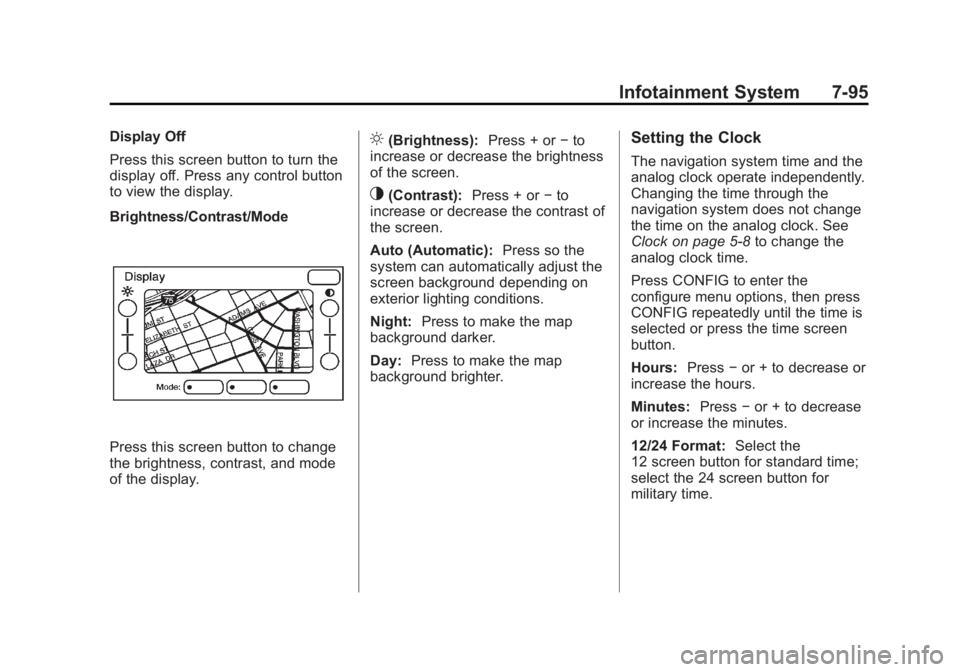
Brightness/Contrast/Mode
Press this screen button to change
the brightness, contrast, and mode
of the display. ] (Brightness): Press + or − to
increase or decrease the brightness
of the screen.
_ (Contrast): Press + or − to
increase or decrease the contrast of
the screen.
Auto (Automatic): Press so the
system can automatically adjust the
screen background depending on
exterior lighting conditions.
Night: Press to make the map
background darker.
Day: Press to make the map
background brighter. Setting the Clock The navigation system time and the
analog clock operate independently.
Changing the time through the
navigation system does not change
the time on the analog clock. See
Clock on page 5 ‑ 8 to change the
analog clock time.
Press CONFIG to enter the
configure menu options, then press
CONFIG repeatedly until the time is
selected or press the time screen
button.
Hours: Press − or + to decrease or
increase the hours.
Minutes: Press − or + to decrease
or increase the minutes.
12/24 Format: Select the
12 screen button for standard time;
select the 24 screen button for
military time.
Page 314 of 548

Black plate (2,1)Cadillac Escalade/Escalade ESV Owner Manual - 2011
8-2 Climate Controls Off: Press the driver side
temperature knob to turn the climate
control system off. Outside air still
enters the vehicle, and is directed
to the floor. This direction can be
changed by pressing the mode
button. The temperature can also be
adjusted using either temperature
knob. Press the up or down arrows
on the fan switch, the defrost button,
the AUTO button, driver side
temperature knob, or the air
conditioning button to turn the
system on when it is off. Driver and Passenger Side
Temperature Knob
The driver and passenger side
temperature knobs are used to
adjust the temperature of the air
coming through the system on the
driver or passenger side of the
vehicle. The temperature can be
adjusted even if the system is
turned off. This is possible since
outside air always flows through
the system as the vehicle is
moving forward unless it is set
to recirculation mode. See
“ Recirculation ” later in this section. Turn the knob clockwise or
counterclockwise to increase or
decrease the cabin temperature.
The display will show the
temperature setting increasing
or decreasing.
Set the passenger temperature
setting to match the driver
temperature setting by pressing
the passenger temperature knob.
When in defrost mode the
passenger temperature setting
cannot be changed.
Page 325 of 548
Black plate (5,1)Cadillac Escalade/Escalade ESV Owner Manual - 2011
Driving and Operating 9-5
Steering Power Steering If the vehicle is a hybrid, see
the hybrid supplement for more
information.
If power steering assist is lost
because the engine stops or the
power steering system is not
functioning, the vehicle can be
steered but it will take more effort.
Steering Tips It is important to take curves at a
reasonable speed.
Traction in a curve depends on the
condition of the tires and the road
surface, the angle at which the
curve is banked, and vehicle speed.
While in a curve, speed is the one
factor that can be controlled.
If there is a need to reduce speed,
do it before entering the curve, while
the front wheels are straight. Try to adjust the speed so you can
drive through the curve. Maintain a
reasonable, steady speed. Wait to
accelerate until out of the curve, and
then accelerate gently into the
straightaway.
Steering in Emergencies There are times when steering can
be more effective than braking. For
example, you come over a hill and
find a truck stopped in your lane,
or a car suddenly pulls out from
nowhere, or a child darts out from
between parked cars and stops right
in front of you. These problems can
be avoided by braking — if you can
stop in time. But sometimes you
cannot stop in time because there
is no room. That is the time for
evasive action — steering around
the problem.
The vehicle can perform very well
in emergencies like these. First,
apply the brakes. See Braking on
page 9 ‑ 4 . It is better to remove as
much speed as possible from a collision. Then steer around
the problem, to the left or right
depending on the space available.
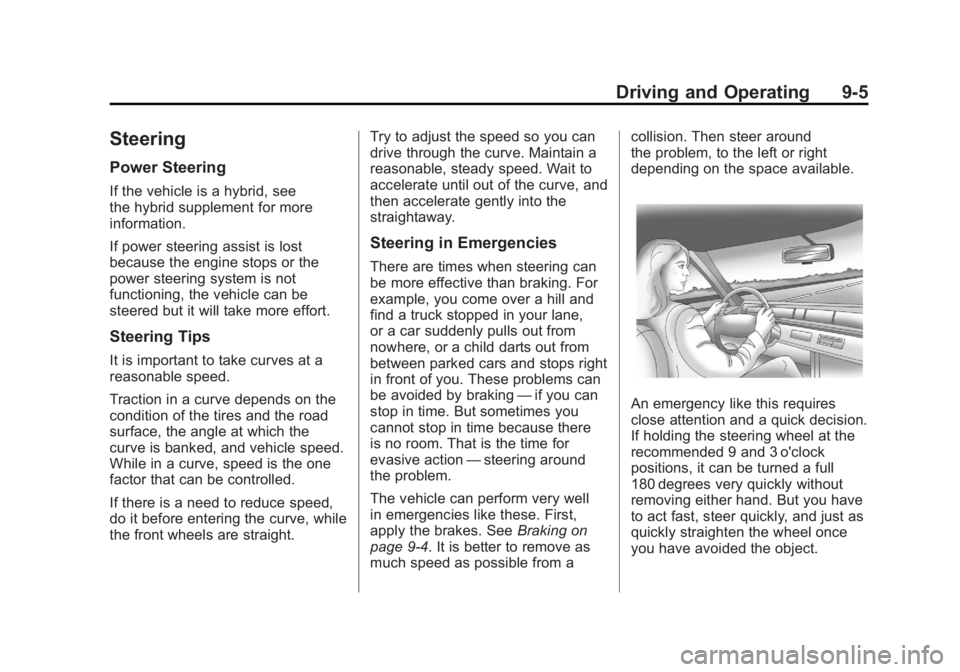
An emergency like this requires
close attention and a quick decision.
If holding the steering wheel at the
recommended 9 and 3 o'clock
positions, it can be turned a full
180 degrees very quickly without
removing either hand. But you have
to act fast, steer quickly, and just as
quickly straighten the wheel once
you have avoided the object.
Page 334 of 548

Black plate (14,1)Cadillac Escalade/Escalade ESV Owner Manual - 2011
9-14 Driving and Operating .
If the engine has stopped
running, you need to restart it.
With the brake pedal pressed
and the parking brake still
applied, shift the transmission to
P (Park) and restart the engine.
Then, shift to R (Reverse),
release the parking brake,
and slowly back down the
hill as straight as possible in
R (Reverse). .
While backing down the hill, put
your left hand on the steering
wheel at the 12 o'clock position
so you can tell if the wheels are
straight and can maneuver as
you back down. It is best to back
down the hill with the wheels
straight rather than in the left or
right direction. Turning the wheel
too far to the left or right will
increase the possibility of a
rollover. Things not to do if the vehicle stalls,
or is about to stall, when going up
a hill: .
Never attempt to prevent a stall
by shifting into N (Neutral) to
rev-up the engine and regain
forward momentum. This will
not work. The vehicle can roll
backward very quickly and could
go out of control. .
Never try to turn around if about
to stall when going up a hill.
If the hill is steep enough to
stall the vehicle, it is steep
enough to cause it to roll over.
If you cannot make it up the hill,
back straight down the hill.
If, after stalling, you try to back
down the hill and decide you just
cannot do it, set the parking brake,
put your transmission in P (Park),
and turn off the engine. Leave the
vehicle and go get some help. Exit
on the uphill side and stay clear of
the path the vehicle would take if it
rolled downhill. Driving Downhill When off-roading takes you
downhill, consider: .
How steep is the downhill?
Will I be able to maintain
vehicle control? .
What is the surface like?
Smooth? Rough? Slippery?
Hard-packed dirt? Gravel? .
Are there hidden surface
obstacles? Ruts? Logs?
Boulders? .
What is at the bottom of the hill?
Is there a hidden creek bank or
even a river bottom with large
rocks?
Page 388 of 548
Black plate (68,1)Cadillac Escalade/Escalade ESV Owner Manual - 2011
9-68 Driving and Operating
Filling the Tank
{ WARNINGFuel vapor burns violently and a
fuel fire can cause bad injuries.
To help avoid injuries to you and
others, read and follow all the
instructions on the fuel pump
island. Turn off the engine when
refueling. Do not smoke near fuel
or when refueling the vehicle. Do
not use cellular phones. Keep
sparks, flames, and smoking
materials away from fuel. Do not
leave the fuel pump unattended
when refueling the vehicle. This is
against the law in some places.
Do not re-enter the vehicle while
pumping fuel. Keep children away
from the fuel pump; never let
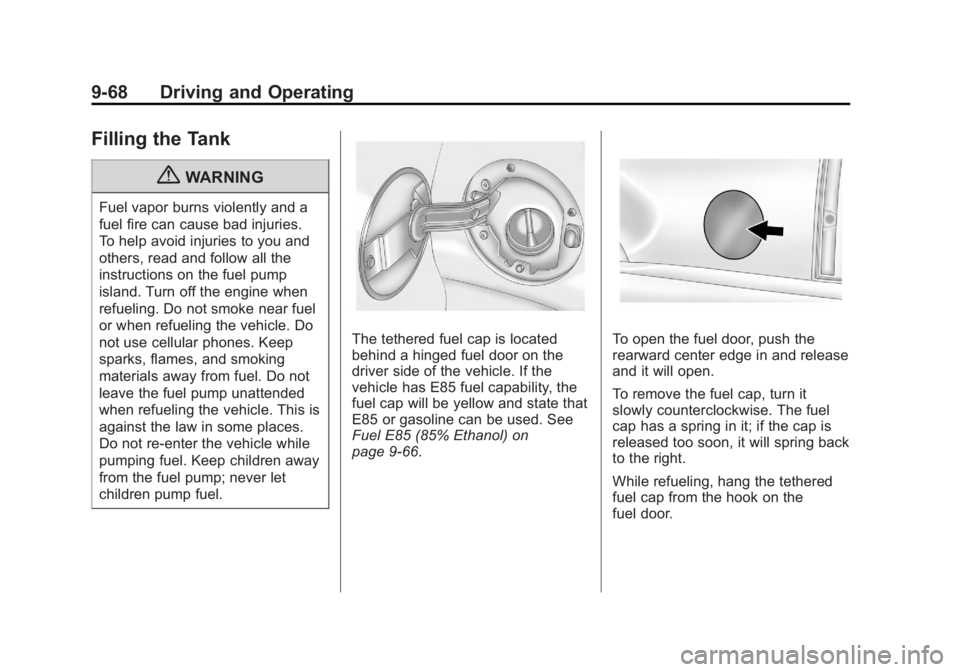
children pump fuel. The tethered fuel cap is located
behind a hinged fuel door on the
driver side of the vehicle. If the
vehicle has E85 fuel capability, the
fuel cap will be yellow and state that
E85 or gasoline can be used. See
Fuel E85 (85% Ethanol) on
page 9 ‑ 66 . To open the fuel door, push the
rearward center edge in and release
and it will open.
To remove the fuel cap, turn it
slowly counterclockwise. The fuel
cap has a spring in it; if the cap is
released too soon, it will spring back
to the right.
While refueling, hang the tethered
fuel cap from the hook on the
fuel door.
Page 389 of 548

Black plate (69,1)Cadillac Escalade/Escalade ESV Owner Manual - 2011
Driving and Operating 9-69
{ WARNINGFuel can spray out on you if you
open the fuel cap too quickly.
If you spill fuel and then
something ignites it, you could
be badly burned. This spray can
happen if the tank is nearly full,
and is more likely in hot weather.
Open the fuel cap slowly and wait
for any hiss noise to stop. Then
unscrew the cap all the way.
Be careful not to spill fuel. Do not
top off or overfill the tank and wait a
few seconds after you have finished
pumping before removing the
nozzle. Clean fuel from painted
surfaces as soon as possible. See
Exterior Care on page 10 ‑ 90 . When replacing the fuel cap,
insert the tether in its hole before
tightening the cap. Turn the fuel cap
clockwise until it clicks. It will require
more effort to turn the fuel cap on
the last turn as you tighten it. Make
sure the cap is fully installed. The
diagnostic system can determine if
the fuel cap has been left off or
improperly installed. This would
allow fuel to evaporate into the
atmosphere. See Malfunction
Indicator Lamp on page 5 ‑ 18 .
If the vehicle has a Driver
Information Center (DIC), the
TIGHTEN GAS CAP message
displays if the fuel cap is not
properly installed. { WARNINGIf a fire starts while you are
refueling, do not remove the
nozzle. Shut off the flow of fuel
by shutting off the pump or by
notifying the station attendant.
Leave the area immediately.
Notice: If you need a new fuel
cap, be sure to get the right type.
Your dealer can get one for you.
If you get the wrong type, it may
not fit properly. This may cause
the malfunction indicator lamp to
light and may damage the fuel
tank and emissions system. See
Malfunction Indicator Lamp on
page 5 ‑ 18 .
Page 399 of 548
Black plate (79,1)Cadillac Escalade/Escalade ESV Owner Manual - 2011
Driving and Operating 9-79Weight ‐ Distributing Hitch
Adjustment
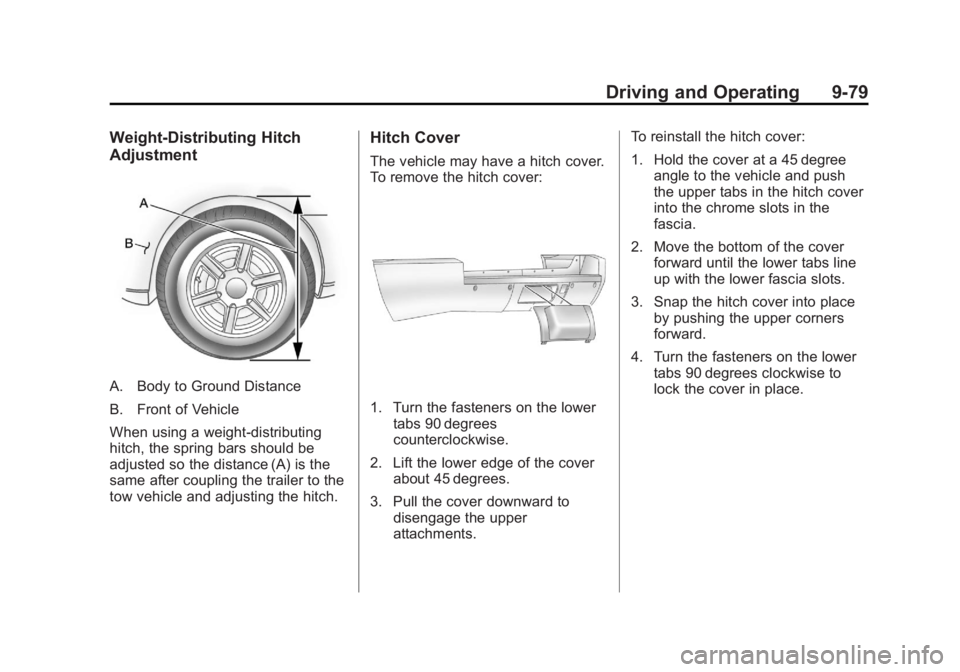
A. Body to Ground Distance
B. Front of Vehicle
When using a weight-distributing
hitch, the spring bars should be
adjusted so the distance (A) is the
same after coupling the trailer to the
tow vehicle and adjusting the hitch. Hitch Cover The vehicle may have a hitch cover.
To remove the hitch cover:
1. Turn the fasteners on the lower
tabs 90 degrees
counterclockwise.
2. Lift the lower edge of the cover
about 45 degrees.
3. Pull the cover downward to
disengage the upper
attachments. To reinstall the hitch cover:
1. Hold the cover at a 45 degree
angle to the vehicle and push
the upper tabs in the hitch cover
into the chrome slots in the
fascia.
2. Move the bottom of the cover
forward until the lower tabs line
up with the lower fascia slots.
3. Snap the hitch cover into place
by pushing the upper corners
forward.
4. Turn the fasteners on the lower
tabs 90 degrees clockwise to
lock the cover in place.
Page 421 of 548
Black plate (19,1)Cadillac Escalade/Escalade ESV Owner Manual - 2011
Vehicle Care 10-19
{ WARNINGSteam and scalding liquids from a
hot cooling system can blow out
and burn you badly. They are
under pressure, and if you
turn the surge tank pressure
cap — even a little — they can
come out at high speed. Never
turn the cap when the cooling
system, including the surge tank
pressure cap, is hot. Wait for the
cooling system and surge tank
pressure cap to cool if you ever
have to turn the pressure cap. If no coolant is visible in the surge
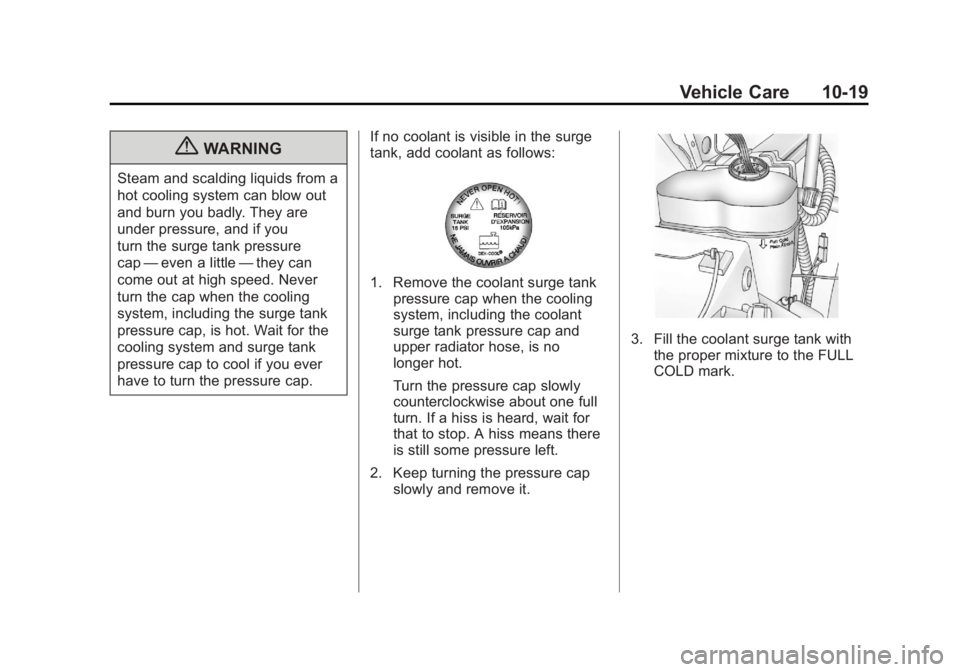
tank, add coolant as follows:
1. Remove the coolant surge tank
pressure cap when the cooling
system, including the coolant
surge tank pressure cap and
upper radiator hose, is no
longer hot.
Turn the pressure cap slowly
counterclockwise about one full
turn. If a hiss is heard, wait for
that to stop. A hiss means there
is still some pressure left.
2. Keep turning the pressure cap
slowly and remove it. 3. Fill the coolant surge tank with
the proper mixture to the FULL
COLD mark.
Page 437 of 548

Black plate (35,1)Cadillac Escalade/Escalade ESV Owner Manual - 2011
Vehicle Care 10-353. Record the distance from the
ground to the center of the
projector lens of the low ‐ beam
headlamp.
4. At a wall, measure from the
ground upward (A) to the
recorded distance from
Step 3 and mark it.
5. Draw or tape a horizontal line (B)
on the wall the width of the
vehicle at the height of the mark
in Step 4.
Notice: Do not cover a headlamp
to improve beam cut-off when
aiming. Covering a headlamp may
cause excessive heat build-up
which may cause damage to the
headlamp. 6. Turn on the low-beam
headlamps and place a piece
of cardboard or equivalent in
front of the headlamp not being
adjusted. This allows only the
beam of light from the headlamp
being adjusted to be seen on the
flat surface.
7. Locate the vertical headlamp
aiming screws, which are under
the hood near each headlamp
assembly. 8. Turn the vertical aiming screw
until the headlamp beam is
aimed to the horizontal tape
line. Turn it clockwise or
counterclockwise to raise or
lower the angle of the beam.
9. Make sure that the light from
the headlamp is positioned
at the bottom edge of the
horizontal tape line. The lamp
on the left (A) shows the correct
headlamp aim. The lamp on the
right (B) shows the incorrect
headlamp aim.
10. Repeat Steps 7 through 9 for
the opposite headlamp.