manual radio set CADILLAC ESCALADE ESV 2011 Owners Manual
[x] Cancel search | Manufacturer: CADILLAC, Model Year: 2011, Model line: ESCALADE ESV, Model: CADILLAC ESCALADE ESV 2011Pages: 548, PDF Size: 8.45 MB
Page 23 of 548

Black plate (17,1)Cadillac Escalade/Escalade ESV Owner Manual - 2011
In Brief 1-17
Bluetooth ®
For vehicles with a Bluetooth
system, it allows users with a
Bluetooth ‐ enabled cell phone to
make and receive hands-free calls
using the vehicle ’ s audio system
and controls.
The Bluetooth ‐ enabled cell phone
must be paired with the Bluetooth
system before it can be used in the
vehicle. Not all phones will support
all functions. For more information,
visit www.gm.com/bluetooth.
For more information, see Bluetooth
on page 7 ‑ 103 . Steering Wheel Controls
If available, some audio controls
can be adjusted at the steering
wheel.
w /
c x : Press to select preset
or favorite radio stations, select
tracks on a CD/DVD, or to navigate
an iPod or USB device. b g : Press to silence the vehicle
speakers only. Press again to turn
the sound on. Press and hold longer
than two seconds to interact with
OnStar ®
or Bluetooth systems,
if equipped.
+
e −
e : Press to increase or
decrease volume.
c x : Press to reject an
incoming call, or to end a call.
SRCE: Press to switch between
the radio and CD, and for equipped
vehicles, the DVD, front auxiliary,
and rear auxiliary.
¨ : Press to seek the next radio
station, the next track or chapter
while sourced to the CD or DVD
slot, or to select tracks and folders
on an iPod or USB device.
For more information, see Steering
Wheel Controls on page 5 ‑ 3 .
Page 46 of 548
Black plate (14,1)Cadillac Escalade/Escalade ESV Owner Manual - 2011
2-14 Keys, Doors and Windows Your vehicle's headlamps will flash
and the horn will sound for about
30 seconds, then will turn off to save
the battery power.
The theft-deterrent system will not
activate if the doors are locked with
the vehicle's key or the manual door
lock. It activates only if you use the
power door lock switch with the door
open or the RKE transmitter. You
should also remember that you can
start your vehicle with the correct
ignition key if the alarm has been
set off.
To avoid setting off the alarm by
accident: .
If you do not want to activate
the theft-deterrent system, the
vehicle should be locked with
the door key after the doors are
closed. .
Always unlock the doors with
the RKE transmitter. Unlocking a
door any other way will set off
the alarm if it is armed. If you set off the alarm by accident,
press unlock on the RKE transmitter
or place the key in the ignition and
turn it to START to turn off the
alarm. The alarm will not stop if you
try to unlock a door any other way.
Testing the Alarm To test the alarm:
1. From inside the vehicle, lower
the driver window and open the
driver door.
2. Activate the system by locking
the doors with the power door
lock switch while the door is
open, or with the RKE
transmitter.
3. Get out of the vehicle, close the
door and wait for the security
light to go out.
4. Then reach in through the
window, unlock the door with
the manual door lock and open
the door. This should set off the
alarm. While the alarm is set, the power
door unlock switch will not work.
If the alarm does not sound when
it should but the headlamps flash,
check to see if the horn works. The
horn fuse may be blown. To replace
the fuse, see Fuses and Circuit
Breakers on page 10 ‑ 39 .
If the alarm does not sound or the
headlamps do not flash, the vehicle
should be serviced by your dealer.
Immobilizer See Radio Frequency Statement on
page 13 ‑ 19 for information
regarding Part 15 of the Federal
Communications Commission (FCC)
rules and Industry Canada
Standards RSS-210/220/310.
Page 137 of 548

Black plate (3,1)Cadillac Escalade/Escalade ESV Owner Manual - 2011
Instruments and Controls 5-3
Steering Wheel Controls
If equipped, some audio controls
can be adjusted at the steering
wheel.
w /
c x (Next/Previous): Press
to select preset or favorite radio
stations, select tracks on a CD/
DVD, or navigate an iPod or USB
device. Radio
To select preset or favorite radio
stations:
Press and release
w or
c x to
go to the next or previous radio
station stored as a preset or
favorite.
CD/DVD
To select tracks on a CD/DVD:
Press and release
w or
c x to
go to the next or previous track.
Selecting Tracks on an iPod or
USB Device (Vehicles without a
Navigation System)
1. Press and hold
w or
c xwhile listening to a song until the
contents of the current folder
display on the radio display.
2. Press and release
w or
c xto scroll up or down the list, then
press and hold
w , or press
¨ to
play the highlighted track. Navigating Folders on an iPod or
USB Device (Vehicles without a
Navigation System):
1. Press and hold
w or
c x while listening to a song until the
contents of the current folder
display on the radio display.
2. Press and hold
c x to go
back to the previous folder list.
3. Press and release
w or
c x to scroll up or down the list. .
To select a folder, press
and hold
w , or press
¨ when the folder is
highlighted. .
To go back further in
the folder list, press
and hold
c x .
Page 184 of 548
Black plate (50,1)Cadillac Escalade/Escalade ESV Owner Manual - 2011
5-50 Instruments and Controls Exiting the Feature
Settings Menu The feature settings menu will be
exited when any of the following
occurs: .
The vehicle is no longer in
ON/RUN. .
The trip/fuel or vehicle
information DIC buttons are
pressed. .
The end of the feature settings
menu is reached and exited. .
A 40 second time period has
elapsed with no selection made. Universal Remote
System See Radio Frequency Statement on
page 13 ‑ 19 for information
regarding Part 15 of the Federal
Communications Commission (FCC)
rules and Industry Canada
Standards RSS-210/220/310.
Universal Remote System
Programming
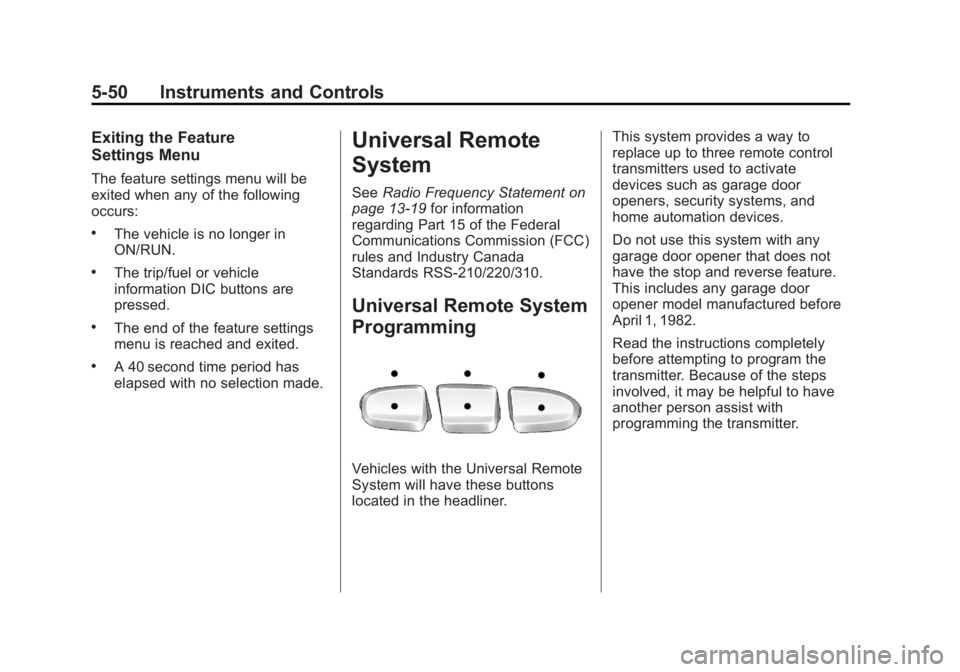
Vehicles with the Universal Remote
System will have these buttons
located in the headliner. This system provides a way to
replace up to three remote control
transmitters used to activate
devices such as garage door
openers, security systems, and
home automation devices.
Do not use this system with any
garage door opener that does not
have the stop and reverse feature.
This includes any garage door
opener model manufactured before
April 1, 1982.
Read the instructions completely
before attempting to program the
transmitter. Because of the steps
involved, it may be helpful to have
another person assist with
programming the transmitter.
Page 205 of 548
Black plate (3,1)Cadillac Escalade/Escalade ESV Owner Manual - 2011
Infotainment System 7-3Use the navigation system to: .
Plan a route. .
Select a destination using
various methods and choices. .
Follow turn-by-turn route and
map guidance with voice
prompts, only if permitted by
traffic laws, controls, and
conditions.
Always be alert and obey traffic
and roadway laws and instructions,
regardless of the guidance from
the navigation system. Because
the navigation system uses street
map information that does not
include all traffic restrictions or
the latest road changes, it may
suggest using a road that is now
closed for construction or a turn
that is prohibited by signs at the
intersection. Because the system
uses limited information, you must
always evaluate whether following
the system's directions is safe and
legal for the current conditions. Theft-Deterrent Feature TheftLock ®
is designed to
discourage theft of the vehicle's
radio by learning a portion of the
Vehicle Identification Number (VIN).
The radio does not operate if it is
stolen or moved to a different
vehicle.
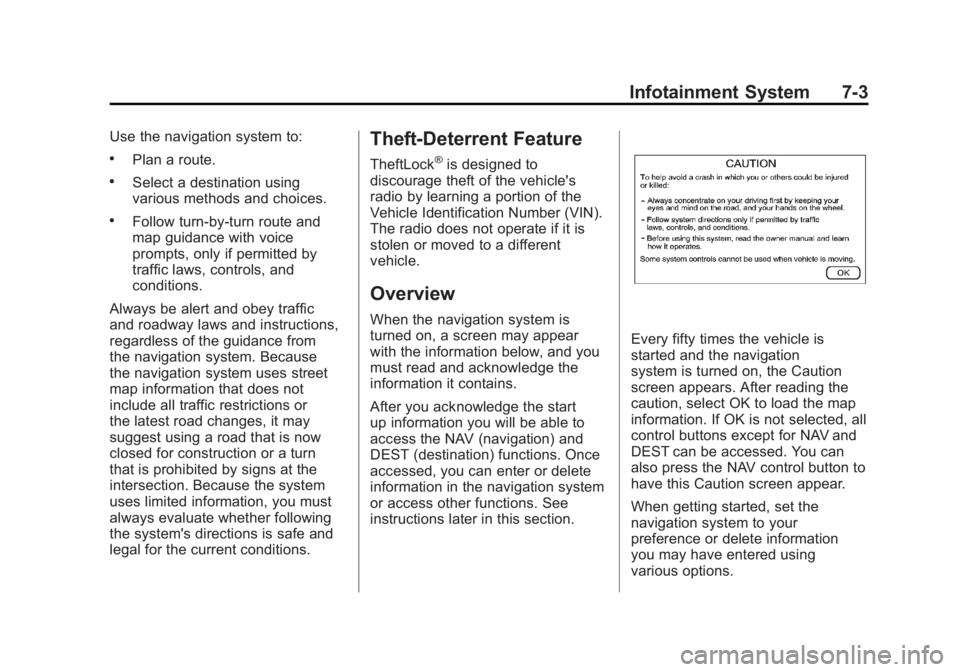
Overview When the navigation system is
turned on, a screen may appear
with the information below, and you
must read and acknowledge the
information it contains.
After you acknowledge the start
up information you will be able to
access the NAV (navigation) and
DEST (destination) functions. Once
accessed, you can enter or delete
information in the navigation system
or access other functions. See
instructions later in this section. Every fifty times the vehicle is
started and the navigation
system is turned on, the Caution
screen appears. After reading the
caution, select OK to load the map
information. If OK is not selected, all
control buttons except for NAV and
DEST can be accessed. You can
also press the NAV control button to
have this Caution screen appear.
When getting started, set the
navigation system to your
preference or delete information
you may have entered using
various options.
Page 207 of 548

Black plate (5,1)Cadillac Escalade/Escalade ESV Owner Manual - 2011
Infotainment System 7-5M. Auxiliary Jack
N.
y © ¨ z (Seek) Key
(Previous/Next)
O.
w (Tune) Knob
P.
y z (Scan Up/Down)
Q. AUDIO
R. FAV (Favorite)
S.
5 (Phone)
T.
e (Sound)
U. CONFIG (Configure)
V. DEST (Destination)
W. RPT (Repeat)
X. NAV (Navigation) Language — English/MetricTo change the language of the
navigation screens or to change
the navigation screens from English
or metric, see Driver Information
Center (DIC) on page 5 ‑ 26 for
more information.
Deleting Personal Information This navigation system can record
and store personal information
such as names and addresses.
Delete this information when
selling your vehicle or returning a
leased vehicle. See “ Edit Address
Book — Edit/View ” under Configure
Menu on page 7 ‑ 83 for deleting
information from the address book. Limit Features While Driving The navigation system may have
this feature.
Touch the Limit Features While
Driving screen button to turn the
ability to limit functions on and off
while driving. When this screen
button is highlighted, the following
functions are limited while driving: .
Music Navigator Scrolling .
Radio Category Scrolling .
Navigation Menu Scrolling and
some functions
See “ Category ” under AM-FM Radio
on page 7 ‑ 10 for more information.
See “ From Map ” under Destination
on page 7 ‑ 69 for more information.
Some functions will remain limited
regardless of the setting.
Page 208 of 548

Black plate (6,1)Cadillac Escalade/Escalade ESV Owner Manual - 2011
7-6 Infotainment System Storing Radio Station Presets To set preset radio stations, do the
following:
1. Press
O to turn the system on.
2. Press AUDIO and select the
desired band (AM, FM, or XM
(if equipped)).
3. Use the
w (tuning) knob or
the SEEK arrows to tune to the
desired station.
4. Press and hold one of the five
preset screen buttons, at the
bottom of the screen, until a
beep is heard.
5. Repeat the steps for each
preset.
See “ Storing Radio Station Presets ”
under AM-FM Radio on page 7 ‑ 10
for more information. Setting the Clock The navigation system time and the
analog clock operate independently.
Changing the time through the
navigation system does not change
the time on the analog clock. See
Clock on page 5 ‑ 8 to change the
analog clock time.
To set the time for the navigation
system:
1. Press CONFIG to enter the
configure menu options, then
press CONFIG again, repeatedly
until the time is selected or touch
the time screen button.
2. Press the Hours and
Minutes − and + to decrease
or to increase the time.
See “ Setting the Clock ” under
Configure Menu on page 7 ‑ 83 for
more information. Entering an Address and Point
of Interest, and Storing Preset
Destinations Entering an Address
Enter a destination by inputting the
city name first:
1. Press
O to turn the system on.
2. A caution may appear. Press OK
to proceed.
3. Press DEST.
4. Press
2 (Address Entry).
5. Select the state/province screen
button, if needed, to change the
current state or province. A list
of all of the available states and
provinces appear. Select the
state or province.
Page 214 of 548
Black plate (12,1)Cadillac Escalade/Escalade ESV Owner Manual - 2011
7-12 Infotainment System XM (if equipped) lists also contain a
category to select and the stations
or channels that have broadcasts
that relate to that category. For XM
(if equipped), press the left and right
arrow screen buttons to change
categories. The station information
appears on the display. See “ Radio
Menu ” in this section to add and
remove XM categories from the
category list. Removed categories
do not appear on the category list
screen or when the right and left
arrow category screen buttons
are used.
FM lists may also contain a
category to select if stations in
the broadcast area support Radio
Data Systems (RDS). 2 Refresh List: Press to refresh
the list of AM or FM stations.
When viewing a map screen, the
name of the station or channel
displays.
y © ¨ z (Seek):
1. To seek stations, press the up or
down arrows to go to the next or
previous station.
2. To scan stations, press and
hold either arrow for more than
two seconds. The radio goes
to a station, plays for a few
seconds, then goes to the next
station.
3. To stop scanning, press either
arrow again. Storing Radio Station Presets This feature stores a mix of up to
30 AM, FM, and XM (if equipped)
preset stations. To store presets:
1. Press
O to turn the system on.
2. If viewing a map screen, press
AUDIO, FAV or press the source
screen button.
3. Select the band.
4. Seek, scan, or tune to the
desired station, to select the
station.
5. Press and hold one of the preset
screen buttons for more than
two seconds or until a beep is
heard.
6. Repeat the steps for each
preset.
Page 216 of 548
Black plate (14,1)Cadillac Escalade/Escalade ESV Owner Manual - 2011
7-14 Infotainment System Driver: Adjusts the audio to give
the driver the best possible sound
quality.
Rear: Adjusts the audio to give
the rear seat occupants the best
possible sound quality.
2 CH. (Channel): Enhances
surround sound.
5.1 CH. (Channel): Gives a full
affect of surround sound listening.
This button is only available when
playing DVD video discs that
support 5.1 audio and if the RSA
is off. Radio Menu
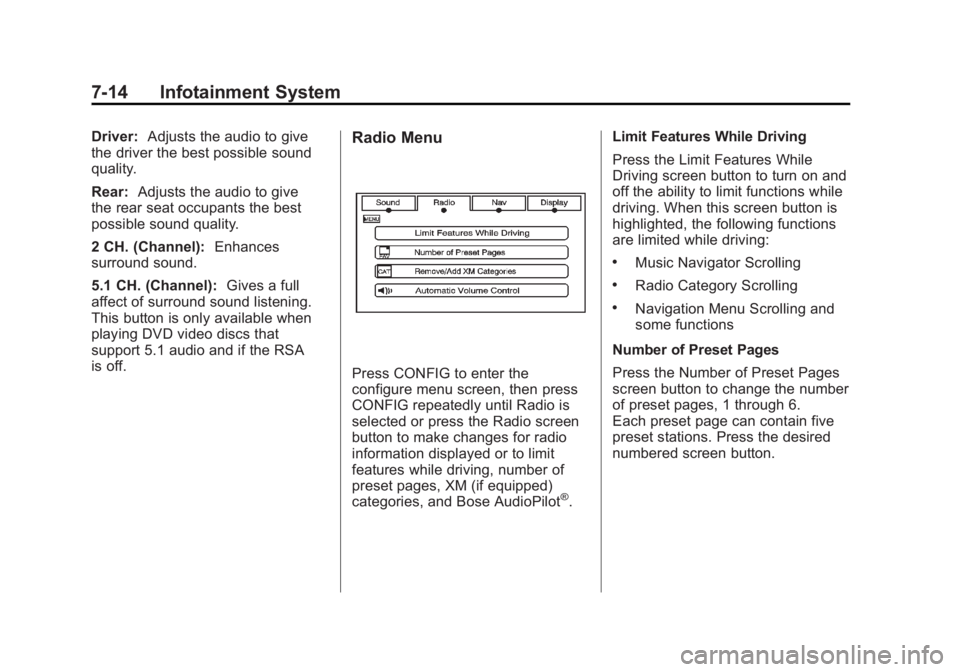
Press CONFIG to enter the
configure menu screen, then press
CONFIG repeatedly until Radio is
selected or press the Radio screen
button to make changes for radio
information displayed or to limit
features while driving, number of
preset pages, XM (if equipped)
categories, and Bose AudioPilot ®
. Limit Features While Driving
Press the Limit Features While
Driving screen button to turn on and
off the ability to limit functions while
driving. When this screen button is
highlighted, the following functions
are limited while driving: .
Music Navigator Scrolling .
Radio Category Scrolling .
Navigation Menu Scrolling and
some functions
Number of Preset Pages
Press the Number of Preset Pages
screen button to change the number
of preset pages, 1 through 6.
Each preset page can contain five
preset stations. Press the desired
numbered screen button.
Page 217 of 548
Black plate (15,1)Cadillac Escalade/Escalade ESV Owner Manual - 2011
Infotainment System 7-15Bose AudioPilot
AudioPilot: The Bose AudioPilot
noise compensation technology.
To use AudioPilot ®
:
1. Press CONFIG to enter the
menu screen, then press
CONFIG repeatedly until Radio
is selected or press the Radio
screen button
2. Press Automatic Volume Control
to access the AudioPilot menu.
3. Press ON.
To turn it off, press OFF. When on,
AudioPilot continuously adjusts
the audio system equalization,
to compensate for background
noise, so that the music sound is
consistent at the set volume level.
This feature is most effective
at lower volume settings where
background noise can affect how
well the music being played is heard
through the vehicle's audio system. At higher volume settings, where
the music is much louder than
the background noise, there may
be little or no adjustments by
AudioPilot. For more information on
AudioPilot, visit www.bose.com/
audiopilot.
Remove/Add XM Categories
(US and Canada)
Press the Remove/Add XM
Categories screen button to
remove or add XM categories
when selecting XM categories
from the category list screen.
The list of XM categories appear on
the screen. Use the arrow screen
buttons to scroll through the list. The
categories to remove are highlighted
and the categories to add are dark
in color. Press the category to be
added or removed. Press the
Restore All Categories screen
button to add all categories that
have been removed. Radio Data System (RDS) The audio system has a Radio Data
System (RDS). RDS features are
available for use only on FM
stations that broadcast RDS
information. With RDS, the radio
can do the following: .
Receive announcements
concerning local and national
emergencies .
Display messages from radio
stations
This system relies on receiving
specific information from these
stations and only works when the
information is available. In rare
cases, a radio station may
broadcast incorrect information that
causes the radio features to work
improperly. If this happens, contact
the radio station.
The RDS system is always on.
When information is broadcast from
the FM station that is playing, the
station name or call letters displays
on the audio screen.