service CADILLAC ESCALADE EXT 2004 2.G Owner's Manual
[x] Cancel search | Manufacturer: CADILLAC, Model Year: 2004, Model line: ESCALADE EXT, Model: CADILLAC ESCALADE EXT 2004 2.GPages: 478, PDF Size: 3.43 MB
Page 186 of 478

Malfunction Indicator Lamp
Check Engine Light
Your vehicle is equipped
with a computer which
monitors operation of the
fuel, ignition and emission
control systems.
This system is called OBD II (On-Board
Diagnostics-Second Generation) and is intended to
assure that emissions are at acceptable levels for the
life of the vehicle, helping to produce a cleaner
environment. The Check Engine light comes on to
indicate that there is a problem and service is required.
Malfunctions often will be indicated by the system
before any problem is apparent. This may prevent more
serious damage to your vehicle. This system is also
designed to assist your service technician in correctly
diagnosing any malfunction.
Notice:If you keep driving your vehicle with this
light on, after a while, your emission controls
may not work as well, your fuel economy may notbe as good and your engine may not run as
smoothly. This could lead to costly repairs that may
not be covered by your warranty.
Notice:Modi®cations made to the engine,
transmission, exhaust, intake or fuel system of your
vehicle or the replacement of the original tires
with other than those of the same Tire Performance
Criteria (TPC) can affect your vehicle's emission
controls and may cause this light to come on.
Modi®cations to these systems could lead to costly
repairs not covered by your warranty. This may
also result in a failure to pass a required Emission
Inspection/Maintenance test.
This light should come on, as a check to show you it is
working, when the ignition is on and the engine is
not running. If the light does not come on, have it
repaired. This light will also come on during a
malfunction in one of two ways:
·Light FlashingÐ A mis®re condition has been
detected. A mis®re increases vehicle emissions
and may damage the emission control system on
your vehicle. Diagnosis and service may be
required.
·Light On SteadyÐ An emission control system
malfunction has been detected on your vehicle.
Diagnosis and service may be required.
3-44
Page 187 of 478

If the Light is Flashing
The following may prevent more serious damage to
your vehicle:
·Reducing vehicle speed.
·Avoiding hard accelerations.
·Avoiding steep uphill grades.
·If you are towing a trailer, reduce the amount of
cargo being hauled as soon as it is possible.
If the light stops ¯ashing and remains on steady, see ªIf
the Light Is On Steadyº following.
If the light continues to ¯ash, when it is safe to do so,
stop the vehicle.Find a safe place to park your vehicle.
Turn the key off, wait at least 10 seconds and restart
the engine. If the light remains on steady, see ªIf
the Light Is On Steadyº following. If the light is still
¯ashing, follow the previous steps, and see your dealer
for service as soon as possible.
If the Light Is On Steady
You may be able to correct the emission system
malfunction by considering the following:
Did you recently put fuel into your vehicle?
If so, reinstall the fuel cap, making sure to fully install
the cap. See
Filling Your Tank on page 5-6. The
diagnostic system can determine if the fuel cap hasbeen left off or improperly installed. A loose or missing
fuel cap will allow fuel to evaporate into the atmosphere.
A few driving trips with the cap properly installed
should turn the light off.
Did you just drive through a deep puddle of water?
If so, your electrical system may be wet. The condition
will usually be corrected when the electrical system
dries out. A few driving trips should turn the light off.
Have you recently changed brands of fuel?
If so, be sure to fuel your vehicle with quality fuel. See
Gasoline Octane on page 5-4. Poor fuel quality will
cause your engine not to run as efficiently as designed.
You may notice this as stalling after start-up, stalling
when you put the vehicle into gear, mis®ring, hesitation
on acceleration or stumbling on acceleration. (These
conditions may go away once the engine is warmed up.)
This will be detected by the system and cause the
light to turn on.
If you experience one or more of these conditions,
change the fuel brand you use. It will require at least
one full tank of the proper fuel to turn the light off.
If none of the above steps have made the light turn off,
your dealer can check the vehicle. Your dealer has
the proper test equipment and diagnostic tools to ®x any
mechanical or electrical problems that may have
developed.
3-45
Page 189 of 478
A reading in the low pressure zone may be caused by a
dangerously low oil level or some other problem
causing low oil pressure. Check your oil as soon as
possible. See
DIC Warnings and Messages on
page 3-60.
{CAUTION:
Do not keep driving if the oil pressure is low. If
you do, your engine can become so hot that it
catches ®re. You or others could be burned.
Check your oil as soon as possible and have
your vehicle serviced.
Notice:Lack of proper engine oil maintenance may
damage the engine. The repairs would not be
covered by your warranty. Always follow the
maintenance schedule in this manual for changing
engine oil.
Cruise Control Light
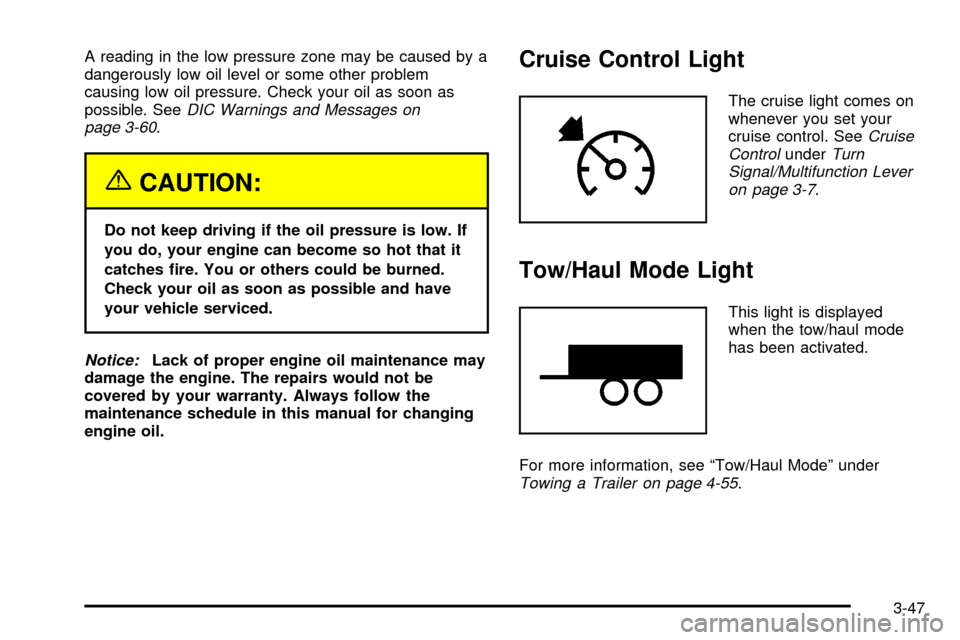
The cruise light comes on
whenever you set your
cruise control. See
Cruise
ControlunderTurn
Signal/Multifunction Lever
on page 3-7
.
Tow/Haul Mode Light
This light is displayed
when the tow/haul mode
has been activated.
For more information, see ªTow/Haul Modeº under
Towing a Trailer on page 4-55.
3-47
Page 191 of 478
Driver Information Center (DIC)
The DIC display is located on the instrument panel
cluster above the steering wheel. The DIC can display
information such as the trip odometer, fuel economy and
personalization features. Vehicles without the DIC
buttons will not have all the features as the regular DIC.
See
Speedometer and Odometer on page 3-35for
information on features for vehicles without a full DIC.
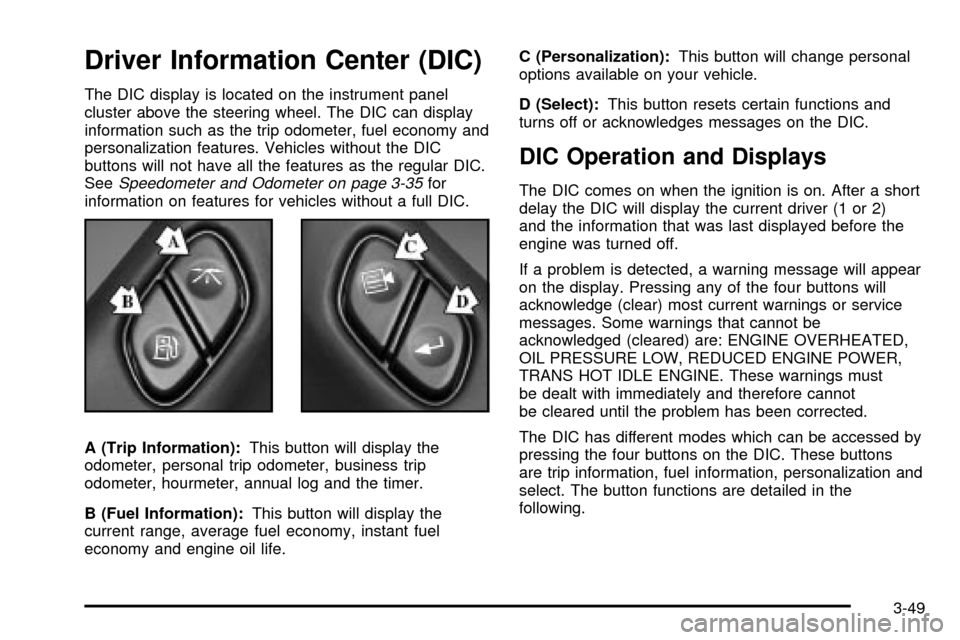
A (Trip Information):This button will display the
odometer, personal trip odometer, business trip
odometer, hourmeter, annual log and the timer.
B (Fuel Information):This button will display the
current range, average fuel economy, instant fuel
economy and engine oil life.C (Personalization):This button will change personal
options available on your vehicle.
D (Select):This button resets certain functions and
turns off or acknowledges messages on the DIC.
DIC Operation and Displays
The DIC comes on when the ignition is on. After a short
delay the DIC will display the current driver (1 or 2)
and the information that was last displayed before the
engine was turned off.
If a problem is detected, a warning message will appear
on the display. Pressing any of the four buttons will
acknowledge (clear) most current warnings or service
messages. Some warnings that cannot be
acknowledged (cleared) are: ENGINE OVERHEATED,
OIL PRESSURE LOW, REDUCED ENGINE POWER,
TRANS HOT IDLE ENGINE. These warnings must
be dealt with immediately and therefore cannot
be cleared until the problem has been corrected.
The DIC has different modes which can be accessed by
pressing the four buttons on the DIC. These buttons
are trip information, fuel information, personalization and
select. The button functions are detailed in the
following.
3-49
Page 202 of 478

DIC Warnings and Messages
Warning messages are displayed on the DIC to notify
the driver that the status of the vehicle has changed and
that some action may be needed by the driver to
correct the condition. If there is more than one message
that needs to be displayed they will appear one after
another. Some messages may not require immediate
action but you should press the select button to
acknowledge that you received the message and clear it
from the display. Some messages cannot be cleared
from the display because they are more urgent;
these messages require action before they can be
removed from the DIC display. The following are the
possible messages that can be displayed and some
information about them.
CHANGE ENGINE OIL
This message is displayed when the engine oil needs to
be changed. SeeGM Oil Life Systempreviously in
this section for information on how to reset the message.
This message will clear itself after 10 seconds until
the next ignition cycle.
OIL LIFE RESET
This message will appear on the display for about
10 seconds after resetting the change engine oil
message.
OIL PRESSURE LOW
If low oil pressure levels occur, this message will be
displayed on the DIC and a chime will sound. Stop the
vehicle as soon as safely possible and do not operate
it until the cause of the low oil pressure has been
corrected. Check your oil as soon as possible and have
your vehicle serviced.
CHECK OIL LEVEL
If the oil level in the vehicle is low, this message will
appear on the DIC. Check the oil level and correct it as
necessary. You may need to let the vehicle cool or
warm up and cycle the ignition to be sure this message
will clear. Once the problem is corrected, pressing
the select button will clear this message from the DIC
display. This message will clear itself after 10 seconds
until the next ignition cycle.
LOW COOLANT LEVEL
If your vehicle has a low coolant sensor and the engine
coolant level is low, this message will appear on the
DIC. Adding coolant will clear the message. This
message will clear itself after 10 seconds until the next
ignition cycle.
3-60
Page 203 of 478

ENGINE COOLANT HOT
If the cooling system temperature gets hot, this message
will appear in the DIC. Stop the vehicle and let the
engine idle in PARK (P) to allow the coolant to reach a
safe temperature. This message will clear when the
coolant temperature drops to a safe operating
temperature. Pressing the select button will clear it from
the DIC display.
ENGINE OVERHEATED
If the engine cooling system reaches unsafe
temperatures for operation, this message will appear in
the DIC and you will hear a chime. Stop and turn off
the vehicle as soon as it is safe to do so to avoid severe
damage. This message will clear when the engine
has cooled to a safe operating temperature.
REDUCED ENGINE POWER
This message is displayed and a chime will sound
when the cooling system temperature gets too hot
and the engine further enters the engine coolant
protection mode.
See
Engine Overheating on page 5-26Engine
Overheating for further information.
You may also see this message when the vehicle
determines a problem with the electronic throttle control.
See your dealer for service.
BATTERY NOT CHARGING
If the battery is not charging during operation, this
message will appear on the DIC. Driving with this
problem could drain your battery. Have the electrical
system checked as soon as possible. Pressing the
select button will clear it from the DIC display.
BATTERY NOT CHARGING
If the battery is not charging during operation, this
message will appear on the DIC. Driving with this
problem could drain your battery. Have the electrical
system checked as soon as possible. Pressing the
select button will clear it from the DIC display.
SERVICE AIR BAG
If there is a problem with the air bag system, this
message will be displayed on the DIC. Have a quali®ed
technician inspect the system for problems. Pressing
the select button will clear it from the DIC display.
3-61
Page 204 of 478

SERVICE BRAKE SYSTEM
If a problem occurs with the brake system, this message
will appear on the DIC. If this message appears, stop
as soon as possible and turn off the vehicle. Restart the
vehicle and check for the message on the DIC display.
If the message is still displayed, or appears again when
you begin driving, the brake system needs service.
Pressing the select button will clear it from the
DIC display.
SERVICE 4WD
If a problem occurs with the all±wheel drive system, this
message will appear on the DIC. If this message
appears, stop as soon as possible and turn off the
vehicle. Restart the vehicle and check for the message
on the DIC display. If the message is still displayed,
or appears again when you begin driving, the four wheel
drive system needs service. Pressing the select button
will clear it from the DIC display.
SERVICE RIDE CONTROL
If a problem occurs with the suspension system, this
message will appear on the DIC. If this message
appears, stop and turn off the vehicle. Restart the
vehicle and check for the message on the DIC display.
If the message is still displayed, or appears again
when you begin driving, the suspension system needs
service. Pressing the select button will clear it from
the DIC display.
TURN SIGNAL ON
If a turn signal is left on for 3/4 of a mile (1.2 km), this
message will appear on the display and you will hear a
chime. Move the turn signal/multifunction lever to the
off position. Pressing the select button will clear it from
the DIC display.
FUEL LEVEL LOW
If the fuel level is low, this message will appear on the
DIC and you will hear a chime. Refuel as soon as
possible. Pressing the select button will acknowledge
this message immediately and clear it from the DIC
display. It will also clear itself after 10 seconds until the
next ignition cycle. The low fuel light near the fuel
gage will still remain on in either case.
3-62
Page 208 of 478

STABILITY SYS ACTIVE
You may see the STABILITY SYS ACTIVE message on
the DIC. It means that an advanced computer-controlled
system has come on to help your vehicle continue to
go in the direction in which you're steering.
Stabilitrak
žactivates when the computer senses that
your vehicle is just starting to spin, as it might if you hit
a patch of ice or other slippery spot on the road.
When the system activates, you may hear a noise or
feel a vibration in the brake pedal. This is normal. When
the STABILITY SYS ACTIVE message is on, you
should continue to steer in the direction you want to go.
The system is designed to help you in bad weather
or other difficult driving situations by making the most of
whatever road conditions will permit.
SERVICE STABILITY
If you ever see the SERVICE STABILITY message, it
means there may be a problem with your
Stabilitrak
žsystem. If you see this message try to reset
the system (stop; turn off the engine; then start the
engine again). If the SERVICE STABILITY message still
comes on, it means there is a problem. You should
see your dealer for service. The vehicle is safe to drive,
however, you do not have the bene®t of Stabilitrak
ž,
so reduce your speed and drive accordingly.
STABILITY SYS DISABLED
The STABILITY SYS DISABLED message will turn on
when you press the Stabilitrakžbutton, or when the
stability control has been automatically disabled. To limit
wheel spin and realize the full bene®ts of the stability
enhancement system, you should normally leave
Stabilitrak
žon. However, you should turn Stabilitrakžoff
if your vehicle gets stuck in sand, mud, ice or snow
and you want to ªrockº your vehicle to attempt to free it,
or if you are driving in extreme off-road conditions
and require more wheel spin. See
If You Are Stuck: In
Sand, Mud, Ice or Snow on page 4-44If You Are
Stuck: In Sand, Mud, Ice or Snow. To turn the
Stabilitrak
žsystem back on press the Stabilitrakžbutton
again. There are four conditions that can cause this
message to appear. One condition is overheating, which
could occur if Stabilitrak
žactivates continuously for
an extended period of time. The message will also be
displayed if the brake system warning light is on.
See
Brake System Warning Light on page 3-39Brake
System Warning Light. The message could be displayed
if the stability system takes longer than usual to
complete its diagnostic checks due to driving conditions.
Also, if an engine or vehicle related problem has
been detected, and the vehicle needs service, the
message will appear.
The message will turn off as soon as the conditions that
caused the message to be displayed are no longer
present.
3-66
Page 209 of 478

CHECK TIRE PRESSURE
If a low tire pressure is detected in any of the vehicle's
tires, this message will appear on the DIC. Press
the select button to clear it from the DIC display. It will
appear at each ignition cycle until the tires are
in¯ated to the correct in¯ation pressure.
See
Tires on page 5-63for more information on tires
and the correct in¯ation pressures.
SERVICE TIRE MONITOR
This message will be displayed if any of the tire monitor
sensors have malfunctioned, or if the tire monitor
sensors have not been programmed, or if the
recommended tire pressures are not programmed.
Press the select button to clear it from the DIC display.
Audio System(s)
Notice:Before you add any sound equipment to
your vehicle ± like a tape player, CB radio, mobile
telephone or two-way radio ± be sure you can
add what you want. If you can, it's very important to
do it properly. Added sound equipment may
interfere with the operation of your vehicle's engine,
radio or other systems, and even damage them.
Your vehicle's systems may interfere with the
operation of sound equipment that has been added
improperly.
So, before adding sound equipment, check with
your dealer and be sure to check federal rules
covering mobile radio and telephone units.
Your audio system has been designed to operate easily
and to give years of listening pleasure. You will get
the most enjoyment out of it if you acquaint yourself with
it ®rst. Figure out which radio you have in your vehicle,
®nd out what your audio system can do and how to
operate all of its controls to be sure you're getting the
most out of the advanced engineering that went into it.
Your vehicle has a feature called Retained Accessory
Power (RAP). With RAP, you can play your audio
system even after the ignition is turned off. See
ªRetained Accessory Power (RAP)º under
Ignition
Positions on page 2-30.
3-67
Page 211 of 478

This system relies upon receiving speci®c information
from these stations and will only work when the
information is available. In rare cases, a radio station
may broadcast incorrect information that will cause
the radio features to work improperly. If this happens,
contact the radio station.
While you are tuned to an RDS station, the station
name or the call letters will appear on the display instead
of the frequency. RDS stations may also provide the
time of day, a program type (PTY) for current
programming, and the name of the program being
broadcast.
XMŸ Satellite Radio Service
(48 Contiguous US States)
XMŸ is a continental U.S. based satellite radio service
that offers 100 coast to coast channels including
music, news, sports, talk, and children's programming.
XMŸ provides digital quality audio and text information,
including song title and artist name. A service fee is
required in order to receive the XMŸ service. For more
information, contact XMŸ at www.xmradio.com or
call 1-800-852-XMXM (9696).
Playing the Radio
PWR (Power):Press this knob to turn the system on
and off.
VOL (Volume):Turn this knob to increase or to
decrease volume.
AUTO VOL (Automatic Volume):Your vehicle is
equipped with Bose AudioPilot noise compensation
technology. AudioPilot monitors the level of noise in the
vehicle and automatically increases and decreases
the level of the audio to keep your audio above
the noise.
To use this feature press the AUTO VOL button until
AVOL ON appears on the display. This feature
works best at lower volume settings where background
noise may be louder then the audio. At high volume
settings, where the audio is much louder then the
background noise, there will be no change in the audio
level. To turn automatic volume off, press this button
until AVOL OFF appears on the display.
3-69