CD changer CADILLAC ESCALADE EXT 2005 2.G Owners Manual
[x] Cancel search | Manufacturer: CADILLAC, Model Year: 2005, Model line: ESCALADE EXT, Model: CADILLAC ESCALADE EXT 2005 2.GPages: 460, PDF Size: 2.95 MB
Page 116 of 460
Storage Areas
Glove Box
Open the glove box by pulling the bottom of the handle
upward.
Cupholder(s)
Your vehicle is equipped with cupholders for the front
and rear passengers.
The cupholders are located in the center console for the
front passengers and on the rear of the center console
for the rear passengers.
To use the front cupholders, press down on the access
door and release. The door will then open. Push the
door back down to close it.
To use the rear cupholders, pull down on the door
located on the back of the console.
The front cupholder may be removed for cleaning by
pushing down and then back on the cupholder.
Instrument Panel Storage Area
Your vehicle may have a closed storage area on the
instrument panel above the compact disc changer. You
can open the storage area by pressing in the bottom
of the lid and the lid will automatically raise up.
Press down on the lid to close the storage area.
Center Console Storage Area
Your vehicle has a console compartment between the
bucket seats.
To open it, press the button on the side of the console
and swing the console lid open.
The console may be equipped with an accessory power
outlet inside. SeeAccessory Power Outlets on
page 3-22.
The rear of the console also has a cupholder that
swings down for the rear seat passengers to use.
2-50
Page 137 of 460
Instrument Panel Overview...............................3-4
Hazard Warning Flashers................................3-6
Other Warning Devices...................................3-6
Horn.............................................................3-6
Tilt Wheel.....................................................3-7
Turn Signal/Multifunction Lever.........................3-7
Turn and Lane-Change Signals........................3-8
Headlamp High/Low-Beam Changer..................3-9
Flash-to-Pass.................................................3-9
Windshield Wipers..........................................3-9
Windshield Washer.......................................3-10
Cruise Control..............................................3-10
Exterior Lamps.............................................3-13
Headlamps on Reminder................................3-14
Daytime Running Lamps (DRL).......................3-15
Automatic Headlamp System..........................3-15
Fog Lamps..................................................3-16
Exterior Cargo Lamps....................................3-17
Instrument Panel Brightness...........................3-17
Dome Lamps...............................................3-18
Entry/Exit Lighting.........................................3-18
Reading Lamps............................................3-18
Battery Run-Down Protection..........................3-19
Ultrasonic Rear Parking Assist (URPA)............3-19
Accessory Power Outlets...............................3-22
Ashtrays and Cigarette Lighter........................3-22
Analog Clock...............................................3-23Climate Controls............................................3-23
Dual Automatic Climate Control System...........3-23
Outlet Adjustment.........................................3-28
Warning Lights, Gages, and Indicators............3-29
Instrument Panel Cluster................................3-30
Speedometer and Odometer...........................3-31
Tachometer.................................................3-31
Safety Belt Reminder Light.............................3-31
Airbag Readiness Light..................................3-32
Passenger Airbag Status Indicator...................3-33
Charging System Light..................................3-34
Voltmeter Gage............................................3-35
Brake System Warning Light..........................3-35
Anti-Lock Brake System Warning Light.............3-37
Low Tire Pressure Warning Light....................3-37
Traction Off Light..........................................3-38
Engine Coolant Temperature Gage..................3-38
Transmission Temperature Gage.....................3-39
Malfunction Indicator Lamp.............................3-40
Oil Pressure Gage........................................3-42
Security Light...............................................3-43
Cruise Control Light......................................3-44
Highbeam On Light.......................................3-44
Tow/Haul Mode Light....................................3-44
Fuel Gage...................................................3-45
Low Fuel Warning Light.................................3-45
Section 3 Instrument Panel
3-1
Page 138 of 460
Driver Information Center (DIC).......................3-46
DIC Operation and Displays...........................3-47
DIC Warnings and Messages.........................3-50
DIC Vehicle Customization.............................3-60
Audio System(s).............................................3-66
Setting the Time...........................................3-66
Radio with Cassette and CD..........................3-67
Rear Seat Entertainment System....................3-80
Navigation/Radio System...............................3-90
Rear Seat Audio (RSA).................................3-91
CD Changer................................................3-92Theft-Deterrent Feature..................................3-95
Audio Steering Wheel Controls.......................3-96
Radio Reception...........................................3-97
Care of Your Cassette Tape Player.................3-97
Care of Your CDs and DVDs.........................3-98
Care of Your CD Player................................3-98
Care of Your CD and DVD Player...................3-99
Fixed Mast Antenna......................................3-99
XM™ Satellite Radio Antenna System.............3-99
Chime Level Adjustment................................3-99
Section 3 Instrument Panel
3-2
Page 141 of 460
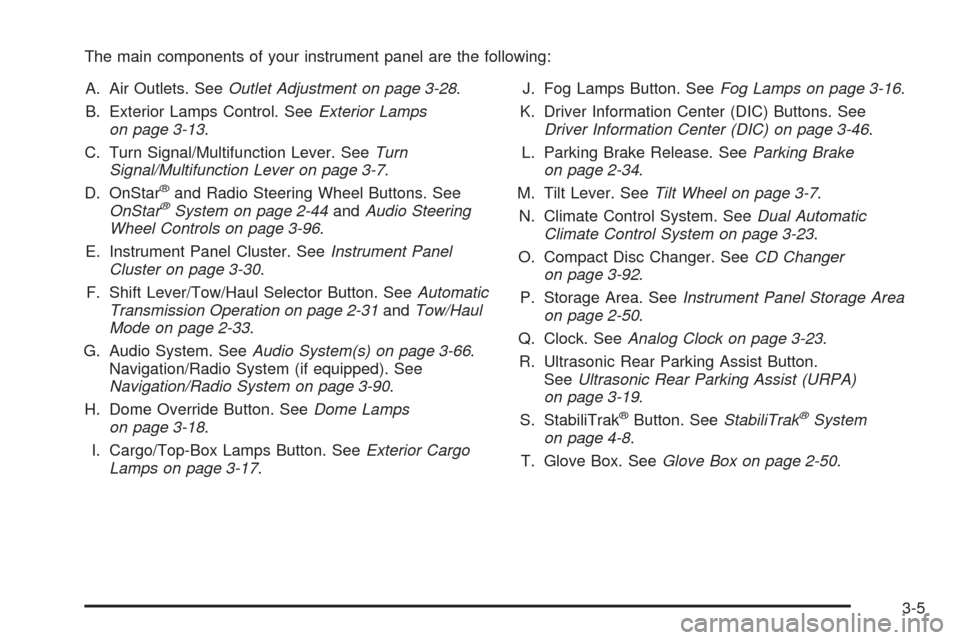
The main components of your instrument panel are the following:
A. Air Outlets. SeeOutlet Adjustment on page 3-28.
B. Exterior Lamps Control. SeeExterior Lamps
on page 3-13.
C. Turn Signal/Multifunction Lever. SeeTurn
Signal/Multifunction Lever on page 3-7.
D. OnStar
®and Radio Steering Wheel Buttons. See
OnStar®System on page 2-44andAudio Steering
Wheel Controls on page 3-96.
E. Instrument Panel Cluster. SeeInstrument Panel
Cluster on page 3-30.
F. Shift Lever/Tow/Haul Selector Button. SeeAutomatic
Transmission Operation on page 2-31andTow/Haul
Mode on page 2-33.
G. Audio System. SeeAudio System(s) on page 3-66.
Navigation/Radio System (if equipped). See
Navigation/Radio System on page 3-90.
H. Dome Override Button. SeeDome Lamps
on page 3-18.
I. Cargo/Top-Box Lamps Button. SeeExterior Cargo
Lamps on page 3-17.J. Fog Lamps Button. SeeFog Lamps on page 3-16.
K. Driver Information Center (DIC) Buttons. See
Driver Information Center (DIC) on page 3-46.
L. Parking Brake Release. SeeParking Brake
on page 2-34.
M. Tilt Lever. SeeTilt Wheel on page 3-7.
N. Climate Control System. SeeDual Automatic
Climate Control System on page 3-23.
O. Compact Disc Changer. SeeCD Changer
on page 3-92.
P. Storage Area. SeeInstrument Panel Storage Area
on page 2-50.
Q. Clock. SeeAnalog Clock on page 3-23.
R. Ultrasonic Rear Parking Assist Button.
SeeUltrasonic Rear Parking Assist (URPA)
on page 3-19.
S. StabiliTrak
®Button. SeeStabiliTrak®System
on page 4-8.
T. Glove Box. SeeGlove Box on page 2-50.
3-5
Page 143 of 460
Tilt Wheel
The tilt steering wheel allows you to adjust the steering
wheel before you drive. You can raise it to the highest
level to give your legs more room when you enter
and exit the vehicle.
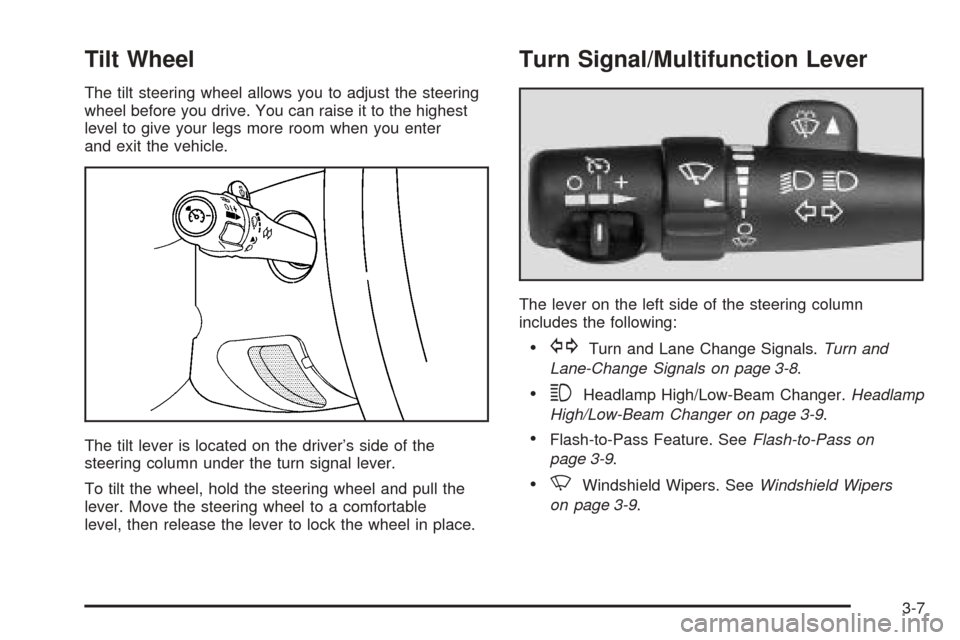
The tilt lever is located on the driver’s side of the
steering column under the turn signal lever.
To tilt the wheel, hold the steering wheel and pull the
lever. Move the steering wheel to a comfortable
level, then release the lever to lock the wheel in place.
Turn Signal/Multifunction Lever
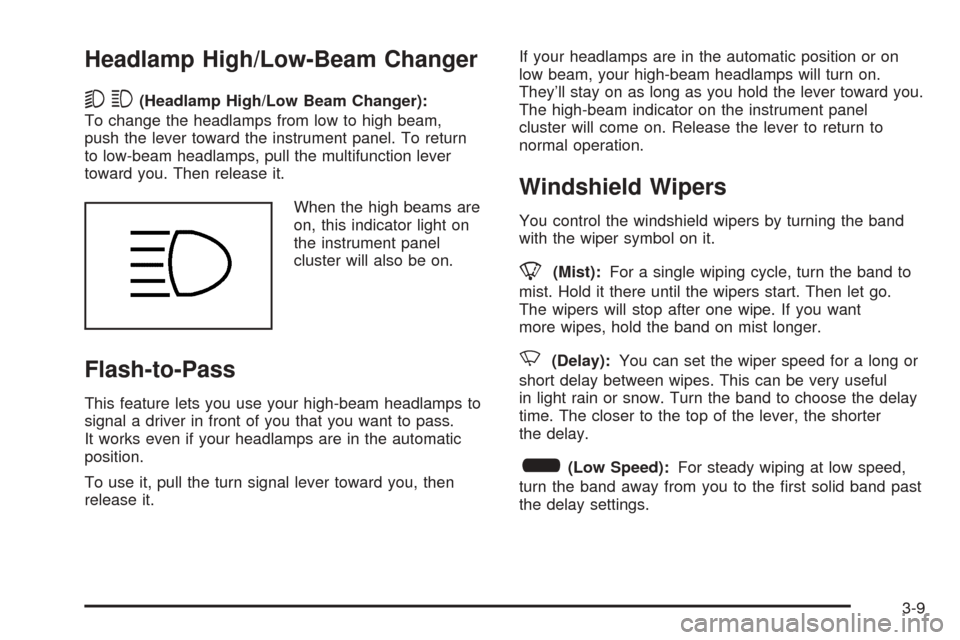
The lever on the left side of the steering column
includes the following:
GTurn and Lane Change Signals.Turn and
Lane-Change Signals on page 3-8.
3Headlamp High/Low-Beam Changer.Headlamp
High/Low-Beam Changer on page 3-9.
Flash-to-Pass Feature. SeeFlash-to-Pass on
page 3-9.
NWindshield Wipers. SeeWindshield Wipers
on page 3-9.
3-7
Page 145 of 460
Headlamp High/Low-Beam Changer
53(Headlamp High/Low Beam Changer):
To change the headlamps from low to high beam,
push the lever toward the instrument panel. To return
to low-beam headlamps, pull the multifunction lever
toward you. Then release it.
When the high beams are
on, this indicator light on
the instrument panel
cluster will also be on.
Flash-to-Pass
This feature lets you use your high-beam headlamps to
signal a driver in front of you that you want to pass.
It works even if your headlamps are in the automatic
position.
To use it, pull the turn signal lever toward you, then
release it.If your headlamps are in the automatic position or on
low beam, your high-beam headlamps will turn on.
They’ll stay on as long as you hold the lever toward you.
The high-beam indicator on the instrument panel
cluster will come on. Release the lever to return to
normal operation.
Windshield Wipers
You control the windshield wipers by turning the band
with the wiper symbol on it.
8(Mist):For a single wiping cycle, turn the band to
mist. Hold it there until the wipers start. Then let go.
The wipers will stop after one wipe. If you want
more wipes, hold the band on mist longer.
N(Delay):You can set the wiper speed for a long or
short delay between wipes. This can be very useful
in light rain or snow. Turn the band to choose the delay
time. The closer to the top of the lever, the shorter
the delay.
6(Low Speed):For steady wiping at low speed,
turn the band away from you to the rst solid band past
the delay settings.
3-9
Page 180 of 460
Cruise Control Light
This light comes on
whenever you set your
cruise control.
The light will go out when the cruise control is turned
off. SeeCruise Control on page 3-10for more
information.
Highbeam On Light
This light will come on
when the high-beam
headlamps are in use.
SeeHeadlamp High/Low-Beam Changer on page 3-9.
Tow/Haul Mode Light
This light is displayed
when the tow/haul mode
has been activated.
For more information, see “Tow/Haul Mode” under
Towing a Trailer on page 4-51.
3-44
Page 228 of 460
xSEEKw:When listening to FM1, FM2, or AM,
press the up or the down arrow to go to the next or to
the previous station and stay there. This function is
inactive if the front seat passengers are listening to
the radio.
When a CD is playing, press the up arrow to go to the
next track on the CD. Press the down arrow to go
to the start of the current track if more than eight
seconds have played. This function is inactive if the
front seat passengers are listening to a CD.
PROG (Program):Press this button to go to the next
preset radio station set on the pushbuttons on the
main radio. This function is inactive if the front seat
passengers are listening to the radio.
When a cassette tape is playing, press this button
to go to the other side of the tape. This function
is inactive if the front seat passengers are listening
to a cassette tape.
When a CD is playing, press this button to go to the
beginning of the CD. This function is inactive if the
front seat passengers are listening to a CD.
When a CD is playing in the six-disc CD changer,
press this button to select the next CD, if multiple
CDs are loaded. This function is inactive if the front
seat passengers are listening to a CD.CD Changer
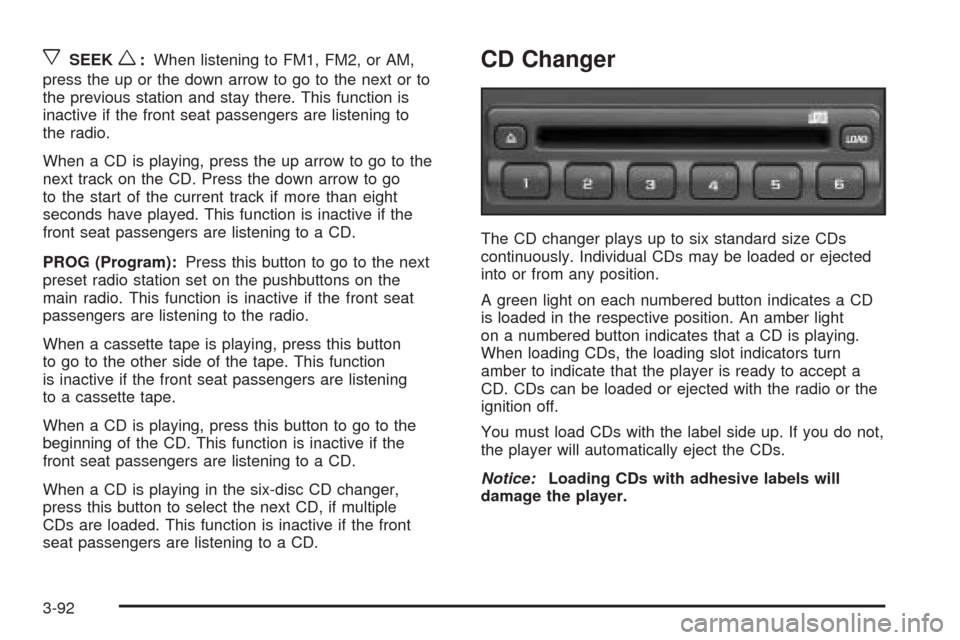
The CD changer plays up to six standard size CDs
continuously. Individual CDs may be loaded or ejected
into or from any position.
A green light on each numbered button indicates a CD
is loaded in the respective position. An amber light
on a numbered button indicates that a CD is playing.
When loading CDs, the loading slot indicators turn
amber to indicate that the player is ready to accept a
CD. CDs can be loaded or ejected with the radio or the
ignition off.
You must load CDs with the label side up. If you do not,
the player will automatically eject the CDs.
Notice:Loading CDs with adhesive labels will
damage the player.
3-92
Page 229 of 460
To load a CD, perform the following steps:
1. Press the LOAD button. Available positions will
blink amber.
2. Select a position by pressing the numbered button
with the amber blinking light. If a button is not
pressed within ve seconds, the changer will go to
the lowest available position.
3. Load the CD when the loading slot indicators
turn amber. An internal door will open allowing
a single CD to be inserted into the changer.
After approximately 10 seconds the changer will
be ready to play.
To load two or more CDs, perform the following steps:
1. Press and hold the LOAD button. The rst CD
will be loaded into the lowest numbered empty
position.
2. Load a single CD when the loading slot indicators
turn amber. After about 10 seconds the changer will
cycle to the next available position.
3. Repeat Step 2 until all CDs are loaded into all of
the desired positions. If you do not wish to load
all of the positions, cancel loading by pressing
a button with a green ashing indicator light or
wait 20 seconds for the changer to time out.To eject a single CD, perform the following steps:
1. Press the eject button (upward pointing arrow).
The buttons with loaded CDs will blink amber.
2. Press one of the amber blinking buttons to select
the location of the CD you want to eject. The
changer will move to that location and eject the CD.
If you do not remove the CD from the player
within 10 seconds, it will be reloaded. If the eject
button is pressed and a numbered location button is
not pressed within ve seconds, the current or
last played CD will be ejected.
To eject all CDs, press and hold the eject button.
To play a CD, perform one of the following:
With the radio on, press the numbered button with
a green indicator light on the CD changer.
Press the TAPE CD button on the radio. The CD
changer will go to its last played position.
3-93
Page 230 of 460
CD Functions
All of the CD changer functions are performed by the
radio, except for loading and ejecting.
1 PREV (Previous):Press this pushbutton to go to
beginning of the current track if more than eight seconds
have played. If this pushbutton is held or pressed
more than once, the player will continue moving
backward through the CD.
2 NEXT:Press this pushbutton to go to the next track.
If this pushbutton is held or pressed more than once,
the player will continue moving forward through the CD.
3 REV (Reverse):Press and hold this pushbutton
to reverse quickly within a track. Release it to play the
passage. The elapsed time of the track will appear
on the display.
4 FWD (Forward):Press and hold this pushbutton
to advance quickly within a track. Release it to play
the passage. The elapsed time of the track will appear
on the display.
5
XSIDE:Press this pushbutton to select a CD.
The CD number and track number will appear on
the display.6 RDM (Random):Press and release this pushbutton
to hear all of the tracks on all of the loaded CDs in
random, rather than sequential, order. RDM ALL
will appear on the display.
Press and hold this pushbutton to hear the tracks on
the current CD in random, rather than sequential order.
You will hear a beep and RDM ONE will appear on
the display. Press this pushbutton again to turn
off random play. RDM OFF will appear on the display.
qSEEKr:Press the right or the left arrow to
go to the next or to the previous track on the CD.
qSCANr:Press and hold either arrow for more
than two seconds until SCAN appears on the display
and you hear a beep. The radio will go to the next track,
play for 10 seconds, then go on to the next track.
Press either SCAN arrow again to stop scanning.
BAND:Press this button to listen to the radio when a
CD is playing. The inactive CD(s) will remain safely
inside the player for future listening.
TAPE DISC:Press this button to play a CD, if have a
CD is loaded in the changer and the radio is on.
Press this button to switch between playing a tape and
a CD in the CD changer if both are loaded.
3-94