ignition CADILLAC ESCALADE EXT 2008 3.G Owner's Manual
[x] Cancel search | Manufacturer: CADILLAC, Model Year: 2008, Model line: ESCALADE EXT, Model: CADILLAC ESCALADE EXT 2008 3.GPages: 496, PDF Size: 7.02 MB
Page 124 of 496
Mirrors
Automatic Dimming Rearview
Mirror with Intellibeam
®, OnStar®,
Compass, and Temperature Display
Your vehicle may have an automatic dimming rearview
mirror with Intellibeam®, OnStar®, compass and
temperature display. For more information on OnStar®,
seeOnStar®System on page 2-56. For more information
on Intellibeam®, see “Intellibeam®Intelligent High-Beam
Headlamp Control System” underExterior Lamps
on page 3-14.
The mirror includes an eight-point compass display in
the upper right corner of the mirror face. When on, the
compass automatically calibrates as the vehicle is driven.
Outside temperature is also shown in the display.
Automatic Dimming
Your vehicle has an inside automatic dimming rearview
mirror. The automatic dimming feature is activated
whenever the vehicle is turned on and dims only
during nighttime driving.
Compass Operation
AUTO3:Press and hold the “auto highbeam”
button for about three seconds to turn the
compass/temperature display on or off.
When the ignition and the display features are on,
the display will show two character boxes for about
two seconds. After two seconds, the mirror will display
the compass heading and temperature.
Compass Calibration
If after two seconds the display does not show the
correct direction, (N for North for example), there may
be a strong magnetic eld interfering with the compass.
Such interference may be caused by a magnetic
antenna mount, magnetic note pad holder, or a similar
magnetic item.
The compass can be placed in calibration mode
manually by pressing and holding the “auto highbeam”
button for about nine seconds until CAL is shown in
the compass display.
The mirror can then be calibrated by driving the vehicle
in circles at 5 mph (8 km/h) or less until the display
reads the correct direction.
2-46
Page 127 of 496
Temperature and Compass Display
Press the on/off button, located on the far left
of the mirror face, to turn the compass/temperature
display on or off.
If the display reads CAL, the compass needs
to be calibrated. For more information, see
“Compass Calibration” following.
To adjust between Fahrenheit and Celsius,
do the following:
1. Press and hold the on/off button until either
a ashing F or C appears.
2. Press the button again to change the display
to the desired unit of measurement. After
approximately four seconds of inactivity,
the new unit will be locked in and the
compass/temperature display will return.
If an abnormal temperature reading is displayed
for an extended period of time, please see your
GM dealer. Under certain circumstances, a delay
in updating the temperature is normal.
Automatic Dimming Mirror Operation
The automatic dimming mirror function is turned
on automatically each time the ignition is started.
To operate the automatic dimming mirror,
do the following:
1. Make sure the green indicator light, located
to the left of the on/off button, is lit. If it is not,
press and hold the on/off button until the
green light comes on, indicating that the mirror
is in automatic dimming mode.
2. Turn off the automatic dimming mirror function
by pressing and holding the on/off button until
the green indicator light turns off.
2-49
Page 131 of 496
Curb View Assist
If your vehicle has the memory package, the outside
mirrors are able to perform the park tilt function. This
feature may be useful in allowing the driver to view the
curb when parallel parking. This feature will cause the
passenger’s and/or driver’s mirror to tilt to a preselected
position when the vehicle is in REVERSE (R).
The passenger’s and/or driver’s mirror will return to
its original position when the vehicle is shifted out
of REVERSE (R), or the ignition is turned off or to
OFF/LOCK.
This feature can be turned on or off through the Driver
Information Center (DIC). SeeDIC Vehicle Customization
on page 3-57.
Heated Mirrors
The button to turn the heated mirrors on or off is located
on the climate control panel. Press this button to warm
the driver’s and passenger’s outside rearview mirrors to
help clear them of ice, snow, and condensation.
See “Rear Window Defogger” underDual Automatic
Climate Control System on page 3-24for more
information.
Convex Mirror
{CAUTION:
A convex mirror can make things (like other
vehicles) look farther away than they really are.
If you cut too sharply into the right lane, you
could hit a vehicle on your right. Check your
inside mirror or glance over your shoulder
before changing lanes.
The passenger’s side mirror may have convex glass.
A convex mirror’s surface is curved so more can
be seen from the driver’s seat.
Your vehicle has a turn signal indicator on the mirror.
An arrow on the mirror will ash in the direction of
the turn or lane change.
2-53
Page 164 of 496

Cargo Area Floor Drains
Your vehicle also has four cargo-area oor drains
located under the cargo mat near the sides of the cargo
area. These drains should be cleaned periodically to
allow water to exit the cargo area.
The cargo mat has cutouts for the drains. You can
ush the drains through the cutouts, but if the cargo
area is extremely dirty you can lift up the edges of the
cargo oor mat or take the whole mat out and ush
the drains with water.
Top-Box Storage
Your vehicle has top-box storage units on both sides
of the vehicle. The passenger side top box contains
the tools you will need to change a at tire.
Use the ignition/door key to unlock/lock it. Press the
key cylinder button and swing the lid open. Turn on
the cargo lamps, if the vehicle has them, for more light
inside. SeeExterior Cargo Lamps on page 3-19for
more information.
2-86
Page 165 of 496

Sunroof
Your vehicle may be equipped with a power sliding
sunroof. To open or close the sunroof, the ignition
needs to be turned to ON, or Retained Accessory
Power (RAP) must be active. When RAP is active,
the sunroof will work for 10 minutes after the
ignition is turned off, or until a front door is opened.
SeeRetained Accessory Power (RAP) on page 2-32
for more information.
There are two switches
in the overhead console
that operate the sunroof.Manual-Open/Manual-Close:To open the sunroof
press and hold the rear of the driver’s side switch until
the sunroof reaches the desired position. To close
the sunroof, press and hold the front of the driver’s side
switch until the sunroof reaches the desired position.
The sunshade will open automatically with the sunroof,
but can also be opened manually.
The sunroof has a comfort stop feature which stops
the sunroof from opening to the full-open position.
From the comfort stop position, press the rear of the
driver’s side switch a second time to open the sunroof
to the full-open position.
When the sunroof is opened, an air deector will
automatically raise. The air deector will retract when
the sunroof is closed.
Express-Open/Express-Close:To express-open
the sunroof, fully press and release the rear of
the driver’s side switch. The sunroof will open
automatically. To stop the sunroof partway, press the
switch a second time. To express-close the sunroof,
fully press and release the front of the driver’s side
switch. The sunroof will close automatically. To stop
the sunroof partway, press the switch a second
time. The sunshade will open automatically with
the sunroof, but can also be opened manually.
2-87
Page 172 of 496
Hazard Warning Flashers
The hazard warning ashers warn others. They also
let police know you have a problem.
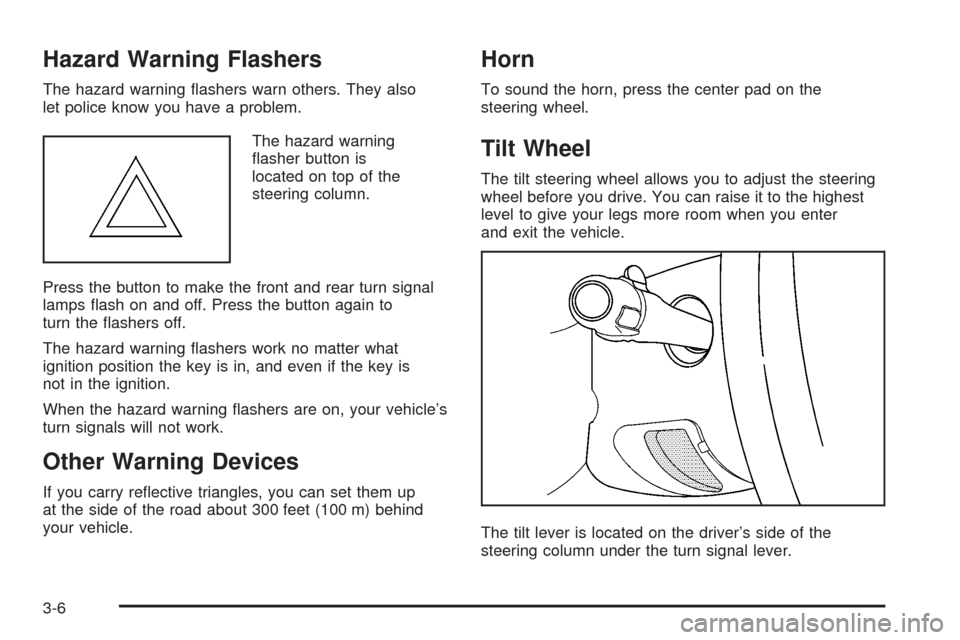
The hazard warning
asher button is
located on top of the
steering column.
Press the button to make the front and rear turn signal
lamps ash on and off. Press the button again to
turn the ashers off.
The hazard warning ashers work no matter what
ignition position the key is in, and even if the key is
not in the ignition.
When the hazard warning ashers are on, your vehicle’s
turn signals will not work.
Other Warning Devices
If you carry reective triangles, you can set them up
at the side of the road about 300 feet (100 m) behind
your vehicle.
Horn
To sound the horn, press the center pad on the
steering wheel.
Tilt Wheel
The tilt steering wheel allows you to adjust the steering
wheel before you drive. You can raise it to the highest
level to give your legs more room when you enter
and exit the vehicle.
The tilt lever is located on the driver’s side of the
steering column under the turn signal lever.
3-6
Page 180 of 496
Erasing Speed Memory
When you turn off the cruise control or the ignition,
the cruise control set speed memory is erased.
Exterior Lamps
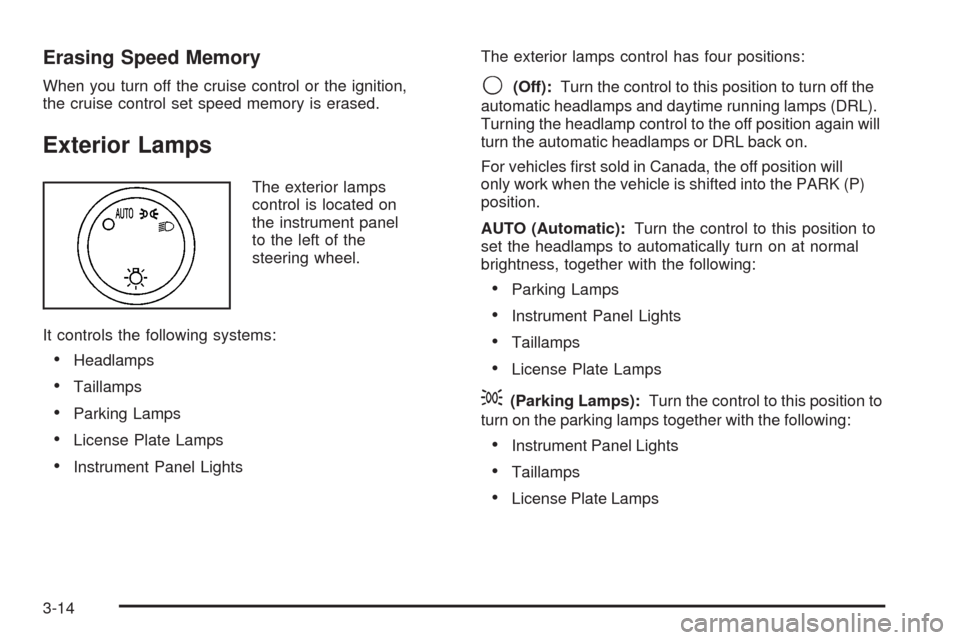
The exterior lamps
control is located on
the instrument panel
to the left of the
steering wheel.
It controls the following systems:
Headlamps
Taillamps
Parking Lamps
License Plate Lamps
Instrument Panel LightsThe exterior lamps control has four positions:
9(Off):Turn the control to this position to turn off the
automatic headlamps and daytime running lamps (DRL).
Turning the headlamp control to the off position again will
turn the automatic headlamps or DRL back on.
For vehicles rst sold in Canada, the off position will
only work when the vehicle is shifted into the PARK (P)
position.
AUTO (Automatic):Turn the control to this position to
set the headlamps to automatically turn on at normal
brightness, together with the following:
Parking Lamps
Instrument Panel Lights
Taillamps
License Plate Lamps
;(Parking Lamps):Turn the control to this position to
turn on the parking lamps together with the following:
Instrument Panel Lights
Taillamps
License Plate Lamps
3-14
Page 181 of 496
2(Headlamps):Turn the control to this position
to turn on the headlamps together with the following
lamps listed below.
When the headlamps are turned on while the vehicle
is on, the headlamps will turn off automatically
10 minutes after the ignition is turned off. When the
headlamps are turned on while the vehicle is off,
the headlamps will stay on for 10 minutes before
automatically turning off to prevent the battery from
being drained. Turn the headlamp control to off and
then back to the headlamp on position to make
the headlamps stay on for an additional 10 minutes.
Parking Lamps
Instrument Panel Lights
Taillamps
License Plate Lamps
IntelliBeam®Intelligent High-Beam
Headlamp Control System
If your vehicle has this feature, be sure to read this
entire section before using it.IntelliBeam
®is an enhancement to your vehicle’s
headlamp system. Using a digital light sensor on your
rearview mirror, this system will turn the vehicle’s
high-beam headlamps on and off according to
surrounding traffic conditions.
The IntelliBeam
®system will turn your high-beam
headlamps on when it is dark enough, there is no other
traffic present, and the IntelliBeam
®system is enabled.
Turning On and Enabling IntelliBeam®
Press and release the IntelliBeam®button on the
inside rear view mirror. The IntelliBeam®indicator
on the mirror will turn on to let you know the system
has been turned on. Once the system has been turned
on, it will remain on each time the vehicle is started.
Additionally, the IntelliBeam
®system must be enabled.
To enable the IntelliBeam
®system, turn the exterior lamp
control to AUTO, with the turn signal/multifunction lever in
its neutral position. The High-Beam On Light will appear
on the instrument panel cluster when the high-beams
are on. SeeHighbeam On Light on page 3-44.
3-15
Page 183 of 496
You may need to manually disable or cancel the
high-beam headlamps by turning the low-beam
headlamps on, if any of the above conditions exist.
Disabling and Resetting IntelliBeam®
at the Rearview Mirror
IntelliBeam®can be disabled by using the controls on
the inside rearview mirror.
AUTO
3(On/Off):To disable the system, press this
button on the inside rearview mirror. The IntelliBeam®
indicator will turn off and will not come back on until
the IntelliBeam®button is pressed again.
(Stalk Disable):When IntelliBeam
®has turned on
the high-beams, pull or push the high-beam stalk. This
will disable IntelliBeam
®. The IntelliBeam®indicator
on the mirror will turn off. To re-enable IntelliBeam®,
press the IntelliBeam®button on the mirror.
A different sensitivity setting is available for dealer
diagnostics. This is done by pushing and holding this
button for 20 seconds until the IntelliBeam
®indicator
light ashes three times. If you accidentally activate
this, the vehicle’s setting will automatically be reset
each time the ignition is turned off and then on again.
Cleaning the IntelliBeam®Light Sensor
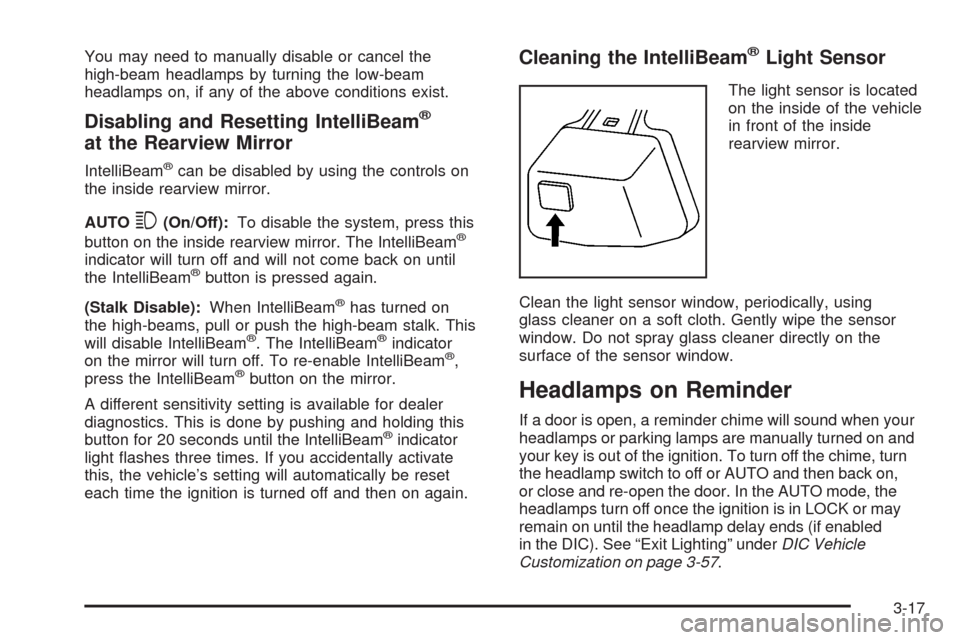
The light sensor is located
on the inside of the vehicle
in front of the inside
rearview mirror.
Clean the light sensor window, periodically, using
glass cleaner on a soft cloth. Gently wipe the sensor
window. Do not spray glass cleaner directly on the
surface of the sensor window.
Headlamps on Reminder
If a door is open, a reminder chime will sound when your
headlamps or parking lamps are manually turned on and
your key is out of the ignition. To turn off the chime, turn
the headlamp switch to off or AUTO and then back on,
or close and re-open the door. In the AUTO mode, the
headlamps turn off once the ignition is in LOCK or may
remain on until the headlamp delay ends (if enabled
in the DIC). See “Exit Lighting” underDIC Vehicle
Customization on page 3-57.
3-17
Page 184 of 496
Daytime Running Lamps (DRL)
Daytime Running Lamps (DRL) can make it easier
for others to see the front of your vehicle during the day.
DRL can be helpful in many different driving conditions,
but they can be especially helpful in the short periods
after dawn and before sunset. Fully functional daytime
running lamps are required on all vehicles rst sold
in Canada.
The DRL system will come on when the following
conditions are met:
The ignition is on.
The exterior lamps control is in AUTO.
The transmission is not in PARK (P).
The light sensor determines it is daytime.
When the DRL are on, only the DRL lamps will be on.
The taillamps, sidemarker, and other lamps will not
be on. The instrument panel will not be lit up either.
When it begins to get dark, the automatic headlamp
system will switch from DRL to the headlamps.
To turn off the DRL lamps, turn the exterior lamps
control to the OFF position and then release. For
vehicles rst sold in Canada, the transmission must
be in the PARK (P) position, before the DRL lamps
can be turned off.
Automatic Headlamp System
When it is dark enough outside and the headlamp switch
is in AUTO, the automatic headlamp system will turn on
the headlamps at the normal brightness along with other
lamps such as the taillamps, sidemarker, parking lamps,
roof marker lamps, and the instrument panel lights.
The radio lights will also be dim.
To turn off the automatic headlamp system, turn
the exterior lamps switch to the off position and
then release. For vehicles rst sold in Canada, the
transmission must be in the PARK (P) position, before
the automatic headlamp system can be turned off.
The vehicle has a light sensor located on the top
of the instrument panel. Be sure it is not covered,
or the system will be on whenever the ignition is on.
The system may also turn on the headlamps when
driving through a parking garage, heavy overcast
weather, or a tunnel. This is normal.
There is a delay in the transition between the daytime
and nighttime operation of the Daytime Running
Lamps (DRL) and the automatic headlamp systems
so that driving under bridges or bright overhead
street lights does not affect the system. The DRL
and automatic headlamp system will only be affected
when the light sensor sees a change in lighting
lasting longer than the delay.
3-18