change time CADILLAC ESCALADE EXT 2011 3.G Owner's Manual
[x] Cancel search | Manufacturer: CADILLAC, Model Year: 2011, Model line: ESCALADE EXT, Model: CADILLAC ESCALADE EXT 2011 3.GPages: 508, PDF Size: 7.6 MB
Page 268 of 508
Black plate (78,1)Cadillac Escalade EXT Owner Manual - 2011
7-78 Infotainment System
.Vehicle is being driven with tire
chains.
.Tires are replaced.
.Tire pressure for the tires is
incorrect.
.Tires are worn.
.First time the map DVD is
inserted.
.Battery is disconnected for
several days.
.Vehicle is driving in heavy traffic
where driving is at low speeds,
and the vehicle is stopped and
started repeatedly.
See your dealer if other problems
occur.
Problems with Route
Guidance
The map data supplied through the
compact flash drive and installed in
your vehicle when it was produced
is the most up-to-date information
available. The map data is updated
periodically, provided that the map
information has changed.
Contact your dealer for
If you have any questions about
the operation of the navigation
system or the update process,
contact the GM Nav Disc
Center toll‐free phone number,
1‐877‐NAV‐DISC (1‐877‐628‐3472)
or go to the center's website,
www.gmnavdisc.com. If you need
any updates, contact your dealer.
If the System Needs
Service
Inappropriate route guidance may
occur under one or more of the
following conditions:
.You have not turned onto the
road indicated.
.Route guidance may not be
available when using automatic
rerouting for the next right or
left turn.
.The route may not be changed
when using automatic rerouting.
.There is no route guidance when
turning at an intersection.
.Plural names of places may be
announced occasionally.
.It may take a long time to
operate automatic rerouting
during high-speed driving.
Page 269 of 508

Black plate (79,1)Cadillac Escalade EXT Owner Manual - 2011
Infotainment System 7-79
.Automatic rerouting may display
a route returning to the set
stopover if you are heading for
a destination without passing
through a set stopover.
.The route prohibits the entry of
a vehicle due to a regulation by
time or season or any other
regulation which may be given.
.Some routes may not be
searched.
.The route to the destination may
not be shown if there are new
roads, if roads have recently
changed, or if certain roads are
not listed on the map DVD.
SeeDatabase Coverage
Explanations on page 7‑79.
To recalibrate the vehicle's position
on the map, see your dealer.
Map Data Updates
The navigation map database is
stored on a compact flash card. It is
usable only in this type of navigation
system, and will not function in other
electronic devices.
The map in the vehicle was installed
by the factory and is the most
up-to-date information available
as the vehicle was produced. This
map may have to be updated
periodically, provided that the map
information has changed. See your
dealer for service.
Database Coverage
Explanations
Coverage area depends upon the
map detail available. Some areas
have greater map detail than others.
The navigation system works only
as well as the information provided
on the stored map data. See Map
Data Updates on page 7‑79 on how
to obtain updated map information.
Page 272 of 508
![CADILLAC ESCALADE EXT 2011 3.G Owners Manual Black plate (82,1)Cadillac Escalade EXT Owner Manual - 2011
7-82 Infotainment System
Display Commands
Use the following display commands
to set the display mode.
Display [set] day [mode]:Sets the
disp](/img/23/7933/w960_7933-271.png "CADILLAC ESCALADE EXT 2011 3.G Owners Manual Black plate (82,1)Cadillac Escalade EXT Owner Manual - 2011
7-82 Infotainment System
Display Commands
Use the following display commands
to set the display mode.
Display [set] day [mode]:Sets the
disp")
Black plate (82,1)Cadillac Escalade EXT Owner Manual - 2011
7-82 Infotainment System
Display Commands
Use the following display commands
to set the display mode.
Display [set] day [mode]:Sets the
display to daytime mode.
Display [set] night [mode]: Sets
the display to night mode.
Display [set] auto [mode]: Sets
the display to automatic mode. The
system changes between day and
night mode automatically.
System help: Instructs the system
to assist with display commands.
Radio Commands
The following are radio commands
that can be accessed by clearly
stating the commands exactly as
they are written.
Radio [band] [select] AM,
radio [band] [select] FM, radio
[band] [select] XM (if equipped),
radio [band] [select] satellite
(if equipped): Instructs the system
to go to either the AM, FM, or XM
(if equipped). Radio [select] (frequency) AM,
radio [select] (frequency) FM:
Instructs the system to go to a
specific frequency on either AM
or FM.
Radio [select] (channel) XM
(if equipped), radio [select]
(channel) satellite (if equipped):
Instructs the system to go to a
specific channel on the XM™
band
(if equipped).
Radio help: Instructs the system to
assist with radio commands.
CD Commands
The following are CD, MP3, and
DVD commands that can be
accessed by clearly stating the
commands exactly as they are
written.
CD, DVD, Disc: Use this command
to select a CD, DVD, or disc that is
currently loaded.
CD, DVD, Disc, [select] track
(one, two, three, etc.): Instructs
the system to select a specific track
number. CD, DVD, Disc select next
folder:
Use this command to select
the next folder on the MP3 or
audio DVD.
CD, DVD, Disc select previous
folder: Use this command to select
the previous folder on the MP3 or
audio DVD.
CD help, DVD help, Disc help:
Instructs the system to assist with
CD and DVD commands.
Auxiliary Commands
The following auxiliary commands
can be accessed by clearly stating
the commands exactly as they
are written. The commands are
available when the auxiliary source
is available.
Aux, Auxiliary: Use this command
to select the auxiliary device, when
a device is connected.
Voice Help
Voice help: Provides a description
of help commands that can be used.
Page 274 of 508

Black plate (84,1)Cadillac Escalade EXT Owner Manual - 2011
7-84 Infotainment System
Pairing Information
.Up to five cell phones can be
paired to the Bluetooth system.
.The pairing process is disabled
when the vehicle is moving.
.Pairing only needs to be
completed once, unless the
pairing information on the cell
phone changes or the cell phone
is deleted from the system.
.Only one paired cell phone can
be connected to the Bluetooth
system at a time.
.If multiple paired cell phones are
within range of the system, the
system connects to the first
available paired cell phone in the
order that they were first paired
to the system. To connect to a
different paired phone, see
“Connecting to a Different
Phone”later in this section. Pairing a Phone
1. Press and hold
b
gfor
two seconds.
2. Say “Bluetooth.”
3. Say “Pair.”The system responds
with instructions and a four‐digit
Personal Identification Number
(PIN). The PIN is used in Step 5.
4. Start the pairing process on the cell phone that you want to pair.
For help with this process, see
your cell phone manufacturer's
user guide.
5. Locate the device named “Your
Vehicle” in the list on the cell
phone. Follow the instructions
on the cell phone to enter the
PIN that was provided in Step 3. After the PIN is successfully
entered, the system prompts you
to provide a name for the paired
cell phone. This name will be
used to indicate which phones
are paired and connected to the
vehicle. See
“Listing All Paired
and Connected Phones” later in
this section for more information.
6. Repeat Steps 1 through 5 to pair additional phones.
Listing All Paired and Connected
Phones
The system can list all cell phones
paired to it. If a paired cell phone is
also connected to the vehicle, the
system responds with “is connected”
after that phone name.
1. Press and hold
b gfor
two seconds.
2. Say “Bluetooth.”
3. Say “List.”
Page 275 of 508

Black plate (85,1)Cadillac Escalade EXT Owner Manual - 2011
Infotainment System 7-85
Deleting a Paired Phone
If the phone name you want to
delete is unknown, see“Listing All
Paired and Connected Phones.”
1. Press and hold
b gfor
two seconds.
2. Say “Bluetooth.”
3. Say “Delete.” The system asks
which phone to delete.
4. Say the name of the phone you want to delete.
Connecting to a Different Phone
To connect to a different cell phone,
the Bluetooth system looks for the
next available cell phone in the
order in which all the available cell
phones were paired. Depending on
which cell phone you want to
connect to, you may have to use
this command several times.
1. Press and hold
b gfor
two seconds.
2. Say “Bluetooth.” 3. Say
“Change phone.”
.If another cell phone is
found, the response will be
“
connected.”
.If another cell phone is not
found, the original phone
remains connected.
Storing and Deleting Phone
Numbers
The system can store up to
30 phone numbers as name tags in
the Hands‐Free Directory that is
shared between the Bluetooth and
OnStar systems, if equipped.
The following commands are used
to delete and store phone numbers.
Store:This command will store a
phone number, or a group of
numbers as a name tag. Digit Store:
This command allows
a phone number to be stored as a
name tag by entering the digits
one at a time.
Delete: This command is used to
delete individual name tags.
Delete All Name Tags: This
command deletes all stored
name tags in the Hands‐Free
Calling Directory and the OnStar
Turn‐by‐Turn Destinations Directory,
if equipped.
Using the “Store”Command
1. Press and hold
b gfor
two seconds.
2. Say “Store.”
3. Say the phone number or group of numbers you want to store all
at once with no pauses, then
follow the directions given by the
system to save a name tag for
this number.
Page 276 of 508
Black plate (86,1)Cadillac Escalade EXT Owner Manual - 2011
7-86 Infotainment System
Using the“Digit Store” Command
If an unwanted number is
recognized by the system, say
“Clear” at any time to clear the
last number.
To hear all of the numbers
recognized by the system, say
“Verify” at any time.
1. Press and hold
b gfor
two seconds.
2. Say “Digit Store.”
3. Say each digit, one at a time, that you want to store. After
each digit is entered, the system
repeats back the digit it heard
followed by a tone. After the
last digit has been entered, say
“Store,” and then follow the
directions given by the system to
save a name tag for this number. Using the
“Delete”Command
1. Press and hold
b gfor
two seconds.
2. Say “Delete.”
3. Say the name tag you want to delete.
Using the “Delete All Name Tags”
Command
This command deletes all stored
name tags in the Hands‐Free
Calling Directory and the OnStar
Turn‐by‐Turn Destinations Directory,
if equipped.
To delete all name tags:
1. Press and hold
b gfor
two seconds.
2. Say “Delete all name tags.”
Listing Stored Numbers
The list command will list all stored
numbers and name tags.
Using the “List”Command
1. Press and hold
b gfor
two seconds.
2. Say “Directory.”
3. Say “Hands‐Free Calling.”
4. Say “List.”
Making a Call
Calls can be made using the
following commands.
Dial or Call: The dial or
call command can be used
interchangeably to dial a phone
number or a stored name tag.
Digit Dial: This command allows
a phone number to be dialed by
entering the digits one at a time.
Re‐dial: This command is used to
dial the last number used on the cell
phone.
Page 284 of 508

Black plate (4,1)Cadillac Escalade EXT Owner Manual - 2011
8-4 Climate Controls
-(Defog):This mode clears the
windows of fog or moisture. Air is
directed to the windshield, floor
outlets, and side window vents.
In this mode, the system turns
off recirculation and runs the air
conditioning compressor unless the
outside temperature is close to
freezing. The recirculation mode
cannot be selected while in the
defog mode.
0(Defrost): This mode removes
fog or frost from the windshield
more quickly. Air is directed to the
windshield and side window vents,
with some directed to the floor
vents. In this mode, the system
automatically forces outside air
into the vehicle and runs the air
conditioning compressor unless
the outside temperature is close to
freezing. The recirculation mode
cannot be selected while in the
defrost mode. The passenger temperature control
cannot be activated while in defrost
mode. If the passenger control
knob is pressed, the passenger
temperature flashes three times and
will not work. If the passenger
control knob is adjusted, the driver
temperature indicator changes. The
passenger temperature will not be
displayed.
If vent, bi-level, or floor mode is
selected again, the climate control
system displays the previous
temperature settings.
Do not drive the vehicle until all the
windows are clear.
#(Air Conditioning):
Press to
turn the air conditioning (A/C)
compressor on and off. An indicator
light comes on to show that the air
conditioning is on.
Pressing this button when the
outside temperature is too cool
for air conditioning will make the
air conditioning indicator flash three times and then turn off
indicating the air conditioning
mode is not available. If the air
conditioning is on and the outside
temperature drops below a
temperature which is too cool for
air conditioning to be effective, the
air conditioning light turns off to
show that the air conditioning mode
has been canceled.
On hot days, open the windows long
enough to let hot inside air escape.
This helps to reduce the time it
takes for the vehicle to cool down.
It also helps the system to operate
more efficiently.
The air conditioning system
removes moisture from the air, so a
small amount of water might drip
under the vehicle while idling or
after turning off the engine. This is
normal.
@(Recirculation):
Press to turn
the recirculation mode on or off. An
indicator light comes on to show
that the recirculation is on.
Page 296 of 508

Black plate (10,1)Cadillac Escalade EXT Owner Manual - 2011
9-10 Driving and Operating
For vehicles with a winch, be sure to
read the winch instructions. In a
remote area, a winch can be handy
if you get stuck but you will want to
know how to use it properly.
Getting Familiar with Off-Road
Driving
It is a good idea to practice in an
area that is safe and close to home
before you go into the wilderness.
Off-roading requires some new and
different skills.
Tune your senses to different kinds
of signals. Your eyes need to
constantly sweep the terrain for
unexpected obstacles. Your ears
need to listen for unusual tire or
engine sounds. Use your arms,
hands, feet, and body to respond to
vibrations and vehicle bounce.Controlling the vehicle is the key to
successful off-road driving. One of
the best ways to control the vehicle
is to control the speed. At higher
speeds:
.You approach things faster and
have less time to react.
.There is less time to scan the
terrain for obstacles.
.The vehicle has more bounce
when driving over obstacles.
.More braking distance is
needed, especially on an
unpaved surface.
{WARNING
When you are driving off-road,
bouncing and quick changes in
direction can easily throw you out
of position. This could cause you
to lose control and crash. So,
whether you are driving on or
off the road, you and your
passengers should wear safety
belts.
Scanning the Terrain
Off-road driving can take you over
many different kinds of terrain. Be
familiar with the terrain and its many
different features.
Surface Conditions:
Off-roading
surfaces can be hard-packed dirt,
gravel, rocks, grass, sand, mud,
snow, or ice. Each of these surfaces
affects the vehicle's steering,
acceleration, and braking in different
ways. Depending on the surface,
slipping, sliding, wheel spinning,
delayed acceleration, poor traction,
and longer braking distances can
occur.
Surface Obstacles: Unseen or
hidden obstacles can be hazardous.
A rock, log, hole, rut, or bump can
startle you if you are not prepared
for them. Often these obstacles are
hidden by grass, bushes, snow,
or even the rise and fall of the
terrain itself.
Page 316 of 508
Black plate (30,1)Cadillac Escalade EXT Owner Manual - 2011
9-30 Driving and Operating
Starting and
Operating
New Vehicle Break-In
Notice:The vehicle does not
need an elaborate break-in. But it
will perform better in the long run
if you follow these guidelines:
.Keep your speed at 88 km/h
(55 mph) or less for the first
805 km (500 miles).
.Do not drive at any one
constant speed, fast or
slow, for the first 805 km
(500 miles). Do not make
full-throttle starts. Avoid
downshifting to brake or
slow the vehicle.
.Avoid making hard stops for
the first 322 km (200 miles) or
so. During this time the new
brake linings are not yet
broken in. Hard stops with
new linings can mean
premature wear and earlier
replacement. Follow this
breaking-in guideline every
time you get new brake
linings.
.Do not tow a trailer during
break-in. See Trailer Towing
on page 9‑68 for the trailer
towing capabilities of the
vehicle and more
information.
Following break‐in, engine speed
and load can be gradually
increased.
Adjustable Throttle and
Brake Pedal
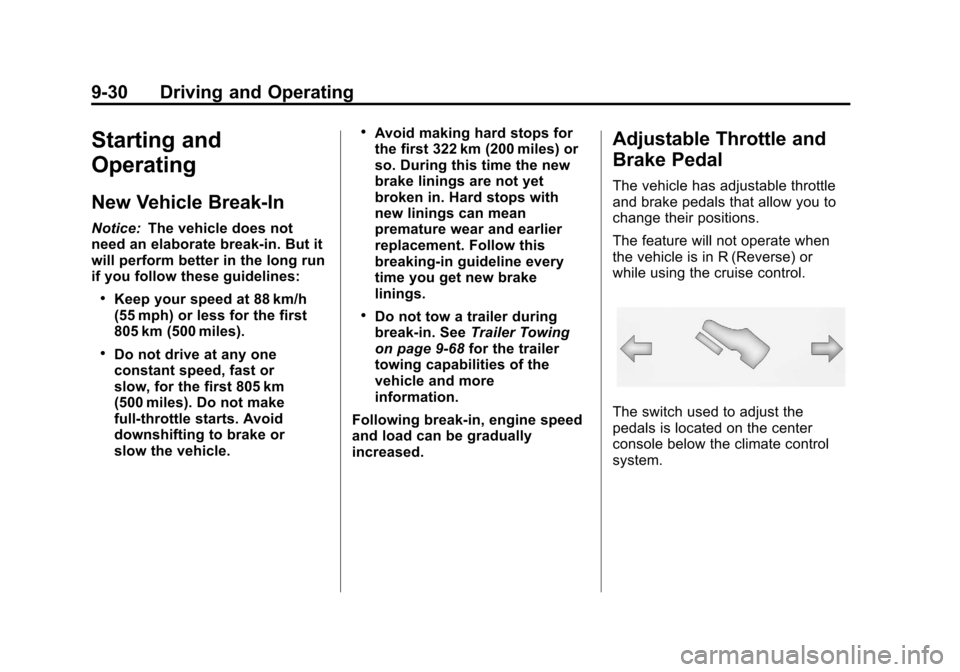
The vehicle has adjustable throttle
and brake pedals that allow you to
change their positions.
The feature will not operate when
the vehicle is in R (Reverse) or
while using the cruise control.
The switch used to adjust the
pedals is located on the center
console below the climate control
system.
Page 319 of 508
Black plate (33,1)Cadillac Escalade EXT Owner Manual - 2011
Driving and Operating 9-33
Operate the engine and
transmission gently to allow the
oil to warm up and lubricate all
moving parts.
The vehicle has a
Computer-Controlled Cranking
System. This feature assists in
starting the engine and protects
components. If the ignition key is
turned to the START position,
and then released when the
engine begins cranking, the
engine will continue cranking
for a few seconds or until the
vehicle starts. If the engine does
not start and the key is held in
START, cranking will be stopped
after 15 seconds to prevent
cranking motor damage. To
prevent gear damage, this
system also prevents cranking if
the engine is already running.
Engine cranking can be stopped
by turning the ignition switch to
the ACC/ACCESSORY or
LOCK/OFF position.When the Low Fuel warning
lamp is on and the FUEL LEVEL
LOW message is displayed in
the Driver Information Center
(DIC), the Computer‐Controlled
Cranking System is disabled
to prevent possible vehicle
component damage. When this
happens, hold the ignition switch
in the START position to
continue engine cranking.
Notice: Cranking the engine for
long periods of time, by returning
the key to the START position
immediately after cranking has
ended, can overheat and damage
the cranking motor, and drain the
battery. Wait at least 15 seconds
between each try, to let the
cranking motor cool down.
2. If the engine does not start after
5‐10 seconds, especially in very
cold weather (below −18°C or
0°F), it could be flooded with too
much gasoline. Try pushing the
accelerator pedal all the way to
the floor and holding it there as you hold the key in START for
up to a maximum of 15 seconds.
Wait at least 15 seconds
between each try, to allow the
cranking motor to cool down.
When the engine starts, let go of
the key and accelerator. If the
vehicle starts briefly but then
stops again, repeat these steps.
This clears the extra gasoline
from the engine. Do not race the
engine immediately after starting
it. Operate the engine and
transmission gently until the oil
warms up and lubricates all
moving parts.
Notice: The engine is designed to
work with the electronics in the
vehicle. If you add electrical parts
or accessories, you could change
the way the engine operates.
Before adding electrical
equipment, check with your
dealer. If you do not, the engine
might not perform properly. Any
resulting damage would not be
covered by the vehicle warranty.