ignition CADILLAC ESCALADE EXT 2011 3.G Service Manual
[x] Cancel search | Manufacturer: CADILLAC, Model Year: 2011, Model line: ESCALADE EXT, Model: CADILLAC ESCALADE EXT 2011 3.GPages: 508, PDF Size: 7.6 MB
Page 228 of 508
Black plate (38,1)Cadillac Escalade EXT Owner Manual - 2011
7-38 Infotainment System
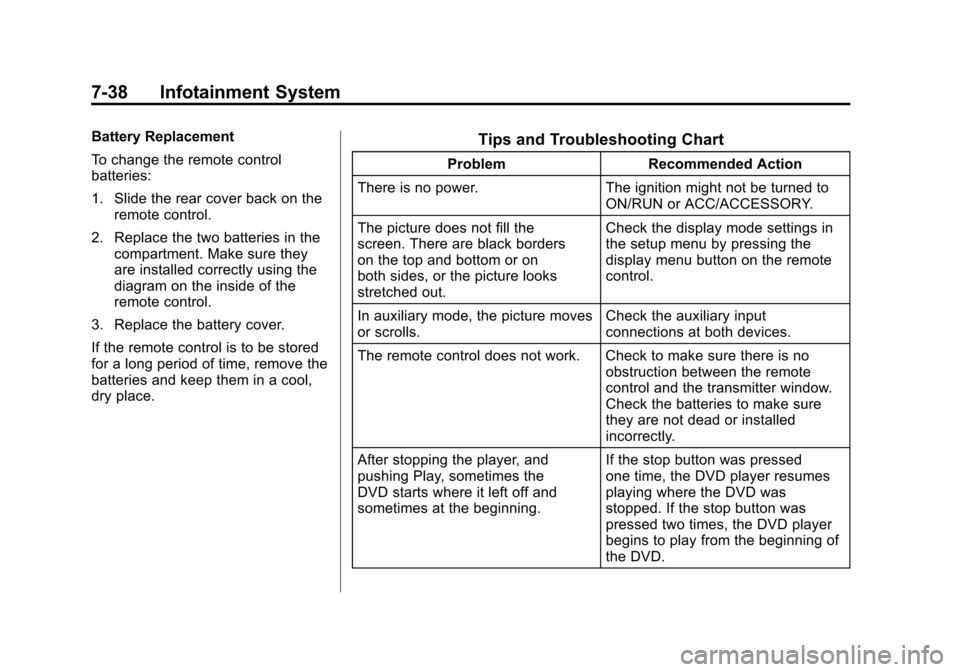
Battery Replacement
To change the remote control
batteries:
1. Slide the rear cover back on theremote control.
2. Replace the two batteries in the compartment. Make sure they
are installed correctly using the
diagram on the inside of the
remote control.
3. Replace the battery cover.
If the remote control is to be stored
for a long period of time, remove the
batteries and keep them in a cool,
dry place.Tips and Troubleshooting Chart
Problem Recommended Action
There is no power. The ignition might not be turned to
ON/RUN or ACC/ACCESSORY.
The picture does not fill the
screen. There are black borders
on the top and bottom or on
both sides, or the picture looks
stretched out. Check the display mode settings in
the setup menu by pressing the
display menu button on the remote
control.
In auxiliary mode, the picture moves
or scrolls. Check the auxiliary input
connections at both devices.
The remote control does not work. Check to make sure there is no obstruction between the remote
control and the transmitter window.
Check the batteries to make sure
they are not dead or installed
incorrectly.
After stopping the player, and
pushing Play, sometimes the
DVD starts where it left off and
sometimes at the beginning. If the stop button was pressed
one time, the DVD player resumes
playing where the DVD was
stopped. If the stop button was
pressed two times, the DVD player
begins to play from the beginning of
the DVD.
Page 270 of 508

Black plate (80,1)Cadillac Escalade EXT Owner Manual - 2011
7-80 Infotainment System
Voice Recognition
The navigation system's voice
recognition allows for hands-free
operation of the navigation system,
audio system, and OnStar
(if equipped) features. The DVD
map disc must be installed in the
navigation system for voice
recognition to work. SeeMaps on
page 7‑44 for more information.
Voice recognition can be used when
the ignition is on or when Retained
Accessory Power (RAP) is active.
See Retained Accessory Power
(RAP) on page 9‑34 for more
information. To use voice recognition:
1. Press and hold the SRCE button
on the steering wheel until you
hear a beep. The audio system
mutes.
2. Clearly state one of the commands listed on the
following pages. Helpful Hints for Stating
Commands
.When a multiple command is
available, choose the command
that works best.
.Words that are in brackets are
optional. For example, for the
command Radio [band] [select]
FM, stating Radio FM or Radio
select FM are both valid
commands.
.When the system recognizes
the command the system does
one of the following:
‐
Perform the function.
‐ Ask you to confirm your
choice.
‐ Issue an error message
“Did not recognize. Voice
Recognition Canceled.”
Page 278 of 508

Black plate (88,1)Cadillac Escalade EXT Owner Manual - 2011
7-88 Infotainment System
Three‐Way Calling
Three‐way calling must be
supported on the cell phone and
enabled by the wireless service
carrier.
1. While on a call, press
bg.
2. Say “Three‐way call.”
3. Use the dial or call command to dial the number of the third party
to be called.
4. Once the call is connected, press
bgto link all callers
together.
Ending a Call
Pressc xto end a call.
Muting a Call
During a call, all sounds from inside
the vehicle can be muted so that the
person on the other end of the call
cannot hear them.
.To mute a call, pressbg, and
then say “Mute call.”
.To cancel mute, pressbg, and
then say “Un‐mute call.”
Transferring a Call
Audio can be transferred between
the Bluetooth system and the cell
phone.
The cell phone must be paired
and connected with the Bluetooth
system before a call can be
transferred. The connection process
can take up to two minutes after the
ignition is turned to ON/RUN. Transferring Audio from the
Bluetooth System to a Cell Phone
During a call with the audio in the
vehicle:
1. Press
b
g.
2. Say “Transfer Call.”
Transferring Audio to the
Bluetooth System from a Cell
Phone
During a call with the audio on the
cell phone, press
b g. The audio
transfers to the vehicle. If the audio
does not transfer to the vehicle,
use the audio transfer feature on
the cell phone. See your cell phone
manufacturer's user guide for more
information.
Page 285 of 508
Black plate (5,1)Cadillac Escalade EXT Owner Manual - 2011
Climate Controls 8-5
This mode recirculates and helps
to quickly cool the air inside the
vehicle. It can be used to help
prevent outside air and odors from
entering the vehicle.
The recirculation mode cannot be
used with floor, defog, or defrost
modes. If recirculation is selected
with one of those modes, the
indicator light flashes three times
and then turns off. The air
conditioning compressor also
comes on when this mode is
activated. While in recirculation
mode the windows may fog when
the weather is cold and damp. To
clear the fog, select either the defog
or defrost mode and increase the
fan speed.
The recirculation mode can also be
turned off by turning off the ignition.Rear Window Defogger
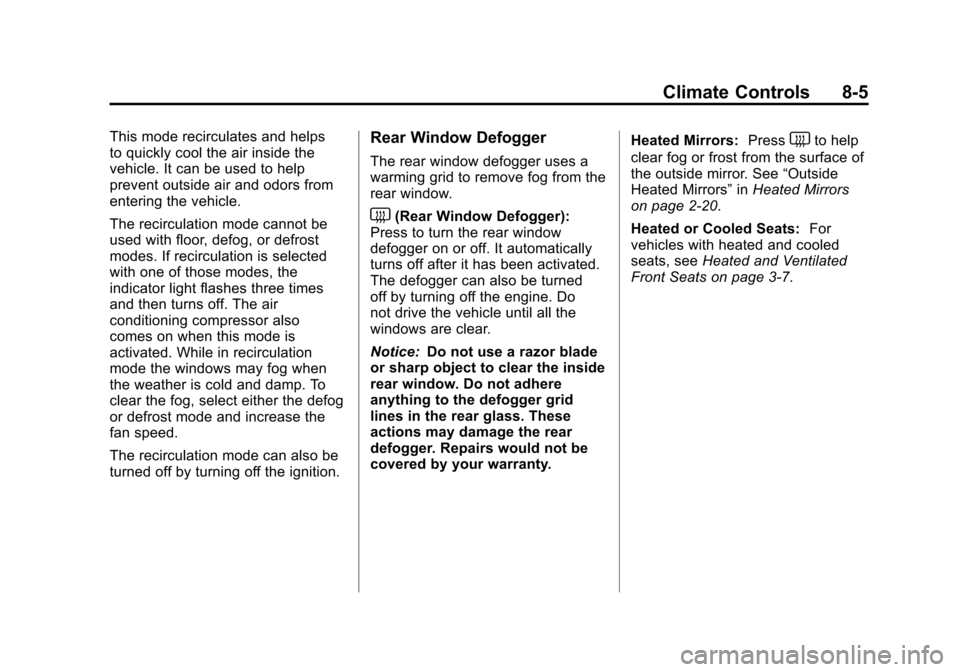
The rear window defogger uses a
warming grid to remove fog from the
rear window.
<(Rear Window Defogger):
Press to turn the rear window
defogger on or off. It automatically
turns off after it has been activated.
The defogger can also be turned
off by turning off the engine. Do
not drive the vehicle until all the
windows are clear.
Notice: Do not use a razor blade
or sharp object to clear the inside
rear window. Do not adhere
anything to the defogger grid
lines in the rear glass. These
actions may damage the rear
defogger. Repairs would not be
covered by your warranty. Heated Mirrors:
Press
the outside mirror. See “Outside
Heated Mirrors” inHeated Mirrors
on page 2‑20.
Heated or Cooled Seats: For
vehicles with heated and cooled
seats, see Heated and Ventilated
Front Seats on page 3‑7.
Page 287 of 508
Black plate (1,1)Cadillac Escalade EXT Owner Manual - 2011
Driving and Operating 9-1
Driving and
Operating
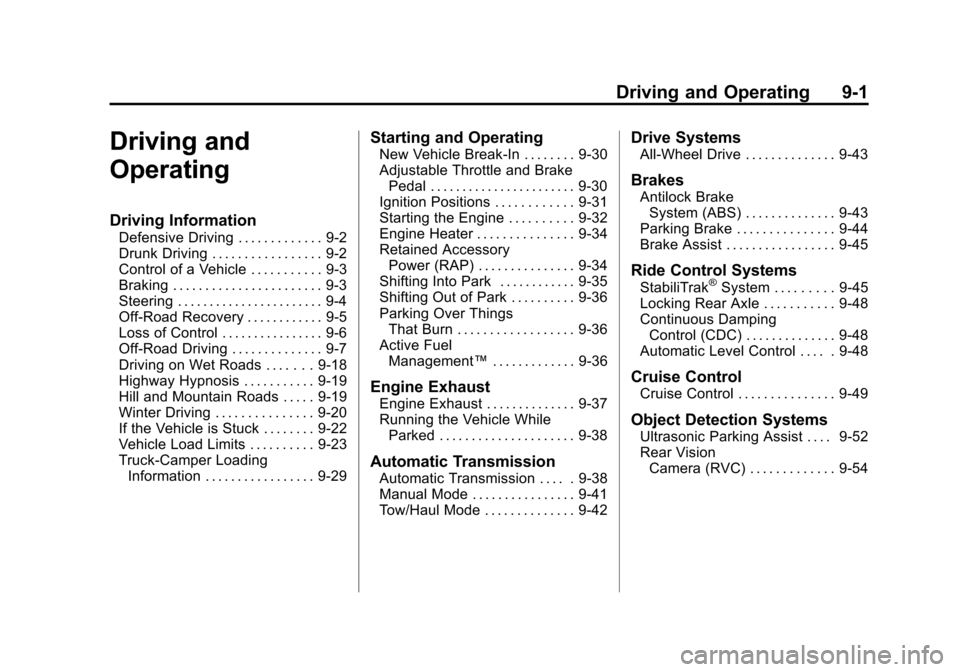
Driving Information
Defensive Driving . . . . . . . . . . . . . 9-2
Drunk Driving . . . . . . . . . . . . . . . . . 9-2
Control of a Vehicle . . . . . . . . . . . 9-3
Braking . . . . . . . . . . . . . . . . . . . . . . . 9-3
Steering . . . . . . . . . . . . . . . . . . . . . . . 9-4
Off-Road Recovery . . . . . . . . . . . . 9-5
Loss of Control . . . . . . . . . . . . . . . . 9-6
Off-Road Driving . . . . . . . . . . . . . . 9-7
Driving on Wet Roads . . . . . . . 9-18
Highway Hypnosis . . . . . . . . . . . 9-19
Hill and Mountain Roads . . . . . 9-19
Winter Driving . . . . . . . . . . . . . . . 9-20
If the Vehicle is Stuck . . . . . . . . 9-22
Vehicle Load Limits . . . . . . . . . . 9-23
Truck-Camper LoadingInformation . . . . . . . . . . . . . . . . . 9-29
Starting and Operating
New Vehicle Break-In . . . . . . . . 9-30
Adjustable Throttle and BrakePedal . . . . . . . . . . . . . . . . . . . . . . . 9-30
Ignition Positions . . . . . . . . . . . . 9-31
Starting the Engine . . . . . . . . . . 9-32
Engine Heater . . . . . . . . . . . . . . . 9-34
Retained Accessory Power (RAP) . . . . . . . . . . . . . . . 9-34
Shifting Into Park . . . . . . . . . . . . 9-35
Shifting Out of Park . . . . . . . . . . 9-36
Parking Over Things That Burn . . . . . . . . . . . . . . . . . . 9-36
Active Fuel Management™ . . . . . . . . . . . . . 9-36
Engine Exhaust
Engine Exhaust . . . . . . . . . . . . . . 9-37
Running the Vehicle While
Parked . . . . . . . . . . . . . . . . . . . . . 9-38
Automatic Transmission
Automatic Transmission . . . . . 9-38
Manual Mode . . . . . . . . . . . . . . . . 9-41
Tow/Haul Mode . . . . . . . . . . . . . . 9-42
Drive Systems
All-Wheel Drive . . . . . . . . . . . . . . 9-43
Brakes
Antilock BrakeSystem (ABS) . . . . . . . . . . . . . . 9-43
Parking Brake . . . . . . . . . . . . . . . 9-44
Brake Assist . . . . . . . . . . . . . . . . . 9-45
Ride Control Systems
StabiliTrak®System . . . . . . . . . 9-45
Locking Rear Axle . . . . . . . . . . . 9-48
Continuous Damping Control (CDC) . . . . . . . . . . . . . . 9-48
Automatic Level Control . . . . . 9-48
Cruise Control
Cruise Control . . . . . . . . . . . . . . . 9-49
Object Detection Systems
Ultrasonic Parking Assist . . . . 9-52
Rear Vision Camera (RVC) . . . . . . . . . . . . . 9-54
Page 303 of 508
Black plate (17,1)Cadillac Escalade EXT Owner Manual - 2011
Driving and Operating 9-17
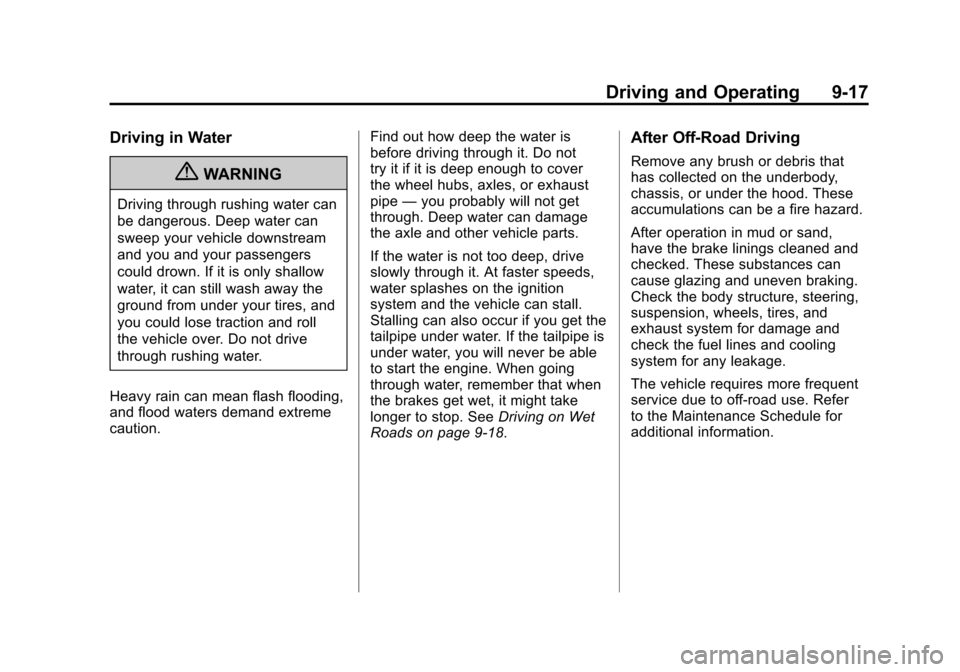
Driving in Water
{WARNING
Driving through rushing water can
be dangerous. Deep water can
sweep your vehicle downstream
and you and your passengers
could drown. If it is only shallow
water, it can still wash away the
ground from under your tires, and
you could lose traction and roll
the vehicle over. Do not drive
through rushing water.
Heavy rain can mean flash flooding,
and flood waters demand extreme
caution. Find out how deep the water is
before driving through it. Do not
try it if it is deep enough to cover
the wheel hubs, axles, or exhaust
pipe
—you probably will not get
through. Deep water can damage
the axle and other vehicle parts.
If the water is not too deep, drive
slowly through it. At faster speeds,
water splashes on the ignition
system and the vehicle can stall.
Stalling can also occur if you get the
tailpipe under water. If the tailpipe is
under water, you will never be able
to start the engine. When going
through water, remember that when
the brakes get wet, it might take
longer to stop. See Driving on Wet
Roads on page 9‑18.
After Off-Road Driving
Remove any brush or debris that
has collected on the underbody,
chassis, or under the hood. These
accumulations can be a fire hazard.
After operation in mud or sand,
have the brake linings cleaned and
checked. These substances can
cause glazing and uneven braking.
Check the body structure, steering,
suspension, wheels, tires, and
exhaust system for damage and
check the fuel lines and cooling
system for any leakage.
The vehicle requires more frequent
service due to off-road use. Refer
to the Maintenance Schedule for
additional information.
Page 305 of 508
Black plate (19,1)Cadillac Escalade EXT Owner Manual - 2011
Driving and Operating 9-19
Highway Hypnosis
Always be alert and pay attention
to your surroundings while driving.
If you become tired or sleepy, find
a safe place to park your vehicle
and rest.
Other driving tips include:
.Keep the vehicle well ventilated.
.Keep interior temperature cool.
.Keep your eyes moving—scan
the road ahead and to the sides.
.Check the rearview mirror and
vehicle instruments often.
Hill and Mountain Roads
Driving on steep hills or through
mountains is different than driving
on flat or rolling terrain. Tips for
driving in these conditions include:
.Keep the vehicle serviced and in
good shape.
.Check all fluid levels and brakes,
tires, cooling system, and
transmission.
.Shift to a lower gear when going
down steep or long hills.
{WARNING
If you do not shift down, the
brakes could get so hot that they
would not work well. You would
then have poor braking or even
none going down a hill. You could
crash. Shift down to let the engine
assist the brakes on a steep
downhill slope.
{WARNING
Coasting downhill in N (Neutral)
or with the ignition off is
dangerous. The brakes will have
to do all the work of slowing down
and they could get so hot that
they would not work well. You
would then have poor braking or
even none going down a hill. You
could crash. Always have the
engine running and the vehicle in
gear when going downhill.
.Stay in your own lane. Do not
swing wide or cut across the
center of the road. Drive at
speeds that let you stay in your
own lane.
.Top of hills: Be
alert —something could
be in your lane (stalled car,
accident).
Page 315 of 508
Black plate (29,1)Cadillac Escalade EXT Owner Manual - 2011
Driving and Operating 9-29
Automatic Level Control
The automatic level control rear
suspension comes as a part
of the Continuous Damping
Control (CDC). SeeContinuous
Damping Control (CDC) on
page 9‑48.
This type of level control is fully
automatic and will provide a
better leveled riding position as
well as better handling under a
variety of passenger and loading
conditions. An air compressor
connected to the rear shocks
will raise or lower the rear of
the vehicle to maintain proper
vehicle height. The system is
activated when the ignition key is turned to ON/RUN and will
automatically adjust vehicle
height thereafter. The system
may exhaust (lower vehicle
height) for up to 10 minutes after
the ignition key has been turned
to OFF/LOCK. You may hear the
air compressor operating when
the height is being adjusted.
If a weight-distributing hitch is
being used, it is recommended
to allow the shocks to inflate,
thereby leveling the vehicle prior
to adjusting the height. See
“Weight Distributing Hitches
and Weight Carrying Hitches”
under
Towing Equipment on
page 9‑72.Truck-Camper Loading
Information
The vehicle was neither
designed nor intended to carry
a slide-in type camper.
Notice: Adding a slide-in
camper or similar equipment
to the vehicle can damage it,
and the repairs would not be
covered by the vehicle
warranty. Do not install a
slide-in camper or similar
equipment on the vehicle.
Page 317 of 508
Black plate (31,1)Cadillac Escalade EXT Owner Manual - 2011
Driving and Operating 9-31
Press the right and left arrows to
move the pedals either closer or
further from your body.
Before you start driving, fully press
the brake pedal to confirm the
adjustment is right for you.
While driving, make only small
adjustments.
The vehicle has a memory function
which allows the pedal positions
to be saved and recalled. See
“Memory Features”underPower
Seat Adjustment on page 3‑3 for
more information.Ignition Positions
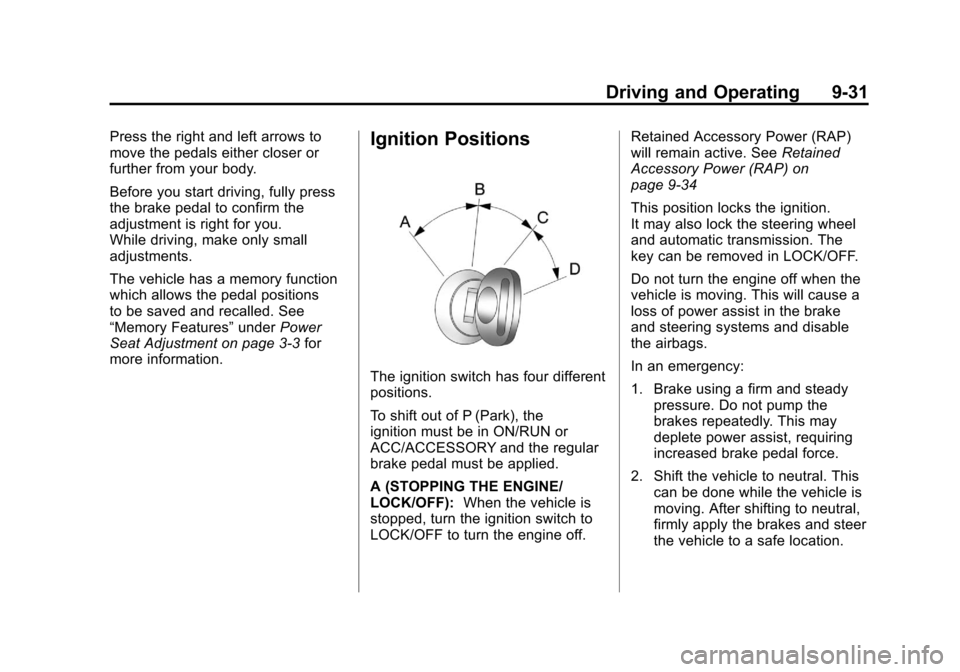
The ignition switch has four different
positions.
To shift out of P (Park), the
ignition must be in ON/RUN or
ACC/ACCESSORY and the regular
brake pedal must be applied.
A (STOPPING THE ENGINE/
LOCK/OFF): When the vehicle is
stopped, turn the ignition switch to
LOCK/OFF to turn the engine off. Retained Accessory Power (RAP)
will remain active. See
Retained
Accessory Power (RAP) on
page 9‑34
This position locks the ignition.
It may also lock the steering wheel
and automatic transmission. The
key can be removed in LOCK/OFF.
Do not turn the engine off when the
vehicle is moving. This will cause a
loss of power assist in the brake
and steering systems and disable
the airbags.
In an emergency:
1. Brake using a firm and steady pressure. Do not pump the
brakes repeatedly. This may
deplete power assist, requiring
increased brake pedal force.
2. Shift the vehicle to neutral. This can be done while the vehicle is
moving. After shifting to neutral,
firmly apply the brakes and steer
the vehicle to a safe location.
Page 318 of 508
Black plate (32,1)Cadillac Escalade EXT Owner Manual - 2011
9-32 Driving and Operating
3. Come to a complete stop, shiftto P (Park), and turn the ignition
to LOCK/OFF. On vehicles with
an automatic transmission, the
shift lever must be in P (Park) to
turn the ignition switch to the
LOCK/OFF position.
4. Set the parking brake. See Parking Brake on page 9‑44.
The steering may bind with the
wheels turned off center. If this
happens, move the steering wheel
from right to left while turning the
key to ACC/ACCESSORY. If this
doesn't work, then the vehicle needs
service.
Notice: Using a tool to force the
key to turn in the ignition could
cause damage to the switch or
break the key. Use the correct
key, make sure it is all the way in,
and turn it only with your hand.
If the key cannot be turned by
hand, see your dealer. B (ACC/ACCESSORY):
This
position lets things like the radio
and the windshield wipers operate
while the engine is off. Use this
position if the vehicle must be
pushed or towed.
C (ON/RUN): This position can
be used to operate the electrical
accessories and to display some
instrument panel cluster warning
and indicator lights. The switch
stays in this position when the
engine is running. The transmission
is also unlocked in this position on
automatic transmission vehicles.
If you leave the key in the ACC/
ACCESSORY or ON/RUN position
with the engine off, the battery could
be drained. You may not be able to
start the vehicle if the battery is
allowed to drain for an extended
period of time.
D (START): This is the position
that starts the engine. When the
engine starts, release the key. The
ignition switch returns to ON/RUN
for driving. A warning tone will sound when the
driver door is opened, the ignition is
in ACC/ACCESSORY or LOCK/OFF
and the key is in the ignition.
Starting the Engine
Move the shift lever to P (Park) or
N (Neutral). The engine will not start
in any other position. To restart the
engine when the vehicle is already
moving, use N (Neutral) only.
Notice:
Do not try to shift to
P (Park) if the vehicle is moving.
If you do, you could damage the
transmission. Shift to P (Park)
only when the vehicle is stopped.
Starting Procedure
1. With your foot off the accelerator pedal, turn the ignition to START.
When the engine starts, let go
of the key. The idle speed will
slow down as the engine
warms. Do not race the engine
immediately after starting it.