ignition CADILLAC ESCALADE EXT 2011 3.G User Guide
[x] Cancel search | Manufacturer: CADILLAC, Model Year: 2011, Model line: ESCALADE EXT, Model: CADILLAC ESCALADE EXT 2011 3.GPages: 508, PDF Size: 7.6 MB
Page 51 of 508
Black plate (21,1)Cadillac Escalade EXT Owner Manual - 2011
Keys, Doors and Windows 2-21
Park Tilt Mirrors
If the vehicle has the memory
package, the passenger and/or
driver mirror tilts to a preselected
position when the vehicle is in
R (Reverse). This feature lets the
driver view the curb when parallel
parking. The mirror(s) return to the
original position when the vehicle
is shifted out of R (Reverse), or
the ignition is turned off or to
OFF/LOCK.
Turn this feature on or off through
the Driver Information Center (DIC).
SeeDriver Information Center (DIC)
on page 5‑23 for more information.
Interior Mirrors
Automatic Dimming
Rearview Mirror
Automatic dimming reduces the
glare of lights from behind the
vehicle. The dimming feature comes
on and the indicator light illuminates
each time the vehicle is started.
O(On/Off):Press to turn the
dimming feature on or off.
The vehicle may have IntelliBeam
®.
For more information on IntelliBeam,
see “IntelliBeam Intelligent
High‐Beam Headlamp Control
System” underExterior Lamp
Controls on page 6‑1. Vehicles with OnStar
®have
three additional control buttons
located at the bottom of the
mirror. See your dealer for more
information about OnStar and how
to subscribe to it. See the OnStar
Owner's Guide for more information
about the services OnStar provides.
Cleaning the Mirror
Do not spray glass cleaner directly
on the mirror. Use a soft towel
dampened with water.
Page 53 of 508
Black plate (23,1)Cadillac Escalade EXT Owner Manual - 2011
Keys, Doors and Windows 2-23
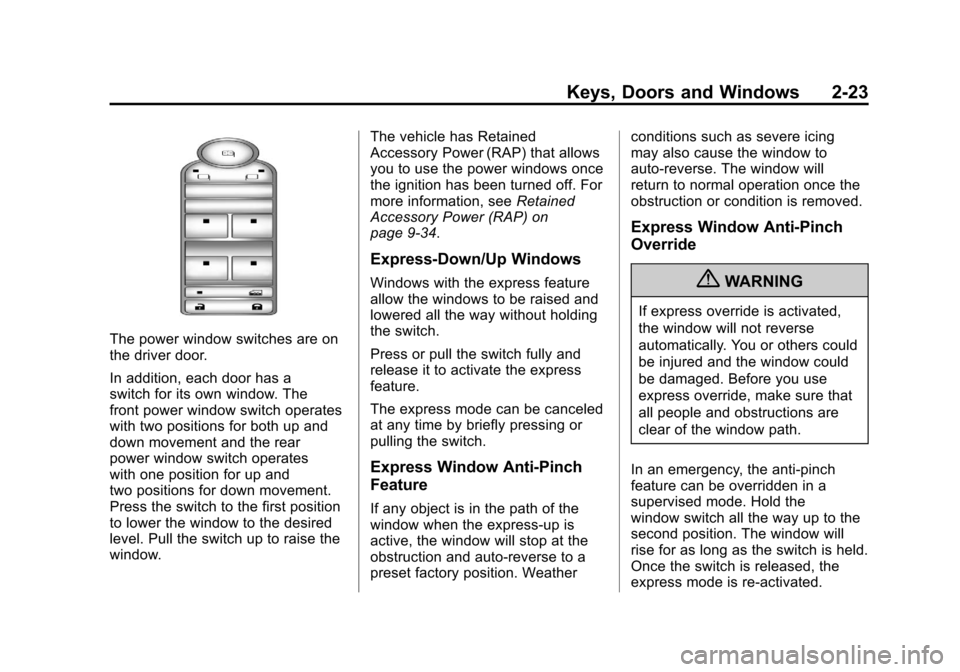
The power window switches are on
the driver door.
In addition, each door has a
switch for its own window. The
front power window switch operates
with two positions for both up and
down movement and the rear
power window switch operates
with one position for up and
two positions for down movement.
Press the switch to the first position
to lower the window to the desired
level. Pull the switch up to raise the
window.The vehicle has Retained
Accessory Power (RAP) that allows
you to use the power windows once
the ignition has been turned off. For
more information, see
Retained
Accessory Power (RAP) on
page 9‑34.
Express-Down/Up Windows
Windows with the express feature
allow the windows to be raised and
lowered all the way without holding
the switch.
Press or pull the switch fully and
release it to activate the express
feature.
The express mode can be canceled
at any time by briefly pressing or
pulling the switch.
Express Window Anti-Pinch
Feature
If any object is in the path of the
window when the express‐up is
active, the window will stop at the
obstruction and auto‐reverse to a
preset factory position. Weather conditions such as severe icing
may also cause the window to
auto‐reverse. The window will
return to normal operation once the
obstruction or condition is removed.
Express Window Anti‐Pinch
Override
{WARNING
If express override is activated,
the window will not reverse
automatically. You or others could
be injured and the window could
be damaged. Before you use
express override, make sure that
all people and obstructions are
clear of the window path.
In an emergency, the anti‐pinch
feature can be overridden in a
supervised mode. Hold the
window switch all the way up to the
second position. The window will
rise for as long as the switch is held.
Once the switch is released, the
express mode is re‐activated.
Page 54 of 508
Black plate (24,1)Cadillac Escalade EXT Owner Manual - 2011
2-24 Keys, Doors and Windows
In this mode, the window can still
close on an object in its path. Use
care when using the override mode.
Programming the Power
Windows
If the battery on the vehicle has
been recharged, disconnected,
or is not working, you will need to
reprogram each front power window
for the express-up feature to work.
Before reprogramming, replace or
recharge the vehicle's battery.
To program each front window,
follow these steps:
1. With the ignition inACC/ACCESSORY,
ON/RUN, or when Retained
Accessory Power (RAP) is
active, close all doors.
2. Press and hold the power window switch until the window
is fully open.
3. Pull the power window switch up until the window is fully closed. 4. Continue holding the switch up
for approximately two seconds
after the window is completely
closed.
The window is now reprogrammed.
Repeat the process for the other
windows.
Window Lockout
o(Window Lockout): This button
is on the driver door near the
window switches.
Press the right side of the button to
disable the rear window controls.
The light on the button will
illuminate, indicating the feature
is in use. The rear windows still
can be raised or lowered using the
driver window switches when the
lockout feature is active.
To restore power to the rear
windows, press the button again.
The light on the button will go out.
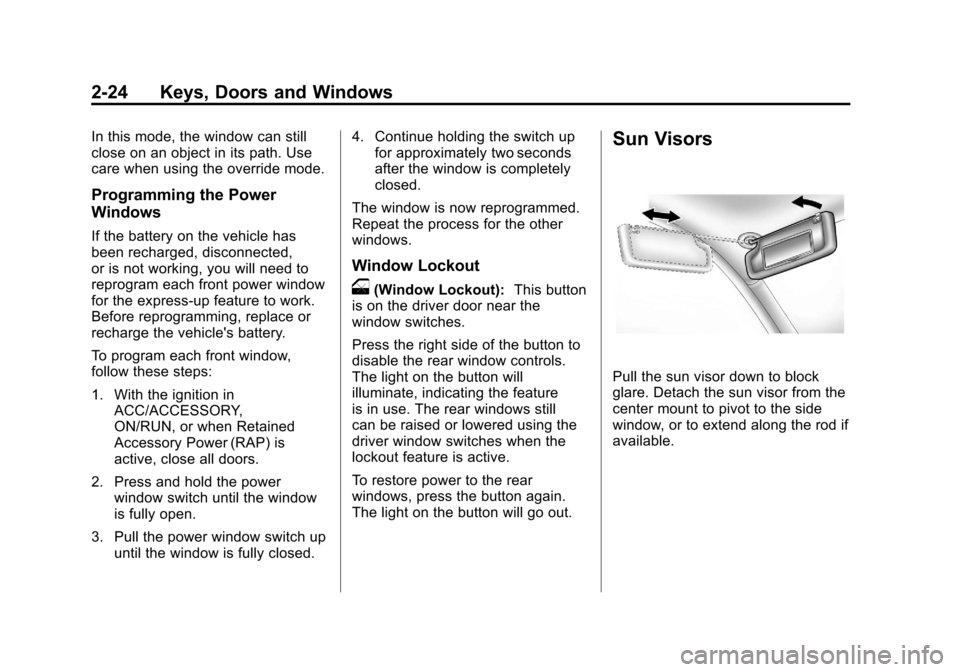
Sun Visors
Pull the sun visor down to block
glare. Detach the sun visor from the
center mount to pivot to the side
window, or to extend along the rod if
available.
Page 55 of 508
Black plate (25,1)Cadillac Escalade EXT Owner Manual - 2011
Keys, Doors and Windows 2-25
Roof
Sunroof
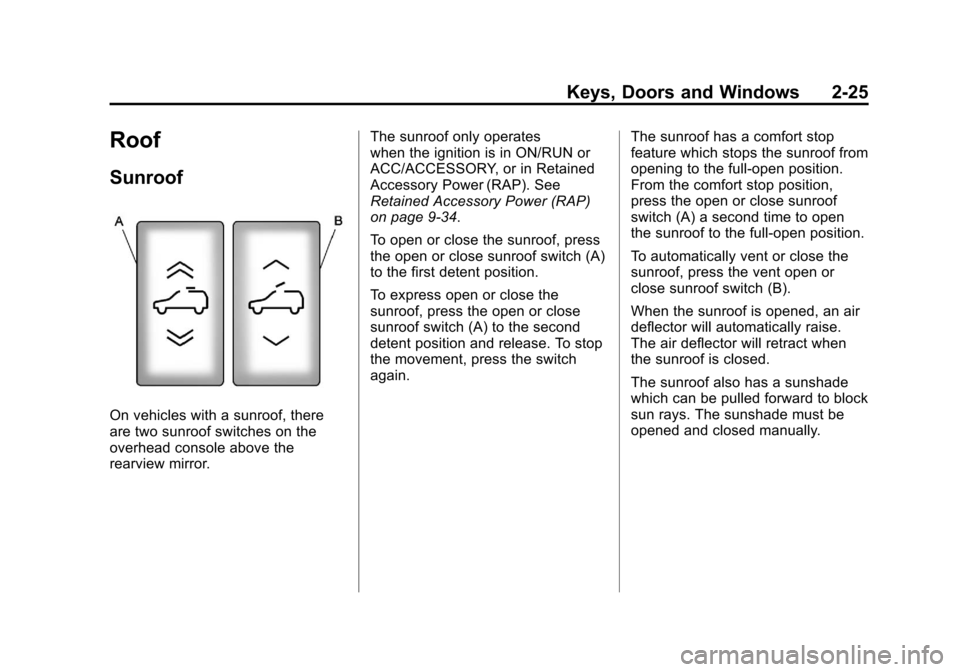
On vehicles with a sunroof, there
are two sunroof switches on the
overhead console above the
rearview mirror.The sunroof only operates
when the ignition is in ON/RUN or
ACC/ACCESSORY, or in Retained
Accessory Power (RAP). See
Retained Accessory Power (RAP)
on page 9‑34.
To open or close the sunroof, press
the open or close sunroof switch (A)
to the first detent position.
To express open or close the
sunroof, press the open or close
sunroof switch (A) to the second
detent position and release. To stop
the movement, press the switch
again.
The sunroof has a comfort stop
feature which stops the sunroof from
opening to the full-open position.
From the comfort stop position,
press the open or close sunroof
switch (A) a second time to open
the sunroof to the full-open position.
To automatically vent or close the
sunroof, press the vent open or
close sunroof switch (B).
When the sunroof is opened, an air
deflector will automatically raise.
The air deflector will retract when
the sunroof is closed.
The sunroof also has a sunshade
which can be pulled forward to block
sun rays. The sunshade must be
opened and closed manually.
Page 61 of 508
Black plate (5,1)Cadillac Escalade EXT Owner Manual - 2011
Seats and Restraints 3-5
If the easy exit feature is
programmed on in the vehicle
personalization menu, automatic
driver seat and power steering
column movement occur when the
ignition key is removed.
A single beep sounds. The driver
seat moves back approximately
8 cm (3 in) and the power steering
column moves up and forward. To
move the seat back farther, press
the easy exit button again until the
seat is all the way back.If something has blocked the driver
seat while recalling the exit position,
the recall may stop. Remove the
obstruction; then press and hold
the power seat control rearward for
two seconds. Try recalling the exit
position again. If the exit position is
still not recalling, see your dealer for
service.
See
“Easy Exit Recall” and
“Easy Exit Setup” underVehicle
Personalization on page 5‑35 for
more information.Lumbar Adjustment
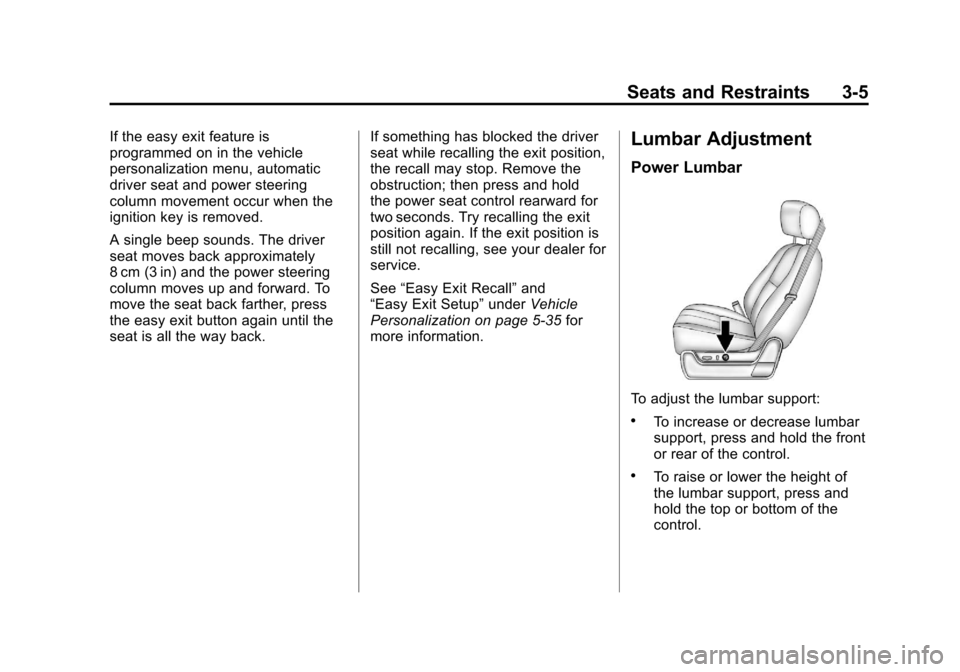
Power Lumbar
To adjust the lumbar support:
.To increase or decrease lumbar
support, press and hold the front
or rear of the control.
.To raise or lower the height of
the lumbar support, press and
hold the top or bottom of the
control.
Page 64 of 508

Black plate (8,1)Cadillac Escalade EXT Owner Manual - 2011
3-8 Seats and Restraints
Press the desired button once for
the highest setting. With each press
of the button, the seat will change to
the next lower setting, and then to
the off setting.
Indicator bars next to the symbol
on the climate control display show
the selected setting: three for high,
two for medium, and one for low.
The heated and cooled seats
are canceled when the ignition is
turned off. To use this feature after
restarting the vehicle, press the
desired button again.Rear Seats
The rear seatbacks can be folded
to provide more cargo space and
access to the midgate. See
Midgate
®on page 2‑9for more
information on operation of the
midgate.
To fold the seatback:
1. Push the rear seat headrests all the way down.
2. Pull the loop in the creasewhere the seatback and seat
cushion meet to release the seat
cushion. Tilt the seat cushion
forward toward the front of the
vehicle.
Notice: Folding a rear seat with
the safety belts still fastened may
cause damage to the seat or the
safety belts. Always unbuckle the
safety belts and return them to
their normal stowed position
before folding a rear seat.
Page 93 of 508

Black plate (37,1)Cadillac Escalade EXT Owner Manual - 2011
Seats and Restraints 3-37
A thick layer of additional material,
such as a blanket or cushion,
or aftermarket equipment such
as seat covers, seat heaters, and
seat massagers, can affect how
well the passenger sensing system
operates. We recommend that
you not use seat covers or other
aftermarket equipment except when
approved by GM for your specific
vehicle. SeeAdding Equipment to
the Airbag-Equipped Vehicle on
page 3‑38 for more information
about modifications that can affect
how the system operates.
The on indicator may be lit if an
object, such as a briefcase,
handbag, grocery bag, laptop,
or other electronic device, is put on
an unoccupied seat. If this is not
desired, remove the object from
the seat.{WARNING
Stowing of articles under the
passenger seat or between the
passenger seat cushion and
seatback may interfere with the
proper operation of the passenger
sensing system.
Servicing the
Airbag-Equipped Vehicle
Airbags affect how the vehicle
should be serviced. There are parts
of the airbag system in several
places around the vehicle. Your
dealer and the service manual have
information about servicing the
vehicle and the airbag system. To
purchase a service manual, see
Service Publications Ordering
Information on page 13‑15.
{WARNING
For up to 10 seconds after the
ignition is turned off and the
battery is disconnected, an airbag
can still inflate during improper
service. You can be injured if you
are close to an airbag when it
inflates. Avoid yellow connectors.
They are probably part of the
airbag system. Be sure to follow
proper service procedures, and
make sure the person performing
work for you is qualified to do so.
Page 138 of 508
Black plate (8,1)Cadillac Escalade EXT Owner Manual - 2011
5-8 Instruments and Controls
The accessory power outlets are
powered, even when the ignition is
in LOCK/OFF. Continuing to use
power outlets while the ignition is in
LOCK/OFF may cause the vehicle's
battery to run down.
Do not try to put the cigarette lighter
in any of the accessory power
outlets.
{WARNING
Power is always supplied to the
outlets. Do not leave electrical
equipment plugged in when the
vehicle is not in use because the
vehicle could catch fire and cause
injury or death.Notice:
Leaving electrical
equipment plugged in for an
extended period of time while
the vehicle is off will drain the
battery. Always unplug electrical
equipment when not in use and
do not plug in equipment that
exceeds the maximum 20 ampere
rating.
Certain electrical accessories
may not be compatible with the
accessory power outlet and could
overload vehicle or adapter fuses.
If a problem is experienced, see
your dealer.
When adding electrical equipment,
be sure to follow the proper
installation instructions included
with the electrical equipment. See
Add-On Electrical Equipment on
page 9‑75. Notice:
Hanging heavy
equipment from the power outlet
can cause damage not covered
by the vehicle warranty. The
power outlets are designed for
accessory power plugs only, such
as cell phone charge cords.
Cigarette Lighter
The cigarette lighter is located in the
center console near the cupholders.
Press on the access door to open it
and use the lighter.
To use the cigarette lighter, push it
in all the way, and let go. When it is
ready, it will pop back out by itself.
Notice: Holding a cigarette lighter
in while it is heating does not let
the lighter back away from the
heating element when it is hot.
Damage from overheating can
occur to the lighter or heating
element, or a fuse could be
blown. Do not hold a cigarette
lighter in while it is heating.
Page 141 of 508
Black plate (11,1)Cadillac Escalade EXT Owner Manual - 2011
Instruments and Controls 5-11
Speedometer
The speedometer shows the
vehicle's speed in both kilometers
per hour (km/h) and miles per
hour (mph).
Odometer
The odometer works together with
the Driver Information Center (DIC).
Press the Trip/Fuel button on the
instrument panel cluster to check
the odometer mileage while the
vehicle is not running. See
“Odometer”underDriver Information
Center (DIC) on page 5‑23 for more
information.
If the vehicle ever needs a new
odometer installed, the new one will
be set to the correct mileage total of
the old odometer.
Trip Odometer
The trip odometer can show how far
the vehicle has been driven since
the trip odometer was last set
to zero. For more information see
“Trip
Odometer” underDriver Information
Center (DIC) on page 5‑23.
Tachometer
The tachometer displays the
engine speed in revolutions per
minute (rpm).
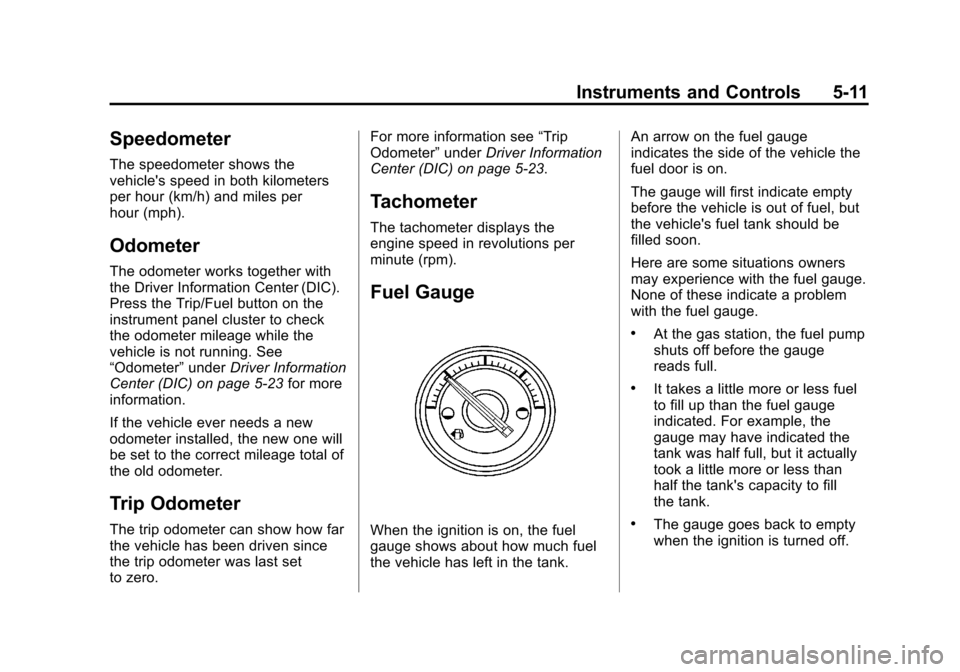
Fuel Gauge
When the ignition is on, the fuel
gauge shows about how much fuel
the vehicle has left in the tank. An arrow on the fuel gauge
indicates the side of the vehicle the
fuel door is on.
The gauge will first indicate empty
before the vehicle is out of fuel, but
the vehicle's fuel tank should be
filled soon.
Here are some situations owners
may experience with the fuel gauge.
None of these indicate a problem
with the fuel gauge.
.At the gas station, the fuel pump
shuts off before the gauge
reads full.
.It takes a little more or less fuel
to fill up than the fuel gauge
indicated. For example, the
gauge may have indicated the
tank was half full, but it actually
took a little more or less than
half the tank's capacity to fill
the tank.
.The gauge goes back to empty
when the ignition is turned off.
Page 145 of 508
Black plate (15,1)Cadillac Escalade EXT Owner Manual - 2011
Instruments and Controls 5-15
{WARNING
If the airbag readiness light ever
comes on and stays on, it means
that something may be wrong
with the airbag system. To help
avoid injury to yourself or others,
have the vehicle serviced right
away. SeeAirbag Readiness
Light on page 5‑13 for more
information, including important
safety information.
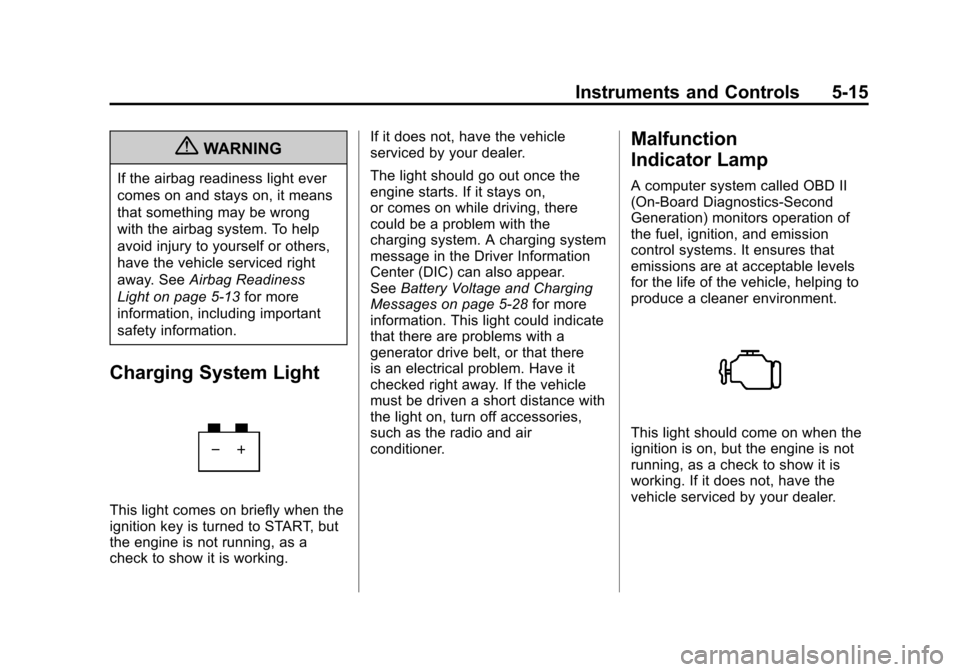
Charging System Light
This light comes on briefly when the
ignition key is turned to START, but
the engine is not running, as a
check to show it is working. If it does not, have the vehicle
serviced by your dealer.
The light should go out once the
engine starts. If it stays on,
or comes on while driving, there
could be a problem with the
charging system. A charging system
message in the Driver Information
Center (DIC) can also appear.
See
Battery Voltage and Charging
Messages on page 5‑28 for more
information. This light could indicate
that there are problems with a
generator drive belt, or that there
is an electrical problem. Have it
checked right away. If the vehicle
must be driven a short distance with
the light on, turn off accessories,
such as the radio and air
conditioner.
Malfunction
Indicator Lamp
A computer system called OBD II
(On-Board Diagnostics-Second
Generation) monitors operation of
the fuel, ignition, and emission
control systems. It ensures that
emissions are at acceptable levels
for the life of the vehicle, helping to
produce a cleaner environment.
This light should come on when the
ignition is on, but the engine is not
running, as a check to show it is
working. If it does not, have the
vehicle serviced by your dealer.