brake CADILLAC ESCALADE EXT 2013 3.G User Guide
[x] Cancel search | Manufacturer: CADILLAC, Model Year: 2013, Model line: ESCALADE EXT, Model: CADILLAC ESCALADE EXT 2013 3.GPages: 476, PDF Size: 7.55 MB
Page 115 of 476
Black plate (1,1)Cadillac Escalade EXT Owner Manual - 2013 - CRC - 4/5/12
Instruments and Controls 5-1
Instruments and
Controls
Controls
Steering Wheel Adjustment . . . 5-2
Steering Wheel Controls . . . . . . 5-2
Heated Steering Wheel . . . . . . . 5-4
Horn . . . . . . . . . . . . . . . . . . . . . . . . . . 5-4
Windshield Wiper/Washer . . . . . 5-4
Compass . . . . . . . . . . . . . . . . . . . . . 5-5
Clock . . . . . . . . . . . . . . . . . . . . . . . . . 5-7
Power Outlets . . . . . . . . . . . . . . . . . 5-7
Cigarette Lighter . . . . . . . . . . . . . . 5-8
Ashtrays . . . . . . . . . . . . . . . . . . . . . . 5-8
Warning Lights, Gauges, and
Indicators
Warning Lights, Gauges, andIndicators . . . . . . . . . . . . . . . . . . . . 5-8
Instrument Cluster . . . . . . . . . . . 5-10
Speedometer . . . . . . . . . . . . . . . . 5-11
Odometer . . . . . . . . . . . . . . . . . . . . 5-11
Trip Odometer . . . . . . . . . . . . . . . 5-11
Tachometer . . . . . . . . . . . . . . . . . . 5-11
Fuel Gauge . . . . . . . . . . . . . . . . . . 5-11
Engine Coolant Temperature Gauge . . . . . . . . . . . . . . . . . . . . . . 5-12 Safety Belt Reminders . . . . . . . 5-12
Airbag Readiness Light . . . . . . 5-13
Passenger Airbag Status
Indicator . . . . . . . . . . . . . . . . . . . . 5-14
Charging System Light . . . . . . 5-15
Malfunction
Indicator Lamp . . . . . . . . . . . . . 5-15
Brake System Warning Light . . . . . . . . . . . . . . . . . . . . . . . 5-17
Antilock Brake System (ABS) Warning Light . . . . . . . . . . . . . . 5-18
Tow/Haul Mode Light . . . . . . . . 5-19
StabiliTrak
®OFF Light . . . . . . . 5-19
Traction Control System (TCS)/StabiliTrak
®Light . . . . 5-19
Tire Pressure Light . . . . . . . . . . 5-20
Engine Oil Pressure Light . . . . 5-20
Security Light . . . . . . . . . . . . . . . . 5-21
High-Beam On Light . . . . . . . . . 5-21
Front Fog Lamp Light . . . . . . . . 5-21
Lamps On Reminder . . . . . . . . . 5-21
Cruise Control Light . . . . . . . . . 5-22
Information Displays
Driver Information Center (DIC) . . . . . . . . . . . . . . . 5-22
Vehicle Messages
Vehicle Messages . . . . . . . . . . . 5-27
Battery Voltage and ChargingMessages . . . . . . . . . . . . . . . . . . 5-27
Brake System Messages . . . . 5-27
Door Ajar Messages . . . . . . . . . 5-28
Engine Cooling System Messages . . . . . . . . . . . . . . . . . . 5-28
Engine Oil Messages . . . . . . . . 5-29
Engine Power Messages . . . . 5-30
Fuel System Messages . . . . . . 5-30
Key and Lock Messages . . . . . 5-30
Lamp Messages . . . . . . . . . . . . . 5-30
Object Detection System Messages . . . . . . . . . . . . . . . . . . 5-31
Ride Control System Messages . . . . . . . . . . . . . . . . . . 5-31
Airbag System Messages . . . . 5-32
Security Messages . . . . . . . . . . 5-32
Tire Messages . . . . . . . . . . . . . . . 5-33
Transmission Messages . . . . . 5-33
Vehicle Reminder Messages . . . . . . . . . . . . . . . . . . 5-34
Washer Fluid Messages . . . . . 5-34
Vehicle Personalization
Vehicle Personalization . . . . . . 5-35
Page 131 of 476

Black plate (17,1)Cadillac Escalade EXT Owner Manual - 2013 - CRC - 4/5/12
Instruments and Controls 5-17
or stumbling on acceleration.
These conditions might go away
once the engine is warmed up.
If one or more of these conditions
occurs, change the fuel brand used.
It may require at least one full tank
of the proper fuel to turn the light off.
See Recommended Fuel on
page 9‑47.
If none of the above have made the
light turn off, your dealer can check
the vehicle. The dealer has the
proper test equipment and
diagnostic tools to fix any
mechanical or electrical problems
that might have developed.
Emissions Inspection and
Maintenance Programs
Depending on where you live, your
vehicle may be required to
participate in an emission control
system inspection and maintenance
program. For the inspection, the
emission system test equipment will
likely connect to the vehicle's Data
Link Connector (DLC).
The DLC is under the instrument
panel to the left of the steering
wheel. See your dealer if assistance
is needed.
The vehicle may not pass
inspection if:
.The malfunction indicator lamp is
on with the engine running, or if
the light does not come on when
the ignition is turned to ON/RUN
while the engine is off. See your
dealer for assistance in verifying
proper operation of the
malfunction indicator lamp.
.The OBD II (On-Board
Diagnostics) system determines
that critical emission control
systems have not been
completely diagnosed. The
vehicle would be considered not
ready for inspection. This can happen if the 12-volt battery has
recently been replaced or run
down. The diagnostic system is
designed to evaluate critical
emission control systems during
normal driving. This can take
several days of routine driving.
If this has been done and the
vehicle still does not pass the
inspection for lack of OBD II
system readiness, your dealer
can prepare the vehicle for
inspection.
Brake System Warning
Light
With the ignition on, the brake
system warning light comes on
when the parking brake is set. If the
vehicle is driven with the parking
brake engaged, a chime sounds
when the vehicle speed is greater
than 5 km/h (3 mph).
The vehicle brake system consists
of two hydraulic circuits. If one
circuit is not working, the remaining
circuit can still work to stop the
Page 132 of 476

Black plate (18,1)Cadillac Escalade EXT Owner Manual - 2013 - CRC - 4/5/12
5-18 Instruments and Controls
vehicle. For normal braking
performance, both circuits need to
be working.
If the warning light comes on and a
chime sounds there could be a
brake problem. Have the brake
system inspected by your dealer.
This light can also come on due to
low brake fluid. SeeBrake Fluid on
page 10‑22 for more information.
MetricEnglish
This light comes on briefly when the
ignition is turned to ON/RUN. If it
does not, have it fixed so it will be
ready to warn if there is a problem.
If the light comes on while driving,
pull off the road and stop carefully.
The pedal could be harder to push
or could go closer to the floor. It can
take longer to stop. If the light is still on, have the vehicle towed for
service. See
Towing the Vehicle on
page 10‑77.
{WARNING
The brake system might not be
working properly if the brake
system warning light is on.
Driving with the brake system
warning light on can lead to a
crash. If the light is still on after
the vehicle has been pulled off
the road and carefully stopped,
have the vehicle towed for
service.
Antilock Brake System
(ABS) Warning Light
For vehicles with the Antilock Brake
System (ABS), this light comes on
briefly when the engine is started.
If it does not, have the vehicle
serviced by your dealer. If the
system is working normally, the
indicator light then goes off.
If the ABS light stays on, turn the
ignition off. If the light comes on
while driving, stop as soon as it is
safely possible and turn the ignition
off. Then start the engine again to
reset the system. If the ABS light
stays on, or comes on again while
driving, the vehicle needs service.
If the regular brake system warning
light is not on, the vehicle still has
brakes, but not antilock brakes.
If the regular brake system warning
light is also on, the vehicle does not
have antilock brakes and there is a
problem with the regular brakes.
See Brake System Warning Light on
page 5‑17.
Page 133 of 476
Black plate (19,1)Cadillac Escalade EXT Owner Manual - 2013 - CRC - 4/5/12
Instruments and Controls 5-19
For vehicles with a Driver
Information Center (DIC), seeBrake
System Messages on page 5‑27 for
all brake-related DIC messages.
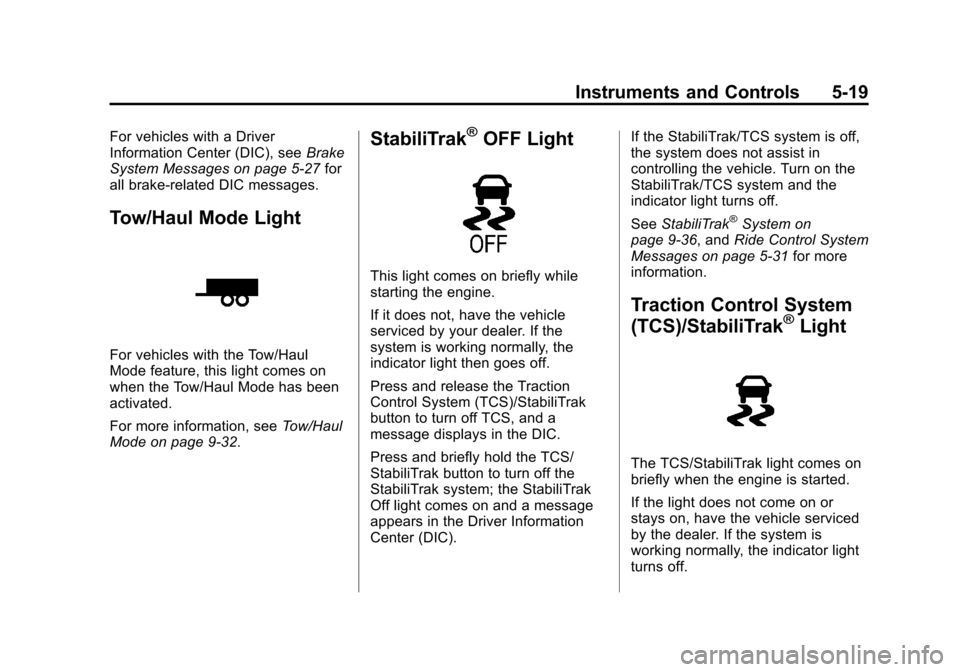
Tow/Haul Mode Light
For vehicles with the Tow/Haul
Mode feature, this light comes on
when the Tow/Haul Mode has been
activated.
For more information, see Tow/Haul
Mode on page 9‑32.
StabiliTrak®OFF Light
This light comes on briefly while
starting the engine.
If it does not, have the vehicle
serviced by your dealer. If the
system is working normally, the
indicator light then goes off.
Press and release the Traction
Control System (TCS)/StabiliTrak
button to turn off TCS, and a
message displays in the DIC.
Press and briefly hold the TCS/
StabiliTrak button to turn off the
StabiliTrak system; the StabiliTrak
Off light comes on and a message
appears in the Driver Information
Center (DIC). If the StabiliTrak/TCS system is off,
the system does not assist in
controlling the vehicle. Turn on the
StabiliTrak/TCS system and the
indicator light turns off.
See
StabiliTrak
®System on
page 9‑36, and Ride Control System
Messages on page 5‑31 for more
information.
Traction Control System
(TCS)/StabiliTrak®Light
The TCS/StabiliTrak light comes on
briefly when the engine is started.
If the light does not come on or
stays on, have the vehicle serviced
by the dealer. If the system is
working normally, the indicator light
turns off.
Page 141 of 476

Black plate (27,1)Cadillac Escalade EXT Owner Manual - 2013 - CRC - 4/5/12
Instruments and Controls 5-27
Vehicle Messages
Messages displayed on the DIC
indicate the status of the vehicle or
some action may be needed to
correct a condition. Multiple
messages may appear one after
another.
The messages that do not require
immediate action can be
acknowledge and cleared by
pressing any DIC button.
The messages that require
immediate action cannot be cleared
until that action is performed.
All messages should be taken
seriously and clearing the message
does not correct the problem.
The following are the possible
messages and some information
about them.
Battery Voltage and
Charging Messages
BATTERY LOW START
VEHICLE
When the vehicle’s battery is
severely discharged, this message
will display and four chimes will
sound. Start the vehicle
immediately. If the vehicle is not
started and the battery continues to
discharge, the climate controls,
heated seats, and audio systems
will shut off and the vehicle may
require a jump start. These systems
will function again after the vehicle
is started.
SERVICE BATTERY
CHARGING SYSTEM
On some vehicles, this message
displays if there is a problem with
the battery charging system. Under
certain conditions, the charging
system light may also turn on in the
instrument panel cluster. See
Charging System Light on
page 5‑15. Driving with this problem could drain the battery. Turn off all
unnecessary accessories. Have the
electrical system checked as soon
as possible. See your dealer.
Brake System Messages
SERVICE BRAKE SYSTEM
This message displays along with
the brake system warning light if
there is a problem with the brake
system. See
Brake System Warning
Light on page 5‑17. If this message
appears, stop as soon as possible
and turn off the vehicle. Restart the
vehicle and check for the message
on the DIC display. If the message
is still displayed or appears again
when you begin driving, the brake
system needs service as soon as
possible. See your dealer.
SERVICE BRAKES SOON
This message displays if there is a
problem with the brake system.
If this message appears, stop as
soon as possible and turn off the
vehicle. Restart the vehicle and
Page 142 of 476

Black plate (28,1)Cadillac Escalade EXT Owner Manual - 2013 - CRC - 4/5/12
5-28 Instruments and Controls
check for the message on the DIC
display. If the message is still
displayed or appears again when
you begin driving, the brake system
needs service. See your dealer.
Door Ajar Messages
DRIVER DOOR OPEN
This message displays and a chime
sounds if the driver door is not fully
closed and the vehicle is shifted out
of P (Park). Stop and turn off the
vehicle, check the door for
obstructions, and close the door
again. Check to see if the message
still appears on the DIC.
HOOD OPEN
This message displays and a chime
sounds if the hood is not fully
closed. Stop and turn off the
vehicle, check the hood for
obstructions, and close the hood
again. Check to see if the message
still appears on the DIC.
LEFT REAR DOOR OPEN
This message displays and a chime
sounds if the driver side rear door is
not fully closed and the vehicle is
shifted out of P (Park). Stop and turn
off the vehicle, check the door for
obstructions, and close the door
again. Check to see if the message
still appears on the DIC.
PASSENGER DOOR OPEN
This message displays and a chime
sounds if the front passenger door
is not fully closed and the vehicle is
shifted out of P (Park). Stop and turn
off the vehicle, check the door for
obstructions, and close the door
again. Check to see if the message
still appears on the DIC.
RIGHT REAR DOOR OPEN
This message displays and a chime
sounds if the passenger side rear
door is not fully closed and the
vehicle is shifted out of P (Park).
Stop and turn off the vehicle, checkthe door for obstructions, and close
the door again. Check to see if the
message still appears on the DIC.
Engine Cooling System
Messages
Notice:
If you drive the vehicle
while the engine is overheating,
severe engine damage may
occur. If an overheat warning
appears on the instrument panel
cluster and/or DIC, stop the
vehicle as soon as possible. See
Engine Overheating on
page 10‑17 for more information.
ENGINE HOT A/C (Air
Conditioning) TURNED OFF
This message displays when the
engine coolant becomes hotter than
the normal operating temperature.
SeeEngine Coolant Temperature
Gauge on page 5‑12. To avoid
added strain on a hot engine, the air
conditioning compressor
automatically turns off. When the
coolant temperature returns to
Page 146 of 476

Black plate (32,1)Cadillac Escalade EXT Owner Manual - 2013 - CRC - 4/5/12
5-32 Instruments and Controls
SeeStabiliTrak®System on
page 9‑36 for more information.
If this message continues to be
displayed for multiple ignition cycles
and on different road surfaces, see
your dealer for service.
TRACTION XX
STABILITRAK XX
This message displays when the
traction control and/or StabiliTrak
systems have been turned on or off.
Adjust your driving accordingly. To
limit wheel spin and realize the full
benefits of the stability
enhancement system, you should
normally leave StabiliTrak on.
However, you should turn
StabiliTrak off if the vehicle gets
stuck in sand, mud, ice, or snow
and you want to rock the vehicle to
attempt to free it, or if you are
driving in extreme off-road
conditions and require more wheel
spin. See If the Vehicle Is Stuck on
page 9‑13. To turn the StabiliTrak
system on or off, see StabiliTrak
®
System on page 9‑36. STABILITRAK OFF may also
display when the stability control
has been automatically disabled.
There are several conditions that
can cause this message to appear.
.One condition is overheating,
which could occur if StabiliTrak
activates continuously for an
extended period of time.
.The message also displays if the
brake system warning light is on.
See
Brake System Warning
Light on page 5‑17.
.The message could display if the
stability system takes longer
than usual to complete its
diagnostic checks due to driving
conditions.
.The message displays if an
engine or vehicle related
problem has been detected and
the vehicle needs service. See
your dealer. The message turns off as soon as
the conditions that caused the
message to be displayed are no
longer present.
Airbag System Messages
SERVICE AIR BAG
This message displays if there is a
problem with the airbag system.
Have your dealer inspect the
system for problems. See
Airbag
Readiness Light on page 5‑13 and
Airbag System on page 3‑17 for
more information.
Security Messages
SERVICE THEFT DETERRENT
SYSTEM
This message displays when there
is a problem with the theft-deterrent
system. The vehicle may or may not
restart so you may want to take the
vehicle to your dealer before turning
off the engine. See Immobilizer
Operation on page 2‑17 for more
information.
Page 155 of 476

Black plate (41,1)Cadillac Escalade EXT Owner Manual - 2013 - CRC - 4/5/12
Instruments and Controls 5-41
original exit position, unless a
memory recall took place prior to
removing the key again.
NO CHANGE:No change will be
made to this feature. The current
setting will remain.
To select a setting, press the set/
reset button while the desired
setting is displayed on the DIC.
EASY EXIT SETUP
If your vehicle has this feature, it
allows you to select which areas will
recall with the automatic easy exit
seat feature. It also allows you to
turn off the automatic easy exit
feature. See Memory Seats on
page 3‑5 and“EASY EXIT RECALL”
earlier for more information. Press the customization button until
EASY EXIT SETUP appears on the
DIC display. Press the set/reset
button once to access the settings
for this feature. Then press the
menu up/down button to scroll
through the following settings:
OFF:
No automatic seat exit will
recall.
SEAT ONLY: The driver seat will
recall.
TILT ONLY: The steering wheel tilt
feature will recall.
SEAT & TILT (default): The driver
seat and the steering wheel tilt will
recall.
NO CHANGE: No change will be
made to this feature. The current
setting will remain.
To select a setting, press the set/
reset button while the desired
setting is displayed on the DIC. MEMORY SEAT RECALL
This feature allows you to select
your preference for the remote
memory seat recall feature. See
Memory Seats on page 3‑5
for more
information.
Press the customization button until
MEMORY SEAT RECALL appears
on the DIC display. Press the set/
reset button once to access the
settings for this feature. Then press
the customization button to scroll
through the following settings:
OFF (default): No remote memory
seat recall will occur.
ON: The driver seat, and on some
vehicles, the outside mirrors will
automatically move to the stored
driving position when the unlock
button on the Remote Keyless Entry
(RKE) transmitter is pressed. On
some vehicles with the adjustable
throttle and brake pedal feature, the
pedals will also automatically move.
Page 180 of 476

Black plate (8,1)Cadillac Escalade EXT Owner Manual - 2013 - CRC - 4/5/12
7-8 Infotainment System
3. Press + or–screen buttons to
increase or to decrease the
volume of the voice prompts.
The system responds with the
adjusted voice level.
See “Voice Prompt ”under
Configure Menu on page 7‑62 for
more information.
Cleaning the Display Screen
Use a soft clean cotton cloth
dampened with clean water.
Radio
AM-FM Radio
Notice: Before adding any sound
equipment to the vehicle, such as
an audio system, CD player, CB
radio, mobile telephone,
or two-way radio, make sure that
it can be added by checking with
your dealer. Also, check federal
rules covering mobile radio and
telephone units. If sound
equipment can be added, it is
very important to do it properly.
Added sound equipment can
interfere with the operation of the
vehicle's engine, radio, or other
systems, and even damage them.
The vehicle's systems can
interfere with the operation of
sound equipment that has been
added.
Notice: The chime signals related
to safety belts, parking brake, and
other functions of the vehicle
operate through the navigation
system. If that equipment is replaced or additional equipment
is added to the vehicle, the
chimes may not work. Make sure
that replacement or additional
equipment is compatible with the
vehicle before installing it. See
“Accessories and Modifications”
in the vehicle's owner manual.
Playing the Radio
O/n(Power/Volume):
1. Press to turn the audio system on and off.
2. Turn to increase or to decrease the volume.
3. Press and hold for more than two seconds to turn off the
navigation system, the Rear
Seat Entertainment (RSE) video
screen, and Rear Seat Audio
(RSA). If the vehicle has not
been turned off, press this knob
to turn RSE and RSA back on
and to continue playback of the
last active source.
Page 267 of 476

Black plate (1,1)Cadillac Escalade EXT Owner Manual - 2013 - CRC - 4/5/12
Driving and Operating 9-1
Driving and
Operating
Driving Information
Distracted Driving . . . . . . . . . . . . . 9-2
Defensive Driving . . . . . . . . . . . . . 9-3
Drunk Driving . . . . . . . . . . . . . . . . . 9-3
Control of a Vehicle . . . . . . . . . . . 9-3
Braking . . . . . . . . . . . . . . . . . . . . . . . 9-3
Steering . . . . . . . . . . . . . . . . . . . . . . . 9-4
Off-Road Recovery . . . . . . . . . . . . 9-4
Loss of Control . . . . . . . . . . . . . . . . 9-5
Off-Road Driving . . . . . . . . . . . . . . 9-5
Driving on Wet Roads . . . . . . . 9-10
Highway Hypnosis . . . . . . . . . . . 9-11
Hill and Mountain Roads . . . . . 9-11
Winter Driving . . . . . . . . . . . . . . . 9-12
If the Vehicle Is Stuck . . . . . . . . 9-13
Vehicle Load Limits . . . . . . . . . . 9-14
Truck-Camper LoadingInformation . . . . . . . . . . . . . . . . . 9-20
Starting and Operating
New Vehicle Break-In . . . . . . . . 9-20
Adjustable Throttle and BrakePedal . . . . . . . . . . . . . . . . . . . . . . . 9-21
Ignition Positions . . . . . . . . . . . . 9-21 Starting the Engine . . . . . . . . . . 9-23
Engine Heater . . . . . . . . . . . . . . . 9-24
Retained Accessory
Power (RAP) . . . . . . . . . . . . . . . 9-25
Shifting Into Park . . . . . . . . . . . . 9-25
Shifting out of Park . . . . . . . . . . 9-26
Parking over Things
That Burn . . . . . . . . . . . . . . . . . . 9-27
Active Fuel Management
®. . . 9-27
Engine Exhaust
Engine Exhaust . . . . . . . . . . . . . . 9-28
Running the Vehicle While Parked . . . . . . . . . . . . . . . . . . . . . 9-28
Automatic Transmission
Automatic Transmission . . . . . 9-29
Manual Mode . . . . . . . . . . . . . . . . 9-31
Tow/Haul Mode . . . . . . . . . . . . . . 9-32
Drive Systems
All-Wheel Drive . . . . . . . . . . . . . . 9-33
Brakes
Antilock BrakeSystem (ABS) . . . . . . . . . . . . . . 9-33
Parking Brake . . . . . . . . . . . . . . . 9-34
Brake Assist . . . . . . . . . . . . . . . . . 9-35
Hill Start Assist (HSA) . . . . . . . 9-35
Ride Control Systems
StabiliTrak®System . . . . . . . . . 9-36
Locking Rear Axle . . . . . . . . . . . 9-38
Continuous Damping Control (CDC) . . . . . . . . . . . . . . 9-38
Automatic Level Control . . . . . 9-39
Cruise Control
Cruise Control . . . . . . . . . . . . . . . 9-39
Object Detection Systems
Ultrasonic Parking Assist . . . . 9-42
Rear Vision
Camera (RVC) . . . . . . . . . . . . . 9-43
Fuel
Fuel . . . . . . . . . . . . . . . . . . . . . . . . . 9-47
Recommended Fuel . . . . . . . . . 9-47
Gasoline Specifications . . . . . . 9-47
California FuelRequirements . . . . . . . . . . . . . . 9-48
Fuels in Foreign Countries . . . 9-48
Fuel Additives . . . . . . . . . . . . . . . 9-48
Fuel E85 (85% Ethanol) . . . . . 9-49
Filling the Tank . . . . . . . . . . . . . . 9-50
Filling a Portable Fuel Container . . . . . . . . . . . . . . . . . . . 9-51