ignition CADILLAC ESCALADE HYBRID 2011 User Guide
[x] Cancel search | Manufacturer: CADILLAC, Model Year: 2011, Model line: ESCALADE HYBRID, Model: CADILLAC ESCALADE HYBRID 2011Pages: 94, PDF Size: 1.83 MB
Page 40 of 94
Black plate (14,1)Cadillac Escalade Hybrid - 2011
9-14 Driving and Operating Shifting Out of Four-Wheel
Drive Low
To shift from Four-Wheel Drive Low
to Four-Wheel Drive High, AUTO,
or Two-Wheel Drive High, the
vehicle must be stopped or moving
less than 5 km/h (3 mph) with the
transmission in N (Neutral) and the
ignition in ON/RUN. The preferred
method for shifting out of
Four-Wheel Drive Low is to have
your vehicle moving 1.6 to 3.2 km/h
(1 to 2 mph). Turn the knob to the
Four-Wheel Drive High, AUTO,
or Two-Wheel Drive High position.
You must wait for the Four-Wheel
Drive High, AUTO, or Two-Wheel
Drive High indicator light to stop
flashing and remain on before
shifting the transmission into gear.
Notice: Shifting the transmission
into gear before the Four-Wheel
Drive Low indicator light has
stopped flashing could damage
the transfer case. To help avoid
damaging the vehicle, always wait
for the Four-Wheel Drive Low indicator light to stop flashing
before shifting the transmission
into gear.
The vehicle may have significant
engagement noise and bump when
shifting between Four-Wheel Drive
Low and Four-Wheel Drive High
ranges or from N (Neutral) while the
engine is running.
If the knob is turned to the
Four-Wheel Drive High, AUTO,
or Two-Wheel Drive High switch
position when the vehicle is in gear
and/or moving, the Four-Wheel
Drive High, AUTO or Two-Wheel
Drive High indicator light will flash
for 30 seconds but will not complete
the shift unless the vehicle is
moving less than 5 km/h (3 mph)
and the transmission is in
N (Neutral). Shifting into Neutral
To shift the transfer case into
N (Neutral):
1. Make sure the vehicle is parked
so that it will not roll.
2. Set the parking brake and apply
the regular brake pedal. See
“ Parking Brake ” in the owner
manual.
3. Start the vehicle or turn the
ignition to ON/RUN.
4. Put the transmission in
N (Neutral).
5. Shift the transfer case to
Two-Wheel Drive High.
6. Turn the transfer case dial
clockwise to N (Neutral) until it
stops and hold it there until the
N (Neutral) light starts blinking.
This will take at least
10 seconds. Then slowly release
the dial to the Four ‐ Wheel Drive
Low position. The N (Neutral)
light will come on when the
transfer case shift to N (Neutral)
is complete.
Page 41 of 94
Black plate (15,1)Cadillac Escalade Hybrid - 2011
Driving and Operating 9-157. If the engine is running, verify
that the transfer case is in
N (Neutral) by shifting the
transmission to R (Reverse) for
one second, then shift the
transmission to D (Drive) for
one second.
8. Turn the ignition to ACC/
ACCESSORY, which will turn the
engine off.
9. Place the transmission shift
lever in P (Park).
10. Release the parking brake prior
to moving the vehicle.
11. Turn the ignition to LOCK/OFF.
Shifting Out of Neutral
To shift the transfer case out of
N (Neutral):
1. Set the parking brake and apply
the regular brake pedal.
2. Turn the ignition to ON/RUN with
the engine off, and shift the
transmission to N (Neutral). 3. Turn the transfer case dial to the
desired transfer case shift
position (Two-Wheel Drive High,
Four-Wheel Drive High, AUTO).
After the transfer case has
shifted out of N (Neutral), the
N (Neutral) light will go out.
4. Release the parking brake prior
to moving the vehicle.
Notice: Shifting the transmission
into gear before the Four-Wheel
Drive Low indicator light has
stopped flashing could damage
the transfer case. To help avoid
damaging the vehicle, always wait
for the Four-Wheel Drive Low
indicator light to stop flashing
before shifting the transmission
into gear.
5. Start the engine and shift the
transmission to the desired
position. Excessively shifting the transfer
case into or out of the different
modes may cause the transfer case
to enter the shift protection mode.
This will protect the transfer case
from possible damage and will only
allow the transfer case to respond to
one shift per 10 seconds. The
transfer case may stay in this mode
for up to three minutes.
Page 56 of 94

Black plate (12,1)Cadillac Escalade Hybrid - 2011
10-12 Vehicle Care
1. Park the vehicle on a level
surface and turn the vehicle off.
Remove the DMCM coolant
surge tank pressure cap when
the DMCM cooling system,
including the DMCM coolant
surge tank pressure cap and
DMCM cooling hoses, are no
longer hot. Turn the DMCM
coolant surge tank pressure cap
slowly counterclockwise (left)
about one full turn. Wait
30 seconds. 2. Then keep turning the DMCM
coolant surge tank pressure cap
slowly, and remove it.
3. Add the pre ‐ mixed DEX ‐ COOL,
available at your dealer, to the
DMCM coolant surge tank until
the level reaches the FULL
COLD mark. 4. Turn the ignition to ON/RUN
without starting the engine. The
hybrid cooling pumps will run
and any trapped air will purge to
the surge tank.
5. Add the pre ‐ mixed DEX ‐ COOL,
available at your dealer, until the
coolant level is maintained at the
FULL COLD mark. This should
take no longer than two minutes
of hybrid cooling pump
operation.
If the level cannot be kept at the
FULL COLD level, the vehicle
may need service. See your
dealer.
Page 63 of 94
Black plate (19,1)Cadillac Escalade Hybrid - 2011
Vehicle Care 10-19
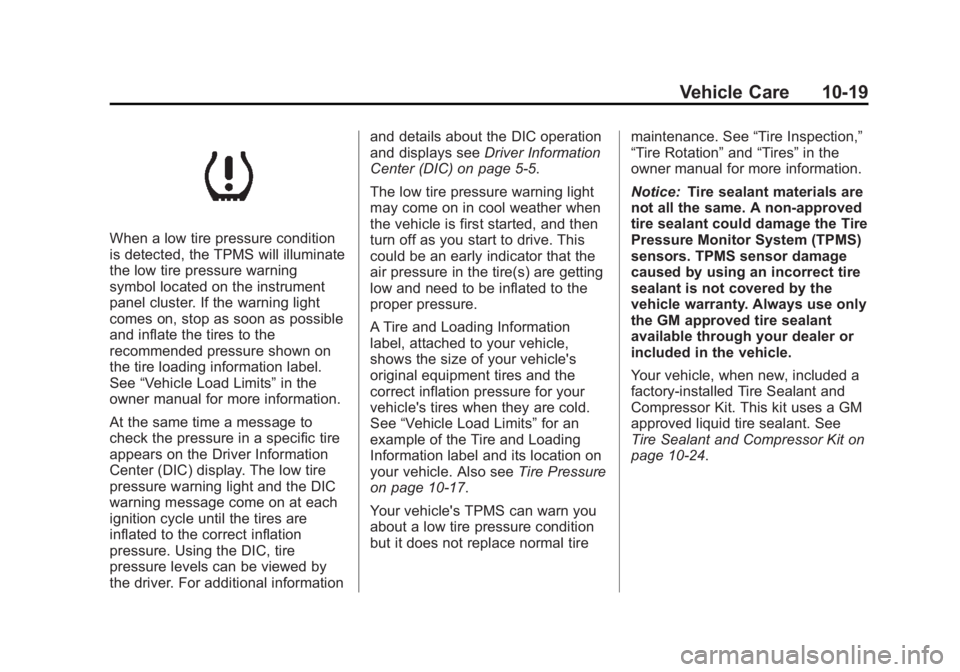
When a low tire pressure condition
is detected, the TPMS will illuminate
the low tire pressure warning
symbol located on the instrument
panel cluster. If the warning light
comes on, stop as soon as possible
and inflate the tires to the
recommended pressure shown on
the tire loading information label.
See “ Vehicle Load Limits ” in the
owner manual for more information.
At the same time a message to
check the pressure in a specific tire
appears on the Driver Information
Center (DIC) display. The low tire
pressure warning light and the DIC
warning message come on at each
ignition cycle until the tires are
inflated to the correct inflation
pressure. Using the DIC, tire
pressure levels can be viewed by
the driver. For additional information and details about the DIC operation
and displays see Driver Information
Center (DIC) on page 5 ‑ 5 .
The low tire pressure warning light
may come on in cool weather when
the vehicle is first started, and then
turn off as you start to drive. This
could be an early indicator that the
air pressure in the tire(s) are getting
low and need to be inflated to the
proper pressure.
A Tire and Loading Information
label, attached to your vehicle,
shows the size of your vehicle's
original equipment tires and the
correct inflation pressure for your
vehicle's tires when they are cold.
See “ Vehicle Load Limits ” for an
example of the Tire and Loading
Information label and its location on
your vehicle. Also see Tire Pressure
on page 10 ‑ 17 .
Your vehicle's TPMS can warn you
about a low tire pressure condition
but it does not replace normal tire maintenance. See “ Tire Inspection, ”
“ Tire Rotation ” and “ Tires ” in the
owner manual for more information.
Notice: Tire sealant materials are
not all the same. A non-approved
tire sealant could damage the Tire
Pressure Monitor System (TPMS)
sensors. TPMS sensor damage
caused by using an incorrect tire
sealant is not covered by the
vehicle warranty. Always use only
the GM approved tire sealant
available through your dealer or
included in the vehicle.
Your vehicle, when new, included a
factory ‐ installed Tire Sealant and
Compressor Kit. This kit uses a GM
approved liquid tire sealant. See
Tire Sealant and Compressor Kit on
page 10 ‑ 24 .
Page 64 of 94
Black plate (20,1)Cadillac Escalade Hybrid - 2011
10-20 Vehicle Care TPMS Malfunction Light and
Message The TPMS will not function properly
if one or more of the TPMS sensors
are missing or inoperable. When the
system detects a malfunction, the
low tire warning light flashes for
about one minute and then stays on
for the remainder of the ignition
cycle. A DIC warning message is
also displayed. The low tire warning
light and DIC warning message
come on at each ignition cycle until
the problem is corrected. Some of
the conditions that can cause the
malfunction light and DIC message
to come on are: .
The TPMS sensor matching
process was started but not
completed or not completed
successfully after rotating the
vehicle's tires. The DIC message
and TPMS malfunction light
should go off once the TPMS
sensor matching process is
performed successfully. See
“ TPMS Sensor Matching
Process ” later in this section. .
One or more TPMS sensors are
missing or damaged. The DIC
message and the TPMS
malfunction light should go off
when the TPMS sensors are
installed and the sensor
matching process is performed
successfully. See your dealer for
service. .
Replacement tires or wheels do
not match your vehicle's original
equipment tires or wheels. Tires
and wheels other than those
recommended for your vehicle
could prevent the TPMS from
functioning properly. See
“ Buying New Tires ” in the owner
manual. .
Operating electronic devices or
being near facilities using radio
wave frequencies similar to the
TPMS could cause the TPMS
sensors to malfunction. If the TPMS is not functioning it
cannot detect or signal a low tire
condition. See your dealer for
service if the TPMS malfunction
light and DIC message comes on
and stays on.
TPMS Sensor Matching
Process Each TPMS sensor has a unique
identification code. Any time you
rotate your vehicle's tires or replace
one or more of the TPMS sensors,
the identification codes will need to
be matched to the new tire/wheel
position. The sensors are matched
to the tire/wheel positions in the
following order: driver side front tire,
passenger side front tire, passenger
side rear tire, and driver side rear
tire using a TPMS diagnostic tool.
See your dealer for service.
Page 65 of 94
Black plate (21,1)Cadillac Escalade Hybrid - 2011
Vehicle Care 10-21The TPMS sensors can also be
matched to each tire/wheel position
by increasing or decreasing the
tire's air pressure. If increasing the
tire's air pressure, do not exceed
the maximum inflation pressure
indicated on the tire's sidewall.
To decrease air-pressure out of a
tire you can use the pointed end of
the valve cap, a pencil-style air
pressure gauge, or a key.
You have two minutes to match
the first tire/wheel position, and
five minutes overall to match all four
tire/wheel positions. If it takes longer
than two minutes, to match the first
tire and wheel, or more than
five minutes to match all four tire
and wheel positions the matching
process stops and you need to
start over.
The TPMS sensor matching process
is outlined below:
1. Set the parking brake.
2. Turn the ignition switch to ON/
RUN with the engine off. 3. Press
Q and
K on the Remote
Keyless Entry (RKE) transmitter
at the same time for
approximately five seconds. The
horn sounds twice to signal the
receiver is in relearn mode and
TIRE LEARNING ACTIVE
message displays on the DIC
screen.
4. Start with the driver side
front tire.
5. Remove the valve cap from the
valve cap stem. Activate the
TPMS sensor by increasing or
decreasing the tire's air pressure
for five seconds, or until a horn
chirp sounds. The horn chirp,
which may take up to
30 seconds to sound, confirms
that the sensor identification
code has been matched to this
tire and wheel position.
6. Proceed to the passenger side
front tire, and repeat the
procedure in Step 5. 7. Proceed to the passenger side
rear tire, and repeat the
procedure in Step 5.
8. Proceed to the driver side rear
tire, and repeat the procedure in
Step 5. The horn sounds
two times to indicate the sensor
identification code has been
matched to the driver side rear
tire, and the TPMS sensor
matching process is no longer
active. The TIRE LEARNING
ACTIVE message on the DIC
display screen goes off.
9. Turn the ignition switch to
LOCK/OFF.
10. Set all four tires to the
recommended air pressure
level as indicated on the Tire
and Loading Information label.
11. Put the valve caps back on the
valve stems.
Page 77 of 94
Black plate (33,1)Cadillac Escalade Hybrid - 2011
Vehicle Care 10-33Notice: If you leave the radio or
other accessories on during the
jump starting procedure, they
could be damaged. The repairs
would not be covered by the
warranty. Always turn off the
radio and other accessories when
jump starting the vehicle.
3. Turn off the ignition on both
vehicles. Unplug unnecessary
accessories plugged into the
cigarette lighter or the accessory
power outlets. Turn off the radio
and all the lamps that are not
needed.
This avoids sparks and helps
save both batteries. It could
save the radio!
4. Open the hood on the other
vehicle and locate the
positive (+) and negative ( − )
terminal locations on that
vehicle.
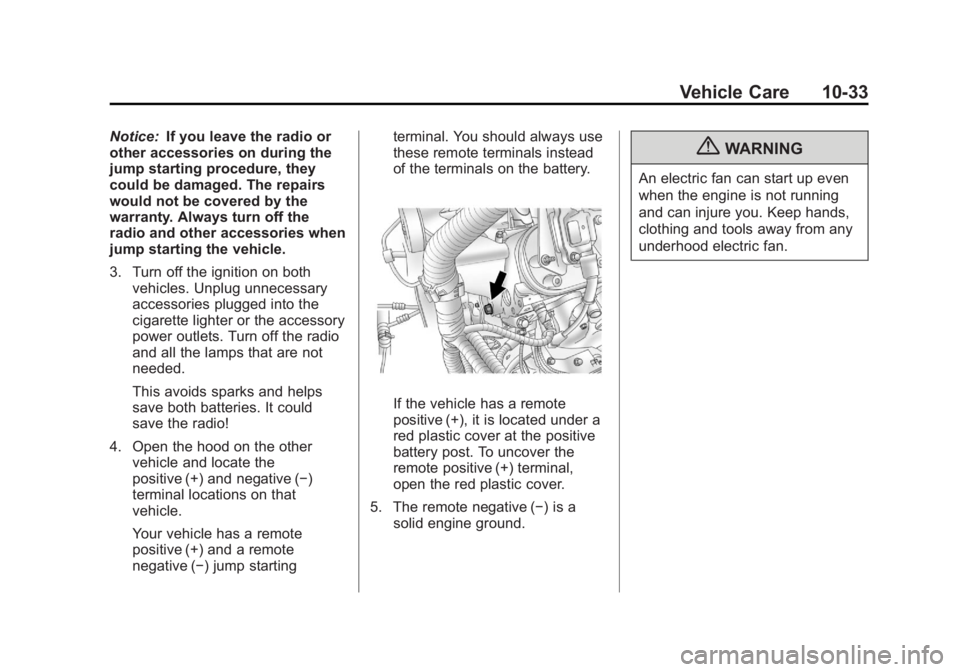
Your vehicle has a remote
positive (+) and a remote
negative ( − ) jump starting terminal. You should always use
these remote terminals instead
of the terminals on the battery.
If the vehicle has a remote
positive (+), it is located under a
red plastic cover at the positive
battery post. To uncover the
remote positive (+) terminal,
open the red plastic cover.
5. The remote negative ( − ) is a
solid engine ground.{ WARNINGAn electric fan can start up even
when the engine is not running
and can injure you. Keep hands,
clothing and tools away from any
underhood electric fan.
Page 81 of 94
Vehicle Care 10-37Four-Wheel Drive Vehicles
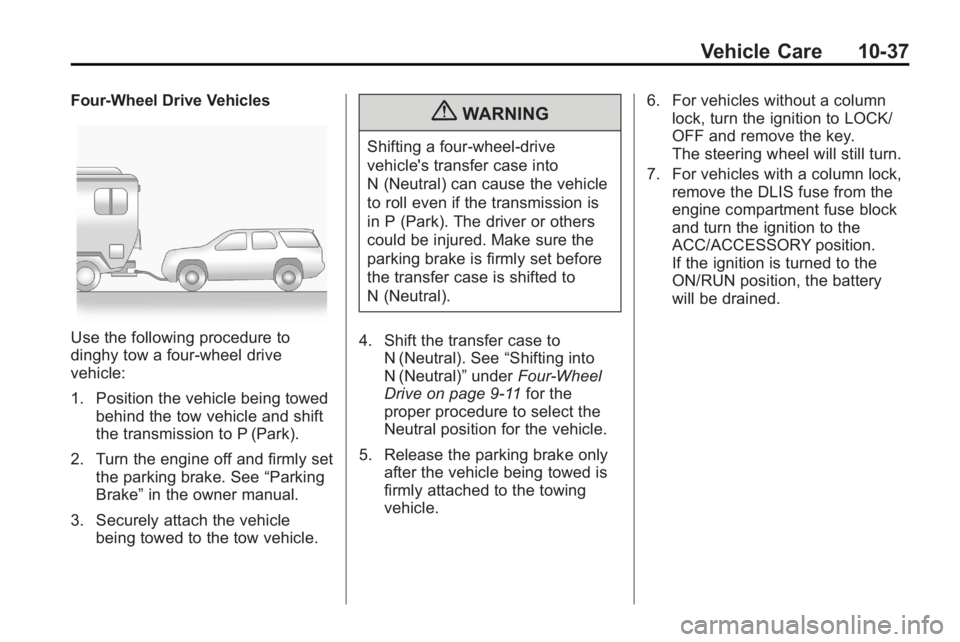
Use the following procedure to
dinghy tow a four-wheel drive
vehicle:
1. Position the vehicle being towed
behind the tow vehicle and shift
the transmission to P (Park).
2. Turn the engine off and firmly set
the parking brake. See “ Parking
Brake ” in the owner manual.
3. Securely attach the vehicle
being towed to the tow vehicle. { WARNINGShifting a four-wheel-drive
vehicle's transfer case into
N (Neutral) can cause the vehicle
to roll even if the transmission is
in P (Park). The driver or others
could be injured. Make sure the
parking brake is firmly set before
the transfer case is shifted to
N (Neutral).
4. Shift the transfer case to
N (Neutral). See “ Shifting into
N (Neutral) ” under Four-Wheel
Drive on page 9 ‑ 11 for the
proper procedure to select the
Neutral position for the vehicle.
5. Release the parking brake only
after the vehicle being towed is
firmly attached to the towing
vehicle. 6. For vehicles without a column
lock, turn the ignition to LOCK/
OFF and remove the key.
The steering wheel will still turn.
7. For vehicles with a column lock,
remove the DLIS fuse from the
engine compartment fuse block
and turn the ignition to the
ACC/ACCESSORY position.
If the ignition is turned to the
ON/RUN position, the battery
will be drained.
Page 83 of 94
Black plate (39,1)Cadillac Escalade Hybrid - 2011
Vehicle Care 10-394. Firmly set the parking brake.
See “ Parking Brake ” in the
owner manual.
{ WARNINGShifting a four-wheel-drive
vehicle's transfer case into
N (Neutral) can cause the vehicle
to roll even if the transmission is
in P (Park). The driver or others
could be injured. Make sure the
parking brake is firmly set before
the transfer case is shifted to
N (Neutral).
5. Shift the transfer case to
N (Neutral). See “ Shifting into
N (Neutral) ” under Four-Wheel
Drive on page 9 ‑ 11 .
6. Secure the vehicle to the dolly
following the manufacturer's
instructions. 7. Release the parking brake only
after the vehicle being towed is
firmly attached to the towing
vehicle.
8. Turn the ignition to LOCK/OFF.
After towing, see “ Shifting Out of
N (Neutral) ” under Four-Wheel Drive
on page 9 ‑ 11 .
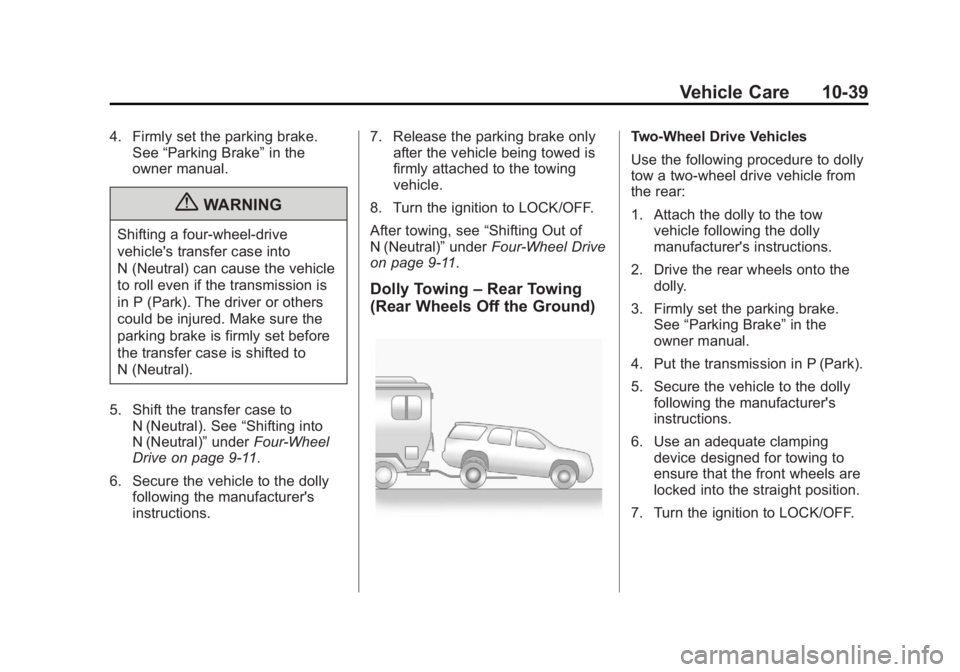
Dolly Towing – Rear Towing
(Rear Wheels Off the Ground) Two ‐ Wheel Drive Vehicles
Use the following procedure to dolly
tow a two-wheel drive vehicle from
the rear:
1. Attach the dolly to the tow
vehicle following the dolly
manufacturer's instructions.
2. Drive the rear wheels onto the
dolly.
3. Firmly set the parking brake.
See “ Parking Brake ” in the
owner manual.
4. Put the transmission in P (Park).
5. Secure the vehicle to the dolly
following the manufacturer's
instructions.
6. Use an adequate clamping
device designed for towing to
ensure that the front wheels are
locked into the straight position.
7. Turn the ignition to LOCK/OFF.
Page 84 of 94
Black plate (40,1)Cadillac Escalade Hybrid - 2011
10-40 Vehicle Care Four ‐ Wheel ‐ Drive Vehicles
Use the following procedure to dolly
tow a four-wheel-drive vehicle from
the rear:
1. Attach the dolly to the tow
vehicle following the dolly
manufacturer's instructions.
2. Drive the rear wheels onto the
dolly.
3. Firmly set the parking brake.
See “ Parking Brake ” in the
owner manual.
4. Put the transmission in P (Park).
5. Secure the vehicle to the dolly
following the manufacturer's
instructions.
6. Use an adequate clamping
device designed for towing to
ensure that the front wheels are
locked into the straight position. { WARNINGShifting a four-wheel-drive
vehicle's transfer case into
N (Neutral) can cause the vehicle
to roll even if the transmission is
in P (Park). The driver or others
could be injured. Make sure the
parking brake is firmly set before
the transfer case is shifted to
N (Neutral).
7. Shift the transfer case to
N (Neutral). See “ Shifting into
N (Neutral) ” under Four-Wheel
Drive on page 9 ‑ 11 .
8. Turn the ignition to LOCK/OFF.
After towing, see “ Shifting Out of
N (Neutral) ” under Four-Wheel Drive
on page 9 ‑ 11 .Appearance Care Exterior Care When scraping the windshield glass
to remove ice and snow, stay clear
of the hybrid decal.
To have the hybrid decals removed
from the vehicle, please see your
dealer.