ECO mode CADILLAC LYRIC 2023 User Guide
[x] Cancel search | Manufacturer: CADILLAC, Model Year: 2023, Model line: LYRIC, Model: CADILLAC LYRIC 2023Pages: 424, PDF Size: 4.76 MB
Page 159 of 424
Cadillac Lyriq Owner Manual (GMNA-Localizing-U.S./Canada-15644413) -
2023 - CRC - 2/23/22
158 Infotainment System
SiriusXM with 360L
SiriusXM with 360L interface
has enhanced in-vehicle
listening experience for
subscribers. The experience
now offers more categories
and system learned
recommendations toward
discovering more personalized
content.
To use the full SiriusXM 360L
program, including streaming
content and listening
recommendations, OnStar
Connected Access is required.
Connected vehicle services
vary by model and require a
complete working electrical
system, cell reception, and
GPS signal. An active
connected plan is required.
Reference the SiriusXM user
guide for use and subscription
information.
Finding a Channel
Seeking a Channel
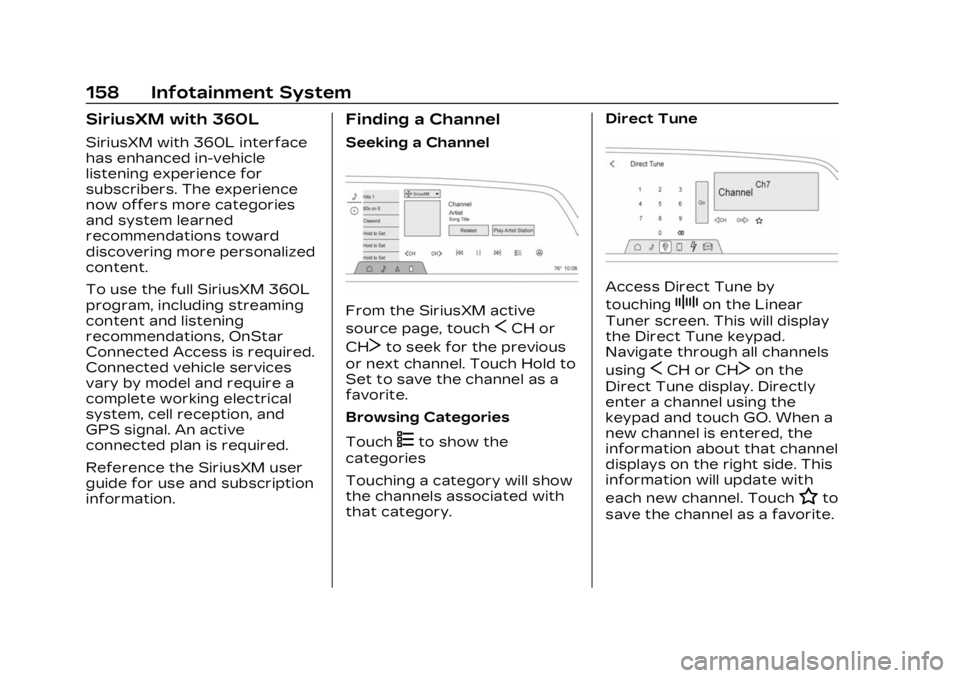
From the SiriusXM active
source page, touch
SCH or
CH
Tto seek for the previous
or next channel. Touch Hold to
Set to save the channel as a
favorite.
Browsing Categories
Touch
(to show the
categories
Touching a category will show
the channels associated with
that category. Direct Tune
Access Direct Tune by
touching
Zon the Linear
Tuner screen. This will display
the Direct Tune keypad.
Navigate through all channels
using
SCH or CHTon the
Direct Tune display. Directly
enter a channel using the
keypad and touch GO. When a
new channel is entered, the
information about that channel
displays on the right side. This
information will update with
each new channel. Touch
Hto
save the channel as a favorite.
Page 169 of 424
Cadillac Lyriq Owner Manual (GMNA-Localizing-U.S./Canada-15644413) -
2023 - CRC - 2/23/22
168 Infotainment System
“Play
on Sirius XM”:Tune to the
SiriusXM radio station channel
name identified in the
command. This command may
require an online connection.
Voice Recognition for the
Phone
Make sure the phone is paired
using Bluetooth to use the
phone related voice
commands.
“Call
Initiate a call to a stored
contact. The command may
include location if the contact
has location numbers stored.
“Call
“At Work,” “On Mobile,” or
“On Other” :Initiate a call to a
stored contact and location at
home, at work, on mobile
device, or on another phone.
“Call < phone number>” :
Initiate a call to a phone
number of seven digits or 10
digits. “Redial”
:Initiate a call to the
last dialed number.
Voice Recognition for
Navigation
Navigation commands can be
used to start, cancel route,
or add way points/POI.
“Navigate to
to the address in the
command.
“Add
way” :Adds a way-point to the
current route.
“Take me home” :Starts
navigation to Home location
set in Google maps.
Onboard Vehicle
Commands
These commands can be used
to adjust vehicle temperature
or control window defrosters.
“Turn on the A/C” :Turns on
the air conditioning. “Set temperature to
:Set to a
specific temperature inside
your vehicle.
Phone Assistant Voice
Recognition
While a device is connected
via Bluetooth, press and hold
gon the steering wheel
controls to pass through and
launch Google assistant on the
phone or Siri.
Phone
Bluetooth (Overview)
The Bluetooth-capable system
can interact with many mobile
devices to:
.Place and receive calls in a
hands-free mode.
.Share the device’s address
book or contact list with the
vehicle.
.Stream audio (music,
podcasts).
Page 193 of 424

Cadillac Lyriq Owner Manual (GMNA-Localizing-U.S./Canada-15644413) -
2023 - CRC - 2/23/22
192 Driving and Operating
Driving and
Operating
Driving Information
Driving for Better EnergyEfficiency . . . . . . . . . . . . . . . . . . . 193
Distracted Driving . . . . . . . . . 195
Defensive Driving . . . . . . . . . . 196
Impaired Driving . . . . . . . . . . . . 196
Control of a Vehicle . . . . . . . 196
Braking . . . . . . . . . . . . . . . . . . . . . . . . 196
Steering . . . . . . . . . . . . . . . . . . . . . . . 197
Off-Road Recovery . . . . . . . . 198
Loss of Control . . . . . . . . . . . . . 198
Driving on Wet Roads . . . . 199
Hill and Mountain Roads . . . . . . . . . . . . . . . . . . . . . . . 200
Winter Driving . . . . . . . . . . . . . . 201
If the Vehicle Is Stuck . . . . 202
Vehicle Load Limits . . . . . . . 202
Starting and Operating
New Vehicle Break-In . . . . 206
Power Button . . . . . . . . . . . . . . 206
Starting and Stopping the Vehicle . . . . . . . . . . . . . . . . 208
Retained Accessory Power (RAP) . . . . . . . . . . . . . . 209
Shifting Into Park . . . . . . . . . . 209 Shifting out of Park . . . . . . . 210
Extended Parking . . . . . . . . . . 210
Electric Drive Unit
Electric Drive Unit . . . . . . . . . . 211
One-Pedal Driving . . . . . . . . . 214
Drive Systems
All-Wheel Drive . . . . . . . . . . . . . 215
Brakes
Electric Brake Boost . . . . . . 216
Antilock Brake
System (ABS) . . . . . . . . . . . . . . 216
Electric Parking Brake . . . . 217
Brake Assist . . . . . . . . . . . . . . . . . 218
Hill Start Assist (HSA) . . . . 218
Automatic Vehicle Hold (AVH) . . . . . . . . . . . . . . . . . . 219
Regenerative Braking . . . . 220
Ride Control Systems
Traction Control/ Electronic Stability
Control . . . . . . . . . . . . . . . . . . . . . . 221
Driver Mode Control . . . . . . 223
Cruise Control
Adaptive Cruise Control (Advanced) . . . . . . . . . . . . . . . . . 225
Super Cruise . . . . . . . . . . . . . . . . 236
Driver Assistance
Systems
Driver Assistance Systems . . . . . . . . . . . . . . . . . . . . 255
Assistance Systems for Parking or Backing . . . . . . 257
Rear Vision Camera (RVC) . . . . . . . . . . . . . 257
Surround Vision System . . . . . . . . . . . . . . . . . . . . . . 258
Park Assist . . . . . . . . . . . . . . . . . . 260
Automatic Parking Assist (APA) . . . . . . . . . . . . . . . 262
Reverse Automatic Braking (RAB) . . . . . . . . . . . . . 267
Rear Pedestrian Alert . . . . 268
Rear Cross Traffic Alert (RCTA) System . . . . . . . . . . . 269
Assistance Systems for Driving . . . . . . . . . . . . . . . . . . . . . . 270
Forward Collision Alert (FCA) System . . . . . . . . . . . . . 270
Automatic Emergency Braking (AEB) . . . . . . . . . . . . . 273
Front Pedestrian Braking (FPB) System . . . . . . . . . . . . . . 274
Side Blind Zone Alert (SBZA) . . . . . . . . . . . . . . . 277
Lane Change Alert (LCA) . . . . . . . . . . . . . . . . . 277
Page 195 of 424
Cadillac Lyriq Owner Manual (GMNA-Localizing-U.S./Canada-15644413) -
2023 - CRC - 2/23/22
194 Driving and Operating
Acceleration/Braking/
Coasting
Avoid rapid accelerations and
decelerations.
Use cruise control when
appropriate.
Plan ahead for decelerations,
and coast whenever possible.
Do not rush to traffic signals,
and do not shift to N (Neutral)
to coast.
Use the One-Pedal Driving
feature when appropriate to
help recover energy during
coasting and braking.
One-Pedal mode recovers
more energy while coasting
and braking than D (Drive)
mode. See One-Pedal Driving
0214.
Use the steering wheel Regen
on Demand paddle during
deceleration to help recover
energy. See Regenerative
Braking 0220. Terrain and Vehicle Speed
Higher speeds and grade
changes use more energy and
can significantly reduce
electric range.
Climate Setting
Using the heat and air
conditioning systems
decreases the energy
available for electric driving.
Optimal energy efficiency is
achieved when the heat, air
conditioning, and fan are
turned off.
Use the heated and ventilated
seat features (if equipped)
instead of the climate control
system. Heating and
ventilating the seat uses less
energy than heating and
cooling the interior. See
Heated and Ventilated Front
Seats
045 and
Heated Rear Seats 049.
Use the Remote Start Climate
Control feature to heat or cool
the interior while the vehicle is
plugged in to use electricity from the electrical outlet
instead of using energy from
the battery. See Remote Start
0
15.
In hot weather, avoid parking
in direct sunlight. Use
sunshades inside the vehicle.
Keep the inside of the
windows clean to reduce
fogging. Turn off the front
defroster and rear defogger
when they are not needed.
Avoid driving with the
windows open at highway
speeds.
Use the Battery Gauge on the
Instrument Cluster to view the
effect of climate control
settings on your estimated
range. See Battery Gauge
(High Voltage) 0110.
Outside Temperature
On colder days, it is best to
plug in the vehicle overnight,
and then remote start the
vehicle.
Page 202 of 424
Cadillac Lyriq Owner Manual (GMNA-Localizing-U.S./Canada-15644413) -
2023 - CRC - 2/23/22
Driving and Operating 201
Winter Driving
Driving on Snow or IceCaution
To avoid damage to the
wheels and brake
components, always clear
snow and ice from inside the
wheels and underneath the
vehicle before driving.
Snow or ice between the tires
and the road creates less
traction or grip, so drive
carefully. Wet ice can occur at
about 0°C (32°F) when
freezing rain begins to fall.
Avoid driving on wet ice or in
freezing rain until roads can be
treated.
For Slippery Road Driving:
.Turn off cruise control.
.If enabled, turn off
One-Pedal Driving. See
One-Pedal Driving 0214
.If turned off, turn on the
Traction Control and the
Electronic Stability Control systems. See Traction
Control/Electronic Stability
Control
0221.
.Select the Snow/Ice driver
mode. See Driver Mode
Control 0223.
.Accelerate gently.
Accelerating too quickly
causes the wheels to spin
and makes the surface under
the tires slick.
.Allow greater following
distance and watch for
slippery spots. Icy patches
can occur on otherwise clear
roads in shaded areas. The
surface of a curve or an
overpass can remain icy
when the surrounding roads
are clear. Avoid sudden
steering maneuvers and
braking while on ice.
.Antilock Brake System (ABS)
improves vehicle stability
during hard stops, but the
brakes should be applied
sooner than when on dry
pavement. See Antilock
Brake System (ABS) 0216.
Blizzard Conditions
If you become stranded or
cannot continue driving due to
winter storm conditions, stop
the vehicle in a safe place and
signal for help. Stay with the
vehicle unless there is help
nearby.
If you stay in your vehicle
while waiting, signal for help
and keep everyone in the
vehicle safe by turning on the
hazard warning flashers and
tying a red cloth to an outside
mirror.
To conserve battery energy
while waiting for help, run the
vehicle for only short periods
as needed to warm the vehicle
and then shut the vehicle off
and partially close the window.
Moving about to keep warm
also helps. For additional tips
to help conserve battery
energy in cold weather, see
Driving for Better Energy
Efficiency 0193.
Page 208 of 424

Cadillac Lyriq Owner Manual (GMNA-Localizing-U.S./Canada-15644413) -
2023 - CRC - 2/23/22
Driving and Operating 207
ON/RUN :This position is for
starting and driving. With the
vehicle off, and the brake
pedal applied, pressing
POWER
Oonce will place the
vehicle in ON/RUN. When the
vehicle ready light is on in the
instrument cluster, the vehicle
is ready to be driven. This
could take up to 15 seconds at
extremely cold temperatures.
Service Mode
This power mode is available
for service and diagnostics,
and to verify the proper
operation of the service
vehicle soon light as may be
required for inspection or
maintenance purposes. With
the vehicle off, and the brake
pedal not applied, pressing
and holding POWER
Ofor
more than five seconds will
place the vehicle in Service
Mode. The instruments and
audio systems will operate as
they do in ON/RUN, but the
vehicle will not be able to be
driven. The propulsion system will not start in Service Mode.
Press POWER
Oagain to turn
the vehicle off.
Caution
Placing the vehicle in
Service Mode will use the
12-volt battery. Do not use
Service Mode for an
extended period, or the
vehicle may not start.
STOPPING THE VEHICLE/
OFF : To turn the vehicle off,
apply the brakes, press the
button on top of the shift lever
to shift to P (Park) and press
POWER
O.
Alternatively, apply the brakes
and press POWER
O. The
electric drive unit will shift to
P (Park) then shut off
automatically.
Retained Accessory
Power (RAP) will remain active
until the driver door is opened.
If the vehicle must be shut off
in an emergency: 1. Brake using a firm and
steady pressure. Do not
pump the brakes
repeatedly. This may
deplete power assist,
requiring increased brake
pedal force.
2. Shift the vehicle to N (Neutral). This can be
done while the vehicle is
moving. After shifting to
N (Neutral), firmly apply the
brakes and steer the vehicle
to a safe location.
3. Come to a complete stop, shift to P (Park), and turn
the vehicle off by pressing
POWER
O.
4. Set the parking brake.
{Warning
Turning off the vehicle while
moving may disable the
airbags. While driving, only
shut the propulsion system
off in an emergency.
Page 216 of 424
Cadillac Lyriq Owner Manual (GMNA-Localizing-U.S./Canada-15644413) -
2023 - CRC - 2/23/22
Driving and Operating 215
For faster access, One-Pedal
Driving can be toggled on the
Driver Mode screen. From the
infotainment display home
screen, select Drive Mode to
open the Drive Mode screen.
Touch
lto toggle One-Pedal
Driving on or off. When turned
on, One-Pedal Driving returns
to the previously selected
level. To change the level,
press the Settings link in the
pop-up box to go to the full
One-Pedal Driving selection.
When possible, One-Pedal
Driving uses regenerative
braking to slow the vehicle for
energy efficiency. Friction
brakes may be used in some
cases when regenerative
braking is reduced. Friction
brakes will be used to hold the
vehicle after coming to a stop,
and a noise may be noticed
when the brakes apply. When driving on slippery
roads, it is recommended to
turn off One-Pedal Driving.
See Winter Driving
0201.
While using One-Pedal Driving,
the Electric Parking Brake may
apply in some circumstances.
This can occur when:
.The driver exits the vehicle.
.The vehicle has remained
stationary for five minutes.
To resume driving, press the
accelerator pedal, and the
Electric Parking Brake will
automatically disengage.
Drive Systems
All-Wheel Drive
This vehicle may be equipped
with advanced electric
All-Wheel Drive (eAWD). The
eAWD system delivers power to all four wheels, and the
system adjusts automatically
to the driving conditions. The
eAWD system continuously
varies the drive power to the
front and rear wheels to
maximize driving efficiency and
improve driving dynamics.
Your vehicle has exceptional
driving capability, but care
must always be taken to
adjust driving style to the
traffic and road conditions.
The vehicle eAWD settings
may be customized for the
driver mode selected. See
Driver Mode Control
0223 for
more information.
Page 228 of 424
Cadillac Lyriq Owner Manual (GMNA-Localizing-U.S./Canada-15644413) -
2023 - CRC - 2/23/22
Driving and Operating 227
The speedometer reading can
be displayed in either English
or metric units. See
Instrument Cluster0108. The
increment value used depends
on the units displayed.
Switching Between ACC and
Regular Cruise Control
To switch between ACC and
regular cruise control, press
and hold
*. A Driver
Information Center (DIC)
message displays. See Vehicle
Messages 0134.
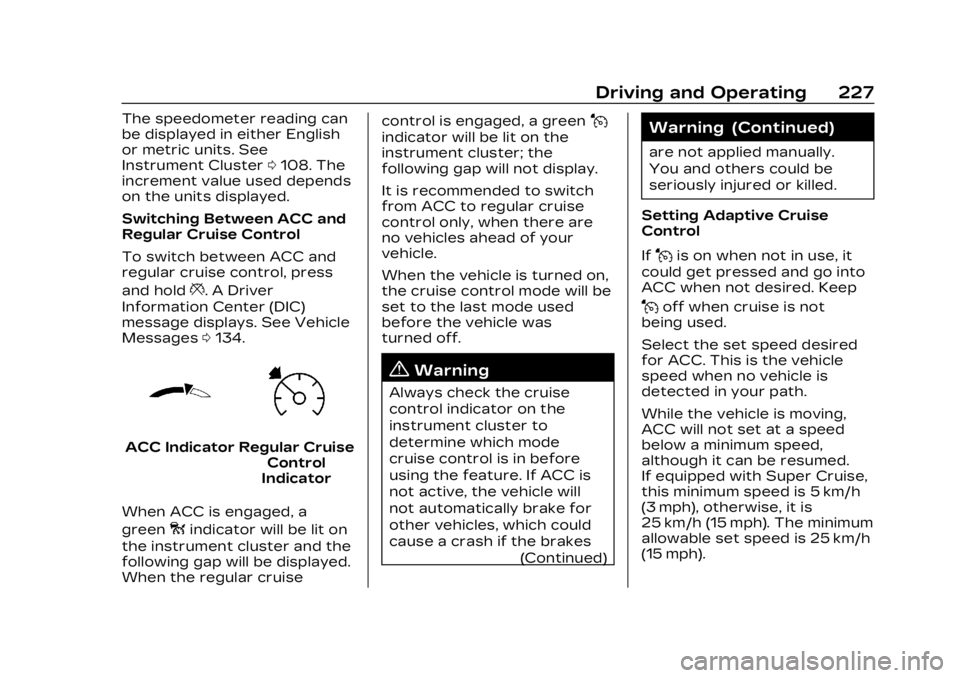
ACC IndicatorRegular Cruise
Control
Indicator
When ACC is engaged, a
green
oindicator will be lit on
the instrument cluster and the
following gap will be displayed.
When the regular cruise control is engaged, a green
J
indicator will be lit on the
instrument cluster; the
following gap will not display.
It is recommended to switch
from ACC to regular cruise
control only, when there are
no vehicles ahead of your
vehicle.
When the vehicle is turned on,
the cruise control mode will be
set to the last mode used
before the vehicle was
turned off.
{Warning
Always check the cruise
control indicator on the
instrument cluster to
determine which mode
cruise control is in before
using the feature. If ACC is
not active, the vehicle will
not automatically brake for
other vehicles, which could
cause a crash if the brakes
(Continued)
Warning (Continued)
are not applied manually.
You and others could be
seriously injured or killed.
Setting Adaptive Cruise
Control
If
Jis on when not in use, it
could get pressed and go into
ACC when not desired. Keep
Joff when cruise is not
being used.
Select the set speed desired
for ACC. This is the vehicle
speed when no vehicle is
detected in your path.
While the vehicle is moving,
ACC will not set at a speed
below a minimum speed,
although it can be resumed.
If equipped with Super Cruise,
this minimum speed is 5 km/h
(3 mph), otherwise, it is
25 km/h (15 mph). The minimum
allowable set speed is 25 km/h
(15 mph).
Page 311 of 424
Cadillac Lyriq Owner Manual (GMNA-Localizing-U.S./Canada-15644413) -
2023 - CRC - 2/23/22
310 Vehicle Care
Warning (Continued)
.Allow the wheels to rotate
unexpectedly in either
direction regardless of
mode selection.
.Allow the wheels to rotate
in reaction to attempts to
rotate the tire(s) manually.
.Resist attempts to rotate
the wheels manually.
Before lifting the vehicle to
do your own service work,
turn the vehicle off or place
the vehicle in the Service
Mode. To place the vehicle in
Service Mode, with the
vehicle off and the brake
pedal not applied, press and
hold POWER for more than
five seconds.
{Warning
It can be dangerous to work
on your vehicle if you do not
have the proper knowledge, (Continued)
Warning (Continued)
service manual, tools,
or parts. Always follow
owner’s manual procedures
and consult the service
manual for your vehicle
before doing any
service work.
If doing some of your own
service work, use the proper
service manual. It tells you
much more about how to
service the vehicle than this
manual can. To order the
proper service manual, see
Publication Ordering
Information 0394.
This vehicle has an airbag
system. Before attempting to
do your own service work, see
Servicing the Airbag-Equipped
Vehicle 071.
Keep a record with all parts
receipts and list the mileage
and the date of any service
work performed. See
Maintenance Records 0381.
Hood
{Warning
Components under the hood
can get hot. To help avoid
the risk of burning
unprotected skin, never
touch these components
until they have cooled, and
always use a glove or towel
to avoid direct skin contact.
To open the hood: 1. Pull the hood release handle on the lower left side of the
instrument panel.
Page 361 of 424

Cadillac Lyriq Owner Manual (GMNA-Localizing-U.S./Canada-15644413) -
2023 - CRC - 2/23/22
360 Vehicle Care
Caution (Continued)
with drive axle tires on the
ground. Damage is not
covered by the vehicle
warranty.
Caution
The vehicle may be equipped
with an electric parking
brake and/or an electronic
shifter. In the event of a loss
of 12-volt battery power, the
electric parking brake
cannot be released, and the
vehicle cannot be shifted to
N (Neutral). Tire skates or
dollies must be used under
the non-rolling tires to
prevent damage while
loading/unloading the
vehicle. Dragging the vehicle
will cause damage not
covered by the vehicle
warranty.
Caution
The vehicle may be equipped
with a tow eye. Improper use
of the tow eye may cause
damage to the vehicle and is
not covered by the vehicle
warranty. If equipped, use
the tow eye to load the
vehicle onto a flatbed tow
truck from a flat road
surface, or to move the
vehicle a very short distance
at a walking pace. The tow
eye is not designed for
off-road recovery. The
vehicle must be in
N (Neutral) with the electric
parking brake released when
using the tow eye.
Contact a professional towing
service if the disabled vehicle
must be transported. GM
recommends a flatbed tow
truck to transport a disabled
vehicle. Use ramps to help
reduce approach angles,
if necessary. If equipped, a tow eye may be
located near the spare tire or
emergency jack. Do not use
the tow eye to pull the vehicle
from the snow, mud, sand,
or ditch. Tow eye threads may
have right or left-hand
threads. Use caution when
installing or removing the
tow eye.
The vehicle must be in
N (Neutral) and the electric
parking brake must be
released when loading the
vehicle onto a flatbed tow
truck.
.If the vehicle is equipped
with car wash mode and has
12-volt battery power, refer
to
“Car Wash Mode” under
Electric Drive Unit 0211 to
place the vehicle in
N (Neutral).
.If the 12-volt battery is dead
and/or the vehicle will not
start, the vehicle will not
move. Try to jump start the