center console CADILLAC LYRIC 2023 Owners Manual
[x] Cancel search | Manufacturer: CADILLAC, Model Year: 2023, Model line: LYRIC, Model: CADILLAC LYRIC 2023Pages: 424, PDF Size: 4.76 MB
Page 51 of 424
Cadillac Lyriq Owner Manual (GMNA-Localizing-U.S./Canada-15644413) -
2023 - CRC - 2/23/22
50 Seats and Restraints
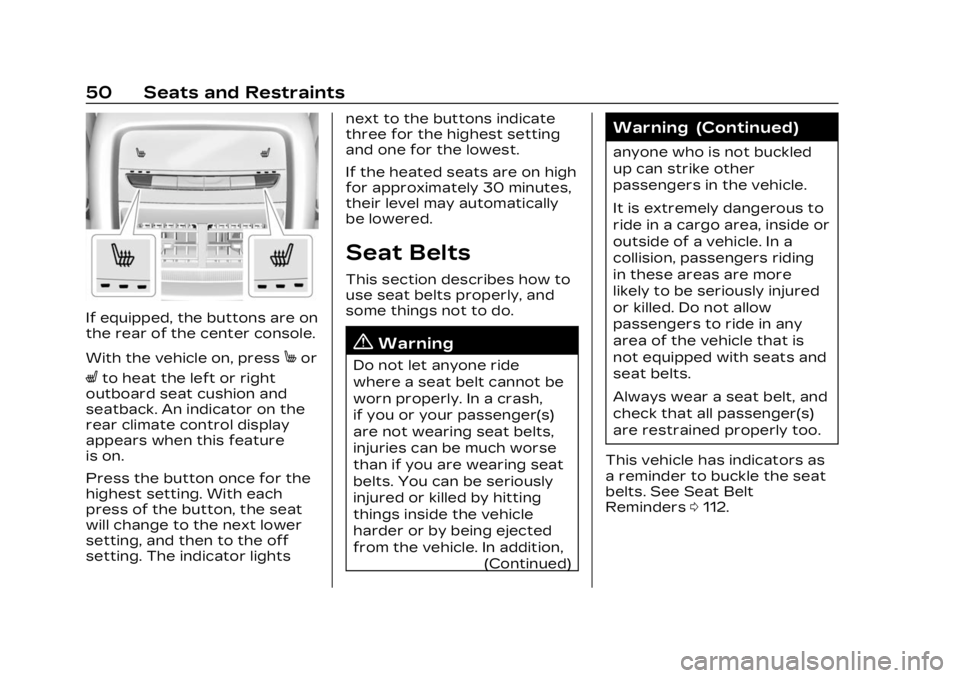
If equipped, the buttons are on
the rear of the center console.
With the vehicle on, press
Mor
Lto heat the left or right
outboard seat cushion and
seatback. An indicator on the
rear climate control display
appears when this feature
is on.
Press the button once for the
highest setting. With each
press of the button, the seat
will change to the next lower
setting, and then to the off
setting. The indicator lights next to the buttons indicate
three for the highest setting
and one for the lowest.
If the heated seats are on high
for approximately 30 minutes,
their level may automatically
be lowered.
Seat Belts
This section describes how to
use seat belts properly, and
some things not to do.
{Warning
Do not let anyone ride
where a seat belt cannot be
worn properly. In a crash,
if you or your passenger(s)
are not wearing seat belts,
injuries can be much worse
than if you are wearing seat
belts. You can be seriously
injured or killed by hitting
things inside the vehicle
harder or by being ejected
from the vehicle. In addition,
(Continued)
Warning (Continued)
anyone who is not buckled
up can strike other
passengers in the vehicle.
It is extremely dangerous to
ride in a cargo area, inside or
outside of a vehicle. In a
collision, passengers riding
in these areas are more
likely to be seriously injured
or killed. Do not allow
passengers to ride in any
area of the vehicle that is
not equipped with seats and
seat belts.
Always wear a seat belt, and
check that all passenger(s)
are restrained properly too.
This vehicle has indicators as
a reminder to buckle the seat
belts. See Seat Belt
Reminders 0112.
Page 95 of 424
Cadillac Lyriq Owner Manual (GMNA-Localizing-U.S./Canada-15644413) -
2023 - CRC - 2/23/22
94 Storage
Storage
Storage Compartments
Storage Compartments . . . 94
Instrument PanelStorage . . . . . . . . . . . . . . . . . . . . . . . 94
Glove Box . . . . . . . . . . . . . . . . . . . . . . 94
Cupholders . . . . . . . . . . . . . . . . . . . . 95
Center Console Storage . . . . . . . . . . . . . . . . . . . . . . . 95
Additional Storage
Features
Cargo Cover . . . . . . . . . . . . . . . . . . 95
Cargo Tie-Downs . . . . . . . . . . . . 97
Cargo ManagementSystem . . . . . . . . . . . . . . . . . . . . . . . . 97
Storage
Compartments
{
Warning
Do not store heavy or sharp
objects in storage
compartments. In a crash,
these objects may cause the
cover to open and could
result in injury.
Instrument Panel
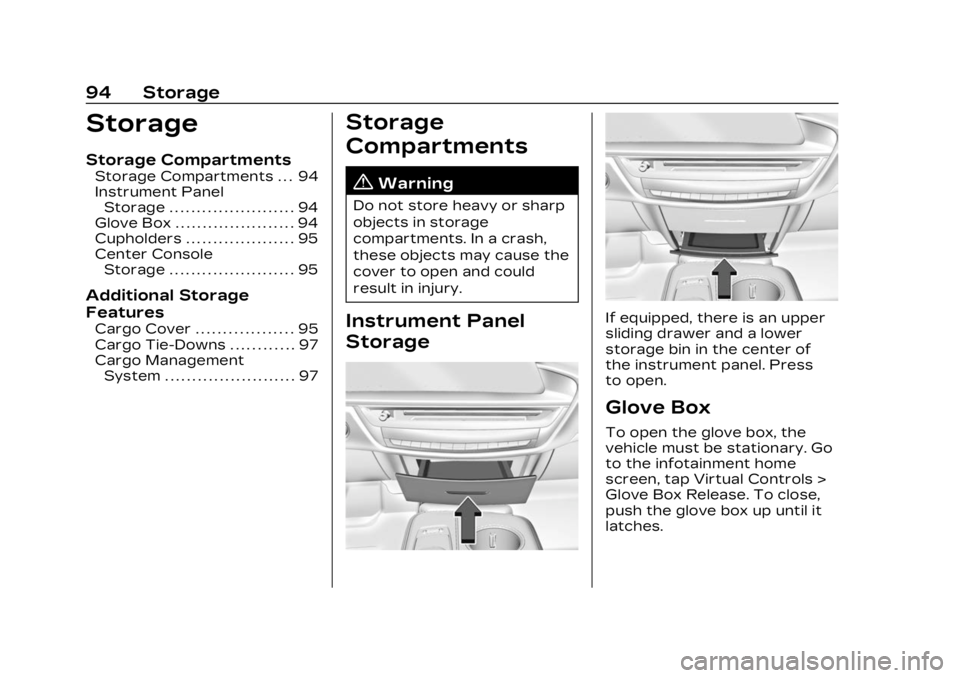
StorageIf equipped, there is an upper
sliding drawer and a lower
storage bin in the center of
the instrument panel. Press
to open.
Glove Box
To open the glove box, the
vehicle must be stationary. Go
to the infotainment home
screen, tap Virtual Controls >
Glove Box Release. To close,
push the glove box up until it
latches.
Page 96 of 424
Cadillac Lyriq Owner Manual (GMNA-Localizing-U.S./Canada-15644413) -
2023 - CRC - 2/23/22
Storage 95
Cupholders
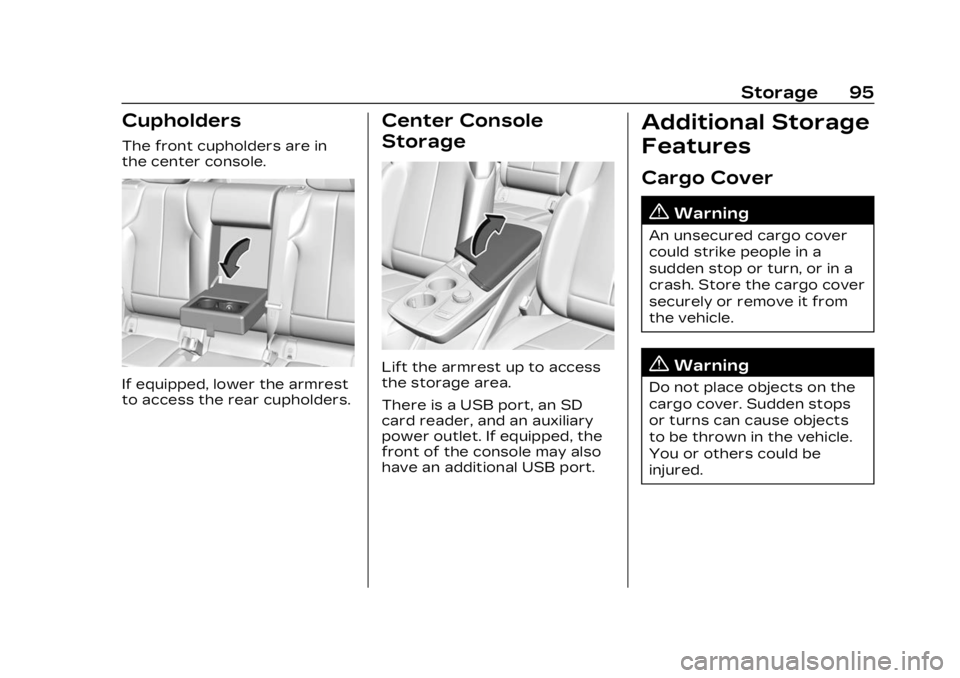
The front cupholders are in
the center console.
If equipped, lower the armrest
to access the rear cupholders.
Center Console
Storage
Lift the armrest up to access
the storage area.
There is a USB port, an SD
card reader, and an auxiliary
power outlet. If equipped, the
front of the console may also
have an additional USB port.
Additional Storage
Features
Cargo Cover
{Warning
An unsecured cargo cover
could strike people in a
sudden stop or turn, or in a
crash. Store the cargo cover
securely or remove it from
the vehicle.
{Warning
Do not place objects on the
cargo cover. Sudden stops
or turns can cause objects
to be thrown in the vehicle.
You or others could be
injured.
Page 104 of 424
Cadillac Lyriq Owner Manual (GMNA-Localizing-U.S./Canada-15644413) -
2023 - CRC - 2/23/22
Instruments and Controls 103
Center Console
Rear Cargo Area
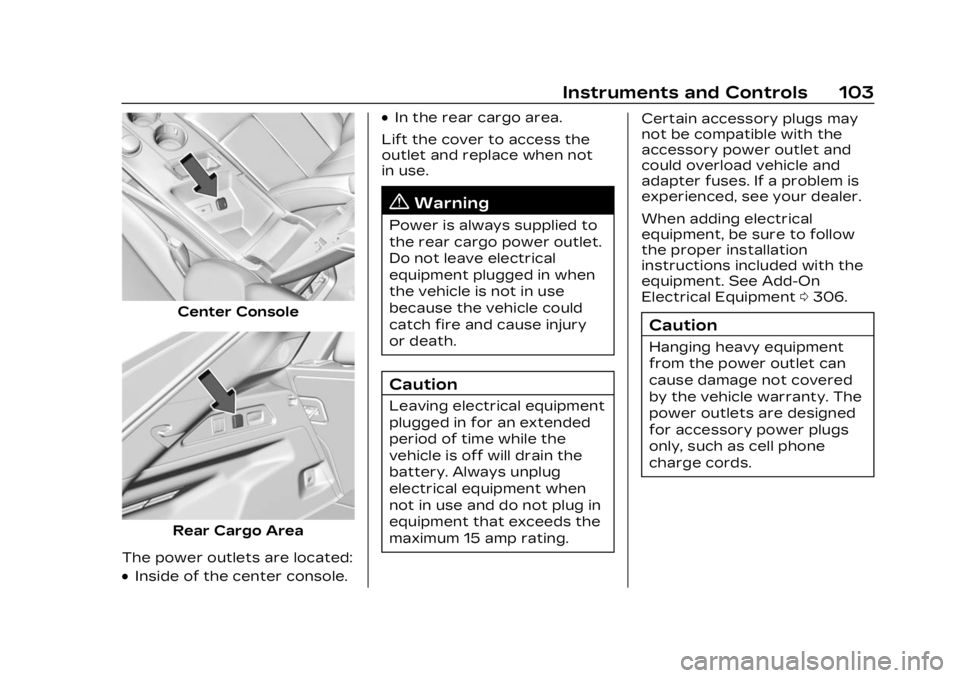
The power outlets are located:
.Inside of the center console.
.In the rear cargo area.
Lift the cover to access the
outlet and replace when not
in use.
{Warning
Power is always supplied to
the rear cargo power outlet.
Do not leave electrical
equipment plugged in when
the vehicle is not in use
because the vehicle could
catch fire and cause injury
or death.
Caution
Leaving electrical equipment
plugged in for an extended
period of time while the
vehicle is off will drain the
battery. Always unplug
electrical equipment when
not in use and do not plug in
equipment that exceeds the
maximum 15 amp rating. Certain accessory plugs may
not be compatible with the
accessory power outlet and
could overload vehicle and
adapter fuses. If a problem is
experienced, see your dealer.
When adding electrical
equipment, be sure to follow
the proper installation
instructions included with the
equipment. See Add-On
Electrical Equipment
0306.
Caution
Hanging heavy equipment
from the power outlet can
cause damage not covered
by the vehicle warranty. The
power outlets are designed
for accessory power plugs
only, such as cell phone
charge cords.
Page 105 of 424
Cadillac Lyriq Owner Manual (GMNA-Localizing-U.S./Canada-15644413) -
2023 - CRC - 2/23/22
104 Instruments and Controls
Power Outlet 110-Volt/
120-Volt Alternating
Current
If equipped with this power
outlet it can be used to plug in
electrical equipment that uses
a maximum limit of 150 watts.
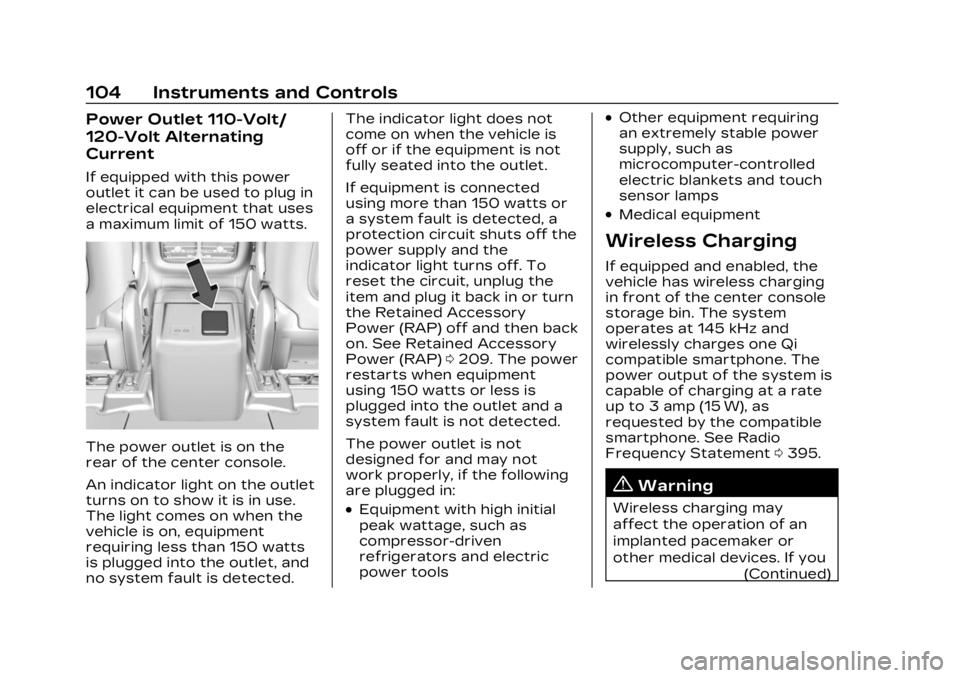
The power outlet is on the
rear of the center console.
An indicator light on the outlet
turns on to show it is in use.
The light comes on when the
vehicle is on, equipment
requiring less than 150 watts
is plugged into the outlet, and
no system fault is detected.The indicator light does not
come on when the vehicle is
off or if the equipment is not
fully seated into the outlet.
If equipment is connected
using more than 150 watts or
a system fault is detected, a
protection circuit shuts off the
power supply and the
indicator light turns off. To
reset the circuit, unplug the
item and plug it back in or turn
the Retained Accessory
Power (RAP) off and then back
on. See Retained Accessory
Power (RAP)
0209. The power
restarts when equipment
using 150 watts or less is
plugged into the outlet and a
system fault is not detected.
The power outlet is not
designed for and may not
work properly, if the following
are plugged in:
.Equipment with high initial
peak wattage, such as
compressor-driven
refrigerators and electric
power tools
.Other equipment requiring
an extremely stable power
supply, such as
microcomputer-controlled
electric blankets and touch
sensor lamps
.Medical equipment
Wireless Charging
If equipped and enabled, the
vehicle has wireless charging
in front of the center console
storage bin. The system
operates at 145 kHz and
wirelessly charges one Qi
compatible smartphone. The
power output of the system is
capable of charging at a rate
up to 3 amp (15 W), as
requested by the compatible
smartphone. See Radio
Frequency Statement 0395.
{Warning
Wireless charging may
affect the operation of an
implanted pacemaker or
other medical devices. If you
(Continued)
Page 114 of 424
Cadillac Lyriq Owner Manual (GMNA-Localizing-U.S./Canada-15644413) -
2023 - CRC - 2/23/22
Instruments and Controls 113
the pretensioners, the airbag
modules, the wiring, and the
crash sensing and diagnostic
module. For more information
on the airbag system, see
Airbag System059.
The airbag readiness light
comes on for several seconds
when the vehicle is started.
If the light does not come on
then, have it fixed immediately.
{Warning
If the airbag readiness light
stays on after the vehicle is
started or comes on while
driving, it means the airbag
system might not be working
properly. The airbags in the
vehicle might not inflate in a
crash, or they could even
(Continued)
Warning (Continued)
inflate without a crash. To
help avoid injury, have the
vehicle serviced right away.
If there is a problem with the
airbag system, a Driver
Information Center (DIC)
message may also come on.
Passenger Airbag
Status Indicator
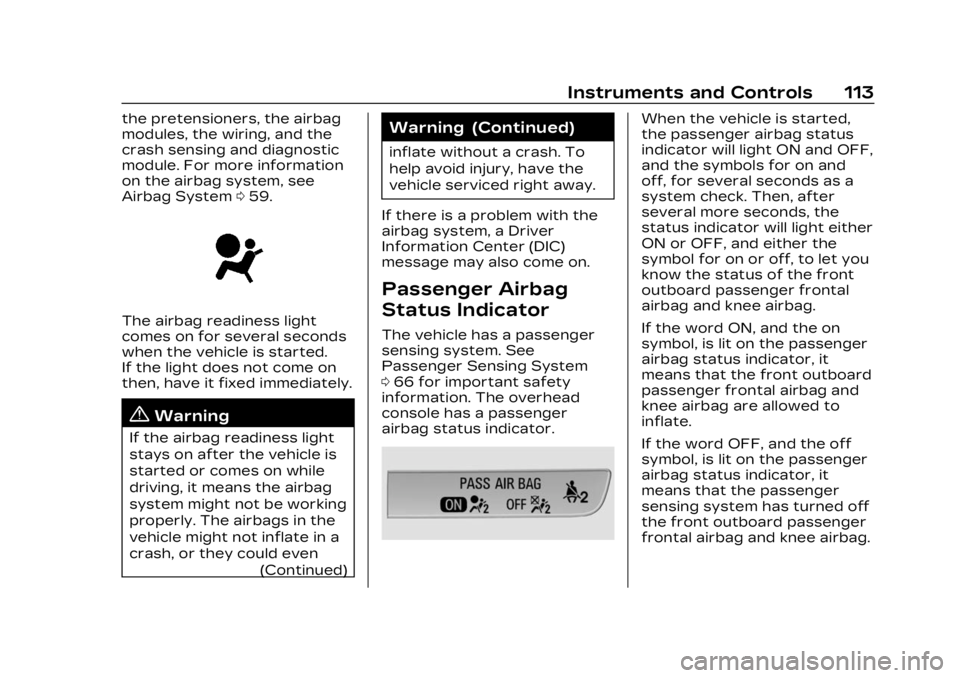
The vehicle has a passenger
sensing system. See
Passenger Sensing System
0 66 for important safety
information. The overhead
console has a passenger
airbag status indicator.
When the vehicle is started,
the passenger airbag status
indicator will light ON and OFF,
and the symbols for on and
off, for several seconds as a
system check. Then, after
several more seconds, the
status indicator will light either
ON or OFF, and either the
symbol for on or off, to let you
know the status of the front
outboard passenger frontal
airbag and knee airbag.
If the word ON, and the on
symbol, is lit on the passenger
airbag status indicator, it
means that the front outboard
passenger frontal airbag and
knee airbag are allowed to
inflate.
If the word OFF, and the off
symbol, is lit on the passenger
airbag status indicator, it
means that the passenger
sensing system has turned off
the front outboard passenger
frontal airbag and knee airbag.
Page 126 of 424
Cadillac Lyriq Owner Manual (GMNA-Localizing-U.S./Canada-15644413) -
2023 - CRC - 2/23/22
Instruments and Controls 125
{Warning
Do not charge your vehicle’s
battery above an 80%
charge if you are going to
drive down long, steep
grades such as mountain
passes. This provides room
in the battery for
regenerative braking to
supplement your
conventional brakes during
the descent. This is
especially important when
towing a trailer, which puts
additional stress on your
vehicle’s braking system.
See Hill and Mountain Roads
0200 for important
information about driving on
grades.
The default charge level is
100% when plugged in. To set
a different charge level, drag
the circular marker on the
Target Charge Level Gauge to
the preferred value. To lower
the desired Charge Level, drag the Charge Level marker
counterclockwise, and to
increase it drag the marker
clockwise. The Charge Level
can also be changed by
tapping
«andªinside the
gauge on the screen. The
multifunction controller (MCF)
on the center console can also
be used to set the Charge
Level by rotating clockwise or
counterclockwise when the
Target Charge Level Gauge is
highlighted. The Range
estimate updates once the
desired Charge Level is set.
To optimize battery health, the
minimum allowable Charge
Level is determined by the
vehicle. Charge Later
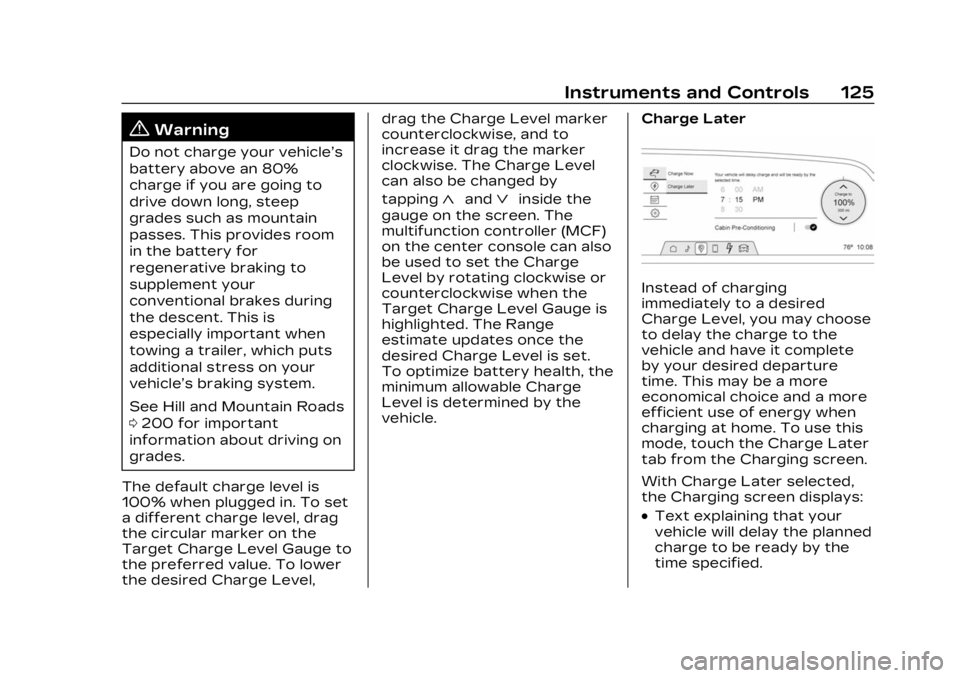
Instead of charging
immediately to a desired
Charge Level, you may choose
to delay the charge to the
vehicle and have it complete
by your desired departure
time. This may be a more
economical choice and a more
efficient use of energy when
charging at home. To use this
mode, touch the Charge Later
tab from the Charging screen.
With Charge Later selected,
the Charging screen displays:
.Text explaining that your
vehicle will delay the planned
charge to be ready by the
time specified.
Page 127 of 424
Cadillac Lyriq Owner Manual (GMNA-Localizing-U.S./Canada-15644413) -
2023 - CRC - 2/23/22
126 Instruments and Controls
.Time Selector: Used to set
the desired time at which
the vehicle will finish
charging and be ready for
departure.
.Target Charge Level Gauge:
Sets the percentage at
which the vehicle will stop
charging. The gauge also
displays an estimate of the
vehicle's range upon
completing the charging
session.
.Cabin Pre-Conditioning:
Allows the vehicle to heat or
cool the cabin to your
desired temperature using
energy from the charger.
This means energy from the
battery is not used to
condition the cabin, ensuring
the vehicle gets the greatest
range from the charging
session. Cabin
pre-conditioning happens at
the end of the charge, and
right before the
departure time.To set the time at which the
vehicle will complete the
charge and be ready for
departure:
Swipe up or down on each
value within the Time Selector
until the preferred time is
selected. The time selector
can also be modified using the
multifunction controller (MCF)
on the center console by
turning the knob when the
preferred value is highlighted.
If the desired Charge Level
cannot be reached by the
selected time, a message will
display that one of the two
preferences will need to be
adjusted.
To adjust desired Charge
Level in Charge Later mode,
see
“Charge Now” earlier in
this section.
Setting the Cabin
Pre-Conditioning preference:
Touch the switch to turn on
Cabin Pre-conditioning. Cabin
Pre-Conditioning temperature
can be adjusted in Settings, or by touching Cabin
Pre-Conditioning on this
screen.
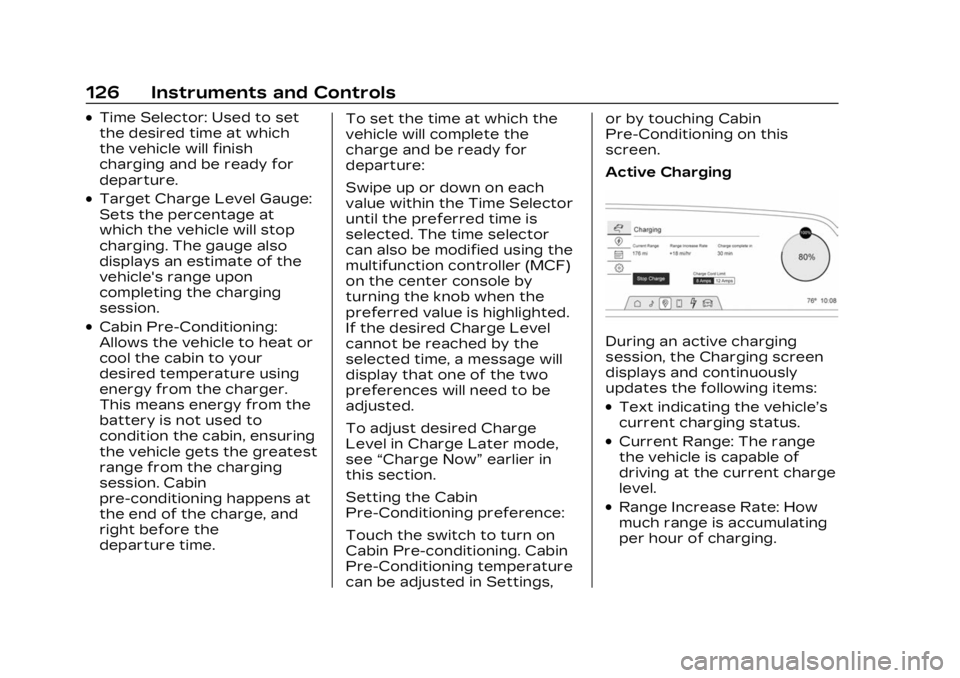
Active ChargingDuring an active charging
session, the Charging screen
displays and continuously
updates the following items:
.Text indicating the vehicle’s
current charging status.
.Current Range: The range
the vehicle is capable of
driving at the current charge
level.
.Range Increase Rate: How
much range is accumulating
per hour of charging.
Page 152 of 424
Cadillac Lyriq Owner Manual (GMNA-Localizing-U.S./Canada-15644413) -
2023 - CRC - 2/23/22
Infotainment System 151
features are also available
through the instrument cluster
and steering wheel controls.
Before driving:
.Become familiar with the
operation, center stack
controls, steering wheel
controls, and infotainment
display.
.Set up the audio by
presetting favorite stations,
setting the tone, and
adjusting the speakers.
.Set up phone numbers in
advance so they can be
called easily by pressing a
single control or by using a
single voice command.
See Distracted Driving 0195.
Overview
Infotainment System
The infotainment system is
controlled by using the
infotainment display,
multifunction controller (MCF) on the center console,
steering wheel controls, and
voice recognition, if available.
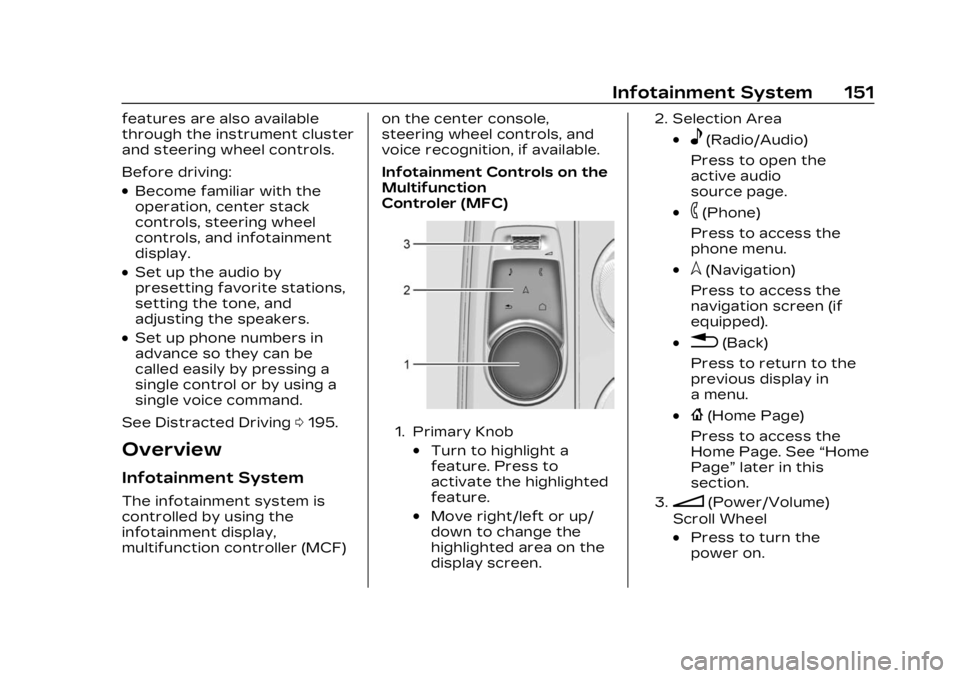
Infotainment Controls on the
Multifunction
Controler (MFC)
1. Primary Knob
.Turn to highlight a
feature. Press to
activate the highlighted
feature.
.Move right/left or up/
down to change the
highlighted area on the
display screen.
2. Selection Area
.e(Radio/Audio)
Press to open the
active audio
source page.
.6(Phone)
Press to access the
phone menu.
.l(Navigation)
Press to access the
navigation screen (if
equipped).
.0(Back)
Press to return to the
previous display in
a menu.
.{(Home Page)
Press to access the
Home Page. See “Home
Page” later in this
section.
3.n(Power/Volume)
Scroll Wheel
.Press to turn the
power on.
Page 161 of 424
Cadillac Lyriq Owner Manual (GMNA-Localizing-U.S./Canada-15644413) -
2023 - CRC - 2/23/22
160 Infotainment System
Multi-Band Antenna
The roof antenna may be used
for radio, navigation, and
OnStar, depending on the
equipped options. Keep clear
of obstructions for clear
reception. If the vehicle has a
sunroof, and it is open,
reception can also be affected.
Audio Players
Avoiding Untrusted
Media Devices
When using media devices
such as USB and mobile
devices, consider the source.
Untrusted media devices could
contain files that affect
system operation or
performance and should be
avoided.
USB Port
Audio stored on a USB device
may be listened to.The vehicle may be equipped
with three USB ports, one in
the center console under the
armrest, next to the wireless
charger, and in the forward
lower storage bin. These ports
are for data. There may also
be two USB charge ports at
the rear of the center console.
Caution
To avoid vehicle damage,
unplug all accessories and
disconnect all accessory
cables from the vehicle
when not in use. Accessory
cables left plugged into the
vehicle, unconnected to a
device, could be damaged or
cause an electrical short if
the unconnected end comes
in contact with liquids or
another power source such
as the accessory power
outlet.
Playing from a USB
A USB mass storage device
can be connected to the
USB port.
Audio extensions supported
by the USB may include:
.MP3
.AAC
.OGG
.3GP
.AMR
.FLAC
.WAVE
.MKV
USB MP3 Player and USB
Devices
The USB MP3 players and
USB devices connected must
comply with the USB Mass
Storage Class specification
(USB MSC).
To play a USB device: 1. Connect the USB.
2. Touch Audio from the Home Page.