charging CADILLAC LYRIC 2023 Owners Manual
[x] Cancel search | Manufacturer: CADILLAC, Model Year: 2023, Model line: LYRIC, Model: CADILLAC LYRIC 2023Pages: 424, PDF Size: 4.76 MB
Page 7 of 424

Cadillac Lyriq Owner Manual (GMNA-Localizing-U.S./Canada-15644413) -
2023 - CRC - 3/2/22
6 Introduction
1. Air Vents0189.
2. Turn Signal Lever. See Turn and Lane-Change Signals
0146.
Windshield Wiper/Washer
0 100.
3. Shift Lever. See Electric Drive Unit 0211.
4. Light Sensor. See Automatic Headlamp
System 0143.
5. Infotainment Display. See Introduction 0150.
Instrument Cluster 0108.
6. Instrument Panel Fuse Block 0331.
7. Glove Box 094.
8. Dual Automatic Climate Control System 0185.
9. Sliding Storage Tray. See Instrument Panel Storage
094 (If Equipped).
10. Lower Storage. See Instrument Panel Storage
094 (If Equipped).
11. Wireless Charging 0104.
12. Infotainment Controls. 13. Power Button
0206 (Out
of View).
14. Radio Controls. See Steering Wheel Controls
0152.
15. Horn 0100.
16. Steering Wheel Adjustment 099 (Out of View).
17. Adaptive Cruise Control (Advanced) 0225.
Super Cruise 0236.
Forward Collision Alert
(FCA) System 0270 (If
Equipped).
Heated Steering Wheel
0 99.
18. Hood Release. See Hood 0310.
19. Electric Parking Brake 0217.
Lane Keep Assist (LKA)
0 280 (If Equipped).
Automatic Vehicle Hold
(AVH) 0219.
Instrument Panel
Illumination Control 0146.
Page 99 of 424
Cadillac Lyriq Owner Manual (GMNA-Localizing-U.S./Canada-15644413) -
2023 - CRC - 2/23/22
98 Instruments and Controls
Instruments and
Controls
Controls
Steering WheelAdjustment . . . . . . . . . . . . . . . . . . 99
Heated Steering Wheel . . . 99
Horn . . . . . . . . . . . . . . . . . . . . . . . . . . . 100
Pedestrian Safety Signal . . . . . . . . . . . . . . . . . . . . . . . . 100
Windshield Wiper/ Washer . . . . . . . . . . . . . . . . . . . . . 100
Compass . . . . . . . . . . . . . . . . . . . . . 102
Clock . . . . . . . . . . . . . . . . . . . . . . . . . . . 102
Power Outlets . . . . . . . . . . . . . . 102
Wireless Charging . . . . . . . . . 104
Warning Lights, Gauges,
and Indicators
Warning Lights, Gauges, and Indicators . . . . . . . . . . . . . 108
Instrument Cluster . . . . . . . . 108
Speedometer . . . . . . . . . . . . . . . . 110
Odometer . . . . . . . . . . . . . . . . . . . . . 110
Trip Odometer . . . . . . . . . . . . . . 110
Battery Gauge (High Voltage) . . . . . . . . . . . . . . . . . . . . . 110
Power Indicator Gauge . . . . 111
Seat Belt Reminders . . . . . . . 112 Airbag Readiness Light . . . 112
Passenger Airbag Status
Indicator . . . . . . . . . . . . . . . . . . . . . 113
Charging System Light (12-Volt Battery) . . . . . . . . . . . 114
Low State of Charge Light . . . . . . . . . . . . . . . . . . . . . . . . . . 114
Charge Cord Connected Light . . . . . . . . . . . . . . . . . . . . . . . . . . 114
Battery Fault Light . . . . . . . . . 115
Propulsion Power is Limited Light . . . . . . . . . . . . . . . 115
Service Vehicle Soon Light . . . . . . . . . . . . . . . . . . . . . . . . . . 115
Brake System Warning Light . . . . . . . . . . . . . . . . . . . . . . . . . . 115
Electric Parking Brake Light . . . . . . . . . . . . . . . . . . . . . . . . . . 116
Service Electric Parking Brake Light . . . . . . . . . . . . . . . . . 116
Antilock Brake System (ABS) Warning Light . . . . . 117
Automatic Vehicle Hold (AVH) Light . . . . . . . . . . . . . . . . . . 117
Lane Keep Assist (LKA) Light . . . . . . . . . . . . . . . . . . . . . . . . . . 117
Automatic Emergency Braking (AEB) Disabled
Light . . . . . . . . . . . . . . . . . . . . . . . . . . 118 Vehicle Ahead
Indicator . . . . . . . . . . . . . . . . . . . . . 118
Pedestrian Ahead Indicator . . . . . . . . . . . . . . . . . . . . . 118
Traction Off Light . . . . . . . . . . 119
StabiliTrak OFF Light . . . . . 119
Traction Control System
(TCS)/StabiliTrak
Light . . . . . . . . . . . . . . . . . . . . . . . . . . 119
Driver Mode Control Light . . . . . . . . . . . . . . . . . . . . . . . . . 120
Tire Pressure Light . . . . . . . 120
Security Light . . . . . . . . . . . . . . . 121
Vehicle Ready Light . . . . . . . . 121
One-Pedal Driving Light . . . . . . . . . . . . . . . . . . . . . . . . . . 121
High-Beam On Light . . . . . . . 121
Lamps On Reminder . . . . . . 122
Cruise Control Light . . . . . . 122
Door Ajar Light . . . . . . . . . . . . . 122Information Displays
Charging . . . . . . . . . . . . . . . . . . . . . . 123
Driver Information Center (DIC) . . . . . . . . . . . . . . . . 132
Vehicle Information . . . . . . . . 133
Vehicle Messages
Vehicle Messages . . . . . . . . . 134
Propulsion Power Messages . . . . . . . . . . . . . . . . . . . 135
Page 105 of 424
Cadillac Lyriq Owner Manual (GMNA-Localizing-U.S./Canada-15644413) -
2023 - CRC - 2/23/22
104 Instruments and Controls
Power Outlet 110-Volt/
120-Volt Alternating
Current
If equipped with this power
outlet it can be used to plug in
electrical equipment that uses
a maximum limit of 150 watts.
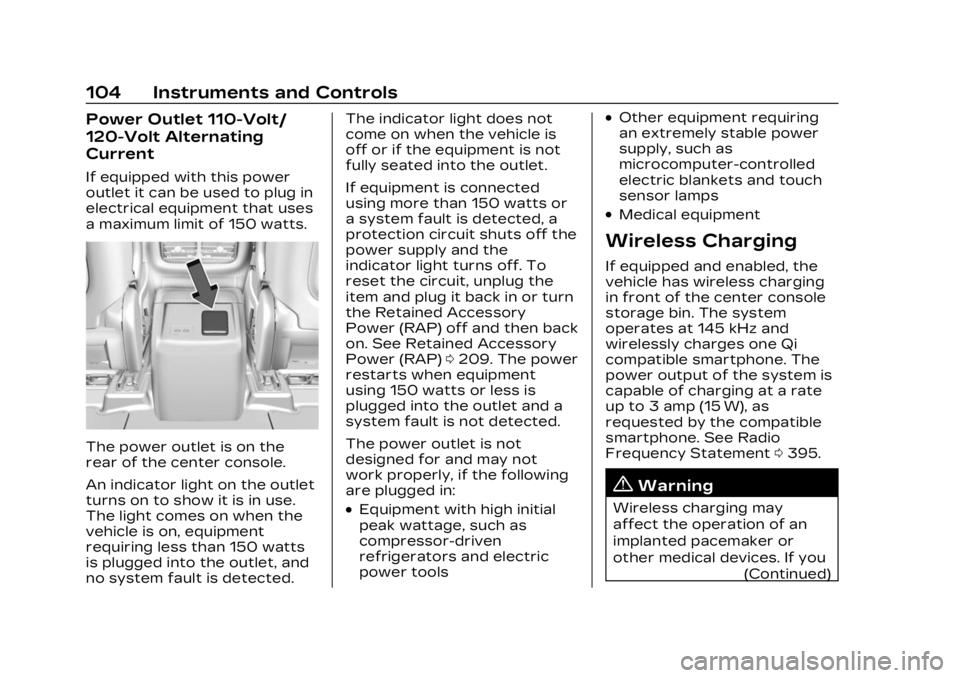
The power outlet is on the
rear of the center console.
An indicator light on the outlet
turns on to show it is in use.
The light comes on when the
vehicle is on, equipment
requiring less than 150 watts
is plugged into the outlet, and
no system fault is detected.The indicator light does not
come on when the vehicle is
off or if the equipment is not
fully seated into the outlet.
If equipment is connected
using more than 150 watts or
a system fault is detected, a
protection circuit shuts off the
power supply and the
indicator light turns off. To
reset the circuit, unplug the
item and plug it back in or turn
the Retained Accessory
Power (RAP) off and then back
on. See Retained Accessory
Power (RAP)
0209. The power
restarts when equipment
using 150 watts or less is
plugged into the outlet and a
system fault is not detected.
The power outlet is not
designed for and may not
work properly, if the following
are plugged in:
.Equipment with high initial
peak wattage, such as
compressor-driven
refrigerators and electric
power tools
.Other equipment requiring
an extremely stable power
supply, such as
microcomputer-controlled
electric blankets and touch
sensor lamps
.Medical equipment
Wireless Charging
If equipped and enabled, the
vehicle has wireless charging
in front of the center console
storage bin. The system
operates at 145 kHz and
wirelessly charges one Qi
compatible smartphone. The
power output of the system is
capable of charging at a rate
up to 3 amp (15 W), as
requested by the compatible
smartphone. See Radio
Frequency Statement 0395.
{Warning
Wireless charging may
affect the operation of an
implanted pacemaker or
other medical devices. If you
(Continued)
Page 106 of 424
Cadillac Lyriq Owner Manual (GMNA-Localizing-U.S./Canada-15644413) -
2023 - CRC - 2/23/22
Instruments and Controls 105
Warning (Continued)
have one, it is recommended
to consult with your doctor
before using the wireless
charging system.
The vehicle must be on, in
accessory mode, or Retained
Accessory Power (RAP) must
be active. The wireless
charging feature may not
correctly indicate charging
when the vehicle is in RAP,
during a Bluetooth phone call,
or when phone projection (e.g.
Apple CarPlay / Android Auto)
is active. See Retained
Accessory Power (RAP) 0209.
The operating temperature is
−40 °C (−40 °F) to 85 °C
(185 °F) for the charging
system and 0 °C (32 °F) to
35 °C (95 °F) for the phone.
A charging stopped alert may
be displayed on the
infotainment screen, if the
wireless charger or
smartphone are outside of
normal operating temperature. Charging will automatically
resume when a normal
operating temperature is
reached.
{Warning
Remove all objects from the
charger before charging
your compatible
smartphone. Objects, such
as coins, keys, rings, paper
clips, or cards, between the
smartphone and charger
may become very hot.
On the rare occasion that
the charging system does
not detect an object, and
the object gets wedged
between the smartphone
and charger, remove the
smartphone and allow the
object to cool before
removing it from the
charger, to prevent burns.
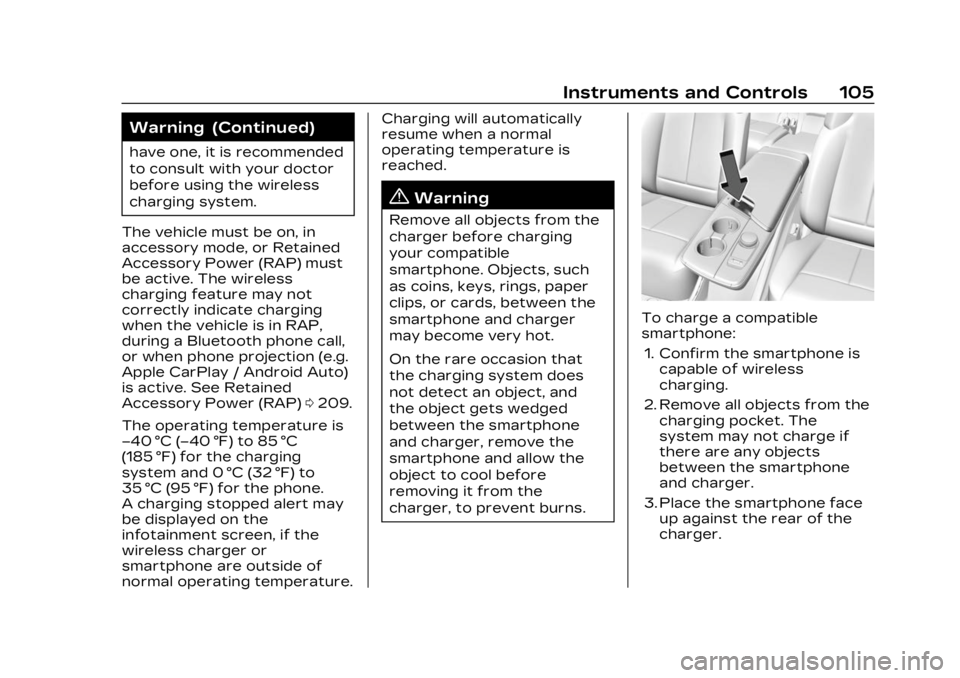
To charge a compatible
smartphone:
1. Confirm the smartphone is capable of wireless
charging.
2. Remove all objects from the charging pocket. The
system may not charge if
there are any objects
between the smartphone
and charger.
3. Place the smartphone face up against the rear of the
charger.
Page 107 of 424
Cadillac Lyriq Owner Manual (GMNA-Localizing-U.S./Canada-15644413) -
2023 - CRC - 2/23/22
106 Instruments and Controls
To maximize the charge
rate, ensure the
smartphone is fully seated
and centered in the holder
with nothing under it.
A thick smartphone case
may prevent the charger
from working, or reduce the
charging performance. See
your dealer for additional
information.
4. A green
]will appear on
the infotainment display,
next to the phone icon. This
indicates that the
smartphone is detected.
5. If a smartphone is placed on the charger and
]turns off
or a yellow triangle appears,
remove the smartphone and
any objects from the pocket.
Turn the smartphone
180 degrees and wait a few
seconds before placing/
aligning it on the pocket
again.
6. If a smartphone is placed on the charger and a red circle
appears, the charger and/or the smartphone is
overheated. Remove the
smartphone and any objects
from the charger in order to
cool the system.
The smartphone may become
warm during charging. This is
normal. In warmer
temperatures, the speed of
charging may be reduced.
For vehicles with wireless
phone projection, the
smartphone may overheat
during wireless charging. The
smartphone may slow down,
stop charging, or shut down to
protect the battery. The
phone may need to be
removed from its case to
prevent overheating. The
]
may flash while the phone is
cooling down enough for
wireless charging to
automatically resume. This is
normal. Individual phone
performance may vary. Software Acknowledgements
Certain Wireless Charging
Module product from LG
Electronics, Inc. ("LGE")
contains the open source
software detailed below. Refer
to the indicated open source
licenses (as are included
following this notice) for the
terms and conditions of
their use.
OSS Notice Information
To obtain the source code
that is contained in this
product, please visit
https://opensource.lge.com. In
addition to the source code, all
referred license terms,
warranty disclaimers and
copyright notices are available
for download. LG Electronics
will also provide open source
code to you on CD-ROM for a
charge covering the cost of
performing such distribution
(such as the cost of media,
shipping, and handling) upon
email request to
[email protected]. This
Page 115 of 424
Cadillac Lyriq Owner Manual (GMNA-Localizing-U.S./Canada-15644413) -
2023 - CRC - 2/23/22
114 Instruments and Controls
If, after several seconds, both
status indicator lights remain
on, or if there are no lights at
all, or if the airbag readiness
light is on, there may be a
problem with the lights or the
passenger sensing system.
See your dealer for service
right away.
{Warning
If the airbag readiness light
ever comes on and stays on,
it means that something may
be wrong with the airbag
system. To help avoid injury
to yourself or others, have
the vehicle serviced right
away. See Airbag Readiness
Light0112 for more
information, including
important safety
information.
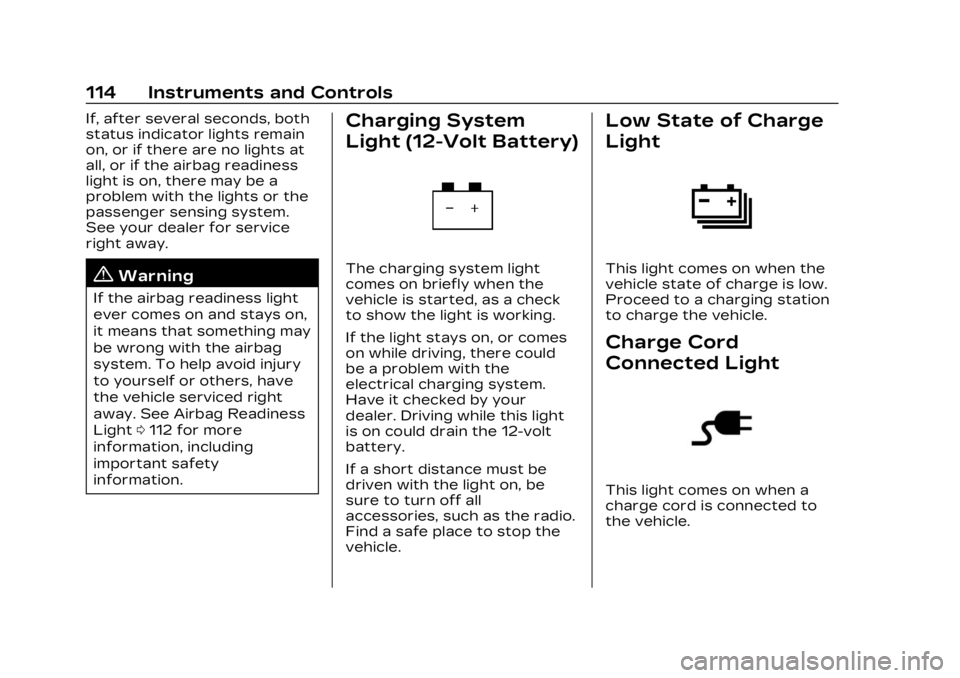
Charging System
Light (12-Volt Battery)
The charging system light
comes on briefly when the
vehicle is started, as a check
to show the light is working.
If the light stays on, or comes
on while driving, there could
be a problem with the
electrical charging system.
Have it checked by your
dealer. Driving while this light
is on could drain the 12-volt
battery.
If a short distance must be
driven with the light on, be
sure to turn off all
accessories, such as the radio.
Find a safe place to stop the
vehicle.
Low State of Charge
Light
This light comes on when the
vehicle state of charge is low.
Proceed to a charging station
to charge the vehicle.
Charge Cord
Connected Light
This light comes on when a
charge cord is connected to
the vehicle.
Page 124 of 424
Cadillac Lyriq Owner Manual (GMNA-Localizing-U.S./Canada-15644413) -
2023 - CRC - 2/23/22
Instruments and Controls 123
This light comes on when a
door is open or not securely
latched. Before driving, check
that all doors are properly
closed.
Information
Displays
Charging
Important Information about
Electric Vehicle Charging
.Charging an electric vehicle
can stress a building’s
electrical system more than
a typical household
appliance.
.Charge cord limits can vary
from vehicle to vehicle, and
increased charging rates can
stress a building’s electrical
system.
.Before plugging into any
electrical outlet, have a
qualified electrician inspect
and verify the electrical
system (electrical outlet,
wiring, junctions, andprotection devices) for
heavy-duty service at a
12 amp continuous load.
.Electrical outlets may wear
out with normal usage or
may be damaged over time,
making them unsuitable for
electric vehicle charging.
.Check the electrical outlet/
plug while charging and
discontinue use if the
electrical outlet/plug is hot,
then have the electrical
outlet serviced by a qualified
electrician.
.When outdoors, plug into an
electrical outlet that is
weatherproof while in use.
.Mount the charging cord to
reduce strain on the
electrical outlet/plug.
.Do not place the charge cord
in a position where it is
expected to be submerged
in water.
{Danger
Improper use of portable
electric vehicle charge cords
may cause a fire, electrical
shock, or burns, and may
result in damage to
property, serious injury,
or death.
.Do not use extension
cords, multi-outlet power
strips, splitters, grounding
adaptors, surge
protectors, or similar
devices.
.Do not use an electrical
outlet that is worn or
damaged, or will not hold
the plug firmly in place.
.Do not use an electrical
outlet that is not properly
grounded.
.Do not use an electrical
outlet that is on a circuit
with other electrical loads.
Page 125 of 424
Cadillac Lyriq Owner Manual (GMNA-Localizing-U.S./Canada-15644413) -
2023 - CRC - 2/23/22
124 Instruments and Controls
Charging App
The Charging app gives you
access to features that will
help you better understand
and control how the vehicle
manages energy. Along with
providing a central location to
determine and review your
charging preferences, the
Charging app offers live
information on how the vehicle
is using energy.
To launch the Charging app
from the infotainment home
screen, touch the Charging
icon. There are four selections
to choose from: Charging,
Charge Assist, Schedule, and
Settings. When you launch
Charging for the first time, the
Next Charge screen will
display.
Next Charge
To view the current charging
status in the infotainment
display, touch
C.On the Next Charge screen,
there is a range of information
associated with the next
Charging session, as well as
the ability to specify when you
would like to charge the
vehicle. The choices available
to charge are Charge Now or
Charge Later.
To create a charge schedule
See
“Creating a Charge
Schedule” under“Schedule”
below. The Charging screen
shows and allows you to
determine how the vehicle
charges the next time it is
plugged in.
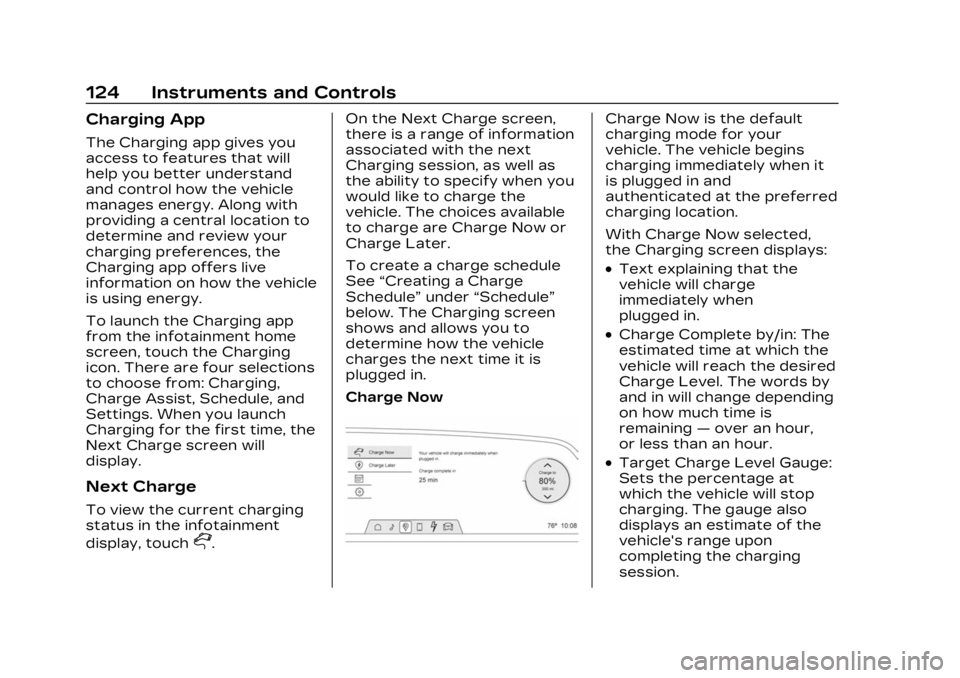
Charge Now
Charge Now is the default
charging mode for your
vehicle. The vehicle begins
charging immediately when it
is plugged in and
authenticated at the preferred
charging location.
With Charge Now selected,
the Charging screen displays:
.Text explaining that the
vehicle will charge
immediately when
plugged in.
.Charge Complete by/in: The
estimated time at which the
vehicle will reach the desired
Charge Level. The words by
and in will change depending
on how much time is
remaining —over an hour,
or less than an hour.
.Target Charge Level Gauge:
Sets the percentage at
which the vehicle will stop
charging. The gauge also
displays an estimate of the
vehicle's range upon
completing the charging
session.
Page 126 of 424
Cadillac Lyriq Owner Manual (GMNA-Localizing-U.S./Canada-15644413) -
2023 - CRC - 2/23/22
Instruments and Controls 125
{Warning
Do not charge your vehicle’s
battery above an 80%
charge if you are going to
drive down long, steep
grades such as mountain
passes. This provides room
in the battery for
regenerative braking to
supplement your
conventional brakes during
the descent. This is
especially important when
towing a trailer, which puts
additional stress on your
vehicle’s braking system.
See Hill and Mountain Roads
0200 for important
information about driving on
grades.
The default charge level is
100% when plugged in. To set
a different charge level, drag
the circular marker on the
Target Charge Level Gauge to
the preferred value. To lower
the desired Charge Level, drag the Charge Level marker
counterclockwise, and to
increase it drag the marker
clockwise. The Charge Level
can also be changed by
tapping
«andªinside the
gauge on the screen. The
multifunction controller (MCF)
on the center console can also
be used to set the Charge
Level by rotating clockwise or
counterclockwise when the
Target Charge Level Gauge is
highlighted. The Range
estimate updates once the
desired Charge Level is set.
To optimize battery health, the
minimum allowable Charge
Level is determined by the
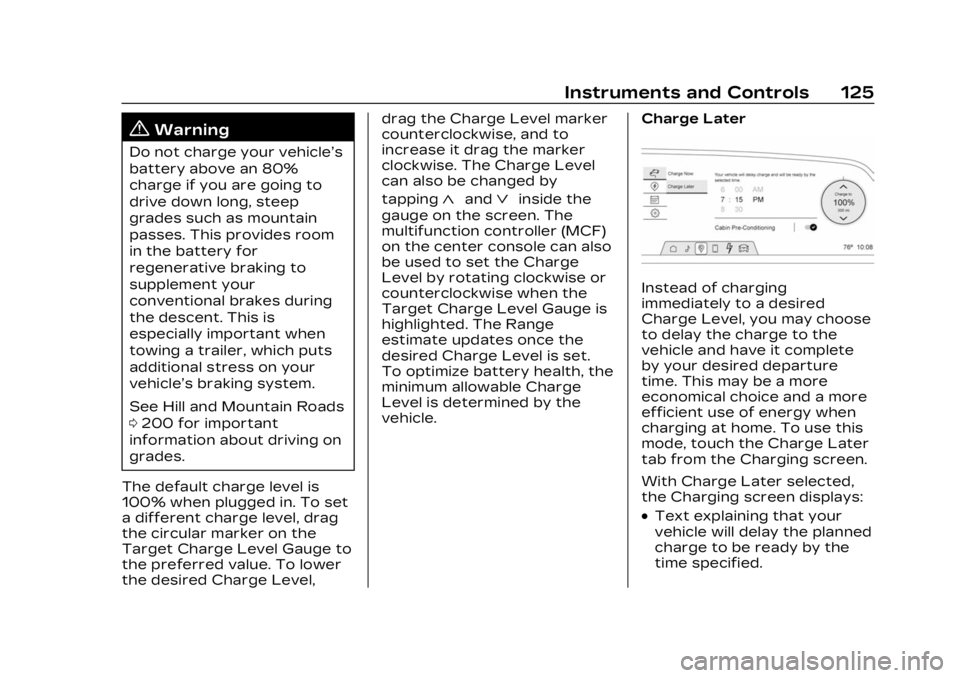
vehicle. Charge Later
Instead of charging
immediately to a desired
Charge Level, you may choose
to delay the charge to the
vehicle and have it complete
by your desired departure
time. This may be a more
economical choice and a more
efficient use of energy when
charging at home. To use this
mode, touch the Charge Later
tab from the Charging screen.
With Charge Later selected,
the Charging screen displays:
.Text explaining that your
vehicle will delay the planned
charge to be ready by the
time specified.
Page 127 of 424
Cadillac Lyriq Owner Manual (GMNA-Localizing-U.S./Canada-15644413) -
2023 - CRC - 2/23/22
126 Instruments and Controls
.Time Selector: Used to set
the desired time at which
the vehicle will finish
charging and be ready for
departure.
.Target Charge Level Gauge:
Sets the percentage at
which the vehicle will stop
charging. The gauge also
displays an estimate of the
vehicle's range upon
completing the charging
session.
.Cabin Pre-Conditioning:
Allows the vehicle to heat or
cool the cabin to your
desired temperature using
energy from the charger.
This means energy from the
battery is not used to
condition the cabin, ensuring
the vehicle gets the greatest
range from the charging
session. Cabin
pre-conditioning happens at
the end of the charge, and
right before the
departure time.To set the time at which the
vehicle will complete the
charge and be ready for
departure:
Swipe up or down on each
value within the Time Selector
until the preferred time is
selected. The time selector
can also be modified using the
multifunction controller (MCF)
on the center console by
turning the knob when the
preferred value is highlighted.
If the desired Charge Level
cannot be reached by the
selected time, a message will
display that one of the two
preferences will need to be
adjusted.
To adjust desired Charge
Level in Charge Later mode,
see
“Charge Now” earlier in
this section.
Setting the Cabin
Pre-Conditioning preference:
Touch the switch to turn on
Cabin Pre-conditioning. Cabin
Pre-Conditioning temperature
can be adjusted in Settings, or by touching Cabin
Pre-Conditioning on this
screen.
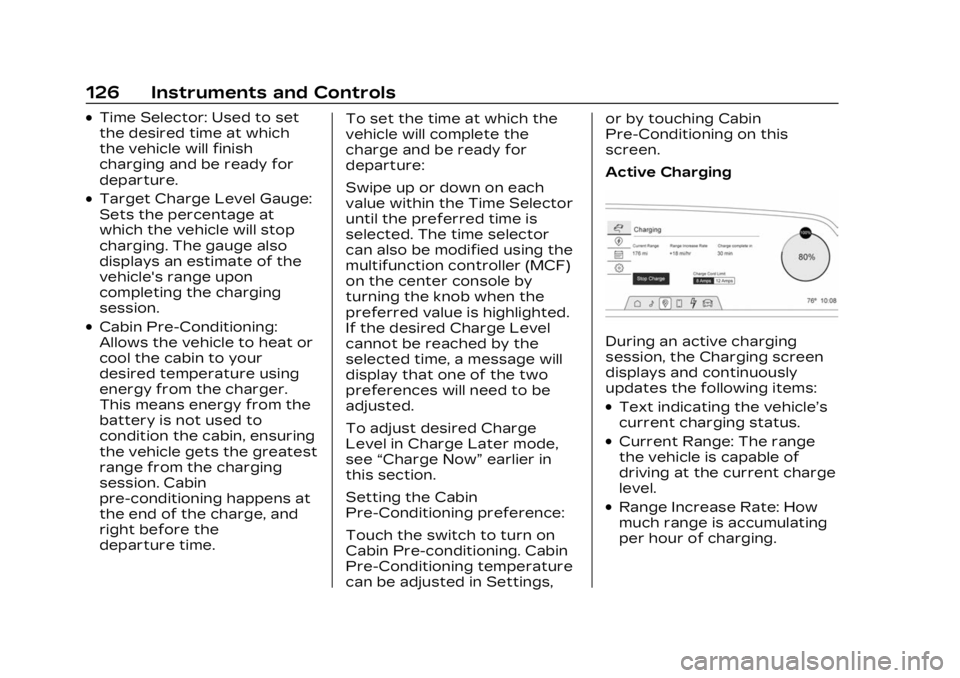
Active ChargingDuring an active charging
session, the Charging screen
displays and continuously
updates the following items:
.Text indicating the vehicle’s
current charging status.
.Current Range: The range
the vehicle is capable of
driving at the current charge
level.
.Range Increase Rate: How
much range is accumulating
per hour of charging.