mirror CADILLAC LYRIC 2023 Owners Manual
[x] Cancel search | Manufacturer: CADILLAC, Model Year: 2023, Model line: LYRIC, Model: CADILLAC LYRIC 2023Pages: 424, PDF Size: 4.76 MB
Page 8 of 424
Cadillac Lyriq Owner Manual (GMNA-Localizing-U.S./Canada-15644413) -
2023 - CRC - 2/23/22
Keys, Doors, and Windows 7
Keys, Doors, and
Windows
Keys and Locks
Keys . . . . . . . . . . . . . . . . . . . . . . . . . . . . . . . 7
Remote Key . . . . . . . . . . . . . . . . . . . . . 8
Remote Key Operation . . . . . . 8
Remote Start . . . . . . . . . . . . . . . . . 15
Door Locks . . . . . . . . . . . . . . . . . . . . . 17
Power Door Locks . . . . . . . . . . . 18
Delayed Locking . . . . . . . . . . . . . . 18
Automatic Door Locks . . . . . 19
Lockout Protection . . . . . . . . . 19
Safety Locks . . . . . . . . . . . . . . . . . 20
Digital Key . . . . . . . . . . . . . . . . . . . . . 20
Doors
Liftgate . . . . . . . . . . . . . . . . . . . . . . . . . 21
Vehicle Security
Vehicle Security . . . . . . . . . . . . . 26
Vehicle Alarm System . . . . . . 26
Immobilizer . . . . . . . . . . . . . . . . . . . . 27
Immobilizer Operation . . . . . . 27
Exterior Mirrors
Convex Mirrors . . . . . . . . . . . . . . 28
Power Mirrors . . . . . . . . . . . . . . . . 28
Folding Mirrors . . . . . . . . . . . . . . . 28
Heated Mirrors . . . . . . . . . . . . . . 30
Interior Mirrors
Interior RearviewMirrors . . . . . . . . . . . . . . . . . . . . . . . 30
Manual Rearview Mirror . . . . . . . . . . . . . . . . . . . . . . . . . 30
Automatic Dimming
Rearview Mirror . . . . . . . . . . . 30
Rear Camera Mirror . . . . . . . . 30
Windows
Windows . . . . . . . . . . . . . . . . . . . . . . . 33
Power Windows . . . . . . . . . . . . . 33
Sun Visors . . . . . . . . . . . . . . . . . . . . . 35
Roof
Sunroof . . . . . . . . . . . . . . . . . . . . . . . . 35
Keys and Locks
Keys
{Warning
Leaving children in a vehicle
with a remote key is
dangerous and children or
others could be seriously
injured or killed. They could
operate the power windows
or other controls or make
the vehicle move. The
windows will function with
the remote key in the
vehicle, and children or
others could be caught in
the path of a closing
window. Do not leave
children in a vehicle with a
remote key.
Page 10 of 424
Cadillac Lyriq Owner Manual (GMNA-Localizing-U.S./Canada-15644413) -
2023 - CRC - 2/23/22
Keys, Doors, and Windows 9
Other conditions can impact
the performance of the
remote key. See Remote Key
08.
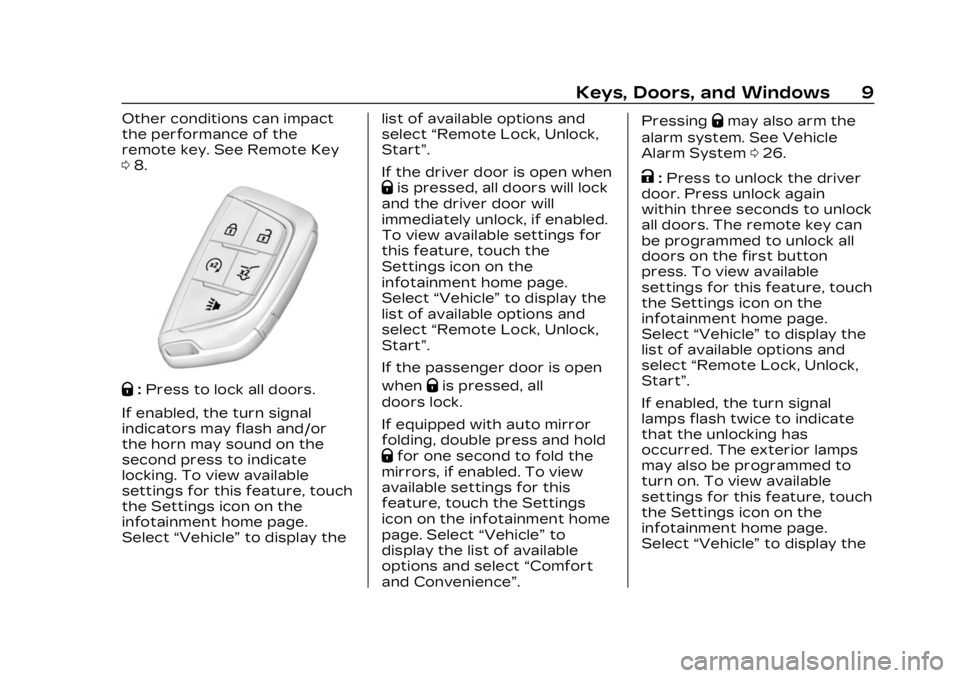
Q:Press to lock all doors.
If enabled, the turn signal
indicators may flash and/or
the horn may sound on the
second press to indicate
locking. To view available
settings for this feature, touch
the Settings icon on the
infotainment home page.
Select “Vehicle” to display the list of available options and
select
“Remote Lock, Unlock,
Start”.
If the driver door is open when
Qis pressed, all doors will lock
and the driver door will
immediately unlock, if enabled.
To view available settings for
this feature, touch the
Settings icon on the
infotainment home page.
Select “Vehicle” to display the
list of available options and
select “Remote Lock, Unlock,
Start”.
If the passenger door is open
when
Qis pressed, all
doors lock.
If equipped with auto mirror
folding, double press and hold
Qfor one second to fold the
mirrors, if enabled. To view
available settings for this
feature, touch the Settings
icon on the infotainment home
page. Select “Vehicle”to
display the list of available
options and select “Comfort
and Convenience”. Pressing
Qmay also arm the
alarm system. See Vehicle
Alarm System 026.
K:Press to unlock the driver
door. Press unlock again
within three seconds to unlock
all doors. The remote key can
be programmed to unlock all
doors on the first button
press. To view available
settings for this feature, touch
the Settings icon on the
infotainment home page.
Select “Vehicle” to display the
list of available options and
select “Remote Lock, Unlock,
Start”.
If enabled, the turn signal
lamps flash twice to indicate
that the unlocking has
occurred. The exterior lamps
may also be programmed to
turn on. To view available
settings for this feature, touch
the Settings icon on the
infotainment home page.
Select “Vehicle” to display the
Page 11 of 424

Cadillac Lyriq Owner Manual (GMNA-Localizing-U.S./Canada-15644413) -
2023 - CRC - 2/23/22
10 Keys, Doors, and Windows
list of available options and
select“Remote Lock, Unlock,
Start”.
If equipped with auto mirror
unfolding, double press and
hold
Kuntil the mirrors fully
open. To view available
settings for this feature, touch
the Settings icon on the
infotainment home page.
Select “Vehicle” to display the
list of available options and
select “Comfort and
Convenience”.
Pressing
Kwill disarm the
alarm system. See Vehicle
Alarm System 026.
b:Press twice to open or
close the liftgate. Press once
to stop the liftgate from
moving. The vehicle must be in
P (Park).
7: Press and release one time
to initiate vehicle locator. The
exterior lamps flash and the
horn chirps three times. Press and hold
7for at least
three seconds to sound the
panic alarm. The horn sounds
and the turn signals flash for
about 30 seconds or until
7is
pressed again or the vehicle is
started.
/: Press and releaseQand
then immediately press and
hold
/for at least
four seconds to start the
vehicle's heating or air
conditioning systems and rear
window defogger from outside
the vehicle using the remote
key. See Remote Start 015.
Keyless Access Operation
The Keyless Access system
allows the doors and liftgate
to be unlocked without
pressing the remote key
button. The remote key must
be within 1 m (3 ft) of the
liftgate or door being opened.
Doors can be programmed to
the lock after exiting the
vehicle through Passive locking or delayed locking. The
remote key can also be used
to lock the doors
Keyless Access can be
programmed to unlock all
doors on the first unlock
button press from the driver
door. To view available
settings for this feature, touch
the Settings icon on the
infotainment home page.
Select
“Vehicle” to display the
list of available options and
select “Remote Lock, Unlock,
Start”.
Keyless Unlocking from
the Driver Door
When the doors are locked
and the remote key is within
1 m (3 ft) of the driver door
handle, pressing the large end
of the unlock button on the
driver door handle will unlock
and unlatch the driver door.
Page 29 of 424
Cadillac Lyriq Owner Manual (GMNA-Localizing-U.S./Canada-15644413) -
2023 - CRC - 2/23/22
28 Keys, Doors, and Windows
Do not leave the remote key
or device that disarms or
deactivates the
theft-deterrent system in the
vehicle.
Exterior Mirrors
Convex Mirrors
{Warning
A convex mirror can make
things, like other vehicles,
look farther away than they
really are. If you cut too
sharply into the adjacent
lane, you could hit a vehicle
that is driving next to you.
Check the inside mirror or
glance over your shoulder
before changing lanes.
The passenger side mirror is
convex shaped so more can be
seen from the driver’s seat.
Power Mirrors
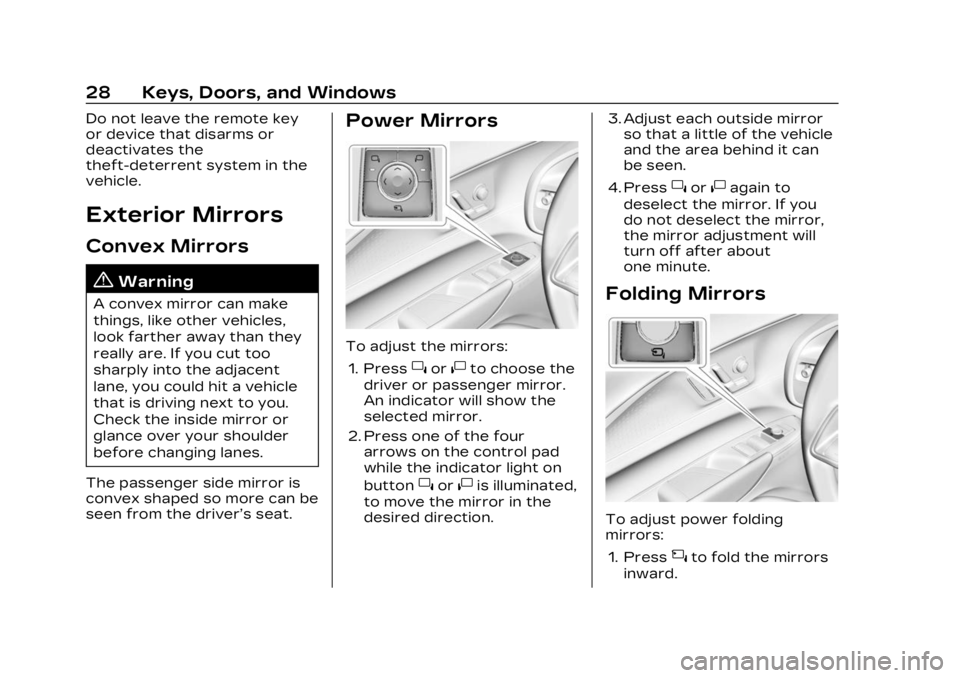
To adjust the mirrors: 1. Press
}or|to choose the
driver or passenger mirror.
An indicator will show the
selected mirror.
2. Press one of the four arrows on the control pad
while the indicator light on
button
}or|is illuminated,
to move the mirror in the
desired direction. 3. Adjust each outside mirror
so that a little of the vehicle
and the area behind it can
be seen.
4. Press
}or|again to
deselect the mirror. If you
do not deselect the mirror,
the mirror adjustment will
turn off after about
one minute.
Folding Mirrors
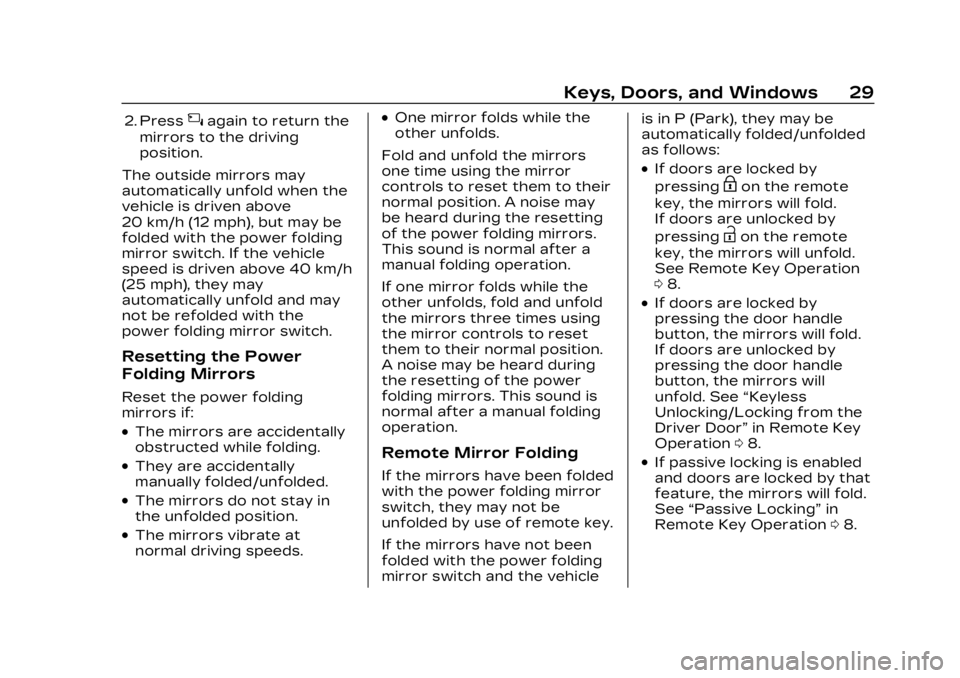
To adjust power folding
mirrors:
1. Press
{to fold the mirrors
inward.
Page 30 of 424
Cadillac Lyriq Owner Manual (GMNA-Localizing-U.S./Canada-15644413) -
2023 - CRC - 2/23/22
Keys, Doors, and Windows 29
2. Press{again to return the
mirrors to the driving
position.
The outside mirrors may
automatically unfold when the
vehicle is driven above
20 km/h (12 mph), but may be
folded with the power folding
mirror switch. If the vehicle
speed is driven above 40 km/h
(25 mph), they may
automatically unfold and may
not be refolded with the
power folding mirror switch.
Resetting the Power
Folding Mirrors
Reset the power folding
mirrors if:
.The mirrors are accidentally
obstructed while folding.
.They are accidentally
manually folded/unfolded.
.The mirrors do not stay in
the unfolded position.
.The mirrors vibrate at
normal driving speeds.
.One mirror folds while the
other unfolds.
Fold and unfold the mirrors
one time using the mirror
controls to reset them to their
normal position. A noise may
be heard during the resetting
of the power folding mirrors.
This sound is normal after a
manual folding operation.
If one mirror folds while the
other unfolds, fold and unfold
the mirrors three times using
the mirror controls to reset
them to their normal position.
A noise may be heard during
the resetting of the power
folding mirrors. This sound is
normal after a manual folding
operation.
Remote Mirror Folding
If the mirrors have been folded
with the power folding mirror
switch, they may not be
unfolded by use of remote key.
If the mirrors have not been
folded with the power folding
mirror switch and the vehicle is in P (Park), they may be
automatically folded/unfolded
as follows:
.If doors are locked by
pressing
Hon the remote
key, the mirrors will fold.
If doors are unlocked by
pressing
Ion the remote
key, the mirrors will unfold.
See Remote Key Operation
0 8.
.If doors are locked by
pressing the door handle
button, the mirrors will fold.
If doors are unlocked by
pressing the door handle
button, the mirrors will
unfold. See “Keyless
Unlocking/Locking from the
Driver Door” in Remote Key
Operation 08.
.If passive locking is enabled
and doors are locked by that
feature, the mirrors will fold.
See “Passive Locking” in
Remote Key Operation 08.
Page 31 of 424
Cadillac Lyriq Owner Manual (GMNA-Localizing-U.S./Canada-15644413) -
2023 - CRC - 2/23/22
30 Keys, Doors, and Windows
Lane Change Alert (LCA)
The vehicle may have LCA.
See Lane Change Alert (LCA)
0277.
Side Blind Zone Alert
The vehicle may have Side
Blind Zone Alert. See Side
Blind Zone Alert (SBZA) 0277.
Turn Signal Indicator
The vehicle may have a turn
signal indicator on the mirror
housings. The indicator will
flash when a turn signal or the
hazard warning flashers
are used.
Heated Mirrors
If equipped with heated
mirrors,
0will be present on
both side mirrors. The symbol
does not illuminate when the
heated mirrors are active.
The rear window defogger
also heats the outside mirrors.
K: Press to heat the outside
rearview mirrors. See “Rear
Window Defogger” under Dual
Automatic Climate Control
System 0185.
Interior Mirrors
Interior Rearview
Mirrors
Adjust the rearview mirror for
a clear view of the area behind
your vehicle.
Do not spray glass cleaner
directly on the mirror. Use a
soft towel dampened with
water.
Manual Rearview
Mirror
If equipped, push the tab
forward for daytime use and
pull it for nighttime use to
avoid glare from the
headlamps from behind.
Automatic Dimming
Rearview Mirror
If equipped, automatic
dimming reduces the glare of
headlamps from behind. The
dimming feature comes on
when the vehicle is started.
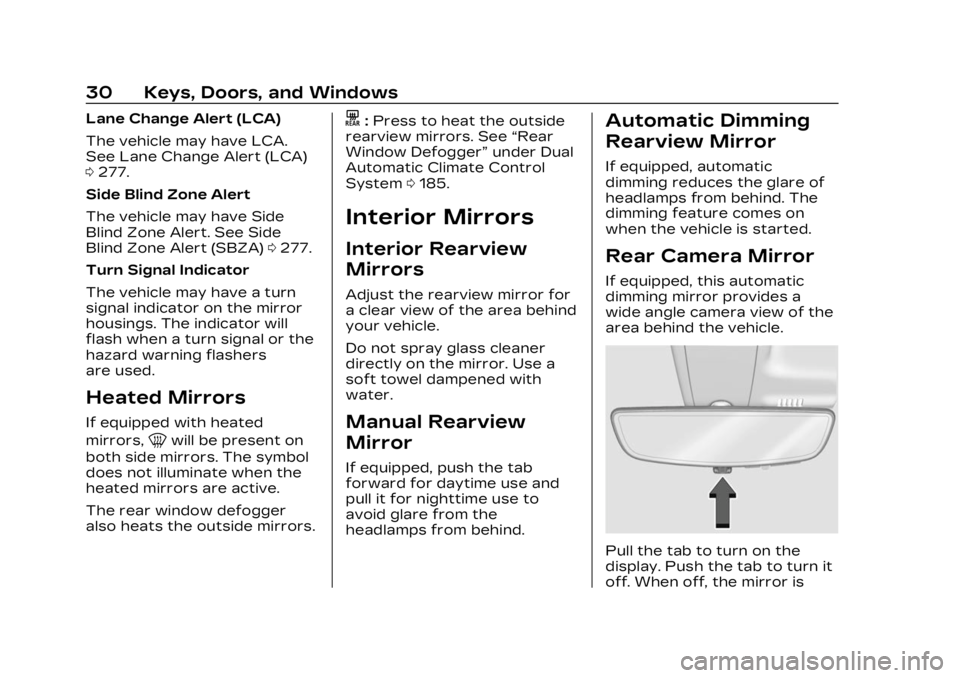
Rear Camera Mirror
If equipped, this automatic
dimming mirror provides a
wide angle camera view of the
area behind the vehicle.
Pull the tab to turn on the
display. Push the tab to turn it
off. When off, the mirror is
Page 32 of 424

Cadillac Lyriq Owner Manual (GMNA-Localizing-U.S./Canada-15644413) -
2023 - CRC - 2/23/22
Keys, Doors, and Windows 31
automatic dimming. Adjust the
mirror for a clear view of the
area behind the vehicle while
the display is off.
PressVto scroll through the
adjustment options.
Press
tanduto adjust the
settings using the indicators
on the mirror. The indicators
will remain visible for
five seconds after the last
button activation, and the
settings will remain saved.
The adjustment options are:
.Brightness
.Zoom
.Tilt
Page 33 of 424
Cadillac Lyriq Owner Manual (GMNA-Localizing-U.S./Canada-15644413) -
2023 - CRC - 2/23/22
32 Keys, Doors, and Windows
{Warning
The Rear Camera Mirror
(RCM) has a limited view.
Portions of the road,
vehicles, and other objects
may not be seen. Do not
drive or park the vehicle
using only this camera.
Objects may appear closer
than they are. Check the
outside mirrors or glance
over your shoulder when
making lane changes or
merging. Failure to use
proper care may result in
injury, death, or vehicle
damage.
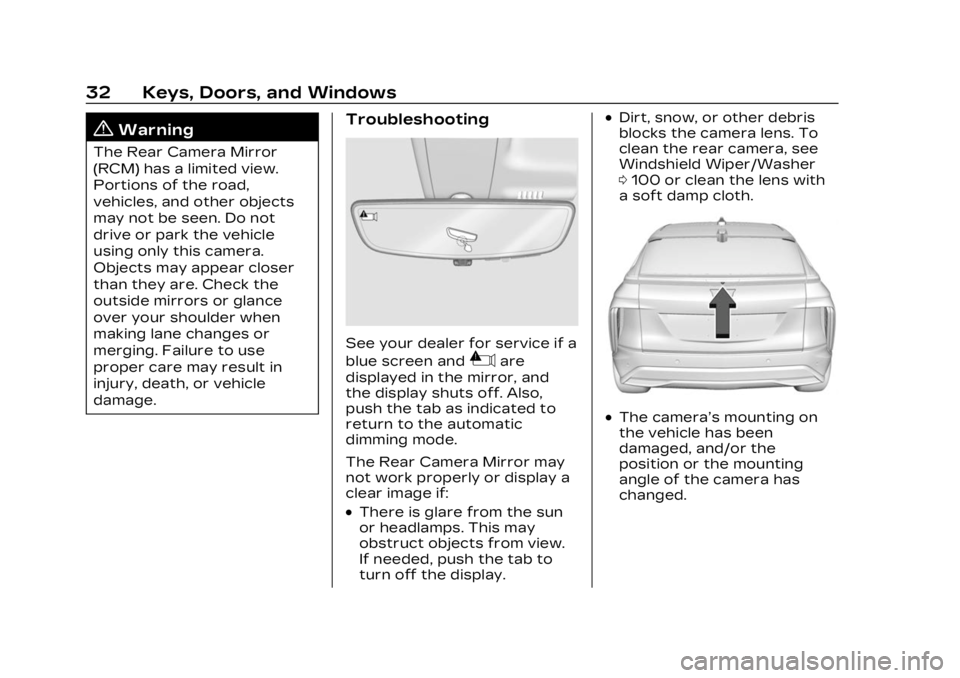
Troubleshooting
See your dealer for service if a
blue screen and
3are
displayed in the mirror, and
the display shuts off. Also,
push the tab as indicated to
return to the automatic
dimming mode.
The Rear Camera Mirror may
not work properly or display a
clear image if:
.There is glare from the sun
or headlamps. This may
obstruct objects from view.
If needed, push the tab to
turn off the display.
.Dirt, snow, or other debris
blocks the camera lens. To
clean the rear camera, see
Windshield Wiper/Washer
0 100 or clean the lens with
a soft damp cloth.
.The camera’s mounting on
the vehicle has been
damaged, and/or the
position or the mounting
angle of the camera has
changed.
Page 36 of 424

Cadillac Lyriq Owner Manual (GMNA-Localizing-U.S./Canada-15644413) -
2023 - CRC - 2/23/22
Keys, Doors, and Windows 35
Sun Visors
Pull the sun visor down to
block glare. Detach the sun
visor from the center mount to
pivot to the side window or,
if equipped, extend along
the rod.
Visor Vanity Mirror
The vehicle may have vanity
mirrors and card holders on
the back of the sun visors.
Swing down the sun visor to
expose the vanity mirror.
Roof
Sunroof
1. Sunroof Switch
2. Sunshade Switch
If equipped, the sunroof only
operates when the vehicle is
on or in Service Mode or when
Retained Accessory Power
(RAP) is active. See Retained
Accessory Power (RAP)0209 Sunroof Switch
Express-Open/
Express-Close :
To
express-open the sunroof,
fully press and release
j(1).
Press the switch again to stop
it. To express-close the
sunroof, fully press and
release
g(1). Press the
switch again to stop it.
Open/Close (Manual Mode) :
To open the sunroof, press
and hold
j(1) until the
sunroof reaches the desired
position. Press and hold
g(1)
to close it.
Vent : From the closed
position, press
j(1) to vent
the sunroof.
Page 103 of 424
Cadillac Lyriq Owner Manual (GMNA-Localizing-U.S./Canada-15644413) -
2023 - CRC - 2/23/22
102 Instruments and Controls
Wiper Parking
If the vehicle is off while the
wipers are on LO or HI, they
will immediately stop.
LL
If the windshield wiper lever is
then moved to OFF before the
driver door is opened or within
10 minutes, the wipers will
restart and move to the base
of the windshield.
If the vehicle is off while the
wipers are performing wipes
due to windshield washing or
Rainsense, the wipers
continue to run until they
reach the base of the
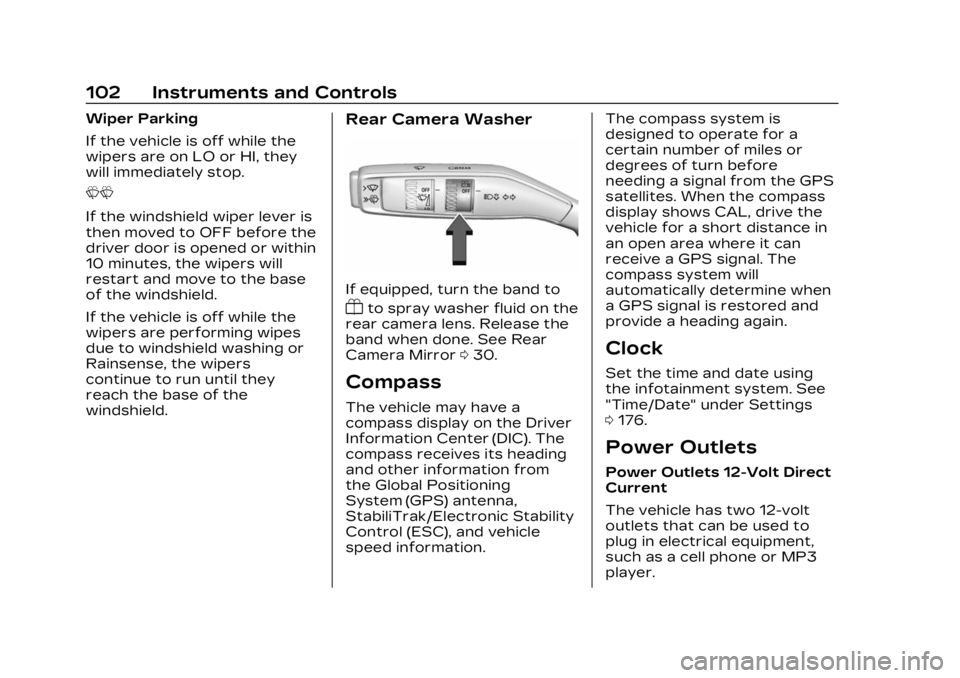
windshield.Rear Camera Washer
If equipped, turn the band to
Yto spray washer fluid on the
rear camera lens. Release the
band when done. See Rear
Camera Mirror 030.
Compass
The vehicle may have a
compass display on the Driver
Information Center (DIC). The
compass receives its heading
and other information from
the Global Positioning
System (GPS) antenna,
StabiliTrak/Electronic Stability
Control (ESC), and vehicle
speed information. The compass system is
designed to operate for a
certain number of miles or
degrees of turn before
needing a signal from the GPS
satellites. When the compass
display shows CAL, drive the
vehicle for a short distance in
an open area where it can
receive a GPS signal. The
compass system will
automatically determine when
a GPS signal is restored and
provide a heading again.
Clock
Set the time and date using
the infotainment system. See
"Time/Date" under Settings
0
176.
Power Outlets
Power Outlets 12-Volt Direct
Current
The vehicle has two 12-volt
outlets that can be used to
plug in electrical equipment,
such as a cell phone or MP3
player.