check engine CADILLAC SEVILLE 1996 4.G Owner's Manual
[x] Cancel search | Manufacturer: CADILLAC, Model Year: 1996, Model line: SEVILLE, Model: CADILLAC SEVILLE 1996 4.GPages: 354, PDF Size: 20.21 MB
Page 144 of 354
Downloaded from www.Manualslib.com manuals search engine SPEED SENSOR FAULT - 109: A circuit problem with
the vehicle speed sensor
will trigger this message to appear.
Have
your Cadillac dealership service your vehicle.
STARTING DISABLED DUE TO THEFT SYSTEM
REMOVE IGNITION KEY
- 33: This message will
appear when the Personalized Automotive Security
System (PASS-Key
11) senses that an improper ignition
key is being used to
try to start the vehicle. Check the
ignition key for damage.
If it is damaged, it may need to
be replaced. If you see no damage, clean the pellet
contacts with
a soft cloth or napkin. Remove the ignition
key and wait for the
DIC to display WAIT 3 MINUTES.
The instrument panel cluster will then run a timer and
change the messages to WAIT
2 MINUTES, WAIT
1 MINUTE and then START CAR. When the START
CAR message is displayed, try again to start the engine.
STOP ENGINE ENGINE OVERHEATED - 42: This
message will appear when the engine has overheated.
Stop and turn the engine off immediately to avoid severe
engine damage. See “Engine Overheating” in the Index.
STOP ENGINE LOW OIL PRESSURE - 35:
If this message appears while the engine is running, stop
the engine and do not operate it until the cause of low
oil pressure is corrected. Severe damage to the engine
can result.
THEFT SYSTEM PROBLEMKAR MAY NOT
RESTART
- 34: This message means there is a problem
in the Personalized Automotive Security System
(PASS-Key
11). A fault has been detected in the system
which means that the PASS-Key
I1 system is disabled
and is not protecting the vehicle. The vehicle usually
restarts however, you may want to take your vehicle to a
proper service center before turning off the engine.
TOP SPEED FUEL CUT-OFF - 111: This message
will appear when the
PCM senses that the maximum
speed for your Cadillac has been reached. The speed
of your vehicle will decrease several mph as the fuel
supply is cutoff. This allows your vehicle to stay in a
stable operating range.
TRACTION READY - 91: This message informs the
driver that the traction control system is available. This
occurs when the traction on/off button in the glove box
has been returned to an on position (pressing the button
once turns the traction control system off; pressing the
button again turns the system back
on).
TRACTION OFF - 89: This message will be displayed
after the traction control has been turned off.
TRANS FLUID RESET - 48: With the engine not
running and the ignition on, press and hold the
OFF and
rear defog buttons until the
TRANS FLUID RESET
message appears on the
DIC (between 5 and 20 seconds).
2-85
Page 146 of 354
Downloaded from www.Manualslib.com manuals search engine Oil Life Indicator
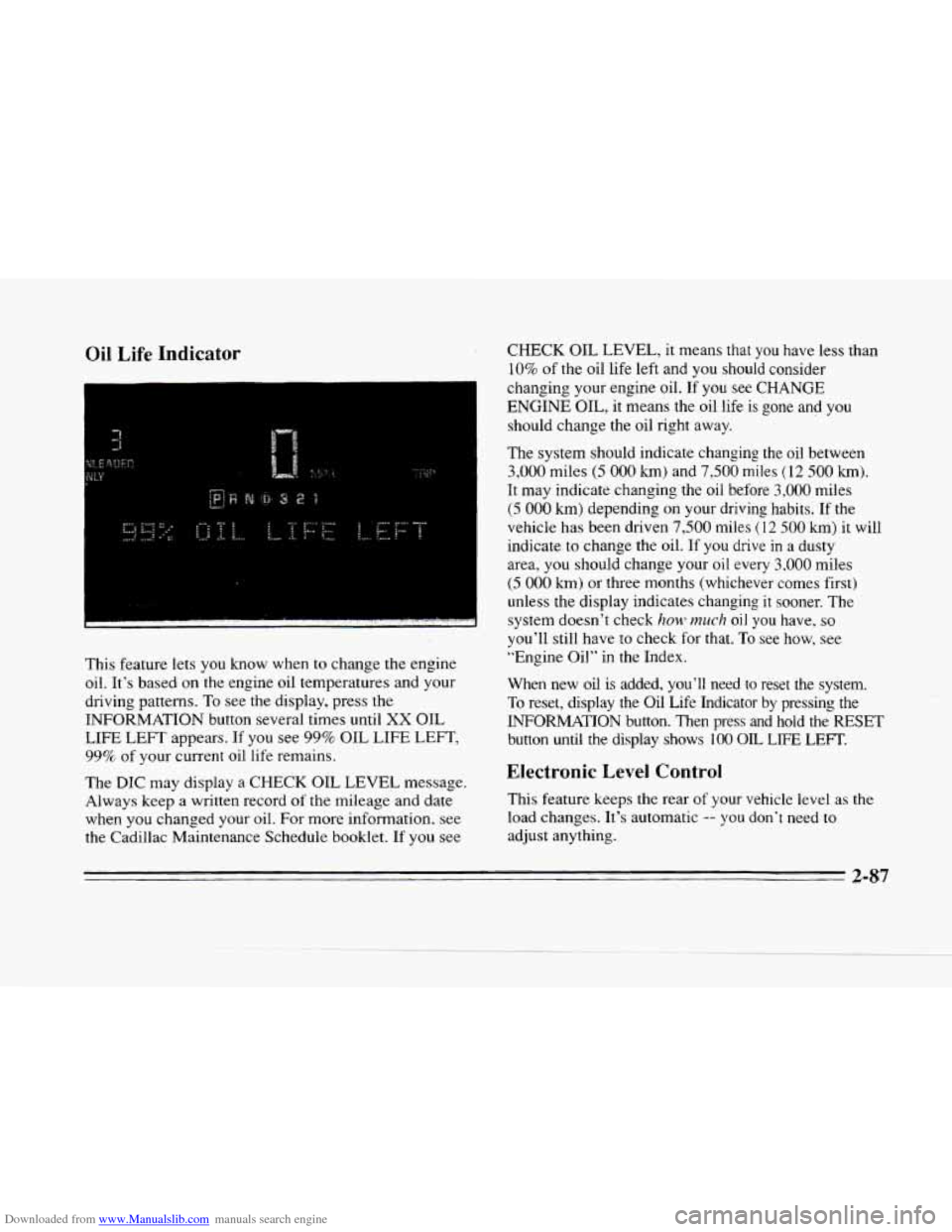
This feature lets you know when to change the engine
oil. It's based on
the engine oil temperatures and your
driving patterns. To see the display, press the
INFORMATION button several times until
XX OIL
LIFE LEFT appears. If you see 99% OIL LIFE LEFT,
99% of your current oil life remains.
The
DIC may display a CHECK OIL LEVEL message.
Always keep a written record
of the mileage and date
when you changed your oil. For more information, see
the Cadillac Maintenance Schedule booklet. If you see
CHECK OIL LEVEL, it means that you have less than
10% of the oil life left and you should consider
changing your engine oil.
If you see CHANGE
ENGINE OIL, it means the oil life is gone and you
should change the oil right away.
The
system should indicate changing the oil between
3,000 miles (5 000 km) and 7,500 miles (12 500 km).
It may indicate changing the oil before 3,000 miles
(5 000 km) depending on your driving habits. If the
vehicle has been driven
7,500 miles (12 500 km) it will
indicate
to change the oil. If you drive in a dusty
area, you should change your
oil every 3,000 miles
(5 000 km) or three months (whichever comes first)
unless the display indicates changing it sooner. The
system doesn't check
120~) much oil you have. so
you'll still have to check for that. To see how, see
"Engine Oil"
in the Index.
When new
oil is added, you'll need to reset the system.
To reset, display the Oil Life Indicator by pressing the
INFORMATION button. Then press and hold the RESET
button until
the display shows 100 OIL LIFE LEFT.
Electronic Level Control
This feature keeps the rear of your vehicle level as the
load changes. It's automatic -- you don't need to
adjust anything.
2-87
Page 151 of 354
Downloaded from www.Manualslib.com manuals search engine DEFOG: Press this button to divide the air between the
windshield and the heater outlets. This
is useful when
fog appears on the windshield or side glass due to
sudden rain
ox snowy conditions. This feature is not
available with the heated windshield option.
AUTO/ECON: Press this button to switch between
AUTO and ECON. The ECON setting attempts to keep
air at
a selected temperature, however, it does not
remove humidity from the air. Use this setting in cold or
cool weather to save fuel. The
AUTO setting is used
when it’s warm outside and you need
to cool the air in
order to maintain a selected temperature and blower
speed.
* FAN SPEEDS: Press the button with the fan
symbol until
AUTO is displayed on the screen. At this
setting, the fan speed is automatically controlled. If it
is
cold outside, the blower may not run in the maximum
high fan speed right away. The system checks the temperature
of the engine
coolant to assure it is warm
enough to provide heat. When the engine coolant is
warm, the controller allows the fan to gradually increase
to a higher speed. This prevents cold air from blowing
into the passenger compartment.
If you want the blower
fan at
a high speed, press the up arrow button until you
see
HI on the display. If you want the fan speed to be
automatic, but you like the fan speed to
be higher than
the
AUTO setting, press the fan symbol button until .HI
AUTO is shown on the display. If you want the blower
fan at
a low speed, press the down arrow button until
LO is shown on the display. If you want the fan speed to
run lower than the
AUTO setting, press the button until
AUTO LO is shown on the display.
DEFROST Press this button to quickly remove
fog or frost from
the windshield. This setting sends most
of the airflow to the windshield with only a small
amount to
the floor outlets.
3-4
Page 155 of 354
Downloaded from www.Manualslib.com manuals search engine A*
BI-LEVEL: This setting directs air into your
vehicle
in two ways. Cool air is directed to the upper
portion
of your body through the middle instrument
panel outlets while warmed air
is directed to the floor,
’’ HEATER/DEFROS’E This setting directs air to
the floor outlets and toward the windshield.
’/J HEATER: This setting directs warmed air
through the
floor outlets. Some warm air is diverted to
the windshield to minimize fogging.
w.
0
DEFROST Press this button to quickly remove
fog
or frost from the windshield. This setting sends most
of the airflow to the windshield with only a small
amount to the
floor outlets.
@? DE-ICE (Option): Pressing this button helps to
remove ice or frost from the windshield. See “Heated
Windshield’’ later in this section.
DEFOG: Press this, button to divide the air between the
windshield and the heater outlets. This is useful when
fog appears on the windshield or side glass due
to
sudden rain or snowy conditions. This feature is not
available with the heated windshield option.
% FAN SPEEDS: Press the button with the fan
symbol until
AUTO is displayed on the screen. At this
setting, the
fan speed is automatically controlled. If it is
cold outside, the blower may not run
in the maximum
high fan speed right away. The system checks the
temperature of the engine coolant
to assure it is warm
enough
to provide heat. When the engine coolant is
warm, the controller allows the fan to gradually increase
to a higher speed. This prevents cold air from blowing
into the passenger compartment.
If you want the blower
fan at
a high speed, press the up arrow button until you
see HIGH on the display. If you want the fan speed to be
automatic, but you like the fan speed
to be higher than
the
AUTO setting, press the fan symbol button until
HIGH AUTO is shown on the display. If you want the
blower fan at a low speed, press the down arrow button
until
LOW is shown on the display. If you want the fan
speed
to run lower than the AUTO setting, press the
button until LOW AUTO is shown
on the display.
OFF: Press this button to turn the system off. Fresh air
will continue to flow through the vehicle, and the
system will try to maintain the previously
set
temperature. The outside temperature will show on the
display when the system is OW.
3-8
*
Page 164 of 354
Downloaded from www.Manualslib.com manuals search engine L
Lp
c
L-
Playing a Cassette Tape
With the radio on, insert a cassette tape. The tape will
begin playing as soon as it is inserted.
While the tape is playing, use the VOL, FADE, BAL,
TREB and BASS controls just as you do for the radio.
Other controls may have different functions when a tape
is inserted. The display will show
TAPE with an arrow
to indicate which side of the tape is playing. PLAY will
appear on
the display when a tape is playing.
If
an error occurs while trying to play a cassette tape, it
could be that:
0 The cassette tape is tight and the cassette player
cannot turn the hubs
of the tape. (Hold the cassette
tape with the open end
down and try turning the right
hub counterclockwise with a pencil. Flip the tape
over and repeat. If the hubs do not turn easily, your
cassette tape may be damaged and should not be
used in the player. Try
a new tape to be sure your
player
is working properly.
0 The cassette tape is broken. (Check to see if your
tape
is broken. Try a new tape.)
Note that cassette tape adapter kits for portable compact
disc players will not work in your cassette player. These
adapters will cause an error message to show
on the
display, and the adapter cassette will be ejected.
TAPE: Press this button to switch from radio to cassette
tape play. Press
AM, FM1 or FM2 to switch to the radio.
SEEK: Press the forward arrow to search for the next
selection
on the tape. Press the backward arrow to
search
for the previous selection on the tape (REP will
appear on the display). Your tape must have at least
three seconds of silence between each selection for
SEEK to work. The sound will be muted while seeking.
REV: Press this left arrow button to reverse the tape
rapidly. Press it again to return to playing speed. The
radio will play while the tape reverses
and REV will
appear on the display. You may use your station
pushbuttons to tune to another radio station while in
REV mode.
FF: Press this right arrow button to advance quickly to
another part
of the tape. Press the button again to return
to playing speed. The radio will play while the tape
advances and
FWD will appear on the display. You may
use your station pushbuttons to tune
to another radio
station while
in FWD mode.
SIDE: Press this button to change the side of the tape
that is playing.
3-17
Page 168 of 354
Downloaded from www.Manualslib.com manuals search engine m
c
Playing a Cassette Tape
With the radio on, insert a cassette tape. The tape will
begin playing as
soon as it is inserted.
While the tape is playing, use the
VOL, FADE, BAL,
TREB and BASS controls just as you do for the radio.
Other controls may have different functions when a tape
is inserted.
The display will show TAPE with an arrow
to indicate which side
of the tape is playing. PLAY will
appear on the display when a tape
is playing.
If an error occurs while trying
to play a cassette tape, it
could be that:
0 The cassette tape is tight and the cassette player
cannot turn the hubs of the tape. (Hold the cassette
tape with the open end down and try turning the right
hub counterclockwise with a pencil. Flip the tape
over and repeat. If the hubs
do not turn easily, your
cassette tape may be damaged and should not be
used in the player. Try a new tape to be sure your
player
is working properly.
0 The cassette tape is broken. (Check to see if your
tape
is broken. Try a new tape.j
Note that cassette tape adapter kits for portable compact
disc players will not work in your cassette player. These
adapters will cause an error message to show on the
display. and the adapter cassette will be ejected.
TAPE: Press this button to switch from radio or CD to
cassette tape play. Press AM or FM 1-2 to switch to the
radio.
SEEK: Press the forward arrow to search for the next
selection on the tape. Press the backward arrow to
search for the previous selection
on the tape (REP will
appear on the display). Your tape must have at least
three seconds
of silence between each selection for
SEEK to work. The sound will be muted while seeking.
REV: Press this left arrow button to reverse the tape
rapidly. Press
it again to return to playing speed. The
radio will play while the tape reverses and
REV will
appear on
the display. You may use your station
pushbuttons to tune
to another radio station while in
REV mode.
FF: Press this right arrow button to advance quickly to
another part of the tape. Press the button again to return
to playing speed. The radio will play while the tape
advances and
FWD will appear on the display. You may
use your station pushbuttons to tune to another radio
station while in
FWD ,mode.
SIDE: Press this button to change the side of the tape
that is playing.
Page 171 of 354
Downloaded from www.Manualslib.com manuals search engine . ..
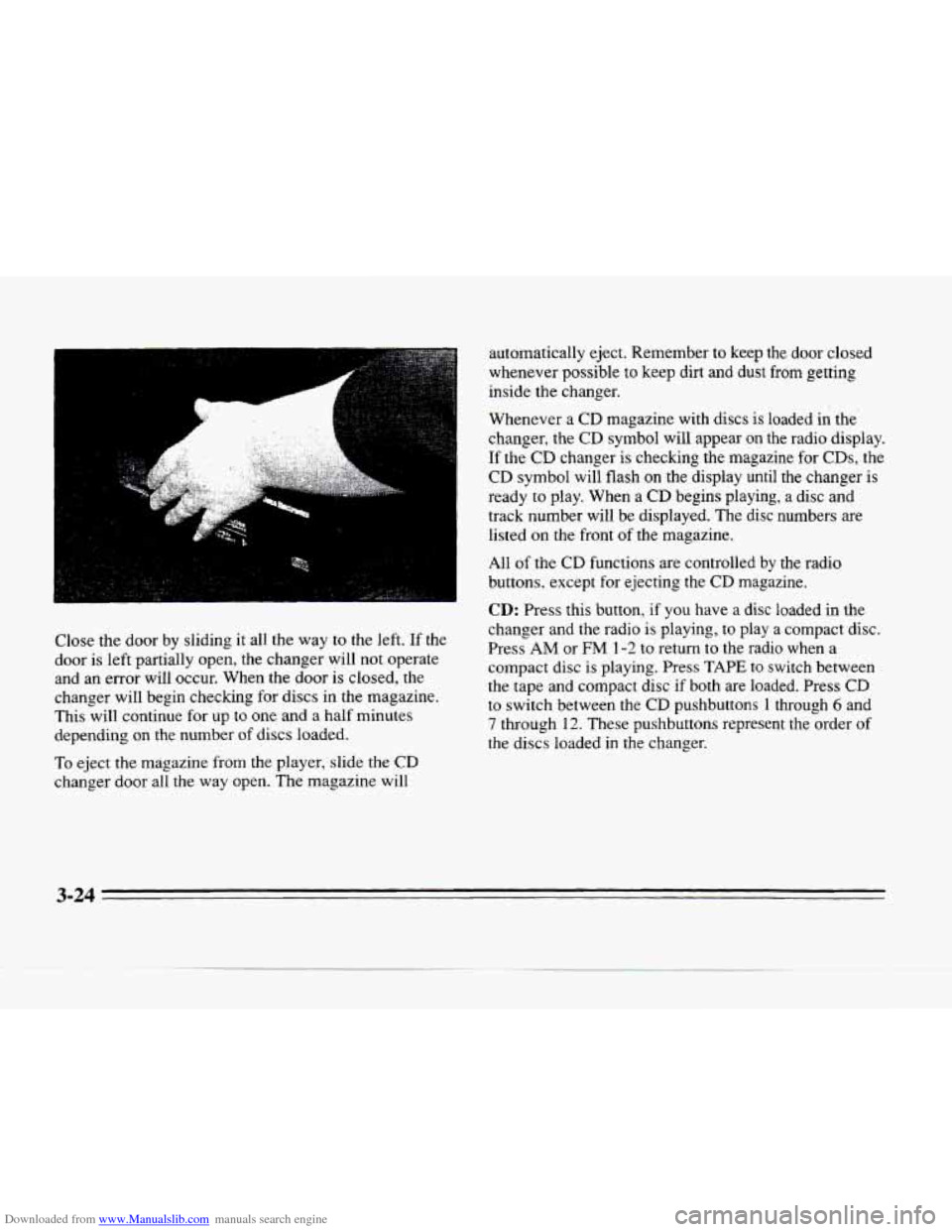
Close the door by sliding it all the way to the left. If the
door is left partially open, the changer will not operate
and an error will occur. When the door is closed, the
changer will begin checking for discs in the magazine.
This will continue
for up to one and a half minutes
depending on the number
of discs loaded.
To eject the magazine from the player, slide the CD
changer door all the way open. The magazine will automatically eject. Remember
to keep the
door closed
whenever possible to keep
dirt and dust from getting
inside the changer.
Whenever a
CD magazine with discs is loaded in the
changer, the
CD symbol will appear on the radio display.
If the
CD changer is checking the magazine for CDs, the
CD symbol will flash on the display until the changer is
ready
to play. When a CD begins playing, a disc and
track number will be displayed. The disc numbers are
listed
on the front of the magazine.
All
of the CD functions are controlled by the radio
buttons, except for ejecting the
CD magazine.
CD: Press this button, if you have a disc loaded in the
changer and the radio is playing, to play a compact disc.
Press
AM or FM 1-2 to return to the radio when a
compact
disc is playing. Press TAPE to switch between
the tape and compact disc if both are loaded. Press CD
to switch between the CD pushbuttons 1 through 6 and
7 through 12. These pushbuttons represent the order of
the discs loaded in the changer.
Page 175 of 354
Downloaded from www.Manualslib.com manuals search engine Adjusting the Speakers
BAL: Press this button lightly so it extends. Turn the
BAL knob to move the sound to the left or right speakers.
The middle position is a detent
and balances the speakers.
Turn the knob clockwise
to adjust sound to the right
speakers and counterclockwise for left speakers. Push the
button back it when you are not using
it.
FADE: Press this button lightly so it extends. Turn the
FADE knob to move the sound to the front or rear
speakers. The middle position is a detent and balances
the speakers. Turn the knob clockwise to adjust the
sound to the front speakers and counterclockwise for
rear speakers. Push the button back it when you are not
using it.
Playing a Cassette Tape
With the radio on, insert a cassette tape. The tape will
begin playing as soon as it is inserted.
While the tape is playing, use the
VOL, FADE, BAL,
TREB and BASS controls just as you do for the radio.
Other controls may have different functions when a tape
is inserted. The display will show
TAPE with an arrow
to indicate which side of the tape is playing. PLAY will
appear on the display when a tape is playing. If an
error occurs while trying
to play a cassette tape, it
could be that:
0 The cassette tape is tight and the cassette player
cannot turn the hubs of the tape.
(Hold the cassette
tape with the open end down
and try turning the right
hub counterclockwise with a pencil. Flip the tape
over and repeat. If the hubs
do not turn easily, your
cassette tape
may be damaged and should not be
used in
the player. Try a new tape to be sure your
player is working properly.
0 The cassette tape is broken. (Check to see if your
tape is broken.
Try a new tape.)
Note that cassette tape adapter kits for portable compact
disc players will not work in your cassette player. These
adapters will cause an error message
to show on the
display, and the adapter cassette will
be ejected.
TAPE: Press this button to switch from radio or CD to
cassette tape play. Press
AM or FM 1-2 to switch to the
radio.
SEEK: Press the forward arrow to search for the next
selection on the tape. Press the backward arrow to
search for the previous selection
on the tape (REP will
appear on the display). Your tape must have at least
three seconds of silence between each selection for
SEEK to work. The sound will be muted while seeking.
3-28
Page 178 of 354
Downloaded from www.Manualslib.com manuals search engine r: .. .
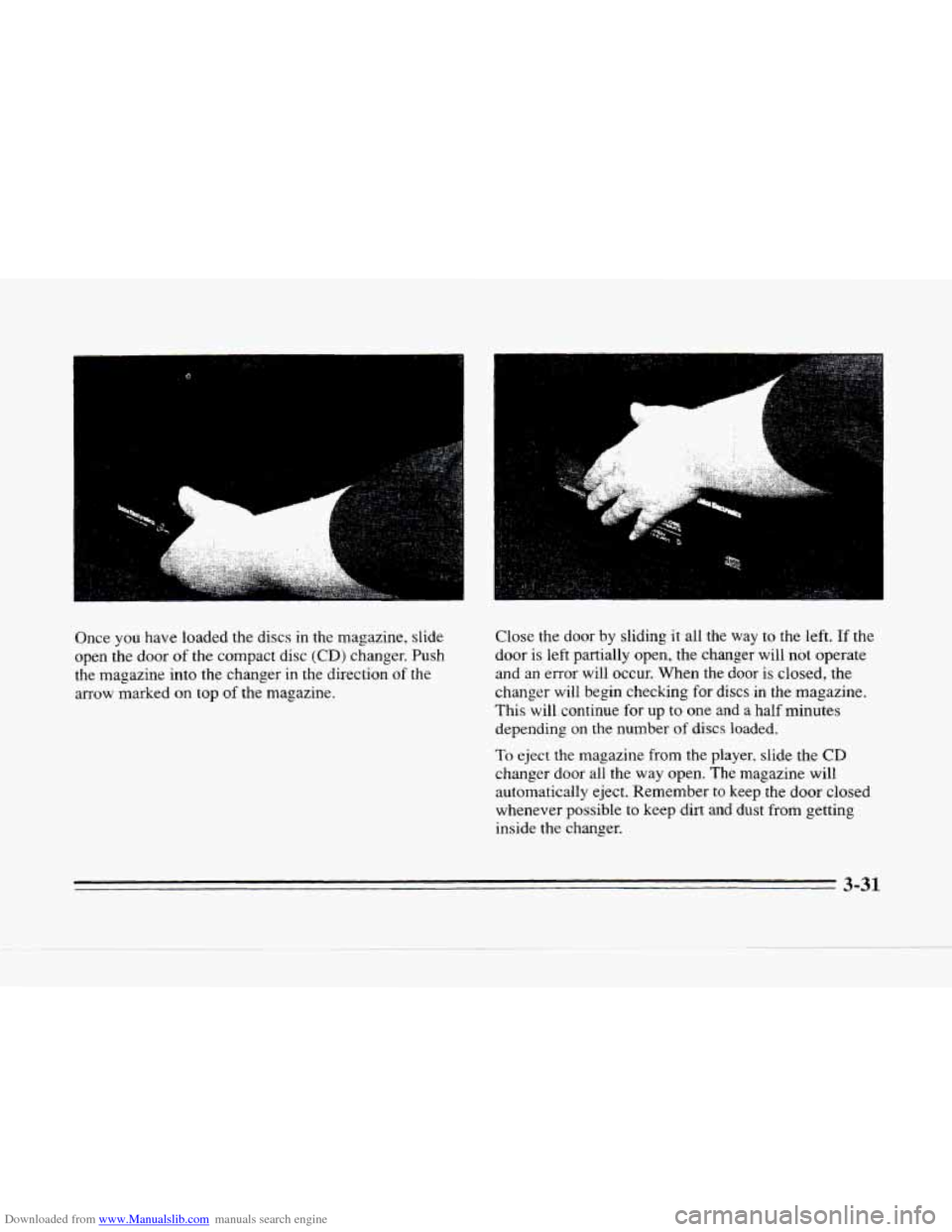
Once you have loaded the discs in the magazine, slide
open the door
of the compact disc (CD) changer. Push
the magazine into the changer in the direction
of the
arrow marked on top
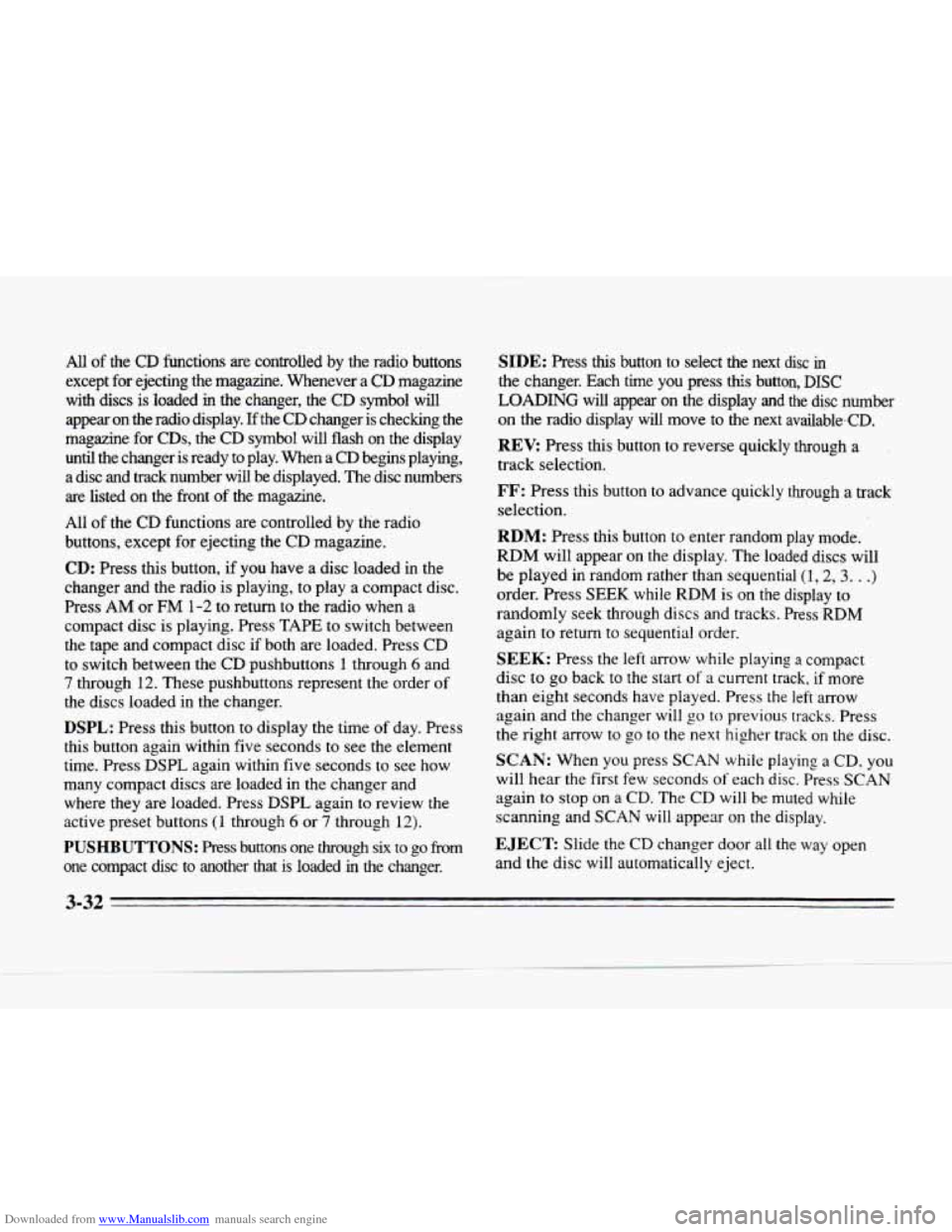
of the magazine. Close
the door by sliding it all the
way to the left. If the
door is left partially open, the changer will not operate
and an error will occur. When the
door is closed, the
changer
will begin checking for discs in the magazine.
This will continue for up
to one and a half minutes
depending on
the number of discs loaded.
To eject the magazine from the player, slide the CD
changer door all the way open. The magazine will
automatically eject. Remember to keep the
door closed
whenever possible to keep dirt and dust from getting
inside the changer.
I
3-31
Page 179 of 354
Downloaded from www.Manualslib.com manuals search engine All of the CD functions are controlled by the radio buttons
except for ejecting the magazine. Whenever
a CD magazine
with discs is loaded
in the changer, the CD symbol will
appear on the radio display.
If the CD changer is checking the
magazine for
CDs, the CD symbol will flash on the display
until the changer is ready to play. When a
CD begins playing,
a disc and track number will be displayed. The disc numbers
are listed on the front of the magazine.
All
of the CD functions are controlled by the radio
buttons, except for ejecting the CD magazine.
CD: Press this button, if you have a disc loaded in the
changer and the radio is playing, to play a compact disc.
Press AM or
FM 1-2 to return to the radio when a
compact disc is playing. Press TAPE to switch between
the tape and compact disc
if both are loaded. Press CD
to switch between the CD pushbuttons 1 through 6 and
7 through 12. These pushbuttons represent the order of
the discs loaded in the changer.
DSPL: Press this button to display the time of day. Press
this button again within five seconds to see the element
time. Press DSPL again within five seconds to see how
many compact discs
are loaded in the changer and
where they are loaded. Press
DSPL again to review the
active preset buttons
(1 through 6 or 7 through 12).
PUSHBUTTONS: Press buttons one through six to go from
one compact disc to another that is loaded
in the changer.
SIDE: Press this button to select the next disc in
the changer. Each time you press this button, DISC
LOADING will appear on the display and the disc number
on the radio display will move to the next available-CD.
REV: Press this button to reverse quickly through a
track selection.
FF: Press this button to advance quickly through a track
selection.
RDM: Press this button to enter random play mode.
RDM will appear on the display. The loaded discs will
be played
in random rather than sequential (1,2,3. . .)
order. Press SEEK while RDM is on the display to
randomly seek through discs and tracks. Press RDM
again
to return to sequential order.
SEEK: Press the left arrow while playing a compact
disc to go back to the start
of a current track, if more
than eight seconds have played. Press the
left arrow
again and the changer
will go to previous tracks. Press
the right arrow to
go to the next higher track on the disc.
SCAN: When you press SCAN while playing a CD, you
will hear the first few seconds
of each disc. Press SCAN
again to stop on a CD. The CD will be muted while
scanning and
SCAN will appear on the display.
EJECT Slide the CD changer door all the way open
and the disc will automatically eject.
3-32